
 View on Asset Store (opens in new tab)
Package details
- Latest version
- 1.0.1
- Last updated
- First released
- Unity version
- 2022.3.62 or later
- Package size
- 10.6 MB
- Files
- 139
- Favorites
- 1
- Views in the past week
- 14
Price tracking
- Last checked
- Tracked since
- Lowest recorded
- $4.99 on
Keywords

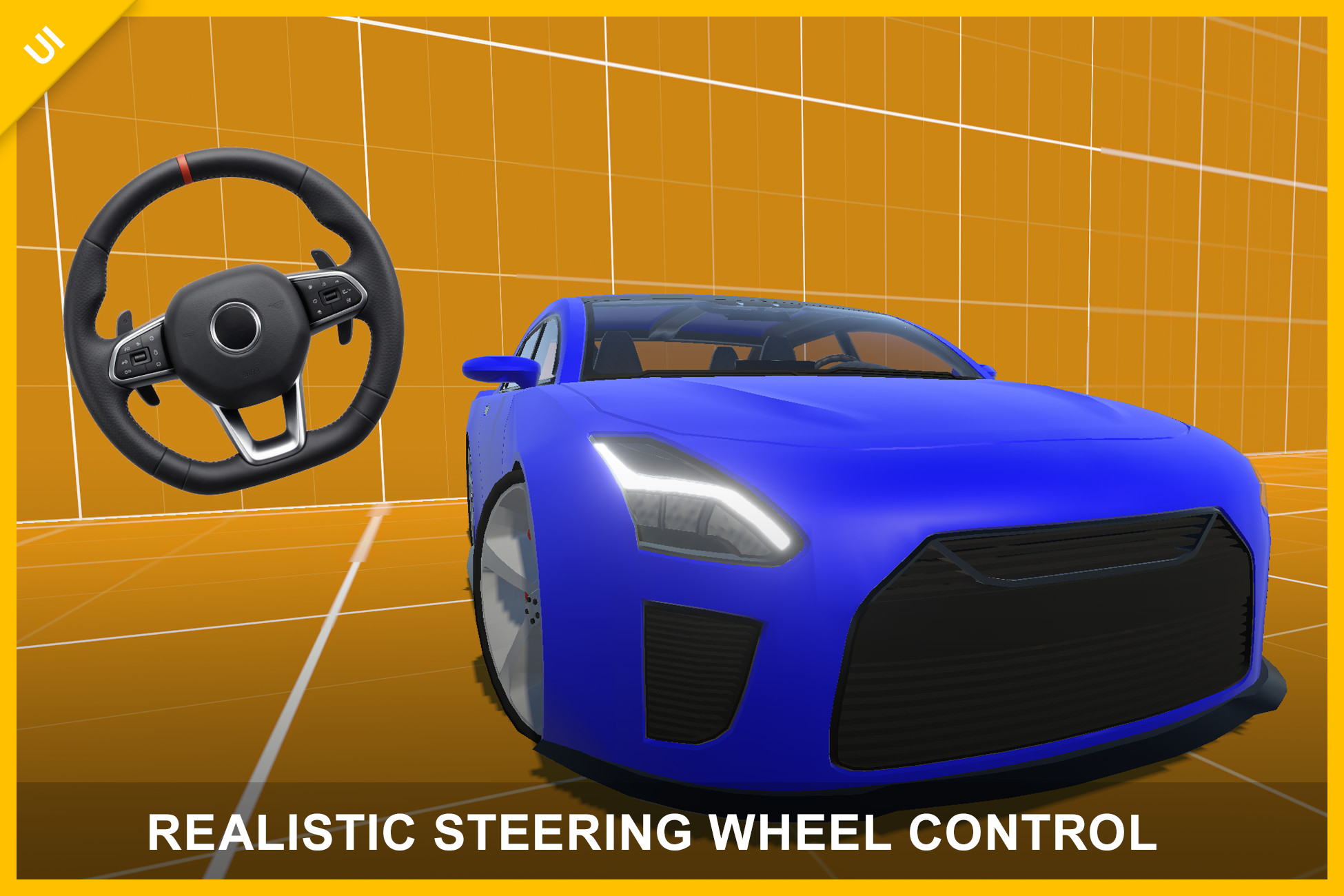
Realistic Steering Wheel Control – Mobile Touch Input
- Price drop
Realistic steering wheel UI control with smooth drag-based rotation, customizable settings, multiple visuals, and a full car demo. Ideal for mobile driving and simulation games.
Lowest recorded price
Get 50% off on Asset Store (opens in new tab)Affiliate link · Purchases support this site
Price history
Last 6 months
USDAsset preview
1 / 5
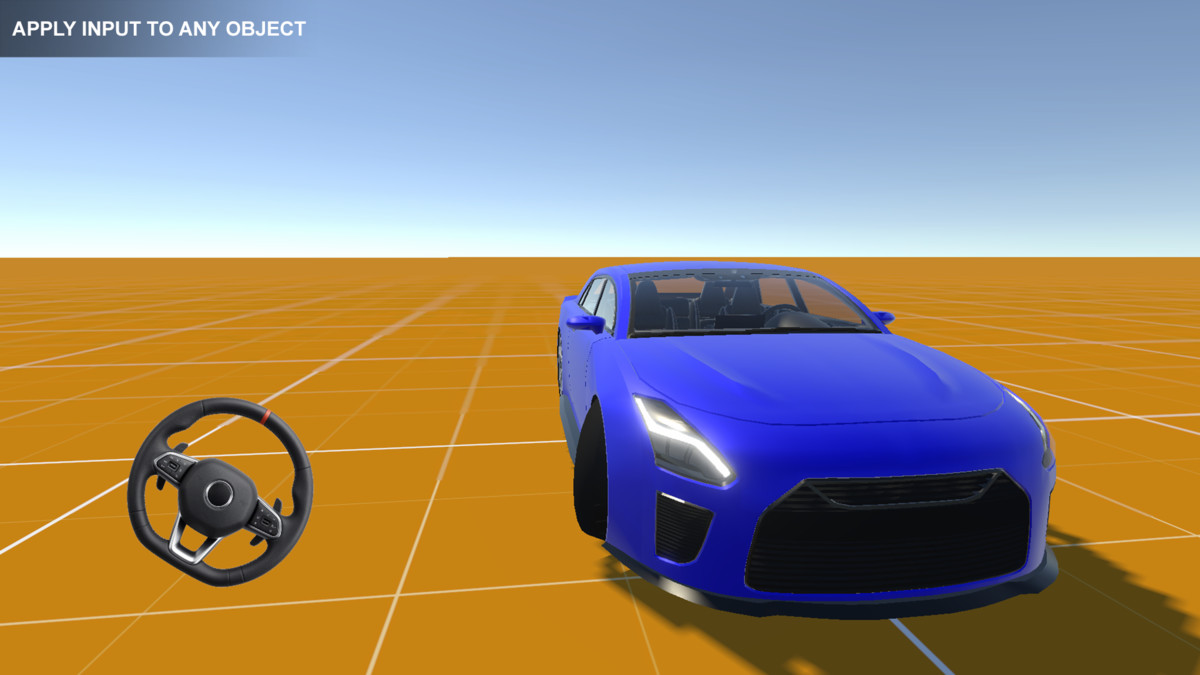
Realistic Steering Wheel Control – Mobile Touch Input screenshot 1
About this asset
Play a WebGL demo:
https://transylvanian-tales.itch.io/steering-wheel-control-demo
Realistic Steering Wheel Control – Mobile & Touch Input
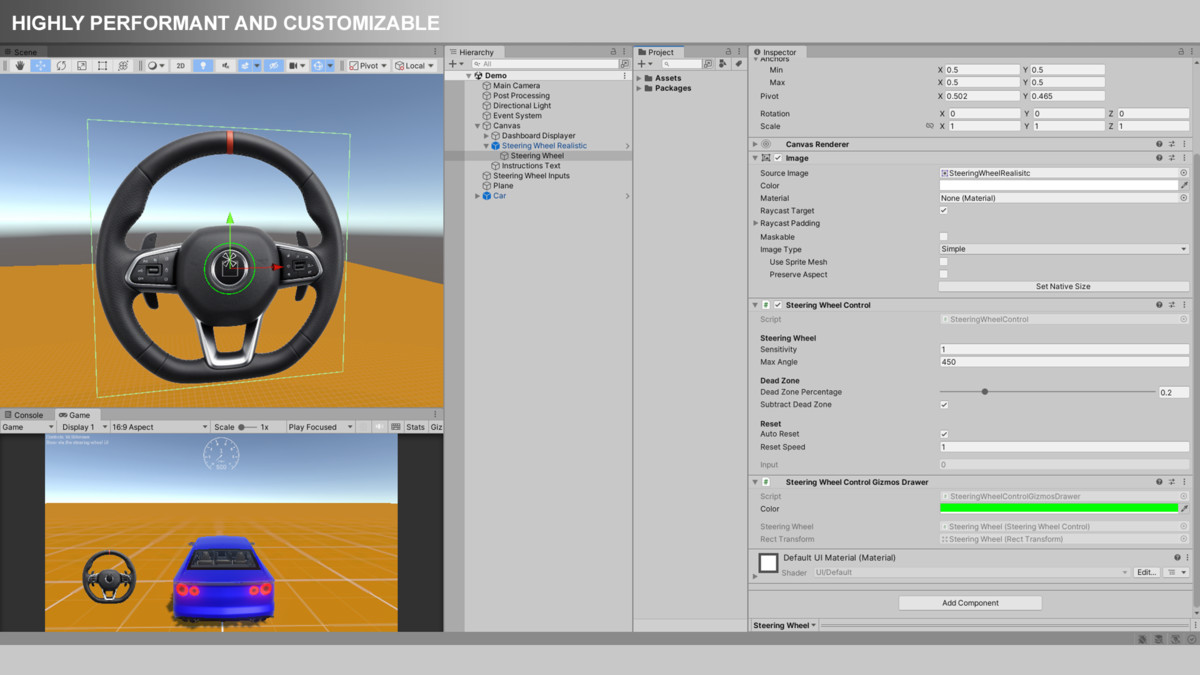
Steering Wheel Control is a realistic, responsive, and highly customizable UI input system designed for mobile and touch-based applications.
It simulates a real steering wheel by converting drag-based rotation into smooth, normalized input, making it ideal for driving games, simulations, and any system that requires rotational control.
Key Features
- Realistic drag-based steering input
- Smooth and organic rotation behavior
- Normalized output (-1 to 1)
- Adjustable sensitivity and maximum steering angle
- Configurable dead zone with flexible behavior
- Optional automatic centering (auto-reset)
- Event-driven input system
- Multiple steering wheel visual styles included
- Lightweight and high-performance implementation
Steering Wheel Variants
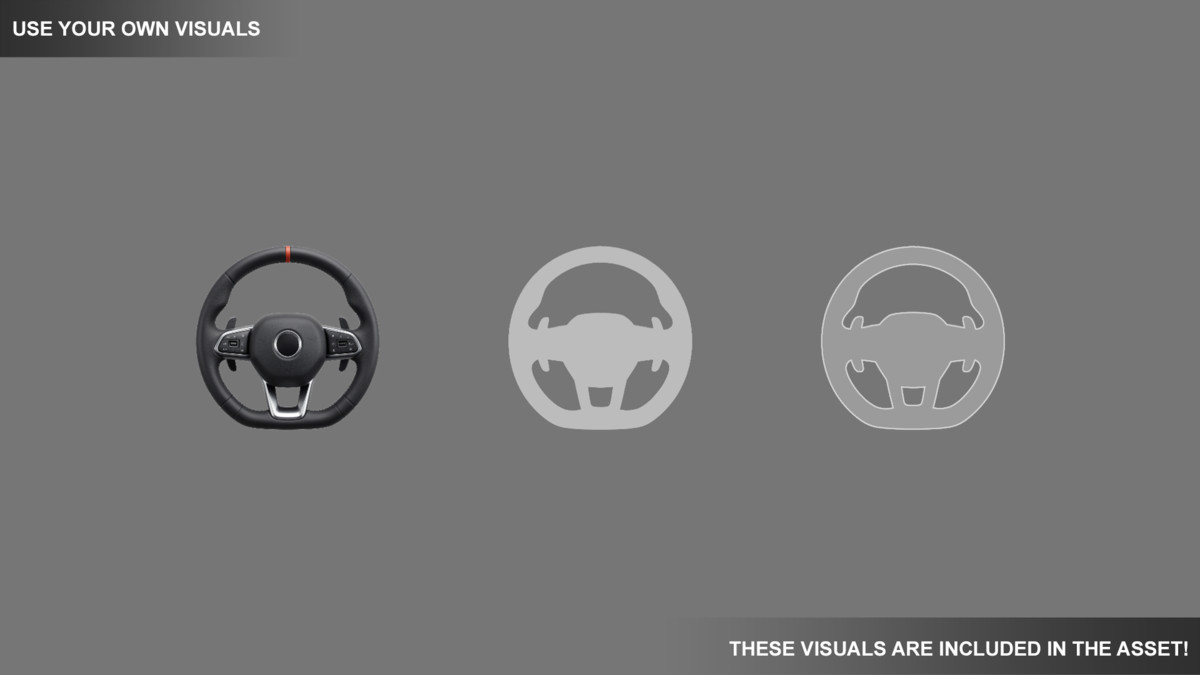
The asset includes multiple ready-to-use steering wheel prefabs:
- Realistic steering wheel
- Icon-style steering wheel
- Outline-style steering wheel
Each variant uses the same core logic, allowing you to:
- Quickly prototype different visual styles
- Swap visuals without changing functionality
- Customize or replace sprites to fit your project
Car Demo Included
A complete car demo is included to showcase real-world usage.
It demonstrates how to connect the steering wheel input to a vehicle controller using a modular architecture.
The demo supports multiple render pipelines:
- Built-In Render Pipeline (BRP)
- Universal Render Pipeline (URP)
- High Definition Render Pipeline (HDRP)
This ensures compatibility across different project setups.
Flexible Input System
The steering wheel outputs a normalized float value (-1 to 1), which can be used for:
- Vehicle steering
- Character rotation
- Camera control
- UI interactions
- Any custom gameplay system requiring rotational input
You can:
- Subscribe to events (OnInputChanged)
- Or poll input manually via API
Customization
The system is designed to be highly configurable:
- Sensitivity → controls responsiveness
- Max Angle → defines rotation range
- Dead Zone → stabilizes input near center
- Subtract Dead Zone → smooths transitions
- Auto Reset → returns wheel to neutral
- Reset Speed → controls centering speed
This allows you to fine-tune the control for arcade, simulation, or hybrid experiences.
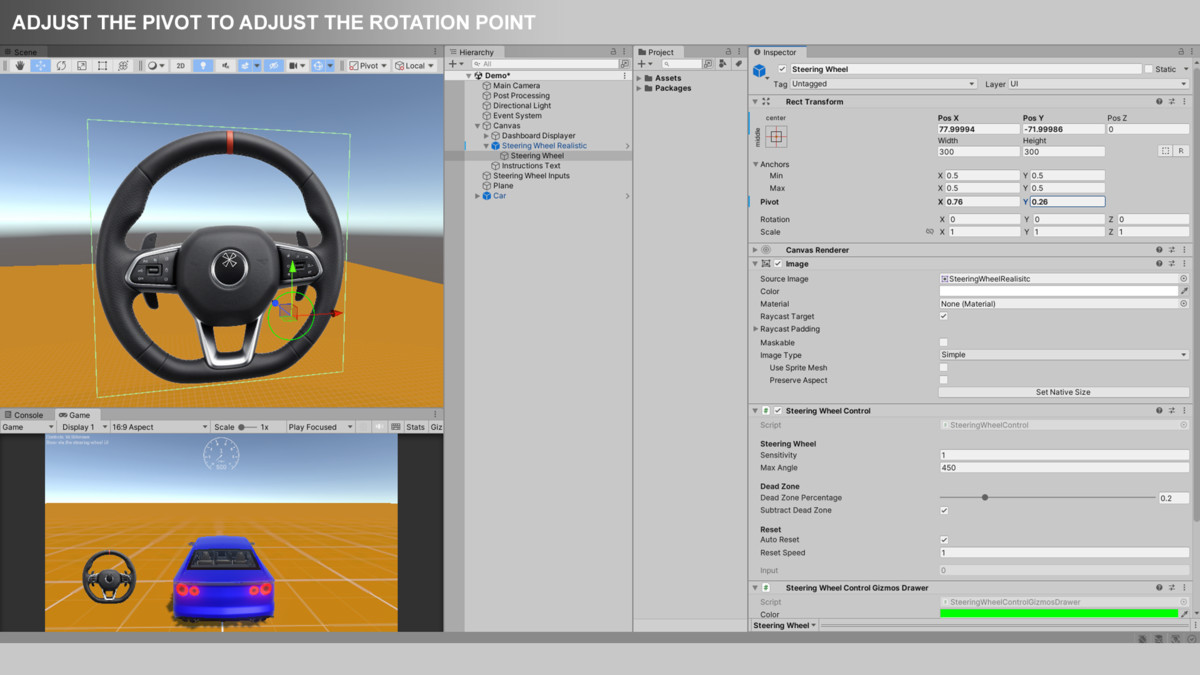
Important – Pivot Setup
Correct pivot placement is essential for proper behavior.
- The steering wheel must rotate around its visual center
- This is controlled by the RectTransform pivot
Important notes:
- Included prefabs may use custom pivot values (not always 0.5, 0.5)
- This is intentional for non-perfectly round steering wheel visuals
- If you replace the sprite (especially with a perfectly round image), you may need to adjust the pivot
Incorrect pivot setup can result in:
- Off-center rotation
- Unnatural steering behavior
Always verify pivot alignment when customizing visuals.
Performance
- No runtime allocations
- Minimal computations per frame
- Efficient input processing
- Suitable for real-time applications on mobile and desktop
The system is designed to be lightweight and scalable.
No External Dependencies
- No external APIs are used
- No API keys are required
- Fully offline and self-contained
Architecture
The asset follows a modular package-based structure:
- Core logic is separated into reusable packages
- Designed for integration into larger systems
- Easy to extend and maintain
Use Cases
- Driving games
- Racing games
- Vehicle simulations
- Mobile control systems
- Any rotational input-based gameplay
Included Content
- Steering Wheel Control system
- Multiple steering wheel prefabs
- Demo scenes (visual showcase)
- Car demo (full integration example)
- Support for BRP, URP, and HDRP
- Full documentation
Documentation & Tutorials
Documentation is included within the asset.
Video tutorials are available and will continue to be expanded over time:
https://www.youtube.com/playlist?list=PL2ESxGsWSBc7Myz9AxvQ_3F38V1PXqB-h
Support
If you have any questions or need assistance:
From the publisher's Asset Store listing.
Technical details
Unity Version: 2022.3 or newer (recommended)
Render Pipeline Compatibility:
- Built-In Render Pipeline (BRP)
- Universal Render Pipeline (URP)
- High Definition Render Pipeline (HDRP)
Platforms:
- Mobile (iOS, Android)
- PC (Windows, Mac)
Input:
- Mouse input (Editor / Standalone)
- Touch input (Mobile devices)
Features:
- Drag-based rotational steering input
- Normalized output (-1 to 1)
- Adjustable sensitivity
- Configurable maximum steering angle
- Dead zone with optional subtraction behavior
- Optional automatic reset with adjustable speed
- Event-driven input system (UnityAction)
- Gizmo visualization for dead zone (Editor only)
Included Content:
- SteeringWheelControl script
- SteeringWheelControlGizmosDrawer (Editor tool)
- Multiple steering wheel prefabs (realistic, icon, outline)
- Demo scene (all variants)
- Car demo scene (vehicle integration example)
- Render pipeline-specific demo setups (BRP, URP, HDRP)
Dependencies (Unity Packages for Car Demo):
- TextMeshPro (com.unity.textmeshpro)
- Input System (com.unity.inputsystem)
Performance:
- No runtime allocations
- Lightweight and efficient
- Suitable for real-time mobile applications
Important Notes:
- Correct RectTransform pivot setup is required for proper rotation
- No external APIs or API keys are used or required
Compatibility
| Unity version | Built-in | URP | HDRP |
|---|---|---|---|
| 2022.3.62f2 | Compatible | Compatible | Compatible |
1. Navigate to:
/Assets/TransylvanianTales/SteeringWheelControl/
2. Import the correct package:
- URP.unitypackage or HDRP.unitypackage
(BRP requires no import)
3. After importing, open:
/CarDemo/RenderPipelines/[Your RP]/
4. Open the Demo scene and press Play
As listed on the Asset Store.