
 View on Asset Store (opens in new tab)
Package details
- Latest version
- 1.2.0
- Last updated
- First released
- Unity version
- 6000.0.83 or later
- Package size
- 123 KB
- Files
- 17
- Favorites
- 14
- Views in the past week
- 32
Price tracking
- Last checked
- Tracked since
- Lowest recorded
- Free on
Keywords

Simple Folder Colorizer
A lightweight Unity editor tool to colorize folder icons in the Project window with custom color presets.
Affiliate link · Purchases support this site
Price history
Last 6 months
USDAsset preview
1 / 5
Simple Folder Colorizer screenshot 1
About this asset
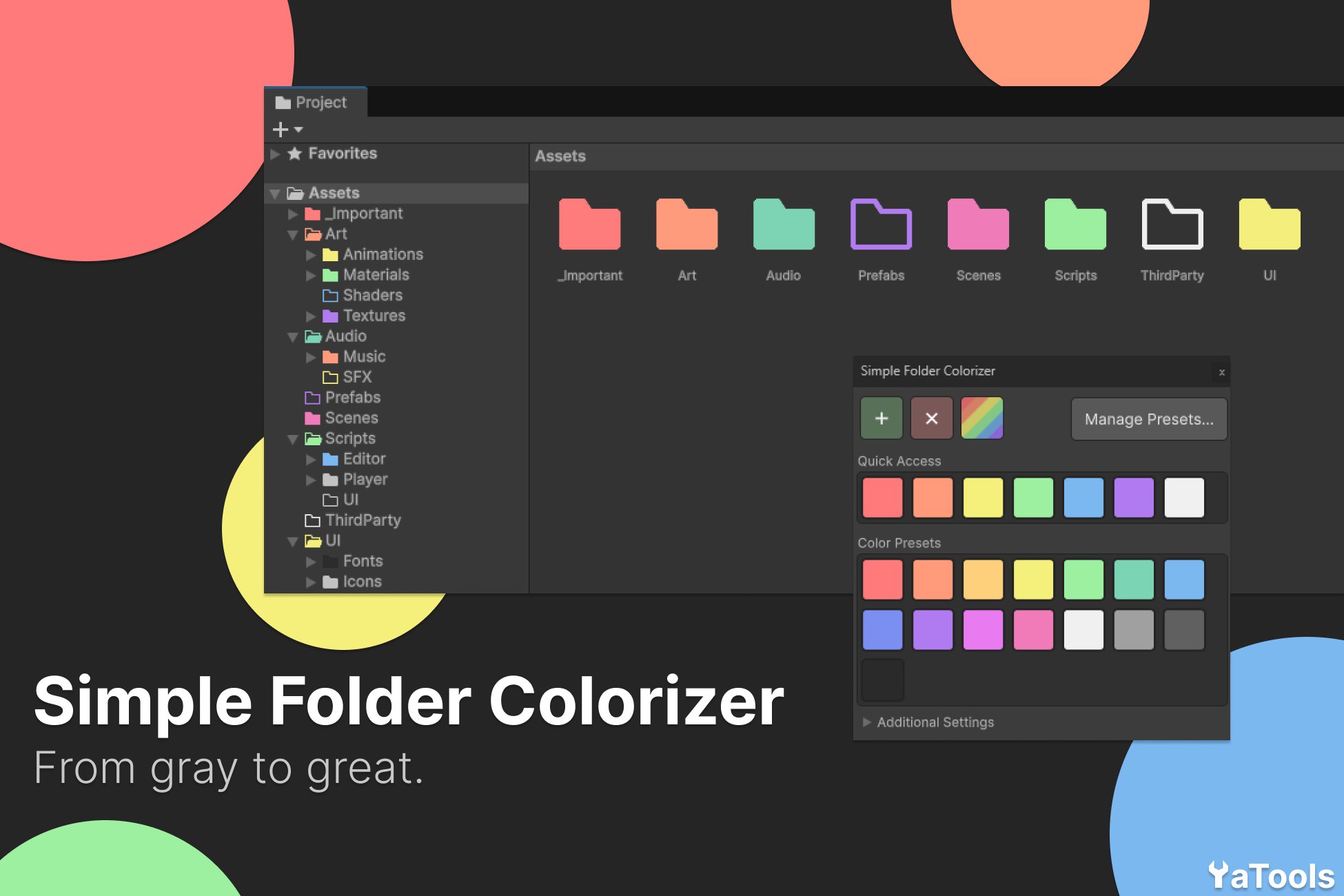
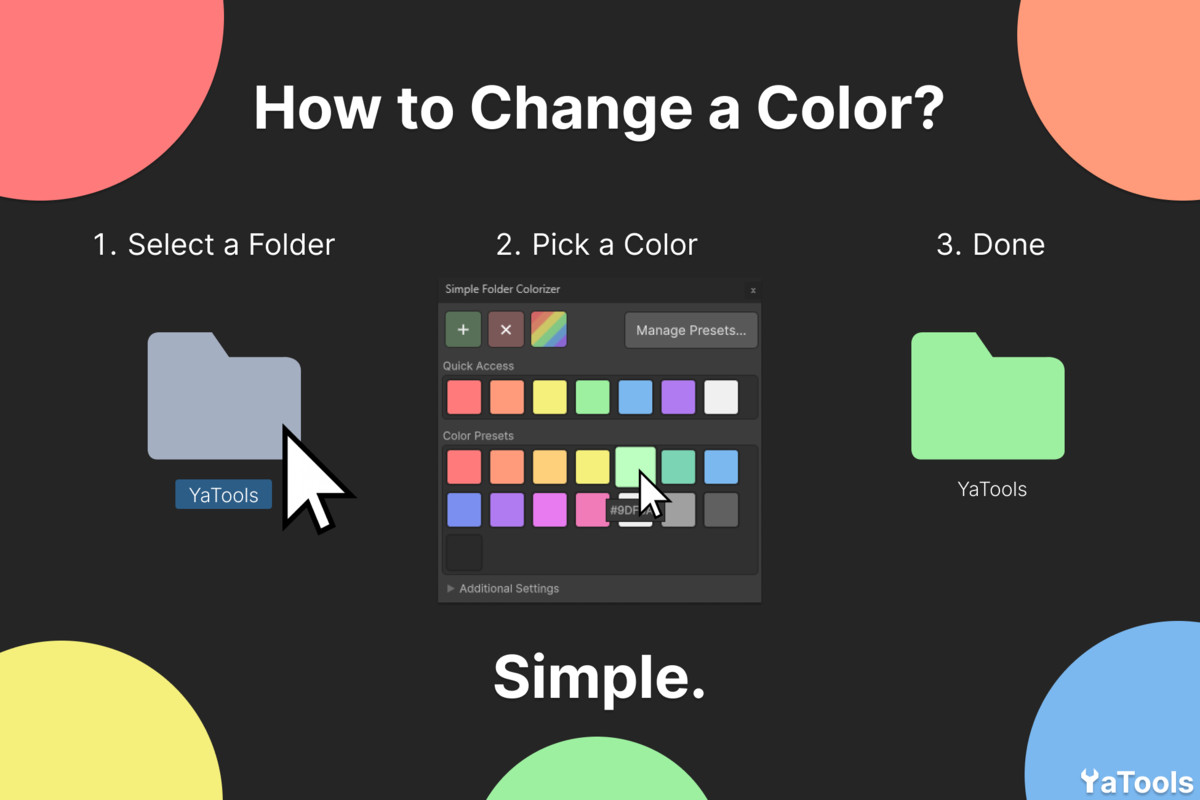
Simple Folder Colorizer helps you visually organize your Unity project by tinting folder icons with custom colors directly in the Project window.
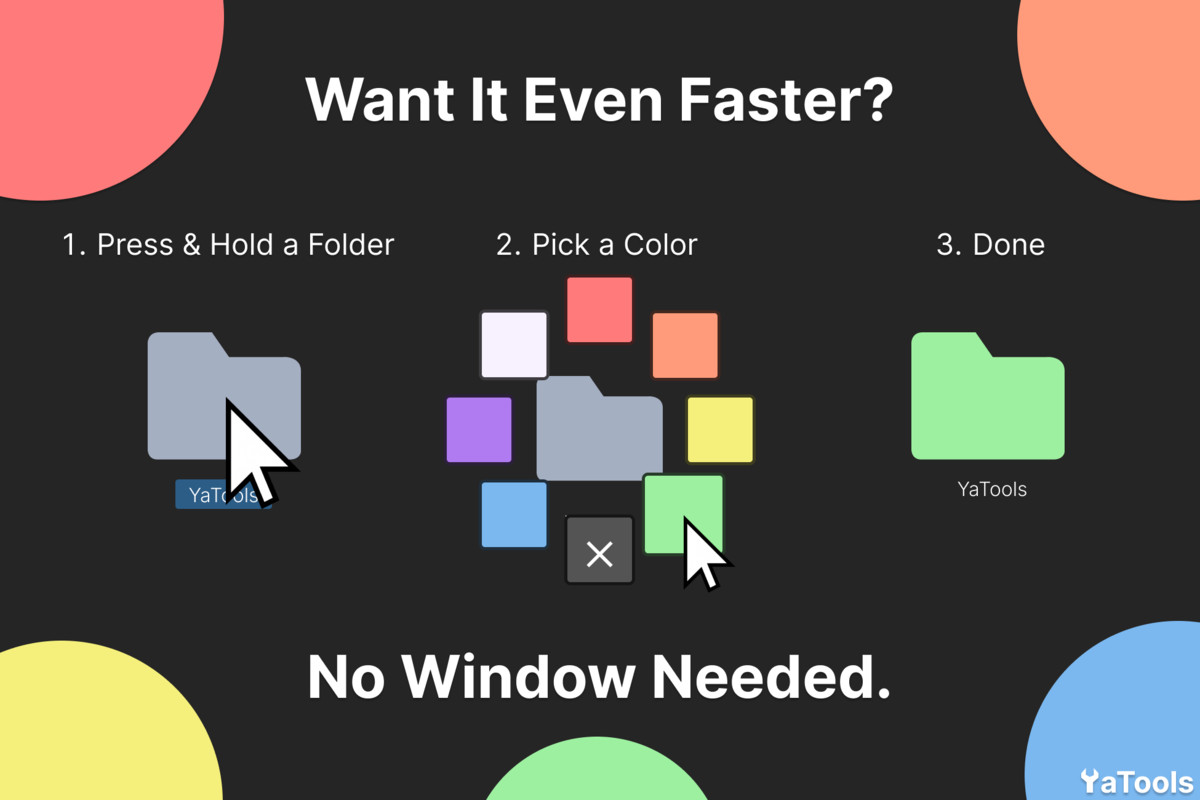
Select one or multiple folders, pick a color from your presets or from the Quick Access panel, and instantly see the result. Hold the mouse on a folder to open the quick color panel without even switching to the tool window.
KEY FEATURES
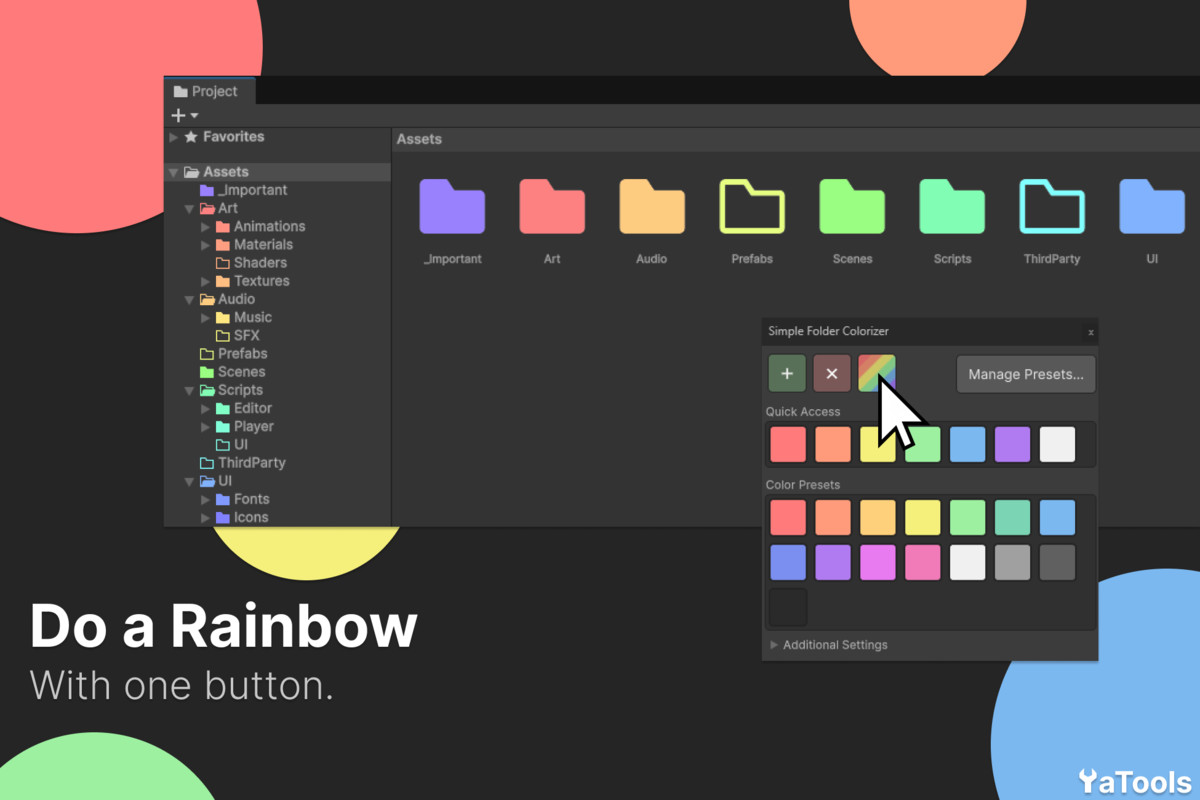
- Quick Access panel: keep your most used colors in fixed slots and drag any preset into them.
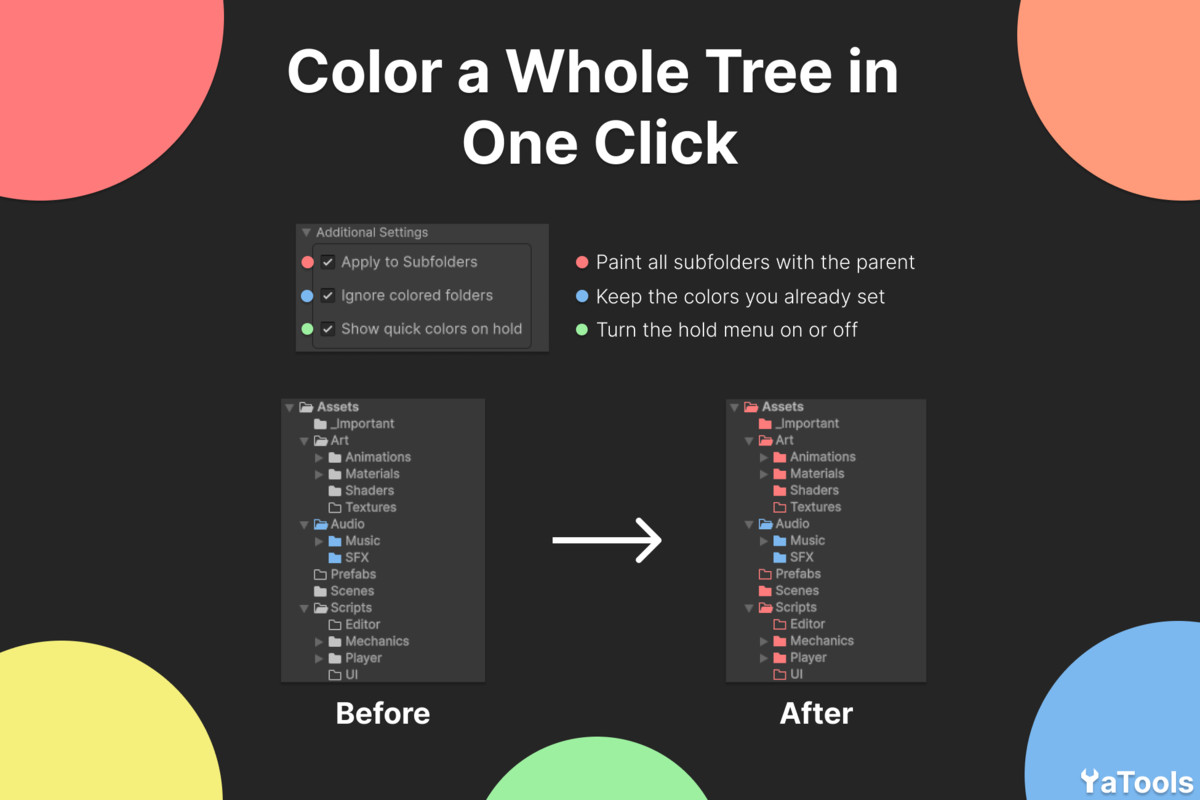
- Quick colors on hold: press and hold on a folder to pick a color on the spot (can be turned off in Additional Settings).
- Rainbow button: paint selected folders with a rainbow gradient. With subfolders enabled, each folder family gets its own hue range.
- Apply to subfolders: color a folder and everything inside it with a single checkbox.
- Ignore colored folders: skip folders that already have a color.
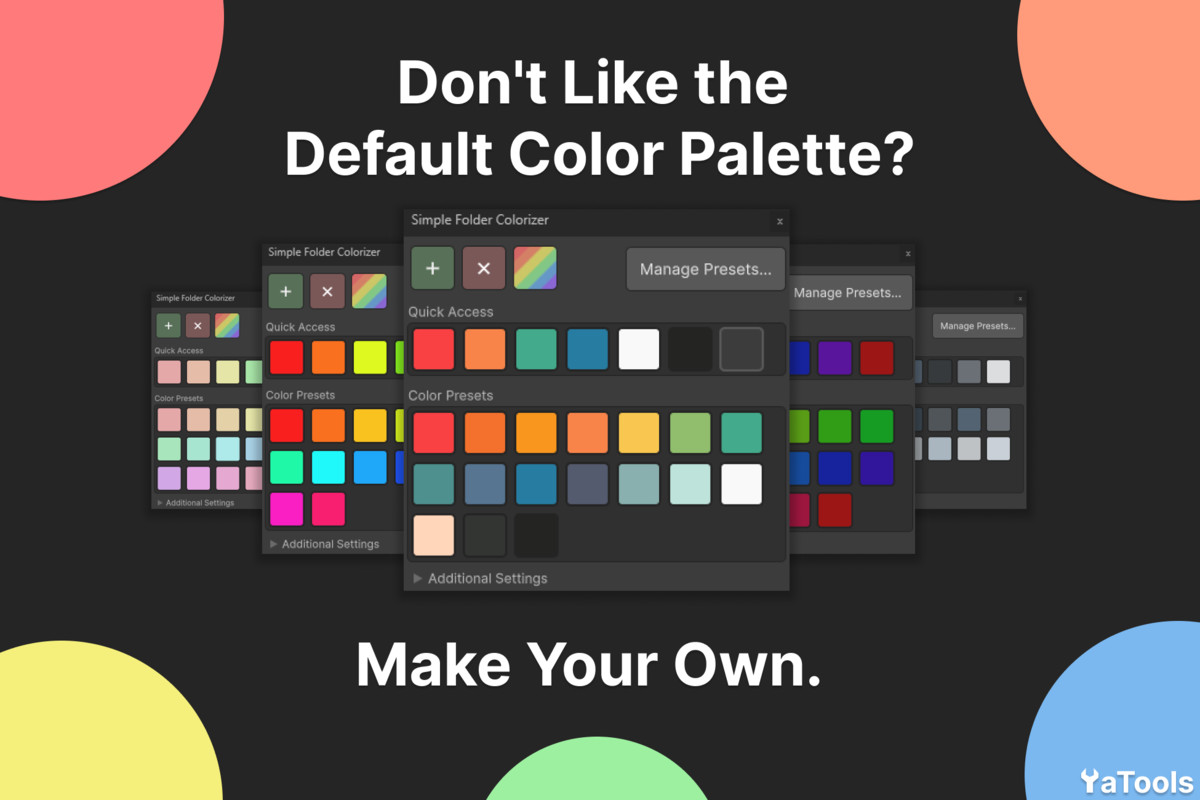
- Custom presets: add your own colors and remove the ones you don't need.
- Undo/Redo support for colors, presets and quick slots.
- Works in both list and grid views of the Project window.
The tool is non-destructive: all data is stored in a ScriptableObject using Unity's GUID system, so colored folders keep their color even when renamed or moved. Orphaned entries are cleaned up automatically when folders are deleted.
Compatible with Unity's dark and light themes.
From the publisher's Asset Store listing.
Technical details
- Editor-only tool, zero runtime overhead and no impact on builds
- Works in both List View and Grid View of the Project window
- Supports recursive color application to all subfolders
- Option to skip folders that already have a color
- Custom color preset palette with add/remove management
- Quick Access panel with fixed slots and drag-and-drop from presets
- Quick color panel on mouse hold (can be disabled in settings)
- Rainbow gradient coloring with per-family hue ranges for subfolders
- Full Undo/Redo support for folder colors, presets and quick slots
- Colors stored via GUID - survive folder renames and moves
- Automatic cleanup of orphaned entries on folder deletion
- Empty folder and expanded folder icon states supported
- Dynamic asset path resolution - safe to place anywhere in the project
- Built with UI Toolkit, uses Unity's editor theme
- Compatible with Unity 6000.0 and newer
- Supported OS: Windows, macOS, Linux
Compatibility
| Unity version | Built-in | URP | HDRP | Custom |
|---|---|---|---|---|
| 6000.0.83f1 | Compatible | Compatible | Compatible | Compatible |
This is an Editor-only tool and is fully compatible with all render pipelines.
It does not affect runtime or rendering in any way.
As listed on the Asset Store.