
 View on Asset Store (opens in new tab)
Package details
- Latest version
- 1.1.0
- Last updated
- First released
- Unity version
- 2022.3.62 or later
- Package size
- 5.0 MB
- Files
- 72
- Favorites
- 19
- Views in the past week
- 45
Price tracking
- Last checked
- Tracked since
- Lowest recorded
- $29.99 on
Keywords

PSDToUGUI & UI Binder
- Price drop
PSDToUGUI & UI Binder turns PSD files into production-ready UGUI Prefabs and generates UI binding and event code. Supports Unity 2022 and later.
Lowest recorded price
Get 50% off on Asset Store (opens in new tab)Affiliate link · Purchases support this site
Price history
Last 6 months
USDAsset preview
1 / 5

PSDToUGUI & UI Binder screenshot 1


About this asset
PSDToUGUI & UI Binder
From layered PSD files to production-ready Unity UI—and the code that drives it.
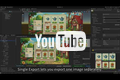
PSDToUGUI is a pure-C# Unity Editor tool that opens .psd files directly inside Unity, lets you configure every layer visually, and exports optimized Sprite assets and ready-to-use UGUI Prefabs in one click.
The export pipeline includes image deduplication, automatic nine-slice detection, clipping-mask compositing, font mapping, Text and TextMeshPro support, and automatic UI component wiring.
The built-in UI Binder scans a Prefab hierarchy and generates strongly typed View code for selected nodes, components, and UI events. Choose Direct Reference mode for serialized references or Bind By Find mode for runtime hierarchy lookup. Nested child Views, arrays and lists, access modifiers, custom namespaces, output folders, and code templates are supported.
Automatic event registration and cleanup are generated for common uGUI and TextMeshPro controls, reducing repetitive reference dragging and boilerplate code.
Designers hand you a PSD. You get a working, maintainable UI in seconds.
Supports Unity 2022 and later.
From the publisher's Asset Store listing.
Technical details
Key Features
Visual PSD Editor
- Open .psd files directly in the Unity Editor—no Python dependency required
- Three-panel workflow: Layer Tree | Canvas Preview | Per-Layer Properties
- Real-time composite preview, visibility toggling, inline rename, and canvas click-to-select
- Optionally save layer name and visibility changes back to the PSD
One-Click PSD Export
- Full Export: images, deduplication, nine-slice setup, and main/standalone Prefabs
- Textures Only: process images without generating Prefabs
- Subtree Export: export one selected node and its children
- Automatic Sprite import and production-ready Prefab generation
Image Processing
- Local and cross-PSD image deduplication
- Shared common asset directories
- Automatic nine-slice detection with configurable thresholds
- Clipping-mask compositing in premultiplied-alpha space
- Per-layer merge, custom Sprite, external Prefab, and export controls
Text and UI Components
- Legacy Text and TextMeshProUGUI support
- Font mapping, outlines, drop shadows, and gradient overlays
- Automatic wiring for Button, Scrollbar, Slider, ScrollRect, Toggle, InputField, Dropdown, and TMP variants
UI Binder
- Visual Prefab hierarchy browser for selecting nodes, components, and UI events
- Generates strongly typed partial View classes and binding code
- Direct Reference: writes serialized references directly to the Prefab
- Bind By Find: resolves references from the hierarchy at runtime
- Supports nested child Views and independent View export roots
- Supports single fields, arrays, and lists
- Configurable field names, access modifiers, namespaces, base classes, and output folders
- Reusable ScriptableObject settings and customizable code templates
- Preserves configurations when Prefab nodes are renamed or reordered
Generated UI Events
- Generates registration, cleanup, and handler stubs
- Supports Button click events
- Supports value-changed events for Toggle, Slider, ScrollRect, Dropdown, and TMP_Dropdown
- Supports value-changed, end-edit, and submit events for InputField and TMP_InputField
Quick Start
- Open Tools → PSD → PSD Editor.
- Select a PSD, configure its layers, and click Export.
- Select the generated Prefab and open Tools → Prefab Auto Bind → Open Selected Prefab.
- Choose nodes, components, and events, then generate the View code.
Compatibility
- Unity 2022 and later
- Pure C# editor workflow
Compatibility
| Unity version | Built-in | URP | HDRP | Custom |
|---|---|---|---|---|
| 6000.0.62f1 | Compatible | Compatible | Compatible | Compatible |
| 2022.3.62f3 | Compatible | Compatible | Compatible | Compatible |
Supported on unity 2022 and above, and all render pipelines.”
As listed on the Asset Store.