
 View on Asset Store (opens in new tab)
Package details
- Latest version
- 1.0
- Last updated
- First released
- Unity version
- 2022.3.2 or later
- Package size
- 18 KB
- Files
- 2
- Views in the past week
- 2
Price tracking
- Last checked
- Tracked since
- Lowest recorded
- $7.50 on
Keywords

Batch Script & Asset Importer/Creator
- Price drop
A powerful two-in-one editor tool to batch-create C# scripts with advanced options and to find, manage, and batch-import packages from the Unity Registry, Git, and local disk.
Affiliate link · Purchases support this site
Price history
Last 6 months
USDAsset preview
1 / 2
Batch Script & Asset Importer/Creator screenshot 1
About this asset
The Multi Script & Asset Creator is a professional workflow utility designed to significantly accelerate two of the most common and repetitive development tasks: creating new scripts and managing Unity packages. It combines a powerful, template-driven script generator with a comprehensive Package Manager interface into a single, intuitive editor window.
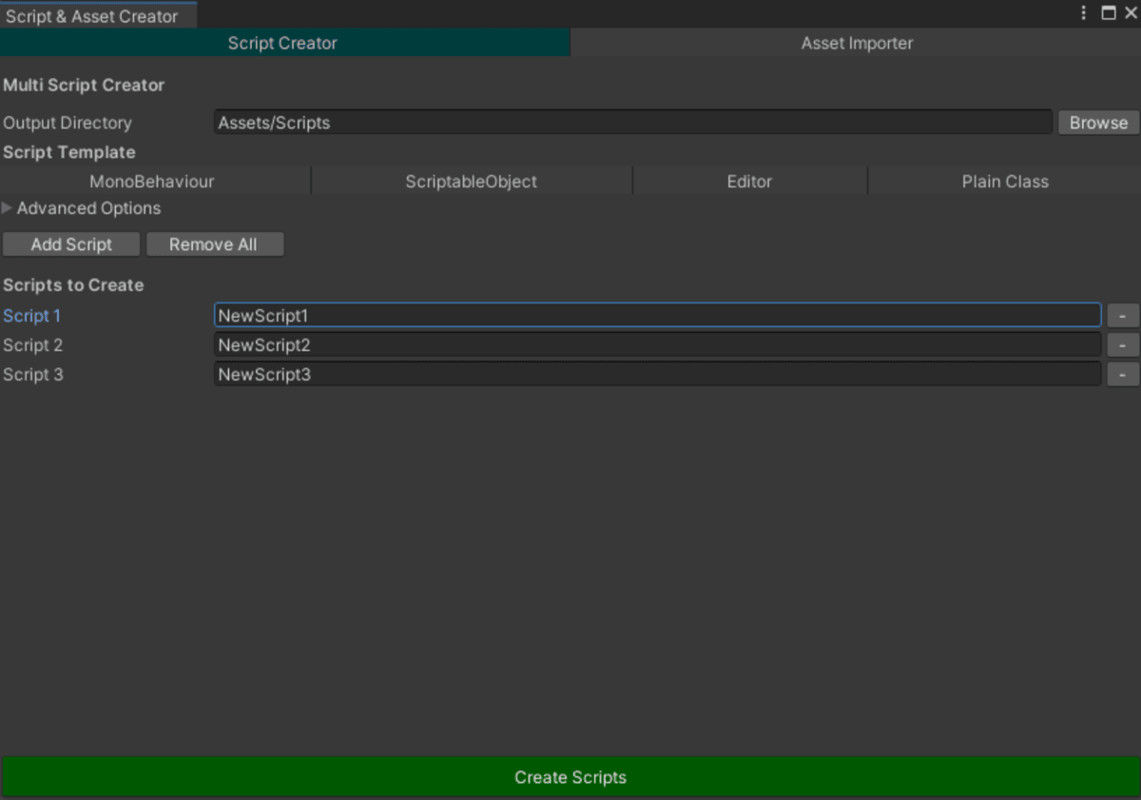
The Script Creator module allows you to generate dozens of C# scripts at once, configured exactly to your project's architectural needs. Move beyond basic templates by defining namespaces, base classes, interfaces, and automatically organizing new scripts into corresponding folders. This is the perfect tool for setting up new features, systems, or data models without the tedious one-by-one file creation process.
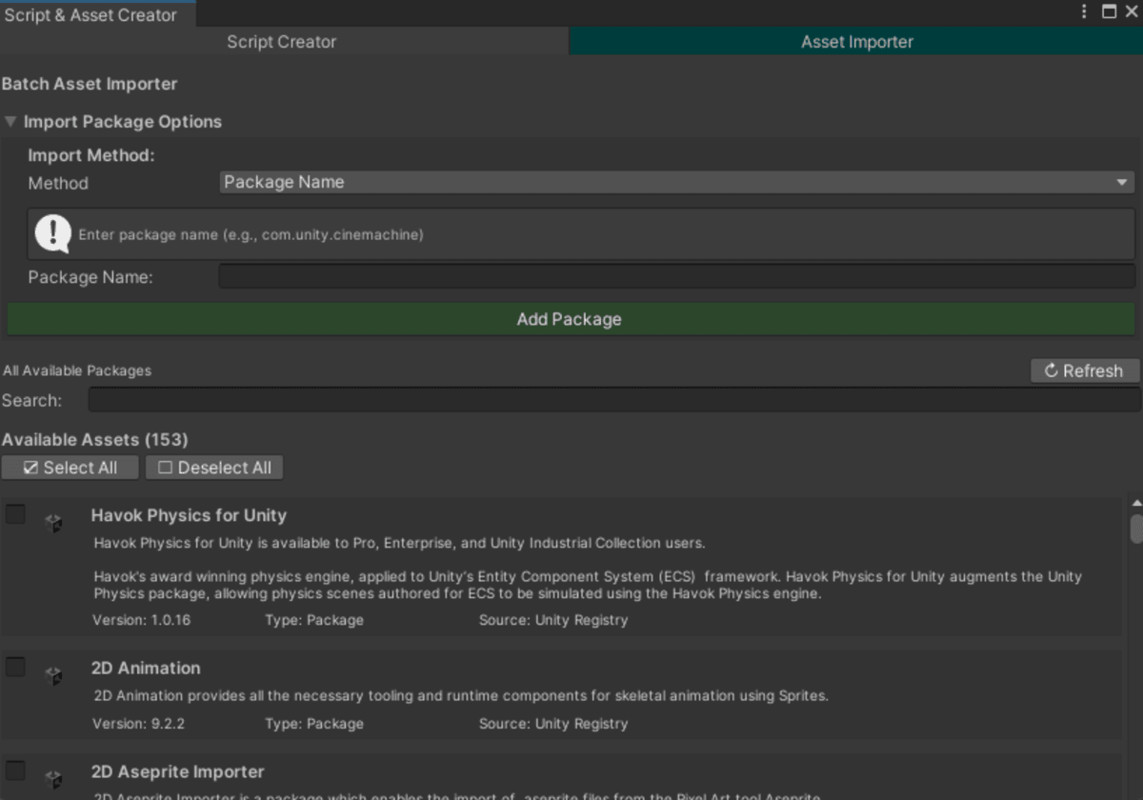
The Asset Importer module acts as a powerful front-end for the Unity Package Manager. It provides a unified, searchable list of every package available from the Unity Registry, as well as any custom packages already in your project. You can add new packages directly by name, Git URL, or from a local folder or tarball. Select multiple packages at once and import them in a single batch operation, saving valuable time when setting up new projects or integrating new tools.
Is the provided content customizable?
Yes, the script creation process is highly customizable. You can control every aspect of the generated code, including its template (MonoBehaviour, ScriptableObject), namespace (which can be auto-generated from folder structure), base class inheritance, and interface implementation. The tool is designed to adapt to your specific coding conventions and project architecture.
Suitable for a particular genre?
This is a universal, genre-agnostic development tool. It is an essential utility for any programmer, technical artist, or project lead looking to enforce code consistency and streamline the process of project setup and feature development, regardless of the game's genre.
From the publisher's Asset Store listing.
Technical details
- Dual-Mode Interface: A clean, tabbed window to switch instantly between the Script Creator and the Asset (Package) Importer.
- Automatically create sub-folder structures for organization as scripts are generated.Advanced Script Generation:Batch-create any number of C# scripts from a single interface.
Choose from templates: MonoBehaviour, ScriptableObject, Editor, or Plain Class.
Automatically generate and apply namespaces based on a prefix and folder structure.
Optionally specify a base class to inherit from and an interface to implement. - Batch-select and import multiple packages in a single, streamlined operation.Comprehensive Package Management:Provides a unified, searchable list of all packages from the Unity Registry and those already installed in your project.
Add packages from multiple sources: by name (e.g., com.unity.cinemachine), Git URL, local disk folder, or a .tgz tarball. - Dynamic Asset List with Search: Quickly find the package you need with a live search filter that queries package names and descriptions.
- Efficient Workflow: Designed to minimize context switching and automate repetitive setup tasks, keeping you focused on creating.
- Single-Script Installation: No dependencies or complex setup. Simply drop the script into an Editor folder.
Compatibility
| Unity version | Built-in | URP | HDRP | Custom |
|---|---|---|---|---|
| 2022.3.2f1 | Compatible | Compatible | Compatible | Compatible |
As listed on the Asset Store.