
 View on Asset Store (opens in new tab)
Package details
- Latest version
- 1.0
- Last updated
- First released
- Unity version
- 2022.3.62 or later
- Package size
- 157 KB
- Files
- 12
- Favorites
- 4
- Views in the past week
- 7
Price tracking
- Last checked
- Tracked since
- Lowest recorded
- Free on
Keywords

Dagger's CodeBase Exporter
An AI code exporter that compiles all your scripts to be able to upload to any external LLM or other AI tools to debug, develop and refine.
Affiliate link · Purchases support this site
Price history
Last 6 months
USDAsset preview
1 / 5
Dagger's CodeBase Exporter screenshot 1
About this asset
Turn Your Unity Codebase Into AI-Ready Context Instantly
Working with large Unity projects in AI tools like ChatGPT or Claude can be frustrating. Files are scattered, context is limited, and irrelevant scripts (plugins, packages, etc.) create noise.
Dagger’s AICodebaseExporter solves this by transforming your project into a clean, structured format that AI can understand immediately.
Built for AI Workflows
Instead of dumping raw files, this tool:
- Organizes your code into a structured, readable format
- Preserves file hierarchy and context
- Filters out unnecessary scripts
- Outputs AI-friendly files ready to paste
Result: Better answers, faster debugging, and clearer insights.
Key Features
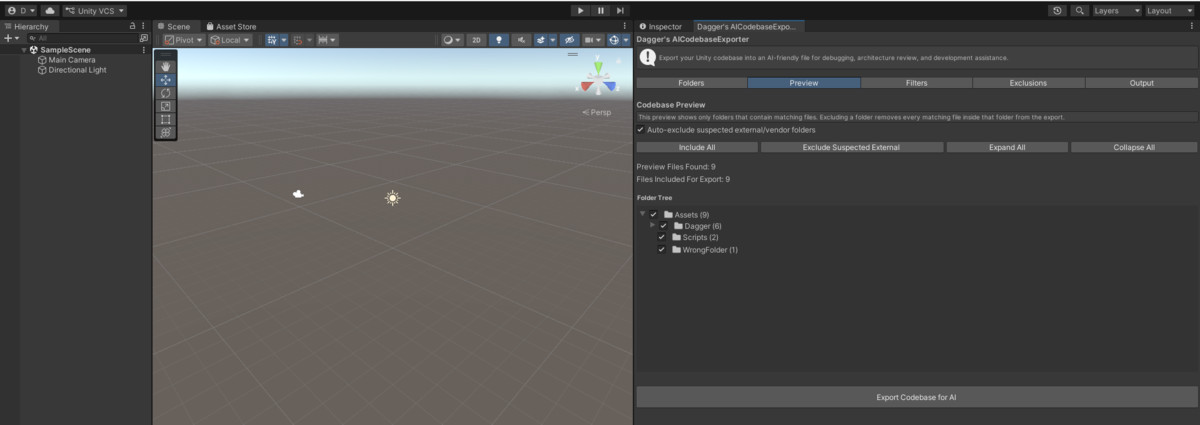
- Visual Codebase Preview
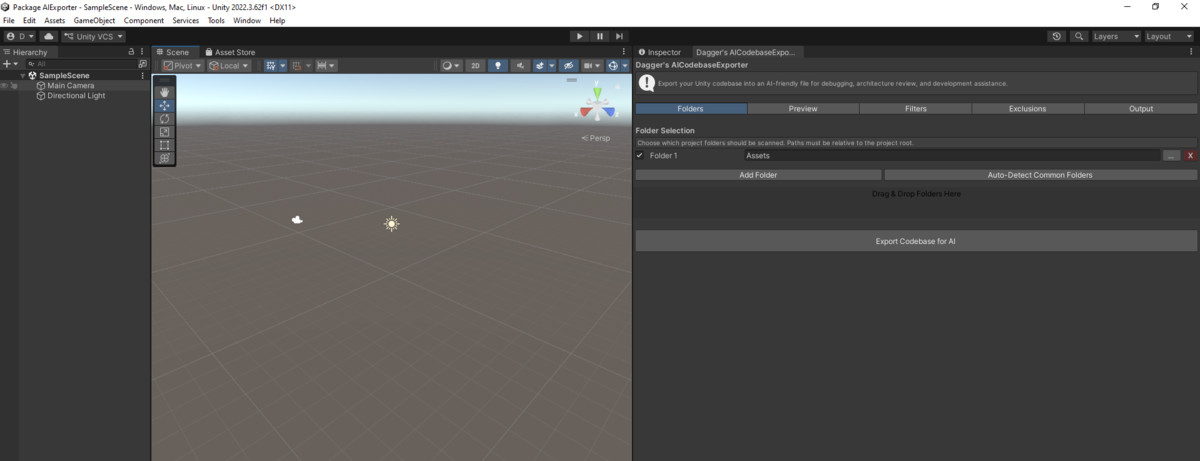
- Select exactly which parts of your project to include
- Drag & drop support
- Auto-detect common code folders
- Inteligent filtering
- Differente exporting format
- Few Click format
Example Use Cases
- Debug complex systems with AI assistance
- Understand unfamiliar codebases quickly
- Refactor large Unity projects
- Generate documentation or explanations
- Analyze architecture and dependencies
From the publisher's Asset Store listing.
Technical details
TECHNICAL DESCRIPTION (FOR ASSET STORE)
Overview
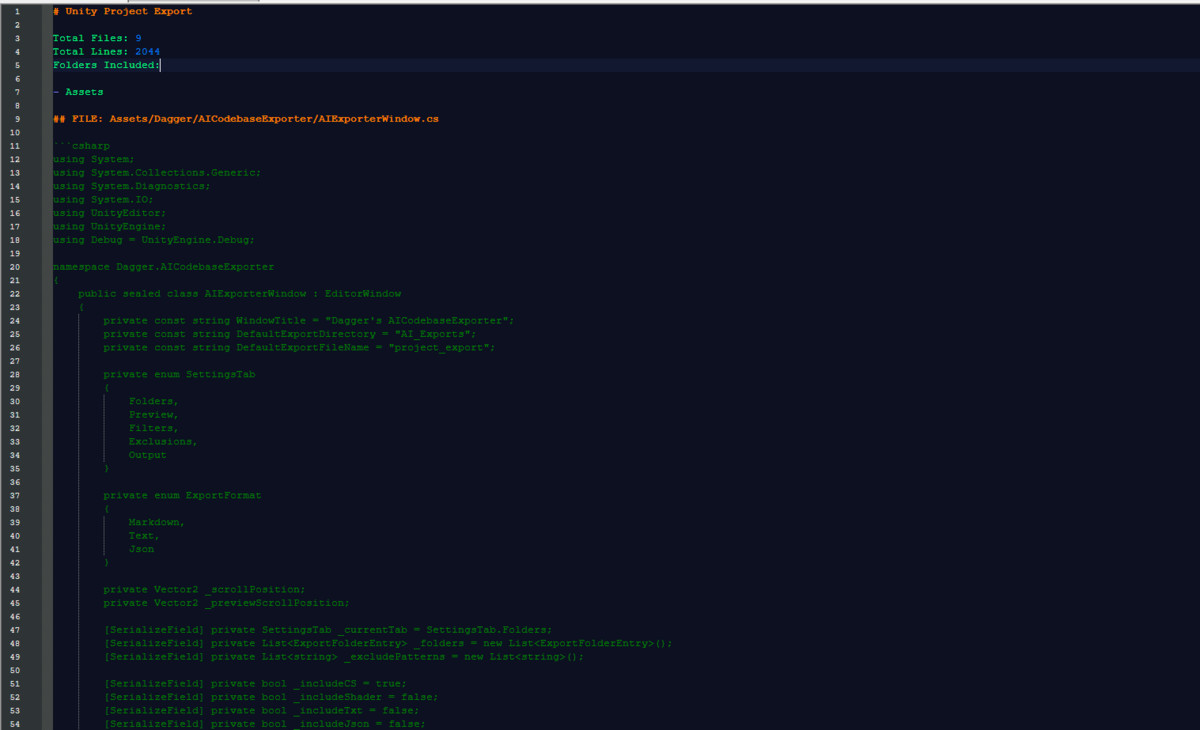
Dagger’s AICodebaseExporter is a Unity Editor tool that scans selected project folders, filters relevant files, and exports them into structured, AI-friendly formats.
Core Systems
Editor Window:
- Tools → DaggerTools → AI Codebase ExporterLocated at:
- Tab-based UI:Folder Selection
Preview
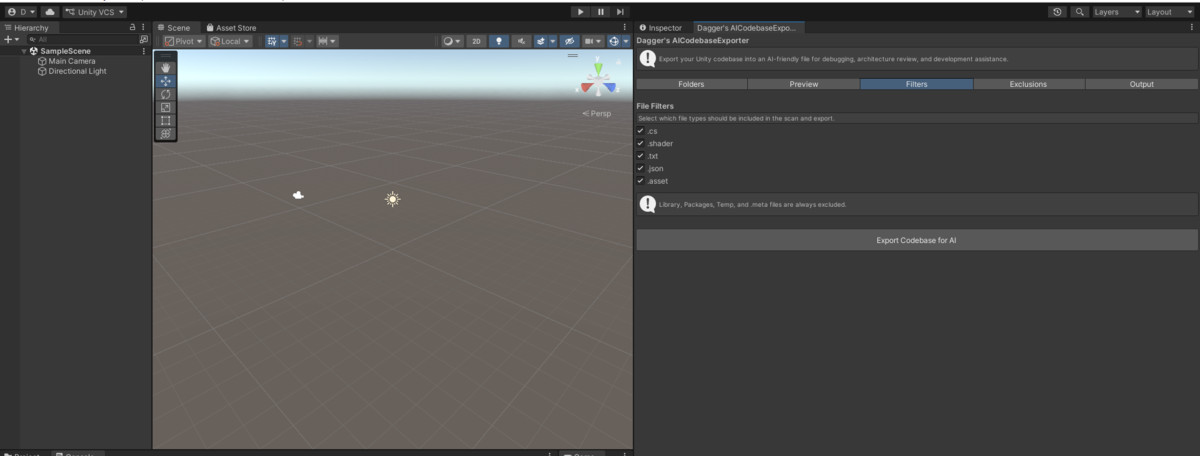
Filters
Exclusions
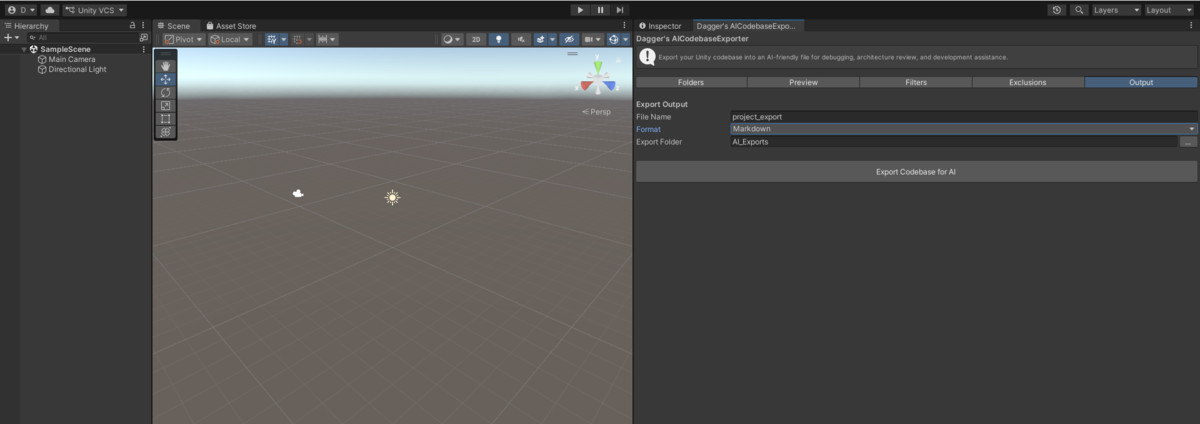
Output
File Scanning System
- Recursively scans selected folders
- Maintains relative project paths
- Supports multiple file types
- Excludes:Library/
Packages/
Temp/
.meta files
Preview System
- Builds a hierarchical folder tree from scanned files
- Displays only folders containing valid files
- Supports:Inclusion toggles
Expand/collapse
External folder detection - Filtering applied before export
Filtering System
- Extension-based filtering
- Custom exclude patterns (string-based path matching)
- Optional external/vendor exclusion
Export System
Supports:
- Markdown (.md)
- Plain text (.txt)
- JSON (.json)
Features:
- Structured file grouping
- Clear file headers
- Preserved formatting
- UTF-8 safe reading
- Summary metadata
File Output
- Configurable export directory
- Overwrite protection
- Automatic file reveal in OS explorer
Architecture
Modular system design:
- AIExporterWindow → UI and workflow
- FileScanner → file discovery
- PreviewTreeBuilder → folder structure
- FolderInclusionUtility → filtering logic
- ExportBuilder → output formatting
- ExportModels → shared data structures
Compatibility
- Unity 2021.3+ recommended
- Editor-only tool (no runtime impact)
- Compatible with all render pipelines
Notes
- No external dependencies
- No runtime overhead
- Safe to use in production projects
Compatibility
| Unity version | Built-in | URP | HDRP | Custom |
|---|---|---|---|---|
| 2022.3.62f1 | Compatible | Compatible | Compatible | Compatible |
As listed on the Asset Store.