
 View on Asset Store (opens in new tab)
Package details
- Latest version
- 1.0
- Last updated
- First released
- Unity version
- 2022.3.2 or later
- Package size
- 70 KB
- Files
- 2
- Views in the past week
- 5
Price tracking
- Last checked
- Tracked since
- Lowest recorded
- $15.00 on
Keywords
- Search for architecture
- Search for Hierarchy Organizer
- Search for productivity
- Search for Custom Hierarchy
- Search for Hierarchy Icons
- Search for project organizer
- Search for scene manager
- Search for toolbox
- Search for Folder Generator
- Search for Project Scaffolder
- Search for color coding
- Search for Hierarchy Styling

FLOW - Achieve Ultimate Project Organization
- Price drop
FLOW is an all-in-one Unity Editor suite that accelerates your workflow with instant project scaffolding, custom hierarchy styling, scene management, and smart asset organization.
Affiliate link · Purchases support this site
Price history
Last 6 months
USDAsset preview
1 / 10
FLOW - Achieve Ultimate Project Organization screenshot 1
About this asset
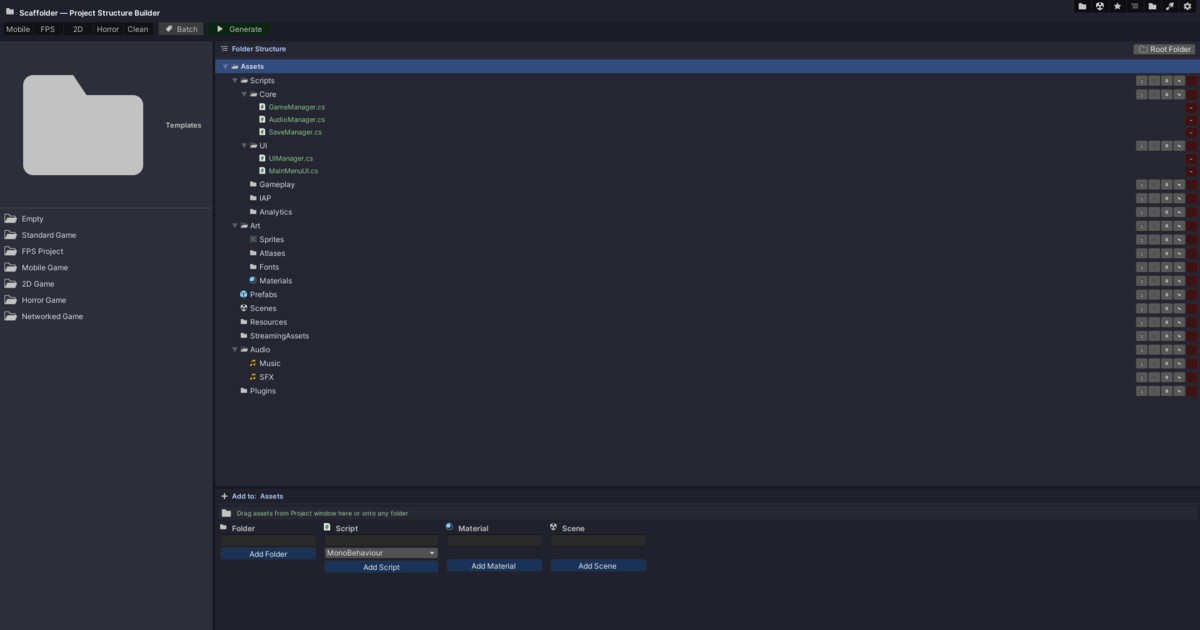
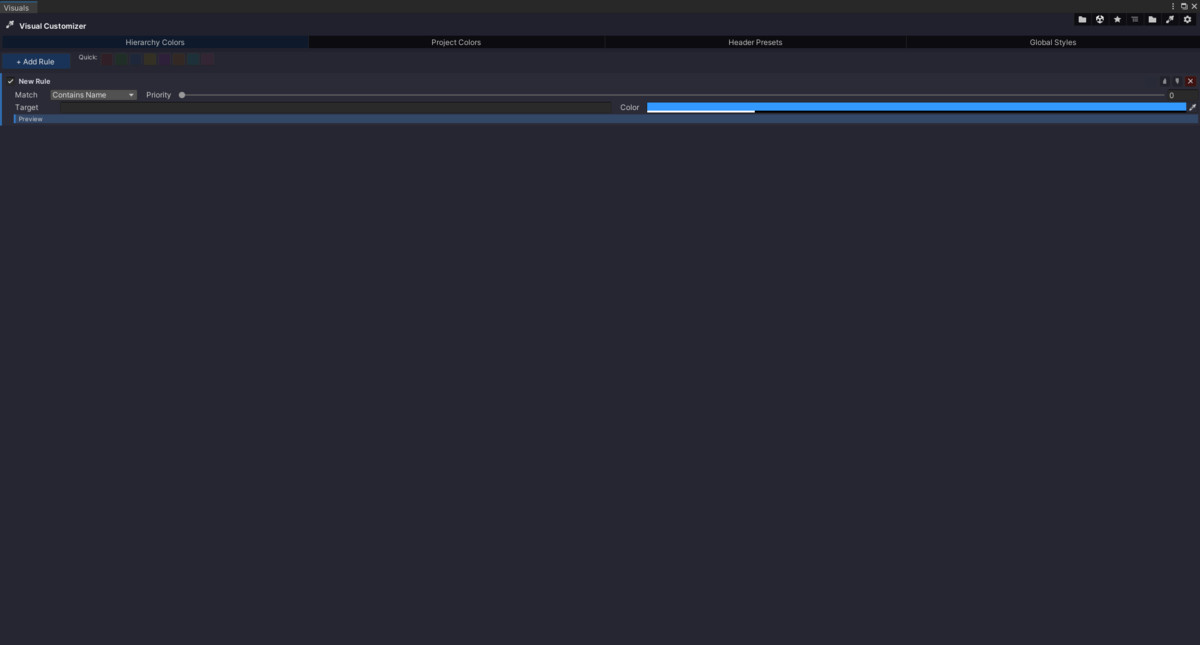
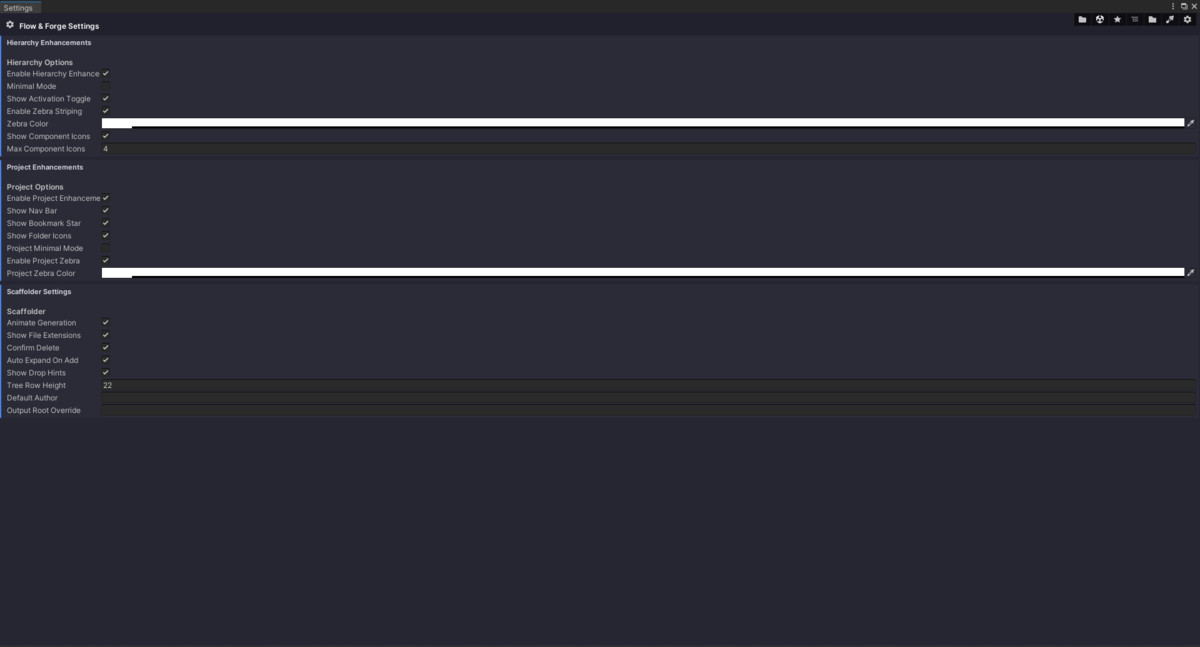
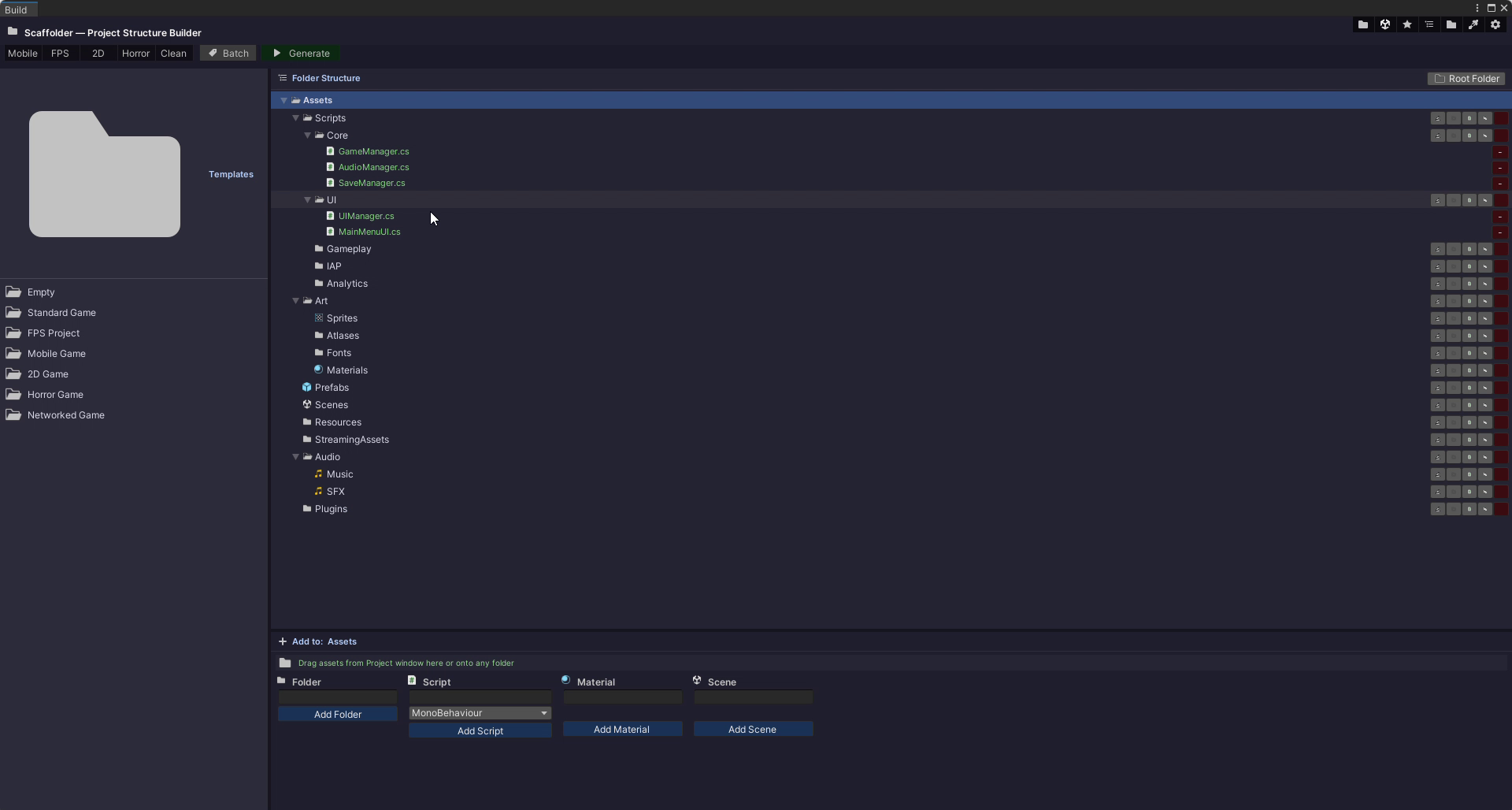
FLOW is a comprehensive, single-script Editor suite designed to declutter your workspace, organize your hierarchy, and accelerate your daily Unity development. By simply dropping FLOW into any Editor/ folder, you unlock a powerful central hub that replaces half a dozen separate utility plugins. FLOW features a dedicated "Visual Customizer" allowing you to create your own Hierarchy/Project window color rules, custom text headers, and depth-based cascade styles. Everything from tree row heights to zebra-striping colors and Editor shortcuts can be tailored to your specific preferences. FLOW is entirely genre-agnostic but comes packed with built-in Project Scaffolder Templates specifically tailored for FPS, Mobile, 2D, Horror, and Networked games. You can instantly generate full folder structures and boilerplate scripts for these genres in a single click, or easily save your own custom folder trees as new templates for future projects.
Core Modules Included:
- Scaffolder: Visually build and generate massive folder/file structures in seconds.
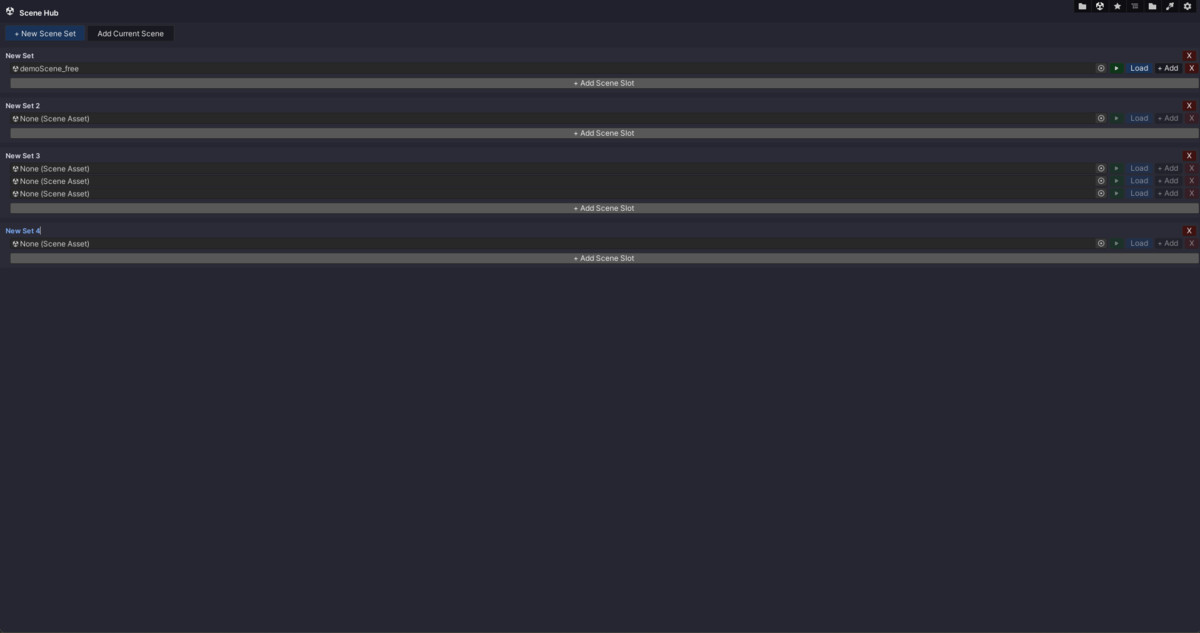
- Scene Hub: Manage and switch between different scenes easily by grouping them into "Scene Sets" (supports additive loading).
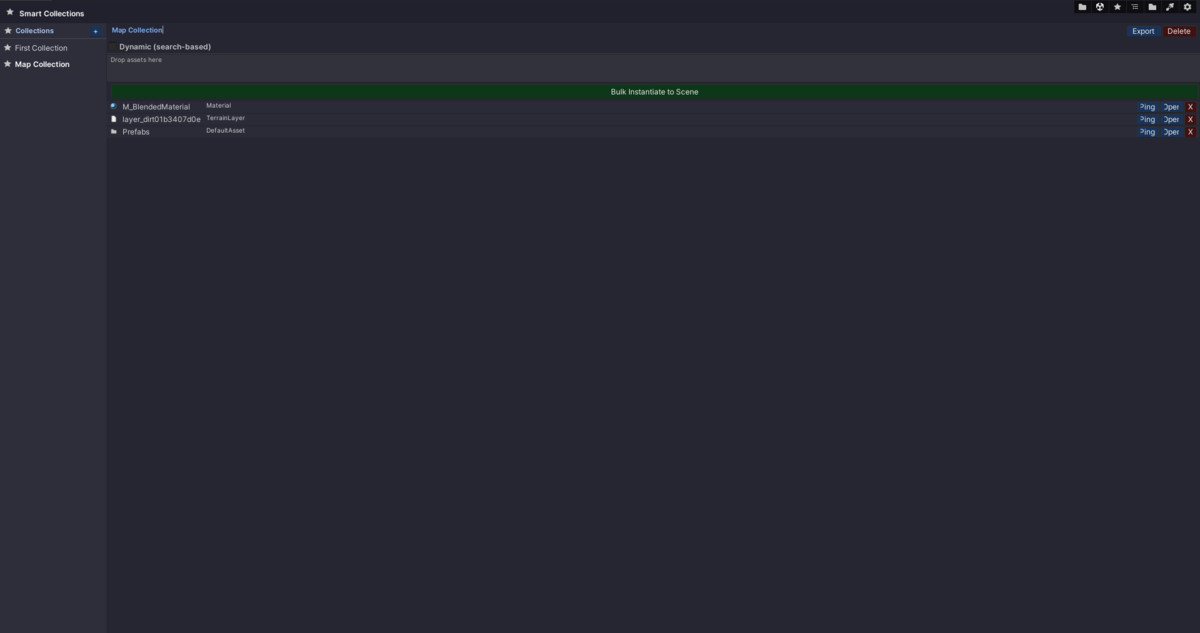
- Smart Collections: Create dynamic, search-based asset lists (e.g., t:Prefab name:Enemy) or drag-and-drop specific assets to bulk-instantiate them into your scenes.
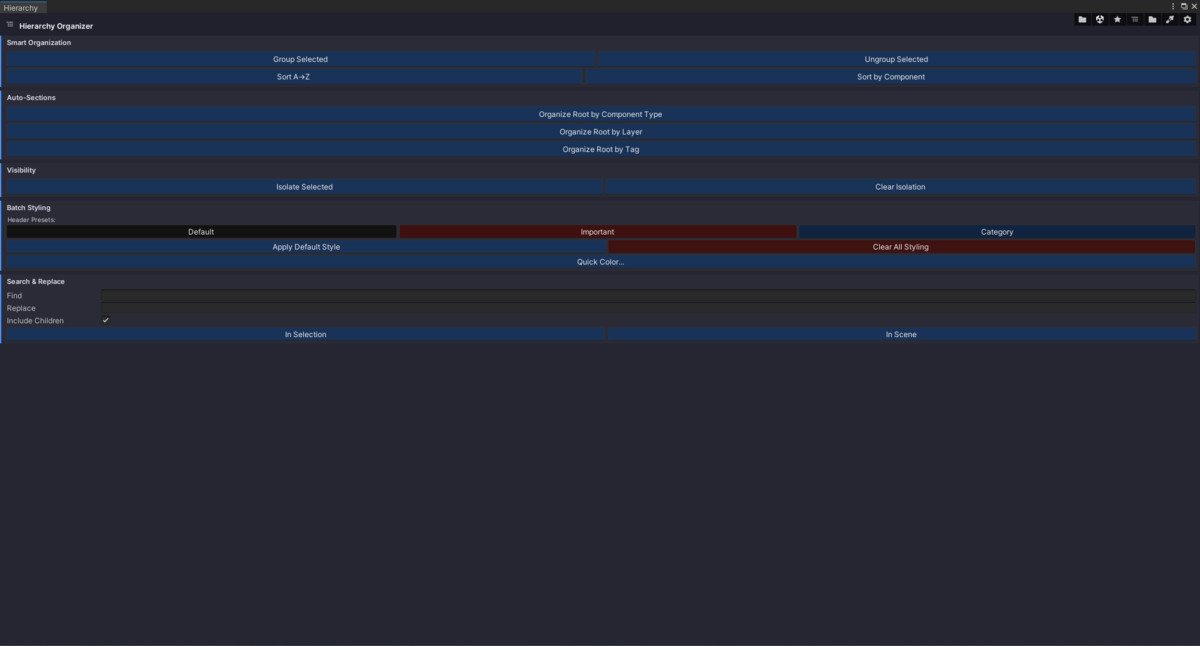
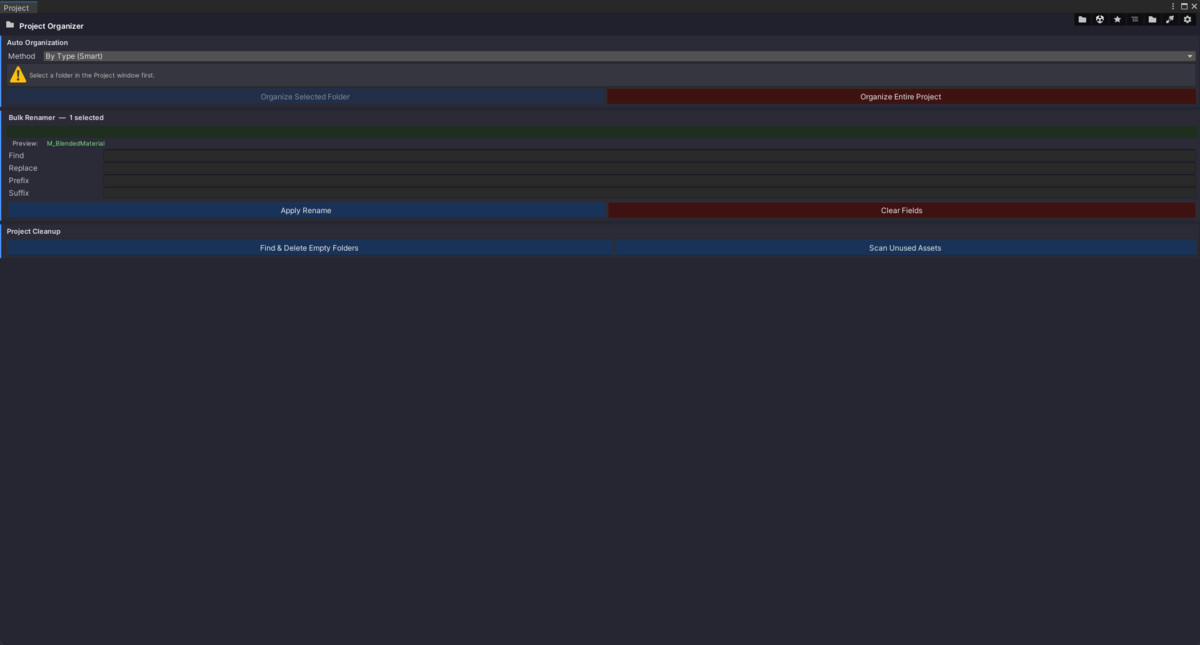
- Hierarchy & Project Organizers: Powerful utilities to bulk-rename, auto-group, sort by component, and clean up empty folders or unused assets.
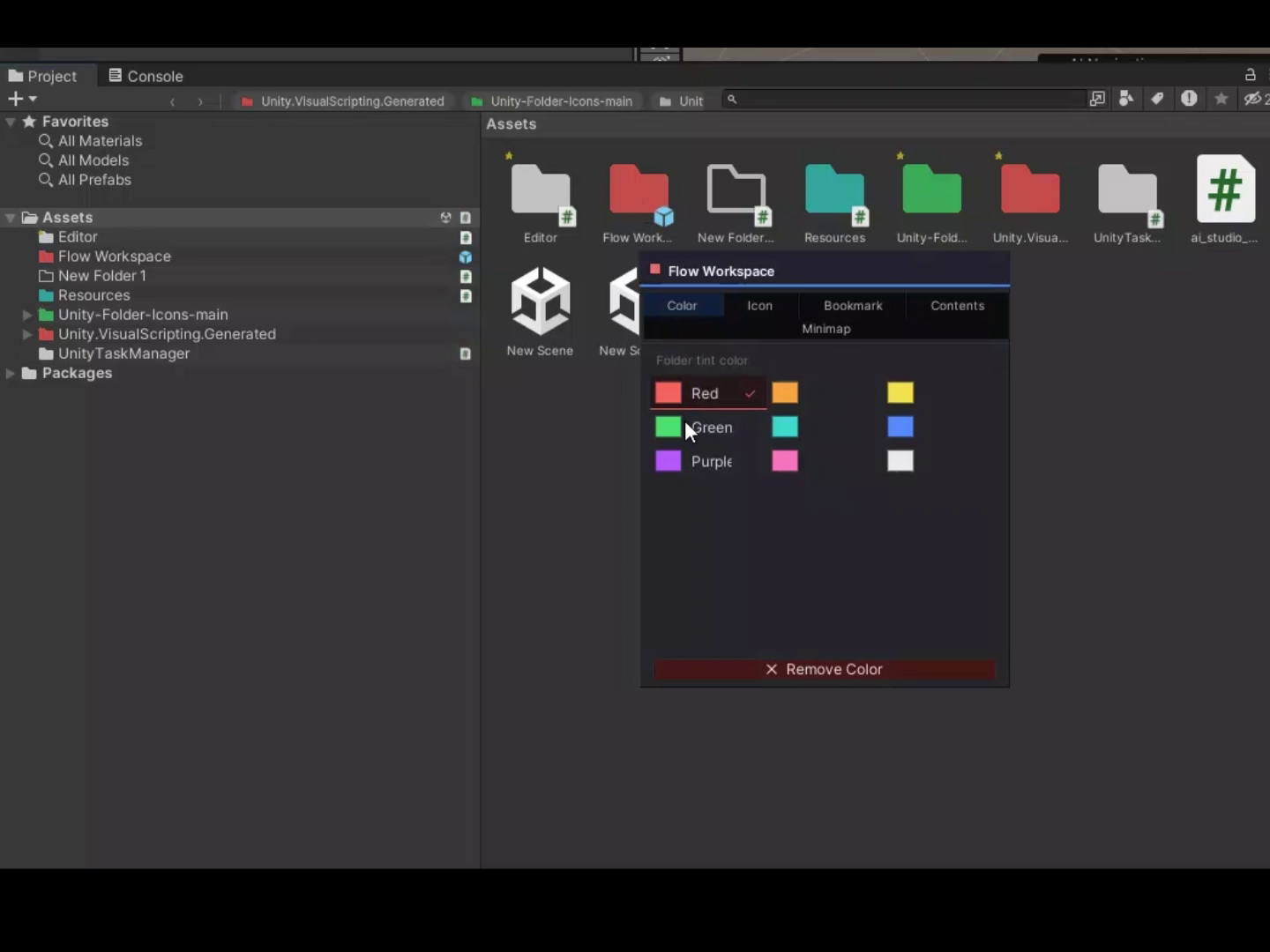
- Color coding: Color code hierarchy items and files in your project. Use Comands Alt+Click to open the widget it order to start with this proccess.
From the publisher's Asset Store listing.
Technical details
- Single-Script Architecture: Zero bloat. Drop one file into your project to access all tools via a sleek, unified Dark UI toolbar (Ctrl+Shift+T).
- Project Scaffolder: Generate entire project architectures instantly using built-in templates (Standard, Mobile, FPS, 2D, Horror) or create and save your own.
- Custom Script Generators: Easily scaffold out boilerplate C# code with built-in templates for Singletons, ScriptableObjects, State Machines, Interfaces, and Custom Editors.
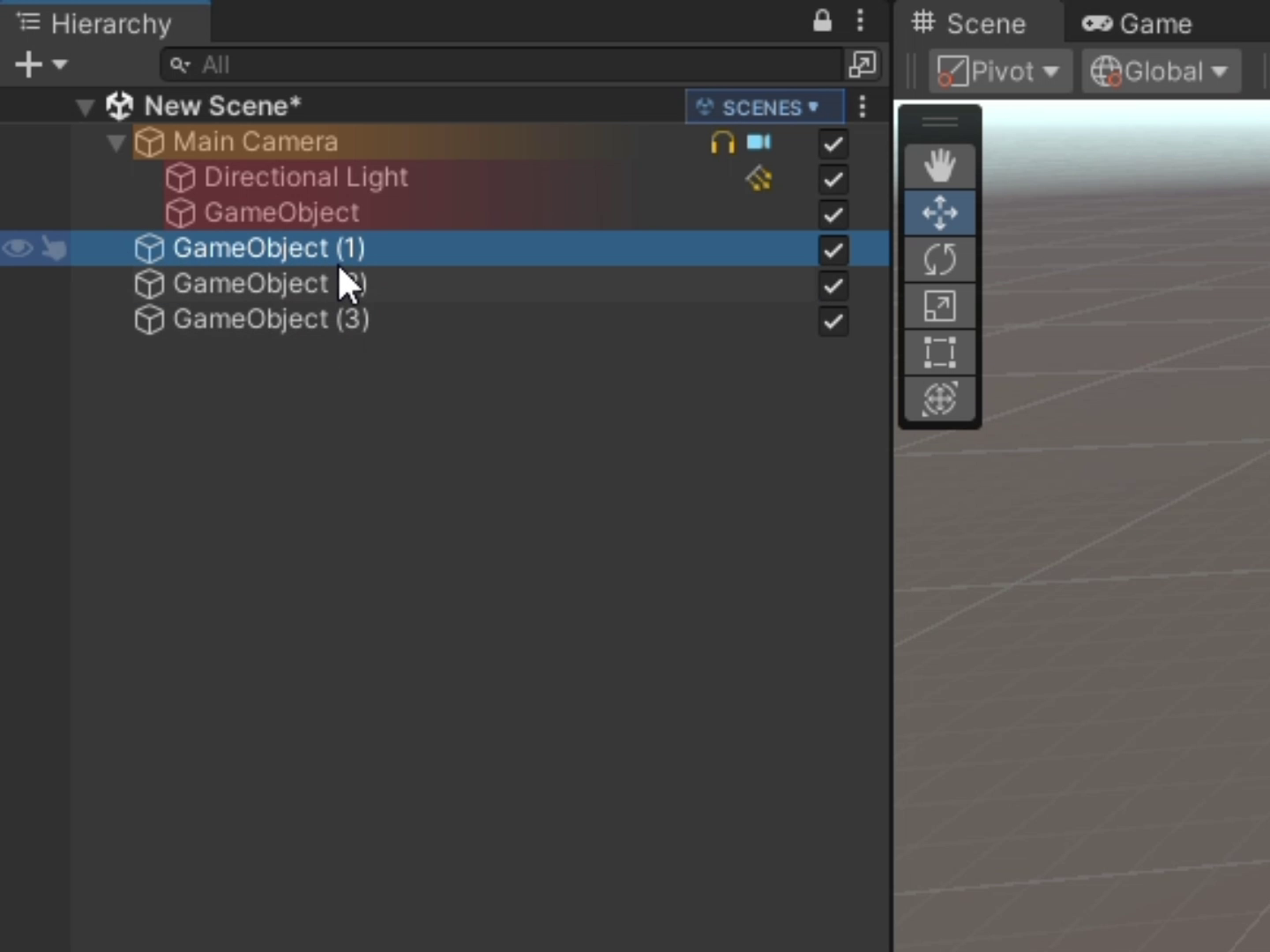
- Hierarchy Visual Overhaul: Upgrade your Hierarchy with customizable text headers, zebra striping, component icons, object color-coding, and depth-based visual cascades.
- Smart Asset Collections: Bookmark frequently used assets or use Unity Search syntax to dynamically collect assets. Features 1-click "Bulk Instantiate" to drop collections directly into your scene.
- Advanced Hierarchy Organizer: Auto-organize your scene root by Component, Layer, or Tag. Includes 1-click grouping/ungrouping, sorting A→Z, and local Search & Replace.
- Project Window Enhancements: Color-code project folders/files based on exact names, extensions, or regex rules.
- Bulk Renamer & Project Cleanup: Bulk rename assets with prefixes/suffixes, automatically organize chaotic folders by asset type or size, instantly delete empty folders, and scan for unused assets.
- Scene Hub: Create "Scene Sets" to group related levels, UI, and lighting scenes together for fast 1-click standard or additive loading.
Compatibility
| Unity version | Built-in | URP | HDRP | Custom |
|---|---|---|---|---|
| 2022.3.2f1 | Compatible | Compatible | Compatible | Compatible |
As listed on the Asset Store.