
 View on Asset Store (opens in new tab)
Package details
- Latest version
- 1.0
- Last updated
- First released
- Unity version
- 6000.4.0 or later
- Package size
- 79 KB
- Files
- 4
- Favorites
- 6
- Views in the past week
- 13
Price tracking
- Last checked
- Tracked since
- Lowest recorded
- Free on
Keywords
Project Favorites Window
A lightweight Unity Editor tool for organizing frequently used project assets in one place.
Affiliate link · Purchases support this site
Price history
Last 6 months
USDAsset preview
1 / 4
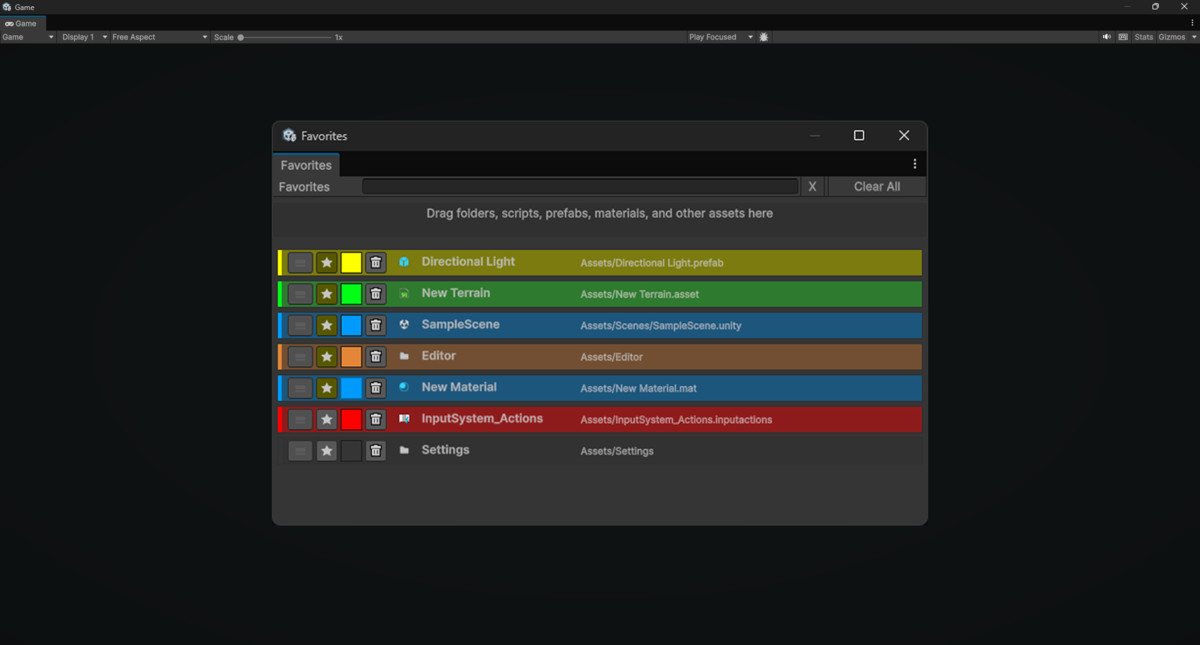
Project Favorites Window screenshot 1
About this asset
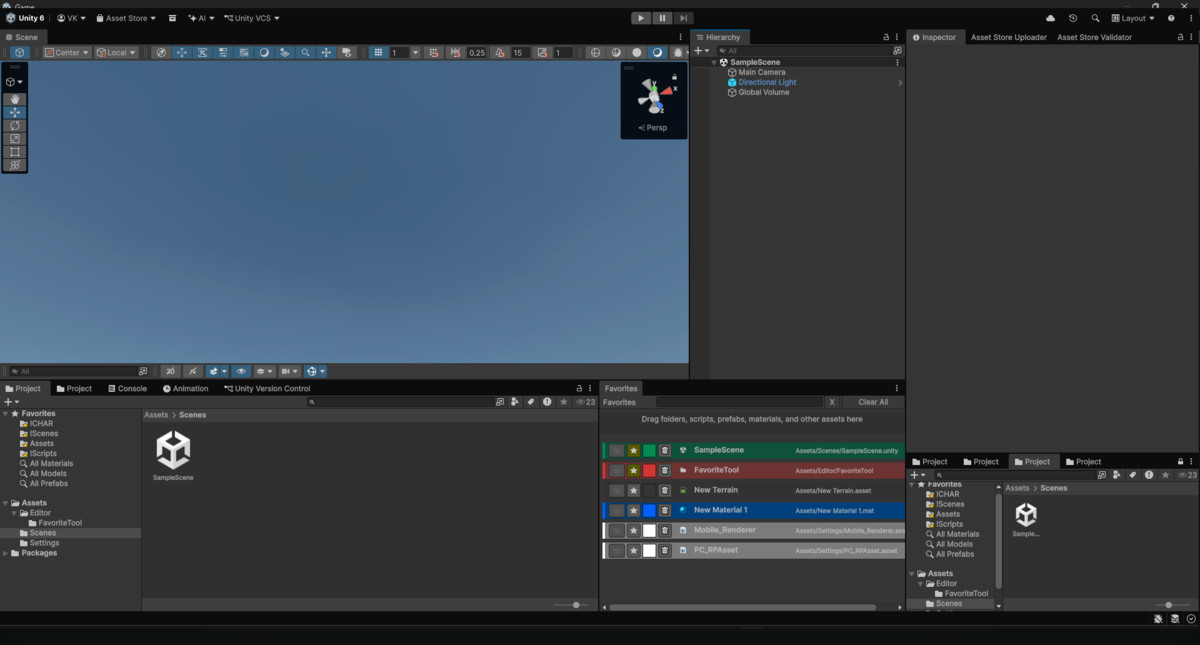
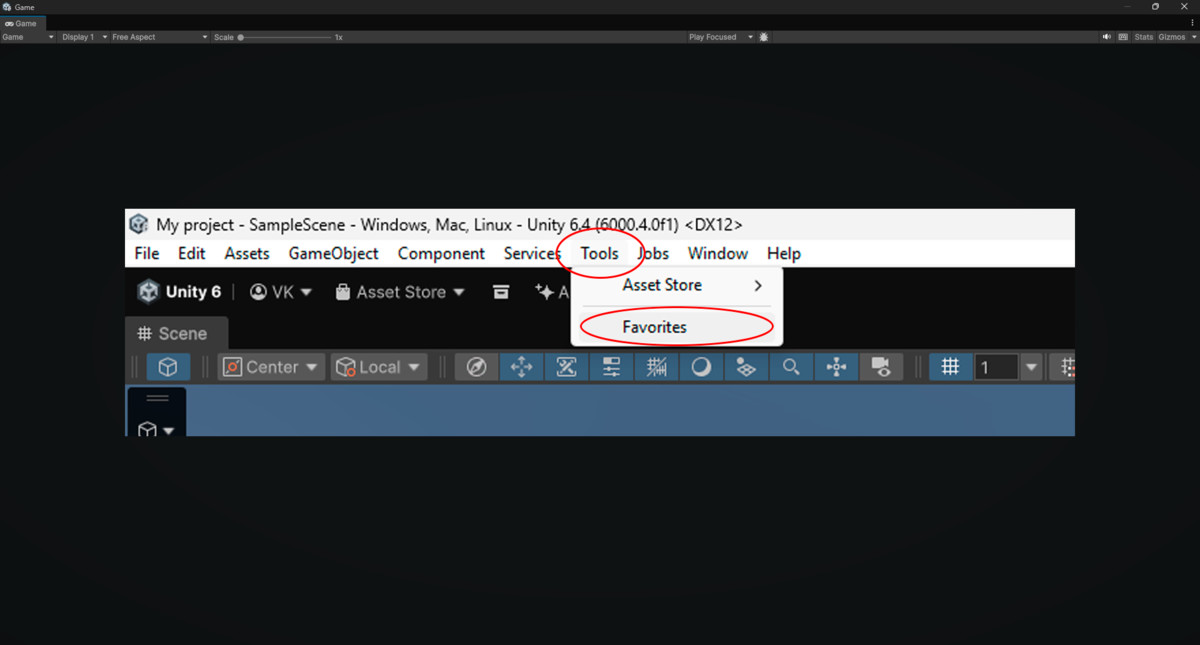
Project Favorites Window is a simple editor extension that helps you keep important project assets close at hand.
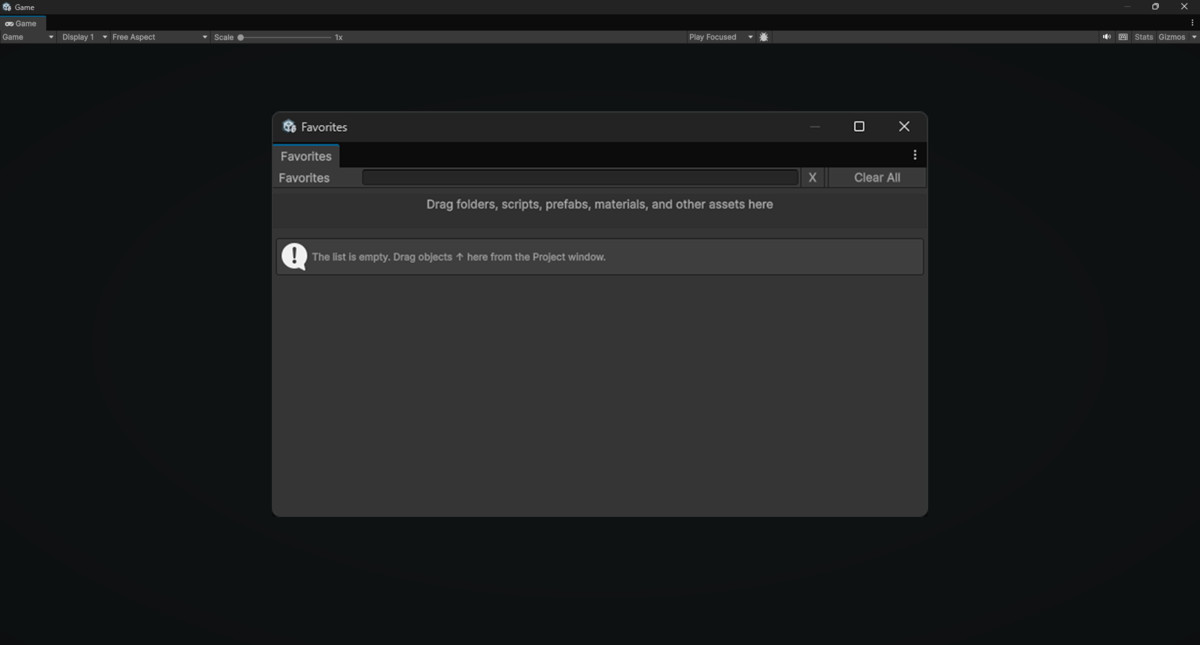
Instead of constantly navigating through large folder structures, you can pin frequently used assets into a dedicated Favorites window and access them in seconds. The tool supports drag-and-drop from the Project window and works with folders, scripts, prefabs, materials, and other asset types.
Each favorite can be visually highlighted with its own custom color, making it easier to separate categories such as gameplay scripts, UI assets, art folders, or important prefabs. The window also includes a search field, so you can quickly filter favorites by asset name, path, or type.
The tool is designed for everyday production use and focuses on speed, clarity, and convenience inside the Unity Editor. Favorites are saved between editor sessions, so your list remains available after restarting Unity.
Main features
- Custom Favorites window inside the Unity Editor
- Drag-and-drop support from the Project window
- Works with folders and regular assets
- Search by asset name, asset path, or asset type
- Quick actions for Select, Open, Remove, Move Up, and Move Down
- Per-item custom color highlighting
- Saved state between Unity sessions
- Missing asset handling for moved or deleted files
- Lightweight workflow with no runtime dependency
From the publisher's Asset Store listing.
Technical details
- Editor-only Unity tool
- Implemented as a custom EditorWindow
- Stores favorite entries by asset GUID
- Supports persistent saved state in the project settings
- Supports custom per-item color data
- Folder opening uses Project Browser integration
- Asset rows include:icon asset name asset path selection and open actions ordering controls remove action optional color highlight
- Search filtering covers:asset name asset path asset type
- Handles missing or deleted assets safely
- No runtime components
- No scene setup required
- No external packages required
Compatibility
| Unity version | Built-in | URP | HDRP | Custom |
|---|---|---|---|---|
| 6000.4.0f1 | Compatible | Compatible | Compatible | Compatible |
As listed on the Asset Store.