
 View on Asset Store (opens in new tab)
Package details
- Latest version
- 1.3
- Last updated
- First released
- Unity version
- 6000.3.10 or later
- Package size
- 30.0 MB
- Files
- 135
- Favorites
- 6
- Views in the past week
- 18
Price tracking
- Last checked
- Tracked since
- Lowest recorded
- $20.00 on
Keywords

Sprite to Soft Body 2D Converter
Easily & quickly add physics-driven soft body deformation to any 2D sprite in minutes — no custom shaders, no mesh editing, no extra physics engine required.
Affiliate link · Purchases support this site
Price history
Last 6 months
USDAsset preview
1 / 11
Sprite to Soft Body 2D Converter screenshot 1








About this asset
Sprite to Soft Body 2D Converter turns any SpriteRenderer into a fully simulated soft body using a ring of Rigidbody2D physics points connected by SpringJoint2D springs. Drop the component onto a GameObject (with a sprite renderer), click Setup Soft Body, press Play, and your sprite squashes, stretches, and bounces in response to collisions — no mesh editing, no custom physics engine, no extra dependencies beyond Unity's built-in 2D physics.
Choose between two render modes to match your art style. SpriteShapeSpline drives a smooth Bézier-curve fill that wraps the physics ring every frame, giving organic blobs and characters a clean rounded silhouette. MeshDeformation deforms the sprite's own mesh vertices directly using the sprite's tight polygon (sprite.vertices and sprite.triangles), keeping the texture locked to the surface with no UV drift — fully compatible with sprite sheet atlases and tight-mesh sprites.
For non-rectangular sprites — stars, ghosts, slimes, creatures — enable Sprite Silhouette mode to distribute the physics ring along the sprite's own Physics Shape outline instead of a circle. Pair it with Rest Position Springs so every point remembers exactly where it started and snaps back naturally after impact.
Internal pressure simulation lets you model gas-filled or fluid-filled bodies that resist squashing. The Ripple System propagates wave impulses across the ring and interior lattice when a point exceeds a velocity threshold, producing a realistic jello-like wave that travels end-to-end and fades over time. Chain Links add a continuous capsule-collider skin between ring points to prevent small objects from slipping through. An optional Catmull-Rom LineRenderer outline adds a crisp border on top of any render mode.
Enable the Interior Lattice to spawn a second network of physics points inside the body — in Radial (concentric rings) or Uniform Grid arrangement — spring-connected to each other and to the outer ring. This gives the body internal resistance and a thick, volumetric gel feeling. A Lattice Inset Fraction control sets a clear band between the outer skin and the nearest lattice point, so the ring can deform freely without being over-constrained from inside. The lattice inset boundary is visualised as a cyan outline in the Scene view before setup.
Bone Tracking integrates the soft body with Unity's SpriteSkin skeleton: each outer ring rest anchor is automatically reparented under the nearest bone transform at setup time, so the entire soft body follows skeletal animation with no per-frame sync code. Enable Sprite Skin Vertex Sampling to have each ring point track the deformed mesh surface vertex nearest to its spawn position instead — ideal for non-circular characters where the silhouette closely follows the rig. Frozen interior lattice nodes follow bones with the same fidelity: each frozen node is reparented under its nearest bone at setup and driven via direct transform assignment every FixedUpdate, giving the interior lattice full bone-tracking behaviour alongside the outer ring.
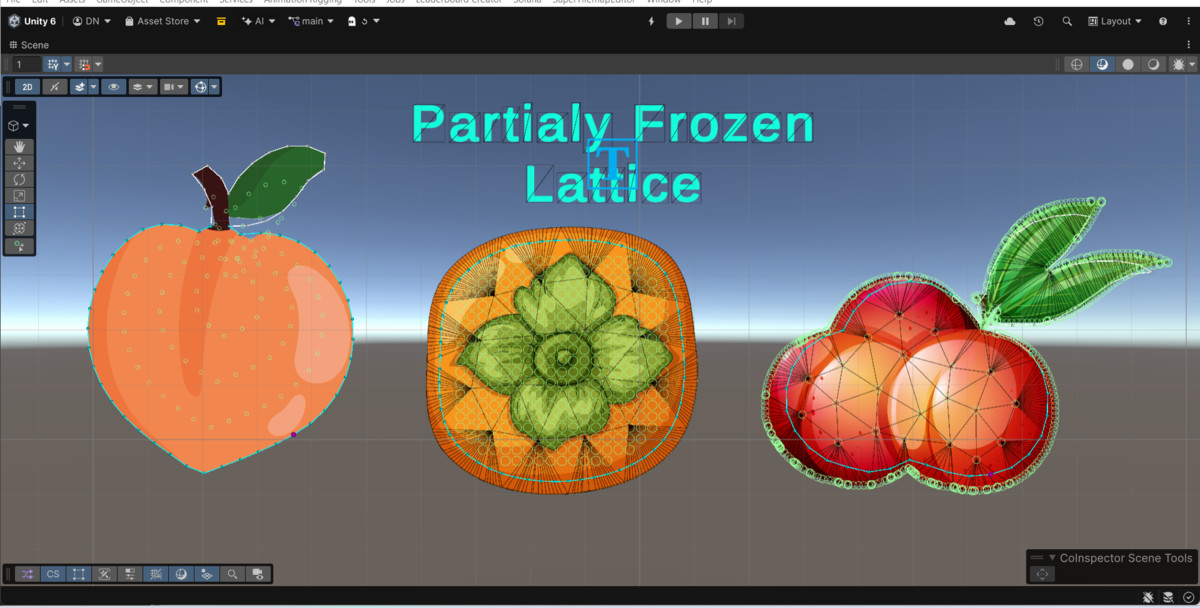
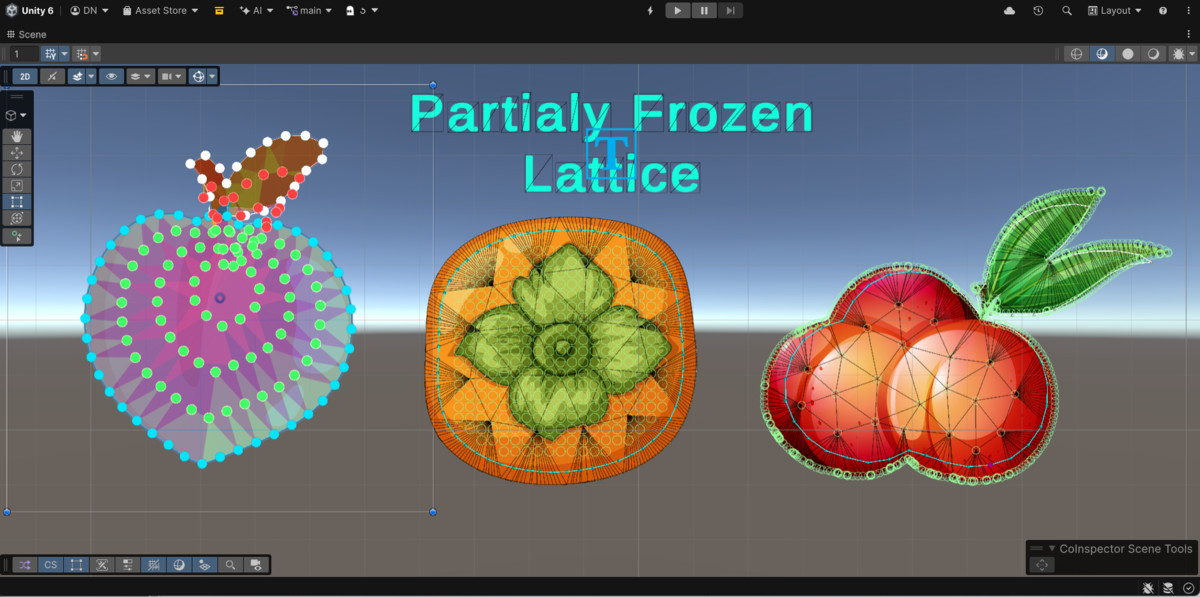
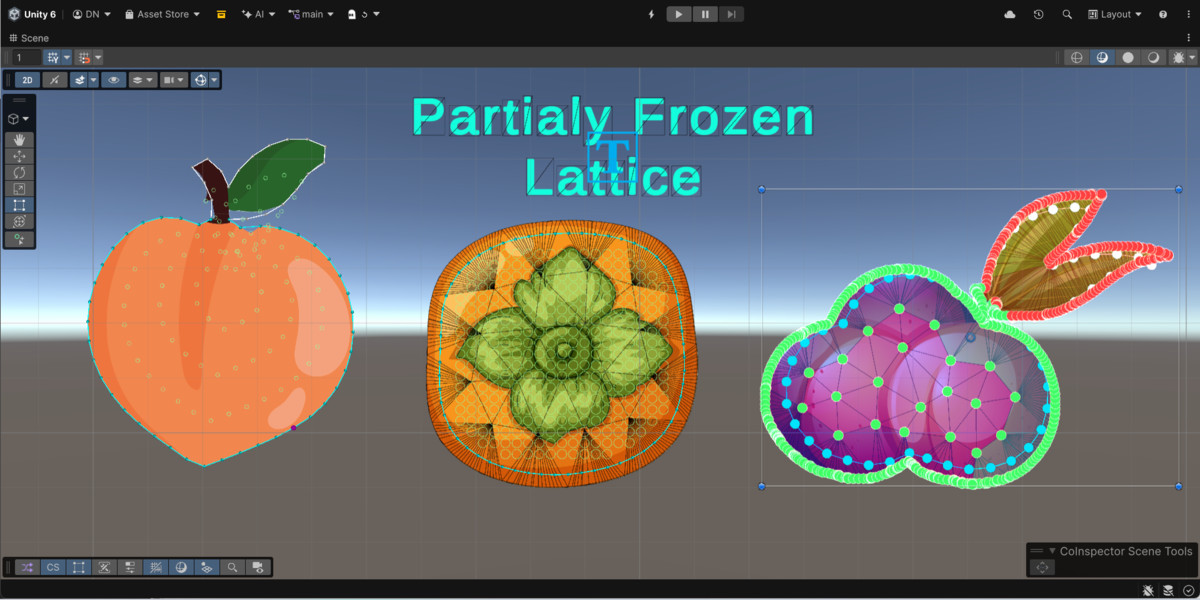
Advanced dynamics options include Stiffness Hardening (non-linear restoring force to resist extreme stretch), Viscous Damping (fluid-drag simulation), Auto-Repair (automatic nudge-back after extreme deformation), and Morph Bounds (hard containment boundary that constrains both ring points and interior lattice points so they can never leave a defined region). Partial Soft Body mode freezes the skin-adjacent lattice border rigid while the interior remains soft.
A kinematic anchor mode turns the root body into a fixed point — ideal for soft platforms or jelly floor tiles — while Freeze Anchor Rotation prevents the whole body from spinning under asymmetric load. Component Override settings let you batch-apply layer masks and gravity scale across every generated physics component in one click.
All settings — spring frequency, damping, mass, pressure, ripple, lattice density, materials, and layer overrides — are exposed in a clean grouped Inspector. Adjust values and click Apply Settings to push changes to the live physics network without rebuilding from scratch. A SoftBody layer is created automatically on first import, and full Scene-view gizmos preview the ring, chain links, and lattice inset boundary before you press Play.
From the publisher's Asset Store listing.
Technical details
• Two render modes: SpriteShapeSpline (smooth Bézier fill) and MeshDeformation (direct vertex deformation from sprite.vertices / sprite.triangles — atlas-safe, no UV drift)
• Configurable physics ring: 8–32+ points, circular or sprite-silhouette distribution, auto-sized from sprite bounds
• Spring network: neighbour springs, optional center springs, optional cross-connection springs (skip-N), all independently frequency- and damping-tuned
• Rest Position Springs: per-point kinematic anchors that give each ring point an independent rest memory — recommended for non-circular silhouettes
• Leash joints (DistanceJoint2D, maxDistanceOnly) cap stretch and prevent ring explosion on high-speed impacts
• Internal pressure simulation: outward area-proportional force for gas-filled / fluid-filled body feel
• Ripple System: velocity-threshold-triggered wave impulses that propagate across ring and lattice with configurable speed, force, spatial decay, time fade, and wave width
• Interior Lattice: Radial (concentric rings) or Uniform Grid arrangement, spring-connected to ring and to each other, with Lattice Inset Fraction to control inner exclusion zone
• Morph Bounds: hard containment boundary (SpriteOutline or PerPointRadius mode) applied to both outer ring points and interior lattice points
• Chain Links: dynamic CapsuleCollider2D segments spanning adjacent ring points — world-unit-correct at any lossyScale or negative-scale flip
• Centre Point: optional mass point at the body's centre with its own spring frequency and an optional push collider
• Stiffness Hardening: non-linear restoring force to resist extreme stretch without raising global frequency
• Viscous Damping: per-frame velocity-proportional drag to simulate fluid-submerged motion
• Auto-Repair: automatic ring-collapse detection and gentle nudge-back recovery
• Partial Soft Body: freeze-outer-ring-adjacent lattice border for a rigid-skin / soft-interior effect
• Bone Tracking (SpriteSkin): rest anchors reparented under nearest bone transform at setup time; optional Sprite Skin Vertex Sampling drives each ring point from the nearest deformed mesh vertex for precise non-circular silhouette tracking
• Partial Lattice + Bone Tracking: frozen interior nodes reparented under nearest bone in FinaliseLatticeSetup; driven via direct transform.position assignment each FixedUpdate — correct kinematic-body bone following regardless of parent transform hierarchy
• Kinematic Anchor mode: root body fixed in place, ring deforms around a stationary centre — ideal for soft platforms and jelly terrain
• LineRenderer outline: Catmull-Rom smooth closed curve, independent of render mode, configurable subdivisions and tension
• Component Override settings: batch-apply gravity scale, interpolation mode, and include/exclude layer masks to every generated Rigidbody2D and Collider2D
• Performance: visibility culling (pause physics off-screen), update throttle (limit FixedUpdate rate), and lean per-frame allocation budget
• "SoftBody" physics layer created automatically on first import via InitializeOnLoad editor script
• Apply Settings context menu action pushes Inspector changes to the live physics network at runtime without full teardown
• Full Scene-view gizmos: physics ring (cyan), chain links (orange), lattice inset boundary (cyan outline), spring visualisation
• No runtime dependencies beyond Unity's built-in 2D Physics; 2D Sprite Shape package required for SpriteShapeSpline mode only
• Compatible with Unity 2022.3 LTS and Unity 6; developed and tested on Unity 6
Compatibility
| Unity version | Built-in | URP | HDRP |
|---|---|---|---|
| 6000.3.10f1 | Not listed | Compatible | Not listed |
Required Dependencies (free, install via Package Manager)
- 2D Sprite Shape (com.unity.2d.spriteshape)
- Input System (com.unity.inputsystem)
- Cinemachine (com.unity.cinemachine)
As listed on the Asset Store.