
 View on Asset Store (opens in new tab)
Package details
- Latest version
- 1.1.1
- Last updated
- First released
- Unity version
- 6000.0.49 or later
- Package size
- 60 KB
- Files
- 14
- Favorites
- 6
- Views in the past week
- 7
Price tracking
- Last checked
- Tracked since
- Lowest recorded
- Free on
Keywords

ScreenshotKit LITE
Free Unity Editor screenshot tool. Capture PNGs at any resolution from any camera with one click. No Play Mode required. The free companion to ScreenshotKit.
Affiliate link · Purchases support this site
Price history
Last 6 months
USDAsset preview
1 / 3
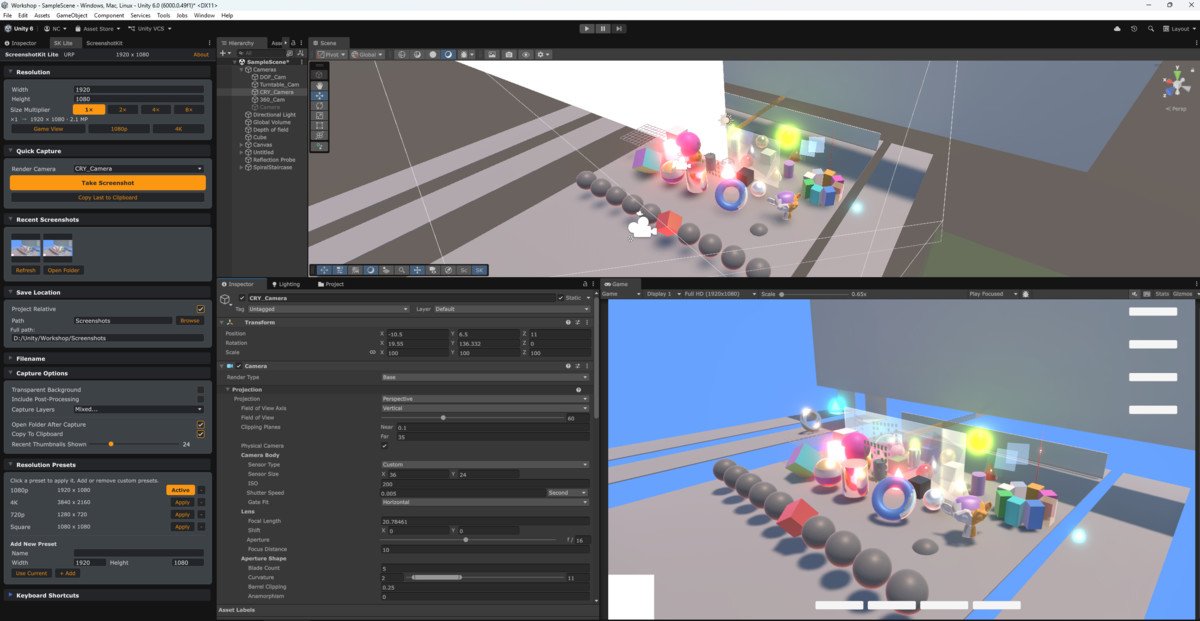
ScreenshotKit LITE screenshot 1
About this asset
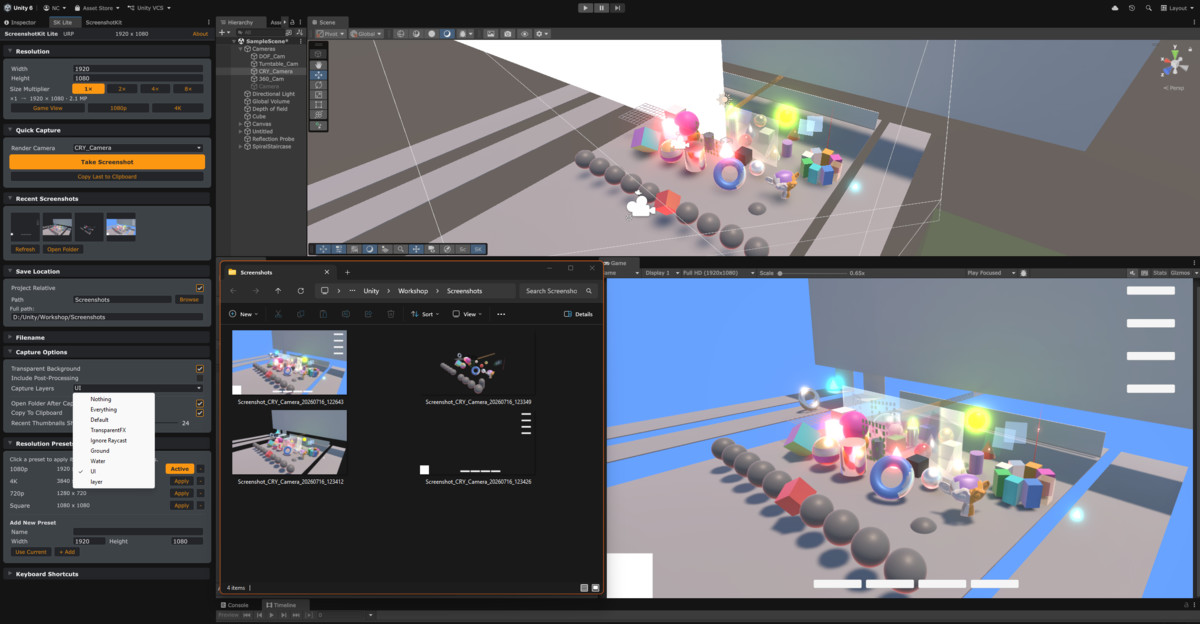
ScreenshotKit Lite is a free Unity Editor tool for capturing clean, high-resolution screenshots directly from your project. One click from the Scene View overlay or the main window, and you get a pixel-perfect image from any camera, no Play Mode, no scripts, no hassle.
It works across Built-in, URP, and HDRP with automatic pipeline detection, and everything saves exactly where you want it with a fully configurable filename format.
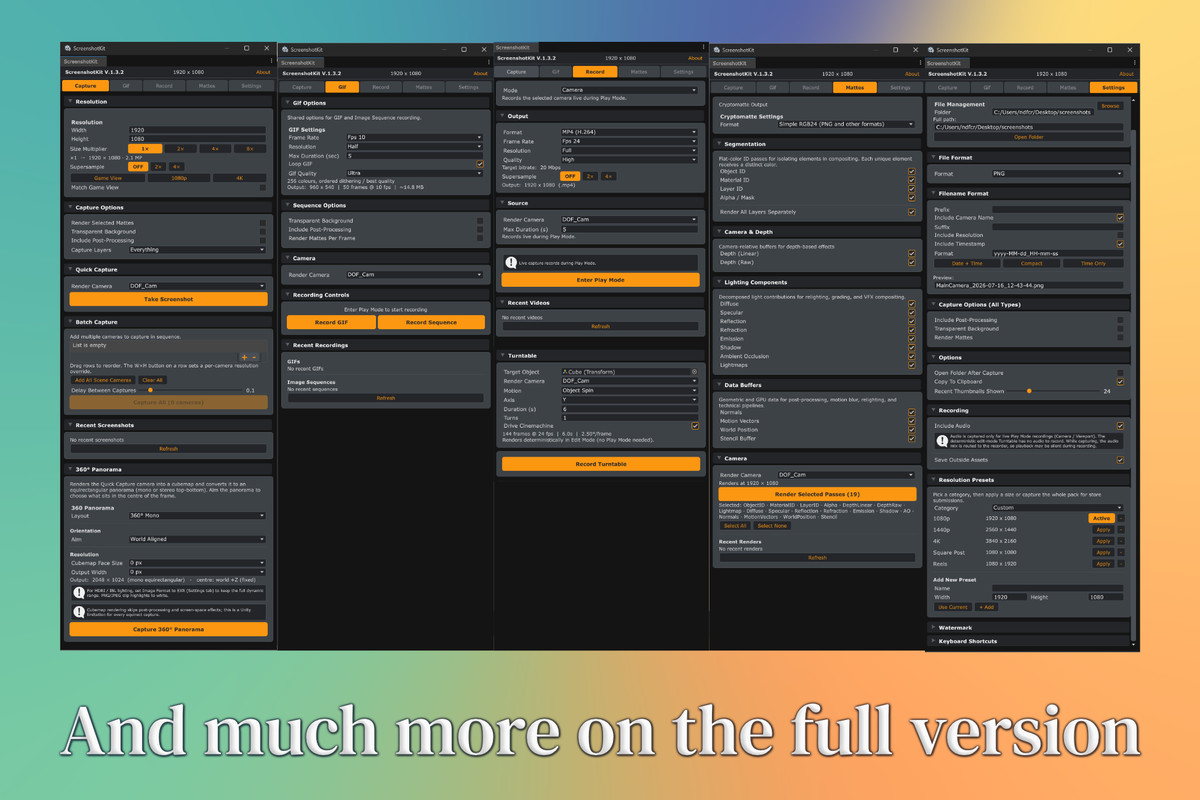
ScreenshotKit Lite is the free companion to ScreenshotKit, the full-featured capture suite with GIF recording, image sequences, EXR export, transparent composite capture, Cryptomatte passes, and batch multi-camera capture. If your needs grow, upgrading takes seconds.
From the publisher's Asset Store listing.
Technical details
- Capture PNGs from any scene camera
- Configurable output resolution (width + height) with a size multiplier up to 8x for super-resolution output
- Quick-set buttons: Game View, 1080p, 4K
- Scene View overlay with Quick Capture and Scene View Capture buttons
- Configurable keyboard shortcuts for Quick Capture and Scene View Capture
- Fully configurable output path and filename format (prefix, camera name, resolution, timestamp)
- Recent screenshots grid showing the last 10 captures with clickable thumbnails
- Open Folder After Capture toggle
- Automatic render pipeline detection (Built-in, URP, HDRP)
- Settings stored in a ScriptableObject with full undo support
- No runtime dependencies. Editor-only tool with zero build footprint
Tested in unity 6.0 all the way up to 6.5 so far
Compatibility
| Unity version | Built-in | URP | HDRP | Custom |
|---|---|---|---|---|
| 6000.6.0f1 | Not listed | Compatible | Not listed | Compatible |
| 6000.0.49f1 | Compatible | Compatible | Compatible | Compatible |
As listed on the Asset Store.