
 View on Asset Store (opens in new tab)
Package details
- Latest version
- 1.0
- Last updated
- First released
- Unity version
- 6000.3.9 or later
- Package size
- 143 KB
- Files
- 4
- Favorites
- 1
- Views in the past week
- 9
Price tracking
- Last checked
- Tracked since
- Lowest recorded
- $7.50 on
Keywords

Ignite Pro - Shader Warm Up Manager
An editor tool that visually manages Unity ShaderVariantCollection and generates shader collections to prevent runtime stuttering.
Price $15.00
Buy on Asset Store (opens in new tab)
Affiliate link · Purchases support this site
Price history
Last 6 months
USDAsset preview
1 / 4
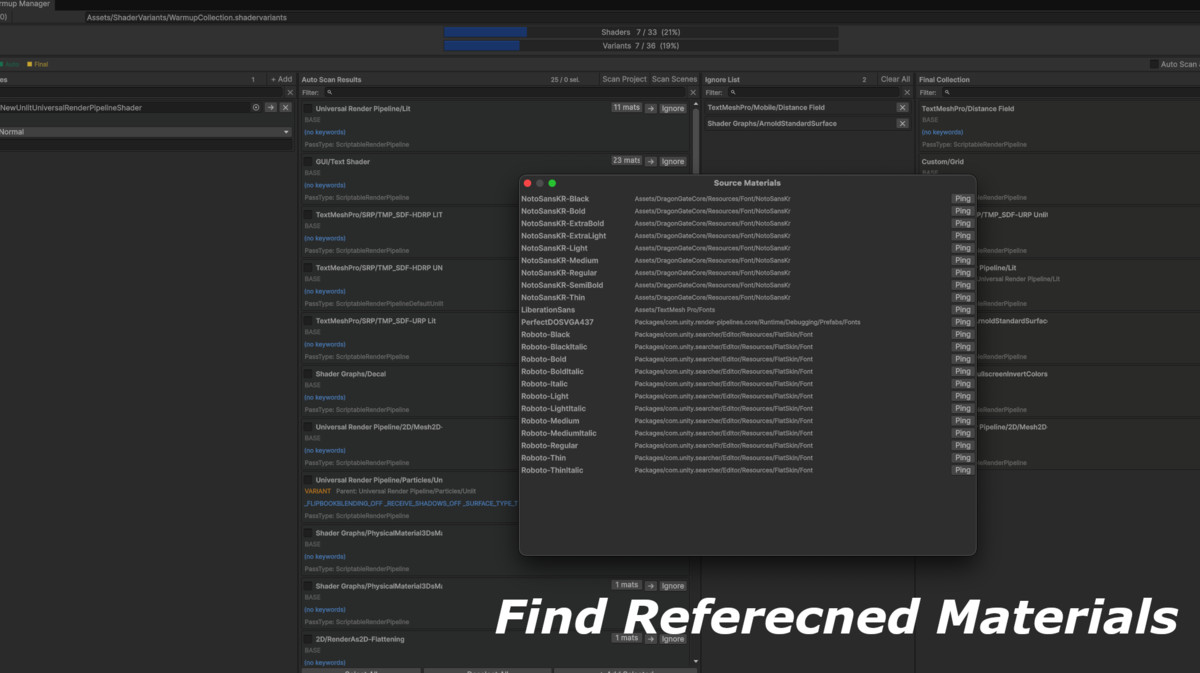
Ignite Pro - Shader Warm Up Manager screenshot 1
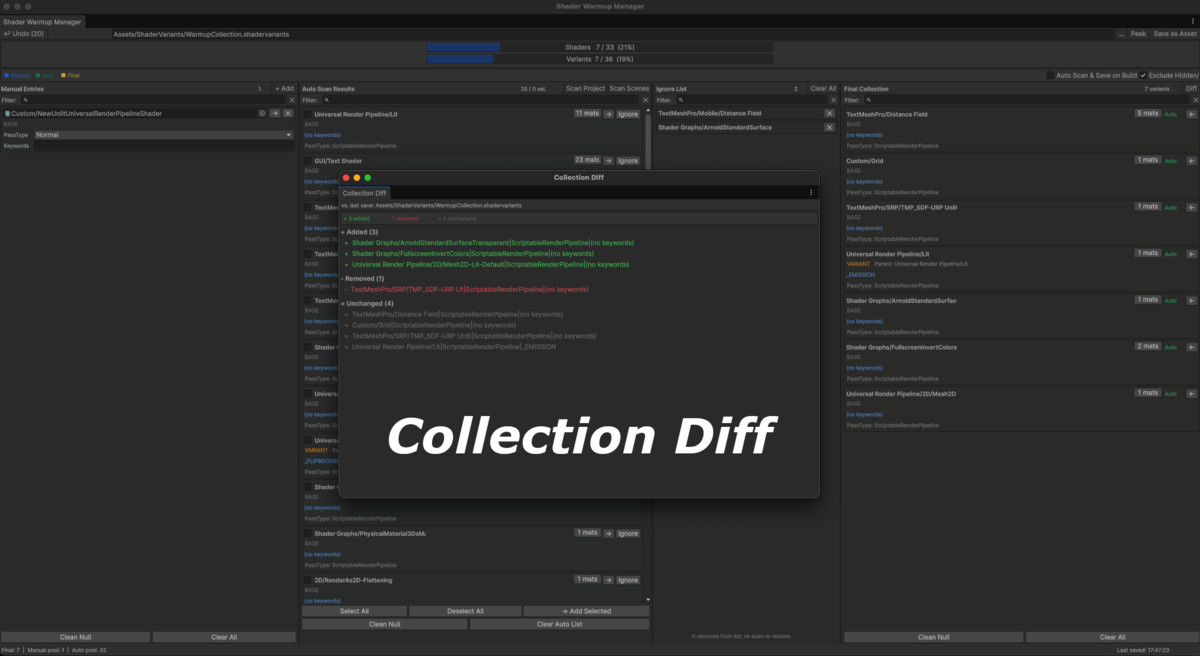
About this asset
Most of the code is included as DLLs and cannot be modified.
Key Features
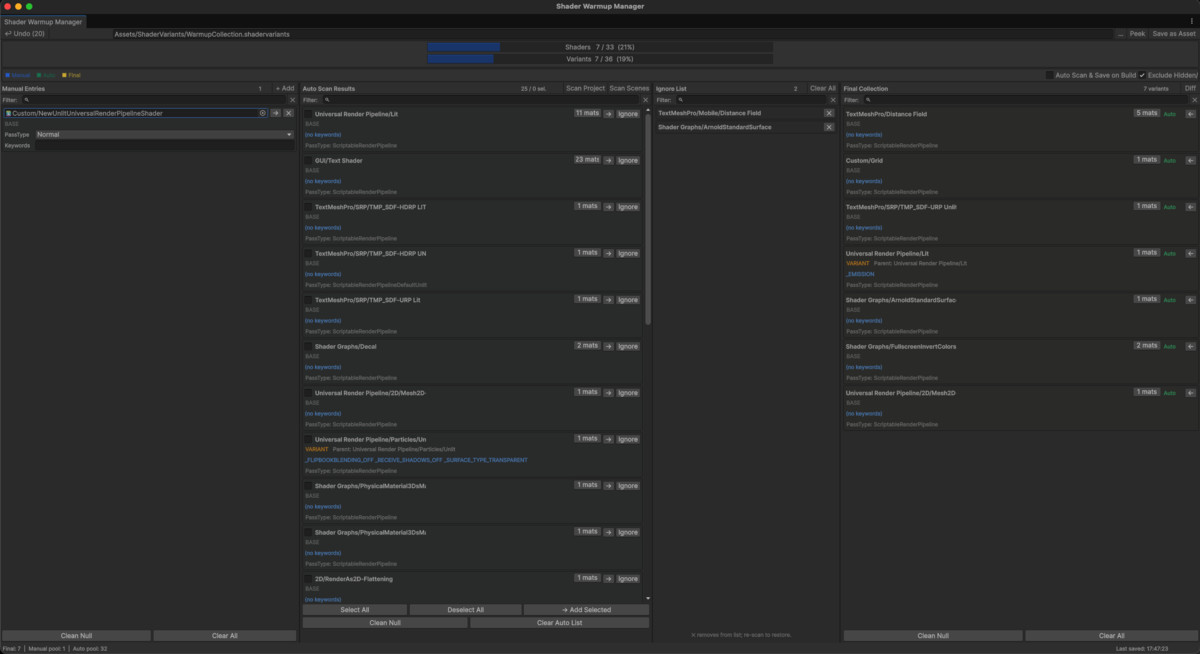
- Visual management of ShaderVariantCollection
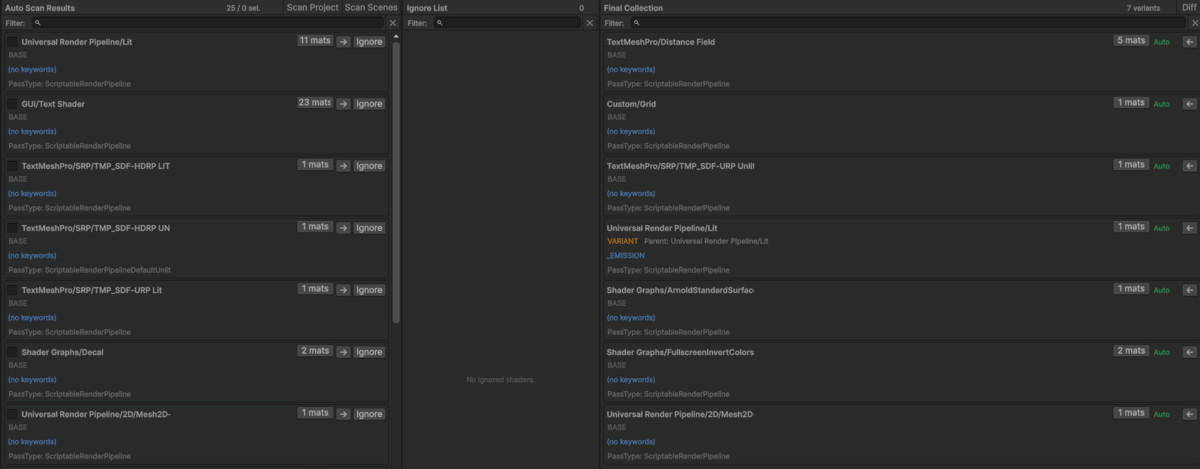
- Automatic variant collection by scanning project materials (Pro)
- Final collection generation and .shadervariants saving
- Runtime warmup integration via ShaderWarmUpLoader
When You Need This
- Experiencing frame drops when shaders load for the first time
- Performance-critical projects (mobile / VR)
- Managing ShaderVariantCollection manually is cumbersome
- Want to keep shader variants up-to-date automatically per build (Pro)
Pro Features
- Full project auto scan
- Ignore List (exclude unnecessary shaders)
- Coverage Bar (collection ratio tracking)
- Diff (track changes)
- Undo (up to 20 steps)
- Pre-build auto scan & save hook
Important Notes Before Purchase
- Editor-only tool (no runtime UI)
- Performance improvement depends on shader usage and project setup
- Auto scan (Pro) may take time on large projects
- Hidden/ and some internal shaders may be excluded
- Affected by Unity shader stripping and build settings
Recommended Workflow
- Auto scan variants (Pro)
- Ignore unnecessary shaders
- Build Final collection
- Save .shadervariants
- Apply via ShaderWarmUpLoader
From the publisher's Asset Store listing.
Technical details
Compatibility
| Unity version | Built-in | URP | HDRP |
|---|---|---|---|
| 6000.3.9f1 | Compatible | Compatible | Compatible |
Unity 6000.3 or later is recommended.
As listed on the Asset Store.