
 View on Asset Store (opens in new tab)
Package details
- Latest version
- 1.0.0
- Last updated
- First released
- Unity version
- 6000.3.8 or later
- Package size
- 55 KB
- Files
- 17
- Favorites
- 2
- Views in the past week
- 5
Price tracking
- Last checked
- Tracked since
- Lowest recorded
- $9.99 on
Keywords

SceneSwift Plus
A complete scene workflow toolkit — fast switching, smart organization, and powerful play mode tools.
Price $9.99
Buy on Asset Store (opens in new tab)
Affiliate link · Purchases support this site
Price history
Last 6 months
USDAsset preview
1 / 4
SceneSwift Plus screenshot 1

About this asset
SceneSwift Plus is the full SceneSwift experience, designed for developers and teams working across multiple scenes every day.
It enhances the free version with a powerful scene management system, helping you stay organized and move faster without breaking focus.
Key Features
Includes everything in SceneSwift (Free), plus:
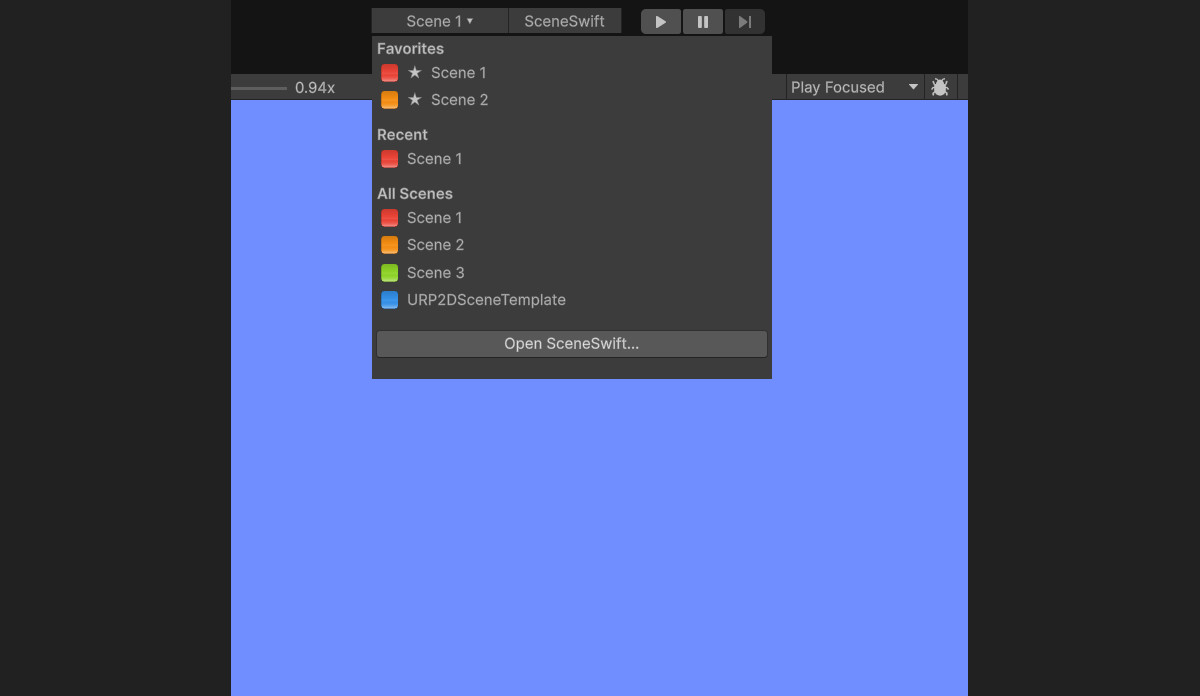
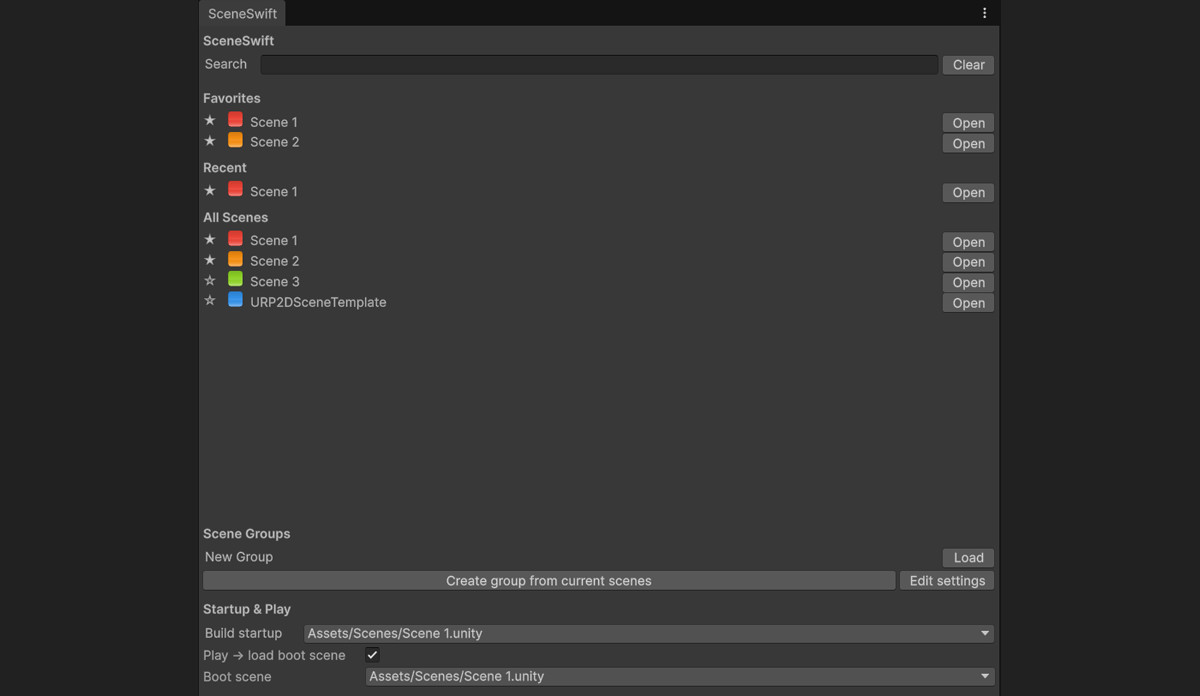
- 🧭 Scene Manager Window
Access via Tools > SceneSwift with search and quick actions - ⭐ Favorites System
Pin your most-used scenes for instant access - 🎨 Color Tags
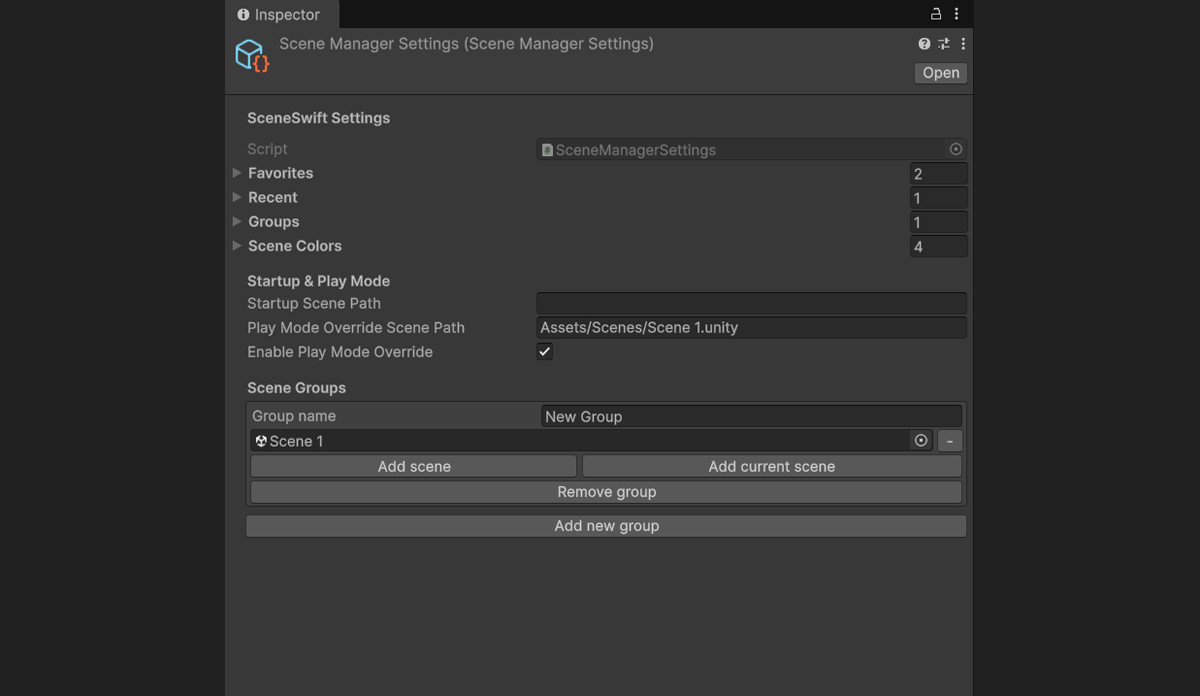
Organize scenes visually with consistent color labels across menus and windows - 📦 Scene Groups
Load multiple scenes together with a single click - 🚀 Startup & Play Mode ToolsSet a default startup scene
Optional play-mode boot scene
Automatically return to your working scene after play mode
Why SceneSwift Plus?
If you:
- Work with large or multi-scene projects
- Frequently switch between scenes
- Want better organization and control
Then SceneSwift Plus helps you stay focused and work faster.
From the publisher's Asset Store listing.
Technical details
- Editor-only extension (no runtime overhead)
- Includes both Free and Plus feature set
- Compatible with Unity 2021, 2022, 2023, and Unity 6
- Persistent settings for favorites, groups, colors, and recent scenes
- Consistent UI across toolbar and manager window
- Fully respects Unity’s scene save prompts
Compatibility
| Unity version | Built-in | URP | HDRP |
|---|---|---|---|
| 6000.3.8f1 | Compatible | Compatible | Compatible |
As listed on the Asset Store.