
 View on Asset Store (opens in new tab)
Package details
- Latest version
- 1.0.3
- Last updated
- First released
- Unity version
- 6000.6.1 or later
- Package size
- 6.4 MB
- Files
- 118
- Favorites
- 70
- Views in the past week
- 185
Price tracking
- Last checked
- Tracked since
- Lowest recorded
- $16.80 on
Keywords
POLYPAINT - Vertex/Normal Painter
Paint vertex colours and normals in the Unity editor without the need of external 3D software. Blend textures and colours, adjust masks for shaders, fake lighting effects - all with one tool!
Affiliate link · Purchases support this site
Price history
Last 6 months
USDAsset preview
1 / 9

POLYPAINT - Vertex/Normal Painter screenshot 1


About this asset
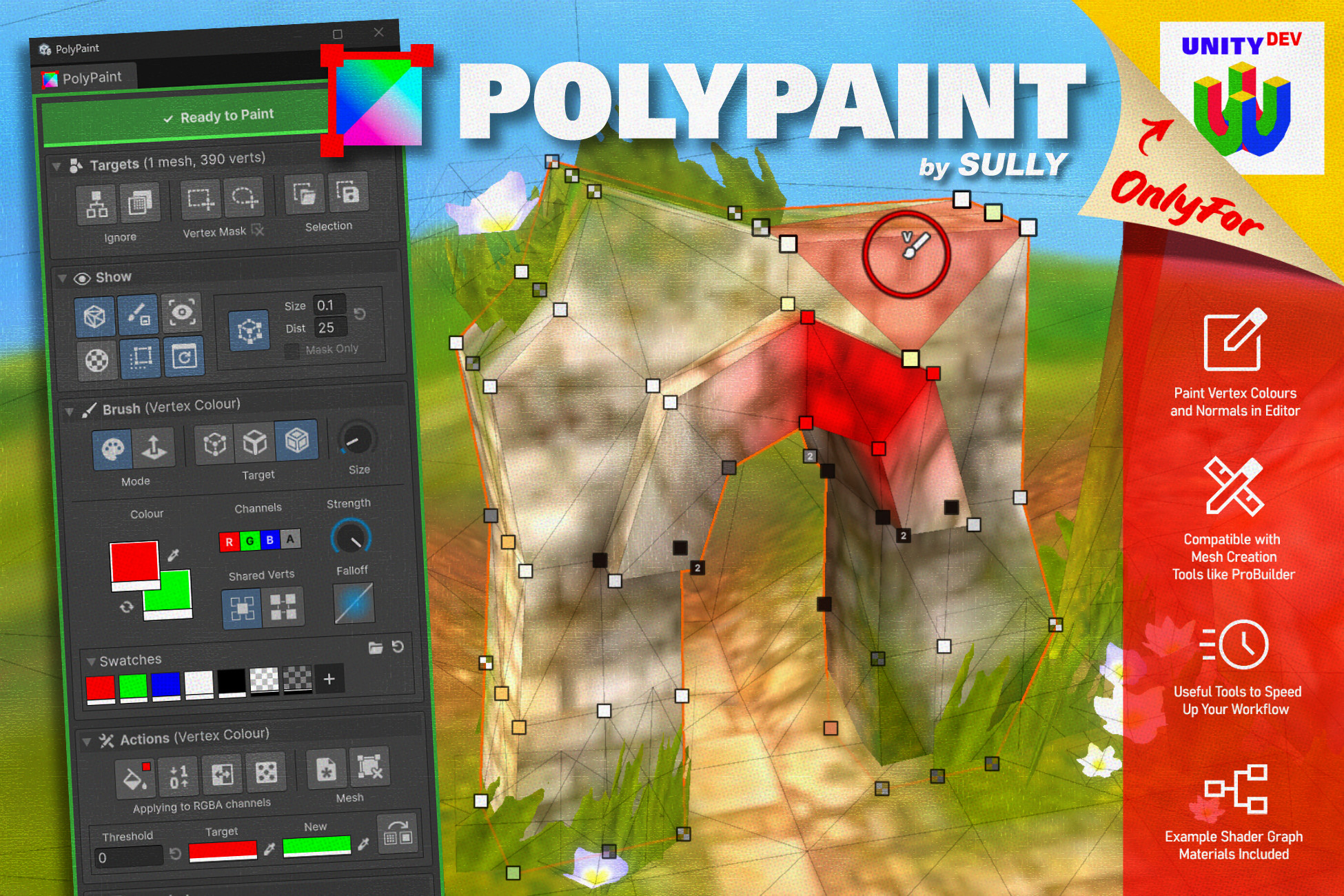
🎨 PolyPaint is a simple but powerful Unity editor tool that lets you paint vertex colours and vertex normals directly on meshes in the Scene viewport. Designed for developers and technical artists who want quick, intuitive, and comprehensive control over vertex data without needing to jump in and out of external 3D software.
Paint on any mesh (except skinned mesh renderers) with no setup required outside of your materials utilising vertex colours. Tested and compatible with ProBuilder (and probably any other mesh generating asset you have). Multi-mesh editing is supported.
↗️ Adjust vertex normals to smooth or hard, splitting or merging shared triangle verts in the process, allowing you to get crisp edges for vertex painting and realtime lighting.
🖌️ Functional brush options to help speed up and streamline your painting process:
- Swappable foreground / background swatches
- Target individual verts or groups of edges / faces
- Discrete selection of what RGBA channels you want to affect
- Sample existing vertex colours from the scene with the Eyedropper tool
- Save colour swatches for quick re-use
☑️ Paint only what you want with marquee / lasso Vertex Masks, saveable object sets, and options on whether to ignore child or transparent meshes.
🛠️ Quick actions for global changes or performing cleanup:
- Fill (combine with a Vertex Mask to quickly paint specific chunks of a mesh)
- Swap all verts of colour A to colour B
- Round one (or all) vertex colour channels to 0 or 1
- Randomly assign a value between 0 and 1 to selected colour channels
- Re-import updated meshes and retain painted vertex colours / normals
📦 Example assets are included (shaders, demo scene etc.) to get you started and showcase how vertex colours can be utilised.
🖼️ Snapshot system that allows you to save the vertex information of a selection of meshes to an asset. With an autosave feature included, you can use these for saving incremental history, version controlling asset backups, or transferring paint between scenes/projects.
🔍 Helpful and clean HUD that shows vert colours as dots in the viewport, and a Scene overlay menu for quick access to useful actions.
📖 Full colour Instruction Booklet is included with detailed information on all features and guides to help you get the most out of PolyPaint.
From the publisher's Asset Store listing.
Technical details
- PolyPaint is an tool designed to be used by developers, not players, and as such is only designed to function in the Editor and not in Play Mode / builds.
- Mesh filters will gain the 'PolyPaint Instance' suffix once you start painting on them. This instanced version of the mesh allows us to apply our new vertex data but breaks Unity's link to the source mesh asset. This means that if you re-import your model Unity won't automatically update the version in your scene. PolyPaint has an 'Update Mesh(es)' button to do this for you, but it's just a bit of a manual extra step.
- This is not a shader pack (kinda)! While shaders, textures, and meshes are included for simple vertex colour examples, this tool is designed for people who understand how vertex colours work and know how to utilise them in their own shaders.
Compatibility
| Unity version | Built-in | URP | HDRP |
|---|---|---|---|
| 6000.6.1f1 | Not listed | Compatible | Not listed |
PolyPaint functions on ALL render pipelines, however the included example and debug shaders require Unity's Shader Graph to compile. HDRP may have some graphical oddities, and Built-In will not compile the shaders at all. So, URP is the recommended 'works-out-of-the-box' pipeline for this package.
As listed on the Asset Store.