
 View on Asset Store (opens in new tab)
Package details
- Latest version
- 1.0.1
- Last updated
- First released
- Unity version
- 6000.0.60 or later
- Package size
- 348 KB
- Files
- 25
- Favorites
- 6
- Views in the past week
- 8
Price tracking
- Last checked
- Tracked since
- Lowest recorded
- Free on
Keywords

Scene Setup Tool (Batch Static & Rendering) – FREE Edition
A lightweight Unity Editor tool to speed up scene setup by automating Static Flags, Lightmap preparation, and object validation. Ideal for environment artists and level designers.
Affiliate link · Purchases support this site
Price history
Last 6 months
USDAsset preview
1 / 3
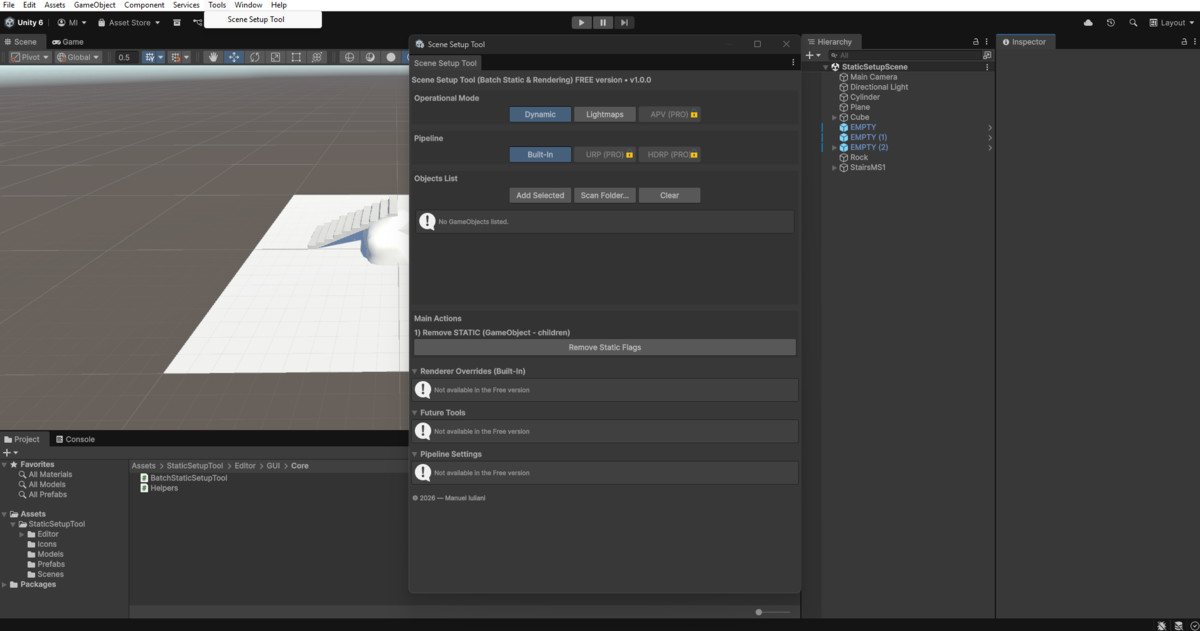
Scene Setup Tool (Batch Static & Rendering) – FREE Edition screenshot 1
About this asset
Scene Setup Tool (Batch Static & Rendering) – Free Edition is a productivity-focused Unity Editor extension designed to streamline scene preparation for lighting workflows.
If your project includes large environments, modular assets, or hundreds of props, this tool helps you batch-apply Static Flags, validate objects, and prepare assets for Lightmaps in just a few clicks.
This Free Edition includes the core features for environment setup, while also showcasing additional PRO tools for advanced workflows.
Third-party assets used in screenshots are not included.
From the publisher's Asset Store listing.
Technical details
🚀 Key Features
✔ Object Management
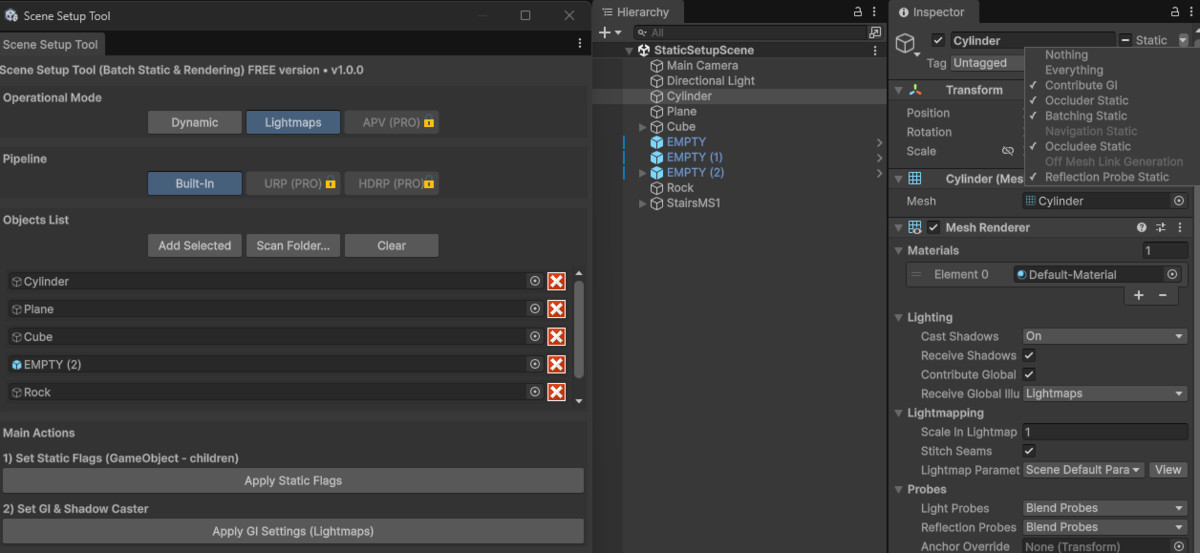
- Add selected objects to the processing list
- Scan entire folders for prefabs
- Automatically validate objects (requires MeshRenderer)
- Clean and reorder the object list with ease
✔ Static Flags Tools
- Apply Static Flags recursively (object + all children)
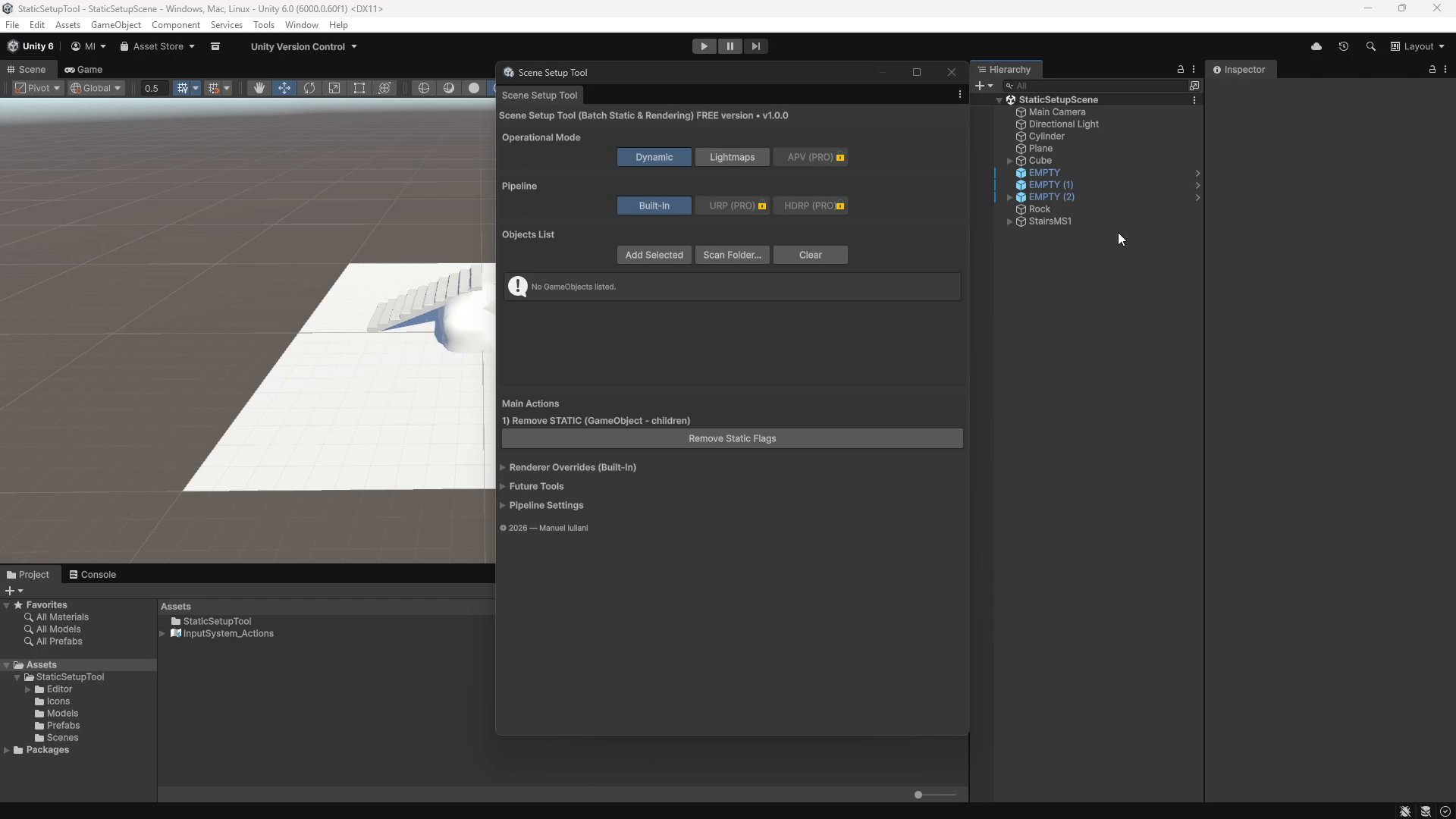
- Remove all Static Flags instantly (Dynamic reset mode)
- Speed up preparation for environment building and batching
✔ Lightmaps Workflow Support
- Apply GI-ready settings with one click
- Warns about missing UV2 on meshes
- Helps ensure objects meet Lightmap requirements
✔ Preset Modes
- Dynamic – resets static flags & GI settings
- Lightmaps – configures objects for baked lighting
- APV (Preview) – visible but disabled in the Free version
✔ Pipeline Modes
- Built‑in (fully supported)
- URP (Preview – PRO only)
- HDRP (Preview – PRO only)
✔ Clean, Intuitive UI
- Organized foldouts for each tool category
- PRO features clearly marked
- Lightweight and responsive EditorWindow
🛠 Requirements
- Unity 6000.0+
- Works with Built-in, URP, HDRP pipelines
- No runtime components – Editor only tool
📦 Installation
- Import the package into your project
- Open the tool via: Tools → Scene Setup Tool
- Add objects or scan folders, then apply actions
💡 Upgrade to the PRO version to unlock advanced renderer overrides, HDRP tools, and full pipeline control.
Compatibility
| Unity version | Built-in | URP | HDRP |
|---|---|---|---|
| 6000.0.60f1 | Compatible | Compatible | Compatible |
As listed on the Asset Store.