
 View on Asset Store (opens in new tab)
Package details
- Latest version
- 1.0.4
- Last updated
- First released
- Unity version
- 6000.3.11 or later
- Package size
- 225.5 MB
- Files
- 185
- Favorites
- 13
- Views in the past week
- 37
Price tracking
- Last checked
- Tracked since
- Lowest recorded
- $19.99 on
Keywords

Environment System | Day Night, Weather, Lightning
A lightweight environment system with day/night cycle, weather presets, skybox support, lightning effects, volumetric atmosphere, demo tools, and optional Game Creator 2 integration.
Affiliate link · Purchases support this site
Price history
Last 6 months
USDAsset preview
1 / 6
Environment System | Day Night, Weather, Lightning screenshot 1


About this asset
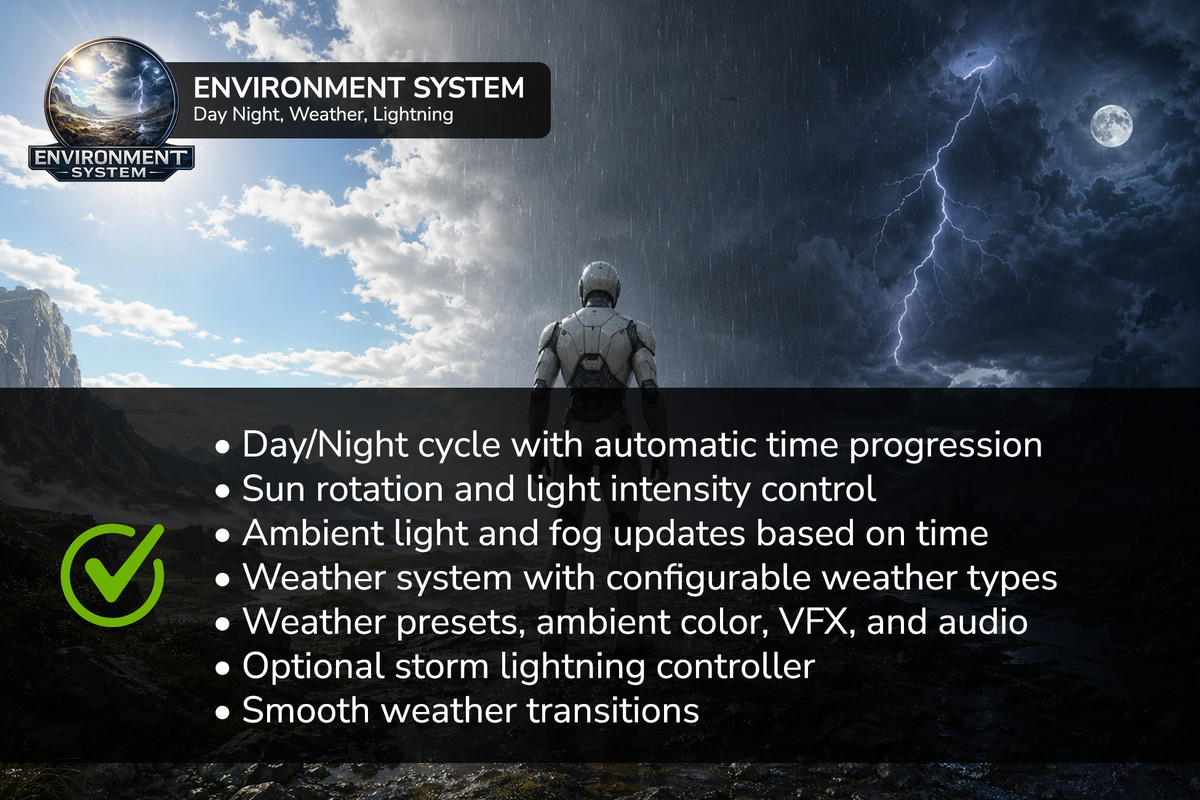
Environment System is a flexible and practical solution for creating dynamic environments in Unity. Bring your scenes to life with realistic day/night transitions, changing weather, procedural volumetric clouds, atmospheric fog, wet surfaces, puddles, and indoor weather protection.
Designed for Built-in, URP, and HDRP, the system provides modular components, configurable weather presets, smooth transitions, and editor tools to simplify environment setup and testing.
Use Environment System as a standalone solution or extend it with the optional Game Creator 2 visual scripting integration.
Key Features
☀️ Day & Night System
- Automatic day/night cycle with configurable time progression.
- Custom sunrise and sunset times.
- Sun and moon visual support.
- Day and night skyboxes with smooth transitions.
- Optional skybox rotation.
- Play Mode Time Control: Adjust the time of day directly in the Inspector using a slider.
- Pause and resume time progression without stopping gameplay.
🌦️ Dynamic Weather System
- Configurable Weather Presets.
- Smooth weather transitions.
- Random weather generation.
- Custom weather types.
- Fog, ambient lighting, skybox, audio, and VFX controls.
- Weather-driven cloud and atmospheric changes.
- Storm lightning with thunder audio and visual effects.
☁️ Procedural Volumetric Clouds
- Support for Built-in, URP, and HDRP.
- Adjustable cloud coverage, density, altitude, thickness, wind, and colors.
- Time-of-day lighting integration.
- Weather Preset cloud overrides.
- Smooth cloud transitions.
- Temporal reprojection and quality optimization.
- Native HDRP Volumetric Clouds integration and an alternative procedural rendering mode.
🌫️ Fog & Atmospheric Effects
- Global fog controls through Weather Presets.
- Custom Fog Plane system for ground mist and atmospheric layering.
- Multiple fog layers with customizable density, opacity, noise, and movement.
- Reusable Fog Plane Presets.
- Smooth fog transitions.
- Weather-driven Fog Plane overrides.
- Live Weather Preset Preview: Preview Fog and Ambient Lighting changes directly in Scene View without Play Mode (Built-in/URP).
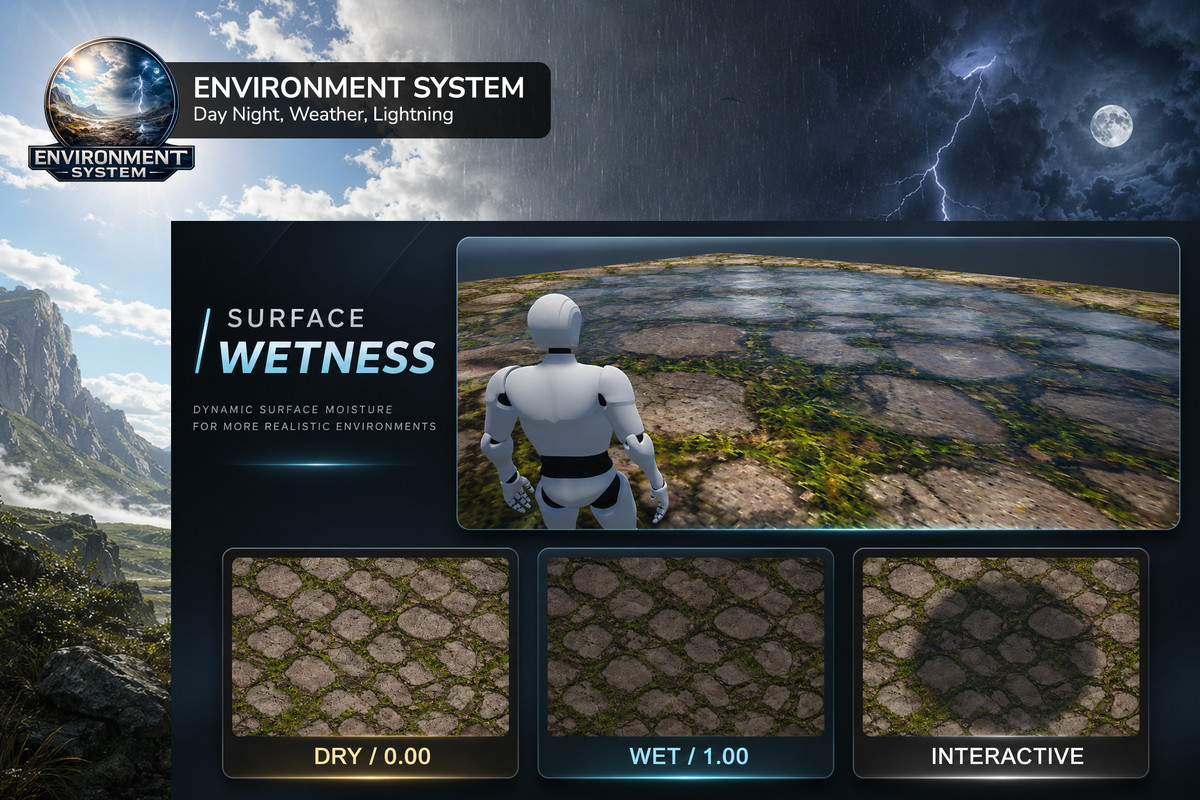
💧 Surface Wetness System
- Smooth surface wetting and drying.
- Weather-driven wetness based on Weather Presets.
- Manual wetness control and transitions.
- Surface darkening and smoothness effects.
- Optional Wetness Masks for localized control.
- Support for compatible Standard, URP Lit, and HDRP Lit materials.
- Local puddle areas with configurable appearance.
- Pipeline-specific puddle decals.
- Animated procedural rain ripples.
- Play Mode wetness controls.
- Optional Edit Mode preview and setup validation tools.
- Wetness state save/load integration.
🏠 Indoor Weather Protection
- Indoor Weather Zones for rooms, buildings, and sheltered areas.
- Automatic detection when a player or camera enters or leaves an indoor zone.
- Manual indoor/outdoor control.
- Configurable transitions when entering or leaving protected areas.
- Precipitation exclusion inside protected zones.
- Fog Plane exclusion with adjustable edge blending.
- Protection for wettable surfaces, puddles, and rain ripples.
- Support for overlapping indoor zones.
- Optional fog, precipitation, and lightning suppression for the local viewer.
- No player reference required for permanent zone protection.
Indoor weather protection works alongside the existing weather and time systems without stopping their progression.
🛠️ Editor Tools & Workflow
- Play Mode Time Slider and Pause/Resume controls.
- Live Weather Preset Preview.
- Surface Wetness Inspector and debug information.
- Optional Surface Wetness Edit Mode preview.
- Setup validation tools.
- Weather and atmospheric demo scenes.
- Wetness demonstration tools and sample materials.
- Quick creation of Fog Plane, Surface Wetness Manager, Wettable Surfaces, and Puddle Areas.
Game Creator 2 Integration
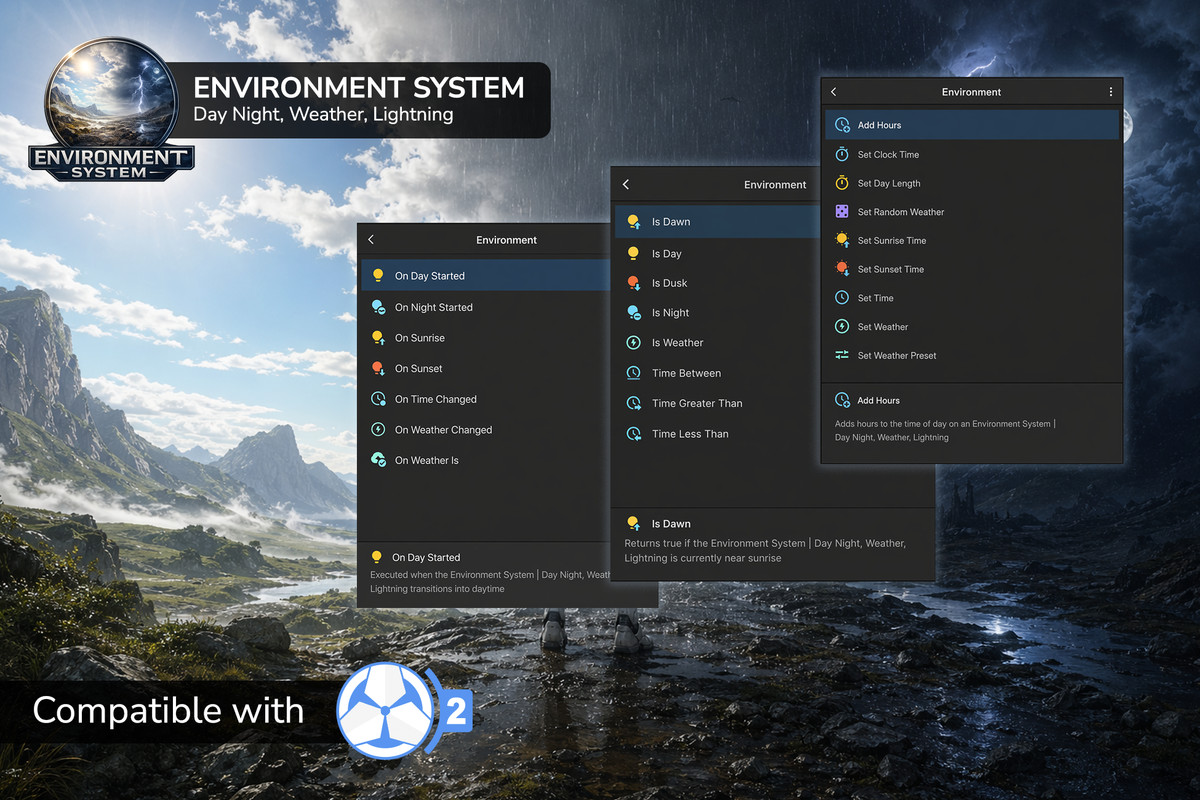
Environment System includes optional integration with Game Creator 2, allowing developers to control environment features using visual scripting.
Instructions
- Set time, sunrise, sunset, and day length.
- Change weather and select Weather Presets.
- Configure volumetric clouds and cloud transitions.
- Control Fog Plane settings and presets.
- Control Surface Wetness, puddles, and rain ripples.
- Enter or exit indoor weather protection.
- Enable or disable Indoor Weather Zones.
- Override global fog density and color.
Conditions
- Day, night, dawn, and dusk checks.
- Weather and custom weather type checks.
- Time comparisons.
- Volumetric cloud state checks.
- Surface wetness level and transition checks.
- Indoor/outdoor state checks.
- Indoor Weather Zone containment.
Triggers
- Weather changes.
- Sunrise and sunset.
- Day and night transitions.
- Cloud transitions and threshold events.
- Surface wetness changes and transitions.
- Wet/dry threshold events.
- Entering and exiting indoor zones.
Properties & Save/Load
- Environment and cloud properties.
- Surface wetness properties.
- Save/load support for time, weather, clouds, and optional Surface Wetness state.
Game Creator 2 integration is optional. The core Environment System works independently.
Ideal For
- Survival and open-world games.
- Adventure and exploration games.
- Horror and atmospheric environments.
- RPG projects.
- Simulation games.
- Dynamic weather and environment prototypes.
- Game Creator 2 projects.
Compatibility & Important Notes
- Supports Built-in, URP, and HDRP with pipeline-specific setup.
- The package is developed on Unity 6.3 LTS.
- Game Creator 2 integration is optional.
- Surface Wetness requires compatible material configurations and explicit setup.
- Decal requirements vary by Render Pipeline.
- Live Weather Preset Preview supports Built-in and URP; HDRP Edit Mode preview is not currently available.
- Indoor Weather Zones can exclude precipitation and Fog Plane effects, but ordinary global fog is not spatially removed from individual rooms.
- Existing scenes and materials are not automatically converted or modified by the optional Wetness system.
Documentation & Support
Full documentation, setup guides, feature references, and troubleshooting:
https://9476764.gitbook.io/assets/environment-system-compatible-with-game-creator-2
Have a question, found a bug, or have a feature suggestion?
Contact: [email protected]
Your feedback helps improve Environment System and shape future updates.
From the publisher's Asset Store listing.
Technical details
⚠️ Important: Upgrading from 1.0.3 to 1.0.4
Before updating Environment System from version 1.0.3 to 1.0.4, we strongly recommend creating a full backup of your Unity project or committing your changes to version control.
Version 1.0.4 introduces several new systems, components, shaders, and integrations.
For a safe upgrade:
- Back up your project before importing the update.
- Test the new version in a separate project copy if possible.
- After updating, verify your existing scenes, weather presets, materials, and Game Creator 2 integrations.
The update is designed to maintain backward compatibility, but creating a backup is always recommended before major updates.
Compatibility
| Unity version | Built-in | URP | HDRP | Custom |
|---|---|---|---|---|
| 6000.3.11f1 | Compatible | Compatible | Compatible | Compatible |
Supports the following Unity versions:
- Unity 6.3 LTS (6000.3.x)
- Unity 6.4 (6000.4.x)
- Unity 6.5 (6000.5.x)
- Unity 6.6 (6000.6.x)
As listed on the Asset Store.