
 View on Asset Store (opens in new tab)
Package details
- Latest version
- 2.0.1
- Last updated
- First released
- Unity version
- 6000.0.41 or later
- Package size
- 1.1 MB
- Files
- 34
- Favorites
- 12
- Views in the past week
- 27
Price tracking
- Last checked
- Tracked since
- Lowest recorded
- Free on
Keywords

Script Dependency Mapper - The Atlas Pro
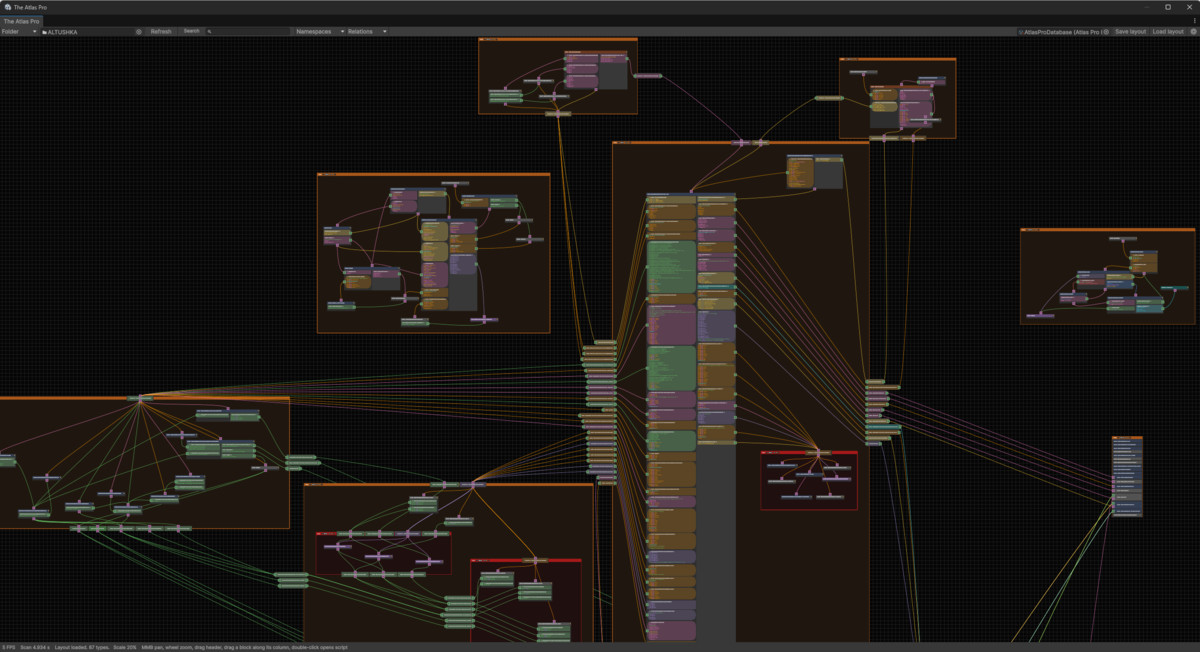
Lost in complex script dependencies? The Atlas Pro is a powerful dependency graph tool that helps you explore unfamiliar systems, follow connections, and organize complex projects into a readable map.
Price Free
Get it free on Asset Store (opens in new tab)
Affiliate link · Purchases support this site
Price history
Last 6 months
USDAsset preview
1 / 4
Script Dependency Mapper - The Atlas Pro screenshot 1
About this asset
Key Features:
- Dependency Mapping: Scan your scripts and draw connections based on inheritance, method calls, fields, and events. Choose a project folder or a single C# script and its directly related types.
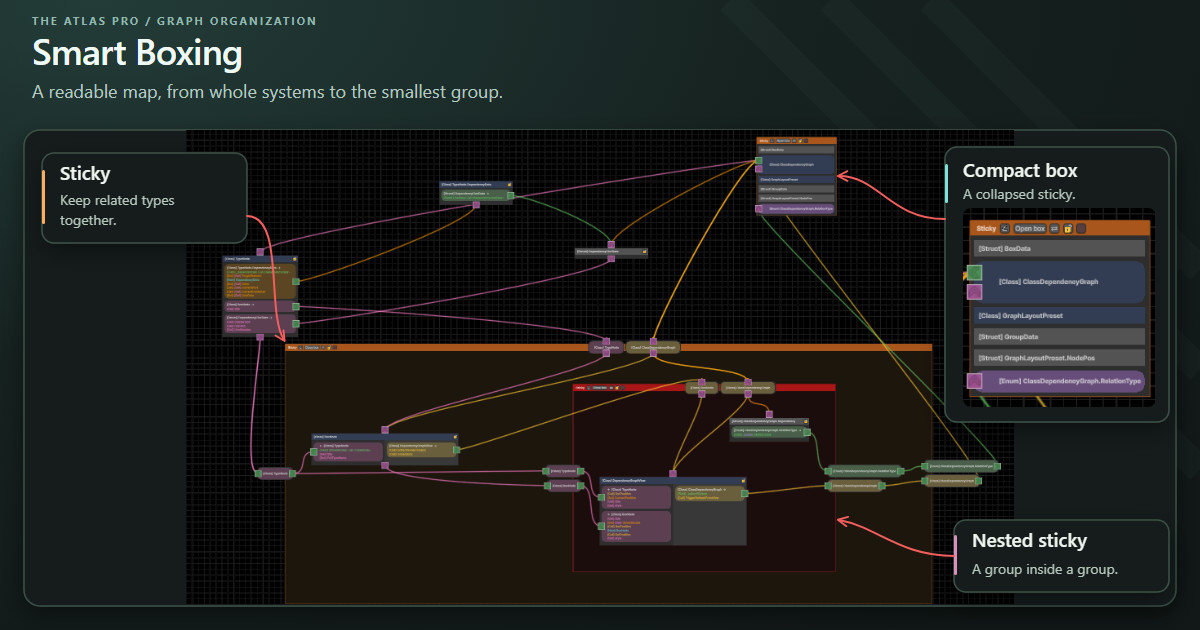
- Smart Boxing: Group related nodes into nested stickies and collapse them into “Boxes” to keep your workspace clean.
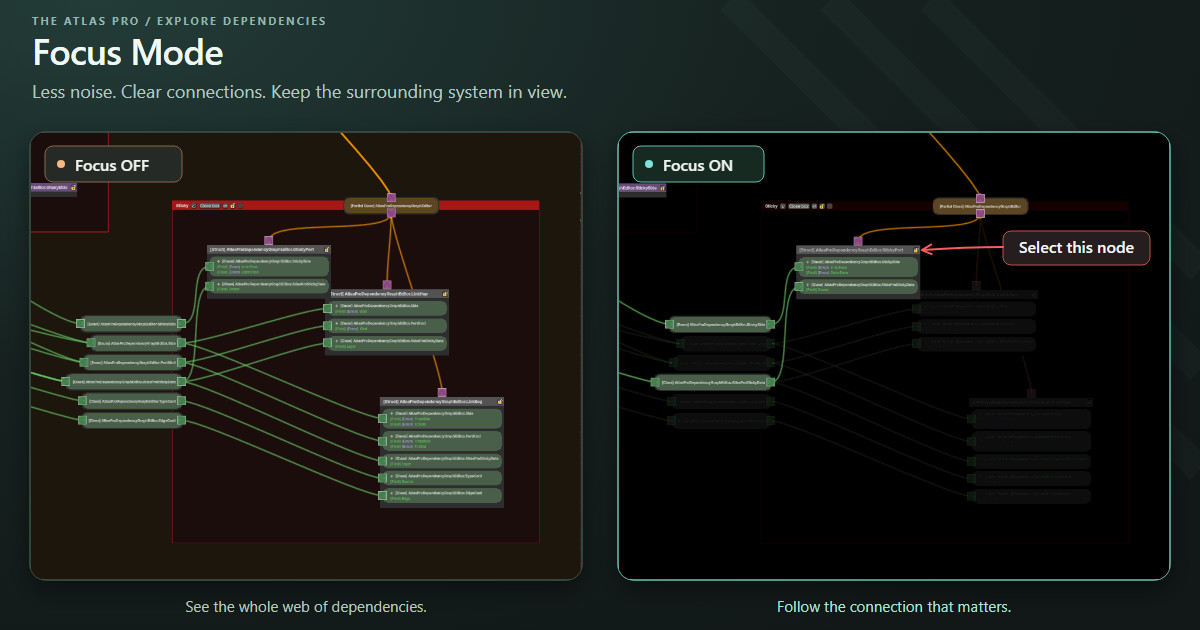
- Focus Mode: Highlight a node and its direct neighbors, or an individual connection, to eliminate visual noise. Object selection works independently of Focus.
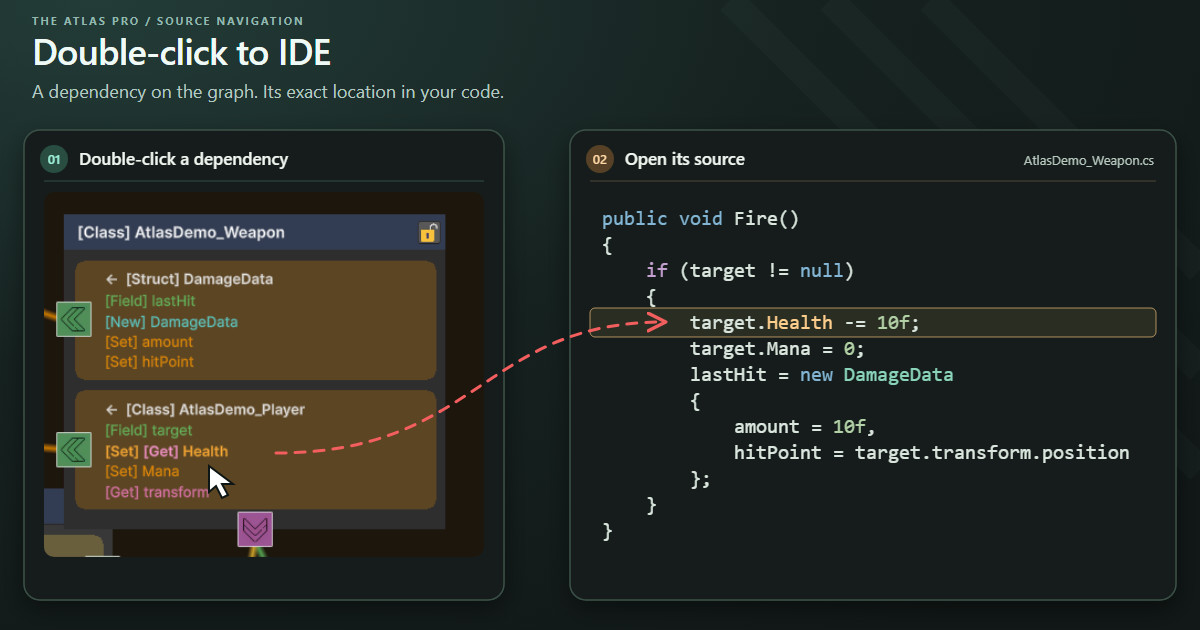
- IDE Integration: Double-click nodes, dependency rows, or connection lines to jump to their source locations in your IDE (Visual Studio, JetBrains Rider, etc.).
- Search & Navigation: Quickly find any class or interface in a massive graph with the built-in search field.
- Layout Presets: Save node positions, groups, ordering, locks, and visibility settings as assets. The last assigned database loads automatically when you reopen the graph.
- Namespace Filtering: Show or hide namespaces to control which types appear on the graph.
- Relation Filters & Colors: Choose which relation categories are displayed and customize their colors.
- Layout Controls: Reorder dependency blocks, sticky connectors, and rows inside boxes. Move objects between groups with Alt-drag and visual boundary feedback.
- Selection & Locks: Select multiple nodes, stickies, or boxes and lock or unlock their positions together.
- JSON Export: Export the full graph or a selected subgraph for inspection and external tools.
Tracked Relations:
- Inheritance: Base classes and inheritance chains.
- Interfaces: Interface implementations and related interface members.
- Method Calls: Direct function calls between classes.
- Method References: Methods referenced without being called directly, such as callbacks.
- Fields: Field declarations, including Lists, Dictionaries, Sets, and Arrays.
- Properties: Separate tracking for Get and Set access.
- Events: C# event subscriptions, unsubscriptions, and usage.
- Instance Access: Recognized access via .Instance, .Shared, and .Main members.
- Object Creation: Construction of objects with new.
- Static Access: References to static members and constants.
- Unity API: GetComponent<T> calls and dependencies within recognized Debug.Log contexts.
- Enum References: Enum types used in field declarations.
- Type References: General type dependencies.
- Type Support: Visualization for Class, Struct, Interface, Abstract, and Enum, including nested and partial declarations.
Note: The Atlas Pro is a visualization and architecture analysis tool. It is designed to map and analyze your existing C# code and is not a visual scripting solution or a tool for creating game logic without writing code.
From the publisher's Asset Store listing.
Technical details
- The Atlas Pro uses a lightweight C# source tokenizer with reflection-backed type and member resolution.
- Editor-only graph interface built with IMGUI, no runtime components or scene setup required.
- No additional analyzer libraries, downloads, or network connection required.