
 View on Asset Store (opens in new tab)
Package details
- Latest version
- 1.8.0
- Last updated
- First released
- Unity version
- 2022.3.62 or later
- Package size
- 729 KB
- Files
- 482
- Favorites
- 7
- Views in the past week
- 15
Price tracking
- Last checked
- Tracked since
- Lowest recorded
- $15.40 on
Keywords

FludeX: In-Game Console & Toolkit
FludeX is a modular runtime debug UI toolkit for Unity — combine widgets like building blocks to create any debug menu, cheat panel. Built on UI Toolkit and AppUI.
Affiliate link · Purchases support this site
Price history
Last 6 months
USDAsset preview
1 / 10
FludeX: In-Game Console & Toolkit screenshot 1



About this asset
Debugging on device shouldn't mean compromising on tools.
FludeX is a runtime debug platform for Unity — a shell for debug modules, built on UI Toolkit and AppUI. Responsive across every screen size, orientation, and platform, from day one.
Built-in modules, or your own. FludeX ships with modules for the most common debug needs, and stays open for whatever you need next. Build a custom module with the same clean architecture the built-in ones use — it appears in the panel automatically on install, no registration or code changes required.
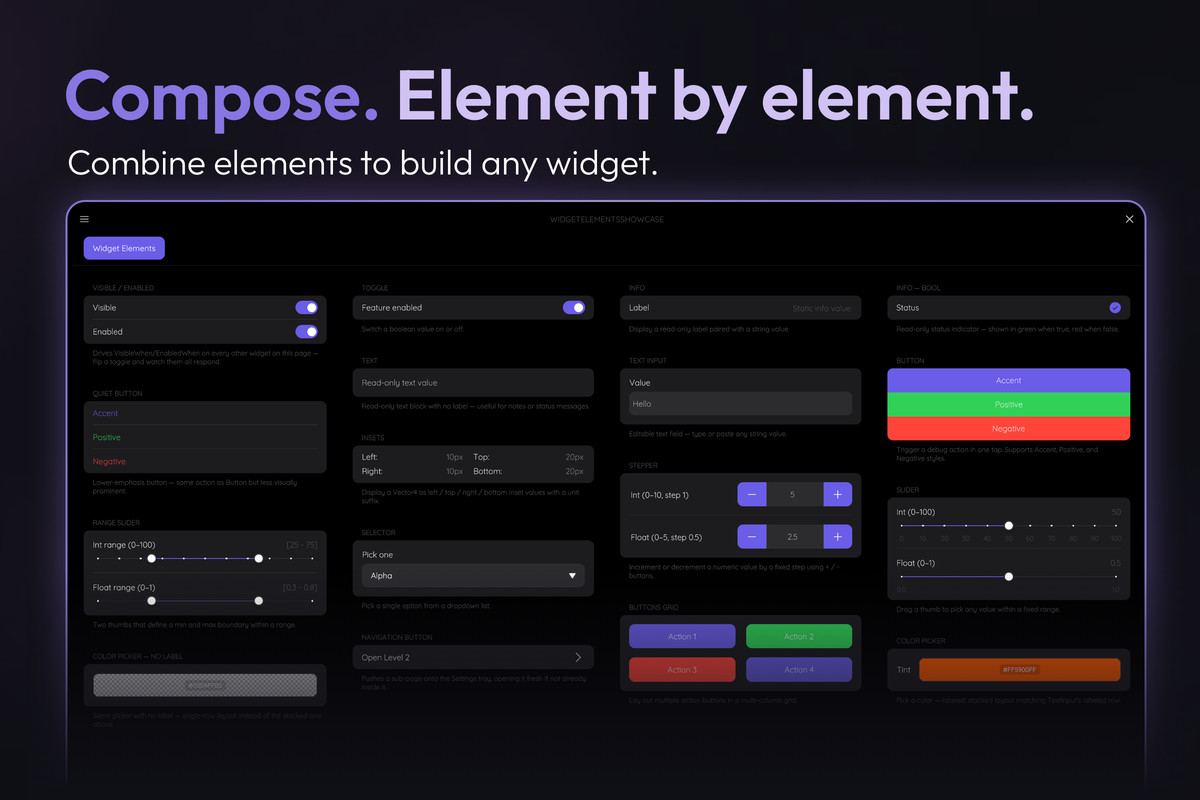
Compose panels with a fluent API. WidgetsBook lets you build tabbed debug panels in code from a full widget library — toggles, sliders, dropdowns, buttons, steppers, text inputs, and more. Widgets bind to your data automatically via standard .NET property-change notification, and can be shown, hidden, enabled, or disabled based on another setting, so the panel only ever shows what's relevant.
Ready for the whole team. Open the panel on any device without connecting to the Editor — everyone gets instant access to live diagnostics, custom controls, feature flags, and runtime logs.
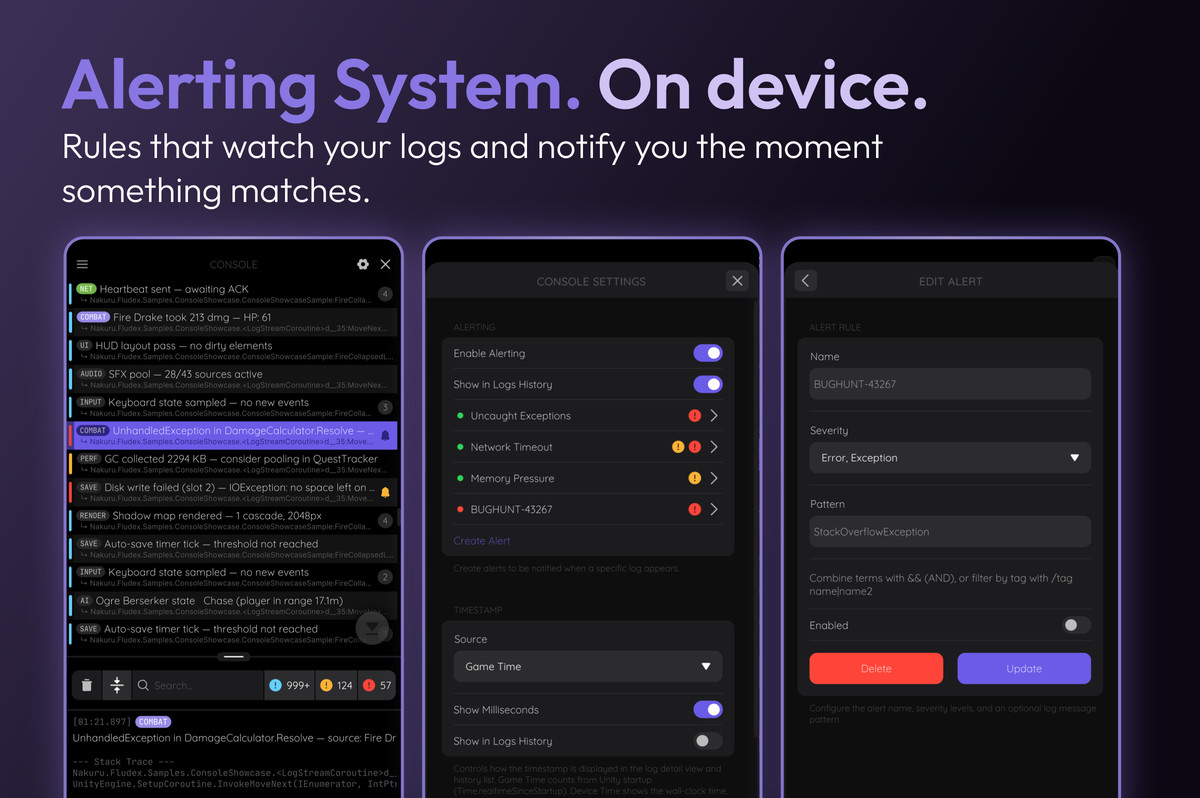
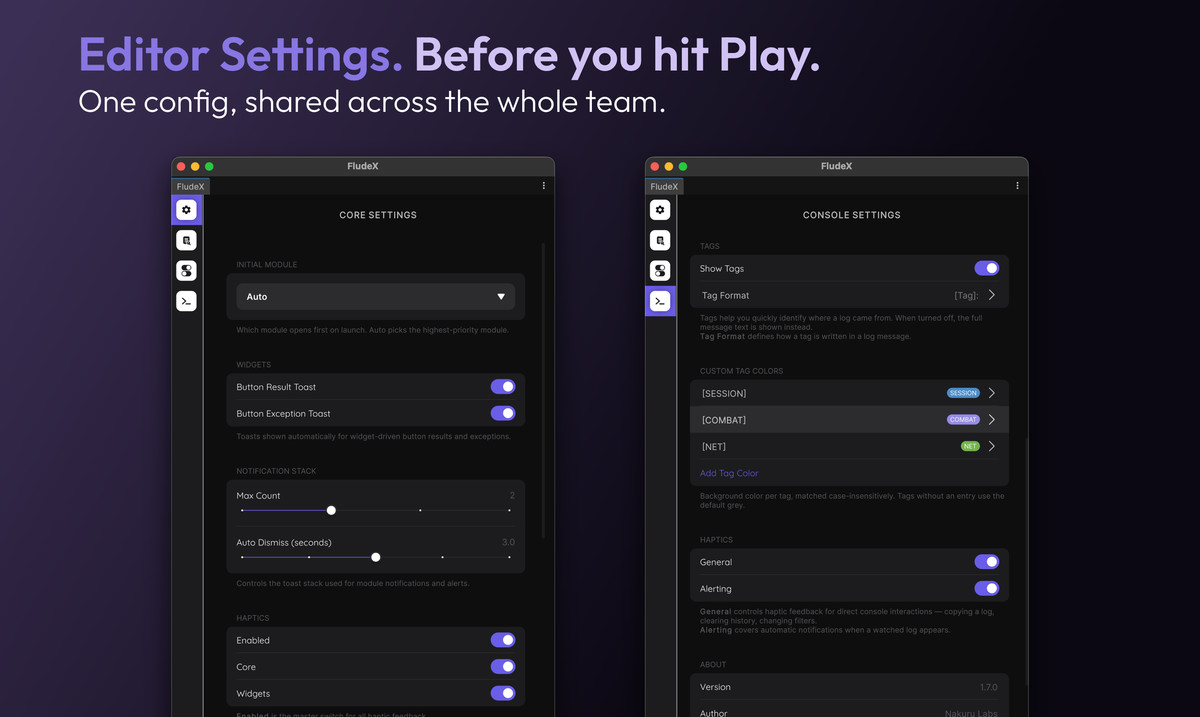
Configure everything before you hit Play. The FludeX Editor window (Window → FludeX → Settings) lets you set project-wide defaults for every module — trigger behavior, console alert rules, timestamps, history capacity, tag colors, and more — without entering Play Mode.
Included packages:
Core — the panel engine and shared infrastructure every module builds on:
- Gesture & keyboard triggers, including a draggable Sticky trigger with snap-to-grid
- WidgetsBook widget library
- Module system
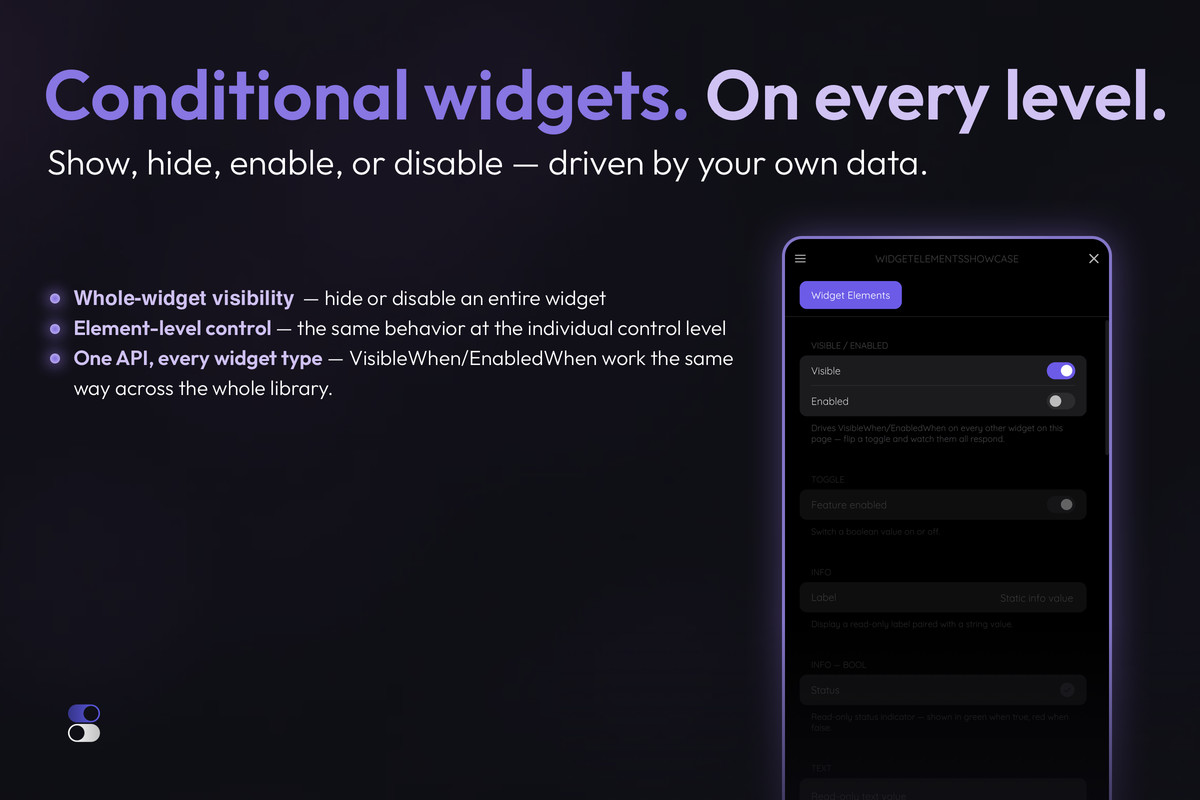
- Conditional widgets — show, hide, enable, or disable controls based on another setting
- Notification stack — stacked toasts with auto-dismiss and de-dup
- Haptic feedback — configurable per interaction domain
- Runtime settings panel — live, persisted configuration
- Editor Settings window — configure project defaults outside Play Mode
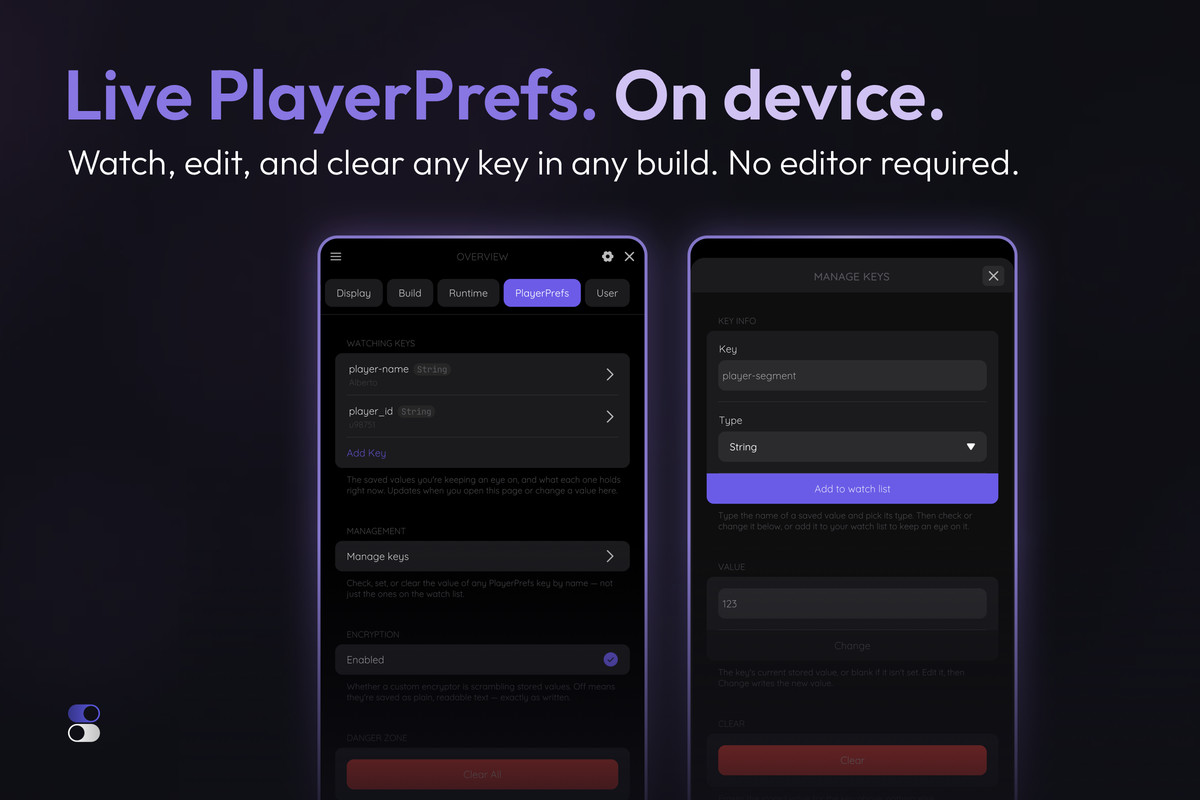
- PlayerPrefs access — read, write, and clear PlayerPrefs, with optional encryption
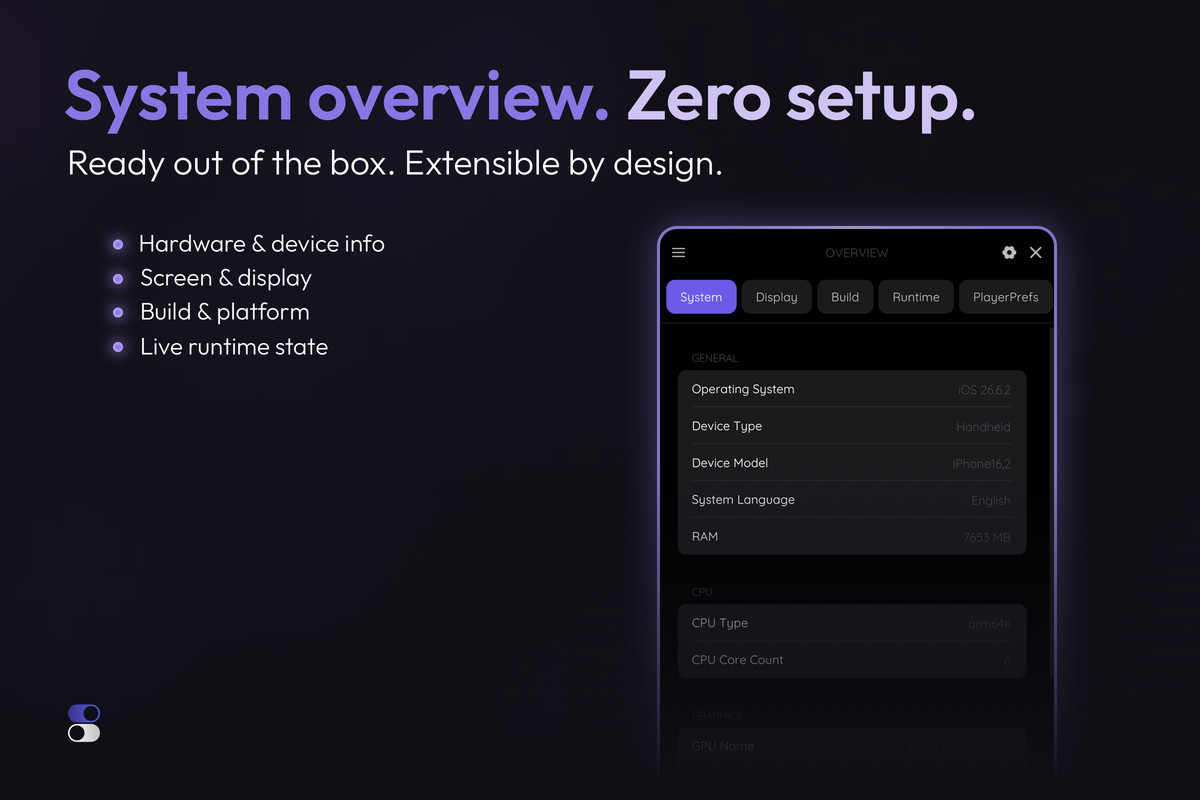
Overview Module — pre-built diagnostic dashboard with live device, display, build, and runtime information, plus a PlayerPrefs tab to watch, edit, and clear keys live.
Playground Module — blank-canvas panel you populate at runtime with your own pages and widgets
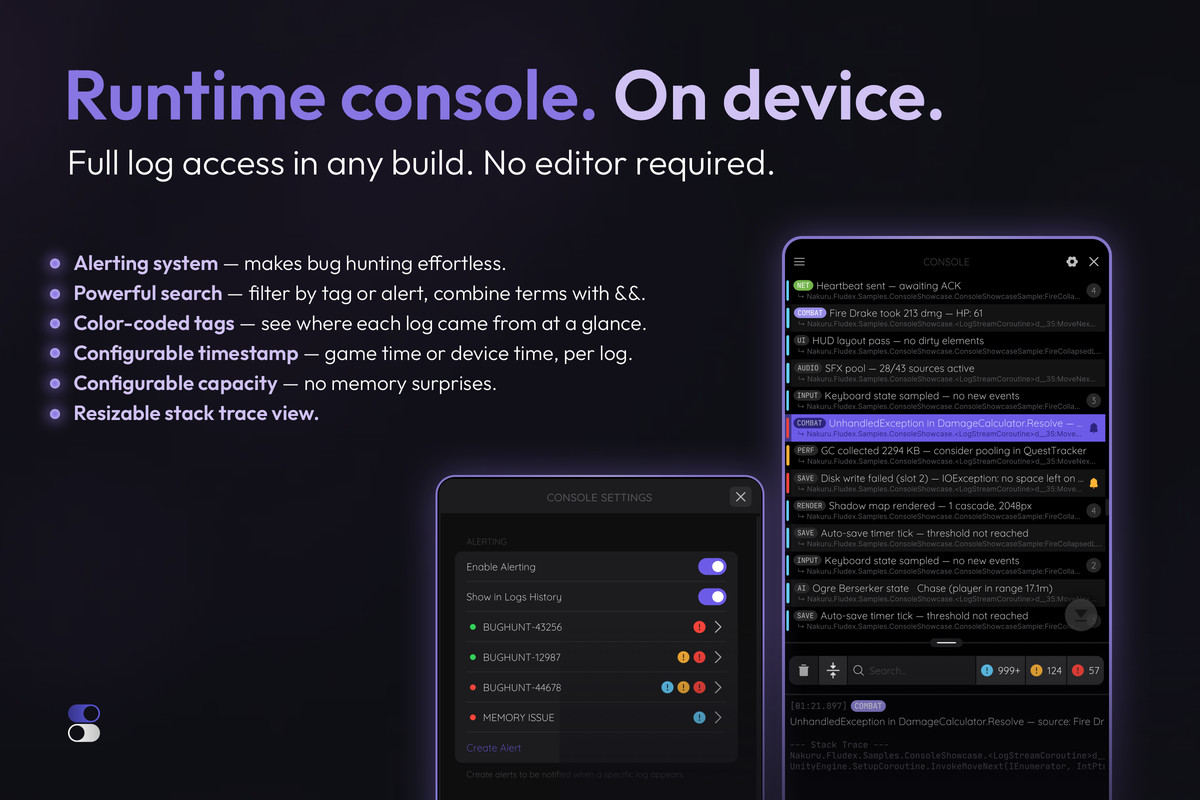
Console Module — full runtime log access:
- Search & filters
- Alerting system
- Stack trace view
- Ring buffer storage
- Color-coded tags that show where each log came from at a glance
- Configurable timestamp (game time or device time)
10 samples included across all modules.
[WebGL Demo] | [Documentation] | [Forum Thread] | [Report an Issue]
From the publisher's Asset Store listing.
Technical details
- Editor Settings window (Window → FludeX → Settings) — configure project-wide defaults for every module outside Play Mode, including Console alert rules, timestamps, history capacity, and tag colors
- Notification stack — stacked toast notifications with configurable max simultaneous count and auto-dismiss duration; automatically de-duplicates repeat alerts instead of re-stacking them
- Alerting System — configurable rules that watch incoming logs and surface a toast when a match hits, with per-session hit-count suppression and console-focus suppression so you're not re-notified while already looking at the log
- Haptic feedback — configurable per interaction domain (panel/drawer chrome vs. individual widget interactions), with a master on/off switch and per-domain toggles
- PlayerPrefs service — read, write, and clear PlayerPrefs with an optional pluggable encryptor, with change notifications for anything displaying those values
- Runtime settings panel — live, persisted configuration accessible from the panel itself; covers haptics, notification stack behavior, widget toast behavior, trigger position/appearance, and initial module selection, with changes taking effect immediately and surviving restarts
- Reset Settings — a one-tap Danger Zone action that restores all runtime configuration back to its initialized defaults, per module
- Persistent JSON storage — settings are saved to their own file instead of PlayerPrefs, so a host game's PlayerPrefs.DeleteAll() (or its own key management) can never wipe FludeX's configuration as a side effect
- Configurable tap trigger — position, padding, radius, and opacity are adjustable in code and live at runtime from the settings panel, so you can tune it around your own UI without recompiling
- Modular architecture — each module is auto-discovered at startup via ScriptableObject descriptors, with no manual registration and no assembly scanning
- WidgetsBook — declarative, page-based widget library (Info, Toggle, Button, ButtonsGrid, Slider, Range Slider, Stepper, Selector, Text Input, Color Picker, Navigation Button) built on Unity App UI
- Button confirmation dialogs — any button can require a styled confirm/cancel step before its action runs
- Stepper drag-to-scrub — drag horizontally on a Stepper's field or label to adjust its value, with velocity-sensitive sensitivity for fine or coarse control
- Conditional widgets — any widget can be shown, hidden, enabled, or disabled based on another property via live data binding, so panels stay relevant without manual show/hide code
- Live data binding — widgets bind to your data via standard .NET property change notification
- Flexible trigger system — open the panel with a tap gesture, a keypress, a long-press-and-drag Sticky trigger with snap-to-grid, or any combination; fully configurable or replaceable with your own implementation
- Safe area aware — panel and trigger hit area adapt to device safe area automatically
- Fluid, responsive layout — adapts to any screen size, resolution, and orientation; works on phones, tablets, and desktops
- Overview module — pre-built diagnostic dashboard with live device, display, build, and runtime information, plus its own settings page; extensible with custom widgets and pages; plus a PlayerPrefs tab to watch, edit, and clear keys live.
- Playground module — zero-boilerplate, runtime-driven blank-canvas panel for cheats, feature flags, and ad-hoc controls, with its own settings page
- Console module — full runtime log access with search, filters, resizable stack trace view, copy log, ring buffer storage with memory usage insight, color-coded tags showing where each log came from at a glance, and configurable timestamp (game time or device time, with optional milliseconds)
- Custom module API — build your own module with 4 C# classes, 2 UXML views, and 1 ScriptableObject descriptor
- Per-module configuration API — pass typed configuration objects to Initialize() to customise any module before it starts
- Reflection-based DI container — zero-configuration constructor injection for module dependencies
- Model-View-Presenter architecture throughout
- 10 samples included across all modules
Requirements:
- Unity 2022.3.62f3 or later
- Requires com.unity.dt.app-ui 2.1.12 (installed automatically as a UPM dependency)
Compatibility
| Unity version | Built-in | URP | HDRP | Custom |
|---|---|---|---|---|
| 2022.3.62f3 | Compatible | Compatible | Compatible | Compatible |
As listed on the Asset Store.