
 View on Asset Store (opens in new tab)
Package details
- Latest version
- 1.0
- Last updated
- First released
- Unity version
- 6000.0.37 or later
- Package size
- 44 KB
- Files
- 15
- Favorites
- 4
- Views in the past week
- 6
Price tracking
- Last checked
- Tracked since
- Lowest recorded
- Free on
Keywords
LAC Debug Logger
Unity debug logger with tag-based console filtering and file logging. Toggle log categories on/off at runtime from a lightweight editor window — no recompile needed.
Affiliate link · Purchases support this site
Price history
Last 6 months
USDAsset preview
1 / 7
LAC Debug Logger screenshot 1
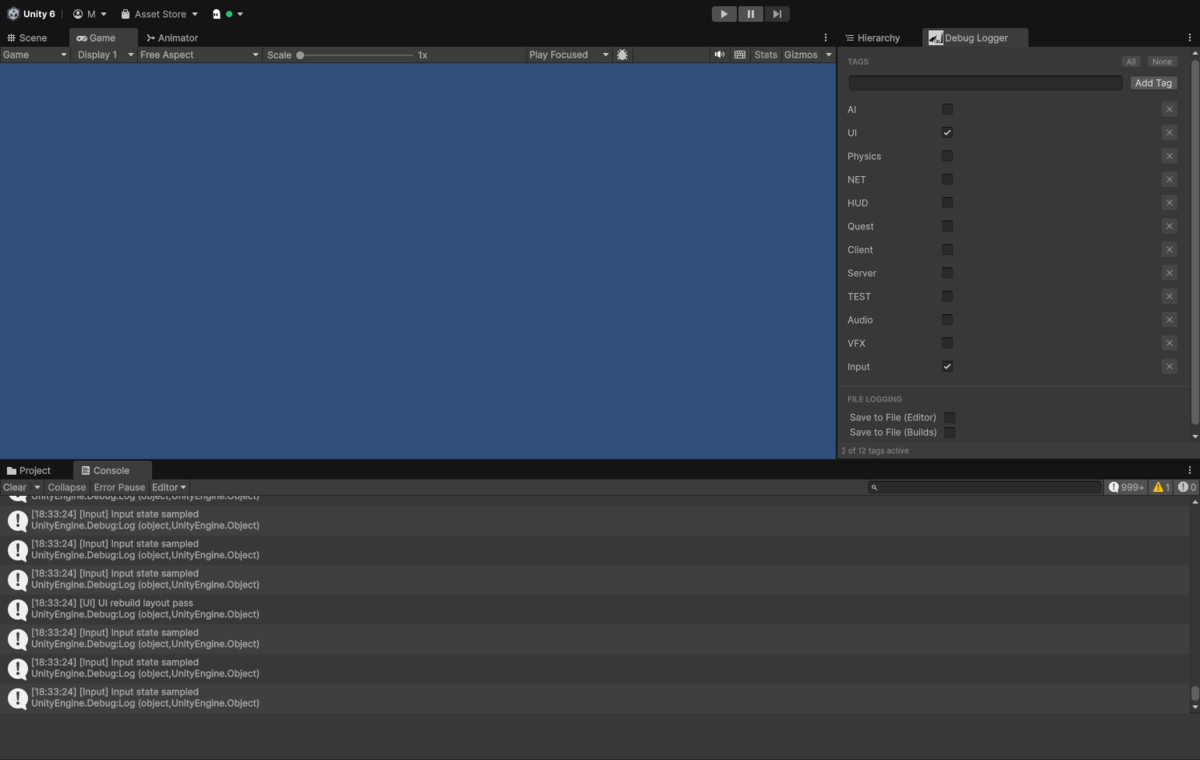
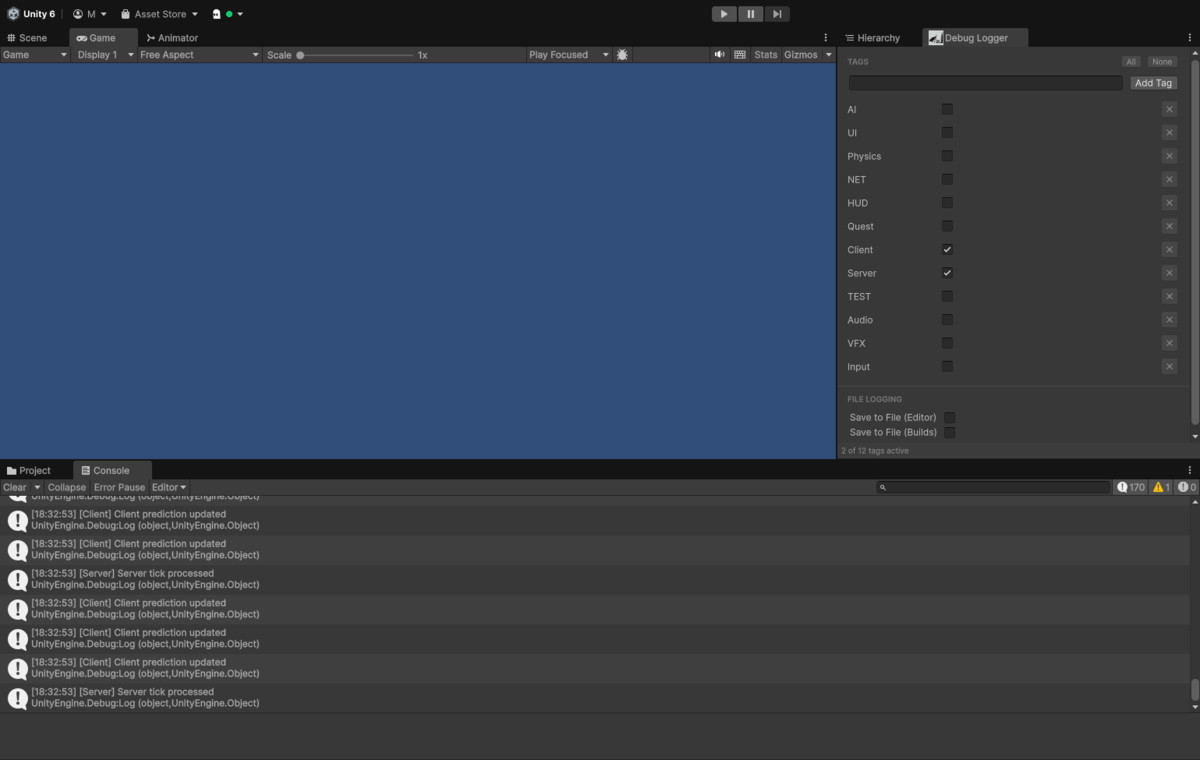
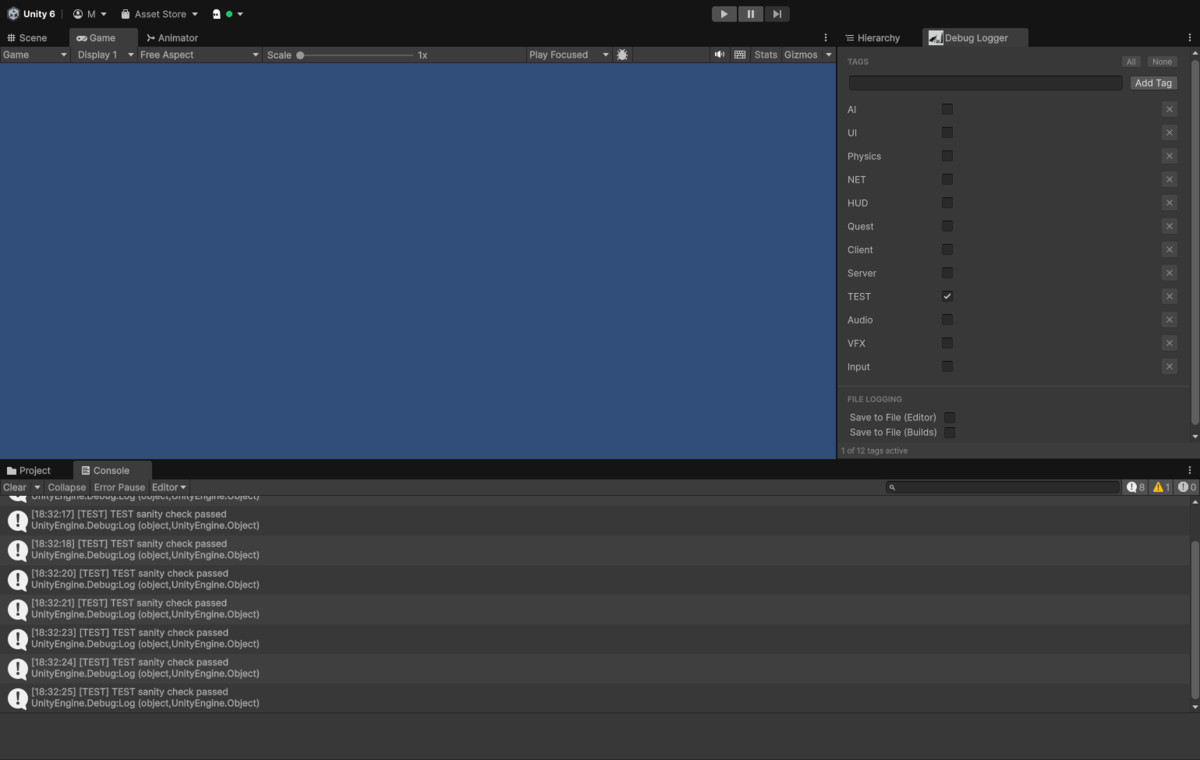
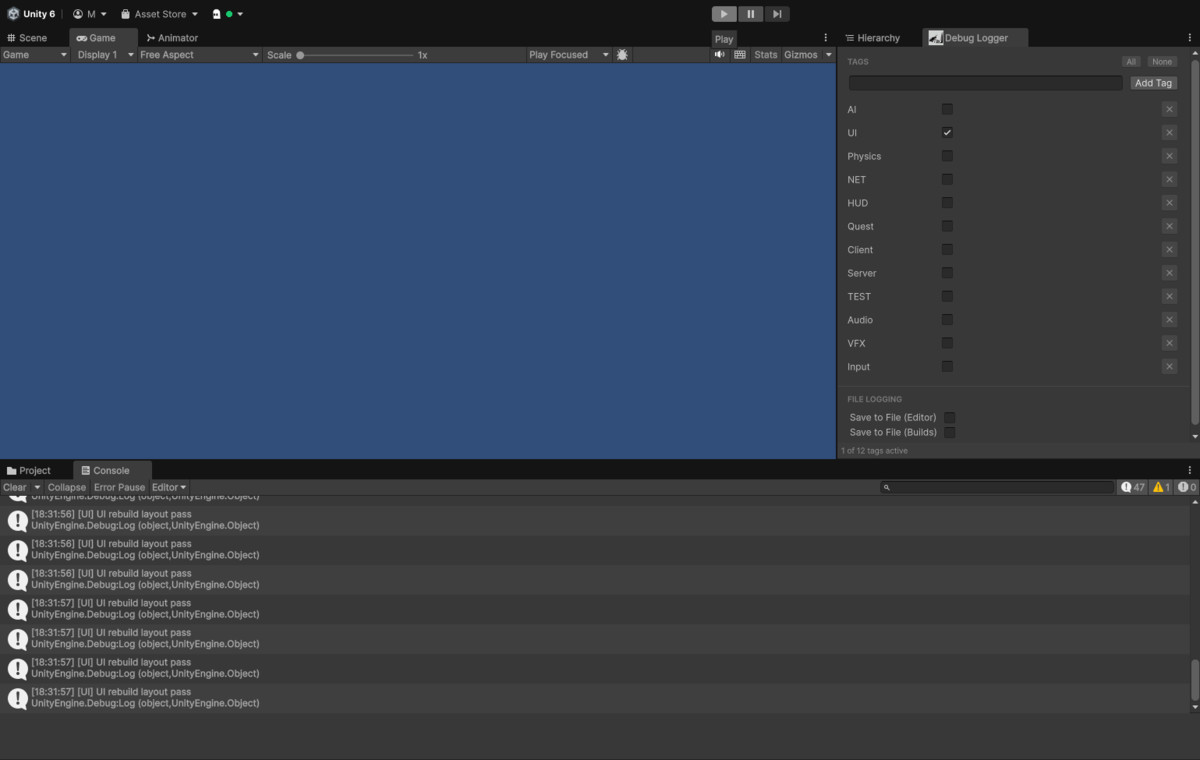
About this asset
LAC Debug Logger — Tag-Based Unity Logging & Console Filter
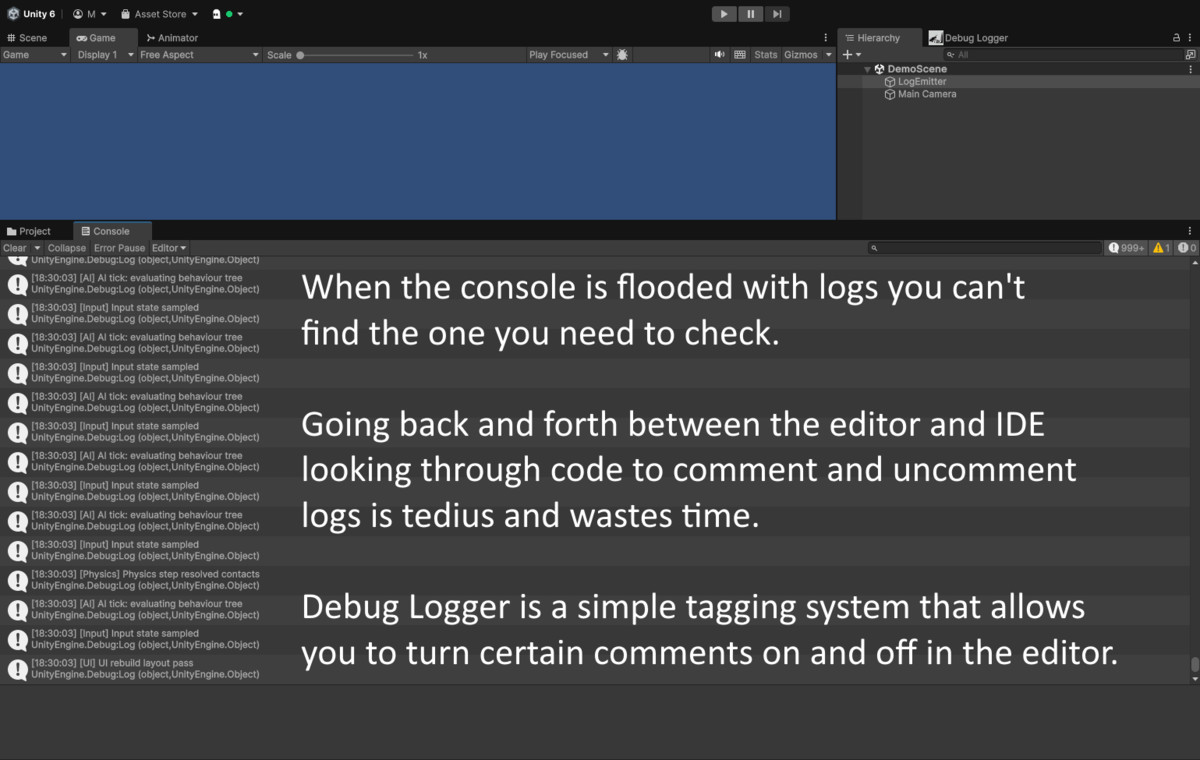
LAC Debug Logger is a lightweight Unity debugging tool that replaces scattered Debug.Log calls with a structured, tag-based logging system. Filter Unity console output by category, write structured log files for Editor and builds, and manage everything from a focused editor window — without touching your code or recompiling.
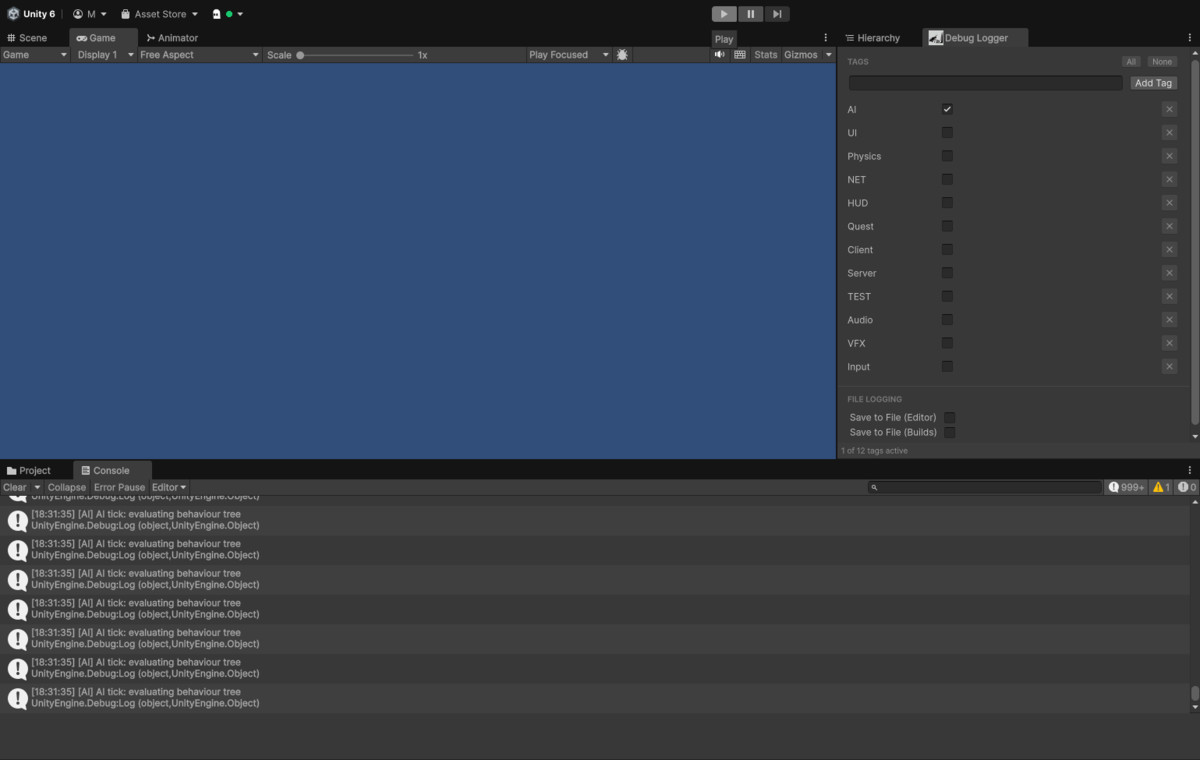
Whether you are tracking AI behaviour, physics interactions, UI events, or any other game system, you define the tags, and the logger only passes what you need to the Unity Console right now.
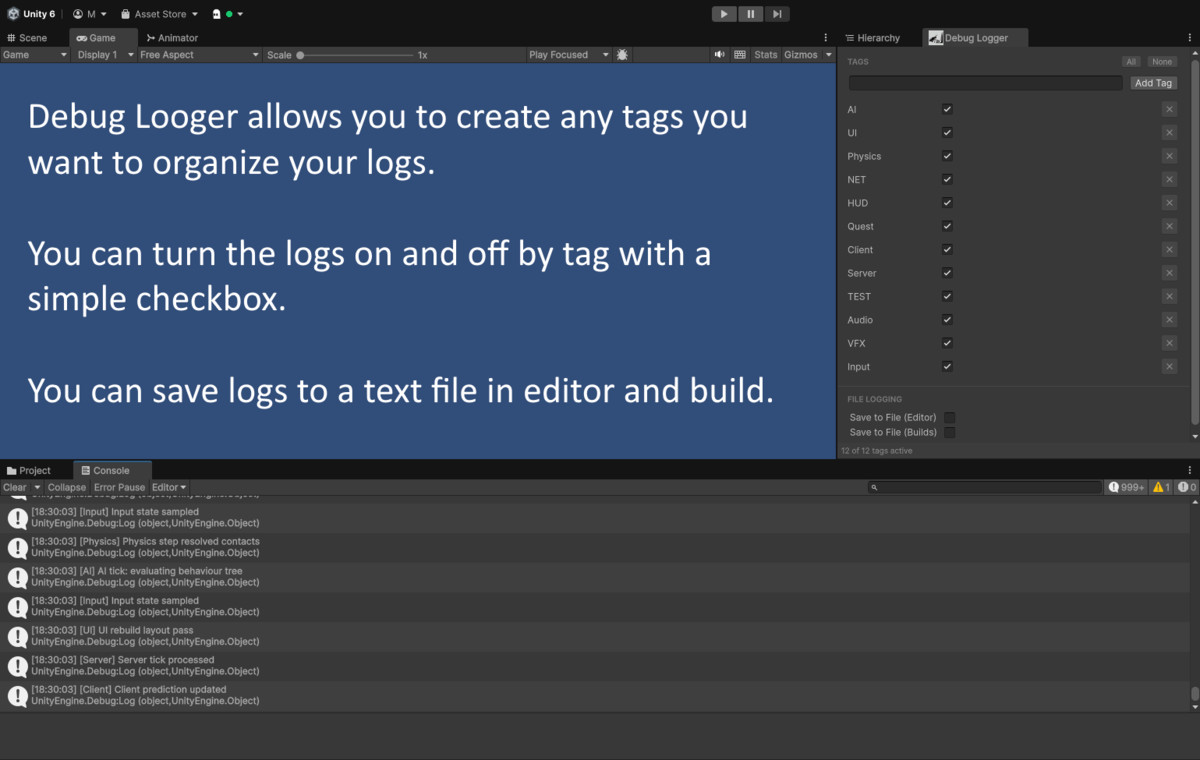
Tag-Based Console Filtering
- Define unlimited custom log categories (tags) in the editor window
- Toggle any tag on or off instantly — active tags appear in the console, inactive ones are silently dropped
- Bulk controls to enable or disable all tags in one click
- Untagged log calls always pass through, so third-party and legacy code is never silenced
Structured File Logging
- Write log output to .txt files in the Editor, standalone builds, or both
- Each entry includes timestamp, severity, scene name, and tag for easy filtering in any text editor
- Choose a custom save path via folder browser, or default to Application.persistentDataPath
- Automatic 5 MB file rotation — active log is archived before a new one starts
- Flush on application quit, flush when buffer reaches a configurable entry limit, or call DebugLogger.Flush() from code at any time
Clean API — Drop In, No Setup
DebugLogger.Log("Pathfinding complete", "AI");
DebugLogger.LogWarning("Overlap detected", "Physics");
DebugLogger.LogError("Missing reference", "UI");
DebugLogger.LogVerbose("Frame data", "AI");
Editor Window (Tools > Debug Logger)
- Add, remove, enable, and disable tags without leaving the Editor
- All / None bulk tag toggle buttons
- File logging toggles, file name, save path, and buffer settings in one panel
- Settings persist in a ScriptableObject — version-control friendly, Inspector editable
Minimal & Non-Intrusive
- Zero runtime overhead when file logging is disabled — no allocations, no background threads, no global hooks
- Severity filtering is handled by Unity's own Console buttons — no duplication
- No third-party dependencies, no reflection, no editor-only scripts leaking into builds
Ideal for teams using categories like AI, Physics, UI, Network, Audio, Player, or any system-specific tag that helps isolate signals from console noise during development.
From the publisher's Asset Store listing.
Technical details
Minimum Unity Version: 2021.1
Render Pipeline: Any — Built-in, URP, HDRP (no rendering dependency)
Scripting Backend: Mono and IL2CPP
Platforms: Editor, Windows, macOS, Linux, Android, iOS, and any Unity platform with System.IO file access
Namespace: LACDebugLogger
Assembly Definitions: Included — runtime and editor assemblies are separated
Compatibility
| Unity version | Built-in | URP | HDRP | Custom |
|---|---|---|---|---|
| 6000.0.37f1 | Compatible | Compatible | Compatible | Compatible |
As listed on the Asset Store.