
 View on Asset Store (opens in new tab)
Package details
- Latest version
- 1.1.1
- Last updated
- First released
- Unity version
- 2022.3.62 or later
- Package size
- 1.0 MB
- Files
- 35
- Views in the past week
- 11
Price tracking
- Last checked
- Tracked since
- Lowest recorded
- $10.00 on
Keywords

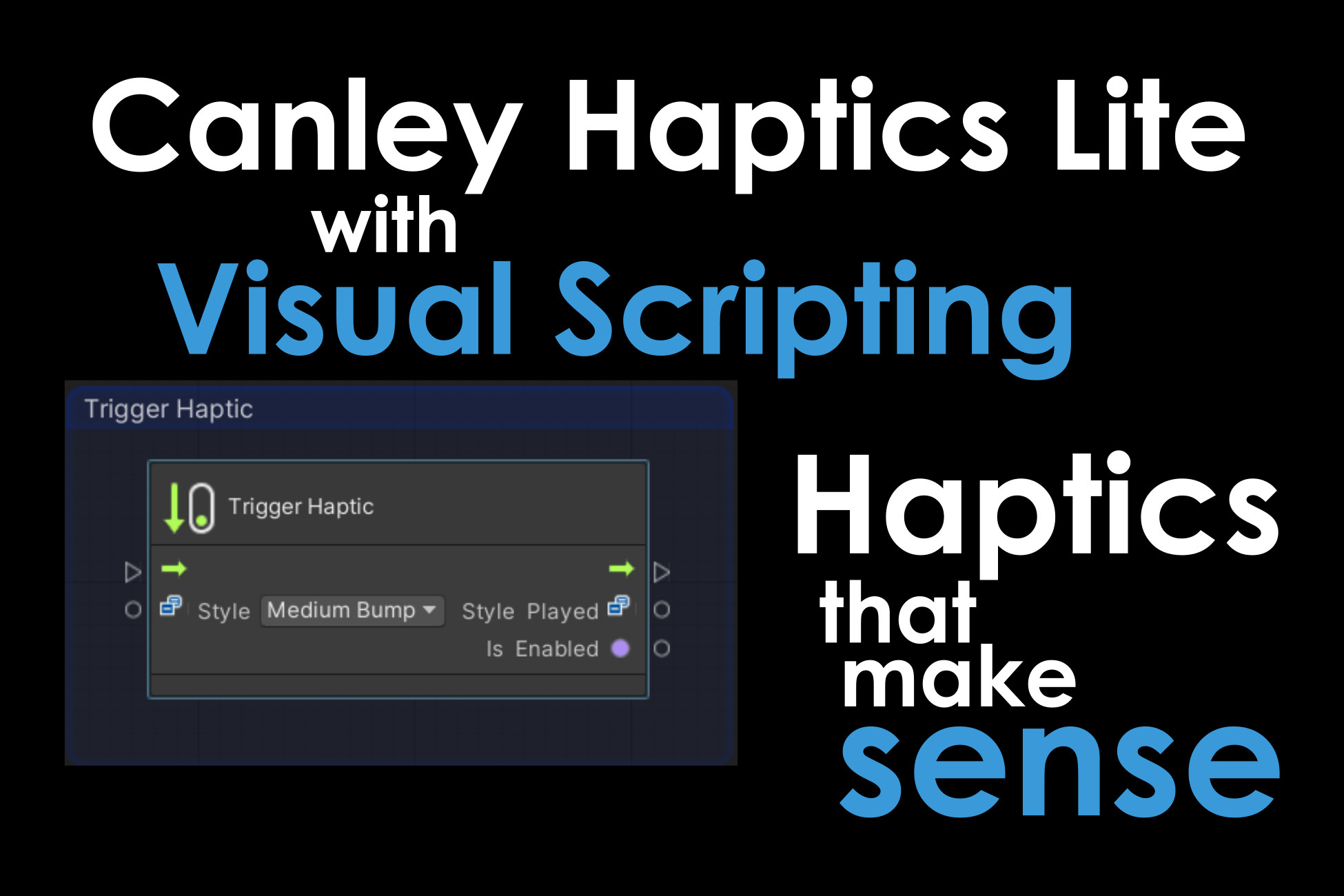
Canley Haptics Lite with Visual Scripting
Premium qualitative haptics for C# & Visual Scripting. Trigger 7 native iOS/Android styles with one node. Includes a detailed masterclass demo & manual. Unity 6 verified. No-code tactile perfection.
Affiliate link · Purchases support this site
Price history
Last 6 months
USDAsset preview
1 / 9
Canley Haptics Lite with Visual Scripting screenshot 1


About this asset
The Premium, Qualitative Haptic Solution for Unity Mobile — Now with Full Visual Scripting Support.
Here are intuitive, plain English haptics that help you see just what your end-users will feel.
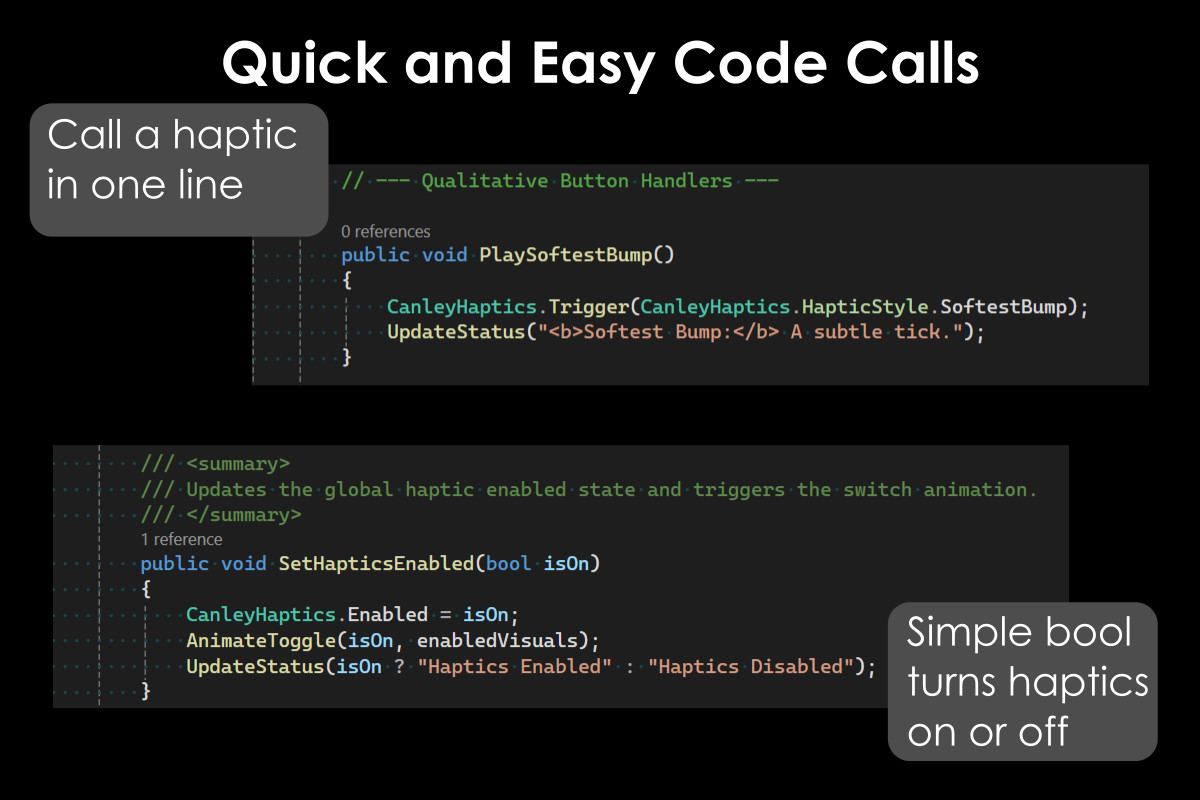
Canley Haptics Lite is a high-performance, zero-allocation engine that replaces complex vibration calls with plain-English presets like Soft Bump and Triple Pulse.
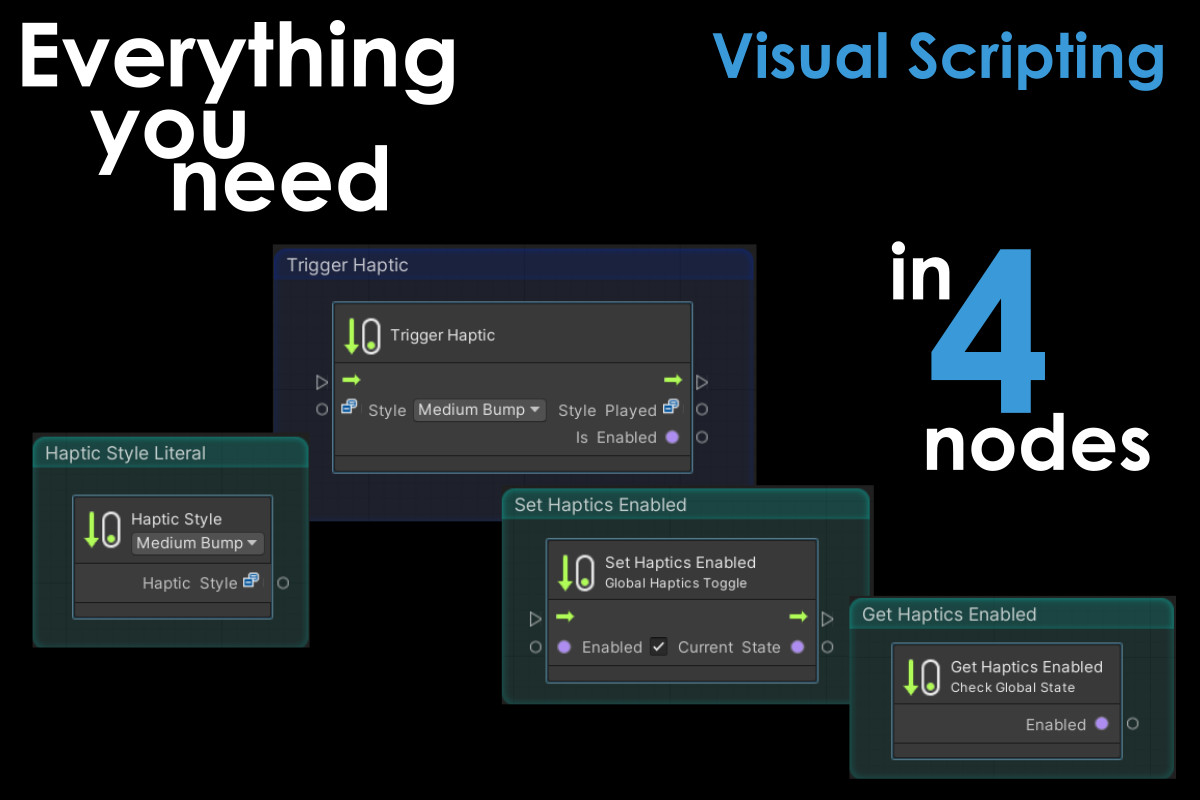
This Visual Scripting Edition includes the full C# API plus a premium suite of custom nodes, allowing you to build professional tactile feedback directly in your graphs without writing a single line of code.
Why Choose Canley Haptics?
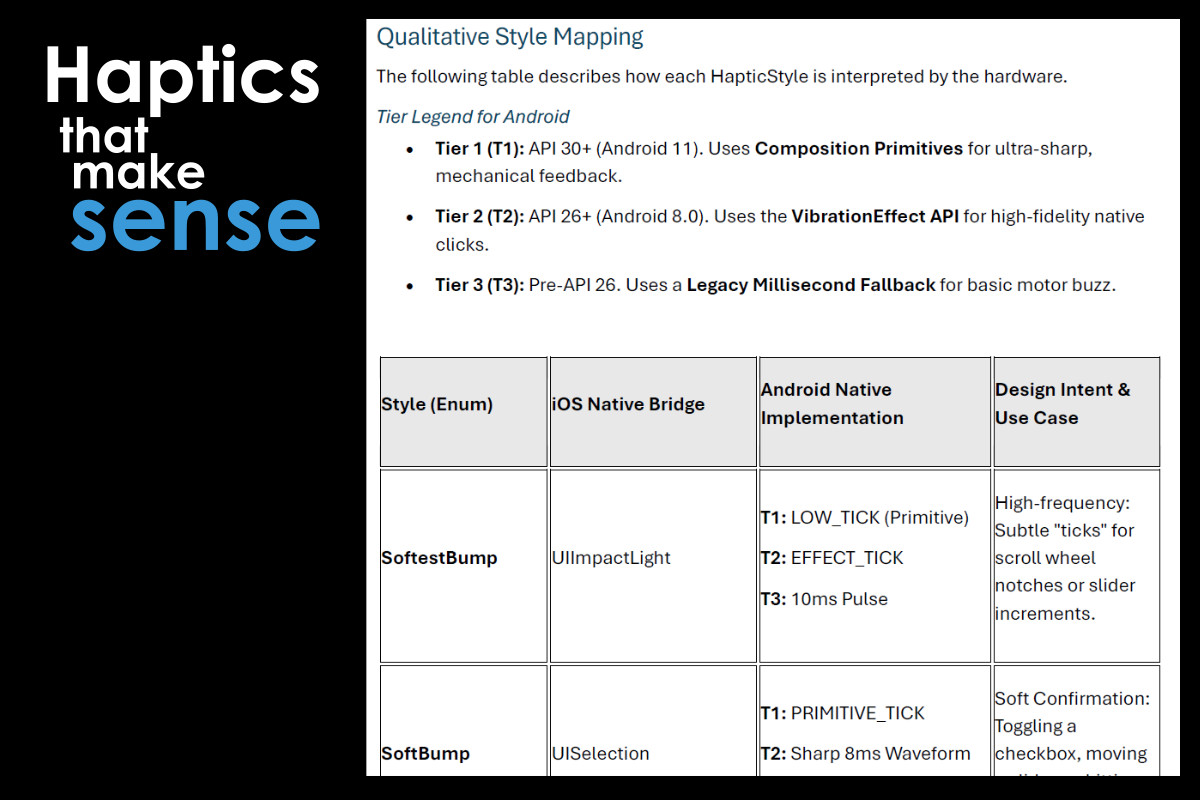
- Qualitative Mapping: Trigger "Styles" that automatically route to native iOS Taptic Engines and Android 11+ Composition Primitives for "Apple-sharp" feedback on flagship devices.
- Haptic Style Selector: A custom literal node featuring a header-integrated dropdown. Pick your tactile vibe directly on the node—no more navigating the inspector.
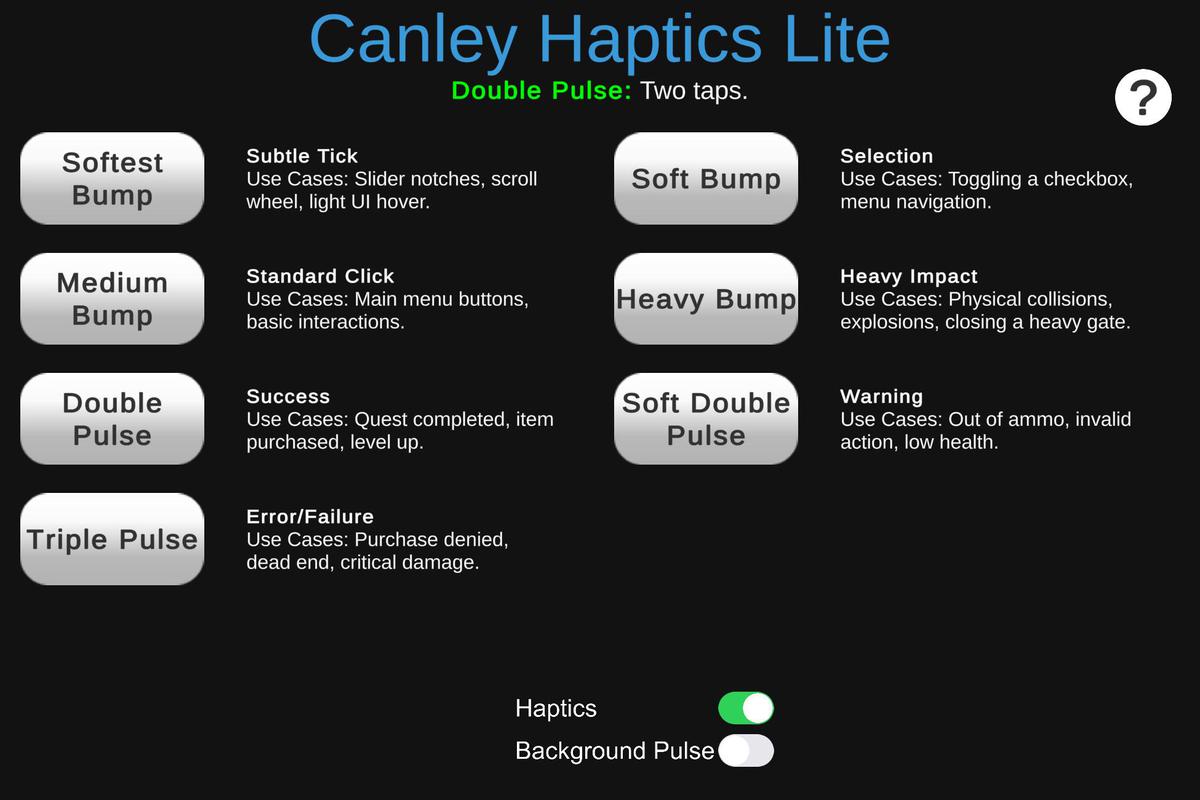
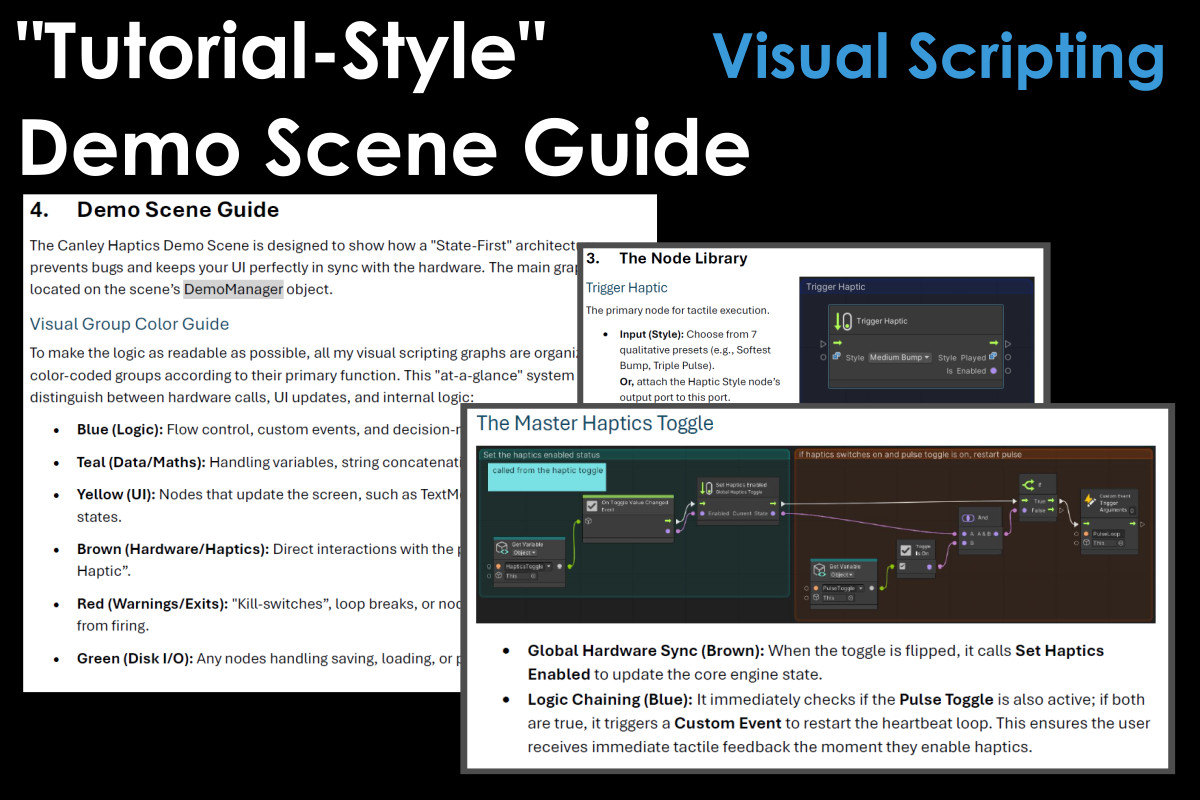
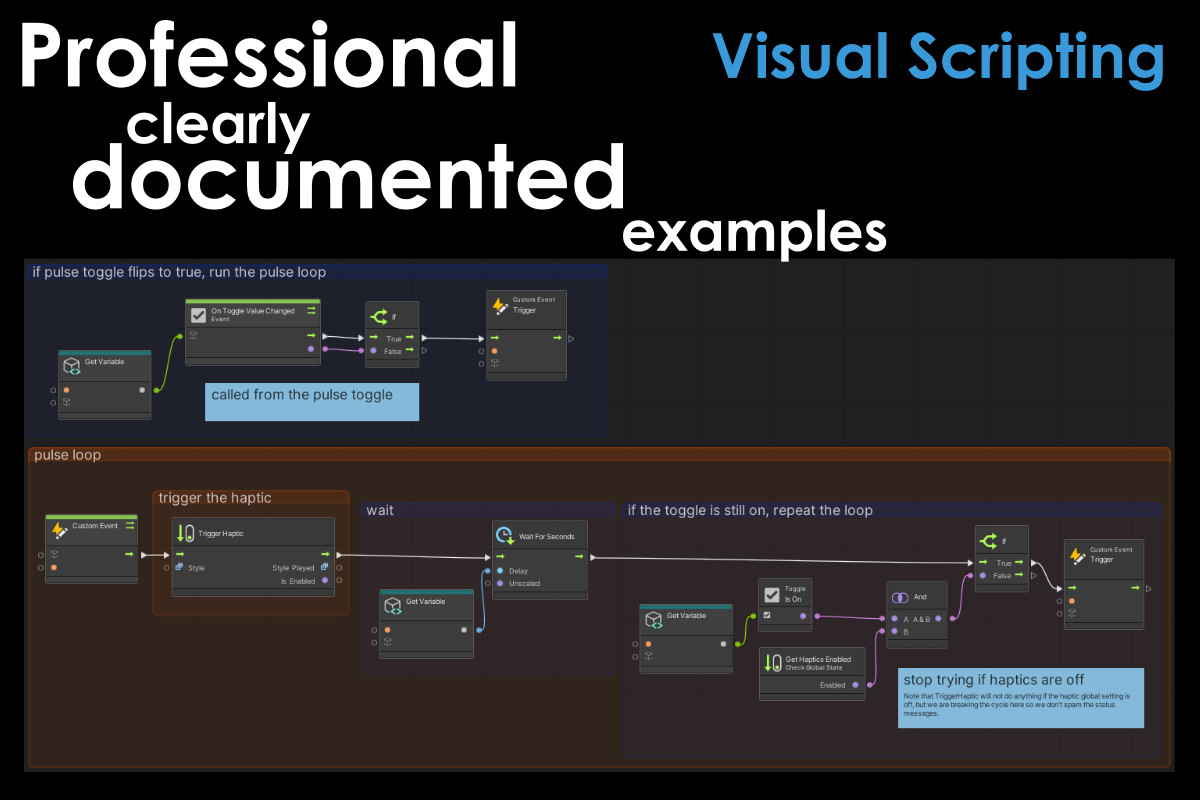
- Educational Demo Scene: Includes a masterclass in clean graph architecture. Learn to use modular event arguments, color-coded logic groups, and rhythmic "Pulse Loops" with built-in safety fail-safes.
- Unity 6 Verified: Fully optimized for the latest engine versions and integrated Visual Scripting workflows.
- Zero Config: Nodes appear automatically in the fuzzy finder. No manual "Type Option" management required.
Platform Support
- iOS: iPhone 7 and newer (Taptic Engine).
- Android: API Level 30+ for Composition Primitives, with intelligent fallbacks for older devices.
- Universal: One node handles both platforms automatically.
Documentation
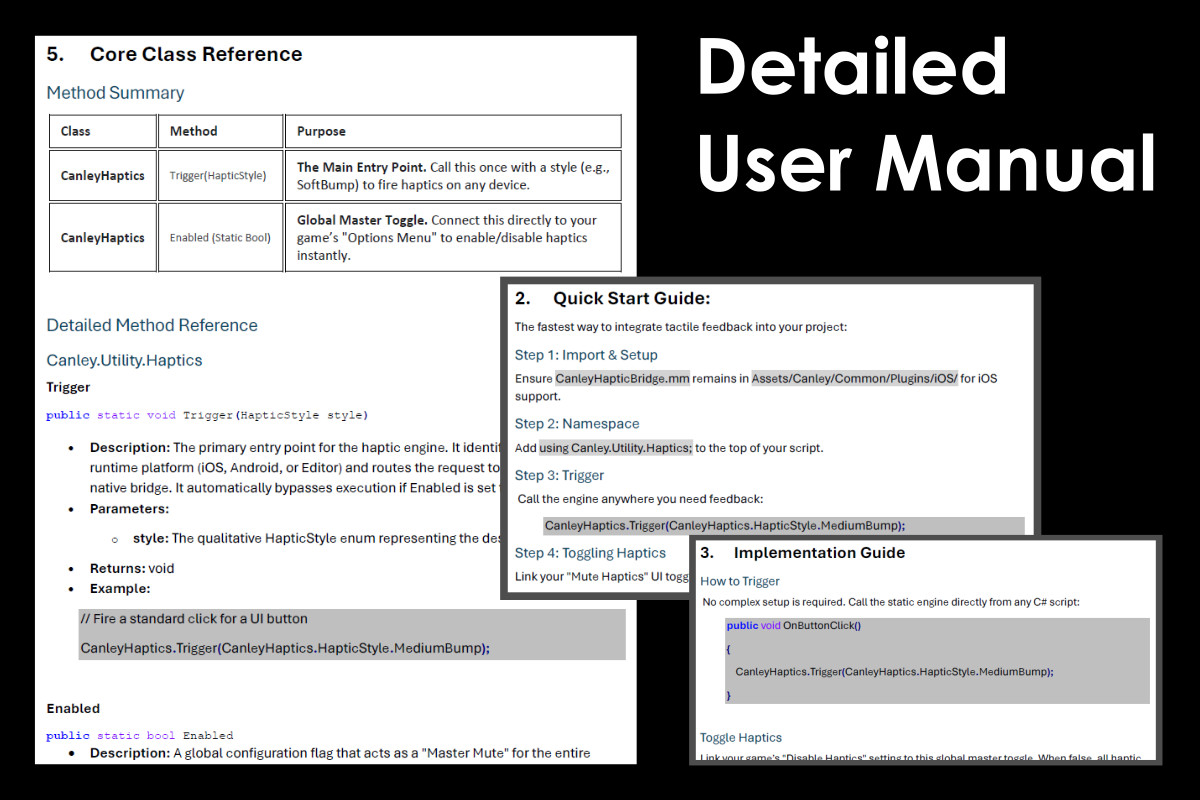
Includes quick setup guides followed by detailed, tutorial-style documentation across two manuals, covering everything from initial setup to advanced tactile design theory. Online documentation also.
Support: [email protected]
From the publisher's Asset Store listing.
Technical details
Technical Specifications
Visual Scripting Integration:
- Custom Node Library: Fully integrated nodes for triggering haptics, toggling global states, and reading engine status.
- Haptic Style Selector: A dedicated literal node featuring a custom header-integrated dropdown for rapid design iteration.
- Dynamic Output Variables: Nodes provide real-time data (Style Played, Is Enabled) to drive dynamic UI and feedback logic.
- No-Code Configuration: Custom nodes are automatically included in the Visual Scripting fuzzy finder; no manual Type Option management required.
Core Architecture & Performance:
- Static Implementation: No persistent GameObjects or "Manager" prefabs required. The engine is accessible via C# static calls or Visual Scripting nodes.
- Mobile-First Footprint: Total asset size is <1Mb. Extensive use of conditional compilation ensures mobile-specific code is stripped from PC/Mac builds.
- Namespace Protection: All logic is contained within Canley.Utility.Haptics to prevent naming collisions.
Native Bridge Integration:
- iOS: High-fidelity bridge to Objective-C utilizing UIImpactFeedbackGenerator and UINotificationFeedbackGenerator.
- Android (Triple-Tier Engine):
Flagship (API 30+): Leverages Composition Primitives for ultra-sharp, mechanical feedback on modern actuators.
Modern (API 26-29): Utilizes VibrationEffect waveforms for crisp tactile responses.
Legacy: Precise millisecond pulsing for maximum backward compatibility. - Automatic Permission Injection: Automatically ensures the VIBRATE permission is included in the final Android manifest without manual intervention.
Unity 6 & Input Compatibility:
- Unity 6 Verified: Fully optimized for the new integrated Visual Scripting workflow and TextMesh Pro resource requirements.
- Input Migration Tool: Automated Editor utility to update EventSystem components for projects using the New Input System.
Package Includes:
- Core Native Bridges (C#, Objective-C, Java).
- 7 Qualitative Haptic Styles (Soft Bump through Triple Pulse).
- Custom Visual Scripting Node Suite.
- Masterclass Demo Scene featuring color-coded graph architecture.
- 15 Pages of Documentation (Core User Manual + Visual Scripting Module Guide).
Compatibility
| Unity version | Built-in | URP | HDRP |
|---|---|---|---|
| 2022.3.62f3 | Compatible | Compatible | Compatible |
Fully compatible with Built-in, URP, and HDRP. As a pure C# utility, the core logic is UI-agnostic and remains isolated from the rendering pipeline. The included Demo uses TextMesh Pro to ensure high-fidelity visual consistency across all modern pipelines.
Verified for Unity 6; follows SRP standards for clean dependency management via Assembly Definitions.
As listed on the Asset Store.