
 View on Asset Store (opens in new tab)
Package details
- Latest version
- 0.4.2
- Last updated
- First released
- Unity version
- 2021.3.20 or later
- Package size
- 15.3 MB
- Files
- 244
- Favorites
- 15
- Views in the past week
- 26
Price tracking
- Last checked
- Tracked since
- Lowest recorded
- $22.50 on
Keywords

CosmoNode - Runtime Procedural Geometry
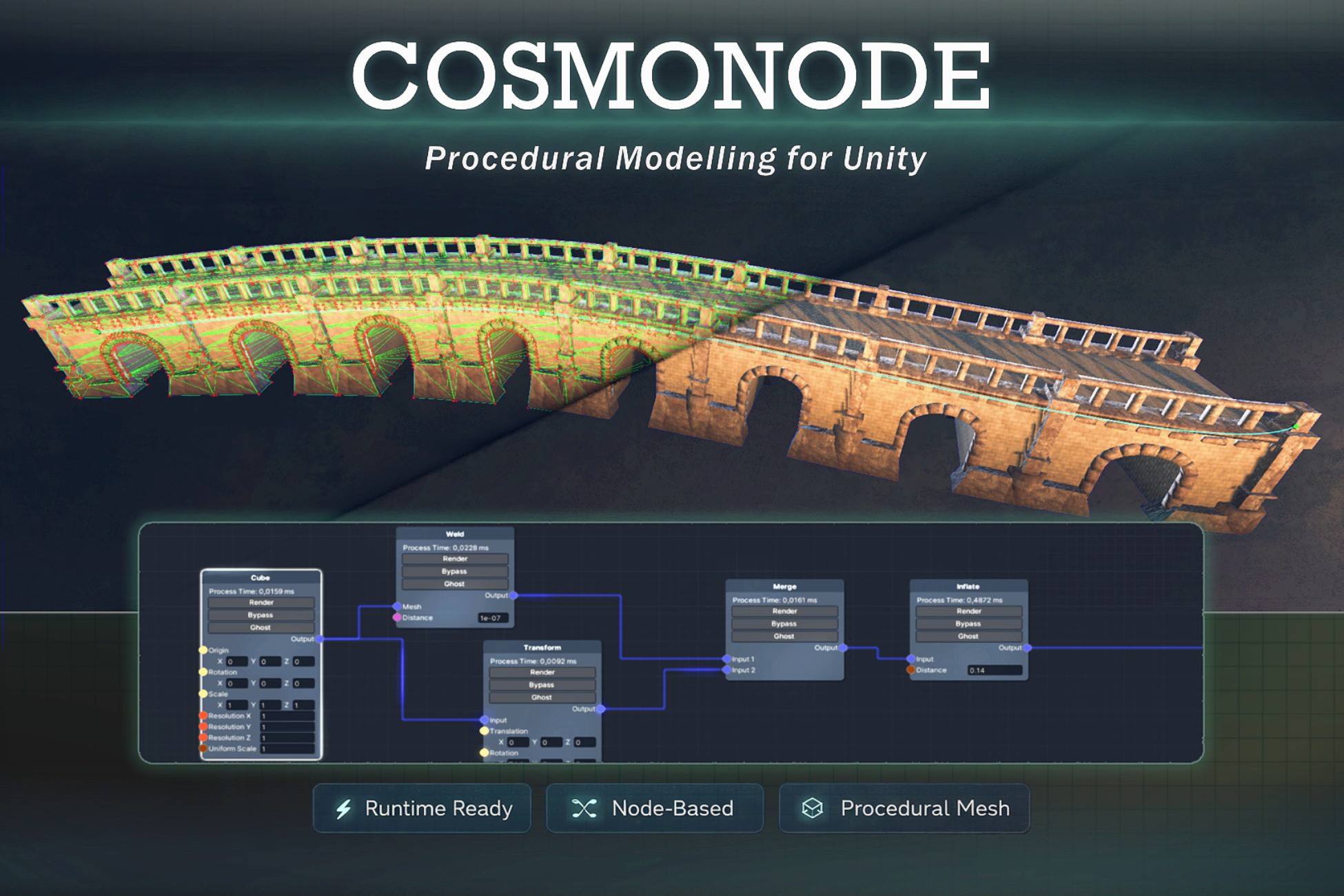
CosmoNode is a node-based procedural geometry tool for Unity that enables visual mesh generation, parametric modeling, and runtime mesh workflows without code.
Affiliate link · Purchases support this site
Price history
Last 6 months
USDAsset preview
1 / 11
CosmoNode - Runtime Procedural Geometry screenshot 1

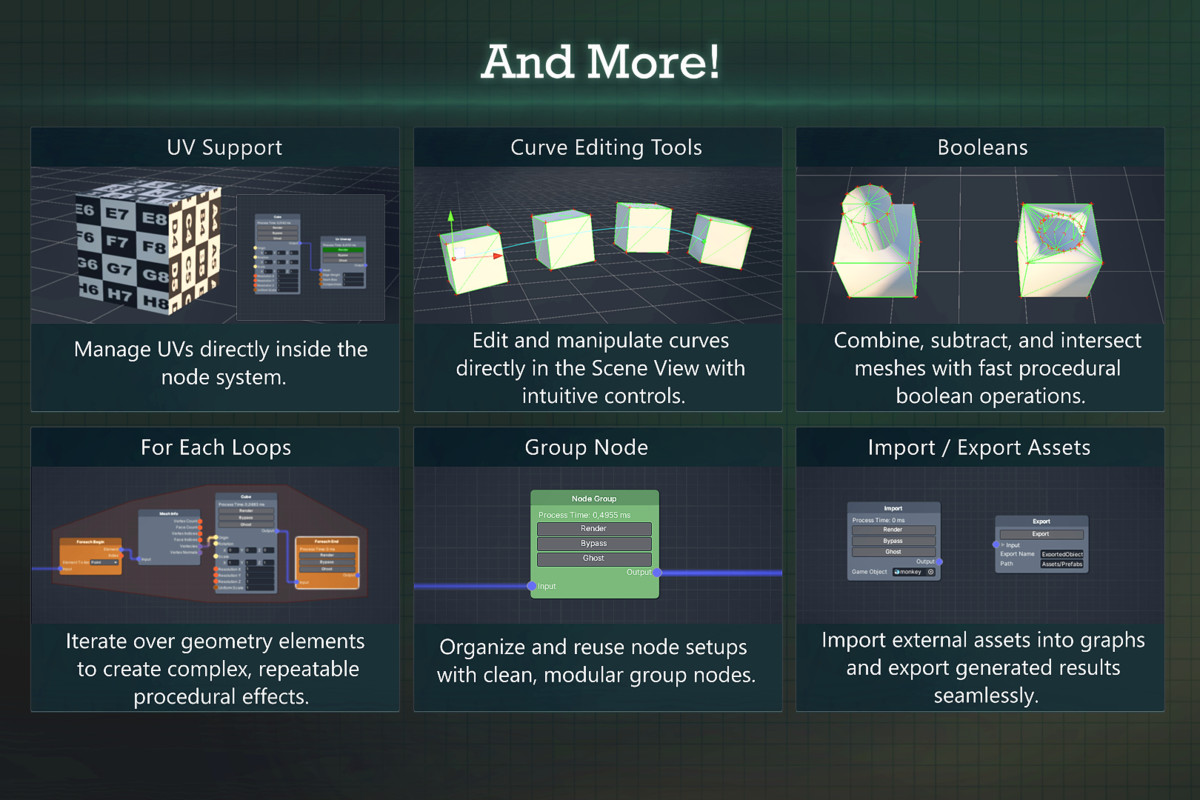


About this asset
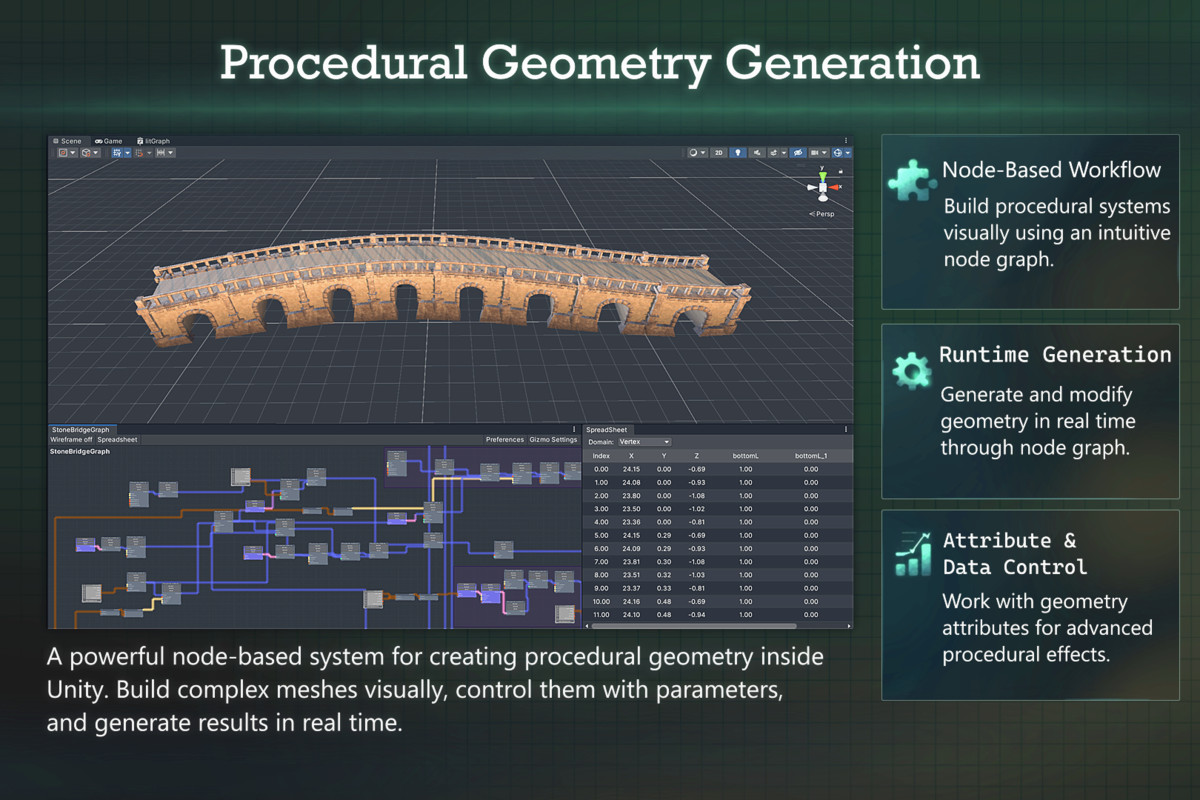
CosmoNode is a powerful node-based procedural geometry system for Unity that enables developers to create, modify, and process meshes using an intuitive visual graph workflow. Inspired by the procedural approaches used in Blender Geometry Nodes and Houdini, CosmoNode brings a flexible, non-destructive geometry pipeline directly into Unity.
Procedural Geometry with Visual Nodes
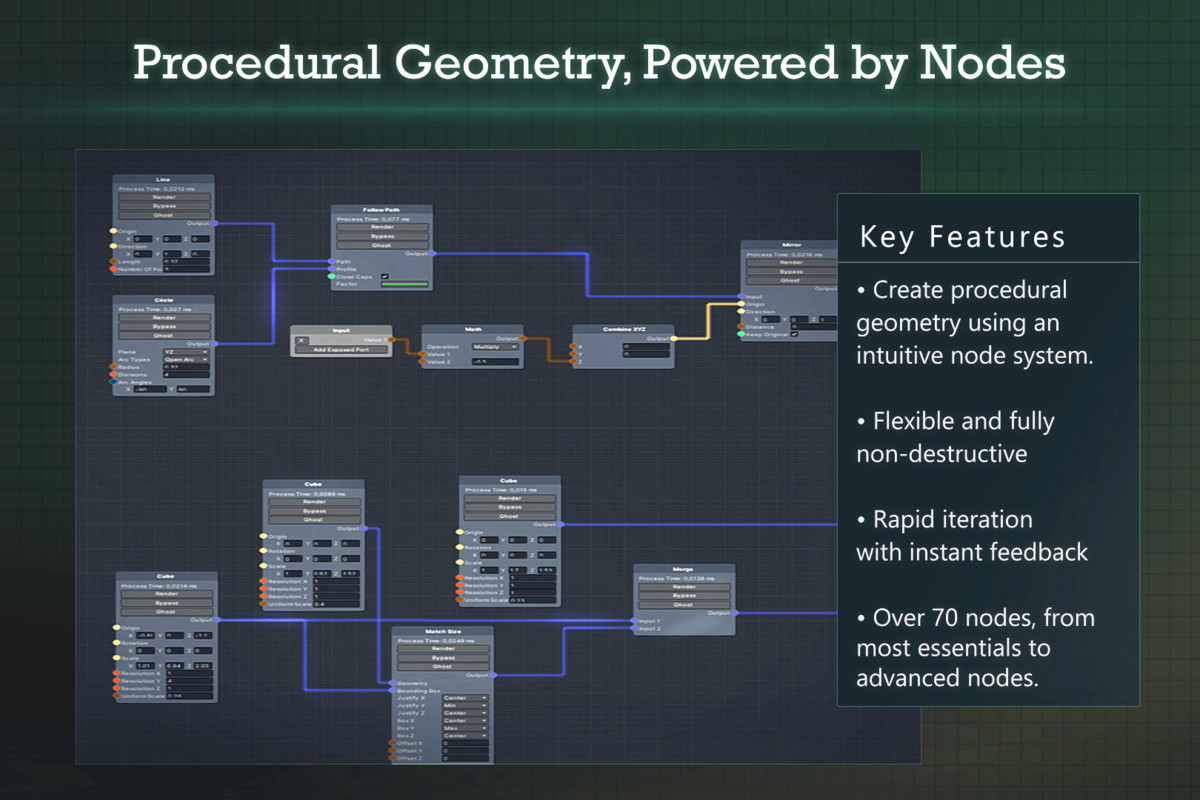
With CosmoNode, complex mesh operations can be built visually using nodes instead of code. Geometry can be generated, transformed, combined, and processed through a modular graph, allowing you to build parametric systems that remain easy to edit and extend.
This workflow allows you to:
- Generate procedural meshes directly inside Unity
- Build reusable parametric assets
- Modify geometry through a visual node graph
- Quickly iterate by adjusting parameters in real time
- Create non-destructive modeling pipelines
Because graphs are modular, complex systems can be built by combining small reusable operations, making projects easier to maintain and expand.
Built for Runtime Geometry
A core focus of CosmoNode is full runtime support.
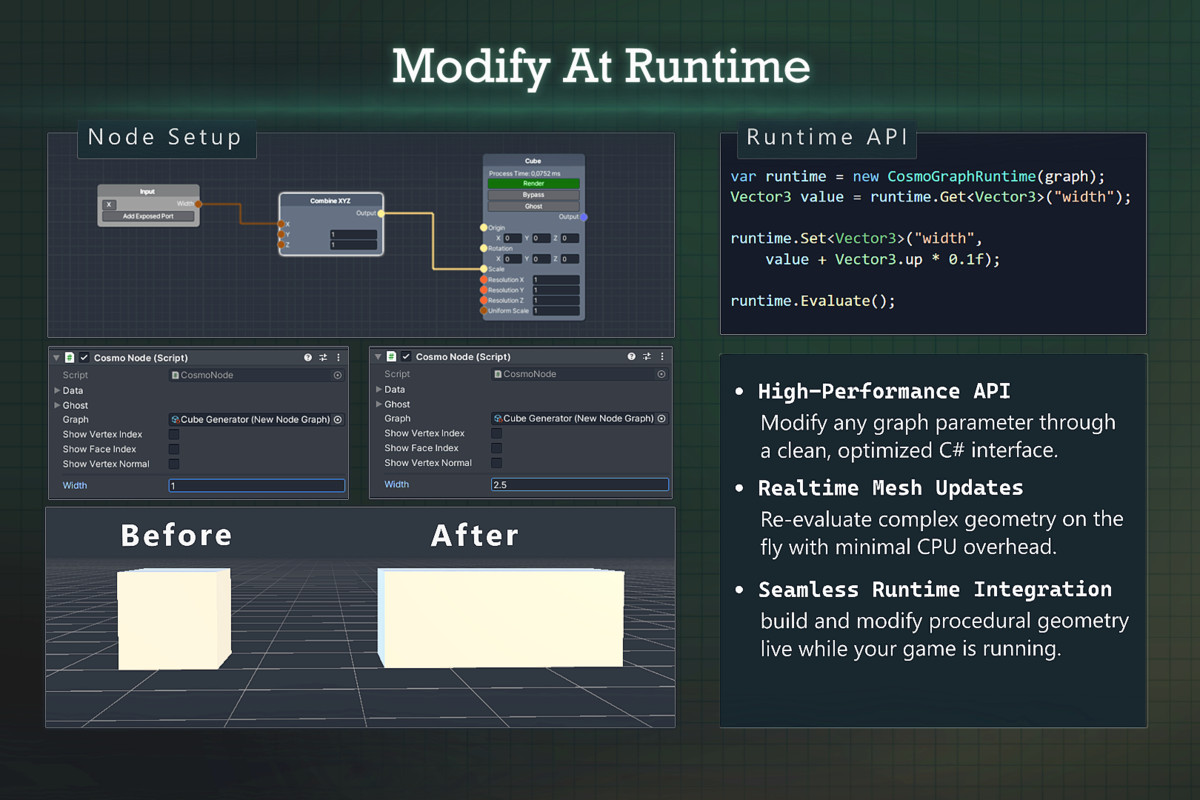
The same graphs used during development can run directly in-game, enabling dynamic geometry creation and modification while your application is running.
This makes CosmoNode ideal for:
- Procedural environments
- Runtime level generation
- Dynamic mesh effects
- Player-driven geometry changes
- Interactive tools and simulations
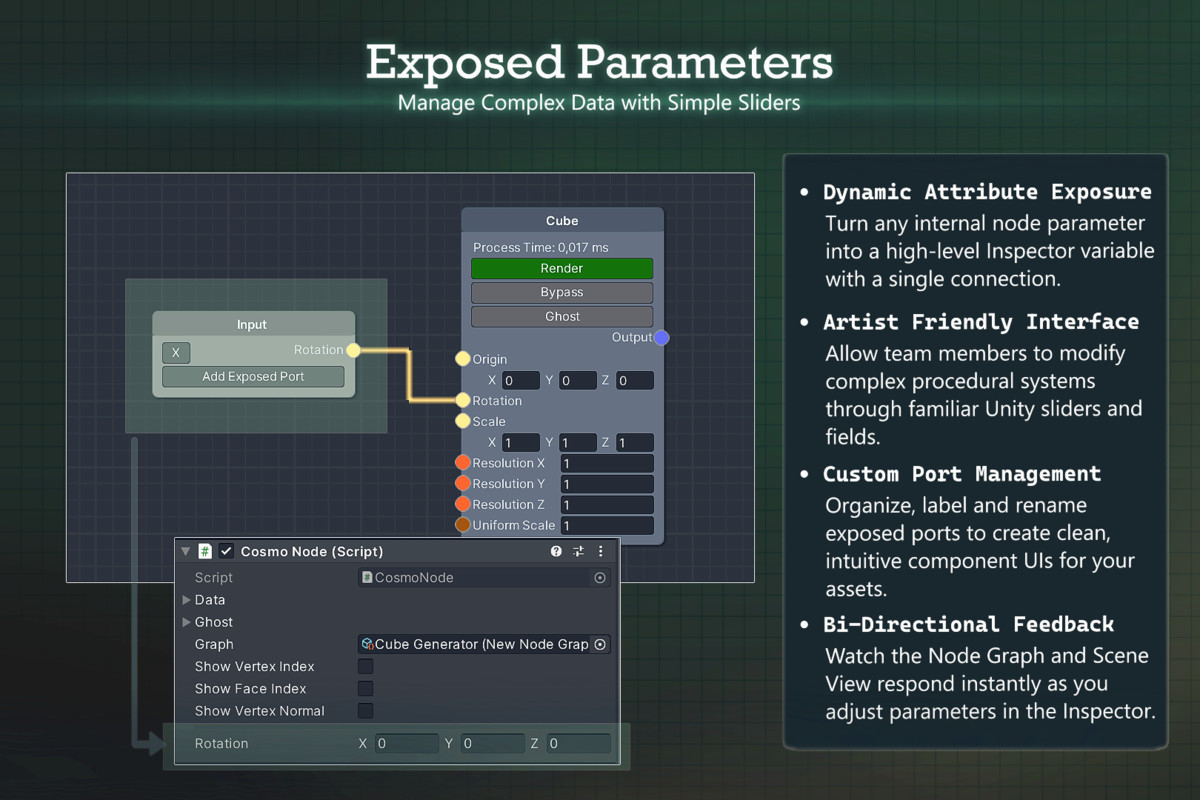
Graph parameters can be controlled from scripts or gameplay systems, allowing geometry to react dynamically to player input, gameplay events, or simulation data.
Flexible Geometry Processing
CosmoNode includes a wide range of geometry operations that can be combined into powerful procedural systems.
Supported workflows include:
- Mesh generation and transformation
- Geometry manipulation and processing
- Parametric modeling
- Boolean operations between meshes
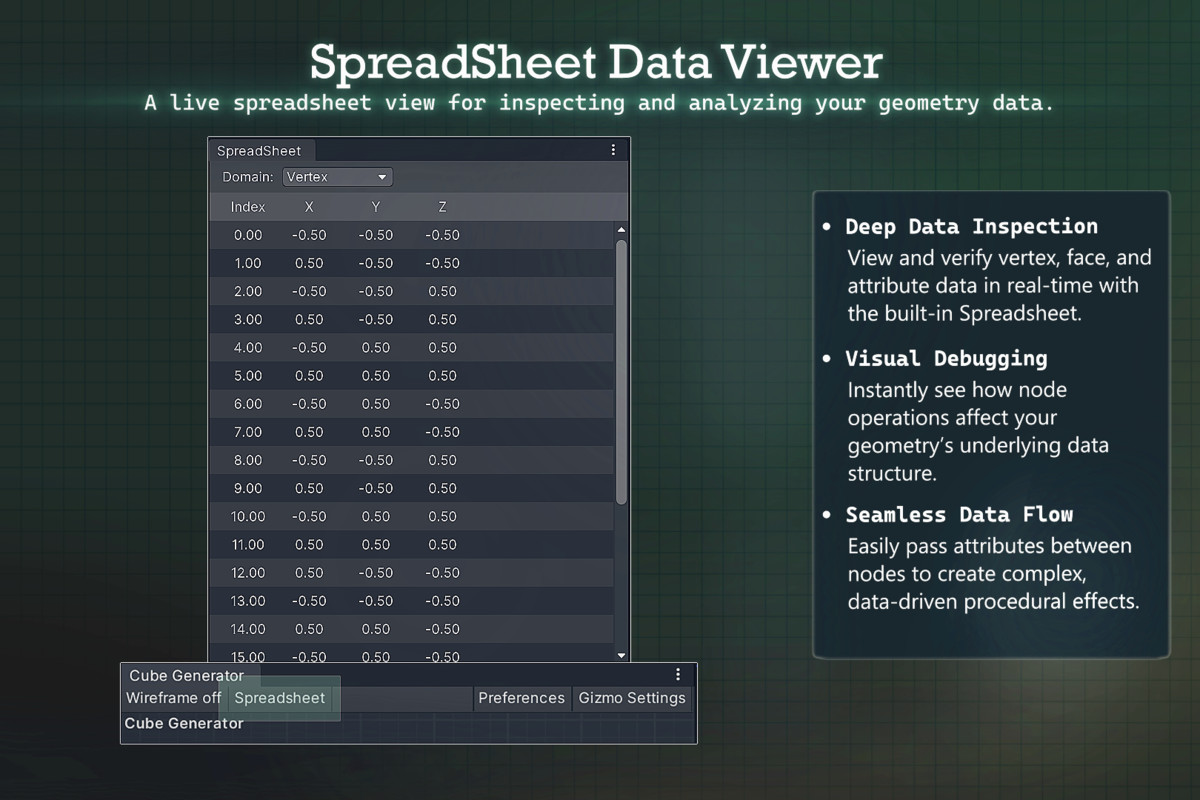
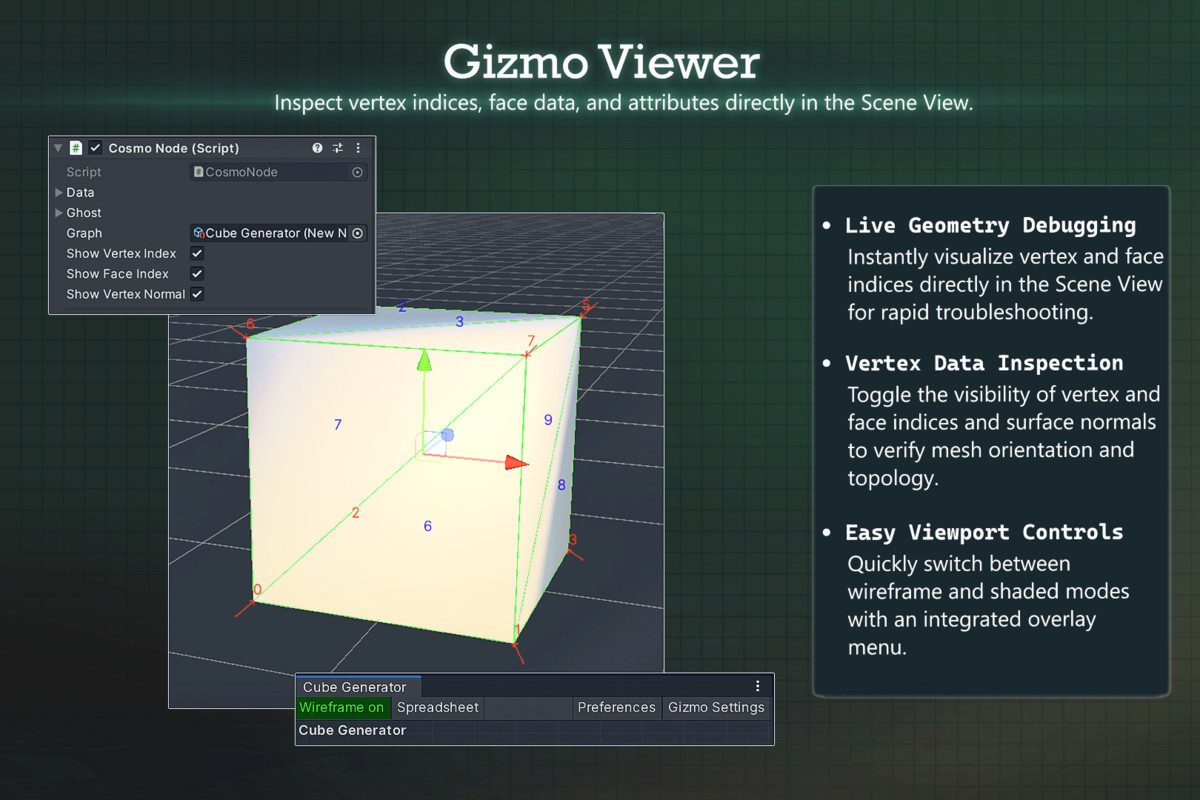
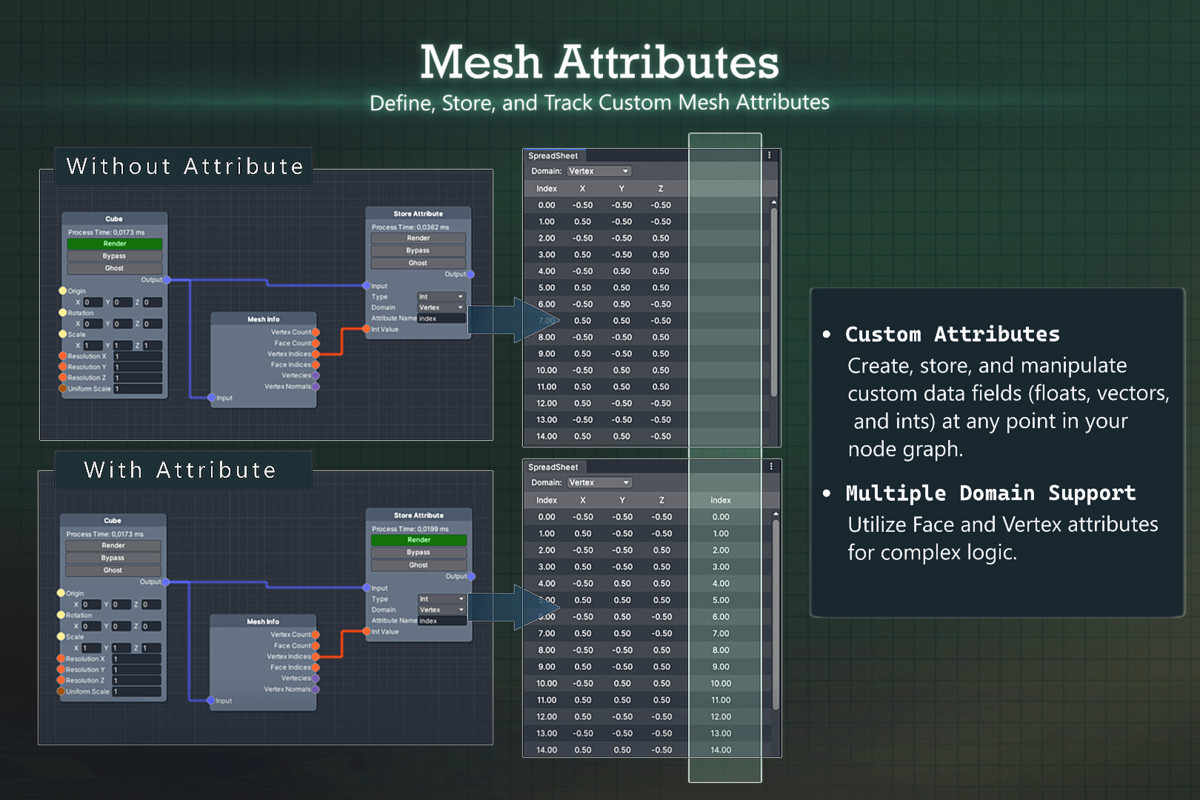
- Attribute and data-driven workflows
- Procedural mesh pipelines
These tools allow you to construct everything from simple procedural shapes to advanced geometry systems.
Inspired by Blender and Houdini
CosmoNode combines ideas from modern procedural tools like Blender and Houdini, bringing a powerful procedural workflow directly into Unity.
- Like Blender’s Geometry Nodes, CosmoNode provides an intuitive node-based workflow for building and editing geometry visually.
- Similar to Houdini’s Unity Engine integration, CosmoNode is designed to operate directly inside Unity, enabling procedural systems to be used within your project pipeline.
Unlike traditional integrations, CosmoNode also supports fully dynamic runtime execution, allowing procedural graphs to generate and modify geometry while the game is running.
The result is a flexible workflow that combines artist-friendly visual tools with powerful runtime procedural systems, enabling both artists and programmers to create complex geometry pipelines directly inside Unity.
Why CosmoNode Instead of Blender or Houdini?
Tools like Blender and Houdini are powerful procedural modeling environments, but they are primarily designed for external asset creation pipelines. Geometry is usually generated in those tools and then exported into Unity as static meshes.
CosmoNode takes a different approach by bringing the procedural workflow directly inside Unity.
Native Unity Workflow
CosmoNode runs entirely within Unity, allowing you to create and edit procedural geometry without switching between multiple applications or managing export pipelines.
Full Runtime Support
Unlike most external procedural tools, CosmoNode graphs can run directly at runtime. Geometry can be generated, modified, or rebuilt dynamically while your application is running.
This enables systems such as:
- Procedural worlds generated during gameplay
- Dynamic environment changes
- Player-driven geometry modification
- Runtime procedural tools and simulations
By combining a Blender-like node workflow, Houdini-style procedural flexibility, and native Unity runtime execution, CosmoNode allows developers to build procedural systems that are fully integrated with their game logic and runtime environments.
Use Cases
CosmoNode enables a wide range of procedural workflows directly inside Unity. Its runtime-capable node system makes it suitable for both development-time tools and fully dynamic in-game systems.
Common use cases include:
- Procedural environment generation
Generate terrain features, structures, props, and environmental geometry through reusable procedural graphs.
- Runtime world generation
Create dynamic worlds that are generated or modified while the game is running.
- Parametric assets
Build customizable assets whose shape and structure can be adjusted through parameters.
- Procedural modeling tools
Create automated modeling workflows that generate complex geometry from simple inputs.
- Interactive geometry systems
Allow players or gameplay systems to modify meshes dynamically during gameplay.
- Mesh processing pipelines
Build reusable systems that manipulate meshes through operations such as transformations, booleans, and attribute processing.
Example Workflows
Using CosmoNode, developers can build procedural systems such as:
- Procedural buildings with adjustable floors, windows, and layouts
- Dynamic road or path generation systems
- Runtime destructible or modifiable geometry
- Parametric props and environment assets
- Procedural level generation tools
- Mesh processing pipelines for custom modeling workflows
Because CosmoNode graphs support runtime execution, these systems can be used both during development and directly inside the running game.
From the publisher's Asset Store listing.
Technical details
Key technical features:
- Fully node-based procedural geometry system
- Runtime execution support for dynamic mesh generation in-game
- Visual graph editor for building geometry pipelines
- Parametric modeling workflows
- Procedural mesh generation and processing
- Mesh boolean operations
- Modular node architecture for flexible procedural systems
- Runtime parameter control through scripts
- Compatible with standard Unity meshes and components
Platform Notes
- CosmoNode supports Windows, macOS, and Linux through Unity.
- Some nodes rely on platform-specific functionality and may not currently work on macOS or Linux.
- These limitations typically affect a small subset of nodes, while the majority of the system functions normally across platforms.
Documentation
Full documentation, guides, and examples are available online:
Documentation:
https://uumutunal.github.io/CosmoNode_Manual/
The documentation includes:
- Getting started guides
- Node reference and explanations
- Runtime API usage
This makes it easy to quickly learn the system and integrate CosmoNode into your Unity projects.
Compatibility
| Unity version | Built-in | URP | HDRP |
|---|---|---|---|
| 6000.0.47f1 | Compatible | Compatible | Compatible |
| 2021.3.20f1 | Compatible | Compatible | Compatible |
As listed on the Asset Store.