
 View on Asset Store (opens in new tab)
Package details
- Latest version
- 1.0
- Last updated
- First released
- Unity version
- 2022.3.51 or later
- Package size
- 54 KB
- Files
- 5
- Favorites
- 2
- Views in the past week
- 4
Price tracking
- Last checked
- Tracked since
- Lowest recorded
- $10.00 on
Keywords

Asset Name Enforcer
- Price drop
Enforce naming conventions across your entire Unity project. Scan, detect and auto-fix asset names in one click, with live sentinel on import.
Lowest recorded price
Get 33% off on Asset Store (opens in new tab)Affiliate link · Purchases support this site
Price history
Last 6 months
USDAsset preview
1 / 3

Asset Name Enforcer screenshot 1


About this asset
Asset Name Enforcer is a Unity Editor tool that keeps your project's asset names clean and consistent, whether you work solo or in a team.
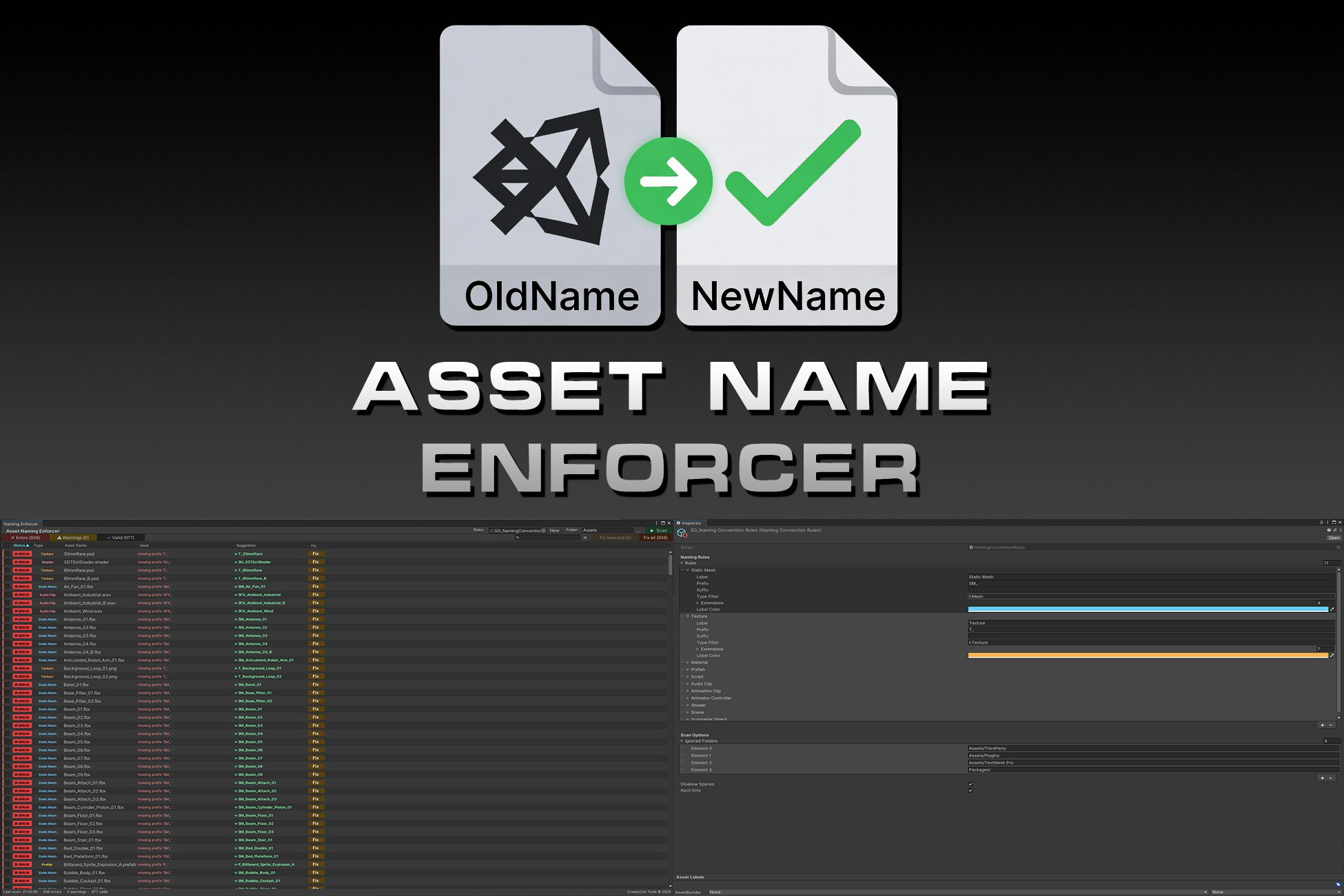
🔍 Project Scanner: Scan any folder and get a full report of every asset that violates your naming rules. Results are sorted and filterable by status (Error / Warning / Valid), asset type, or name. A search bar lets you zero in on specific assets instantly.
⚡ One-Click Fix: Fix a single asset, a selection, or the entire project in one click. Renames are applied safely outside the GUI pipeline to guarantee the file is actually renamed on disk.
👁 Live Naming Sentinel: Hooks into Unity's import pipeline and watches every asset import, move or rename in real time. Violations are reported immediately in the Console with a suggested corrected name and an optional auto-fix on import.
📋 Fully Configurable Rules: Rules are stored in a ScriptableObject — one per project, version-controllable. Each rule defines a prefix, a suffix, target asset types and extensions, and a display colour in the report. Out of the box covers: Static Meshes, Textures, Materials, Prefabs, Scripts, Audio Clips, Animation Clips, Animator Controllers, Shaders, Scenes and Scriptable Objects.
🛡 Extra Checks: Optional enforcement of no spaces and ASCII-only characters in all asset names.
🗂 Sortable Report: Click any column header (Status, Type, Name, Issue, Suggestion) to sort the list ascending or descending.
KNOWN LIMITATIONS: MATERIALS EMBEDDED INSIDE FBX FILES
When Unity imports an FBX, materials can be created as sub-assets embedded
inside the FBX file itself rather than as standalone .mat files.
AssetDatabase.RenameAsset cannot rename sub-assets, they are part of their
parent file and do not have an independent path on disk. If you attempt to
fix such a material, the tool will skip it and log a warning in the Console
explaining the reason.
From the publisher's Asset Store listing.
Technical details
- Full project scan with cancelable progress bar
- Filterable and sortable results table (Status, Type, Name, Issue, Suggestion)
- Per-asset Fix button, multi-select Fix, and Fix All
- Live Naming Sentinel - watches every import, move and rename in real time
- Optional auto-fix on import via Sentinel
- Fully configurable rules via ScriptableObject.
- 11 built-in rules:
- Static Mesh, Texture, Material, Prefab,
- Script, Audio Clip, Animation Clip, Animator Controller,
- Shader, Scene, Scriptable Object
- Configurable ignore list (folders excluded from scan and Sentinel)
- Optional no-spaces and ASCII-only name enforcement
- Suggested corrected name displayed alongside each violation
- Rules asset persisted via EditorPrefs — survives domain reloads
- Editor-only, zero runtime footprint
- Version-control friendly (rules are plain ScriptableObject assets)
Compatibility
| Unity version | Built-in | URP | HDRP | Custom |
|---|---|---|---|---|
| 2022.3.51f1 | Compatible | Compatible | Compatible | Compatible |
As listed on the Asset Store.