
 View on Asset Store (opens in new tab)
Package details
- Latest version
- 1.0.0
- Last updated
- First released
- Unity version
- 6000.3.9 or later
- Package size
- 16 KB
- Files
- 14
- Favorites
- 6
- Views in the past week
- 6
Price tracking
- Last checked
- Tracked since
- Lowest recorded
- Free on
Keywords
Ekioo Editor Core
Shared UI Toolkit library for building consistent Ekioo inspectors and editor windows — with a unified style system.
Affiliate link · Purchases support this site
Price history
Last 6 months
USDAsset preview
1 / 1
Ekioo Editor Core screenshot 1
About this asset
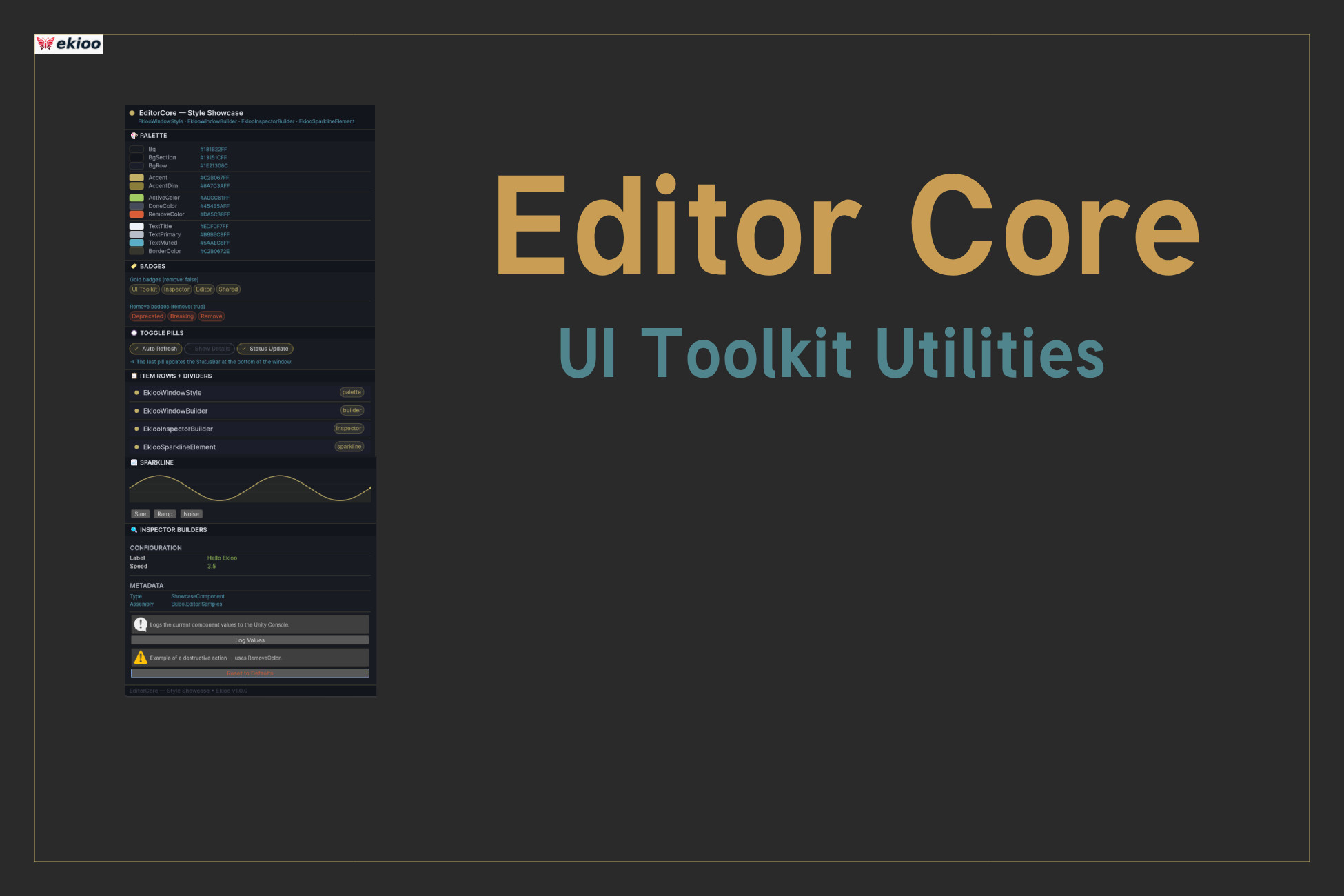
Ekioo Editor Core is the shared foundation used by all Ekioo packages to build consistent, polished editor interfaces in Unity. It provides a centralised style system, a library of ready-to-use UI Toolkit components for both EditorWindow and CustomEditor, and a sparkline renderer — all designed to be dropped into any in-house or third-party Unity toolset.
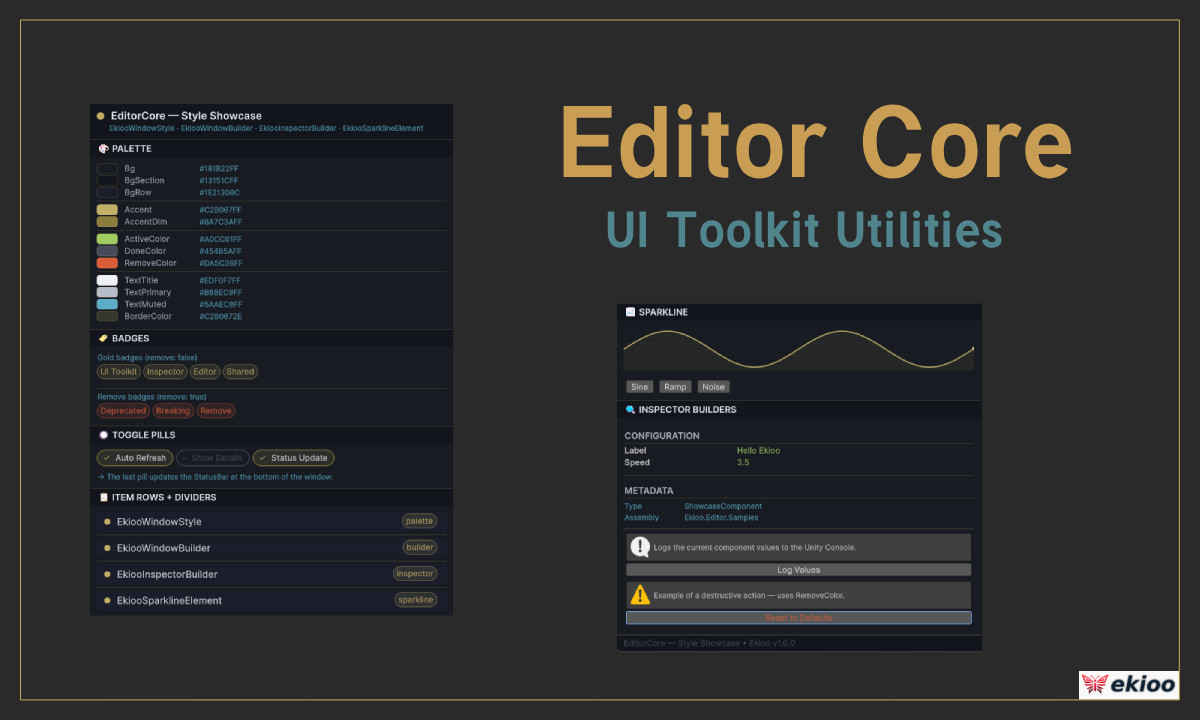
The package ships a Style Showcase sample that demonstrates every visual primitive interactively, inside a live EditorWindow and a CustomEditor, with real-time Play Mode polling.
Who is this for? Any Unity developer or team building their own editor tools, custom inspectors, or Asset Store packages who wants a solid, theme-aware visual foundation without reinventing the wheel. The package has no runtime footprint — it is 100% Editor-only and adds zero overhead to builds.
What is included?
- A complete colour/typography/spacing palette that automatically adapts to Unity's light and dark themes
- Pre-built CustomEditor components: section headers, read-only rows, metadata rows, action buttons, and a Runtime foldout that disables itself outside Play Mode
- Pre-built EditorWindow components: titled sections, badges, toggle pills, item rows, toolbar, status bar
- A custom VisualElement that renders a data sparkline with grid lines, fill area, and a terminal dot
- A dependency-check mechanism for packages that need to declare optional or required dependencies
- A fully documented, interactive sample importable directly from the Package Manager
From the publisher's Asset Store listing.
Technical details
- UI framework: Unity UI Toolkit (UIElements) — no UXML or USS files required, all layout is code-driven
- Theme-aware: all colours reference EkiooWindowStyle constants that are calibrated for both Editor light and dark themes; no manual theme detection needed
- EkiooWindowStyle: single source of truth for colours (Bg, Accent, ActiveColor, DoneColor, RemoveColor, TextTitle, TextMuted, BorderColor, …), font sizes (FontSizeXS → FontSizeHeading), spacing (SpaceXS → SpaceXXL), and border radii (RadiusSm, RadiusMd, RadiusBadge, RadiusPill)
- EkiooInspectorBuilder: SectionLabel, Separator, ReadOnlyRow, MetaRow, ActionButton, RuntimeContainer — all returning VisualElement and composable without subclassing
- EkiooWindowBuilder: BuildSection, Badge, BuildTogglePill, FlexRow, ItemRow, Divider, ToolbarContainer, StatusBar, AccentDot — all returning VisualElement
- EkiooSparklineElement: custom VisualElement drawn with Painter2D; call SetSamples(float[], Color) to update — supports grid lines, fill gradient, zero line, and terminal dot
- DependencyChecker: static Require(packageId, displayName, url, sentinelTypeName) called from an [InitializeOnLoad] class; shows a one-time informational dialog per Unity session if a dependency is missing
- AssetDatabaseHelper: GetAssets<T>() — finds all ScriptableObject assets of a given type across the entire project without writing GUID queries by hand
- Assembly: Ekioo.Editor.asmdef, autoReferenced: true, includePlatforms: ["Editor"] — zero runtime overhead, does not appear in builds
- Unity: 6000.0 (Unity 6) or later
- Render pipeline: compatible with Built-in, URP, and HDRP (Editor-only, no rendering dependency)
- Sample: "Style Showcase" — importable from Package Manager; includes an EditorWindow, a CustomEditor, a demo MonoBehaviour, and a demonstration scene
Compatibility
| Unity version | Built-in | URP | HDRP | Custom |
|---|---|---|---|---|
| 6000.3.9f1 | Compatible | Compatible | Compatible | Compatible |
As listed on the Asset Store.