
 View on Asset Store (opens in new tab)
Package details
- Latest version
- 1.0.0
- Last updated
- First released
- Unity version
- 6000.3.2 or later
- Package size
- 190 KB
- Files
- 10
- Views in the past week
- 6
Price tracking
- Last checked
- Tracked since
- Lowest recorded
- $5.99 on
Keywords

Easy Wire Tool
Easy Wire is a powerful, lightweight editor extension to draw, generate, and edit 3D cables directly in the Scene View with advanced GPU-driven wind physics.
Affiliate link · Purchases support this site
Price history
Last 6 months
USDAsset preview
1 / 3
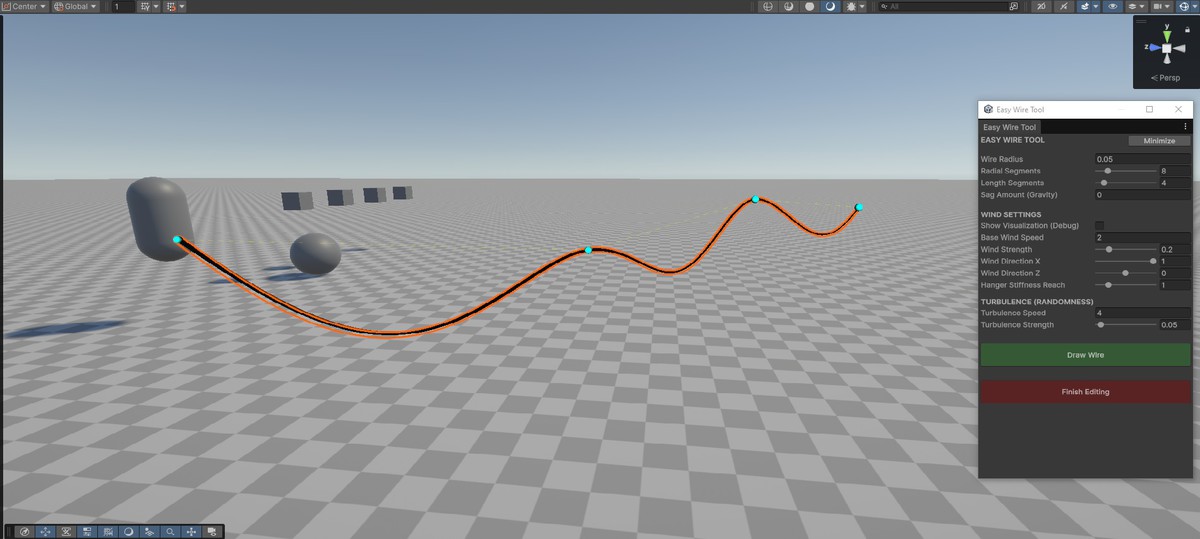
Easy Wire Tool screenshot 1
About this asset
Easy Wire is a powerful, lightweight, and highly optimized editor extension for Unity that allows you to effortlessly draw, generate, and edit 3D cables, wires, and ropes directly in the Scene View. It comes with a custom URP shader featuring advanced GPU-driven wind physics, turbulence, and realistic hanger stiffness.
Getting Started:
- Ensure your project is using the Universal Render Pipeline (URP).
- Open the tool by navigating to the top menu: Tools > Easy Wire Tool.
- Set your desired wire settings in the window.
- Click "Draw Wire".
- Click anywhere in the Scene View to place the starting point, and click again to place the endpoint. The wire will generate automatically.
- When you are done editing the scene, click "Finish Editing" or close the window.
Editor Controls (Scene View): Move Point: Click and drag any cyan sphere to move a control point. Add Point: Hold SHIFT to see a yellow preview sphere on the wire. Left-Click to insert a new control point. Remove Point: Hold CTRL. The spheres will turn red. Left-Click on a point to delete it.
From the publisher's Asset Store listing.
Technical details
Key Features:
- Intuitive Spline Drawing: Non-destructive workflow to draw, add, move, or remove control points.
- Procedural Mesh Generation: Customize radius, segments, length resolution, and gravity sag.
- Advanced GPU Wind Physics: Custom URP Shader with dual-layer wind system (Base Regular Wave + Asynchronous Turbulence).
- Hanger Stiffness Control: Adjustable stiffness at connection points.
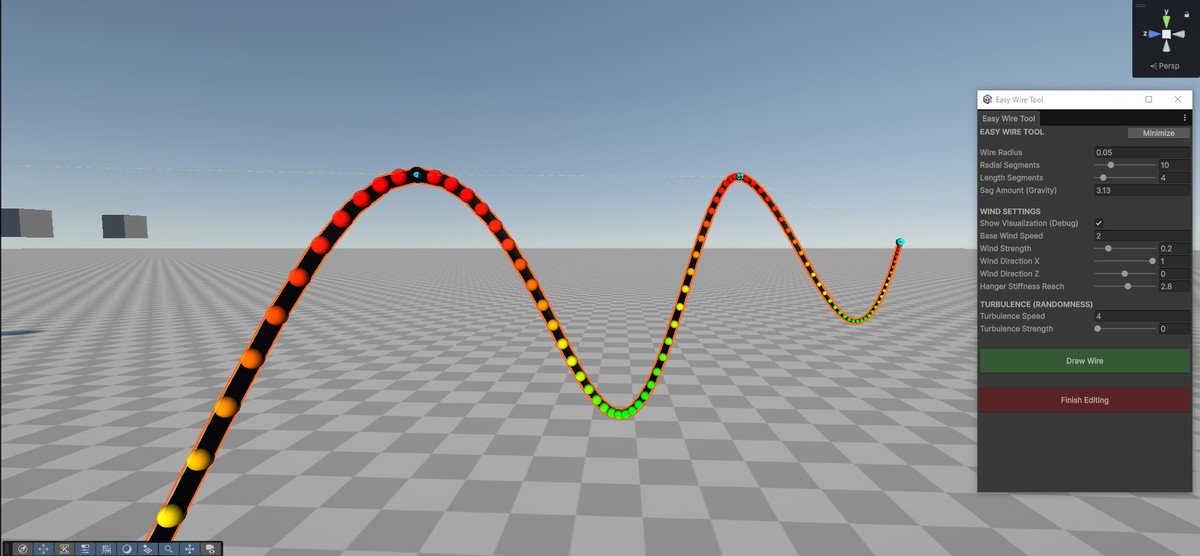
- 3D Heatmap Visualization: Built-in debug mode rendering a 3D color gradient over wires.
- Extreme Optimization: Material Property Blocks allow 1,000+ wires swaying independently while sharing a single material.
- Zero CPU Overhead: No Update() calls during gameplay; all wind math runs on the GPU.
Requirements:
- Unity 2021.3 or newer.
- Universal Render Pipeline (URP).
Compatibility
| Unity version | Built-in | URP | HDRP |
|---|---|---|---|
| 6000.3.2f1 | Not listed | Compatible | Not listed |
This tool requires the Universal Render Pipeline (URP) to correctly render the wind shader. Tested on Unity 2021.3 LTS and newer (including Unity 6).
As listed on the Asset Store.