
 View on Asset Store (opens in new tab)
Package details
- Latest version
- 1.1
- Last updated
- First released
- Unity version
- 6000.3.10 or later
- Package size
- 388 KB
- Files
- 20
- Views in the past week
- 1
Price tracking
- Last checked
- Tracked since
- Lowest recorded
- $9.99 on
Keywords

IndieDev Trigger Toolkit
IndieDev Trigger Toolkit is a toolkit for all the basic triggers like dialogues/monologues, spawn-despawn, trigger animation, teleport (RigidBody not supported) and scene changer. All in one script.
Affiliate link · Purchases support this site
Price history
Last 6 months
USDAsset preview
1 / 7
IndieDev Trigger Toolkit screenshot 1

About this asset
Save the hassle, focus on what's important and let IndieDevToolkit handle the basics.
One script, multi function plug and play , no coding required
Features:
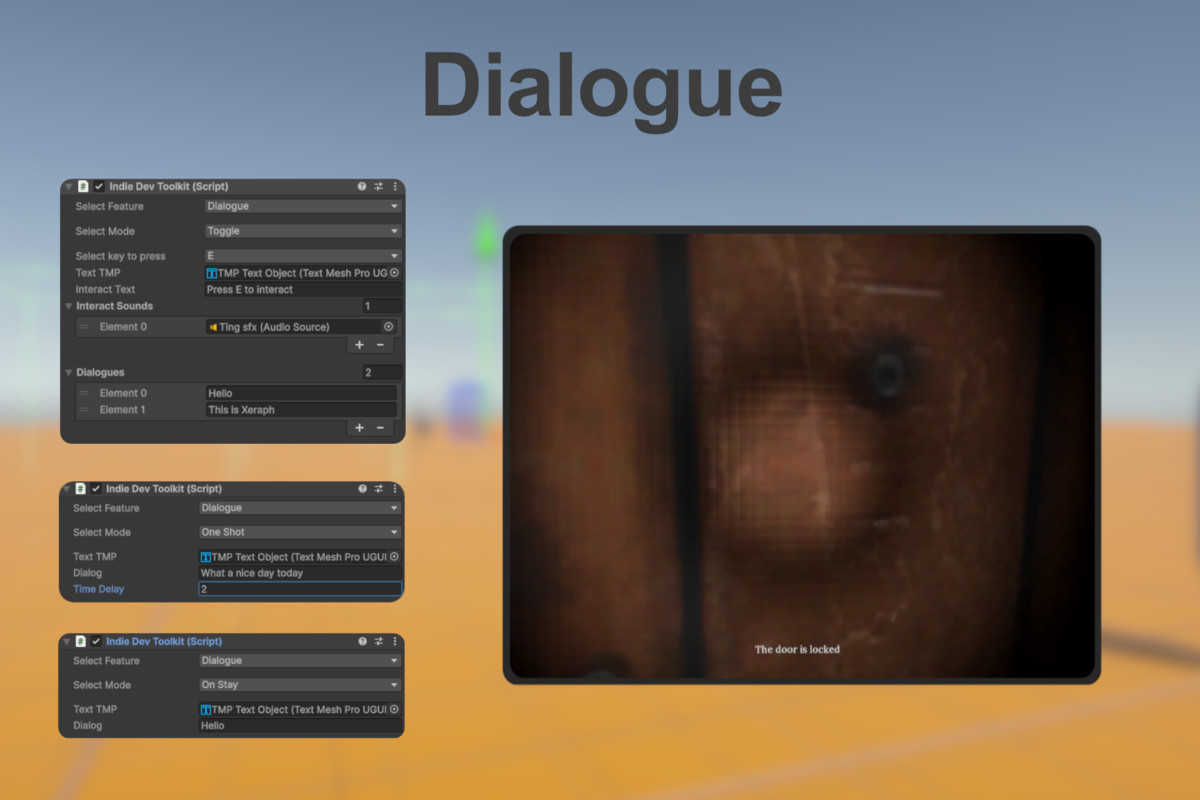
💬Dialogue
Oneshot - Dialogue that appears and disappears after a set time.
Toggle - Dialogue that can be toggled by the player with a specified key, also supports multiple dialogue.
OnStay - Dialogue that only appears when the player enters the trigger.
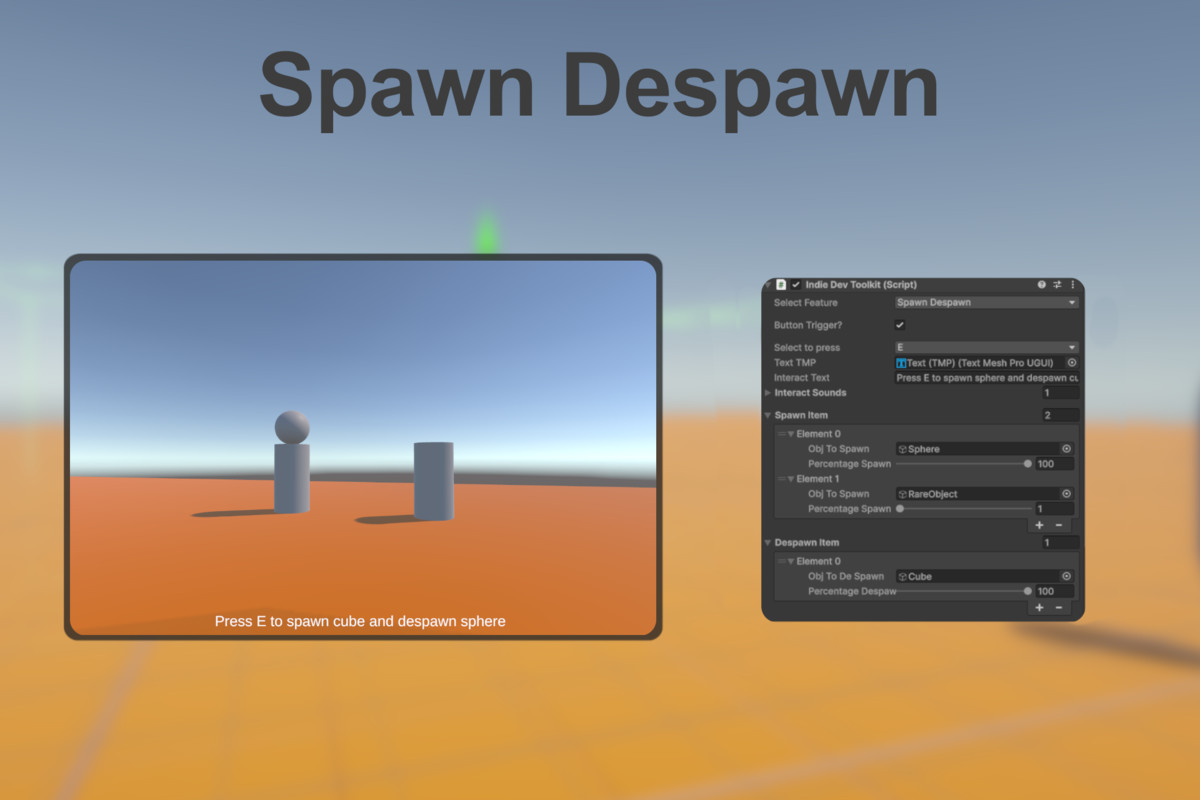
🔮Spawn Despawn
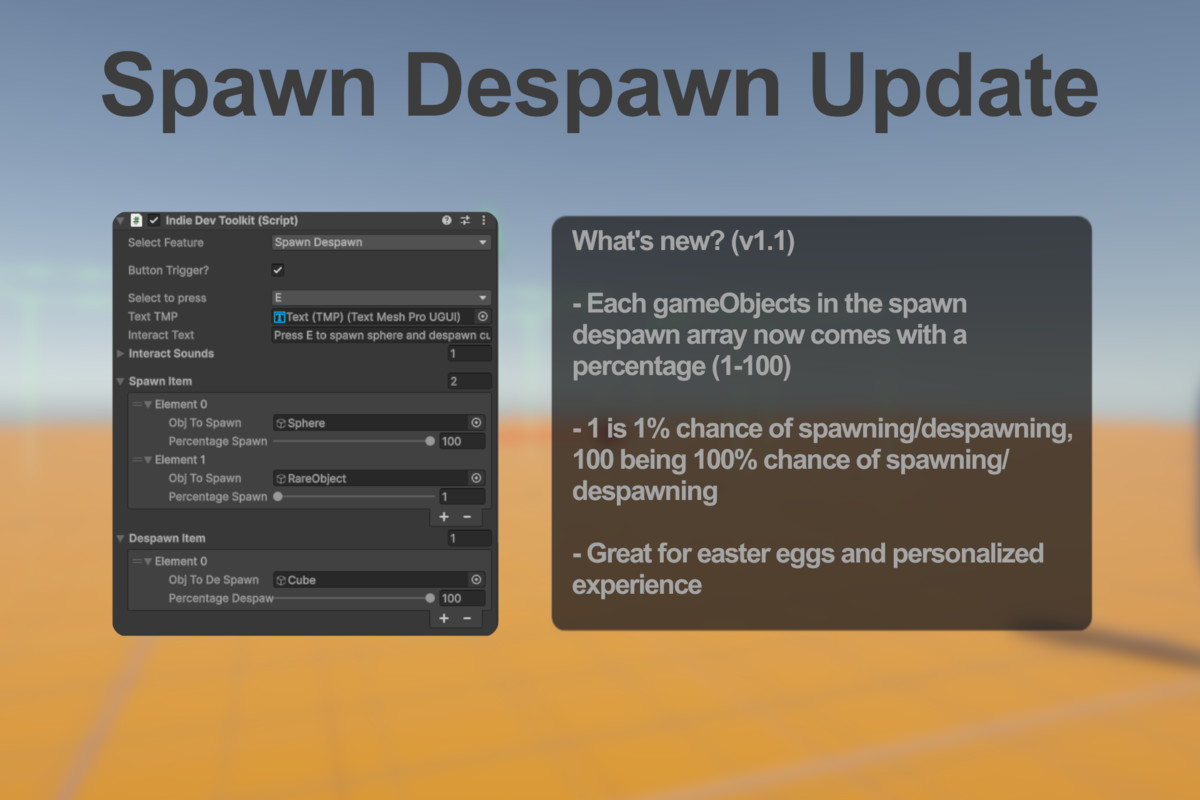
Spawn (setActivetrue) or despawn (setActivefalse) gameObject when player enters the trigger or presses an interaction key. Developers can choose if player has to press a key or not, and also choose what key to press. Each gameObjects also comes with a percentage that determines whether it will spawn or despawn when players interacts with it, with 1 being 1% chance of spawning/despawning and 100 being 100% chance of spawning/despawning. Great for easter eggs and personalized gaming experience.
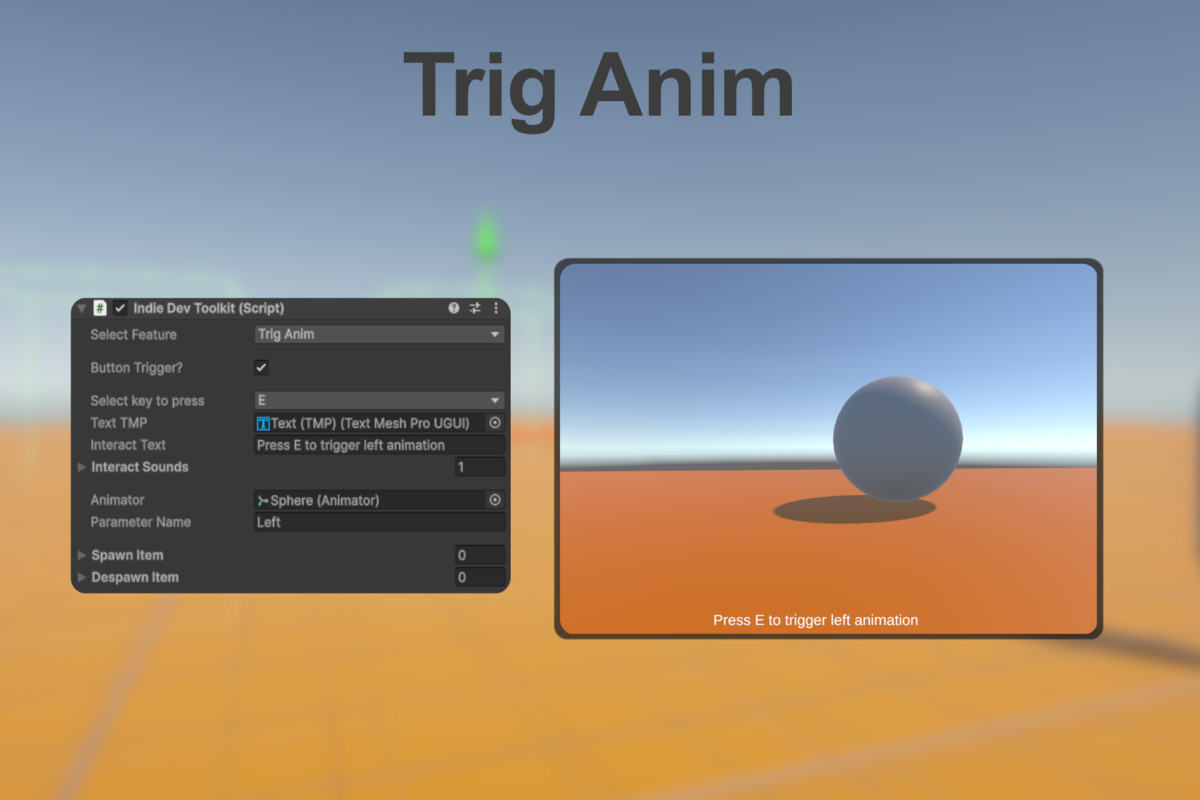
🎬Trig Anim
Trigger an animation when player enters the trigger or presses an interaction key. This function only supports Trigger type parameter. Developers can choose if player has to press a key or not, and also choose what key to press.
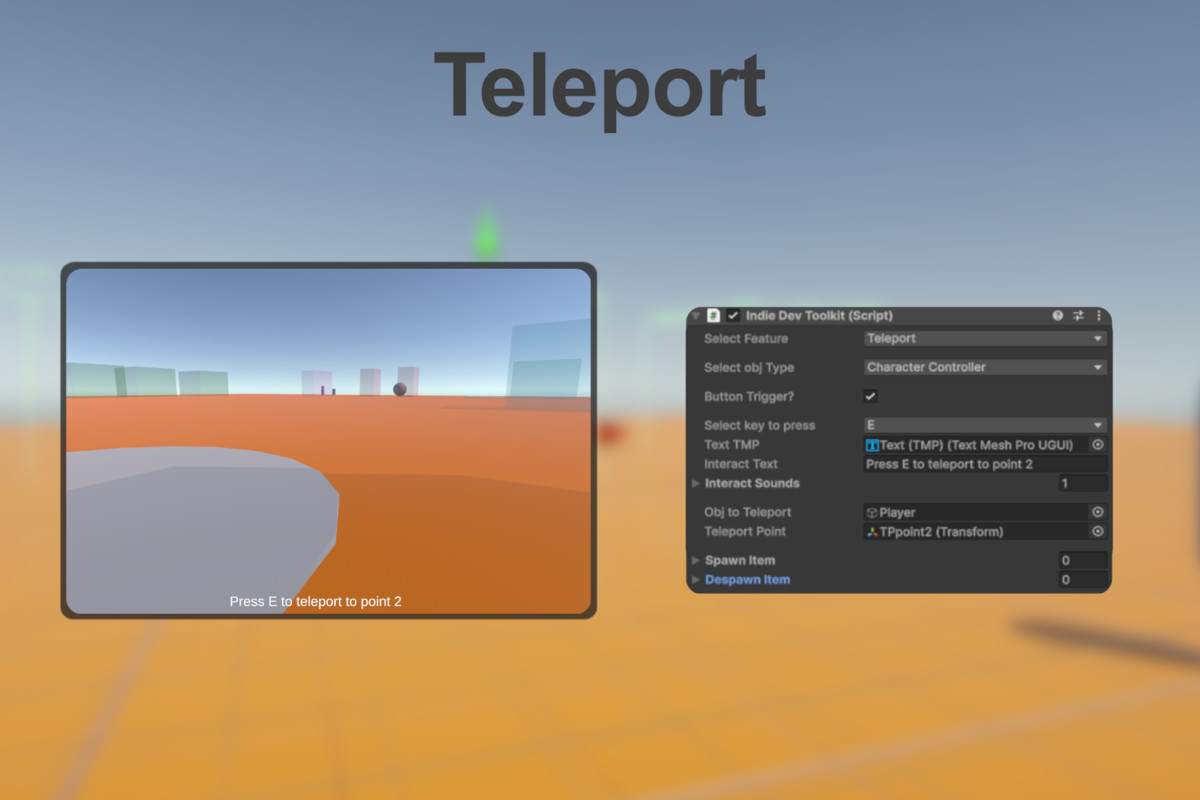
🌀Teleport (RigidBody based controller not supported)
Teleport a Character Controller based controller or simple gameObject to a specified point (Transform) when player enters the trigger or presses an interaction key. Developers can choose if player has to press a key or not, and also choose what key to press.
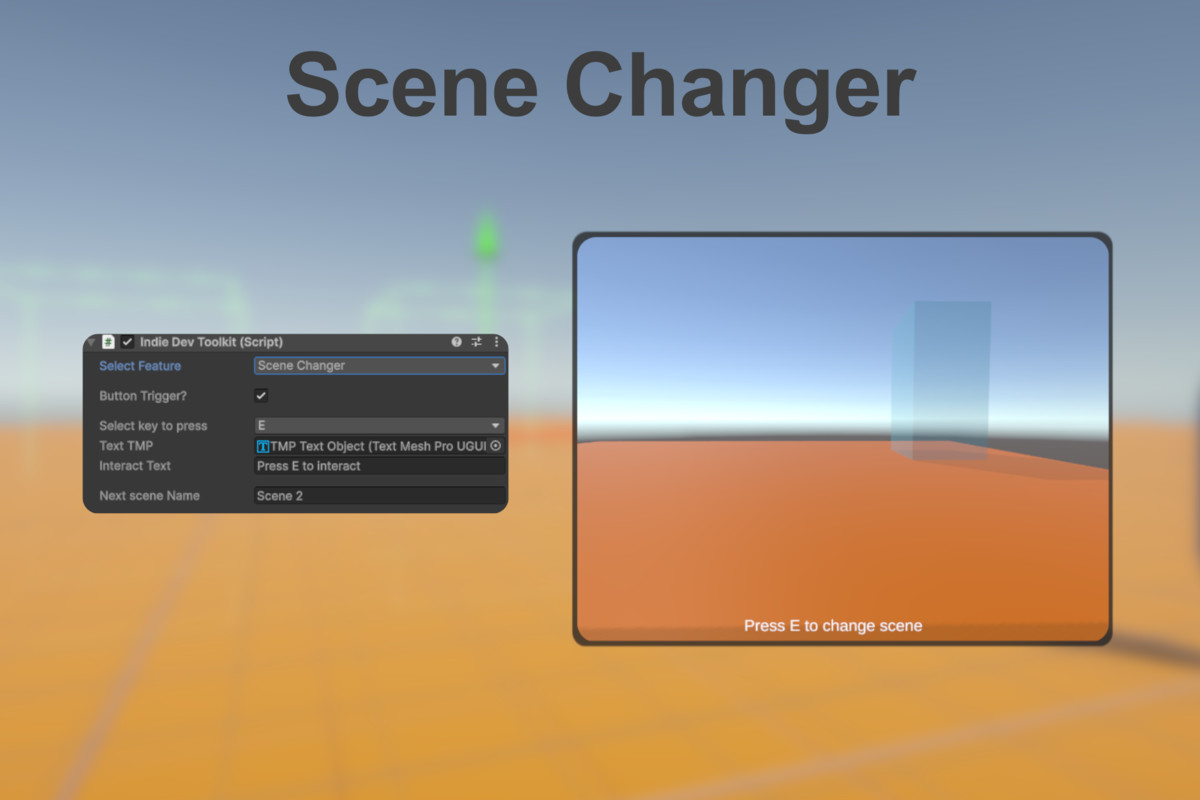
⏭️Scene Changer
Changes the current scene to another scene when player enters the trigger or presses an interaction key. Developers can choose if player has to press a key or not, and also choose what key to press.
From the publisher's Asset Store listing.
Technical details
Support includes Unity 2020.3 - 2023, and Unity 6.
Compatibility
| Unity version | Built-in | URP | HDRP |
|---|---|---|---|
| 6000.3.10f1 | Compatible | Not listed | Not listed |
The materials for the demo scene uses the Built-in render pipelines, otherwise the toolkit works with any render pipelines.
This asset uses TextMeshPro.
As listed on the Asset Store.