
 View on Asset Store (opens in new tab)
Package details
- Latest version
- 1.0.2
- Last updated
- First released
- Unity version
- 2022.3.62 or later
- Package size
- 2.4 MB
- Files
- 5
- Favorites
- 1
- Views in the past week
- 14
Price tracking
- Last checked
- Tracked since
- Lowest recorded
- $15.00 on
Keywords

Debug Console Studio - Advanced Logging & Debug Tool
- Price drop
Advanced logging and debugging console built as a powerful Editor window to streamline development and improve workflow efficiency.
Lowest recorded price
Get 25% off on Asset Store (opens in new tab)Affiliate link · Purchases support this site
Price history
Last 6 months
USDAsset preview
1 / 4
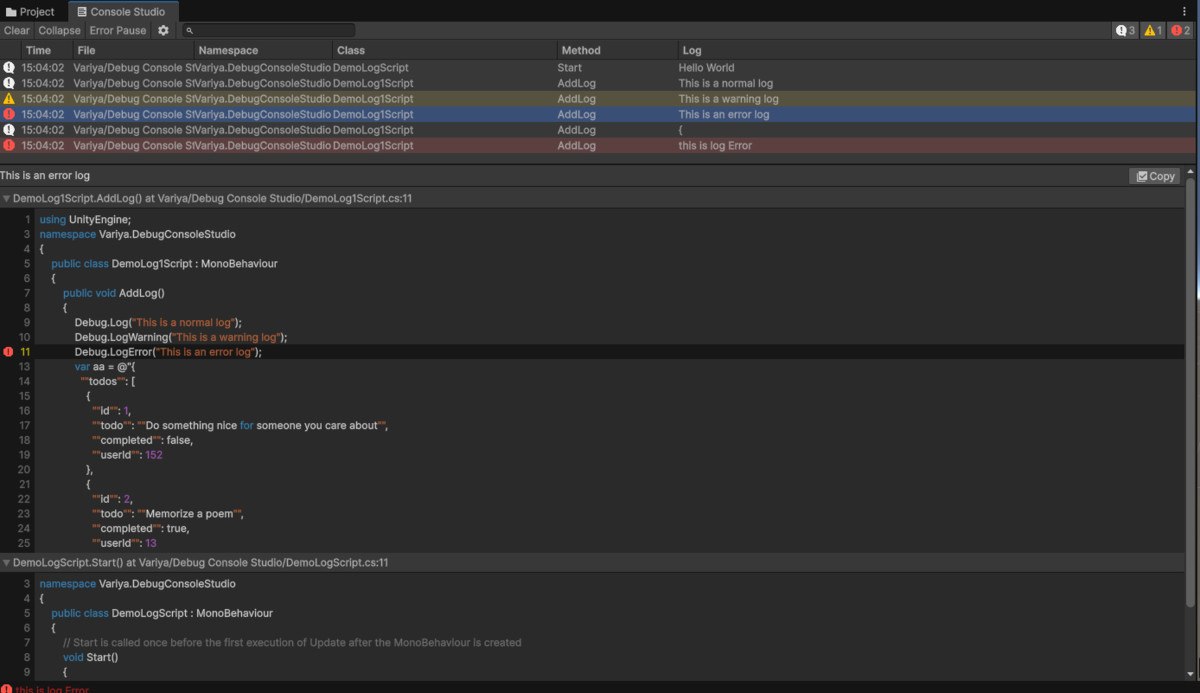
Debug Console Studio - Advanced Logging & Debug Tool screenshot 1

About this asset
Debug Console Studio is a powerful logging and debugging solution designed exclusively for the Editor. Built to improve clarity, organization, and efficiency, it enhances the way developers view and manage logs during development.
Unlike the default Console, Debug Console Studio provides a dedicated custom Editor Window with advanced filtering, real-time search, and structured log organization to help you identify and resolve issues faster.
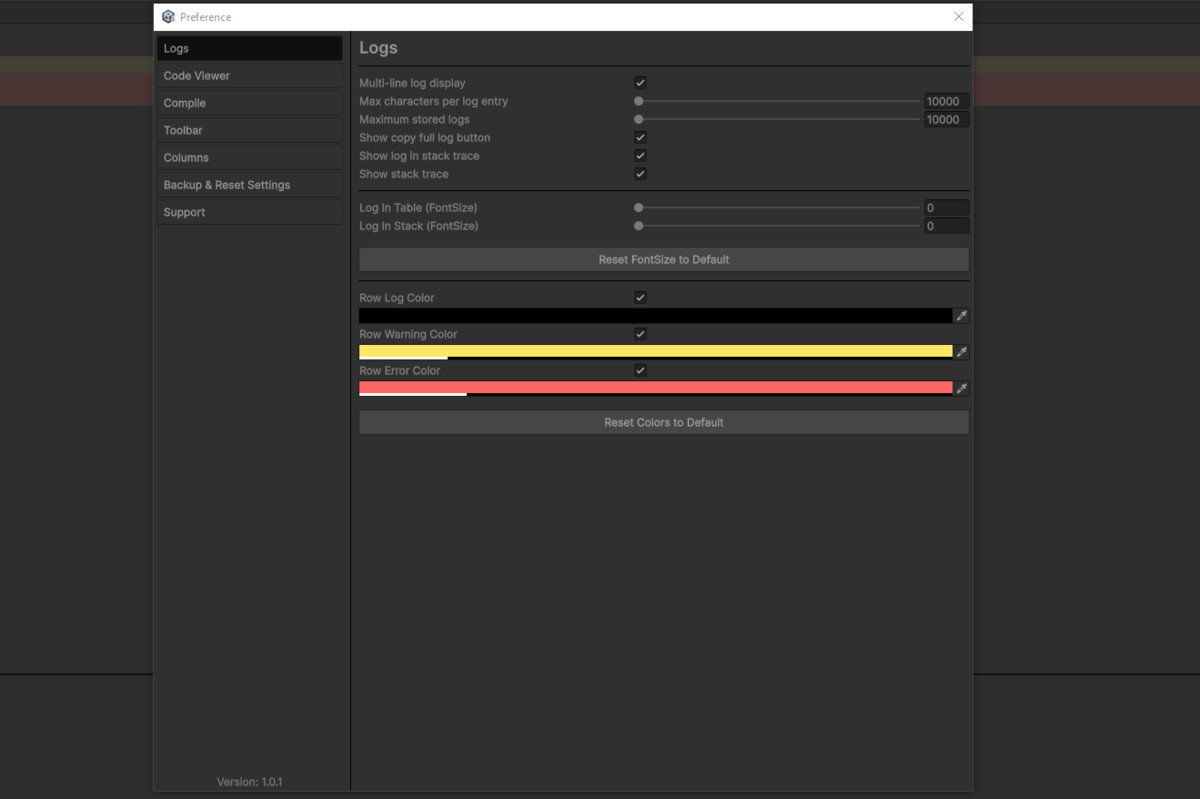
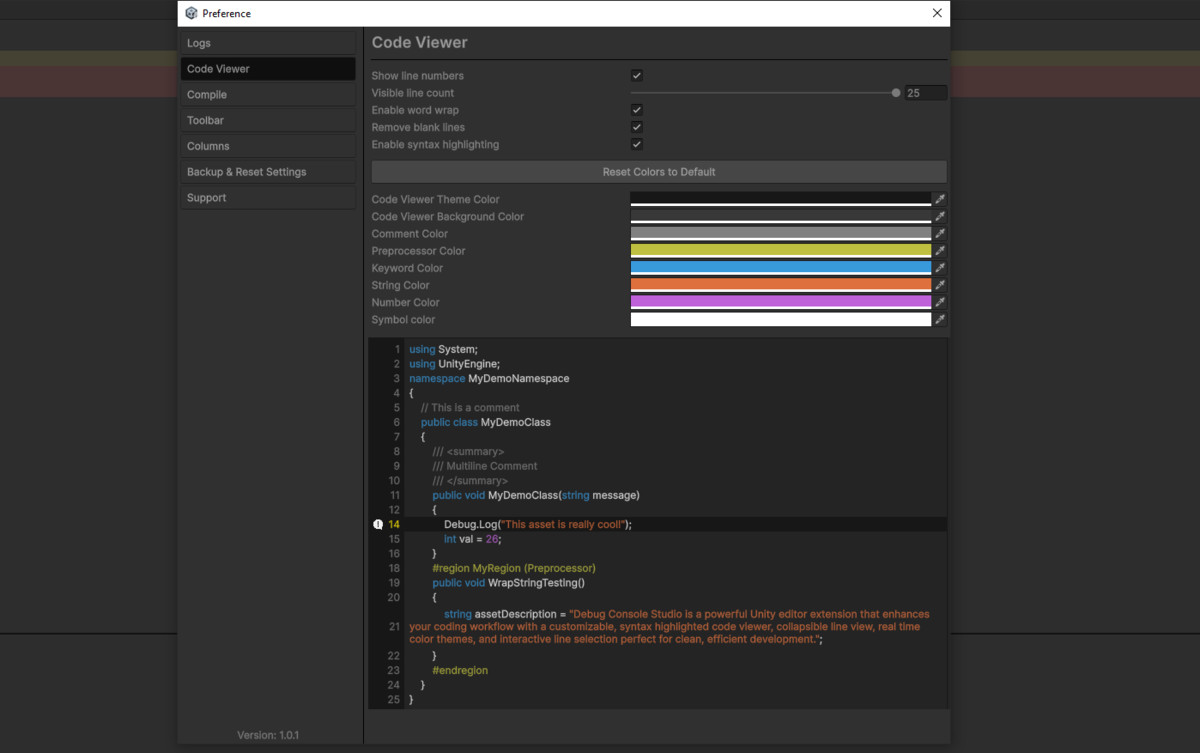
A built-in code viewer with customizable color improves readability and makes stack traces easier to analyze. Adjust color settings to match your workflow and reduce visual fatigue during long debugging sessions.
Whether you're working on small prototypes or large-scale projects, Debug Console Studio helps streamline your debugging process and maintain better control over your development environment.
From the publisher's Asset Store listing.
Technical details
- Dedicated custom Editor Window for enhanced log management
- Advanced multi-level log filtering (Errors, Warnings, Logs)
- Real-time log search with instant results
- Clean, structured, and readable log layout
- Organized log grouping for improved clarity
- Efficient handling of large log volumes
- Streamlined debugging workflow inside the Editor
- Lightweight implementation with minimal performance impact
- Simple integration into any existing project
- No runtime components – Editor-only architecture
- No external dependencies or additional packages required
- Built-in code viewer with customizable color
Compatibility
| Unity version | Built-in | URP | HDRP | Custom |
|---|---|---|---|---|
| 2022.3.62f3 | Compatible | Compatible | Compatible | Compatible |
As listed on the Asset Store.