
 View on Asset Store (opens in new tab)
Package details
- Latest version
- 1.0.1
- Last updated
- First released
- Unity version
- 2022.3.62 or later
- Package size
- 384 KB
- Files
- 30
- Favorites
- 8
- Views in the past week
- 7
Price tracking
- Last checked
- Tracked since
- Lowest recorded
- $9.99 on
Keywords
Pixel Perfect Shadow
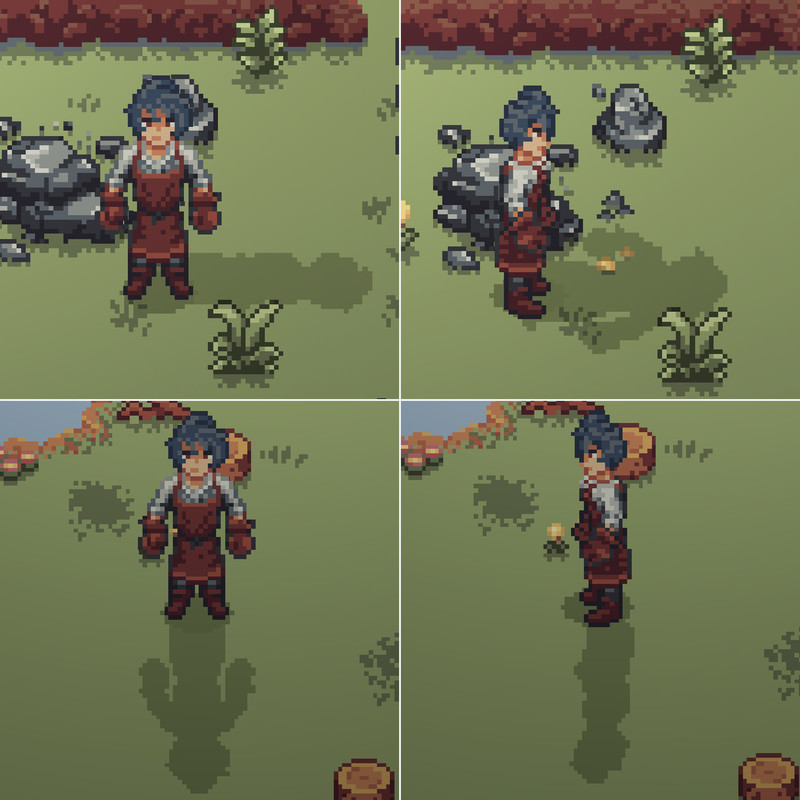
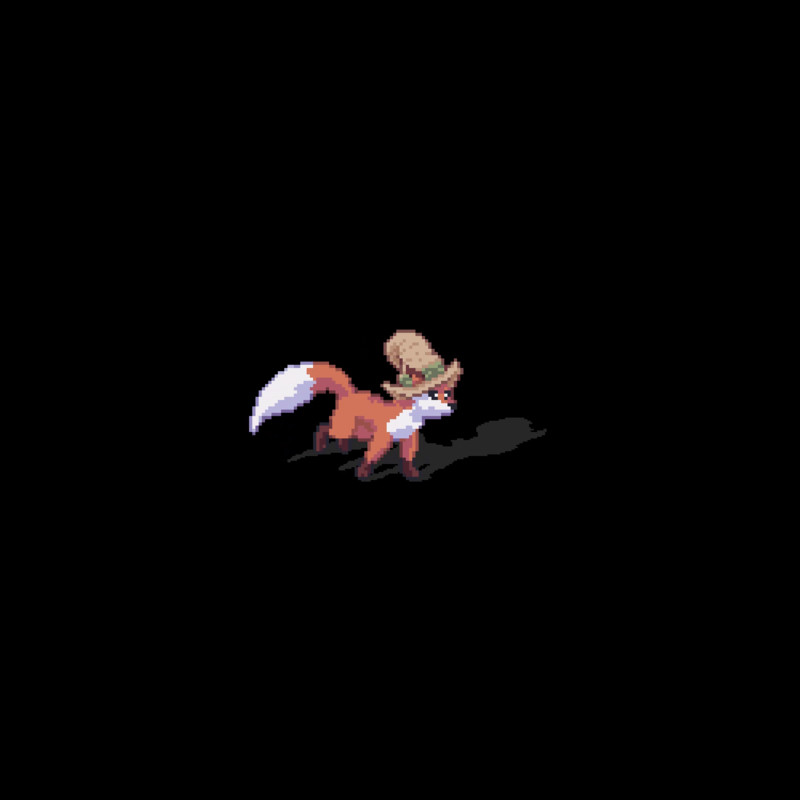
Pixel Perfect Shadows: Sprite shadow prefab + shader for crisp, pixel-aligned projected shadows with adjustable direction, stretch, and color among many other settings.
Affiliate link · Purchases support this site
Price history
Last 6 months
USDAsset preview
1 / 3
Pixel Perfect Shadow screenshot 1
About this asset
Pixel Perfect Shadows URP2D
Pixel Perfect Shadows is a lightweight solution for adding crisp, pixel-aligned projected shadows to sprites. It’s built around a simple workflow: drop in a prefab, assign your SpriteRenderer, and tune a few intuitive settings to match your art style and world scale.
This asset is designed for top-down / face-camera / 2D stylized games where clean, stable shadows help sprites feel grounded without breaking pixel clarity. It can also work on other settings if set up properly.
Key Features
- Drop-in prefab workflow: add the shadow prefab and assign a SpriteRenderer
- Pixel-aligned results: stable shadows designed to match pixel-art aesthetics
- Directional projection controls: drive shadow direction from a light source or vector
- Side shadow projection: if a side secondary texture is added, the shadow will be 4 directional, showing the side projection when adequate. Check images for more details.
- Demo scene included: example setup and sample content to verify behavior quickly
- Clean package structure: runtime and demo content separated for easy integration
Getting Started (30 seconds)
- Import the package into a project
- Drag ShadowQuad prefab into a sprite in the scene
- Assign your SpriteRenderer in the ShadowQuad component and Reference light object.
- Adjust direction, stretch, and opacity to match your lighting
Support
If you need help integrating the asset, contact: [email protected]
Please include Unity version, URP version, and a screenshot of your inspector setup.
From the publisher's Asset Store listing.
Technical details
What’s Included
- URP shader
- Shadow material
- Runtime script component
- Prefab that combines shader + material + script
- Demo scene and sample assets
Requirements / Compatibility
- Render Pipeline: Universal Render Pipeline (URP), recommended
- Works on other Pipelines
- Compatible for Unity 2022.3 LTS and newer
Compatibility
| Unity version | Built-in | URP | HDRP |
|---|---|---|---|
| 2022.3.62f3 | Compatible | Compatible | Compatible |
Compatible for Unity 2022.3 LTS and newer
As listed on the Asset Store.