
 View on Asset Store (opens in new tab)
Package details
- Latest version
- 1.0.0
- Last updated
- First released
- Unity version
- 2022.3.62 or later
- Package size
- 100 KB
- Files
- 52
- Views in the past week
- 9
Price tracking
- Last checked
- Tracked since
- Lowest recorded
- $4.99 on
Keywords

Sprite Atlas Director
Manage Sprite Atlas contents with flexible filters, preview changes before applying them, and automatically refresh your atlases before Player builds.
Affiliate link · Purchases support this site
Price history
Last 6 months
USDAsset preview
1 / 3
Sprite Atlas Director screenshot 1
About this asset
Spend less time maintaining sprite lists.
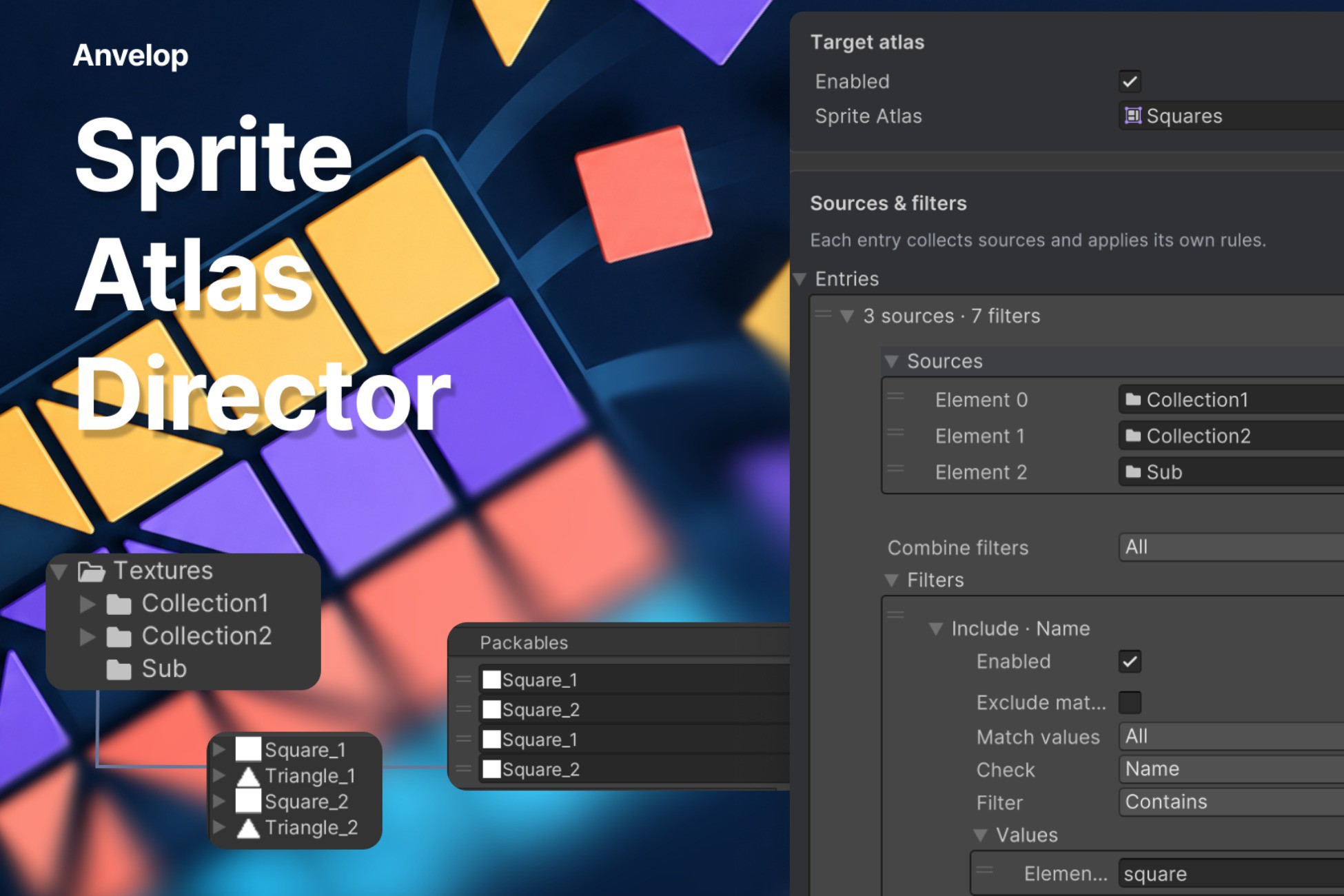
Sprite Atlas Director helps you organize Unity Sprite Atlases using reusable selection rules. Choose your sources, define what belongs in each atlas, and preview the result before applying changes.
Keep UI icons, characters, environment sprites, and other assets organized as your project grows. Collect sprites from folders and subfolders, select individual textures or sprites, and combine filters to control exactly what gets included.
Key features
- Flexible sources — collect sprites from folders, sprite textures, or individual sprites, with recursive folder scanning.
- Powerful filtering — filter by name, path, folder, or texture. Name and path filters support Contains, Starts With, Ends With, and Regex.
- Include and exclude rules — combine filters with All/Any logic, invert matches, and temporarily disable individual rules.
- Reusable filter assets — share filter groups between directors and edit their settings directly in the inspector.
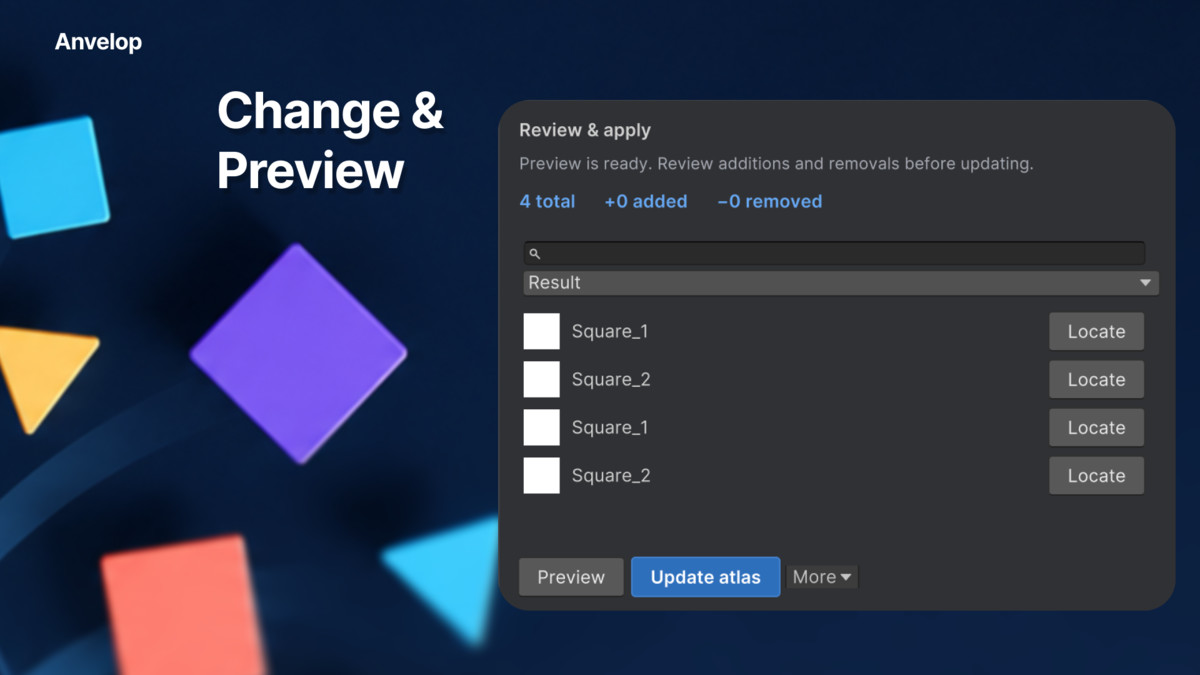
- Preview before applying — inspect the resulting selection, see added and removed items, search results, and locate source assets.
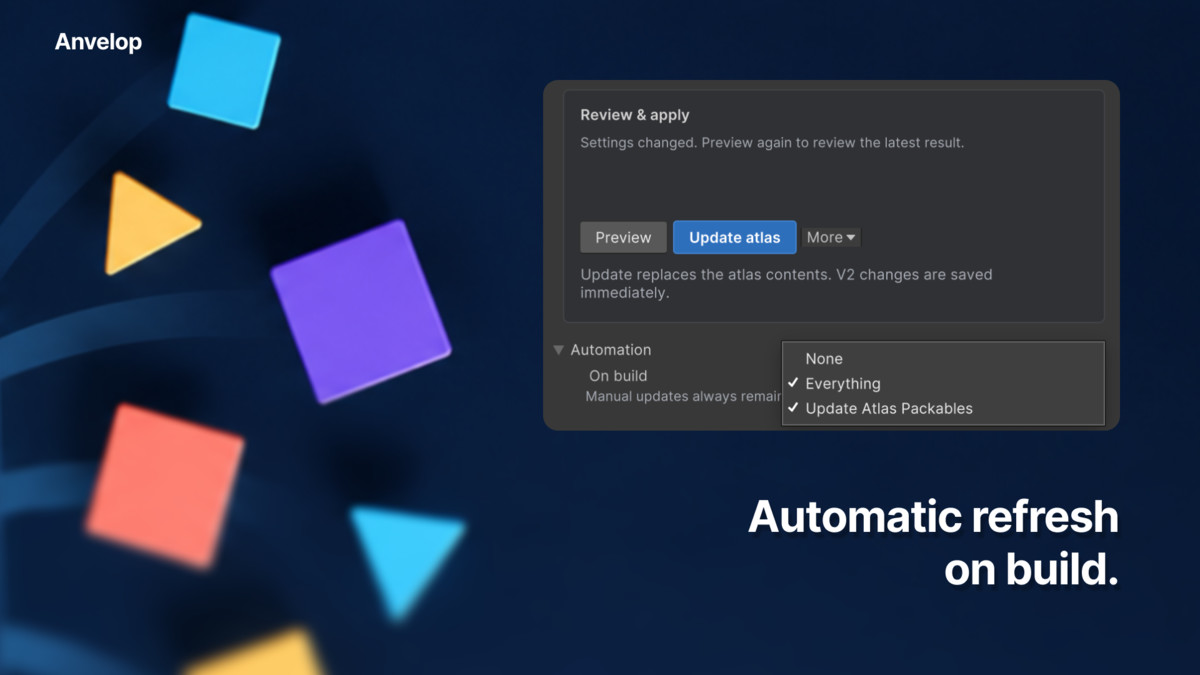
- Build automation — optionally update atlas contents before Player builds, or update all enabled directors from one menu command.
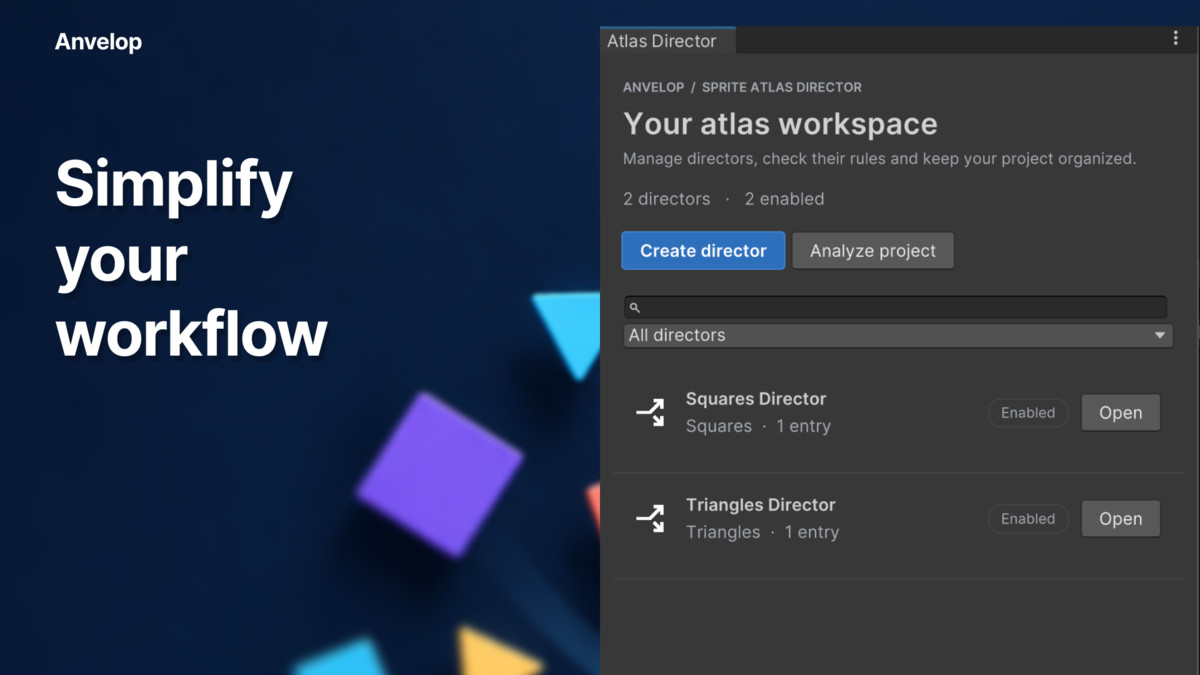
- Project analysis — check for missing atlas assignments, conflicting directors, empty results, filter errors, and textures shared across atlases.
- Custom C# filters — extend selection rules to fit your project.
- Editor-only workflow — no runtime components. Includes documentation and filtering examples.
Getting started
Create a director, assign a Sprite Atlas, add your sources, and configure your filters. Click Preview to review the selection, then Update atlas to apply it.
From the publisher's Asset Store listing.
Technical details
- Requires Unity 2022.3 LTS or newer, the 2D Sprite package, and Sprite Atlas V2. V1 and variant atlases are not supported; manage the master atlas when using variants.
- Each update replaces the atlas’s entire contents with the filtered selection. Updates run manually or through configured Player build automation; source changes are not watched continuously. Standalone Addressables and AssetBundle content builds require an explicit update call.
Compatibility
| Unity version | Built-in | URP | HDRP | Custom |
|---|---|---|---|---|
| 2022.3.62f2 | Compatible | Compatible | Compatible | Compatible |
As listed on the Asset Store.