
 View on Asset Store (opens in new tab)
Package details
- Latest version
- 1.0.2
- Last updated
- First released
- Unity version
- 2022.3.62 or later
- Package size
- 69.1 MB
- Files
- 145
- Favorites
- 13
- Views in the past week
- 36
Price tracking
- Last checked
- Tracked since
- Lowest recorded
- $14.99 on
Keywords

Wild West RPG UI Kit – Mobile Game HUD, Inventory, Shop & Menu System
- Price drop
Complete Mobile Wild West UI Kit for Unity – Modular, responsive HUD, inventory, shop & menu system. Perfect for RPG, survival, cowboy & western-themed mobile games.
Affiliate link · Purchases support this site
Price history
Last 6 months
USDAsset preview
1 / 10
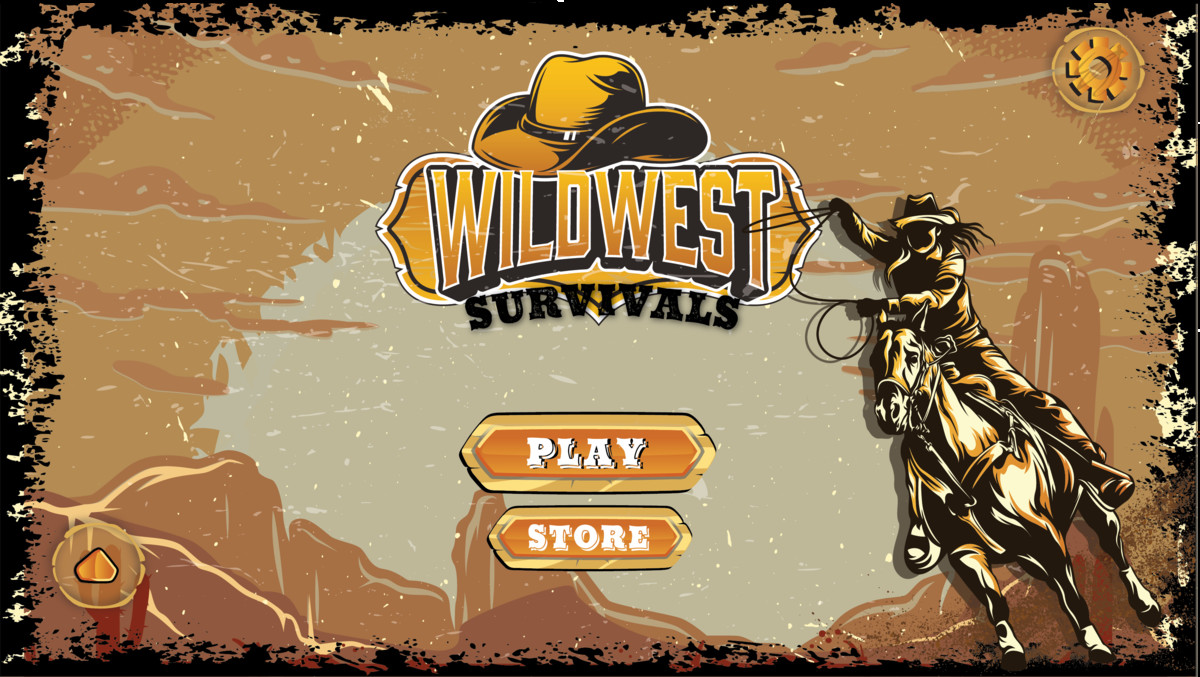
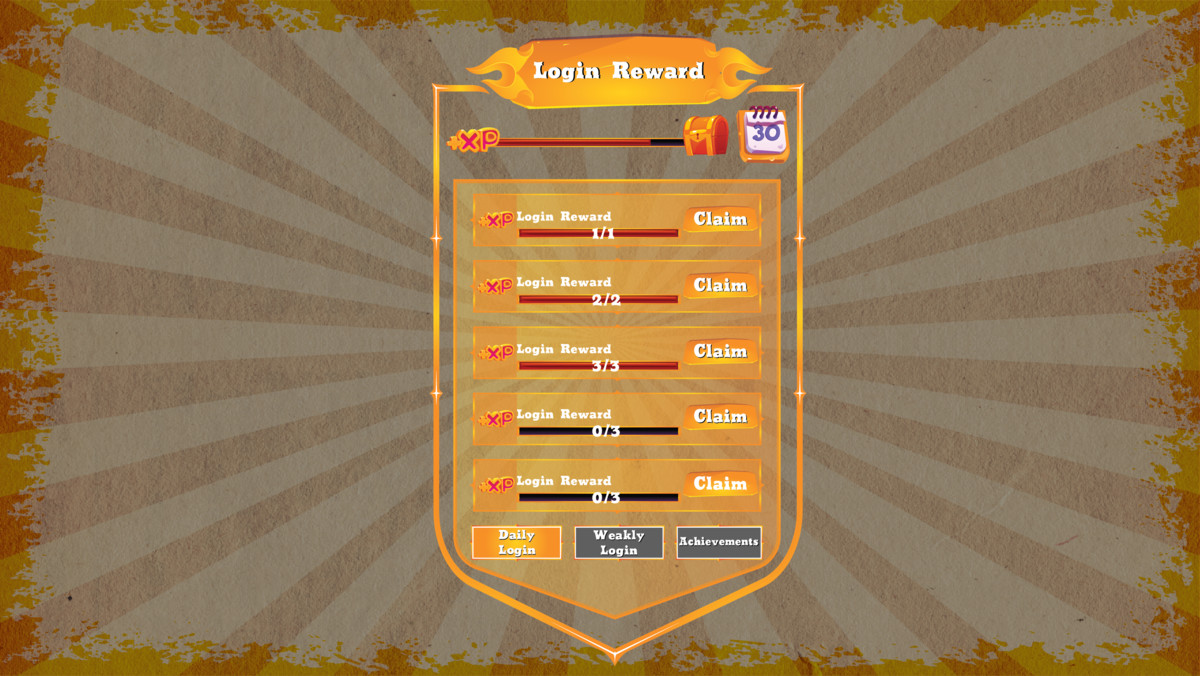
Wild West RPG UI Kit – Mobile Game HUD, Inventory, Shop & Menu System screenshot 1


About this asset
Mobile RPG Wild West Game UI Kit | HUD, Inventory, Shop & Menu System
Bring Your Wild West Game to Life
Create a distinctive, polished interface for your next cowboy, Western, RPG, adventure, shooter, survival, or mobile game with a complete Wild West-inspired UI kit for Unity.
Mobile RPG Wild West Game UI Kit combines the visual character of the American frontier with the essential interface elements developers need to build engaging game menus, HUDs, inventory screens, shops, and other gameplay interfaces.
Instead of creating your game's interface from scratch, start with a professionally designed Wild West visual foundation and customize it to match your game's identity.
Why Choose This UI Kit?
- Wild West-inspired visual design
- Designed with mobile RPG projects in mind
- Includes essential HUD, inventory, shop, and menu UI
- Suitable for a wide range of Western and RPG game genres
- Flexible visual foundation for customization
- Supports Unity Built-in Render Pipeline, URP, and HDRP
- Compatible with Unity 2022.3.62f3 and Unity 6000.3.16f1
- Ideal for indie developers, solo developers, prototypes, and production projects
Complete Wild West Game Interface
Build a cohesive interface across your game with UI designed around a consistent Western theme.
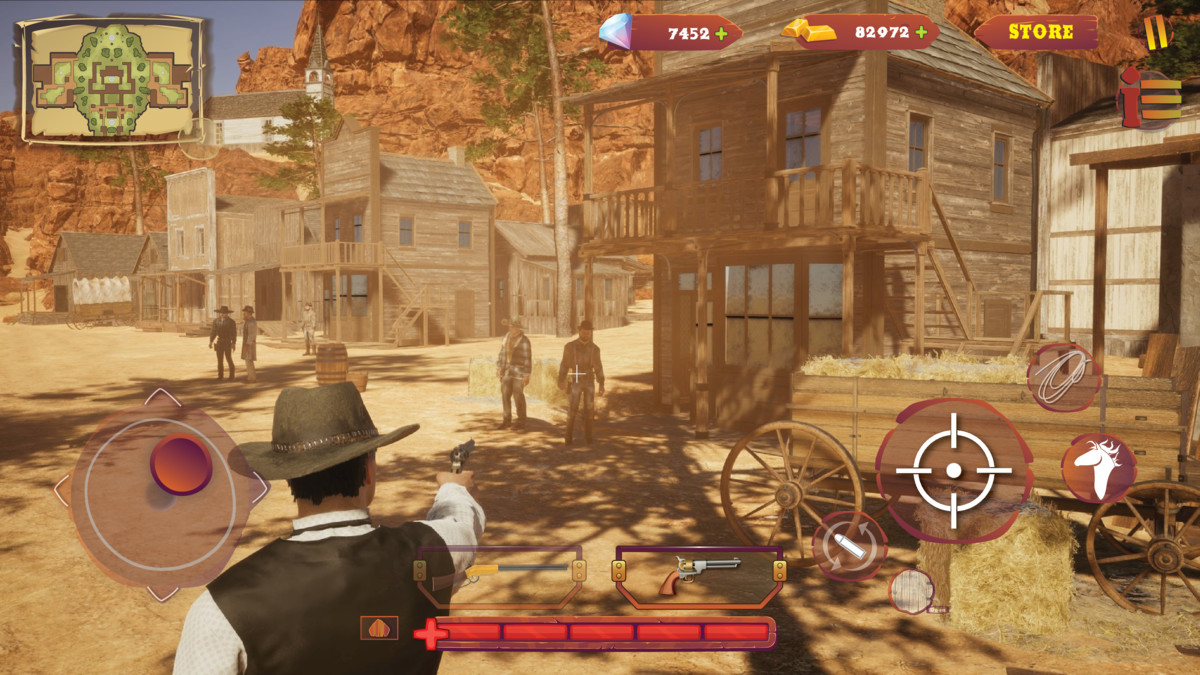
HUD
Create an immersive gameplay interface for displaying important player and gameplay information.
Use the included UI elements to build interfaces for:
- Player information
- Health and gameplay status
- Resources and currencies
- Gameplay indicators
- Action and interaction areas
- Other HUD elements required by your game
Inventory
Create an organized inventory interface for managing items and equipment.
The Wild West visual style makes it suitable for games featuring:
- Weapons
- Equipment
- Consumables
- Collectibles
- Resources
- Character items
- Other RPG inventory content
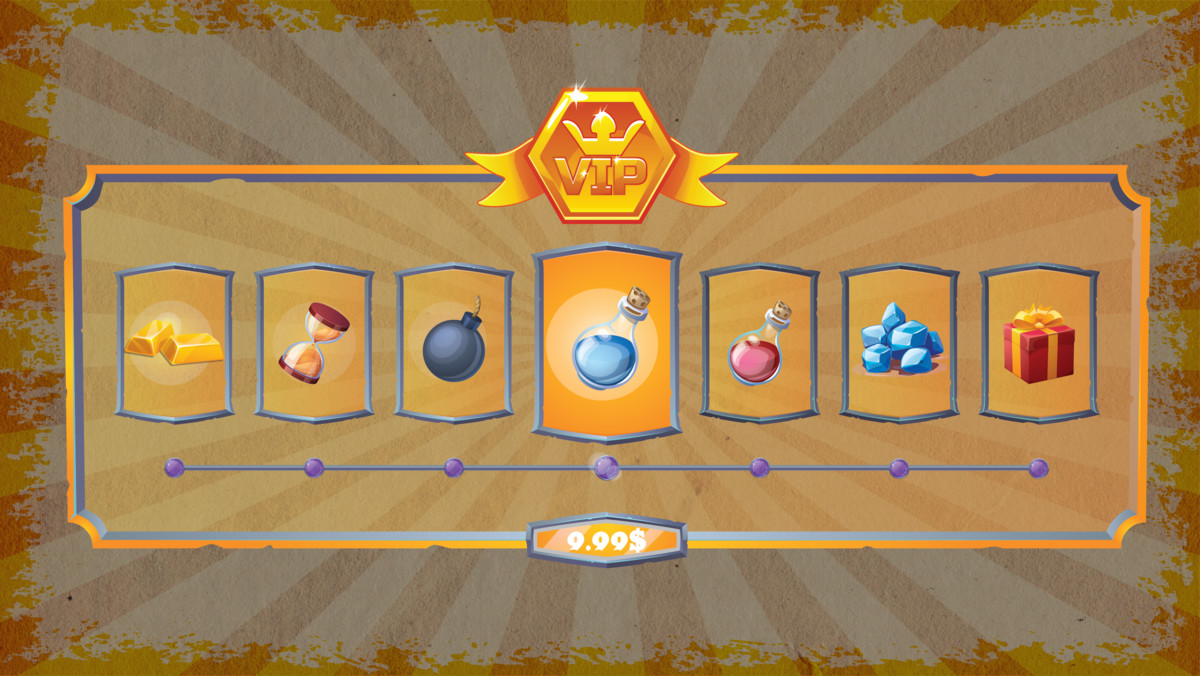
Shop
Build immersive in-game stores for your Western RPG or adventure game.
Create interfaces for:
- Item purchasing
- Item browsing
- Prices and currencies
- Shop categories
- Item information
- Buy/sell interactions
Menu System
Create polished menus that maintain a consistent visual identity throughout your game.
Suitable for interfaces such as:
- Main Menu
- Pause Menu
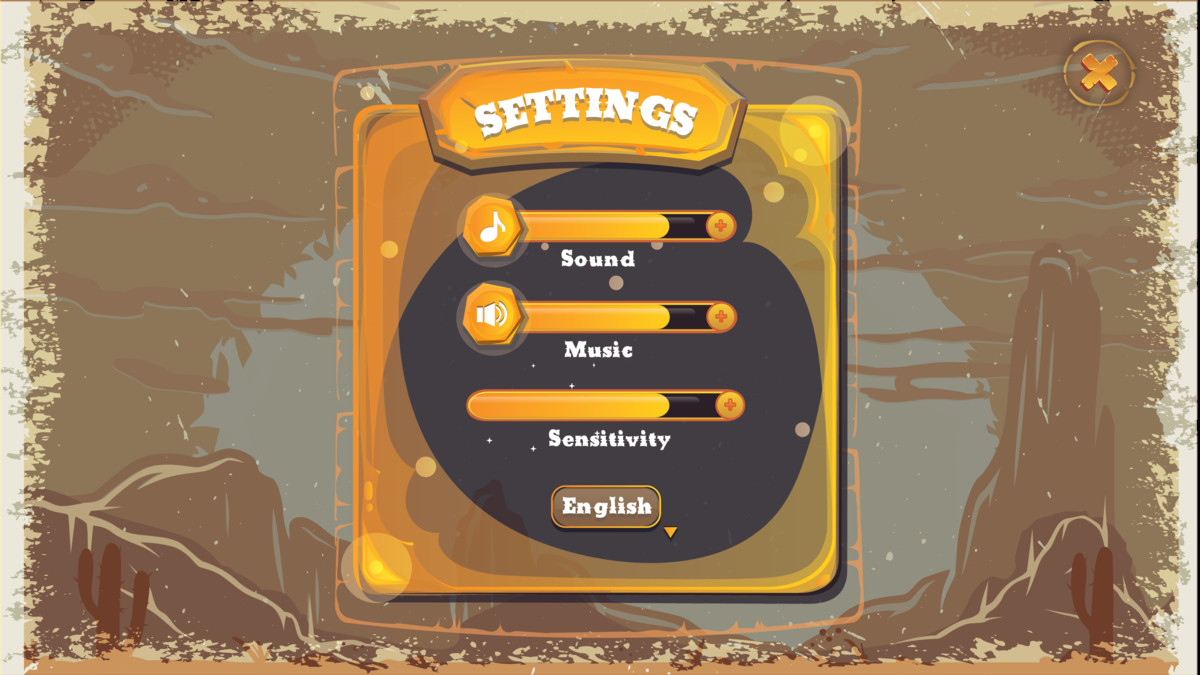
- Settings
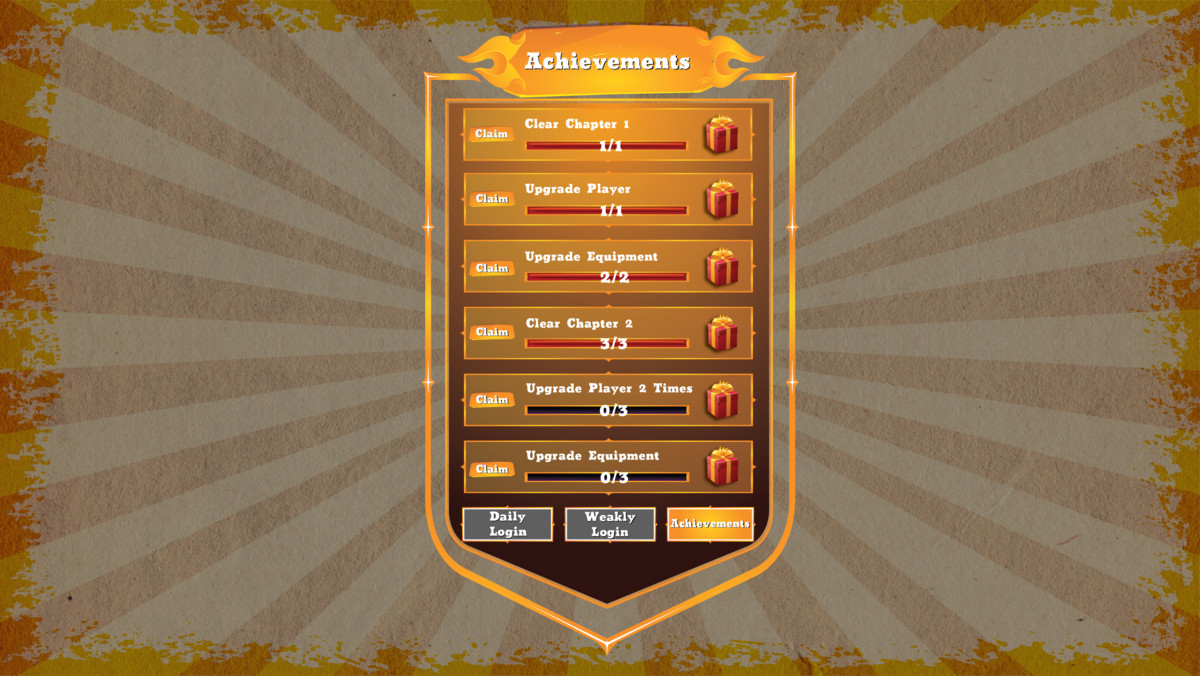
- Character-related screens
- Game navigation
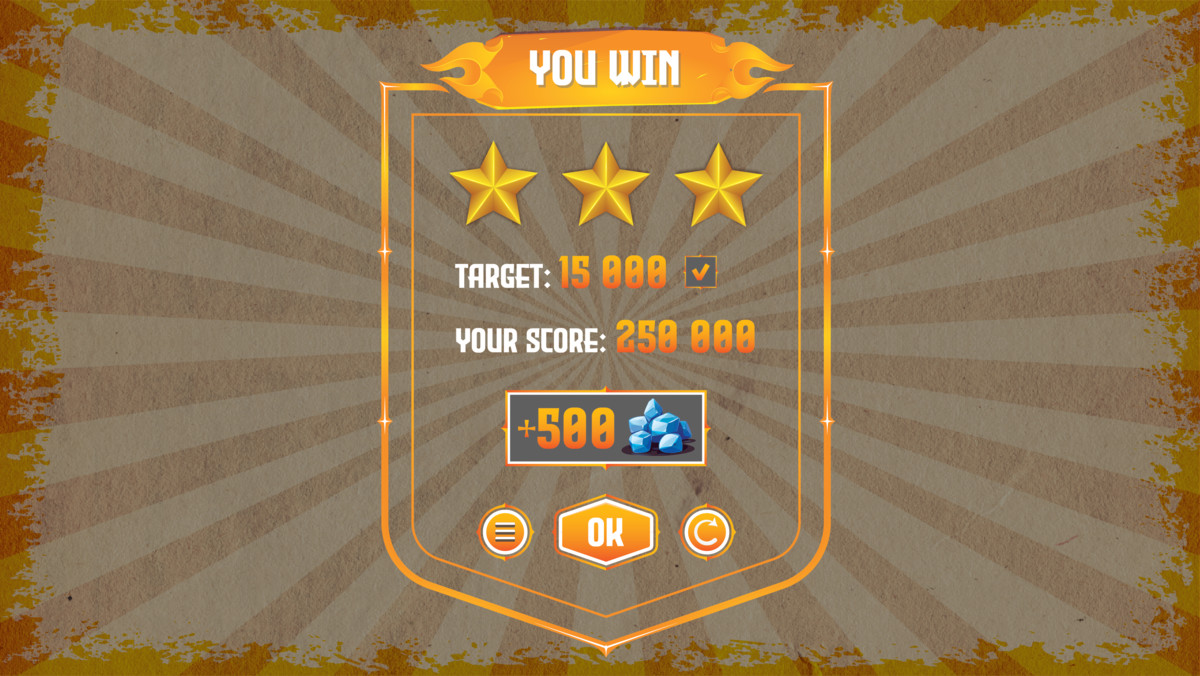
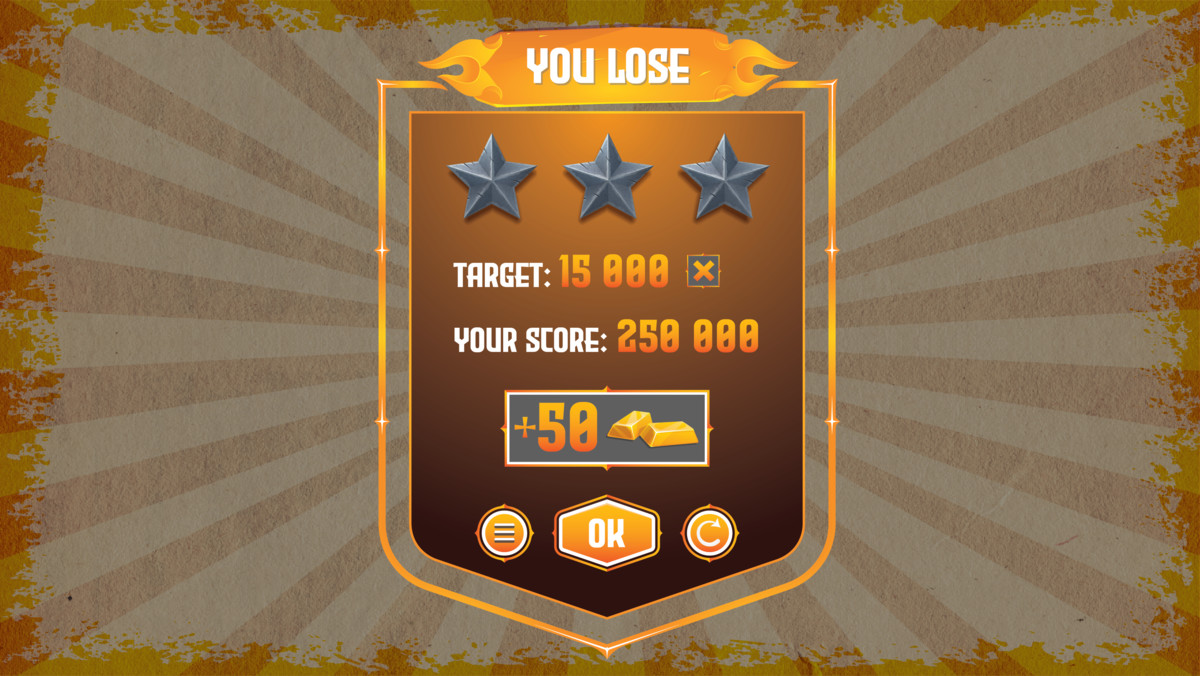
- Information panels
- Other custom game menus
Designed for More Than Western Games
Although the visual identity is inspired by the Wild West, the UI can be adapted for many different game types.
Use it for:
- Western RPGs
- Cowboy games
- Mobile RPGs
- Western shooters
- Adventure games
- Survival games
- Action games
- Strategy games
- Simulation games
- Casual games
- Indie game projects
Customize the interface to match your own gameplay, branding, colors, typography, and overall art direction.
Built for Unity
The package is designed for use inside Unity and supports multiple render pipelines.
Supported Unity Versions
- Unity 2022.3.62f3
- Unity 6000.3.16f1
Supported Render Pipelines
- Built-in Render Pipeline
- Universal Render Pipeline (URP)
- High Definition Render Pipeline (HDRP)
This makes the UI kit suitable for a wide range of Unity projects and production workflows.
Mobile-Focused UI
The interface is designed with mobile game development in mind, making it suitable for projects where clear navigation, readable interface elements, and efficient use of screen space are important.
Use the UI as a foundation for portrait or landscape game interfaces according to your project's requirements and layout.
Customize It for Your Game
The Wild West styling provides a strong starting point while leaving room for your own game's identity.
Adapt the UI to create your preferred:
- Colors
- Layouts
- Menus
- HUD configuration
- Inventory structure
- Shop structure
- Gameplay information
- Branding
- Game-specific screens
Combine the included elements to create your own unique interface rather than being limited to a single fixed game layout.
Ideal For
This UI kit is particularly useful for developers creating:
Mobile RPGs
Create a complete Western-inspired interface for your RPG project.
Cowboy & Western Games
Give your game an authentic frontier-inspired visual identity.
Adventure Games
Build menus, HUDs, inventory interfaces, shops, and gameplay screens.
Indie Games
Save development time by starting with an established UI foundation.
Prototypes & Production Projects
Use the UI during early prototyping or customize it for a full production game.
Key Features
- Wild West game UI theme
- Mobile RPG-focused design
- HUD UI
- Inventory UI
- Shop UI
- Menu UI
- Modular interface elements
- Customizable layouts
- Suitable for multiple game genres
- Built for Unity
- Built-in Render Pipeline support
- URP support
- HDRP support
- Unity 2022.3.62f3 compatibility
- Unity 6000.3.16f1 compatibility
Technical Information
Engine: Unity
Supported Unity Versions: 2022.3.62f3, 6000.3.16f1
Render Pipelines: Built-in, URP, HDRP
Primary Use: 2D Game UI / GUI
Target: Mobile and multi-genre Unity game projects
Package Size: Approximately 69.1 MB
Version: 1.0
For the exact number of UI assets, sprite dimensions, texture formats, fonts, scripts, prefabs, dependencies, and other package-specific technical specifications, please refer to the included package documentation and technical details.
Easy to Adapt
Use the included interface components as building blocks for your own game.
Whether you're creating a small indie Western adventure or a larger mobile RPG, the kit gives you a consistent visual foundation that can be adapted to your project's gameplay and design requirements.
Compatibility
This asset is currently listed as compatible with:
Unity 2022.3.62f3
- Built-in Render Pipeline
- Universal Render Pipeline
- High Definition Render Pipeline
Unity 6000.3.16f1
- Built-in Render Pipeline
- Universal Render Pipeline
- High Definition Render Pipeline
Important Information
This package is a UI/GUI asset kit and does not automatically provide a complete gameplay system, RPG framework, inventory backend, shop economy, player controller, or game logic unless specifically included in the package.
The included UI should be connected to your game's existing gameplay systems and logic according to your project's requirements.
Start Building Your Wild West Game
Give your Unity project a distinctive frontier identity with a UI kit designed around the needs of Western and RPG games.
Build your HUD. Customize your inventory. Create your shops. Design your menus.
Start with the Wild West aesthetic and make it your own.
From the publisher's Asset Store listing.
Technical details
Supported Unity Versions
- Unity 2022.3.62f3
- Unity 6000.3.16f1
Supported Render Pipelines
- Built-in Render Pipeline
- Universal Render Pipeline (URP)
- High Definition Render Pipeline (HDRP)
The asset is designed to integrate into Unity projects using any of the supported render pipelines listed above.
Asset Type
Category: 2D / GUI
Primary Use: Game UI / User Interface
Theme: Wild West / Cowboy / RPG
Target Platforms: Mobile-focused Unity projects
Use Cases: RPG, Western, Adventure, Action, Shooter, Survival, Strategy and Simulation games
Included UI Systems
The package is designed around the core interface requirements of a mobile RPG and includes UI components for:
- HUD
- Inventory
- Shop
- Game Menus
- Navigation Interfaces
- Gameplay Information
- RPG Interface Elements
- Custom Game Screens
The included elements can be combined and customized to create interfaces tailored to your game's gameplay and visual identity.
UI Design
The interface follows a cohesive Wild West-inspired visual direction designed to provide a consistent look across different game screens.
The UI can be adapted for different game requirements, including:
- Gameplay HUDs
- Inventory screens
- Item interfaces
- Shop interfaces
- Menu screens
- Information panels
- Character-related interfaces
- Custom gameplay screens
Customization
The UI is intended to be used as a flexible visual foundation rather than a fixed interface.
Depending on your project requirements, you can customize and rearrange the available interface elements to create your own:
- HUD layouts
- Inventory layouts
- Shop layouts
- Menu structures
- Information panels
- Game-specific screens
- Navigation layouts
- Visual hierarchy
This allows developers to adapt the visual system to their own gameplay and branding.
Mobile UI Considerations
The asset is designed with mobile game interfaces in mind.
When implementing the UI in your project, developers can configure their Canvas, anchors, scaling settings and layouts according to their target device resolutions and aspect ratios.
For best results, configure the Unity Canvas and Canvas Scaler according to the resolution and orientation requirements of your game.
Recommended testing should include the target devices and aspect ratios supported by your project.
Render Pipeline Compatibility
Built-in Render Pipeline
Compatible with Unity's Built-in Render Pipeline for projects using the standard Unity rendering workflow.
Universal Render Pipeline
Compatible with URP-based Unity projects and suitable for modern mobile-focused workflows.
High Definition Render Pipeline
Compatible with HDRP projects where the UI is used alongside high-fidelity 3D environments and gameplay.
Package Size
Approximate Package Size: 69.1 MB
The package size may vary depending on the Unity Asset Store package version and included content.
Unity Version Compatibility
Unity VersionBuilt-inURPHDRPUnity 2022.3.62f3✓✓✓Unity 6000.3.16f1✓✓✓
Always test the package in your target Unity version before beginning production integration.
Project Integration
The UI kit is intended to be integrated into an existing Unity project.
Typical integration workflow:
- Import the package into your Unity project.
- Open the included UI assets and relevant scenes/content.
- Review the available UI components.
- Select the screens and elements required by your game.
- Configure the UI hierarchy and layout.
- Connect the visual UI to your existing gameplay systems.
- Customize the interface to match your game's requirements.
- Test the interface on your target resolutions and devices.
Gameplay System Integration
This package provides the UI/visual interface foundation.
Unless explicitly included in the package, the following gameplay systems are not automatically provided:
- Player controller
- RPG progression system
- Inventory backend/database
- Item management logic
- Shop/economy logic
- Currency management
- Save/load system
- Character statistics system
- Gameplay interaction system
- Multiplayer/networking system
Developers can connect the UI to their own gameplay systems or existing frameworks.
Performance & Optimization
UI performance depends on how the interface is implemented within the final project.
For mobile projects, developers should follow Unity UI optimization practices, including:
- Avoiding unnecessary UI elements being active simultaneously
- Limiting excessive Canvas rebuilds
- Using appropriate Canvas organization
- Avoiding unnecessary transparent UI layers
- Optimizing large UI textures where appropriate
- Testing on the actual target mobile hardware
- Disabling or removing UI elements that are not required
Performance can vary depending on the final UI configuration, project settings, target device, resolution, and other assets and systems running in the project.
Resolution & Scaling
The UI should be configured according to your project's target resolution and aspect ratio.
For mobile projects, recommended implementation practices include:
- Configure the Canvas Scaler appropriately
- Use anchors for responsive positioning
- Test portrait and landscape layouts when required
- Test multiple aspect ratios
- Verify readability on different screen sizes
- Test touch interaction areas on physical devices
Actual responsiveness depends on the final Canvas hierarchy and layout configuration implemented by the developer.
Customization Workflow
The asset can serve as a starting point for creating a complete game-specific interface.
Developers can combine available UI components to create:
HUD → Inventory → Shop → Character → Menu → Settings → Gameplay Screens
The visual system can be adapted to fit different Western, RPG and mobile game concepts.
Dependencies
Required External Assets: None unless otherwise specified by the package documentation.
If your project uses additional frameworks, systems, fonts, plugins or third-party assets to implement gameplay functionality, those dependencies should be installed and configured separately.
Third-Party Content
Please refer to the included documentation and package notices for information regarding any third-party content, licenses or dependencies included with the package.
Where applicable, third-party licenses and notices are provided with the asset.
Documentation
The package documentation should be consulted for:
- Installation
- Package structure
- UI setup
- Customization
- Integration
- Compatibility
- Troubleshooting
- Third-party notices
- Additional technical information
Version Information
Current Version: 1.0
Release Date: July 7, 2026
Future updates may add improvements, additional UI components, compatibility updates, bug fixes or other enhancements.
Important Compatibility Note
Although the asset is listed as compatible with the Unity versions and render pipelines specified above, Unity projects can contain different packages, project settings, third-party frameworks and custom configurations.
Always test the asset in your intended production environment before deployment.
Technical Summary
SpecificationDetailsAsset Type2D / GUIUI ThemeWild West / Cowboy / RPGPrimary TargetMobile Game DevelopmentUnity 2022.3.62f3✓Unity 6000.3.16f1✓Built-in RP✓URP✓HDRP✓HUD✓Inventory UI✓Shop UI✓Menu UI✓Package Size~69.1 MBVersion1.0Release DateJuly 7, 2026
Developer Note
This asset is primarily a UI/GUI visual kit. It provides the visual foundation for creating a Wild West-themed game interface, while gameplay functionality and data systems should be connected according to the architecture of your Unity project.
For the best results, test the UI on your target devices and resolutions and customize the included components according to your game's specific requirements.
Compatibility
| Unity version | Built-in | URP | HDRP | Custom |
|---|---|---|---|---|
| 6000.3.16f1 | Compatible | Compatible | Compatible | Compatible |
| 2022.3.62f3 | Compatible | Compatible | Compatible | Compatible |
As listed on the Asset Store.