
 View on Asset Store (opens in new tab)
Package details
- Latest version
- 1.0
- Last updated
- First released
- Unity version
- 6000.3.9 or later
- Package size
- 430 KB
- Files
- 171
- Favorites
- 1
- Views in the past week
- 4
Price tracking
- Last checked
- Tracked since
- Lowest recorded
- $39.99 on
Keywords
- Search for Import Settings
- Search for Project Size
- Search for Unity build size
- Search for Build Report
- Search for unity presets
- Search for model importerthird party noti
- Search for Reduce Build Size
- Search for asset import validator
- Search for Audio Importer
- Search for Build Size Analyzer
- Search for File Size
- Search for Texture Importer

Build Quality Toolkit for Unity
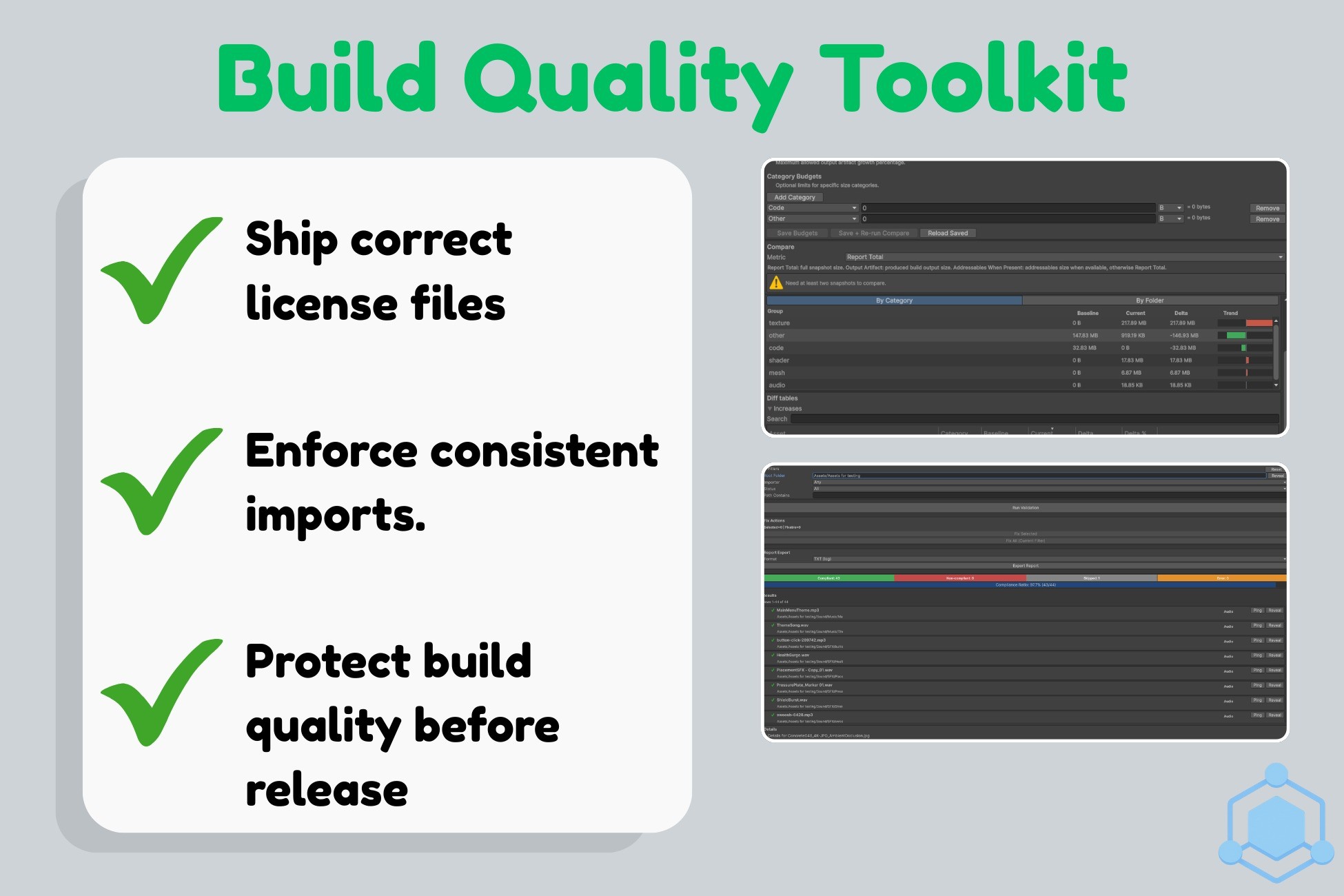
Build Quality Toolkit for Unity: stop build size bloat, auto-fix import settings, and generate third-party notices/credits for faster, safer releases with CI-friendly enforcement.
Affiliate link · Purchases support this site
Price history
Last 6 months
USDAsset preview
1 / 26
Build Quality Toolkit for Unity screenshot 1
About this asset
Build Quality Toolkit for Unity is a suite of three Editor tools that prevents common “late in the cycle” problems:
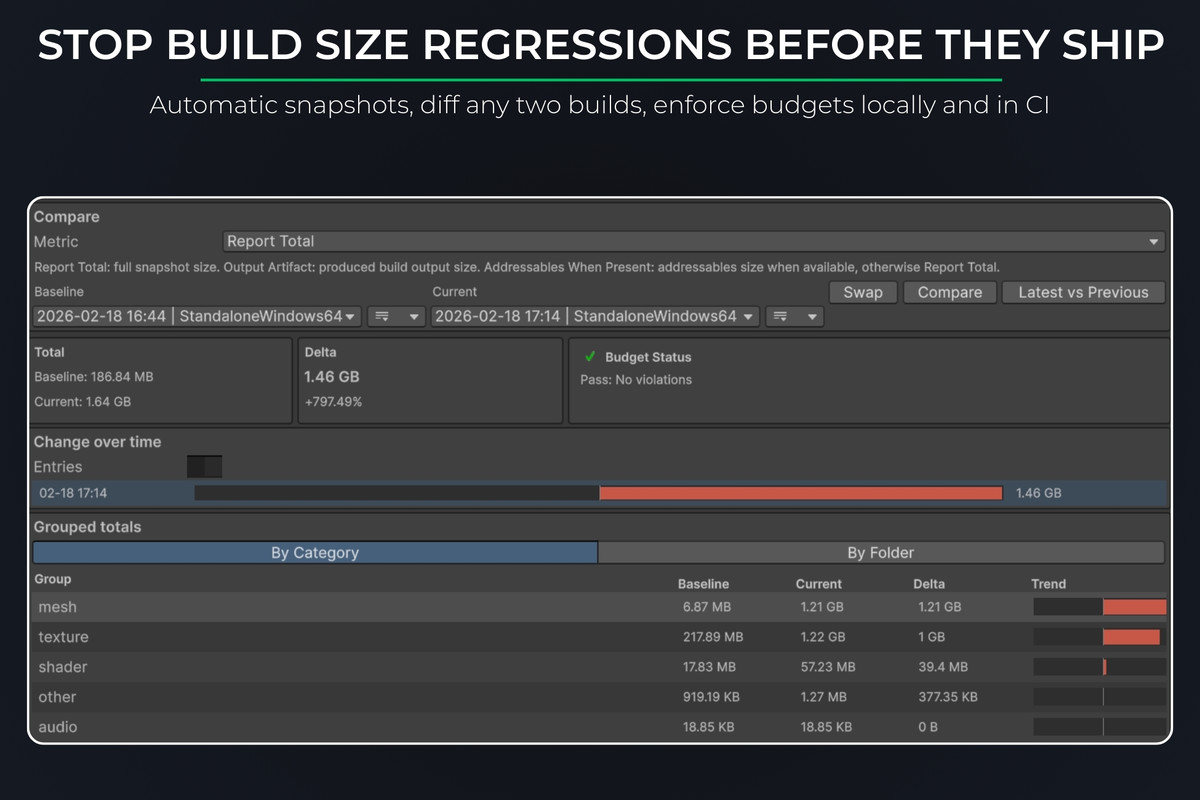
- Build size regressions that slip into releases
- Import setting drift across textures, audio, and models
- Third-party license and credits compliance work turning into a last-minute scramble
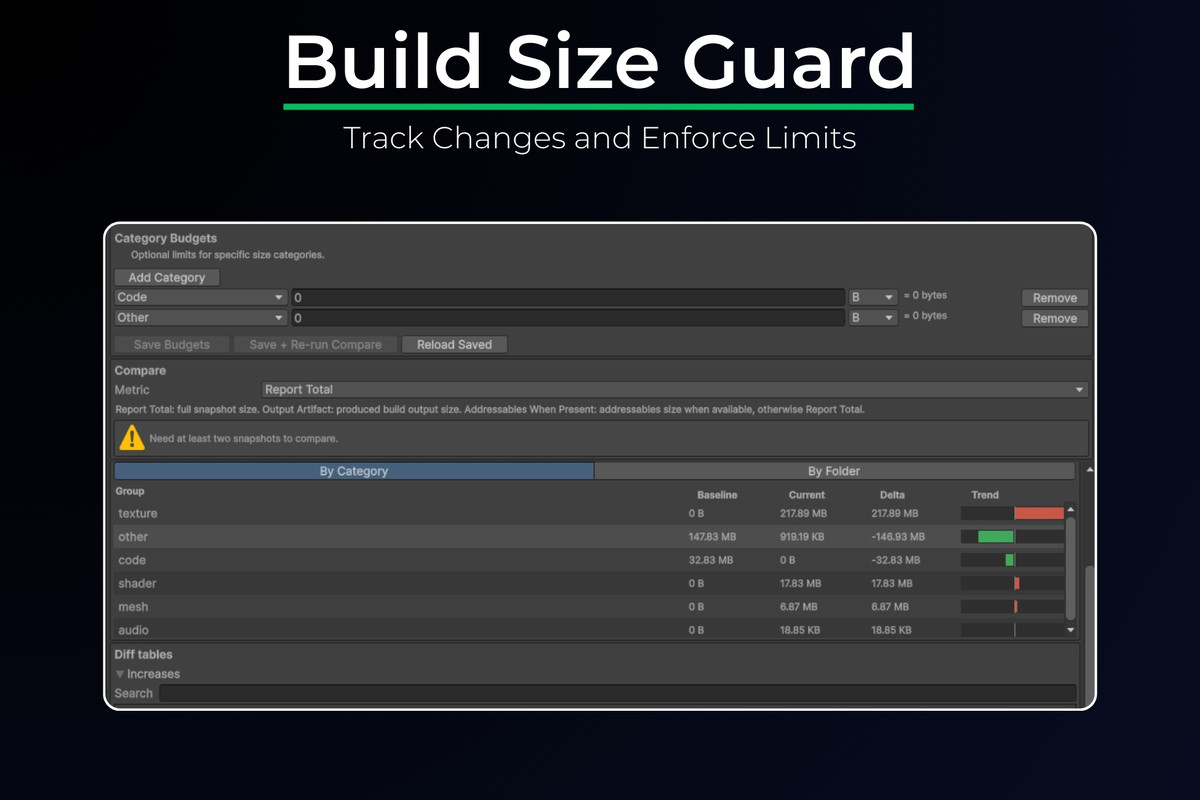
1) Build Size Guard: Track Changes and Enforce Limits
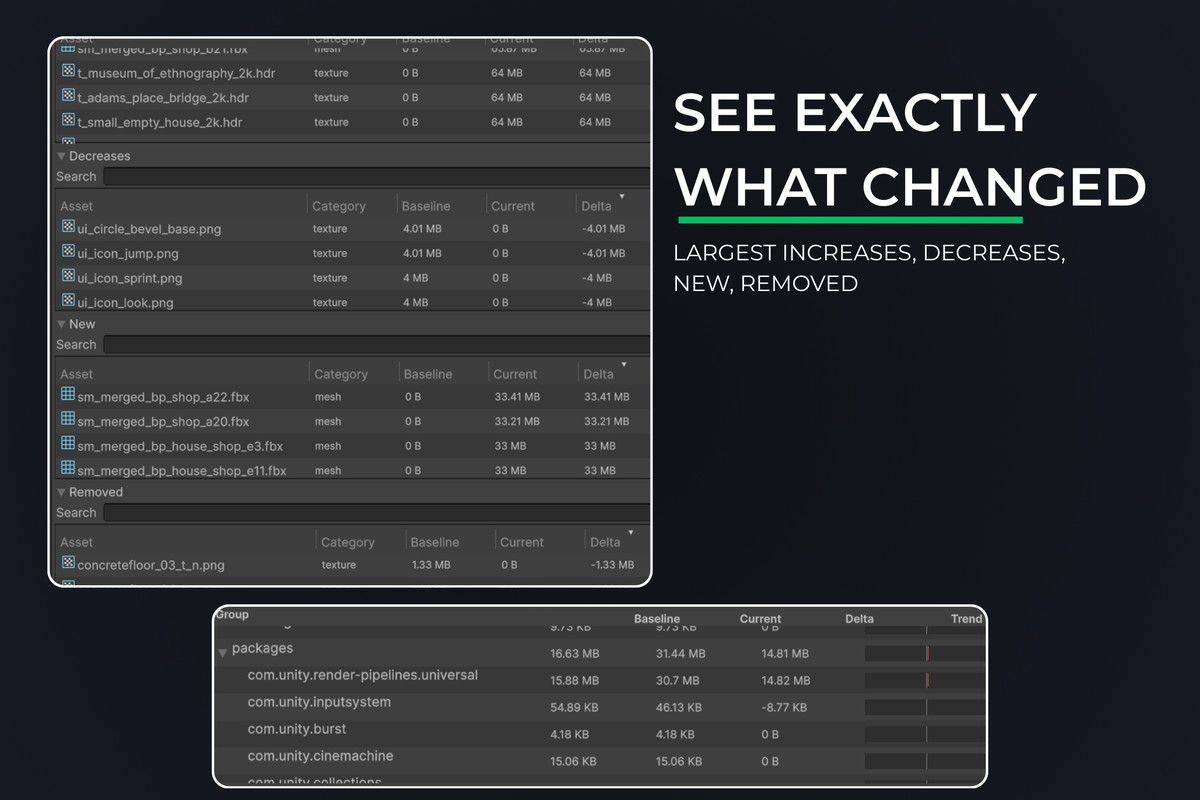
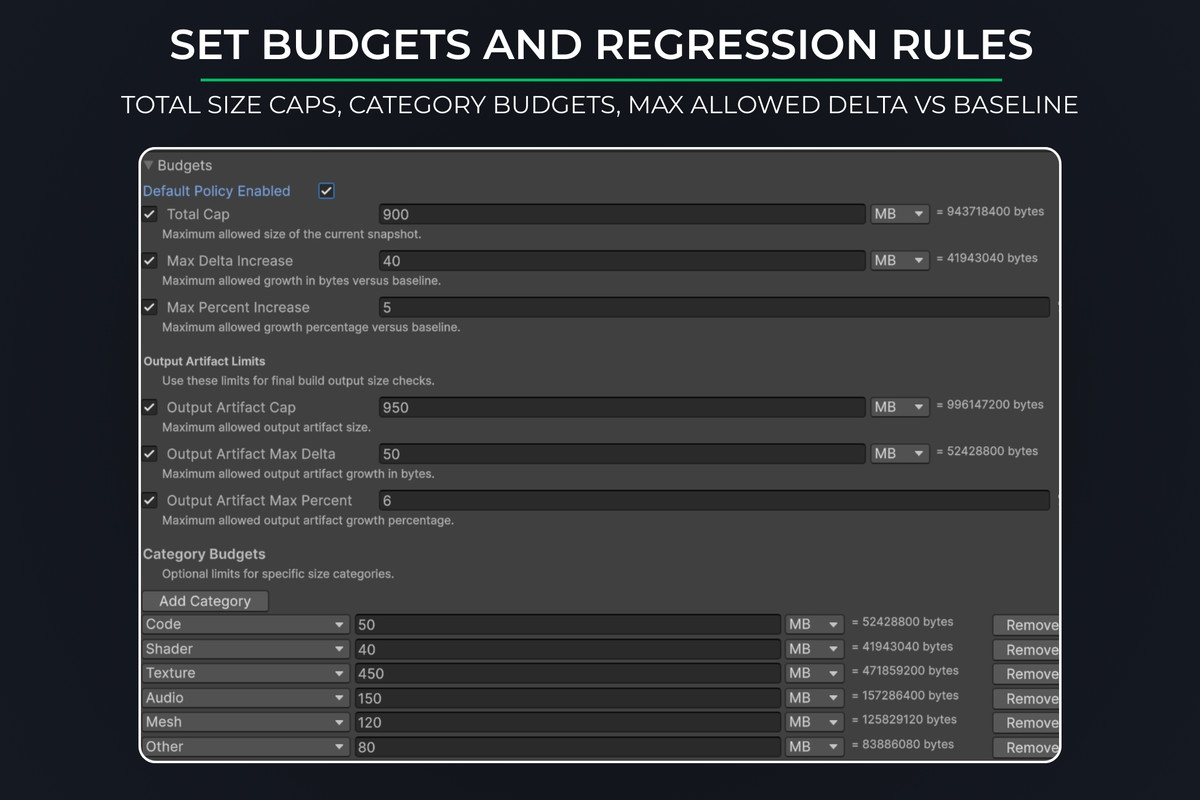
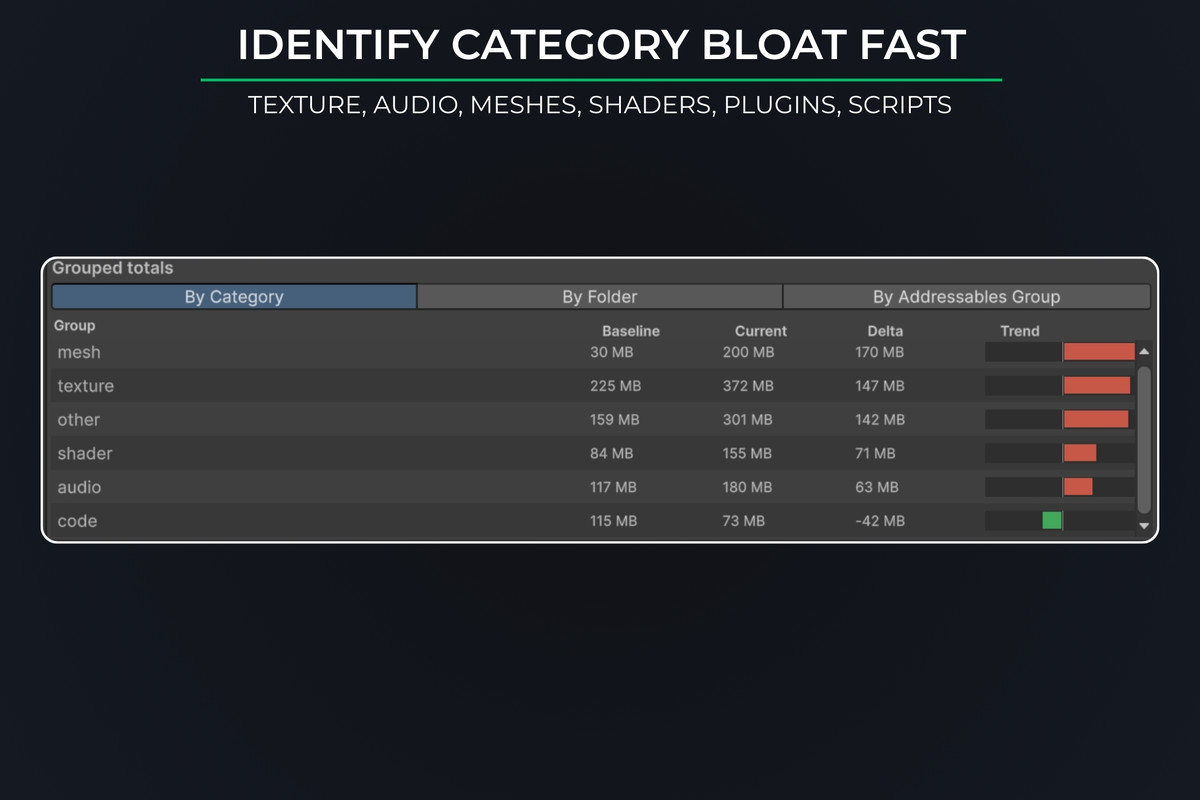
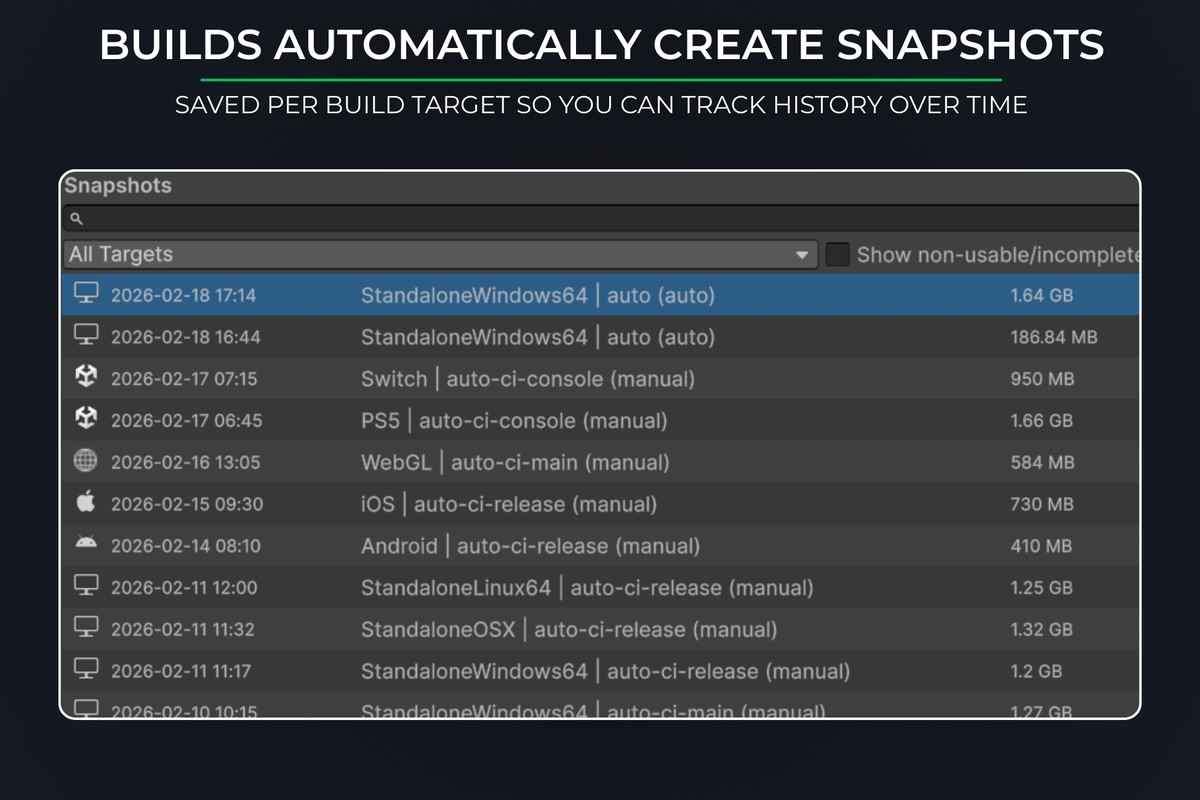
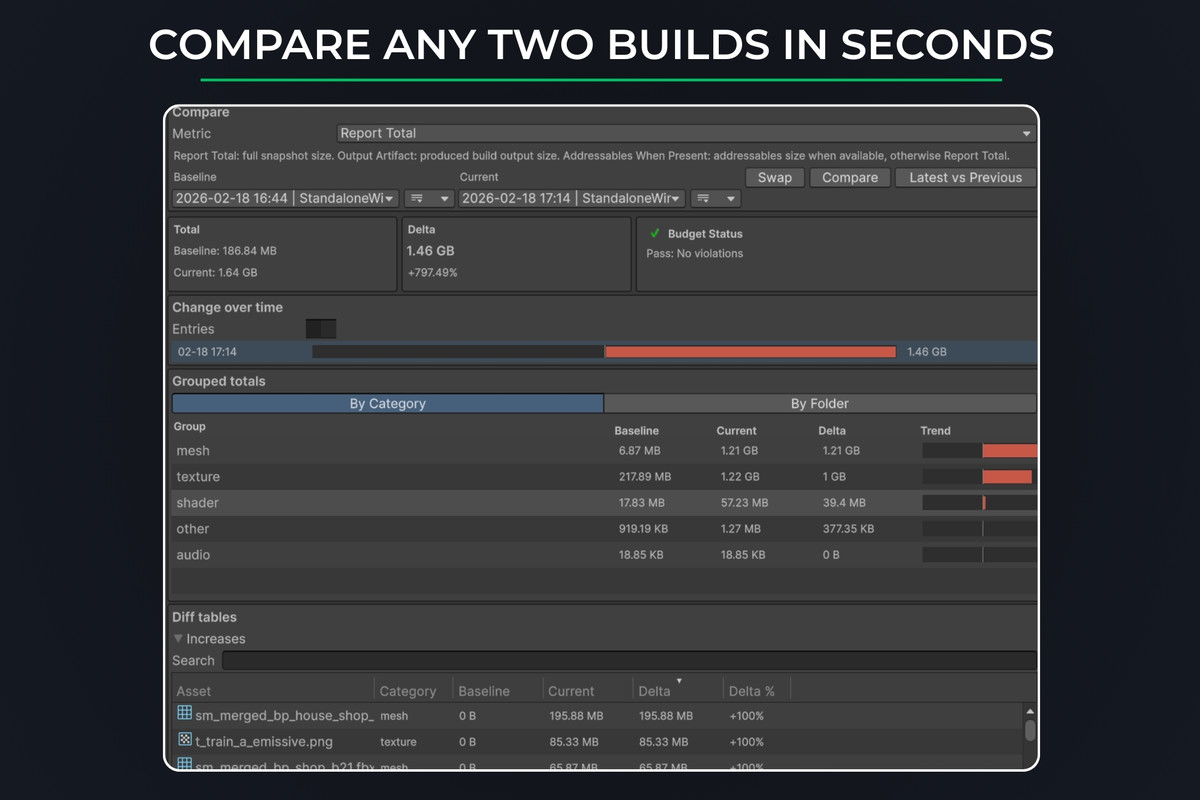
Automatically records build size snapshots per target, compares any two builds, shows exactly what changed, and can enforce size budgets locally and in CI.
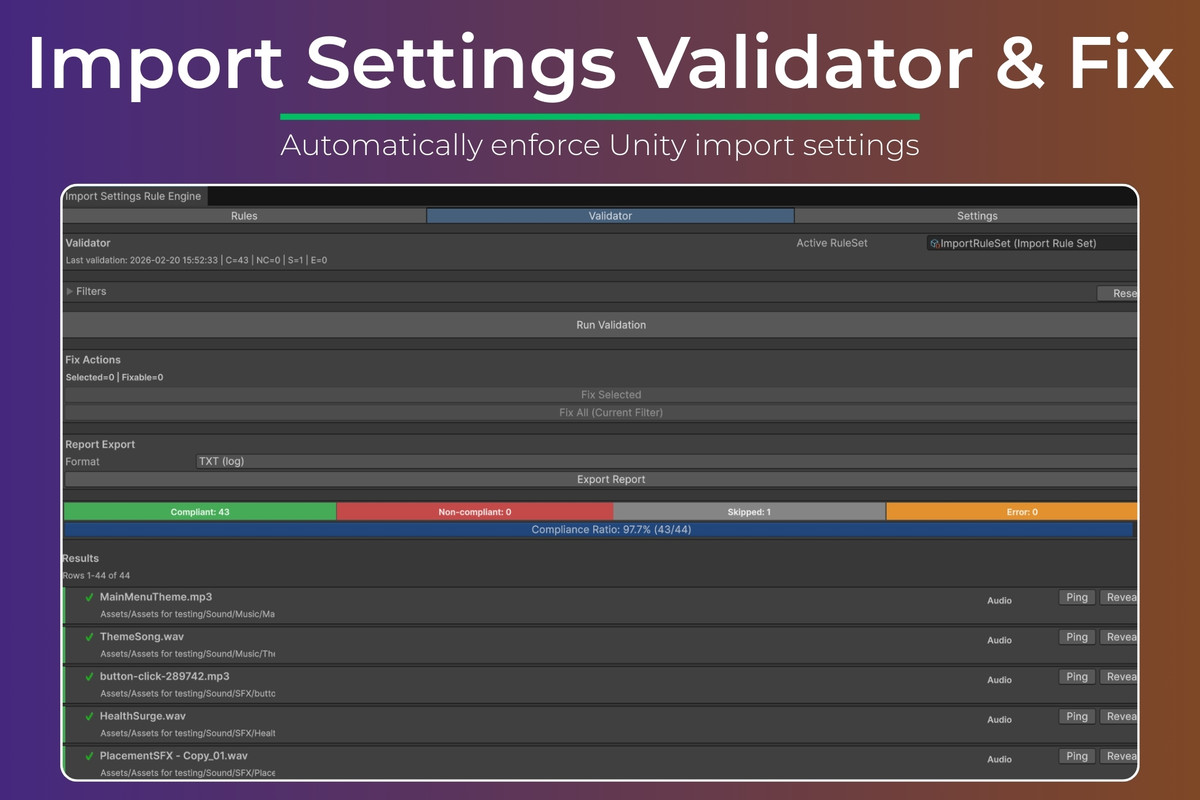
2) Import Settings Validator & Fix
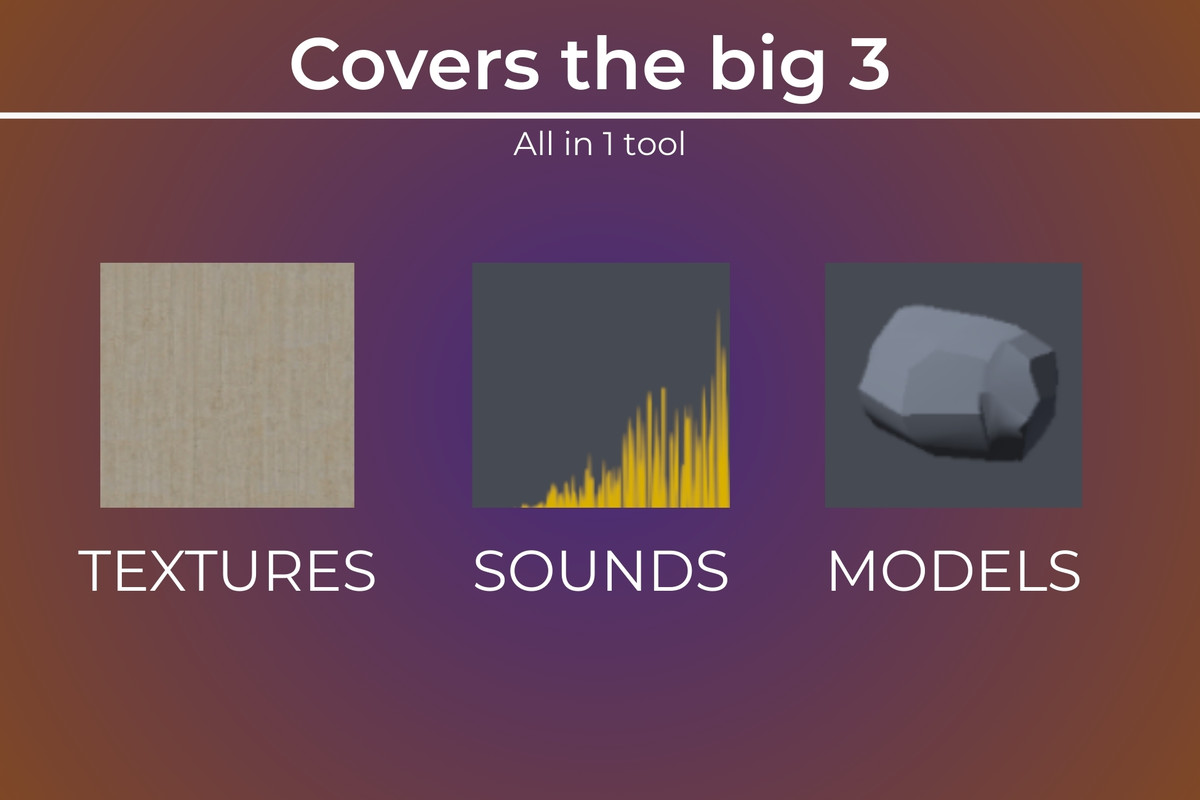
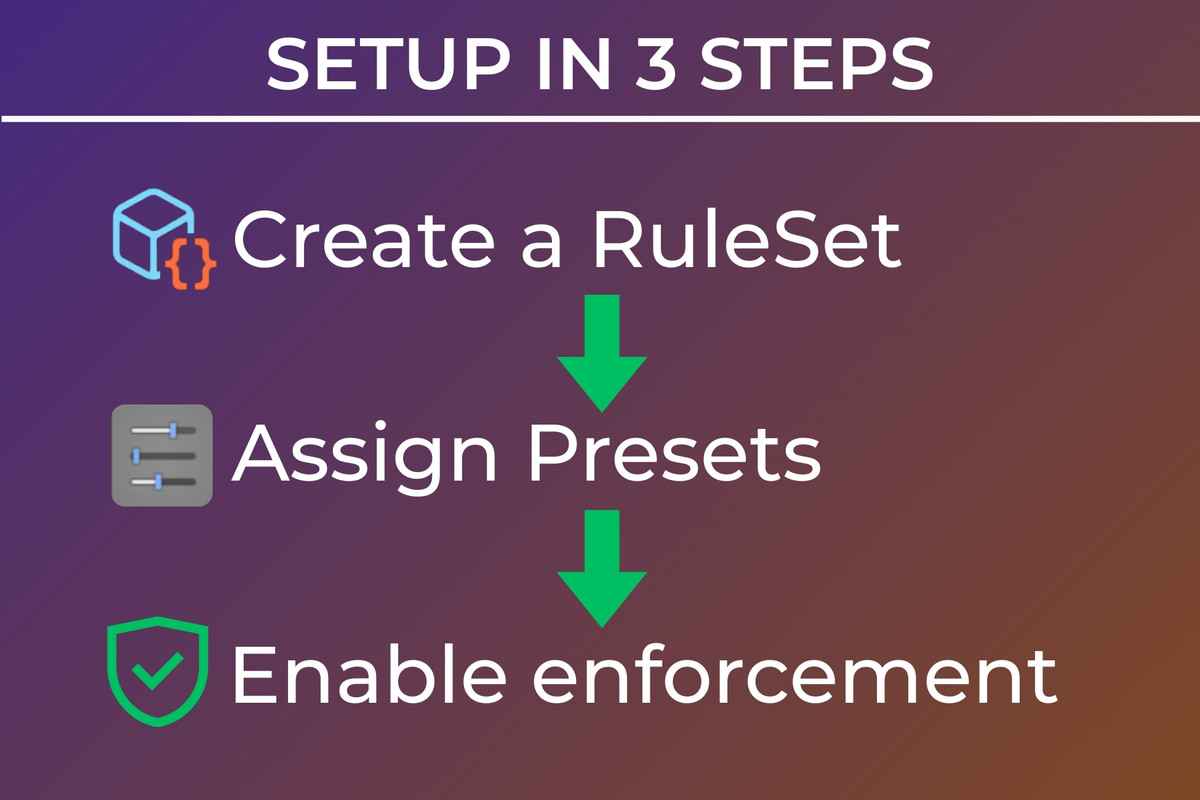
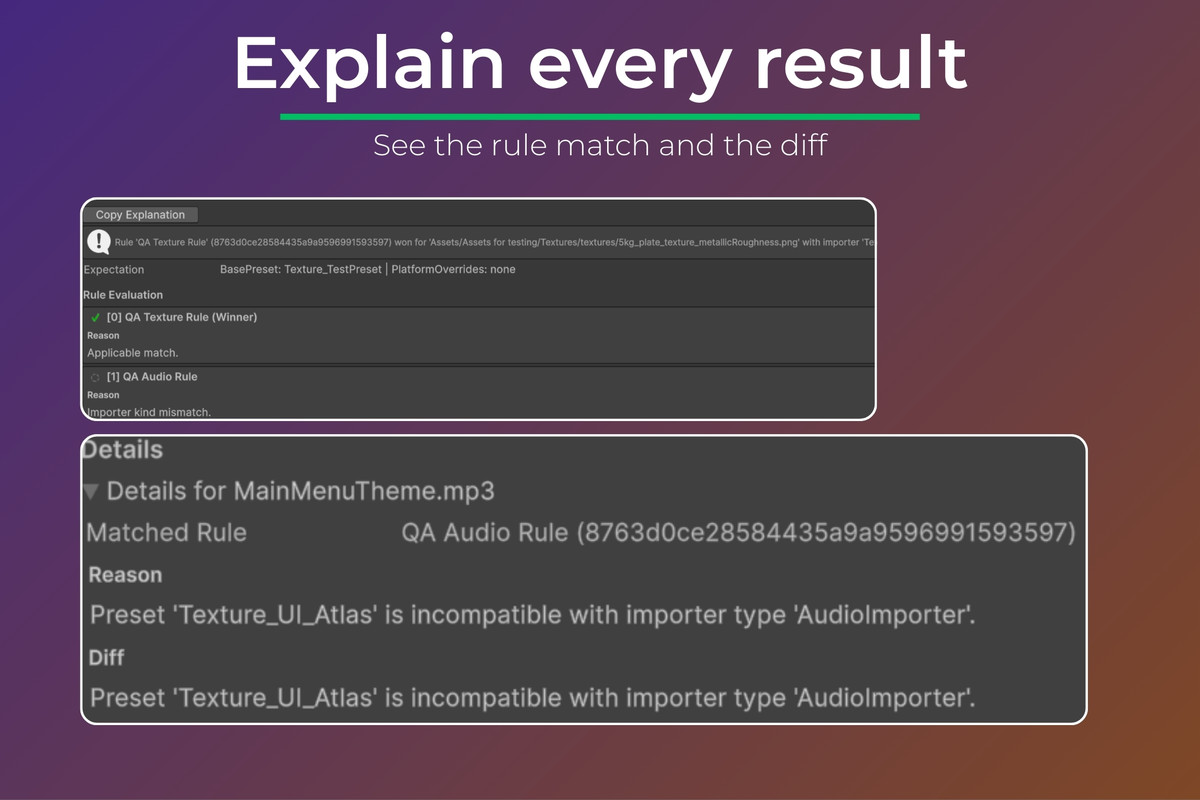
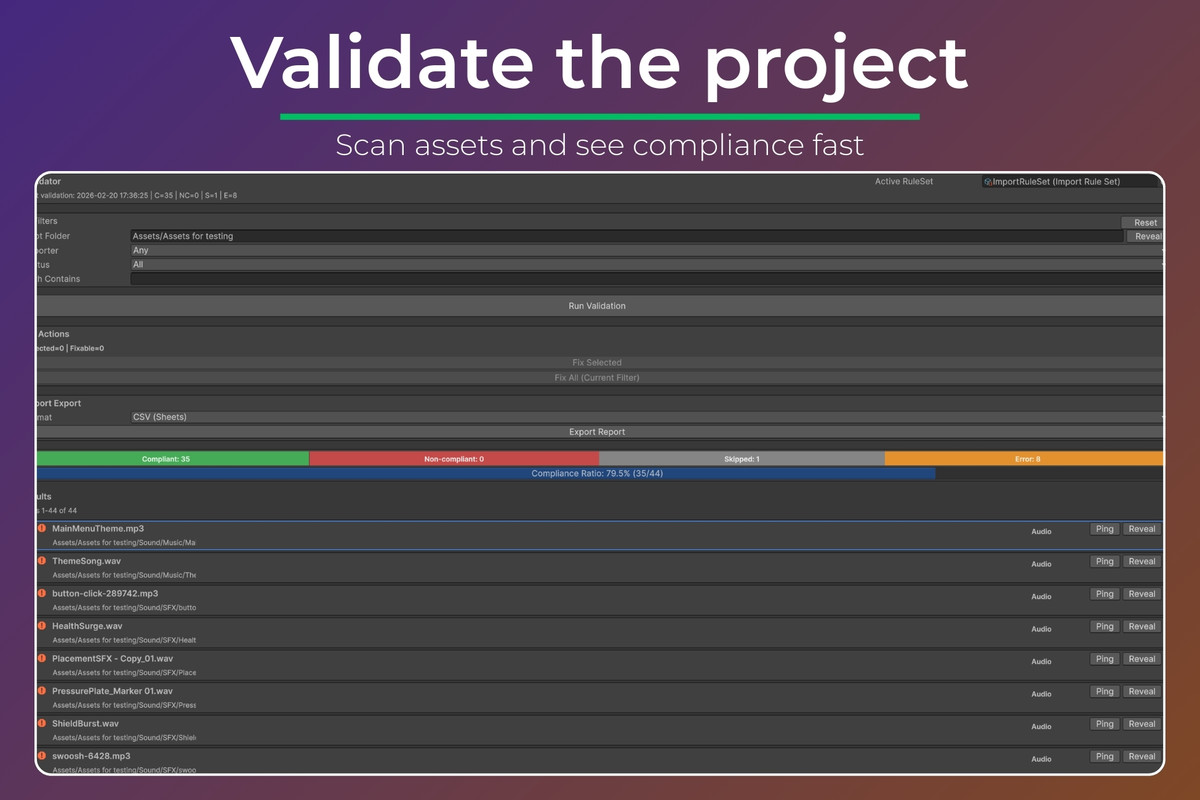
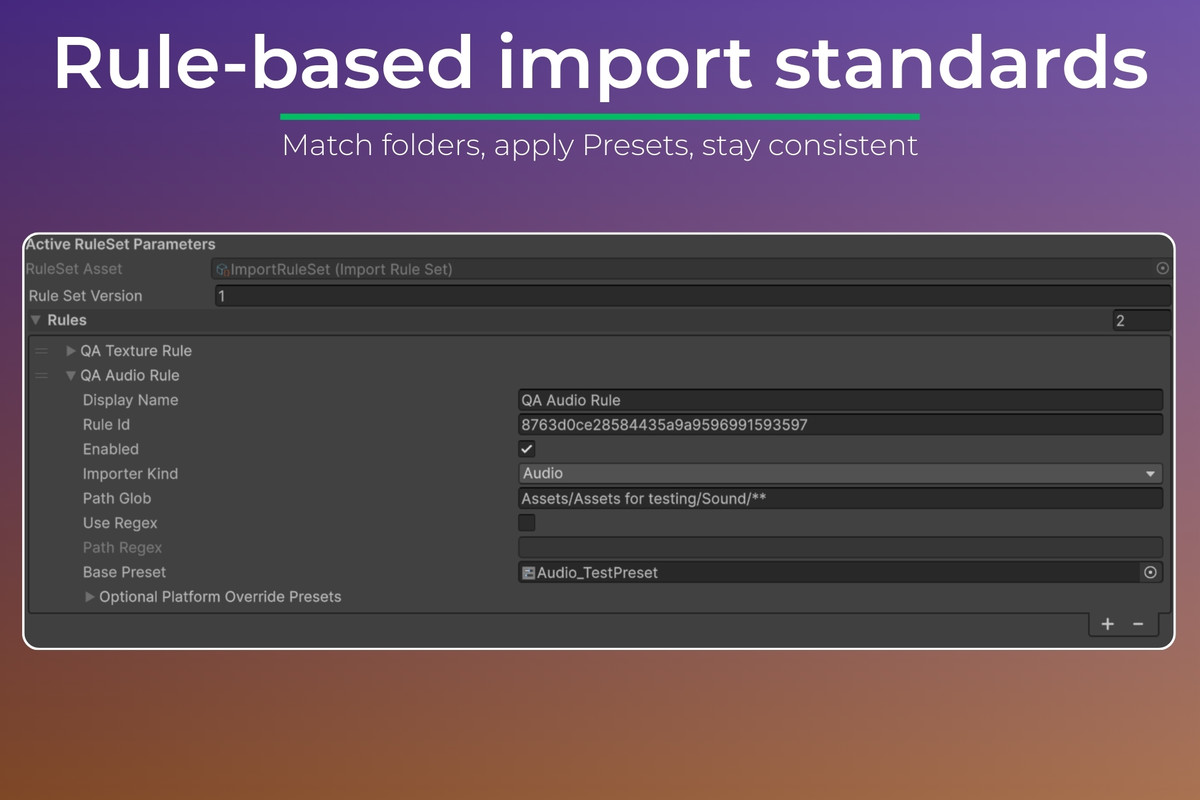
Define import standards once (rules + Unity Presets), then automatically validate and correct Textures, Audio, and Models on import or via full-project scans. Includes dry-run, explain view, and reporting.
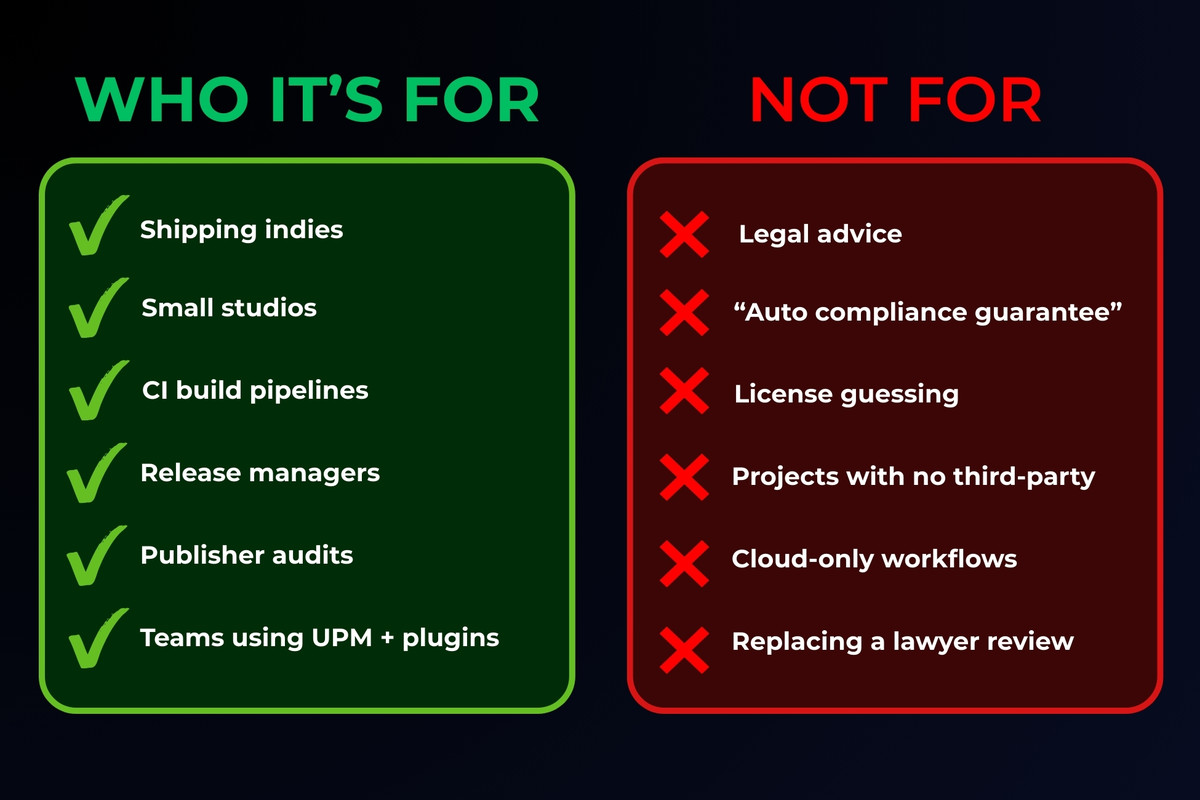
3) Third-Party Notices & Credits: License Compliance
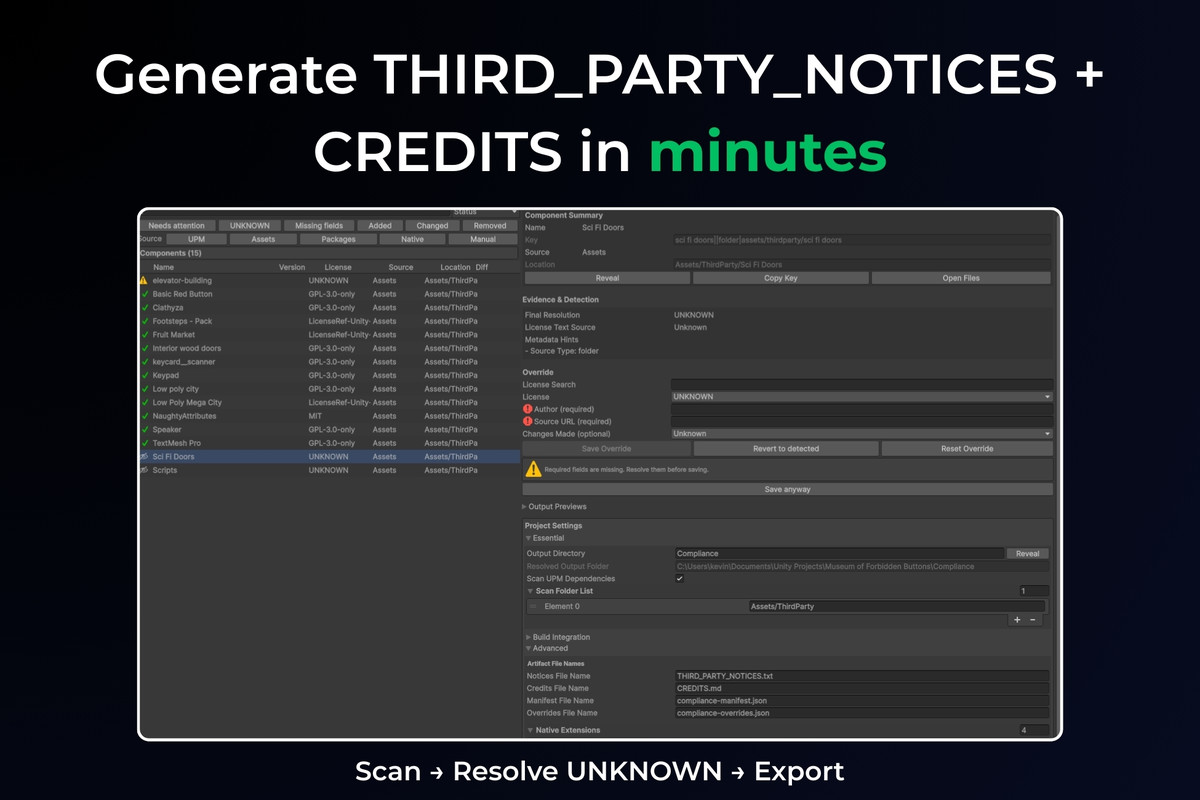
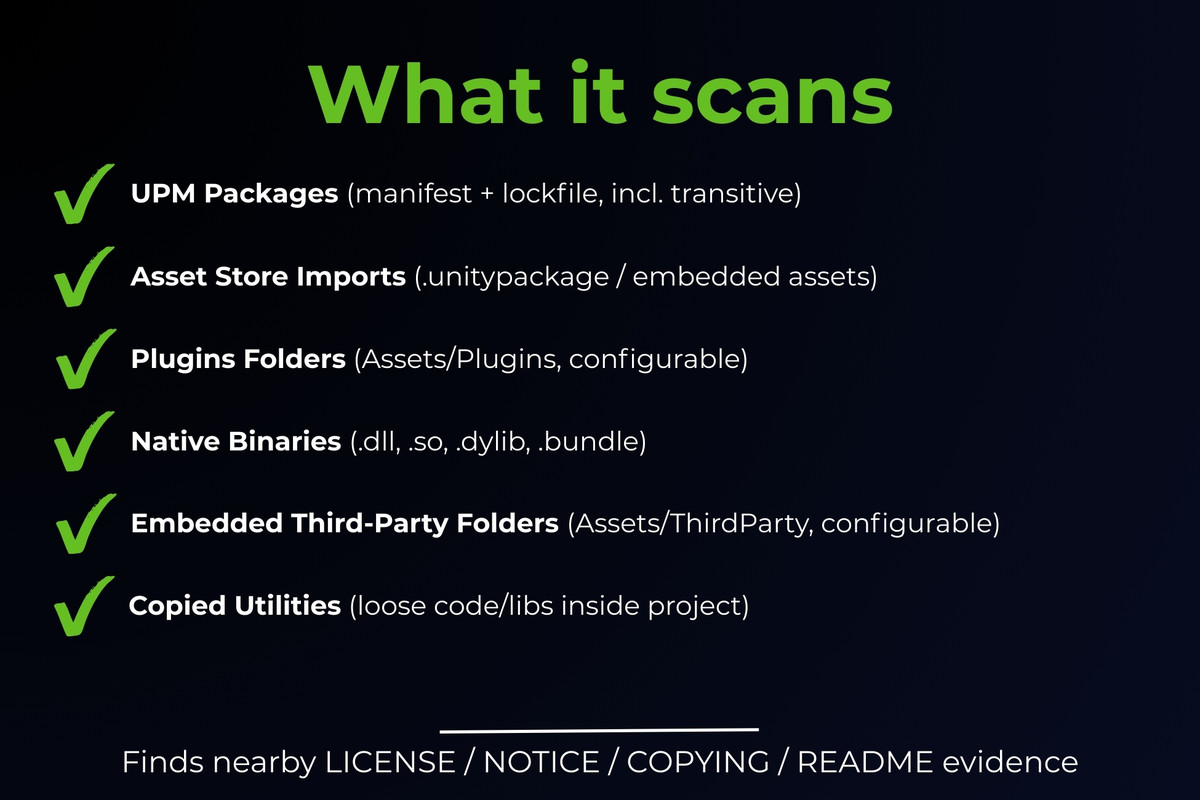
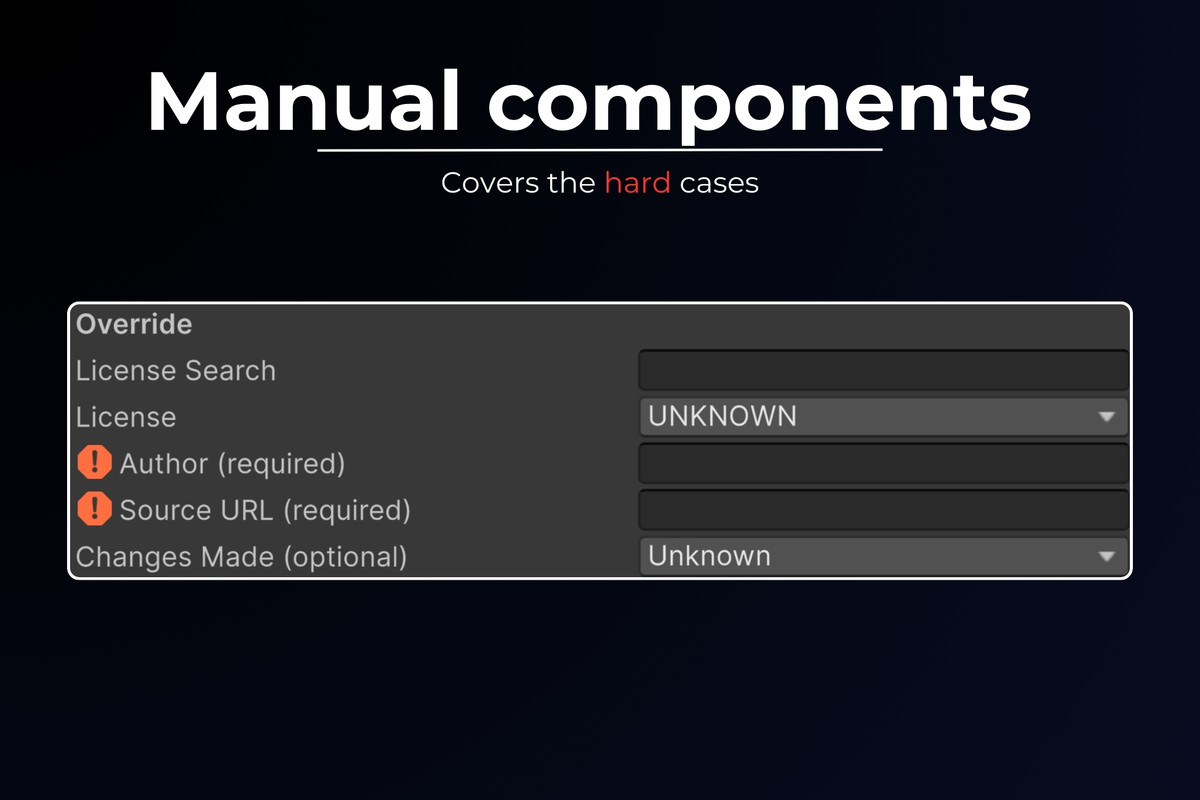
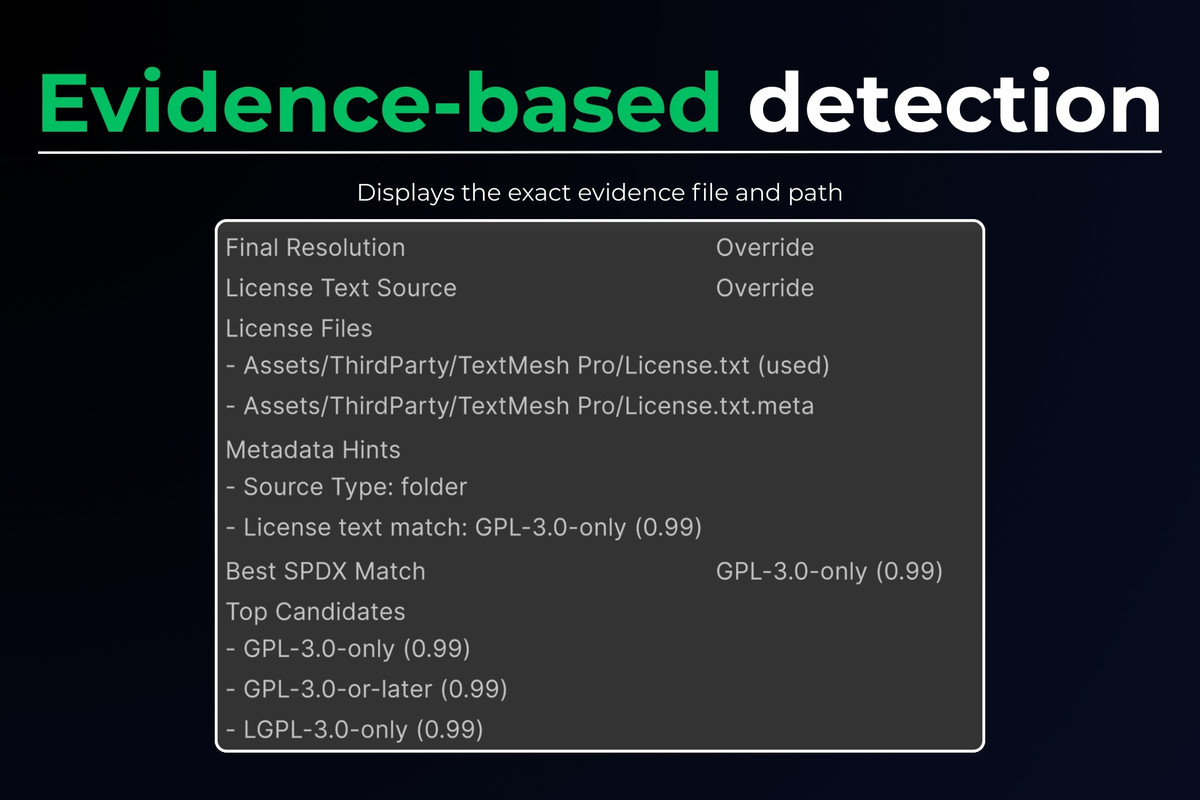
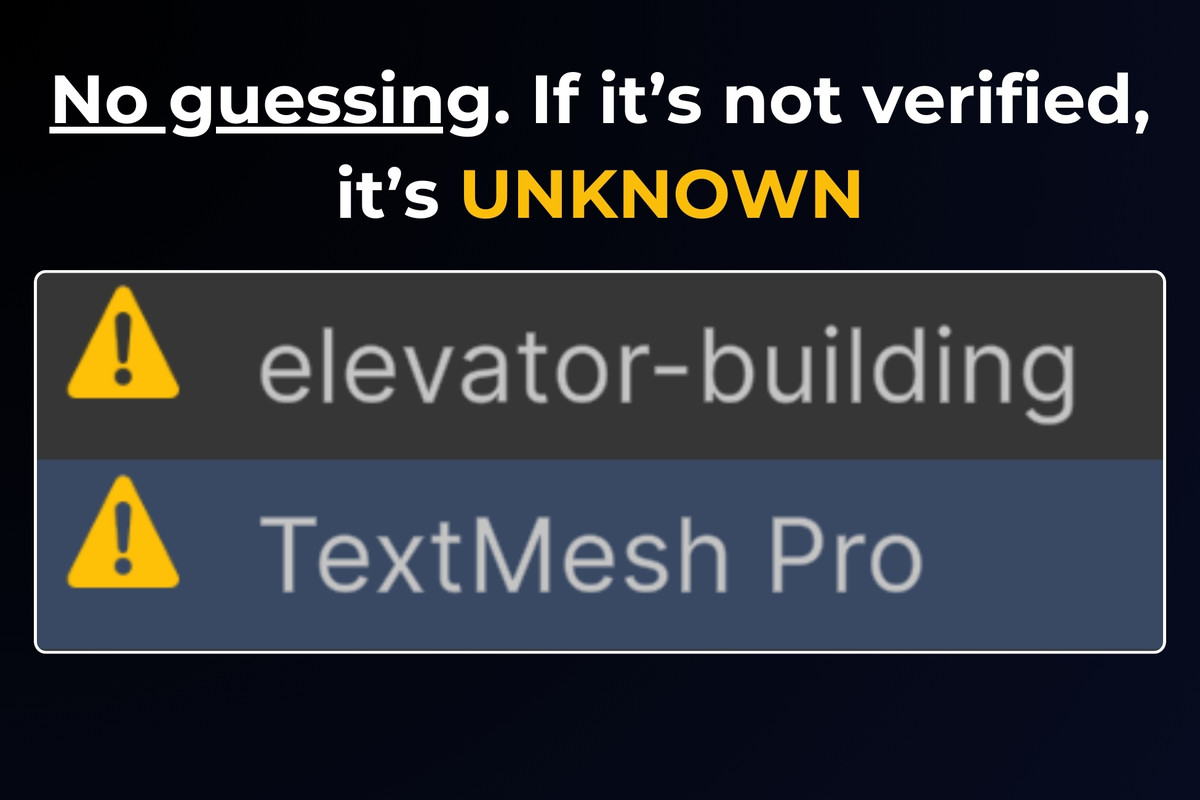
Scans your project for third-party components, surfaces UNKNOWN items (no silent guessing), and exports deterministic, release-ready compliance files:
- THIRD_PARTY_NOTICES.txt
- CREDITS.md
- compliance-manifest.json
Typical workflow
- Run your normal builds and imports.
- Investigate issues in minutes (what grew, what drifted, what is UNKNOWN).
- Export reports and enforce standards gradually (warn first, then fail builds in CI).
Important: claiming the included tools
This listing is delivered via Unity’s Upgrade system. After purchase, claim each included package via the Asset Store “Upgrades” flow (they become free to add to your account).
From the publisher's Asset Store listing.
Technical details
What you get
Editor-only extensions (no runtime footprint) covering:
- Build size tracking, comparisons, and budget enforcement
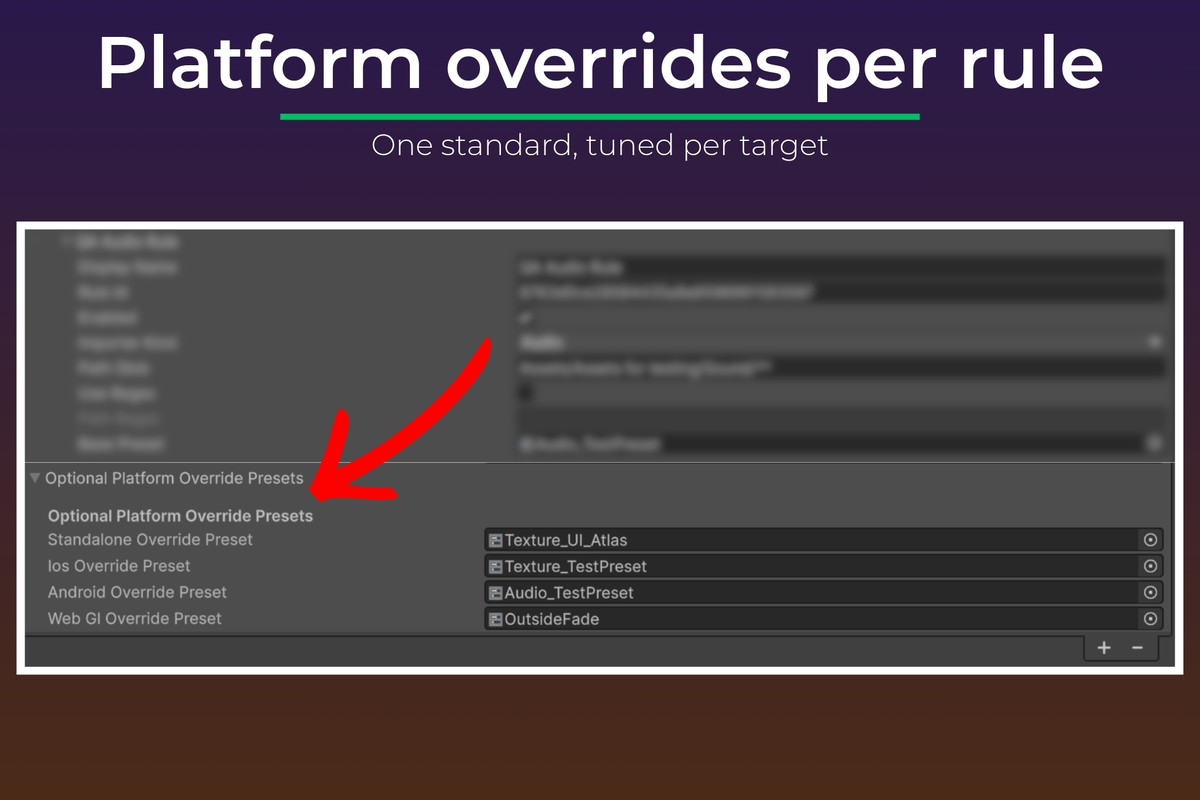
- Import setting validation and automatic fixes using Unity Presets
- Third-party license/credits scanning and deterministic export
Build Size Guard
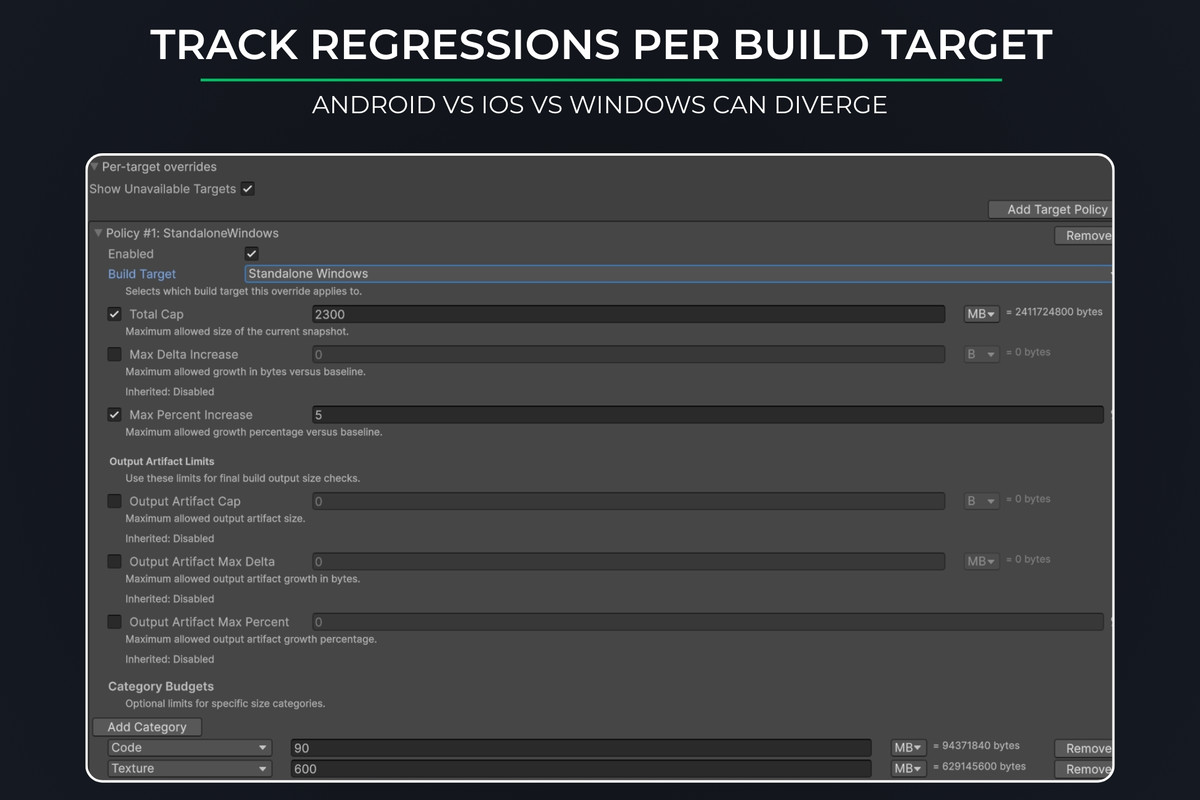
- Automatic build snapshots saved per build target
- Compare any two builds: total delta + top contributors
- Grouping views (by folder/path and by category)
- Budget rules (total size, optional regression limits, optional category limits when Unity reporting supports it)
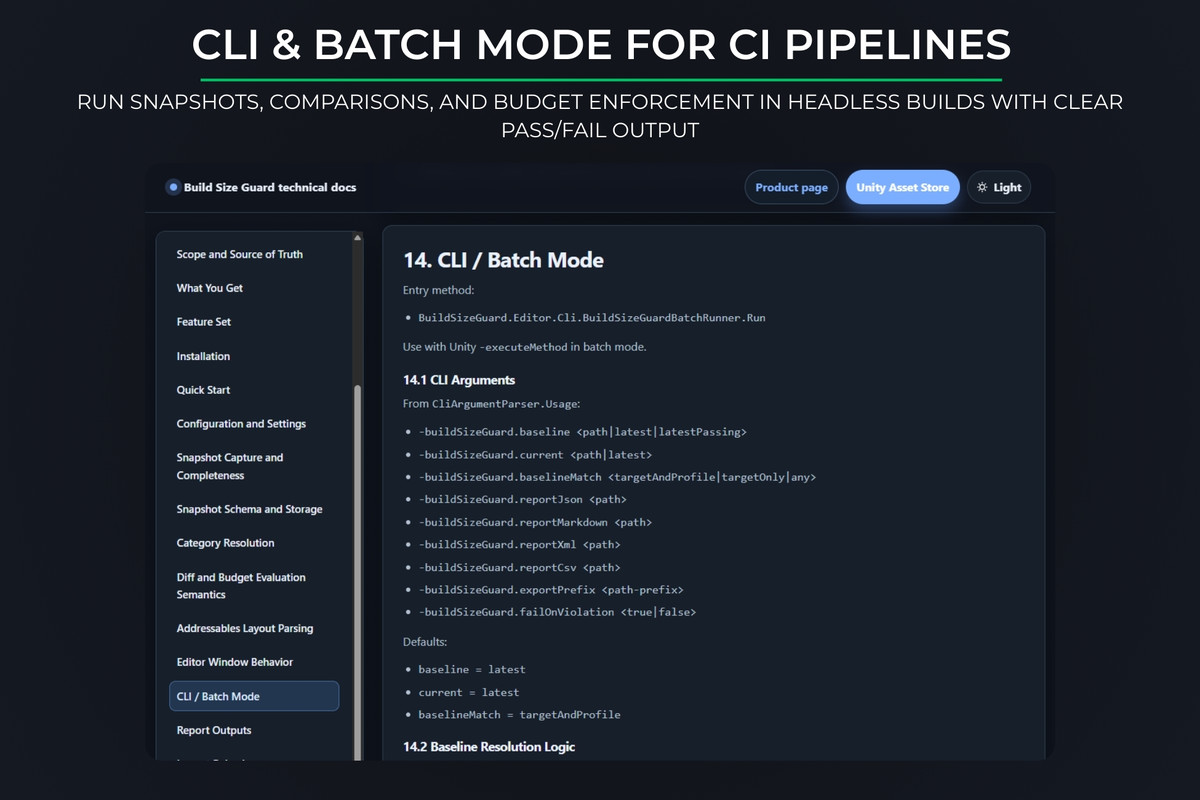
- CI-friendly outputs and optional fail-fast enforcement
Import Settings Validator & Fix
- Rules based on folder path + asset type (Textures, Audio, Models)
- Each rule maps to a Unity Preset
- Enforces on import/reimport and via full-project scans
- Dry run mode to preview changes
- Reimports only when settings differ
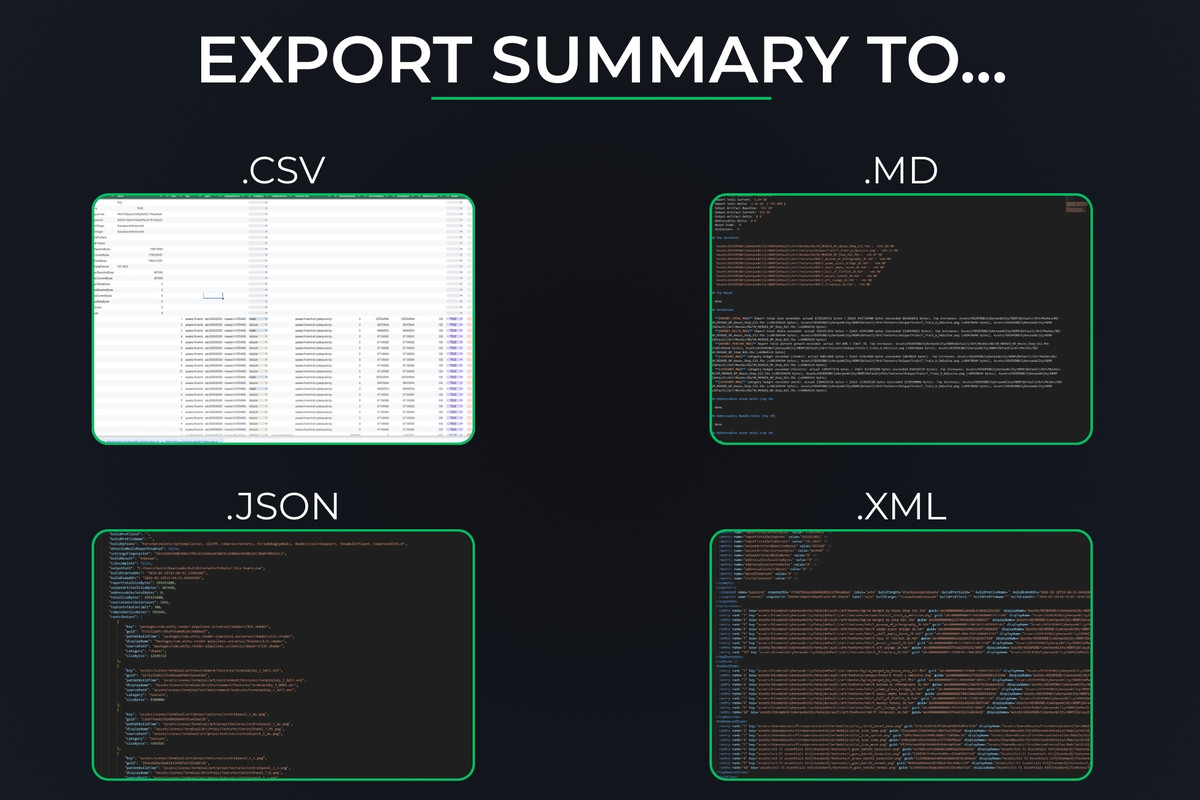
- Explain view, clear logging, and exportable compliance reports
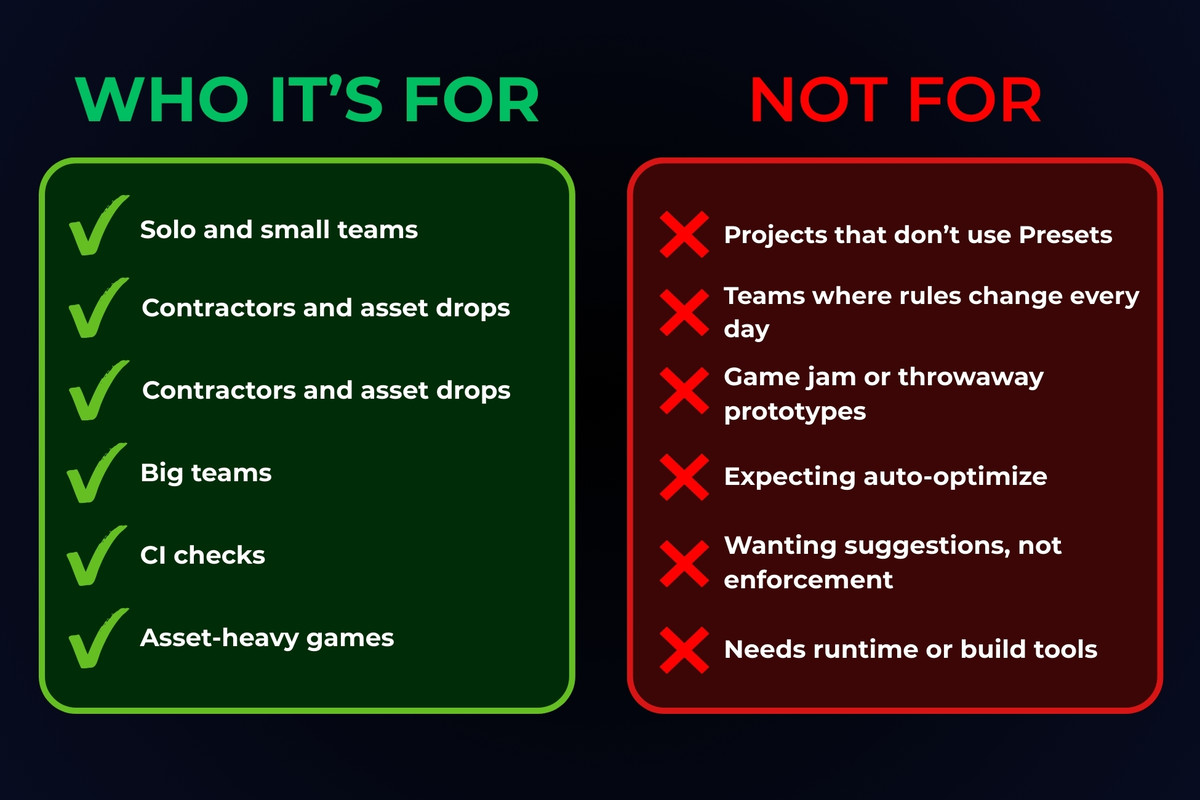
- Does not guess “optimal” settings. It enforces the standards you define.
Third-Party Notices & Credits
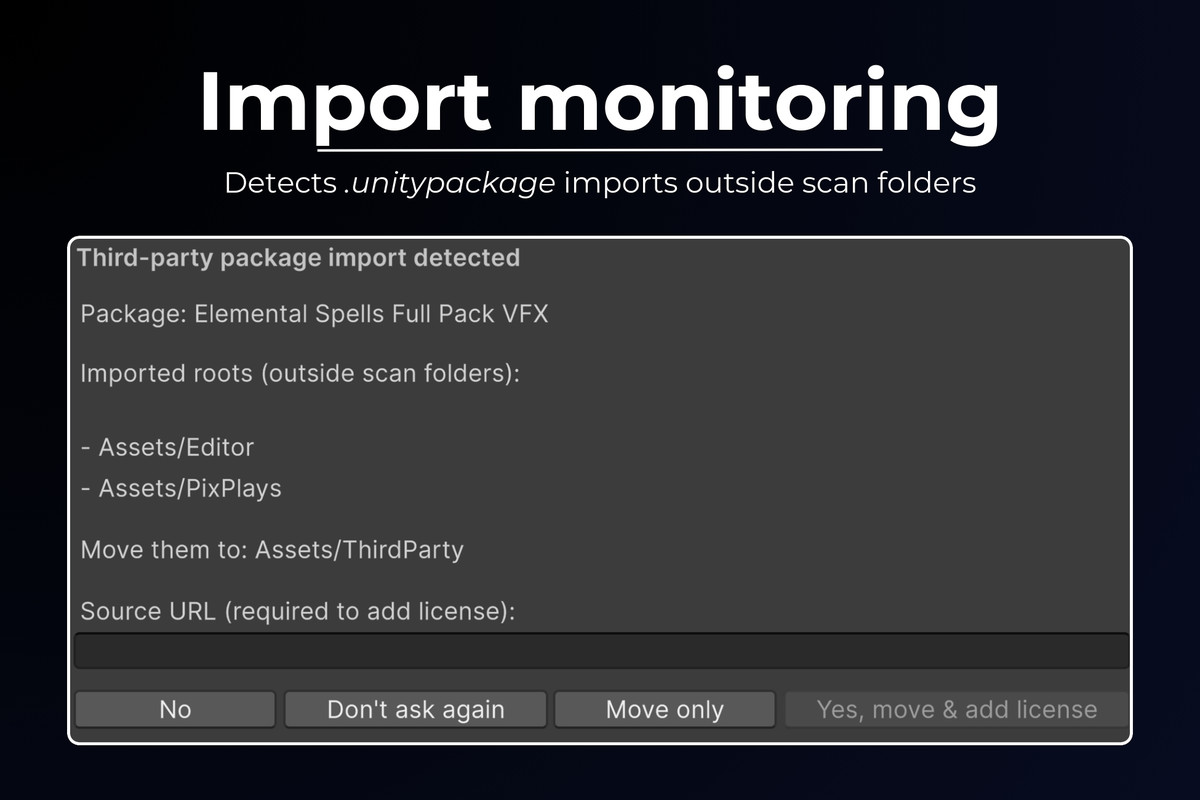
- Scans for third-party components including UPM deps, Asset Store imports, embedded folders, native plugins, and copied utilities
- Licenses only assigned when confidently identified; uncertain items are marked UNKNOWN
- Offline, local processing
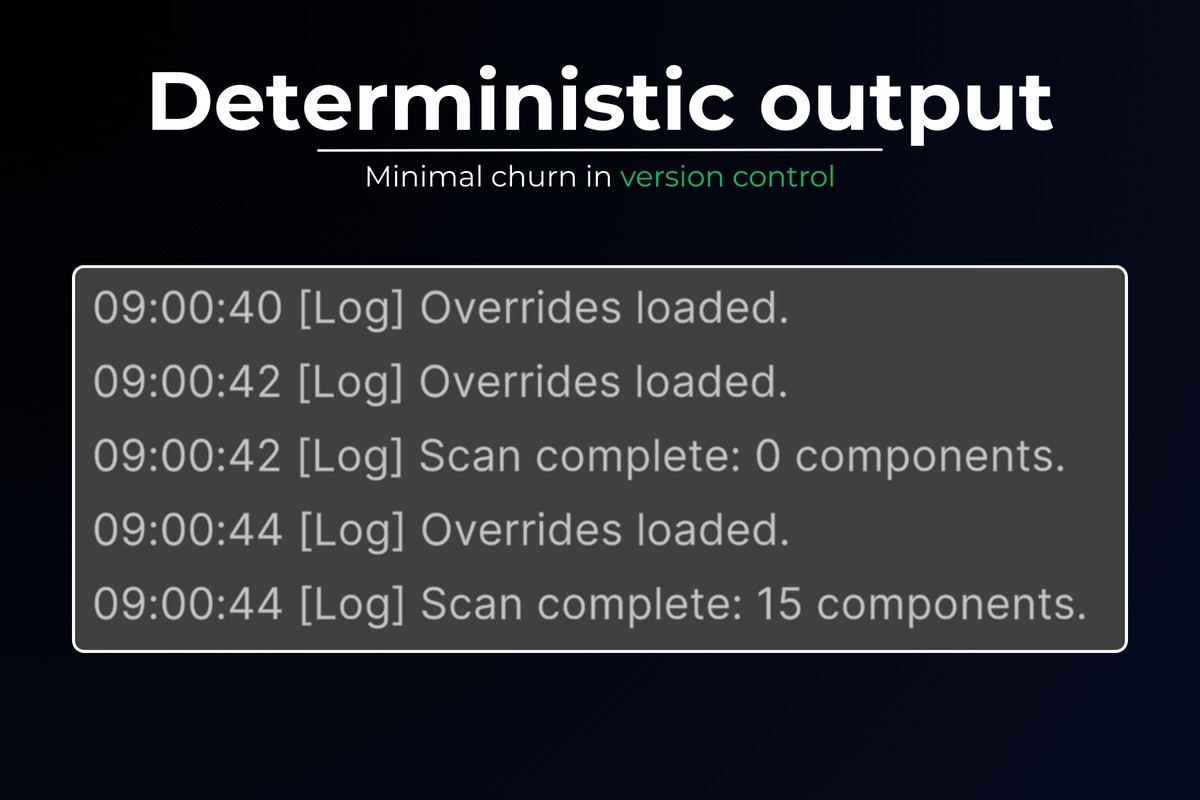
- Deterministic outputs designed to be diff-friendly in version control
- Optional build-time enforcement (warn or fail) for:
UNKNOWN licenses
Missing required attribution fields
Risky restrictions (examples: non-commercial, no-derivatives, strong copyleft flags)
Requirements and constraints
- Unity Editor only (no runtime code, no impact on player builds)
- Uses standard Unity Editor systems (Build reporting, Presets, import pipeline)
- Compliance outputs are plain text/JSON intended to be committed to source control
Compatibility
| Unity version | Built-in | URP | HDRP | Custom |
|---|---|---|---|---|
| 6000.3.9f1 | Compatible | Compatible | Compatible | Compatible |
Tested and verified to work in Unity 2021.
As listed on the Asset Store.