
 View on Asset Store (opens in new tab)
Package details
- Latest version
- 1.0.2
- Last updated
- First released
- Unity version
- 2021.3.45 or later
- Package size
- 3.6 MB
- Files
- 87
- Favorites
- 3
- Views in the past week
- 4
Price tracking
- Last checked
- Tracked since
- Lowest recorded
- $12.50 on
Keywords

Animation Event Weaver
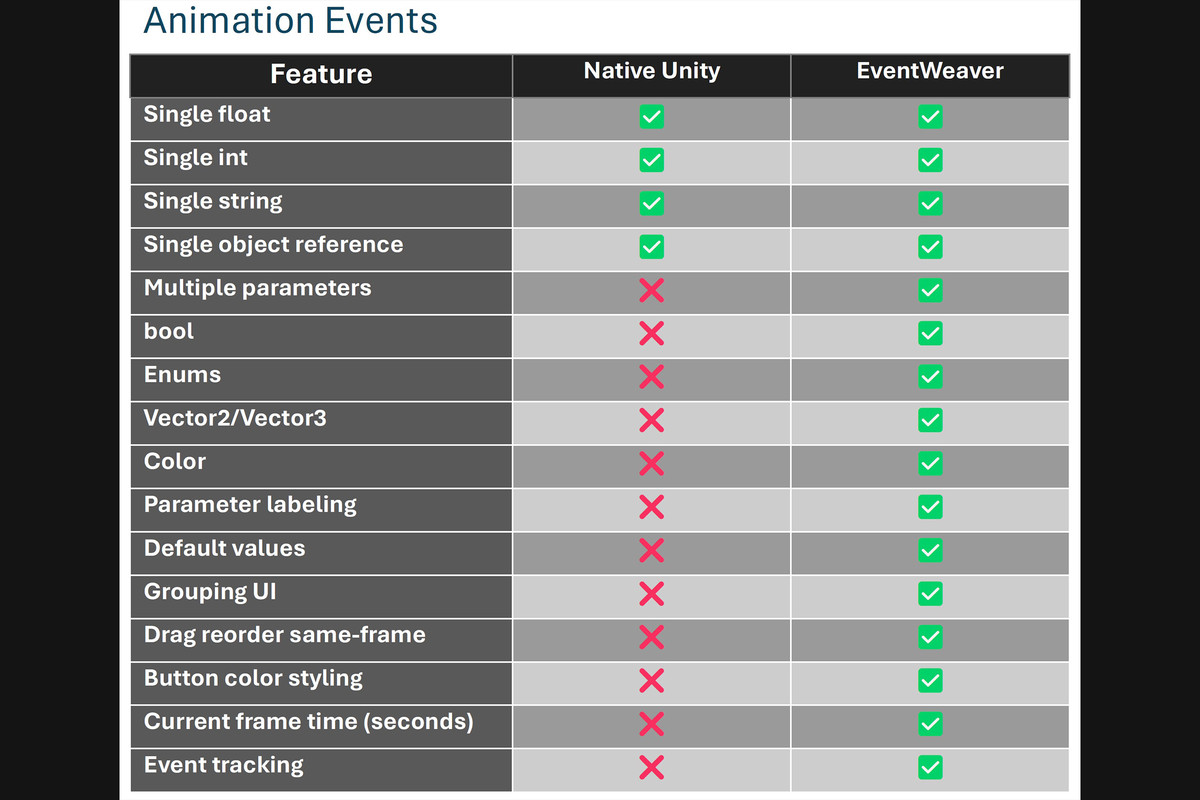
Animation Event Weaver is the 1st powerful upgrade to Unity’s Animation Events. Supports unlimited params, bools, enums, vectors, colors, grouping, drag reorder, copy/paste & more.
Affiliate link · Purchases support this site
Price history
Last 6 months
USDAsset preview
1 / 9
Animation Event Weaver screenshot 1
About this asset
Animation Event Weaver is a professional Unity Editor extension designed to make Unity Animation Events more powerful, organized, and easier to manage directly alongside Unity's Animation window.
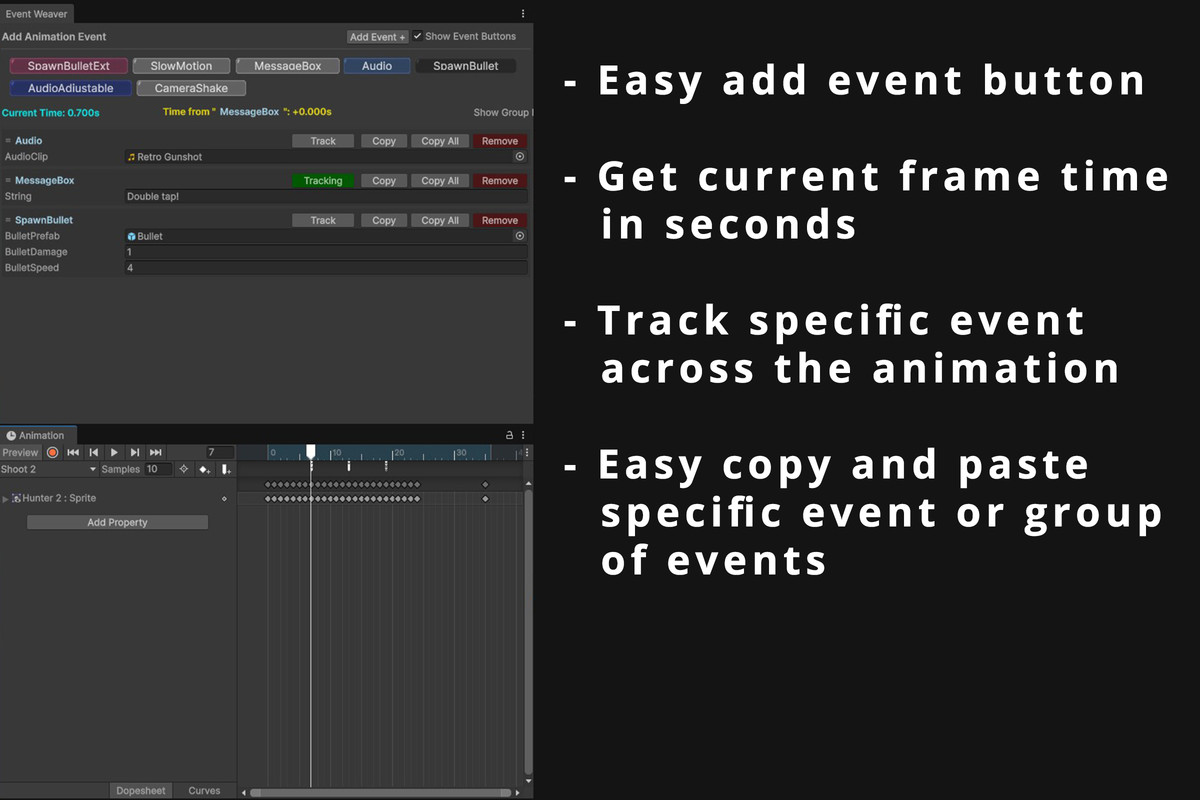
Instead of working with basic Animation Event fields, Animation Event Weaver provides a dedicated interface where you can add, remove, copy, paste, track, and configure animation events directly on the current animation frame. Events can be added through convenient shortcut buttons or from the built-in event dropdown.
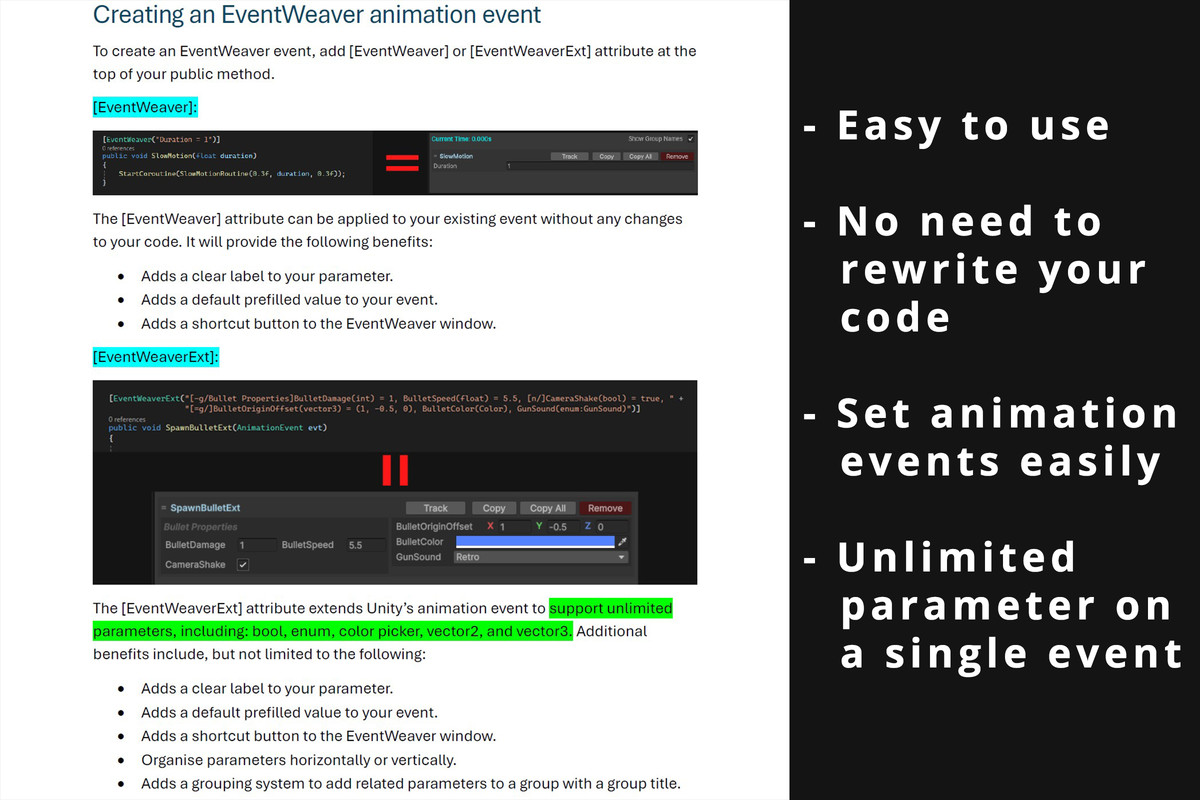
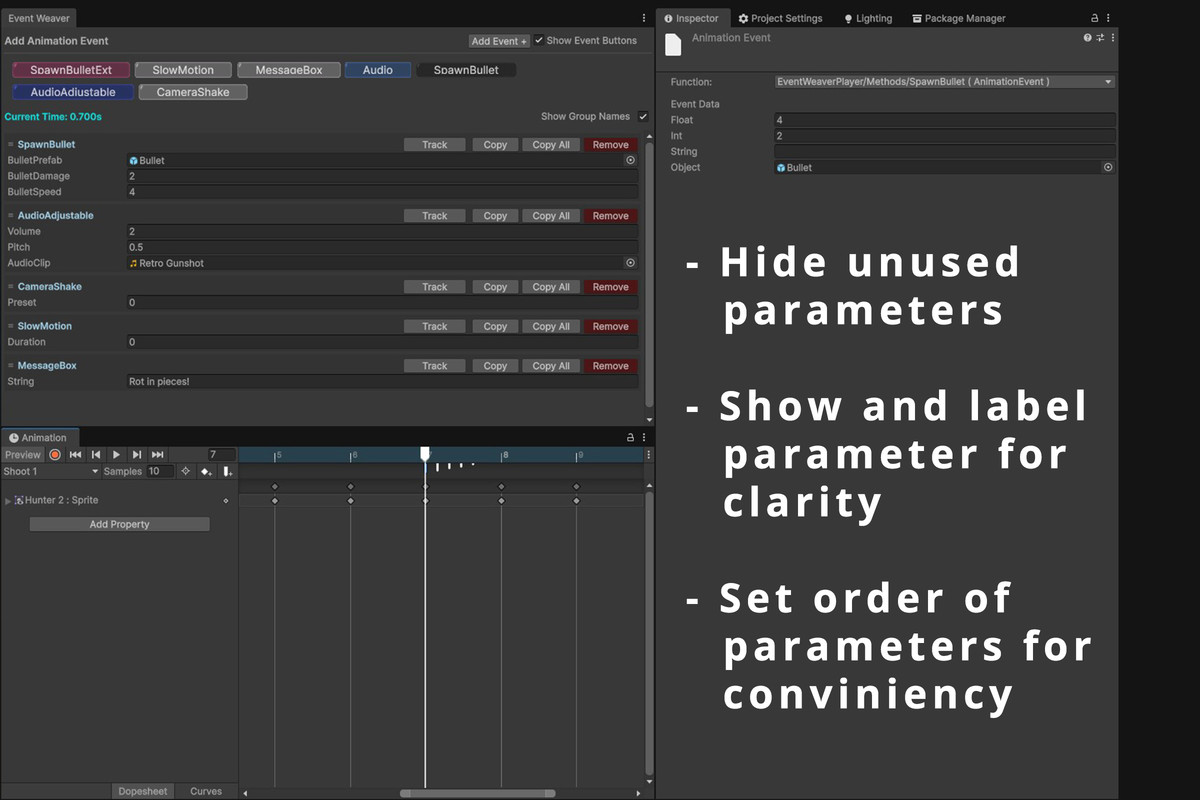
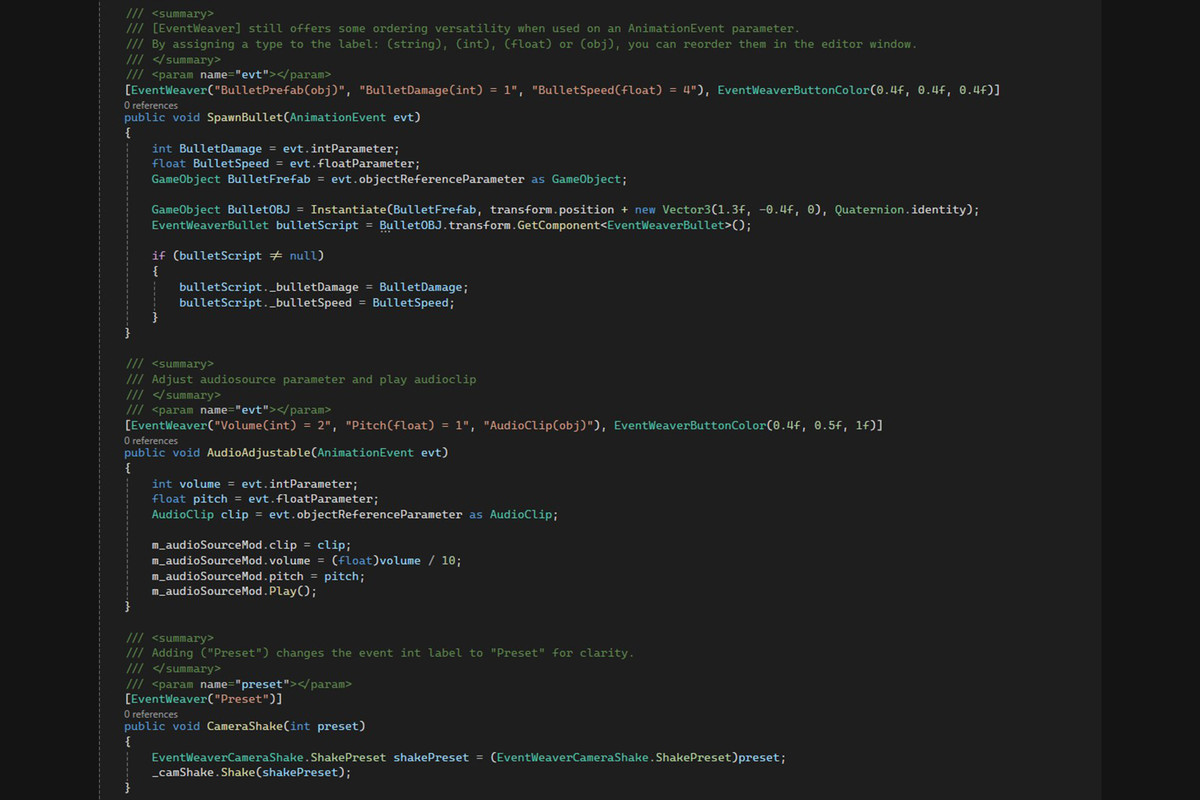
The tool includes two event systems: EventWeaver for enhancing existing Unity Animation Events with labels, default values, and shortcut buttons, and EventWeaverExt for creating significantly more advanced events with multiple parameters and additional supported data types.
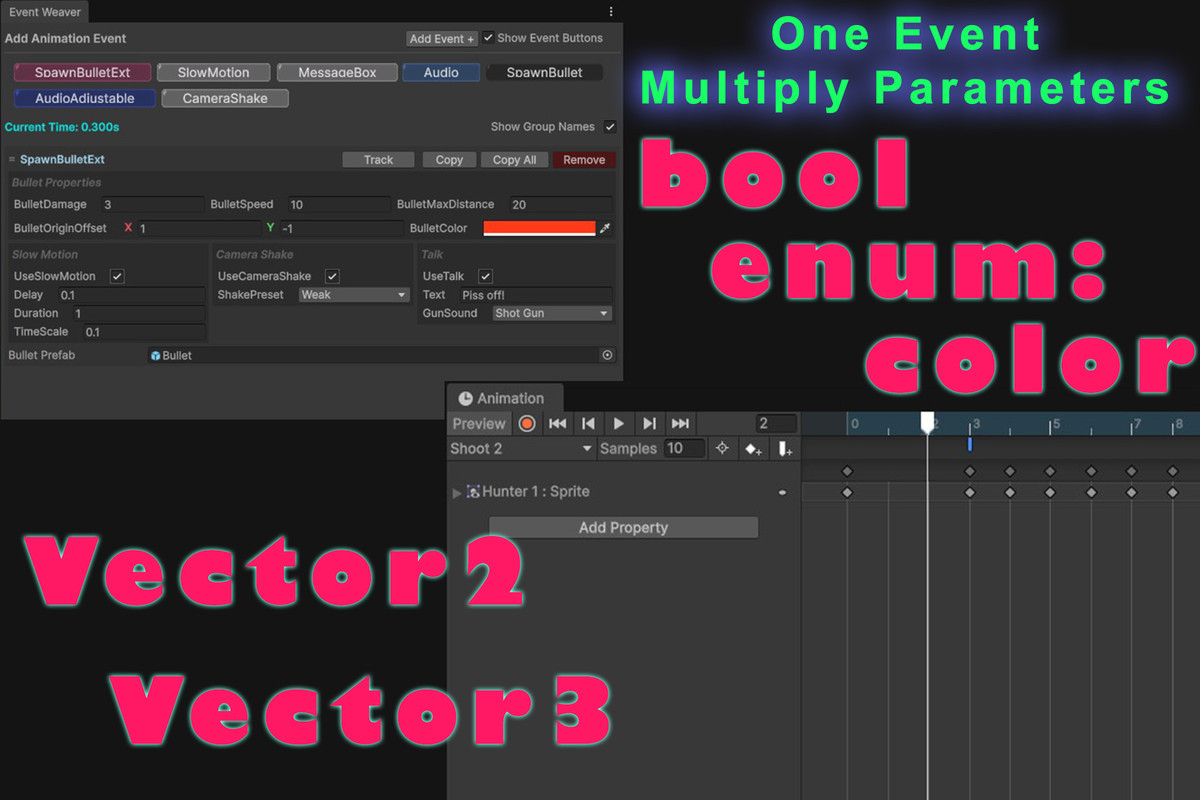
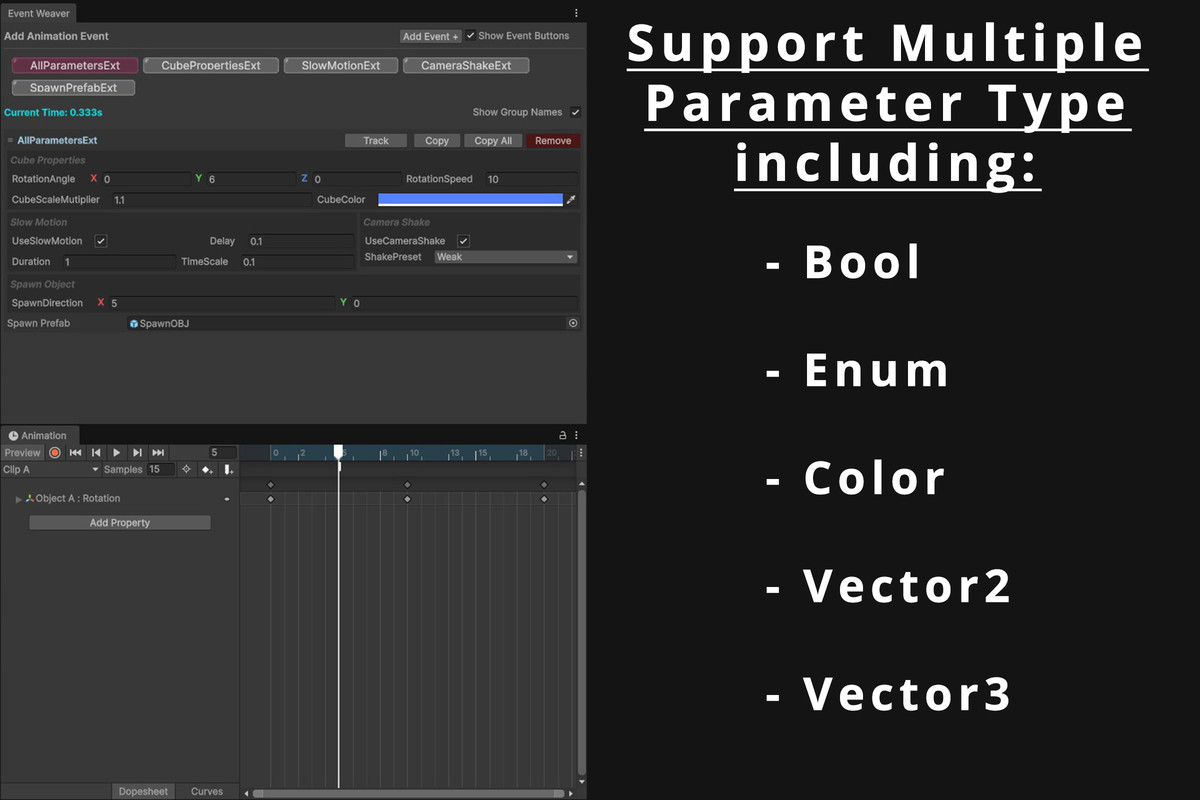
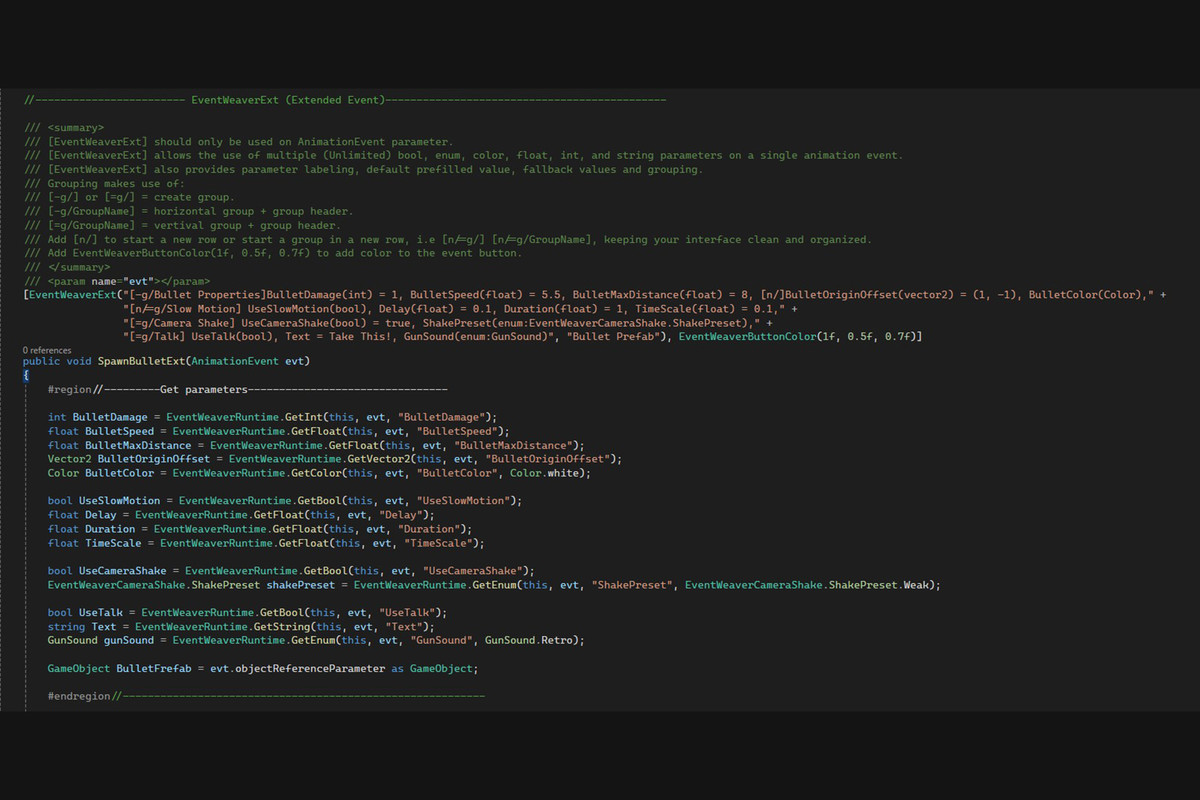
With EventWeaverExt, a single Animation Event can contain multiple custom parameters including floats, integers, strings, booleans, Unity Objects, Vector2, Vector3, colors, and enums. Parameters can also be arranged into horizontal or vertical groups for cleaner and more readable event layouts.
Key Features:
----------------------------------------------
- Unlimited Parameters
- Multiple Parameter Types
- Default Parameter Values
- Automatic Parameter Labels
- Color Picker Support
- Enum Dropdown Support
- Vector2 & Vector3 Support
- Boolean Toggle Support
- Dedicated Animation Event Editor
- Quick Event Creation
- Event Dropdown Menu
- Remove Events
- Copy & Paste Events
- Copy All Events
- Event Tracking
- Horizontal Parameter Groups
- Vertical Parameter Groups.
- Named Parameter Groups
- Custom Row Layouts
- Flexible Parameter Management
- Runtime Getter System
From the publisher's Asset Store listing.
Compatibility
| Unity version | Built-in | URP | HDRP | Custom |
|---|---|---|---|---|
| 6000.6.0f1 | Compatible | Compatible | Compatible | Compatible |
| 2021.3.45f2 | Compatible | Compatible | Compatible | Compatible |
As listed on the Asset Store.