
 View on Asset Store (opens in new tab)
Package details
- Latest version
- 1.0.1
- Last updated
- First released
- Unity version
- 6000.3.11 or later
- Package size
- 4.8 MB
- Files
- 81
- Favorites
- 1
- Views in the past week
- 23
Price tracking
- Last checked
- Tracked since
- Lowest recorded
- $24.99 on
Keywords

UniGit
A fully-integrated Git GUI for Unity Editor. Commit, branch, merge, diff, stash, and resolve conflicts — all without leaving Unity.
Affiliate link · Purchases support this site
Price history
Last 6 months
USDAsset preview
1 / 7
UniGit screenshot 1
About this asset
UniGit brings a complete Git workflow directly into the Unity Editor. No more switching between Unity and external Git clients — manage your entire version control workflow from a single editor window.
Core Features:
● Setup Wizard — Guided 4-step setup: Git detection, user info, GitHub OAuth login, and project initialization
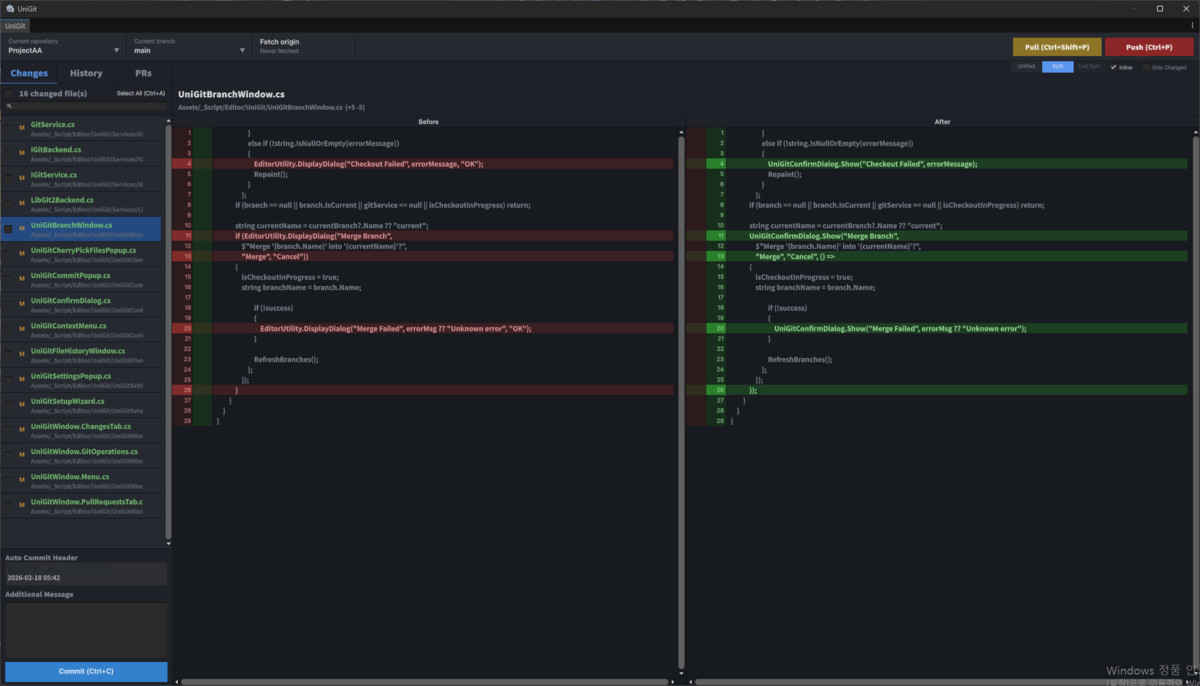
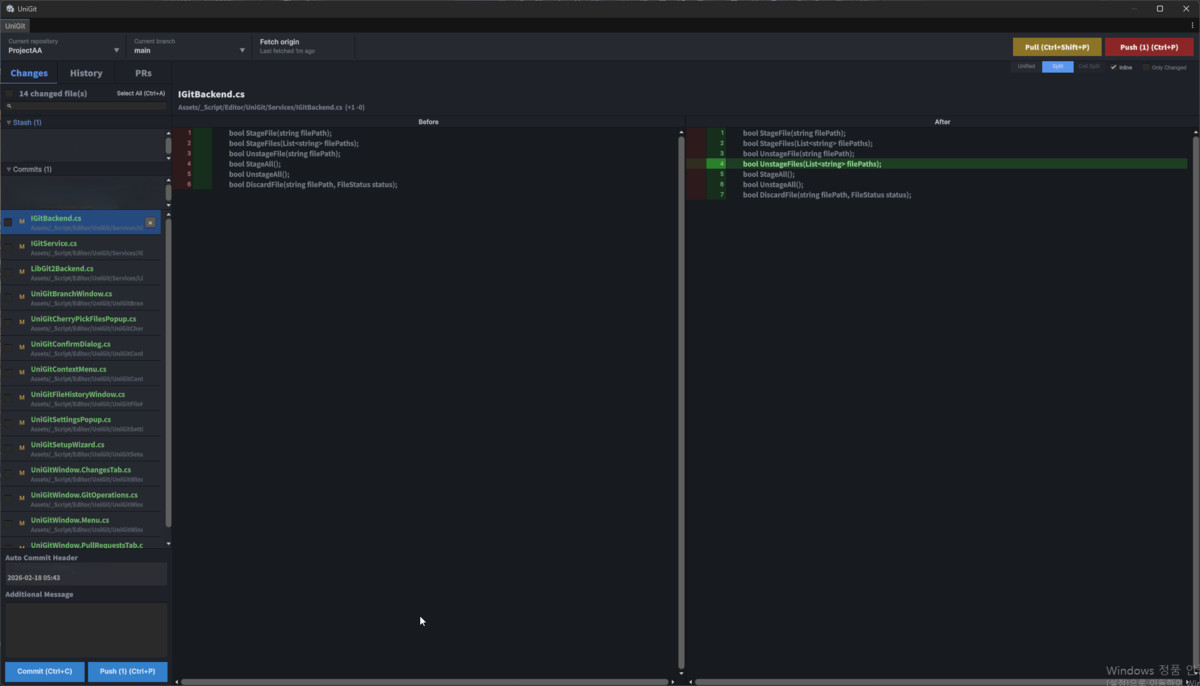
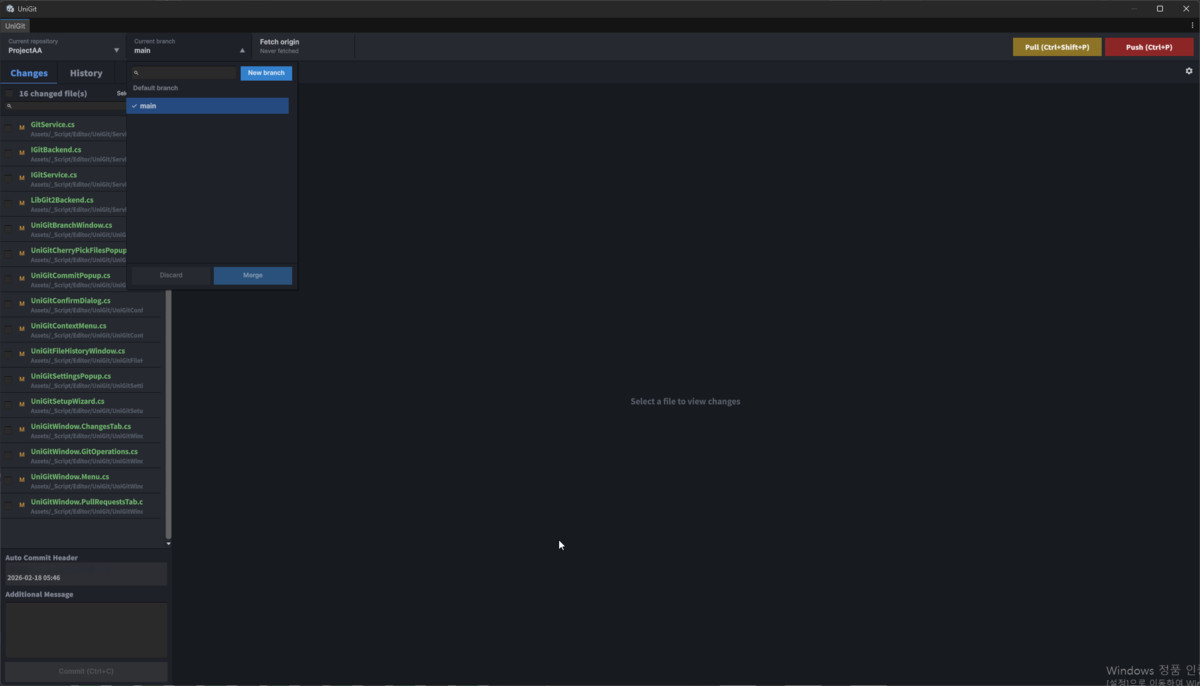
● Changes Tab — View modified files, stage/unstage, commit with message templates, and search/filter files
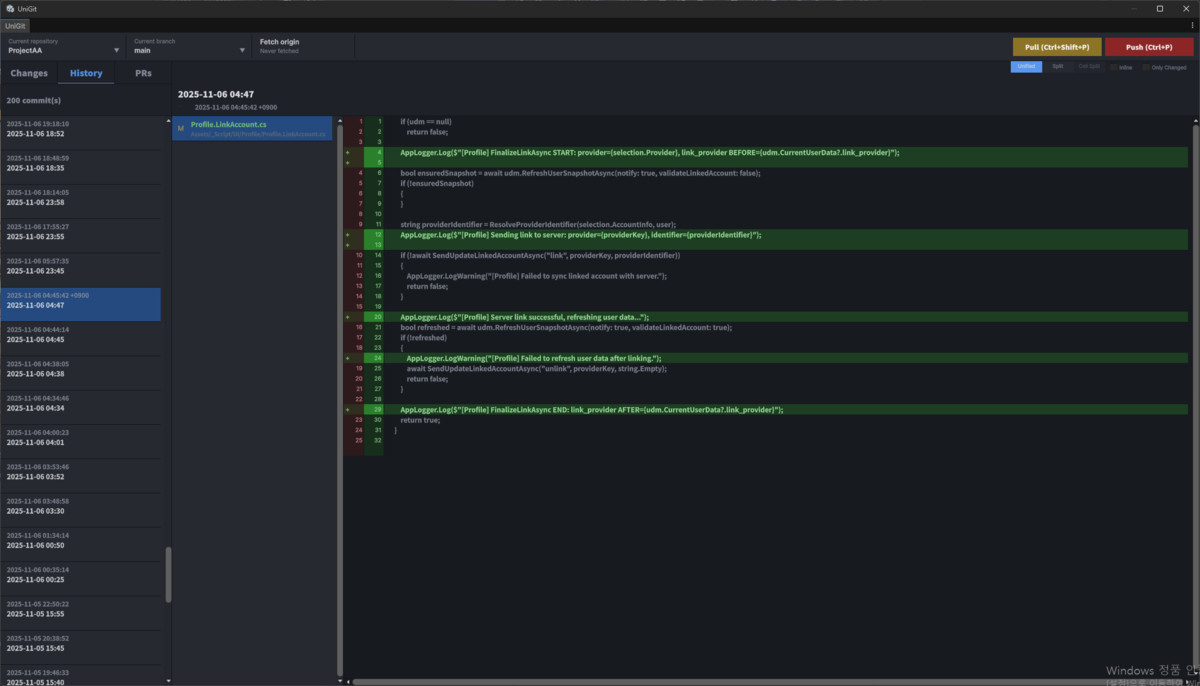
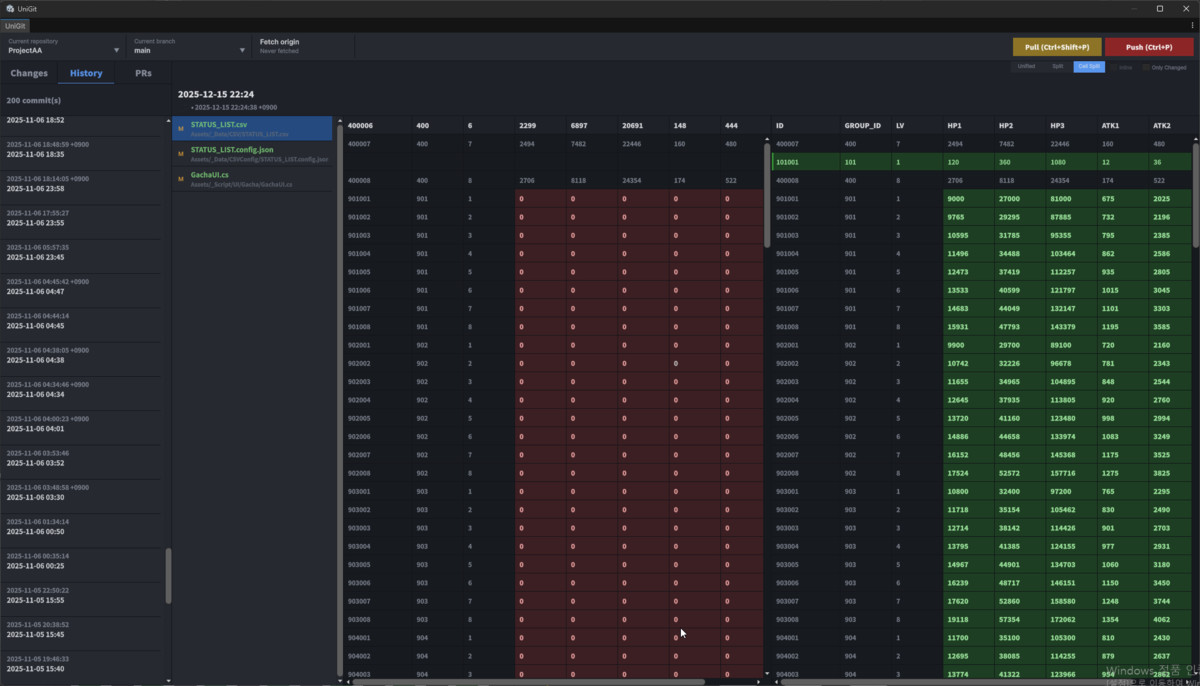
● History Tab — Browse commit history with virtual scrolling, view diffs, cherry-pick commits or individual files
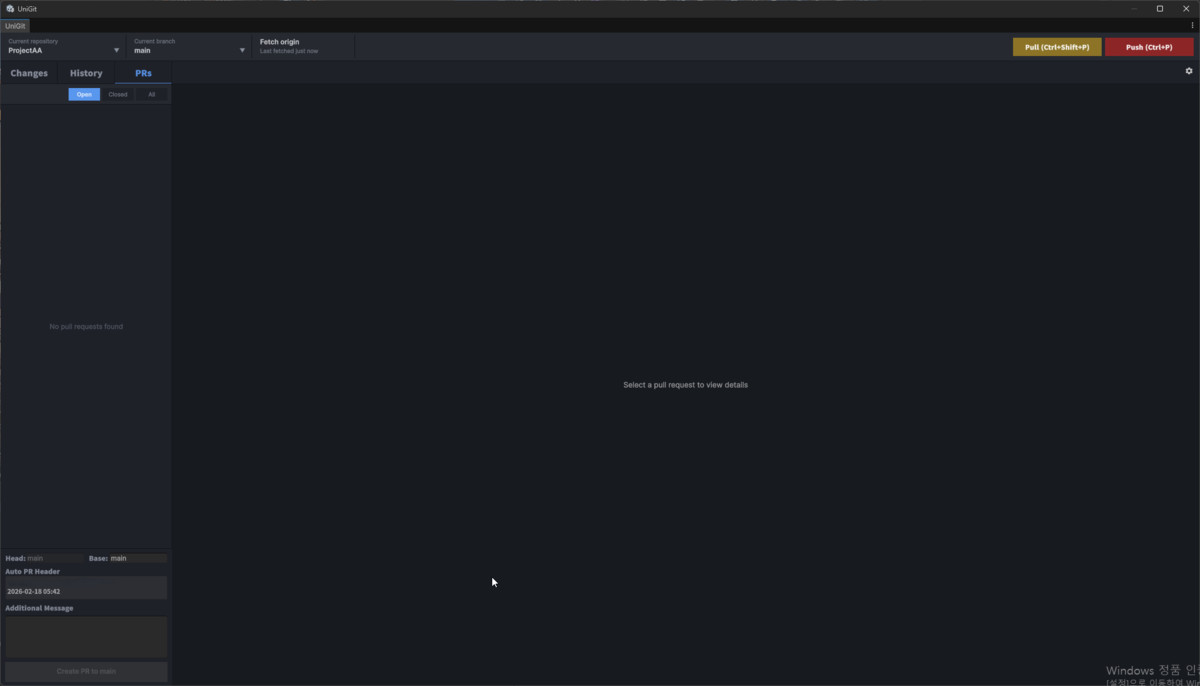
● Pull Requests Tab — View, create, and merge GitHub PRs with reviews and comments, right inside Unity
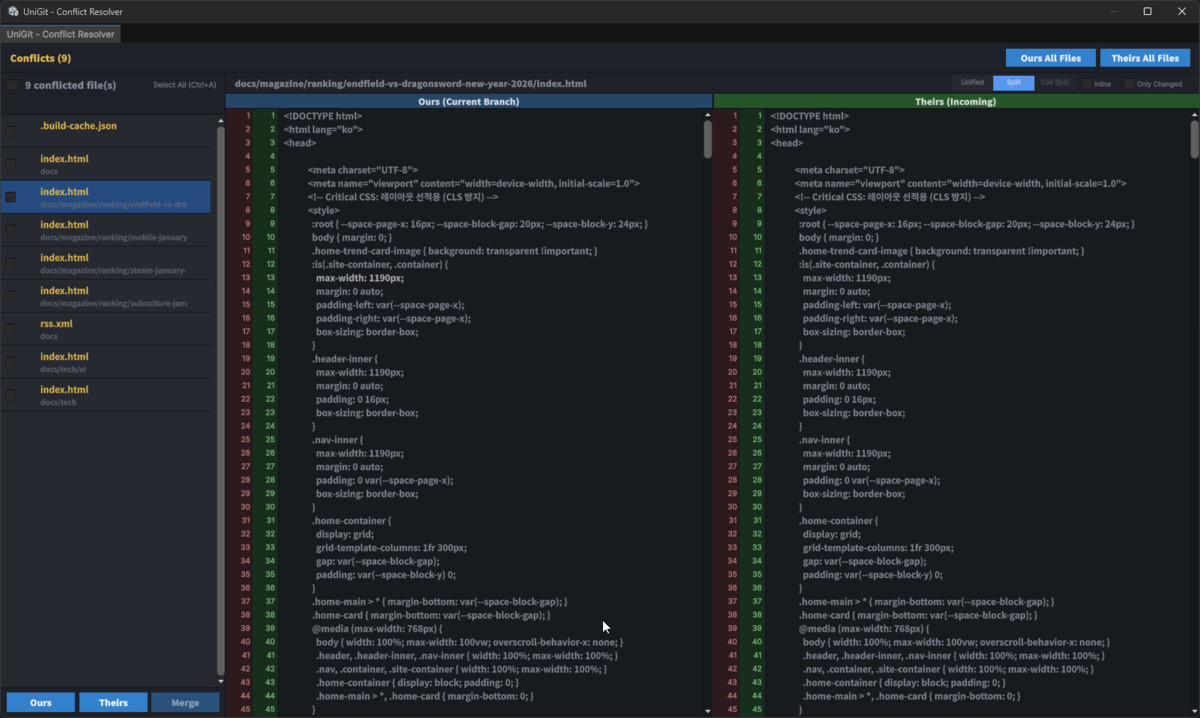
● Conflict Resolver — Resolve merge conflicts with side-by-side comparison, Accept Ours/Theirs, and CSV cell-level diffing
● 3 Diff View Modes — Unified, Split (side-by-side), and CellSplit (CSV-aware) with inline character-level highlighting
● Branch Management — Create, switch, rename, delete, and merge branches from the toolbar
● Stash Support — Stash all or selected files, apply, pop, and drop with full diff preview
● Project Overlay — Color-coded status indicators on every file and folder in the Project window
● File History — Track the full history of any file with git log --follow
● LFS Support — Track, lock/unlock, push, pull LFS files directly
● Keyboard Shortcuts — Ctrl+C (commit), Ctrl+P (push), Ctrl+Shift+P(pull), Ctrl+R (fetch), Ctrl+F (search), and more
GitHub Integration:
● OAuth Device Flow authentication
● Browse and manage Pull Requests with reviews and comments
● Create repositories and clone from your GitHub account
※ Built for real projects — UniGit was developed and battle-tested in production game development. Every feature exists because we needed it.
From the publisher's Asset Store listing.
Technical details
● Unity 2021.3+: Compatible with Unity 2021 LTS and above
● No External Dependencies: Self-contained — no third-party packages required from Asset Store
● Dual Backend: LibGit2Sharp for fast local operations + Git CLI for remote operations (fetch, pull, push, stash, LFS)
● Dark & Light Theme: Full support for Unity Pro (dark) and Personal (light) editor skins
● FileSystemWatcher: Auto-detects repository changes and refreshes status automatically
Compatibility
| Unity version | Built-in | URP | HDRP |
|---|---|---|---|
| 6000.3.11f1 | Compatible | Not listed | Not listed |
As listed on the Asset Store.