
 View on Asset Store (opens in new tab)
Package details
- Latest version
- 1.0
- Last updated
- First released
- Unity version
- 6000.0.67 or later
- Package size
- 861 KB
- Files
- 41
- Views in the past week
- 4
Price tracking
- Last checked
- Tracked since
- Lowest recorded
- $8.99 on
Keywords

FZ Localization (with AI Translation)
Plug-and-play localization system. Add multiple languages for text, sprites, audio, and custom assets in minutes with runtime switching, dynamic strings, CSV, and optional AI translation built in.
Affiliate link · Purchases support this site
Price history
Last 6 months
USDAsset preview
1 / 8
FZ Localization (with AI Translation) screenshot 1


About this asset
🌍 Frostzone Localization - Multi-Language System
Powerful. Simple. Production-Ready.
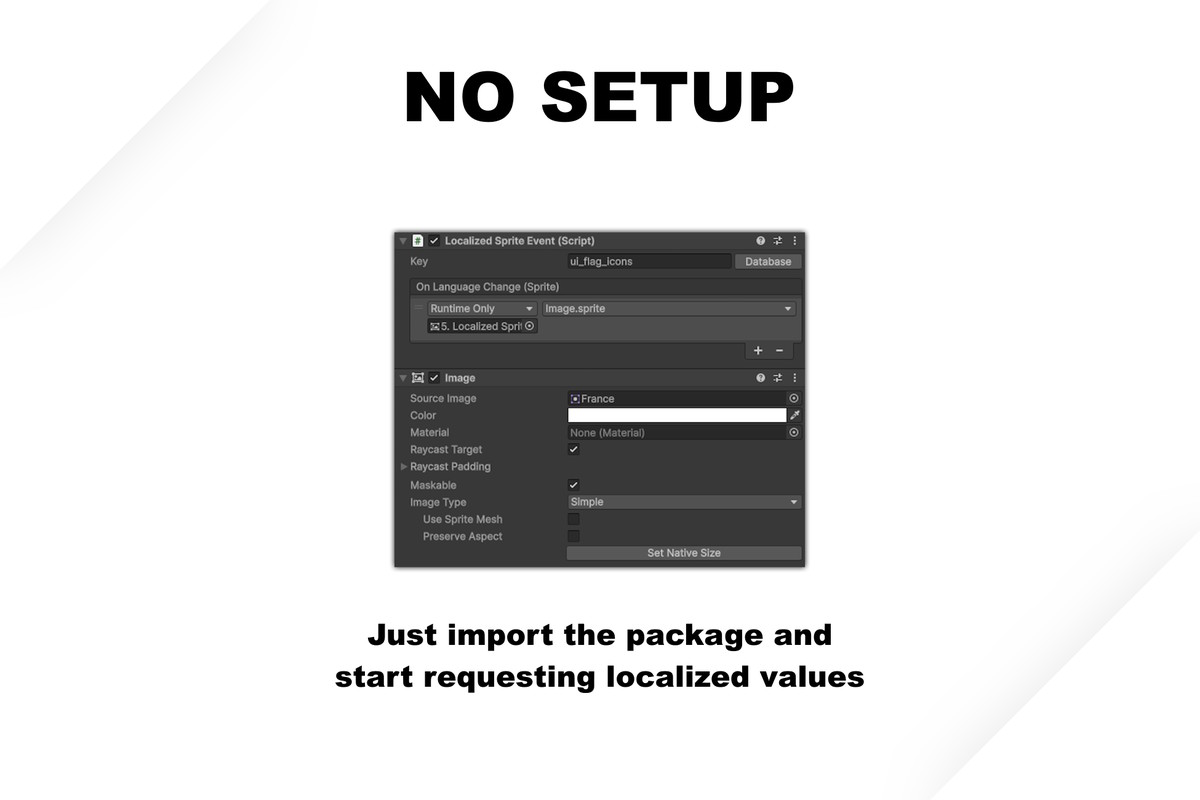
No setup required. Just import the package and start requesting localized values from the database.
Localize text, sprites, audio, and any custom UnityEngine.Object from a single, easy-to-use central database. Switch languages instantly at runtime with automatic saving and loading built in. Create dynamic localized in-game text using SmartStrings (e.g. “Restores {hp} health.”) and easily export and import CSV for external work.
Need a head start? Generate initial translations for your entire string database with one click using AI-powered batch translation.
Fully documented, includes a demo scene with guided tutorial and practical examples. Beginner-friendly, and built for projects of any size. Make your game playable worldwide, without the headache.
Supports all Unity platforms: Standalone, Android, iOS, WebGL, etc.
🚀 Key Features
🤖 AI Translation (Integrated in the editor)
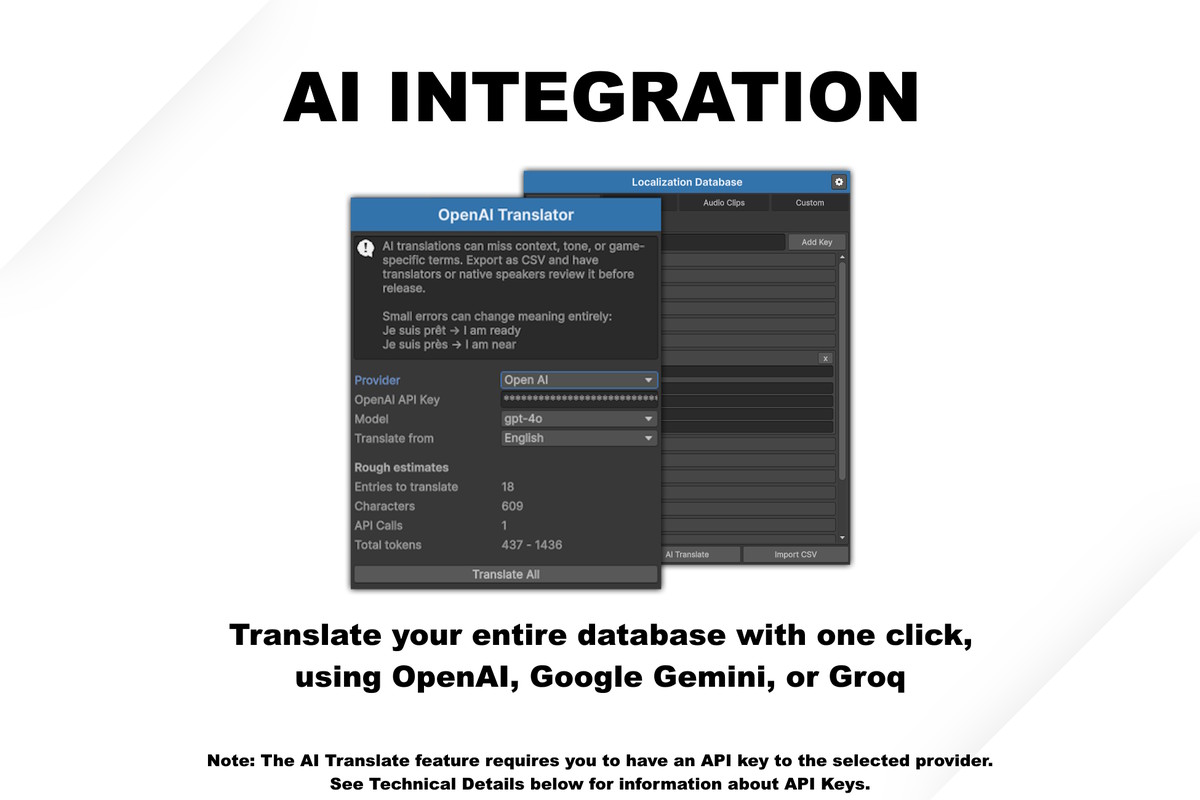
Translate your entire database with one click using: OpenAI, Google Gemini, or Groq.
Perfect for: Rapid prototyping, Placeholder localization and Initial translation drafts. This is an unofficial integration, Frostzone is not affiliated with Gemini, OpenAI or Groq in any way.
Note: See Techical details for information about API Keys!
📝 Localize Everything
Supports the most common Unity types: Strings, Sprites, AudioClips and a flexible custom table that accepts any UnityEngine.Object (Material, Prefab, ScriptableObject, etc.) Fully type-safe with graceful null fallback behavior.
🧠 Automatic Initialization & Saving
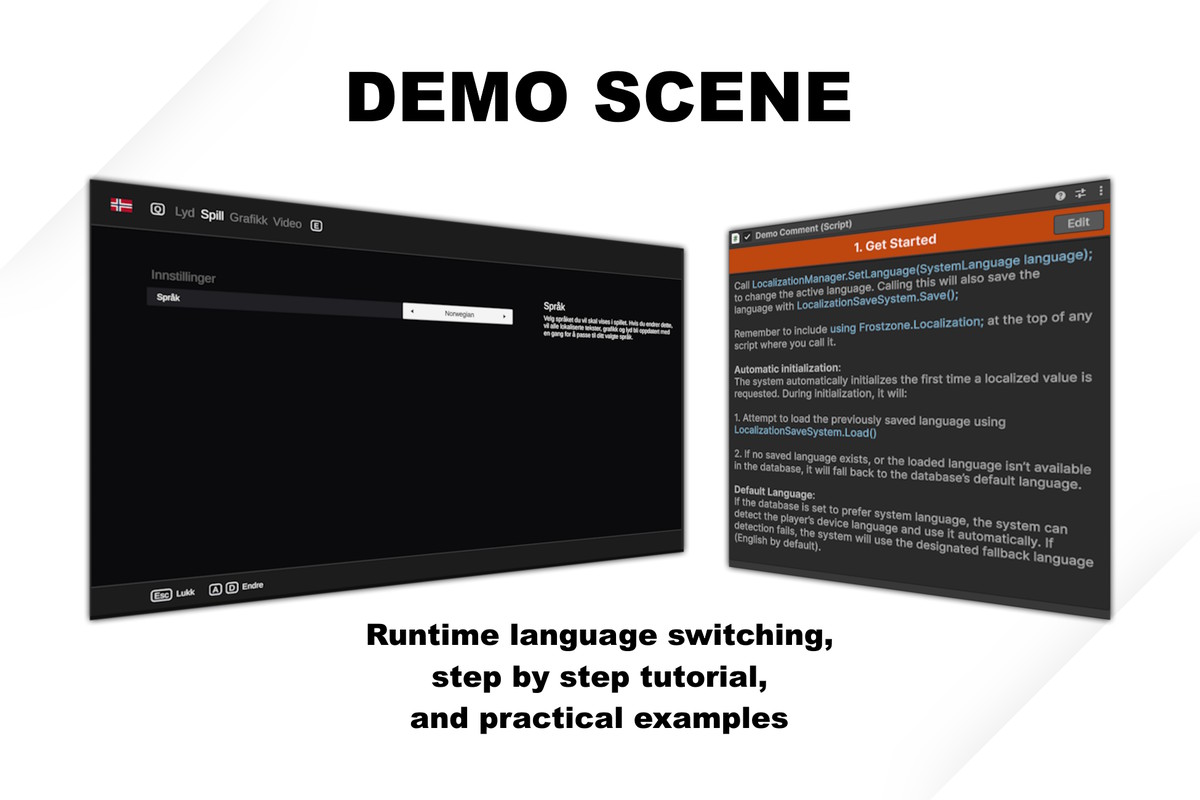
No setup required. The system loads the previously saved language, falls back to default if needed, and can optionally prefer the system language of the player’s computer. The active language is saved automatically whenever the languge is changed, and the save system is modular and easy to hook up to your own logic. Just import the package and start requesting localized values.
⚡ Runtime Language Switching
Change language instantly in-game. Includes a ready-to-use Language Picker prefab, or switch via script with a single method call.
🔔 Event-Driven Architecture
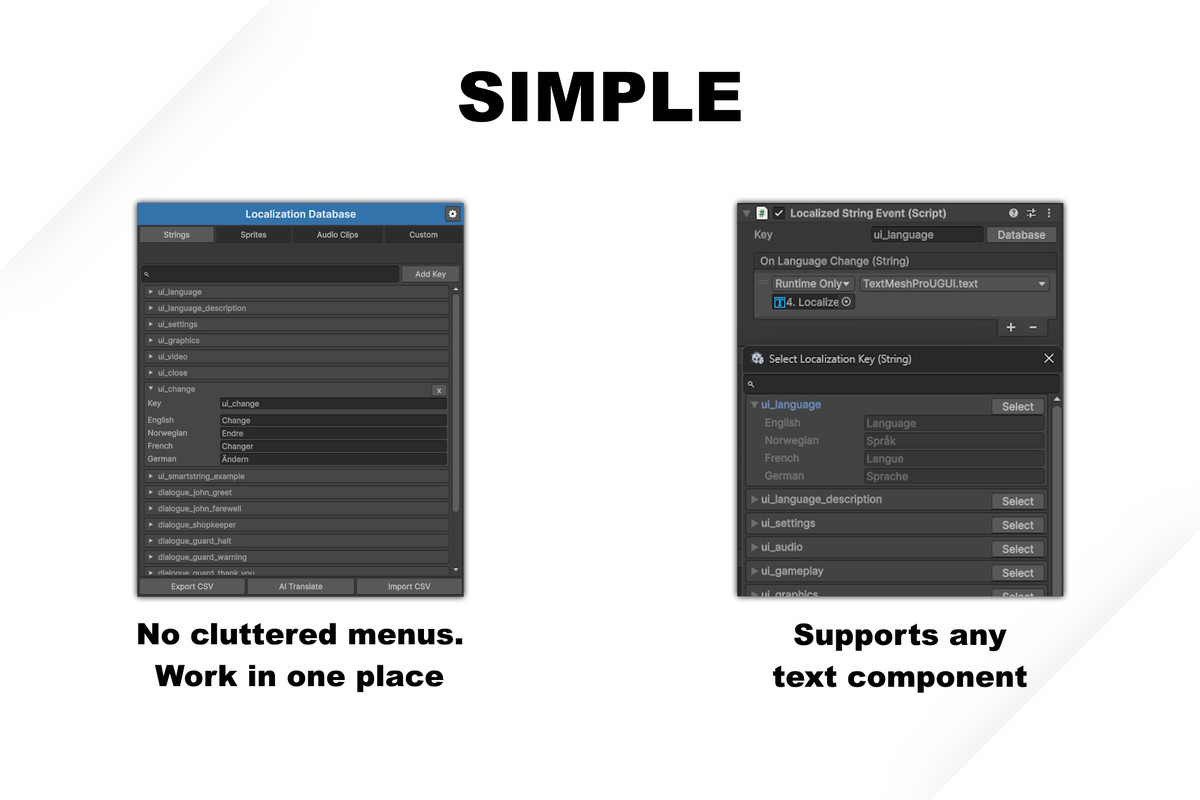
All localization components respond to a global onLanguageChange event. You can subscribe to this as well. The event components are designed to work with anything that accepts its value. E.g. The LocalizedStringEvent supports any text component that takes a string, whether it’s TextMeshPro, built in text, or other custom solutions. Zero manual refresh logic required.
📊 CSV Workflow (Translator Friendly)
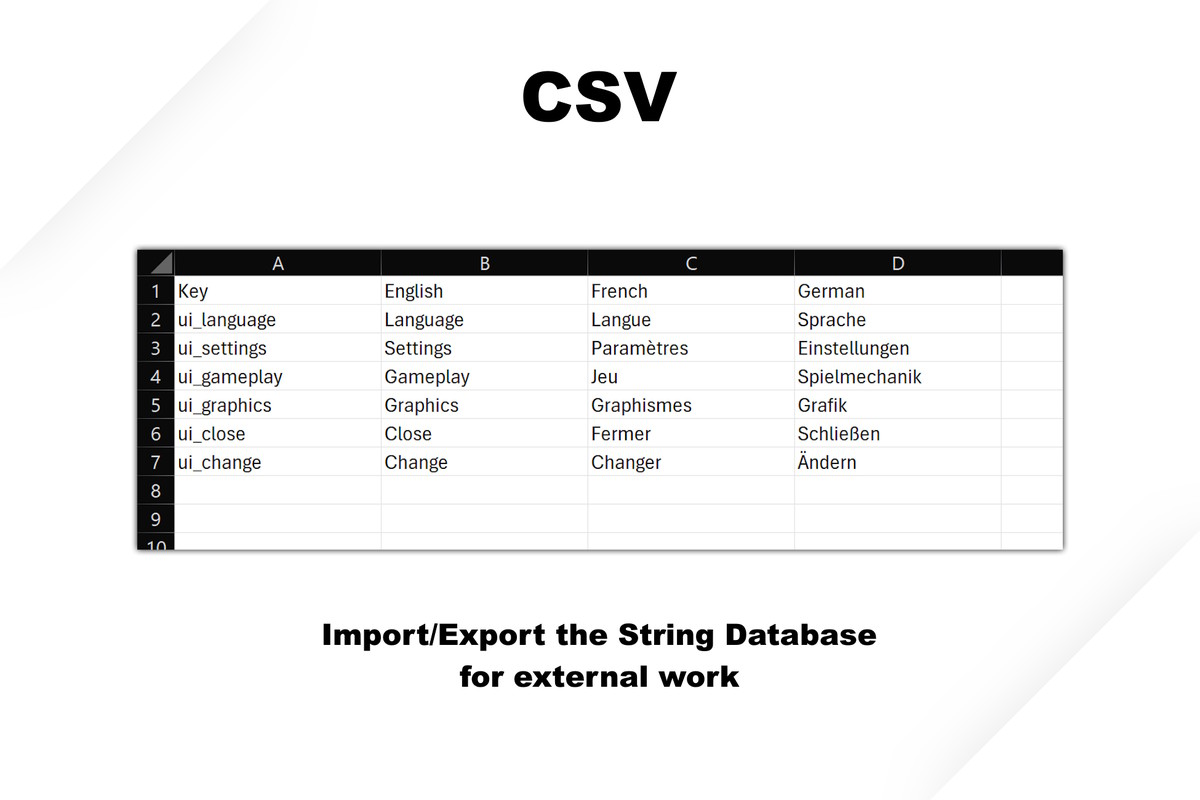
Export all string entries to CSV. Send to translators or edit in Excel. Languages added in CSV are automatically created in the database. Sprites, Audio, and Custom objects remain untouched by CSV imports.
🧩 SmartStrings (Dynamic Localized Text)
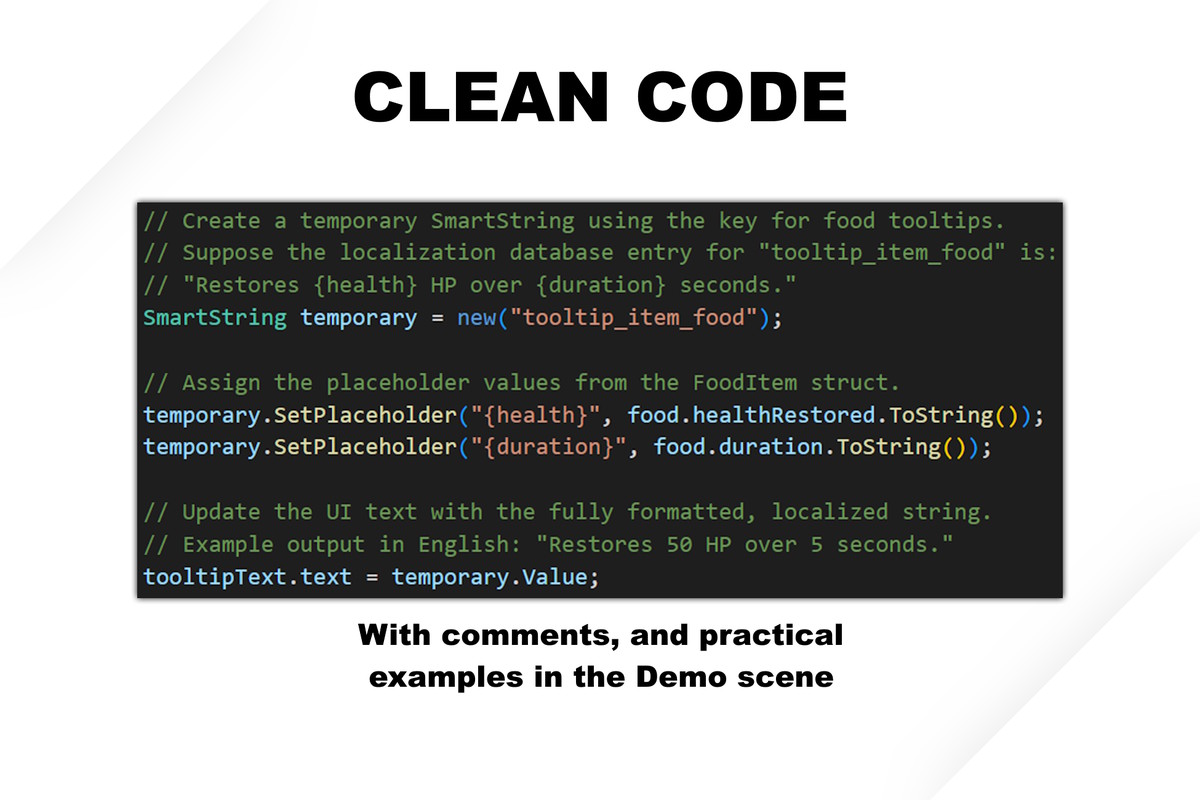
Create flexible, runtime-driven localized text with placeholders.
Example: “Restores {health} HP over {duration} seconds.”
The placeholders can be assigned values at runtime, and the system formats the fully translated result automatically. Perfect for: Tooltips, Stats, Damage numbers, or other dynamic values.
🗂 Centralized Database
Single ScriptableObject database with Language management, Fallback control, Memory estimate overview, Key search & browser and Organized tabs (Strings, Sprites, Audio, Custom)
🎥 Demo Scene & Documentation
Includes: Fully functional demo scene, Practical examples, Step-by-step tutorials, and comprehensive documentation.
🔌 Full C# API Included
Complete source code included, and covered in the documentation.
Core methods:
- GetLocalizedString
- GetLocalizedSprite
- GetLocalizedAudioClip
- GetLocalizedObject<T>
- SetLanguage
From the publisher's Asset Store listing.
Technical details
Using the AI Translate feature requires you to have an API key to the selected provider. When you enter your key, it is saved in EditorPrefs, and it lives entirely in the Editor. It is not included in the build.
You can get API Keys here:
- OpenAI: API Platform | OpenAI
- Google Gemini: Using Gemini API keys | Google AI for Developers
- Groq: API Keys - GroqCloud
Some of these providers and models have a cost. View pricing here:
- OpenAI: Pricing (openai.com)
- Gemini: Gemini Developer API pricing | Gemini API | Google AI for Developers
- Groq: Groq On-Demand Pricing for Tokens-as-a-Service | Groq is fast, low cost inference.
Google Gemini and Groq has a free tier. By default, the API key you get from them allows free use, but with certain rate limits - requests / min, tokens / min and requests / day.
Compatibility
| Unity version | Built-in | URP | HDRP | Custom |
|---|---|---|---|---|
| 6000.0.67f1 | Compatible | Compatible | Compatible | Compatible |
As listed on the Asset Store.