
 View on Asset Store (opens in new tab)
Package details
- Latest version
- 1.0
- Last updated
- First released
- Unity version
- 6000.2.8 or later
- Package size
- 1010 KB
- Files
- 137
- Views in the past week
- 11
Price tracking
- Last checked
- Tracked since
- Lowest recorded
- $29.99 on
Keywords
Nexus Database
A modular, lightweight data framework for Unity that centralizes, organizes, and streamlines game data for any project.
Affiliate link · Purchases support this site
Price history
Last 6 months
USDAsset preview
1 / 7
Nexus Database screenshot 1
About this asset
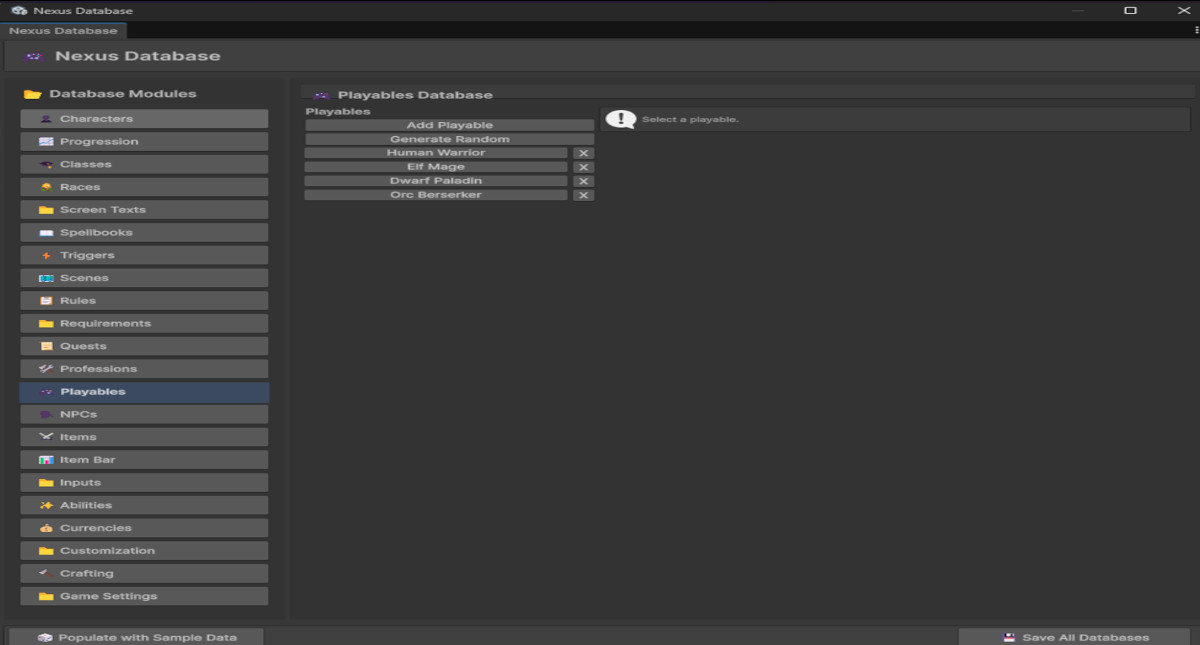
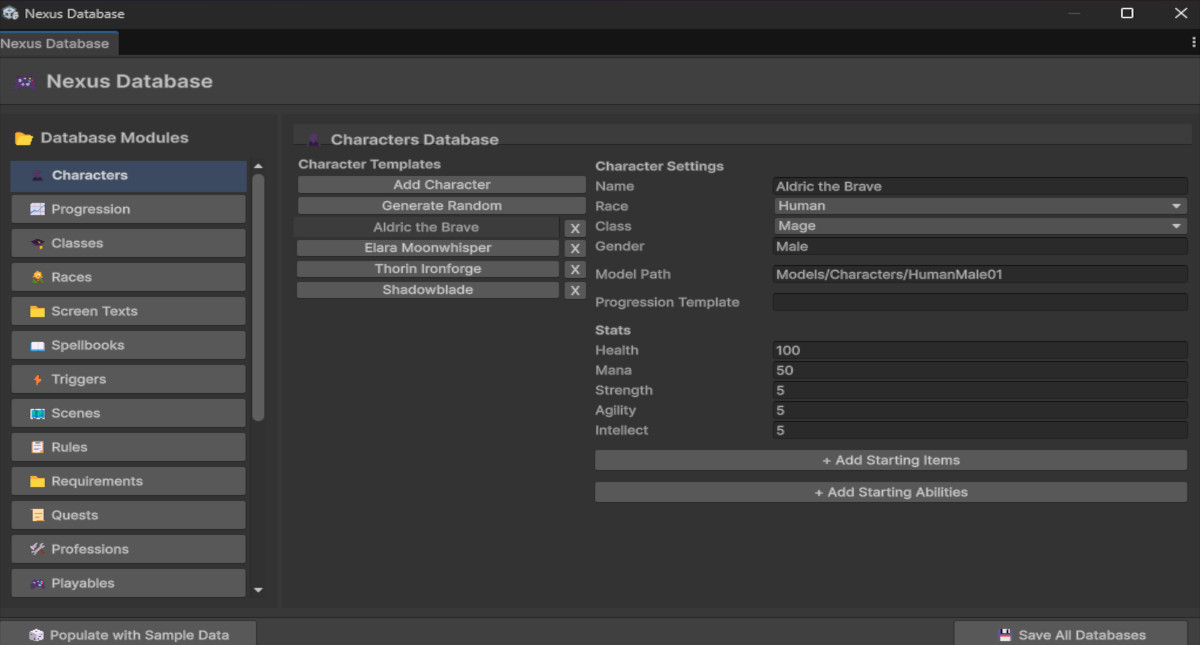
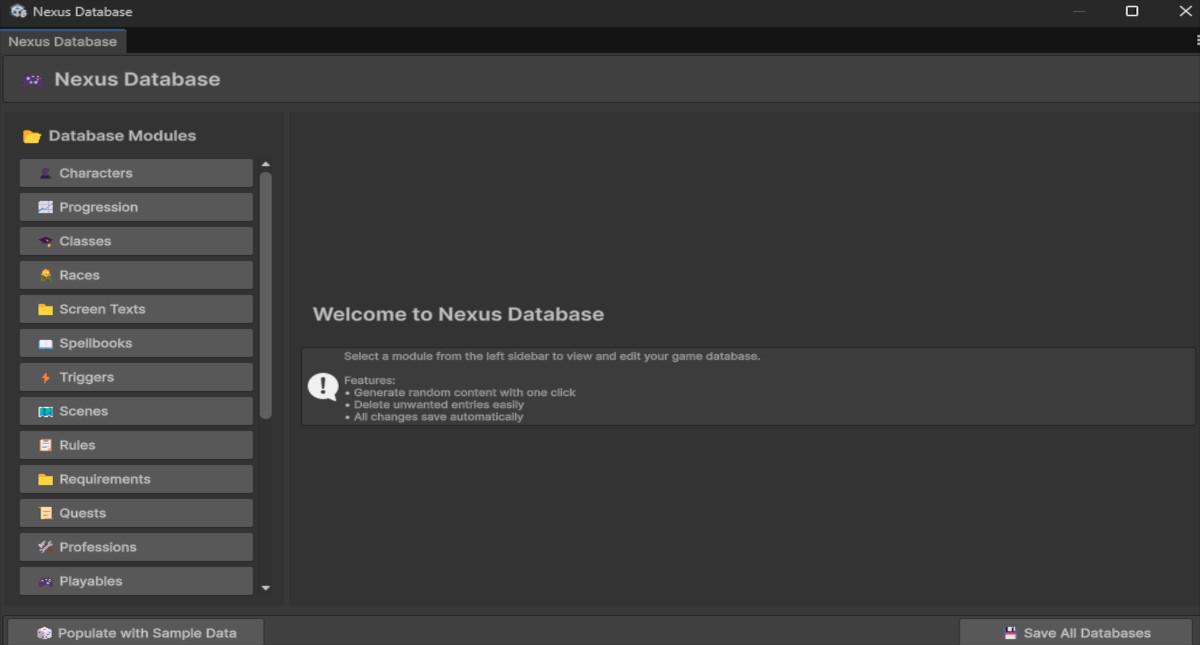
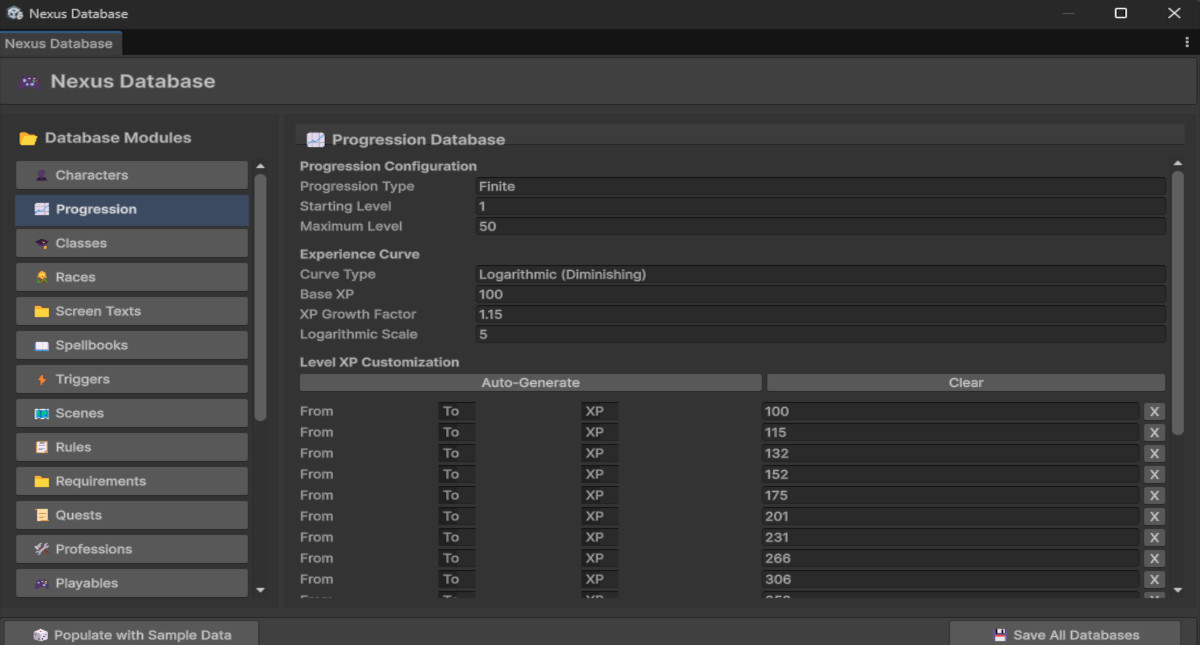
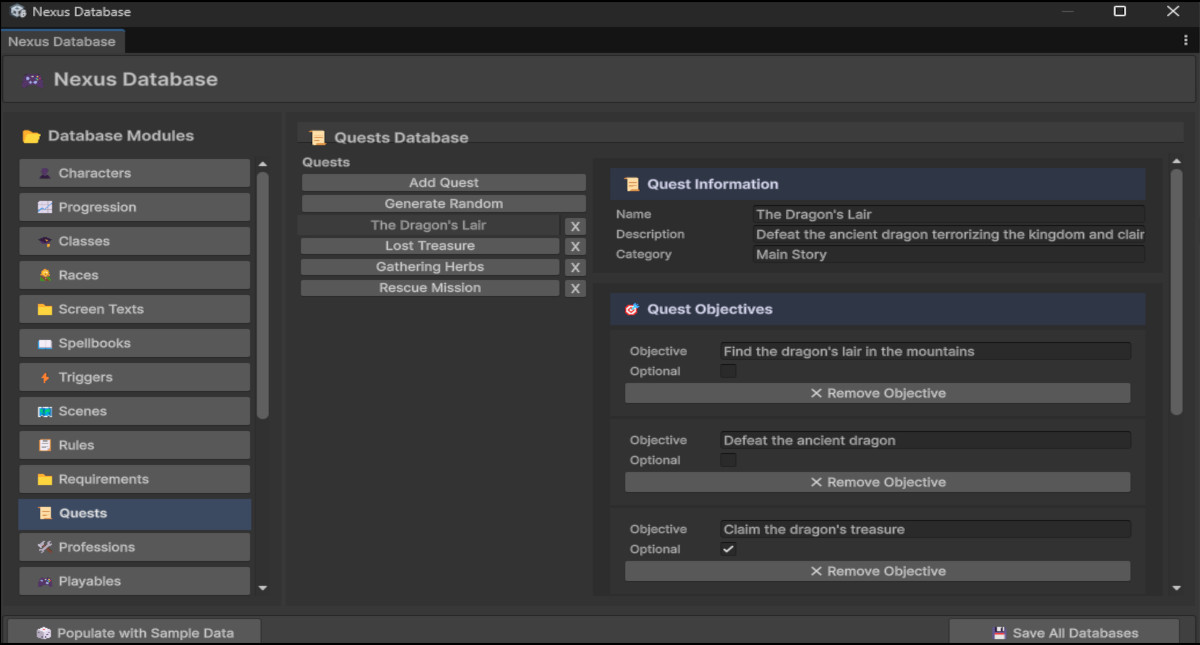
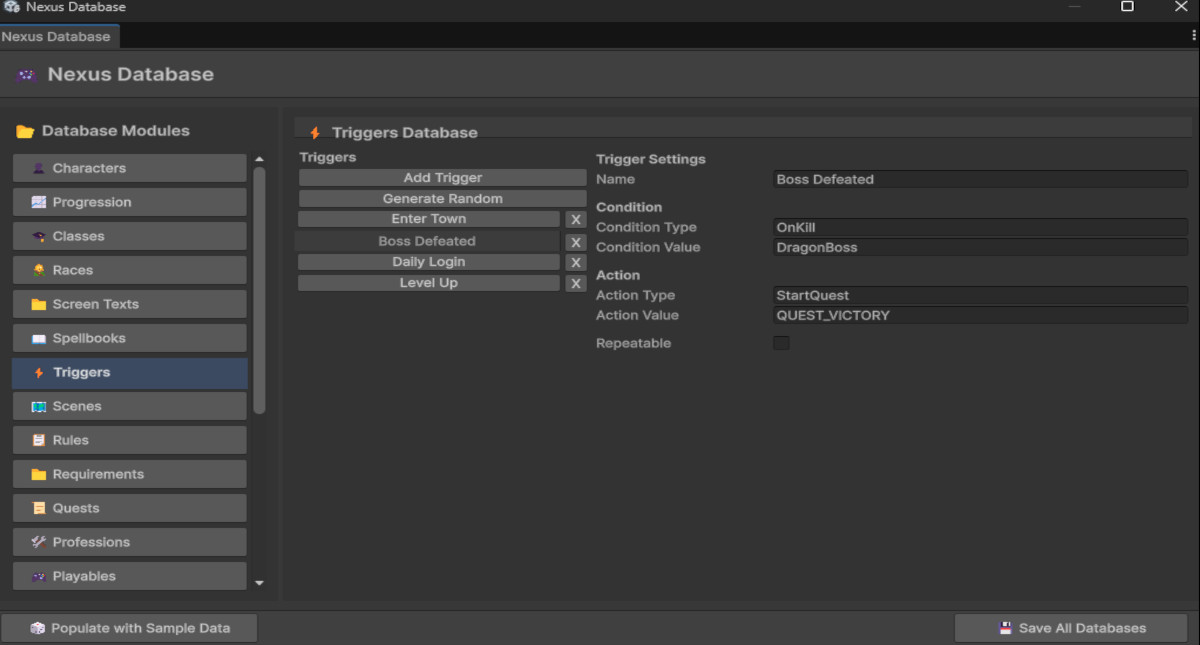
Nexus Database is a complete visual database management system for Unity game developers. It provides a modern, user-friendly editor interface for managing all types of game data—from items and quests to characters, NPCs, and abilities. Instead of manually editing JSON files or writing complex data systems, you can manage everything through a beautiful visual editor with smart dropdowns and one-click content generation.
From the publisher's Asset Store listing.
Technical details
📦 18 Built-in Database Modules
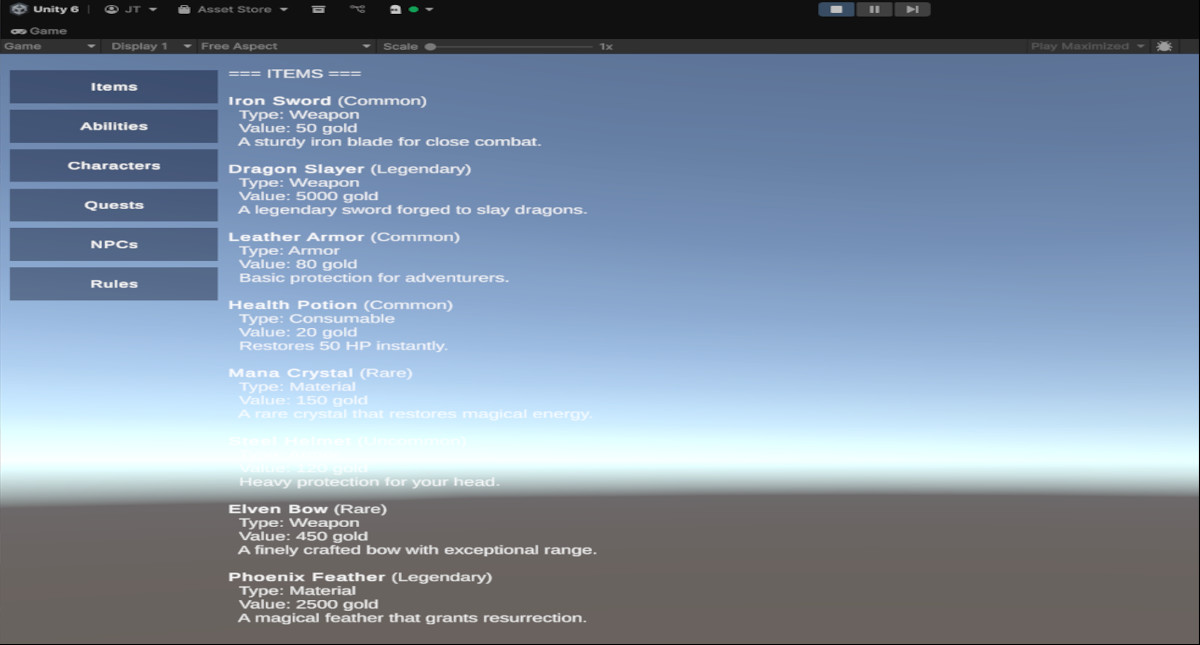
- Items - Weapons, armor, consumables, materials with rarity and tags
- Abilities - Skills, spells, buffs, debuffs with cooldowns and costs
- Characters - Player templates with stats and starting gear
- Classes & Races - RPG character archetypes
- Quests - Main story, side quests, dailies with objectives
- NPCs - Non-player characters with dialogue and vendor items
- Crafting - Recipes with ingredients and outputs
- Currencies - Multiple currency types
- Professions - Blacksmithing, alchemy, etc.
- Spellbooks - Spell collections and grimoires
- Triggers - Event-based gameplay triggers
- Rules - Game configuration and settings
- Scenes - Scene metadata management
- Screen Text - Localization-ready text keys
- Playables - Playable character data
- Item Bar - UI bar configurations
- Progression - XP and leveling systems
- Game Settings - Global game configuration
🎨 Modern Visual Editor
- Clean, styled UI with professional appearance
- Smart dropdown selections (no manual ID typing!)
- Search and filter functionality
- Batch operations support
- Cross-reference resolution between modules
🎲 Content Generation
- One-click sample data population
- AI-powered content generators (via ContentGenerator.cs)
- Quick testing and prototyping
⚡ Powerful Runtime System
- JSON-based fast loading
- Singleton pattern for easy access (RuntimeDatabaseManager.Instance)
- Helper methods: GetItem(), GetQuest(), GetCharacter(), etc.
- Full LINQ compatibility for complex queries
- Automatic cross-reference resolution
📚 Complete Documentation
- API Reference with code examples
- Setup Guide
- Testing guide (README_TESTING.md)
- Working demo scene (DatabaseDemo.unity)
- Example scripts (DatabaseUsageExample.cs)
🔧 Developer-Friendly
- No dependencies except TextMeshPro
- Compatible with Unity 2022.3+ and Unity 6
- Works with both old and new Input System
- Modular architecture for easy extension
Quick Start
- Open the editor: Menu → Tools → Nexus Database → Open Editor
- Click "🎲 Populate with Sample Data" to generate example data
- Explore modules in the sidebar
- Open the demo scene: Assets/NexusDatabase/Scenes/DatabaseDemo.unity
- Add RuntimeDatabaseManager component to a GameObject and press Play
The Nexus Database system is already integrated into your project and ready to use!
Compatibility
| Unity version | Built-in | URP | HDRP |
|---|---|---|---|
| 6000.2.8f1 | Compatible | Not listed | Not listed |
Nexus Database is render pipeline agnostic and works seamlessly with:
• Built-in Render Pipeline (All Pipelines)
Input System Compatibility:
• Legacy Input Manager (supported)
• New Input System Package (supported)
• Automatic detection and adaptation
Tested and verified on Unity 2022.3 LTS and Unity 6 (2023.2+).
Dependencies: TextMeshPro (automatically imported when needed).
As listed on the Asset Store.