
 View on Asset Store (opens in new tab)
Package details
- Latest version
- 1.0
- Last updated
- First released
- Unity version
- 2022.3.62 or later
- Package size
- 306.5 MB
- Files
- 154
- Favorites
- 3
- Views in the past week
- 6
Price tracking
- Last checked
- Tracked since
- Lowest recorded
- $9.99 on
Keywords

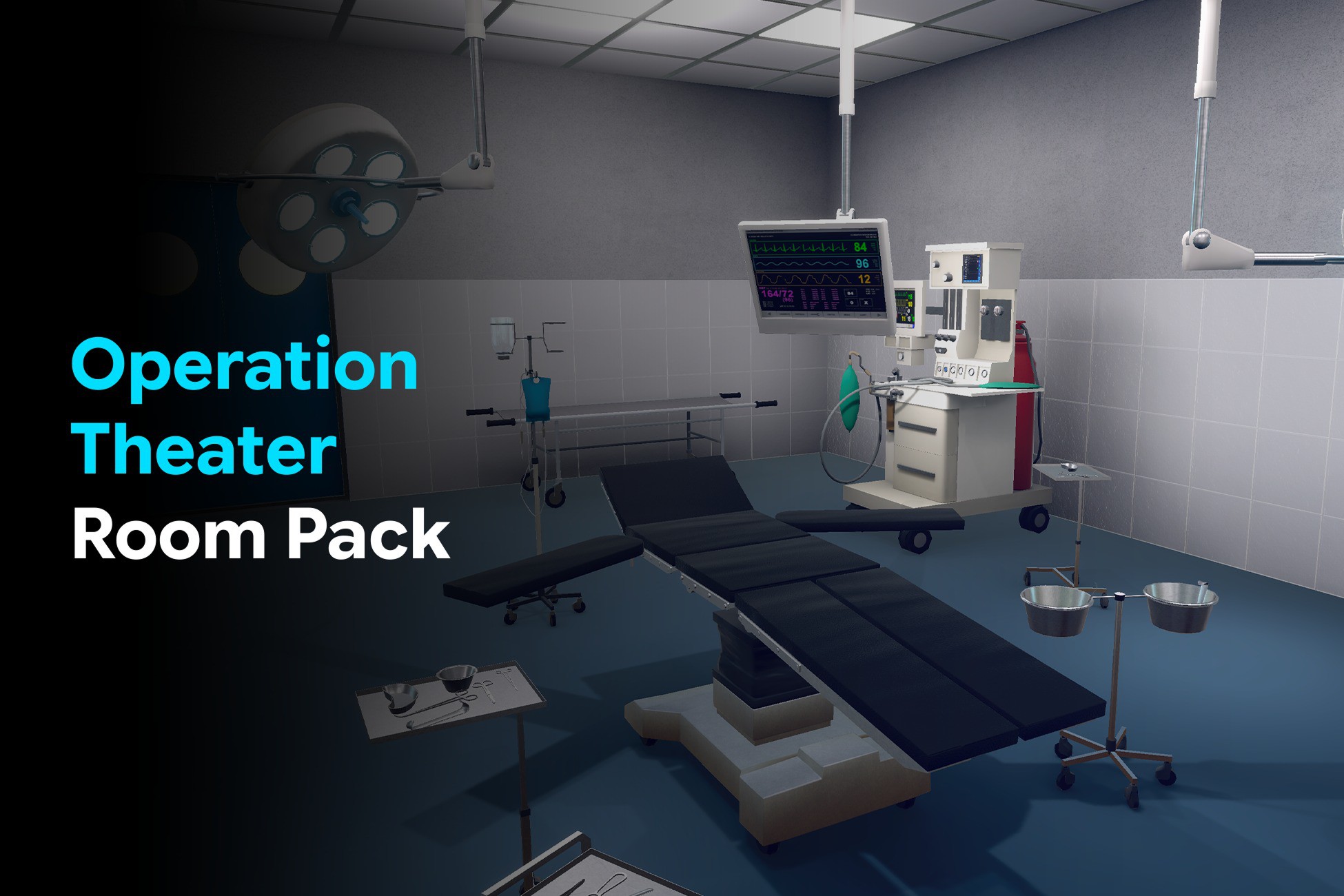
Operation Theatre Room Pack – Modular Interior Pack for Unity
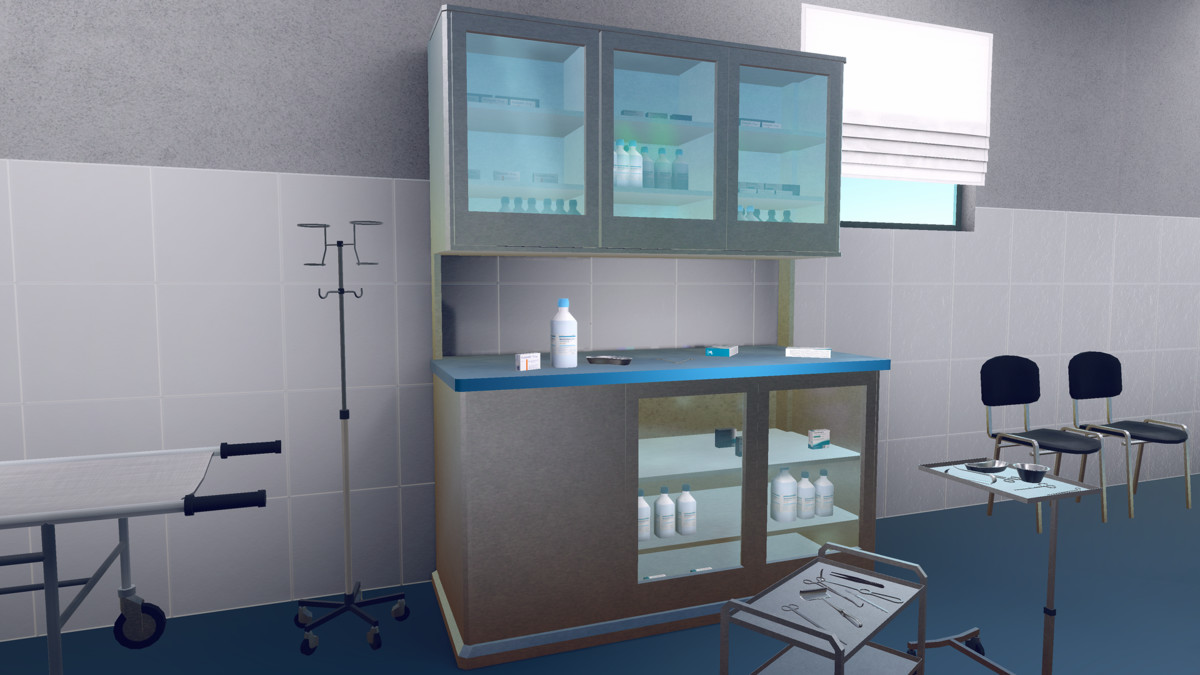
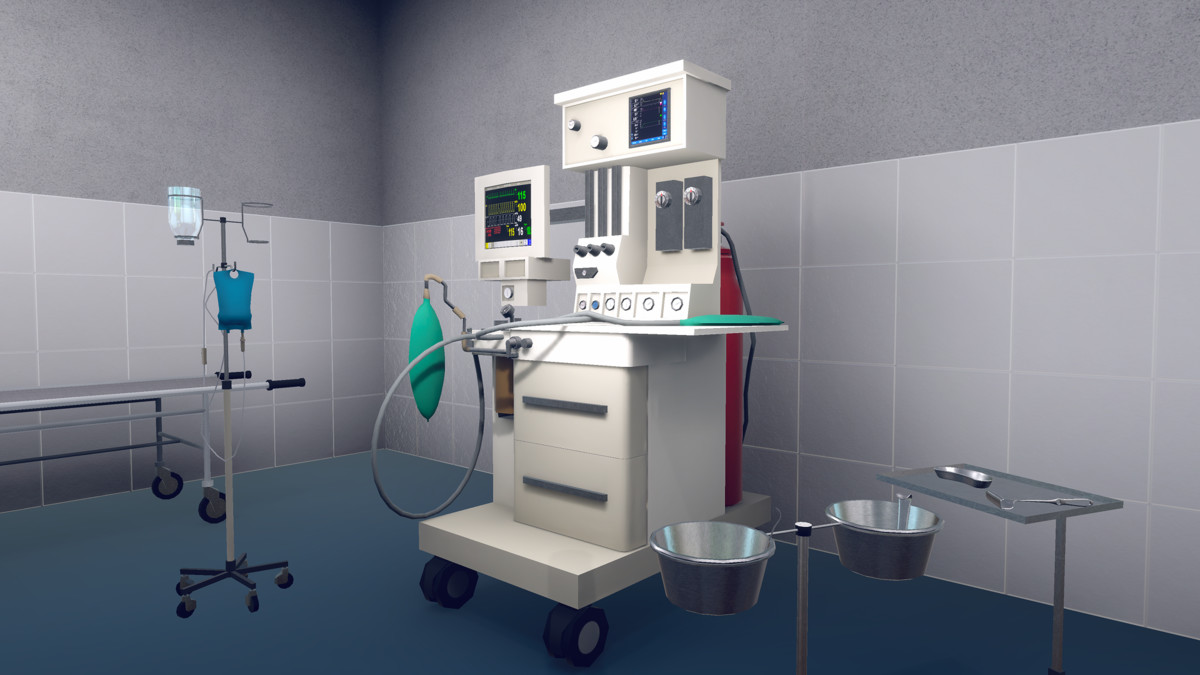
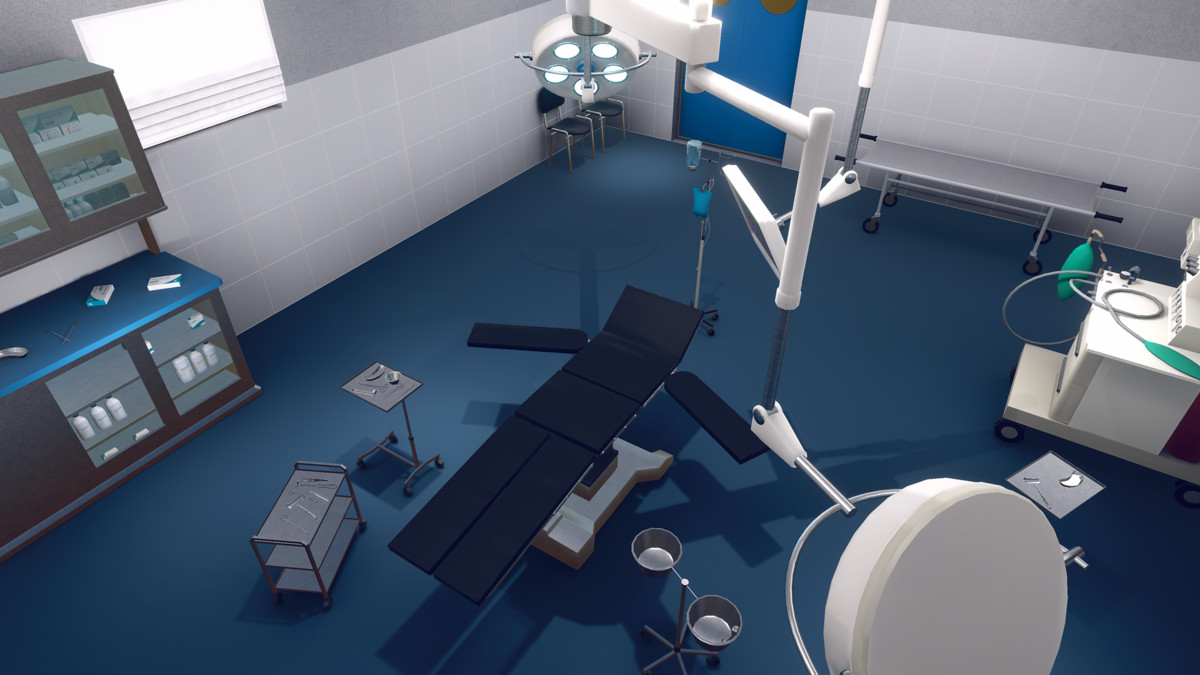
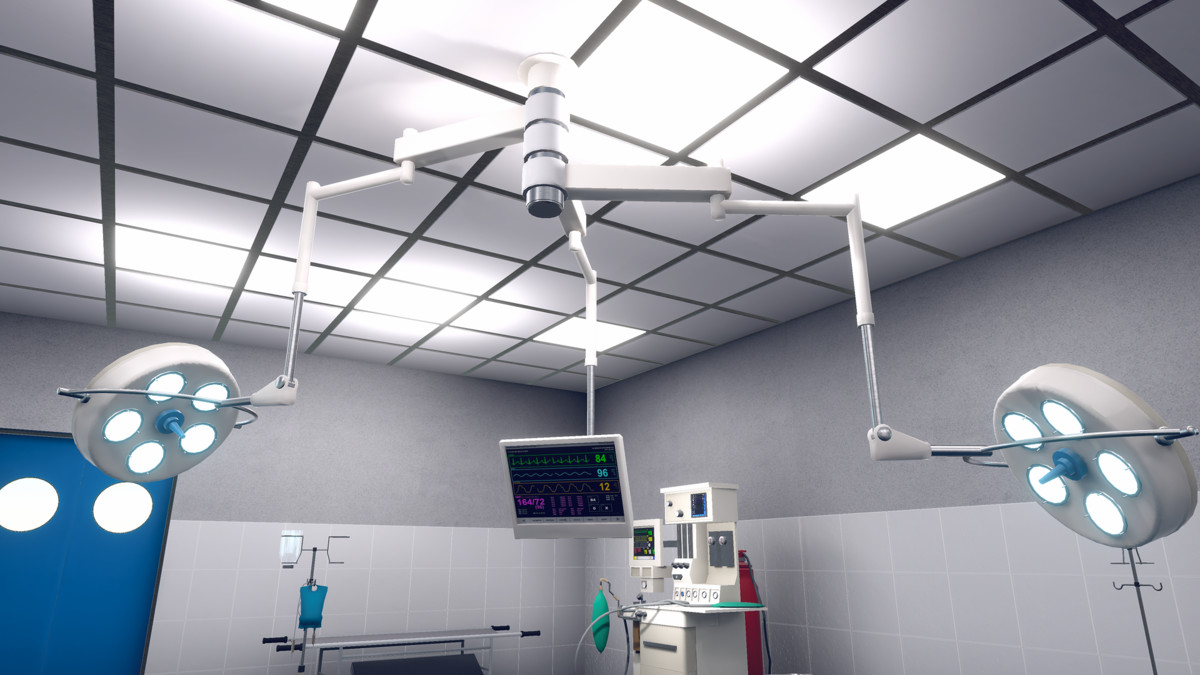
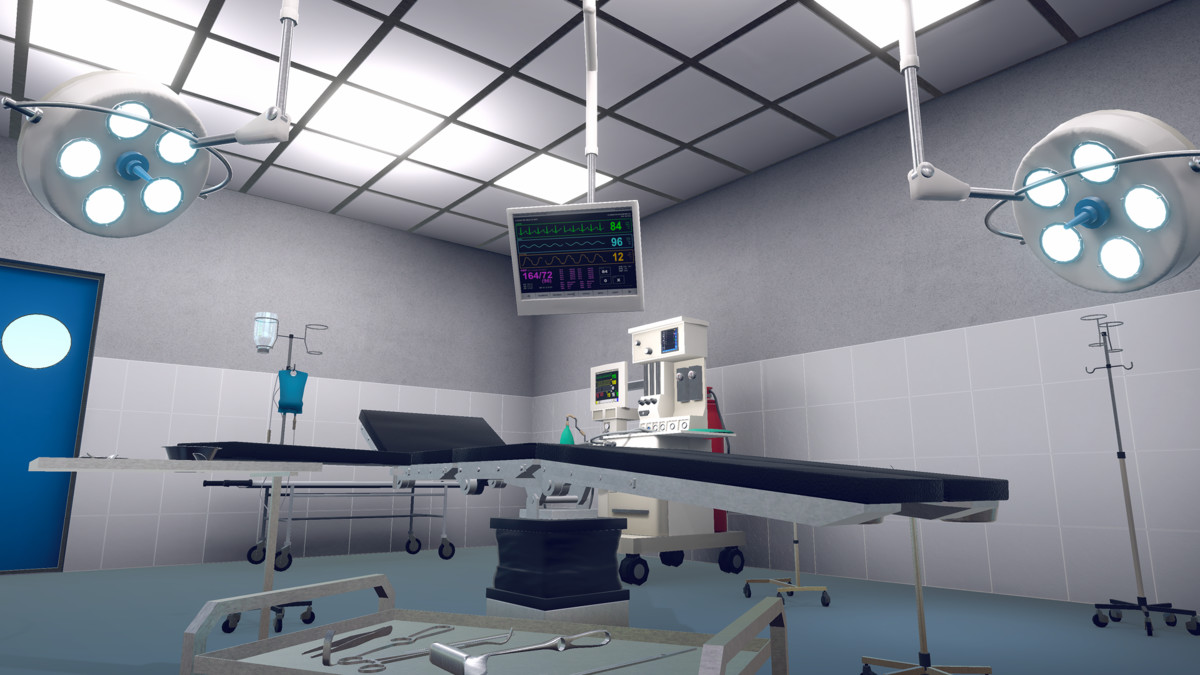
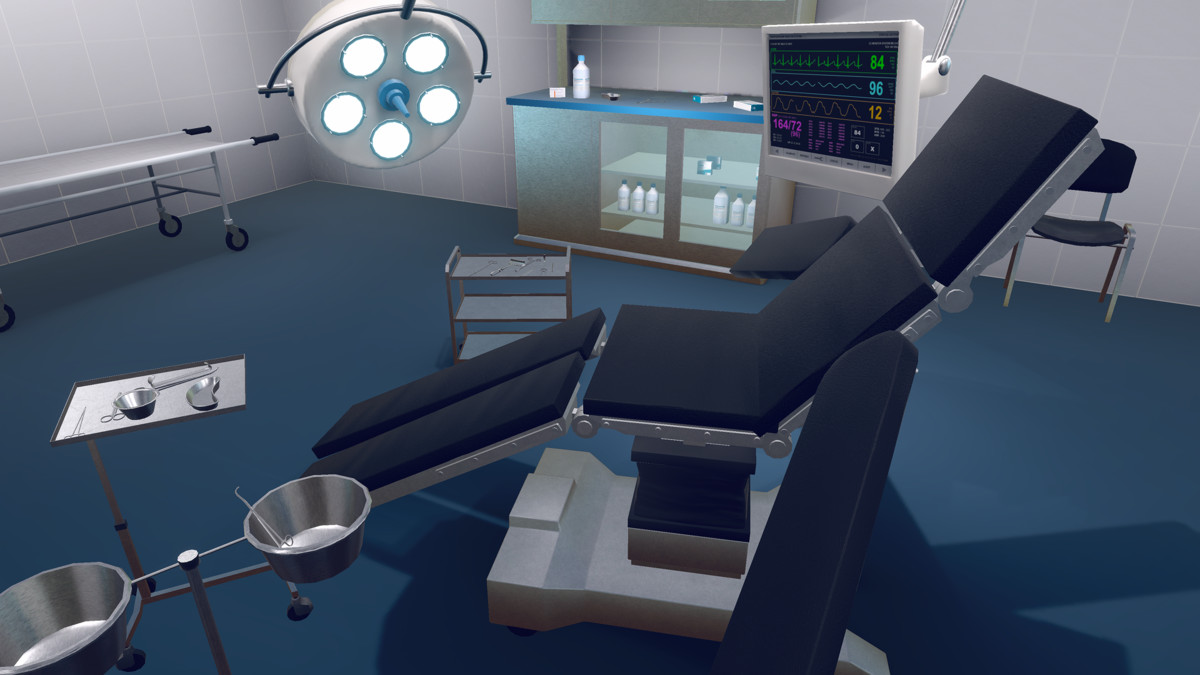
A semi-realistic low-poly Unity asset pack for creating professional medical and hospital interiors for games, simulations, VR, and architectural visualization projects and interactive experiences.
Affiliate link · Purchases support this site
Price history
Last 6 months
USDAsset preview
1 / 13
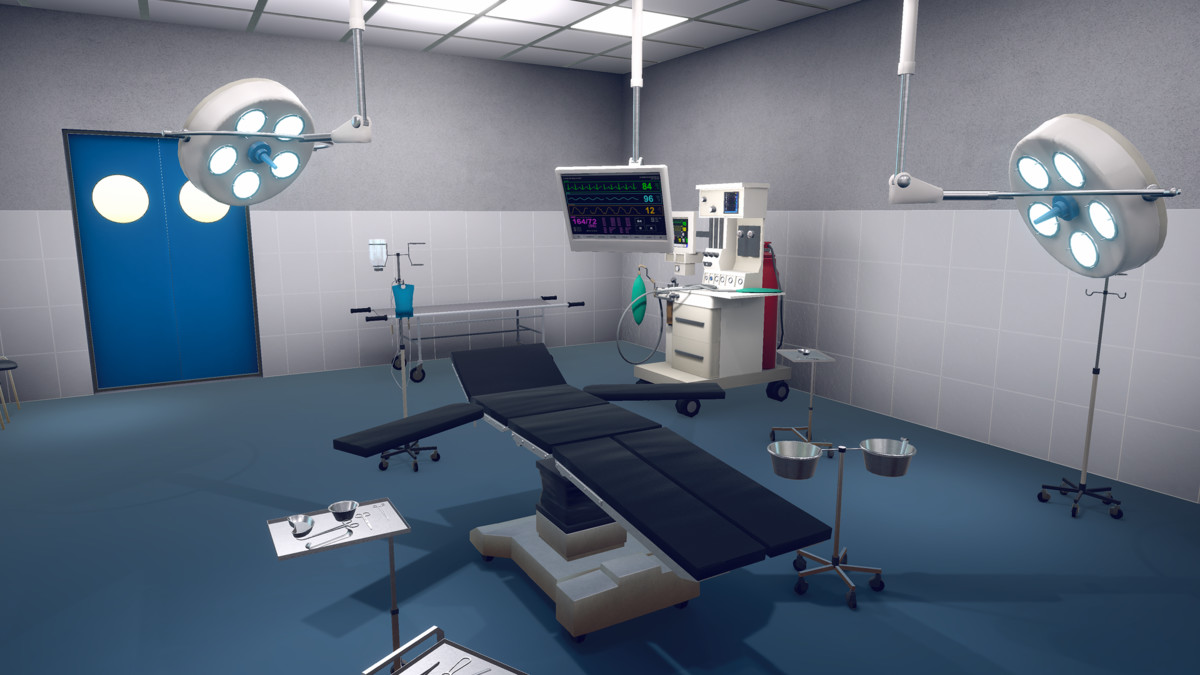
Operation Theatre Room Pack – Modular Interior Pack for Unity screenshot 1
About this asset
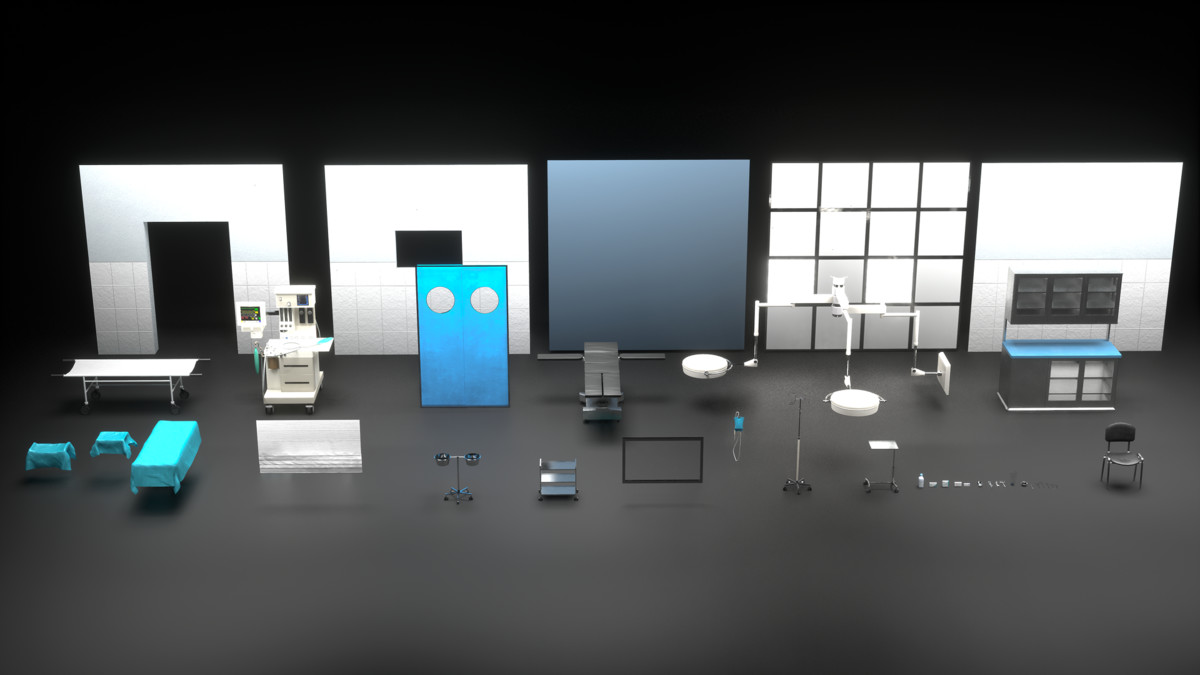
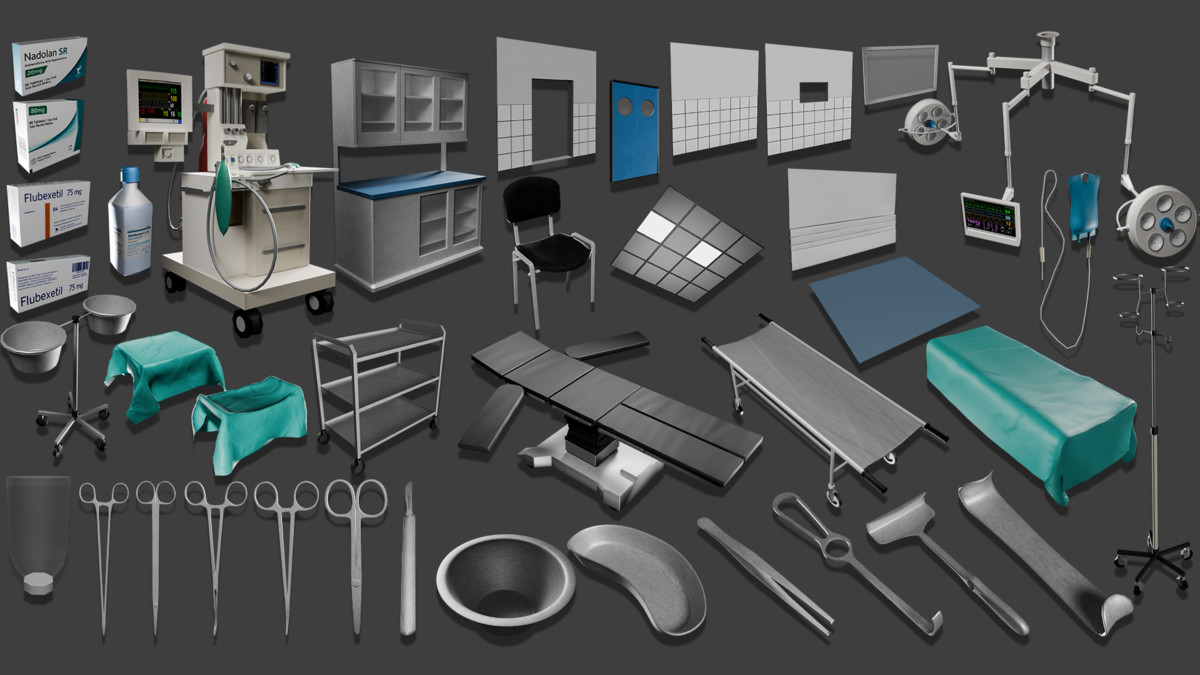
Created with performance and flexibility in mind, this pack includes 40 optimized models and prefabs built using a fully modular system. The assets are suitable for PC, console, mobile, and VR platforms, making them ideal for real-time projects across multiple use cases.
Key Features
- 40 Ready to Use Models & Prefabs
- Fully Modular System for creating custom room layouts
- Semi-realistic, low-poly visual style
- Optimized for real-time performance
- Plug-and-play Unity prefabs
- Suitable for multiple platforms and project types
Included Content
- Operation theatre equipment and furniture
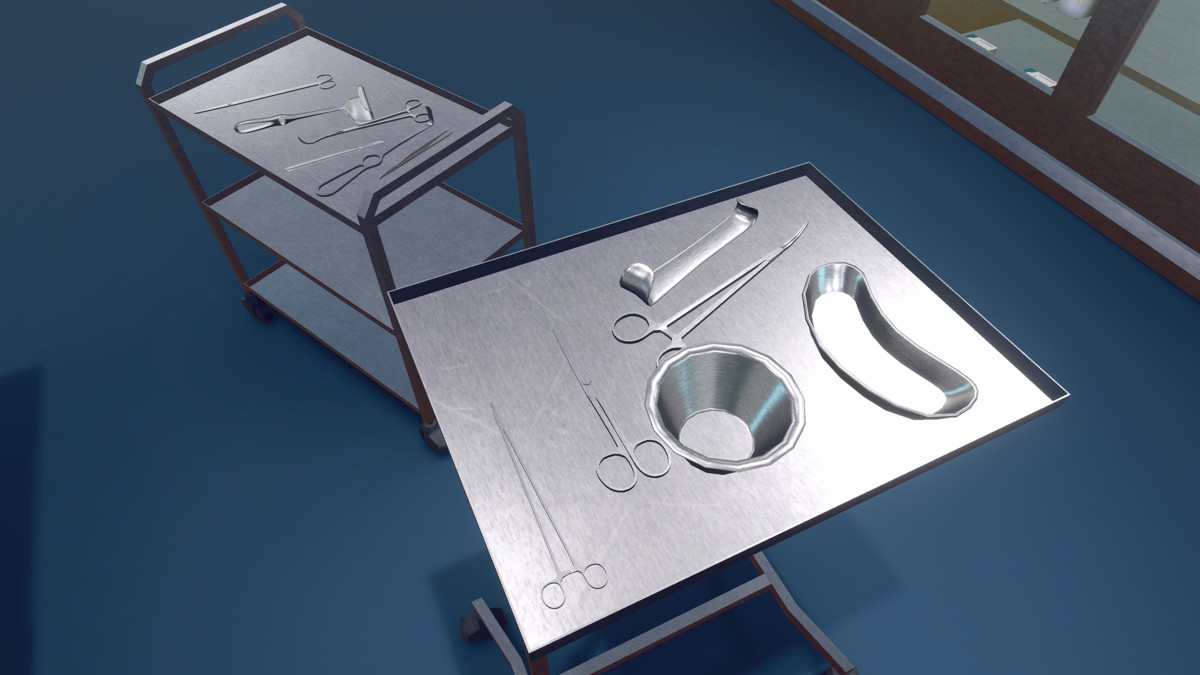
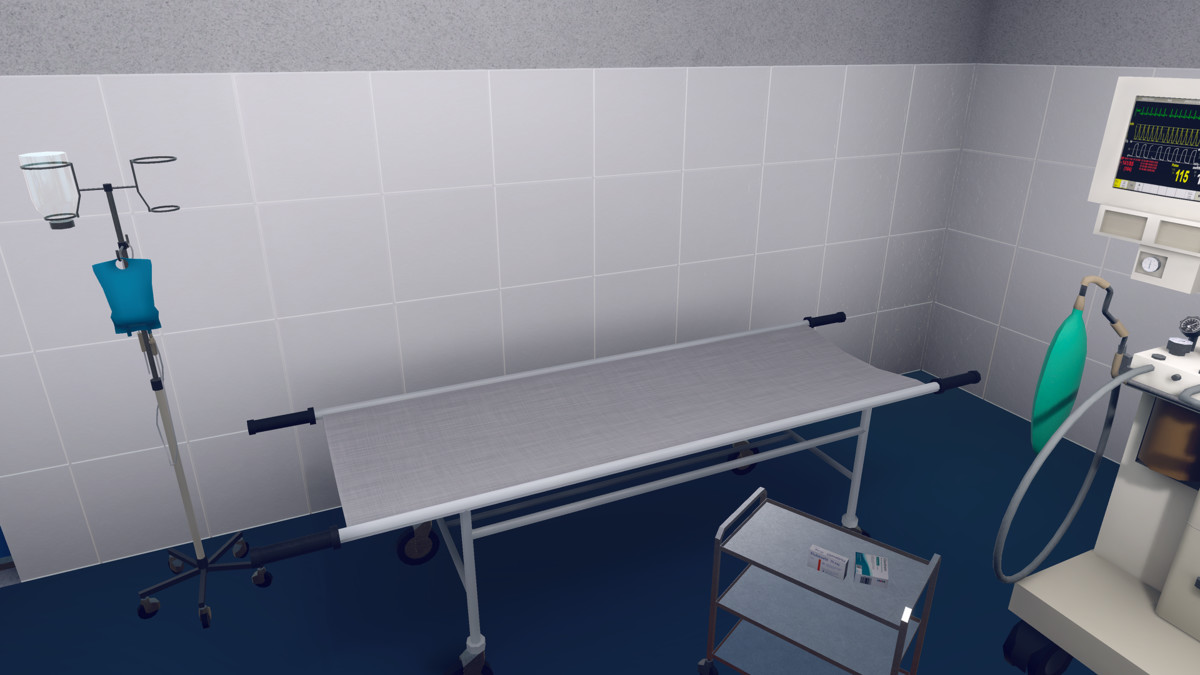
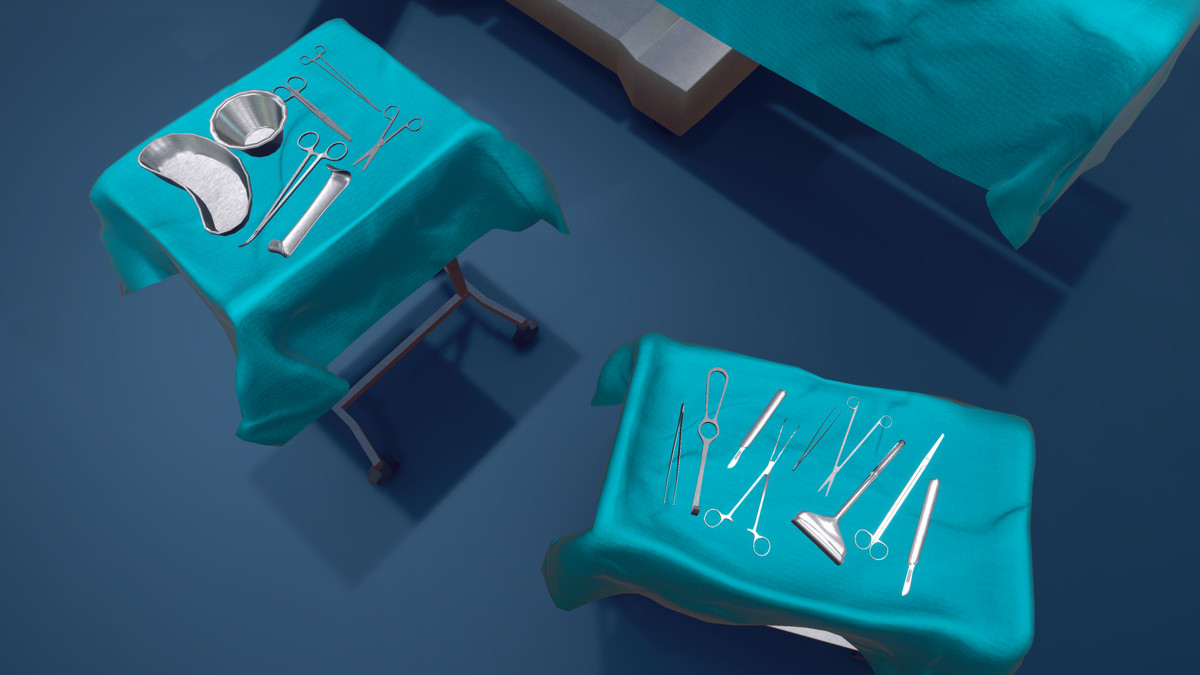
- Surgical tables, lights, monitors, and medical props
- Storage cabinets, trolleys, chairs, and stools
- Modular walls, floors, doors, and partitions
- Interior props and lighting elements
Target Use
- Game Development
- Architectural Visualization
- VR Experiences
- Mobile Applications
- PC & Console Projects
Perfect for creating hospital scenes, medical simulations, training applications, and interactive environments, the Operation Theatre Room Pack offers a fast and efficient solution for developers and designers looking to build detailed medical interiors with ease.
From the publisher's Asset Store listing.
Technical details
- Total Assets: 40 models and prefabs
- Style: Semi-realistic, low-poly
- Texture Sizes: 512×512 up to 2048×2048
- Optimized Low-Poly Geometry: Ranges from 2 to 14,000 triangles per mesh
- Platform Support: PC, Console, Mobile, VR
TEXTURE INFO
Curtain_Bathroom_BaseColor->2048x2048
Curtain_Bathroom_Emissive->2048x2048
Curtain_Bathroom_MaskMap->1024x1024
Curtain_Bathroom_Normal->1024x1024
Plaster_Ceiling_BaseColor->2048x2048
Plaster_Ceiling_MaskMap->2048x2048
Plaster_Ceiling_Normal->2048x2048
T_D_Anesthesia_Machine->2048x2048
T_D_Anesthesia_Machine_Screen->2048x2048
T_D_Ceiling->2048x2048
T_D_Clinic_Stands->2048x2048
T_D_DoorWindow->2048x2048
T_D_Furniture->2048x2048
T_D_IV_Stand_IV_Stand->2048x2048
T_D_Medicine->1024x1024
T_D_Stretcher->2048x2048
T_D_Surgical_Bed_Surgical_Bed->2048x2048
T_D_Surgical_Instruments->2048x2048
T_D_Surgical_Lights->2048x2048
T_D_Surgical_Lights_Screen->2048x2048
T_E_Ceiling->2048x2048
T_M_Anesthesia_Machine->2048x2048
T_M_Ceiling->2048x2048
T_M_Clinic_Stands->2048x2048
T_M_DoorWindow->2048x2048
T_M_Furniture->2048x2048
T_M_IV_Stand_IV_Stand->2048x2048
T_M_Stretcher->2048x2048
T_M_Surgical_Bed_Surgical_Bed->2048x2048
T_M_Surgical_Instruments->2048x2048
T_M_Surgical_Lights->2048x2048
T_N_Anesthesia_Machine->2048x2048
T_N_Ceiling->2048x2048
T_N_Clinic_Stands->2048x2048
T_N_DoorWindow->2048x2048
T_N_Furniture->2048x2048
T_N_IV_Stand_IV_Stand->2048x2048
T_N_OT_Wall_2->512x512
T_N_Stretcher->2048x2048
T_N_Surgical_Bed_Surgical_Bed->2048x2048
T_N_Surgical_Instruments->2048x2048
T_N_Surgical_Lights->2048x2048
T_D_Cloth->2048x2048
T_M_Cloth->2048x2048
T_N_Cloth->2048x2048
Support and Feedback
We value your feedback and are here to help!
Reach out to 300 Mind via our contact page Or Mail us.
Thank you for choosing this pack. We hope this documentation helps you. Happy Gaming!
Compatibility
| Unity version | Built-in | URP | HDRP | Custom |
|---|---|---|---|---|
| 2022.3.62f3 | Compatible | Compatible | Compatible | Compatible |
Models support Built-in, URP, and HDRP. Package materials are authored in URP. Material conversion or reassignment may be required based on your project setup.
As listed on the Asset Store.