
 View on Asset Store (opens in new tab)
Package details
- Latest version
- 1.2
- Last updated
- First released
- Unity version
- 6000.3.5 or later
- Package size
- 215 KB
- Files
- 12
- Views in the past week
- 5
Price tracking
- Last checked
- Tracked since
- Lowest recorded
- $8.99 on
Keywords
- Search for Undo Support
- Search for ScriptableObject
- Search for No Boilerplate
- Search for Type-safe
- Search for Slot Management
- Search for code generation
- Search for Schema-first
- Search for save manager
- Search for No String Keys
- Search for Data persistence
- Search for json serialization
- Search for save system

SaveSmart Easy
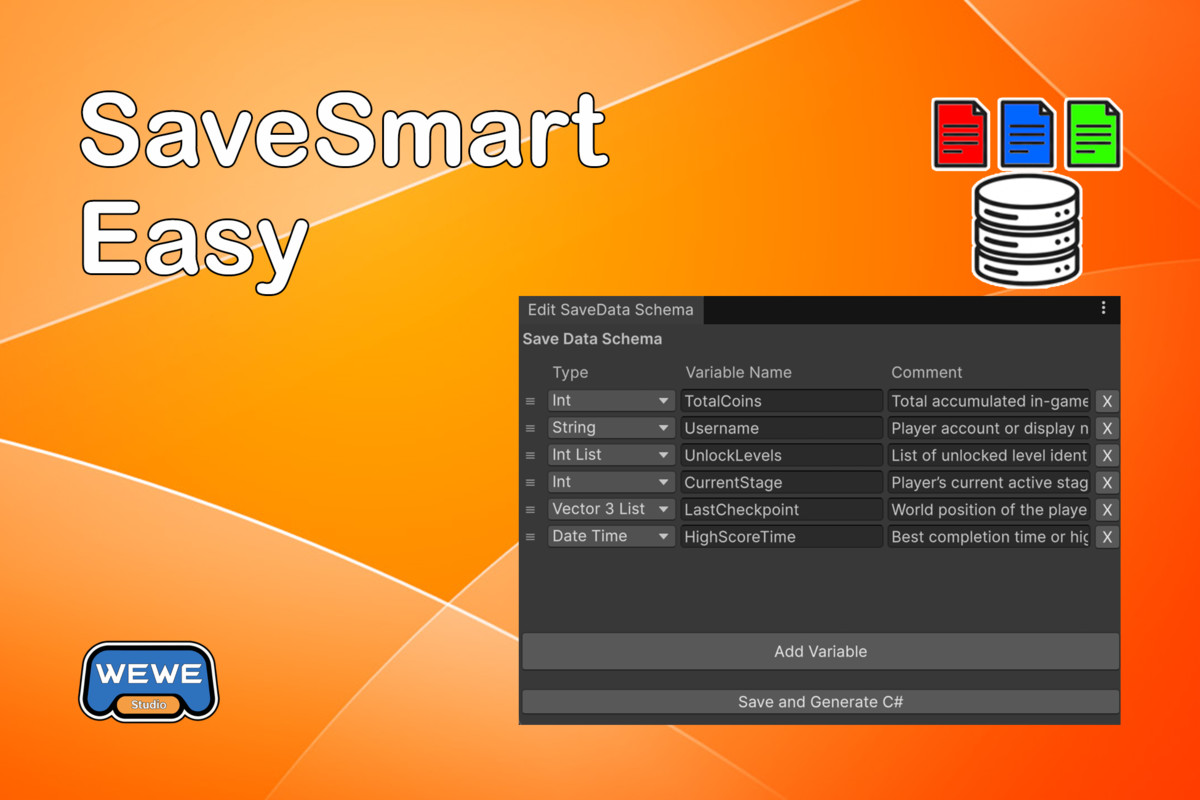
SaveSmart Easy is a schema-first save system for Unity. Define your save data in the editor, generate typed C# accessors, and save game data without string keys, boilerplate, or manual serialization.
Affiliate link · Purchases support this site
Price history
Last 6 months
USDAsset preview
1 / 6
SaveSmart Easy screenshot 1
About this asset
SaveSmart Easy is a schema-first save system for Unity.
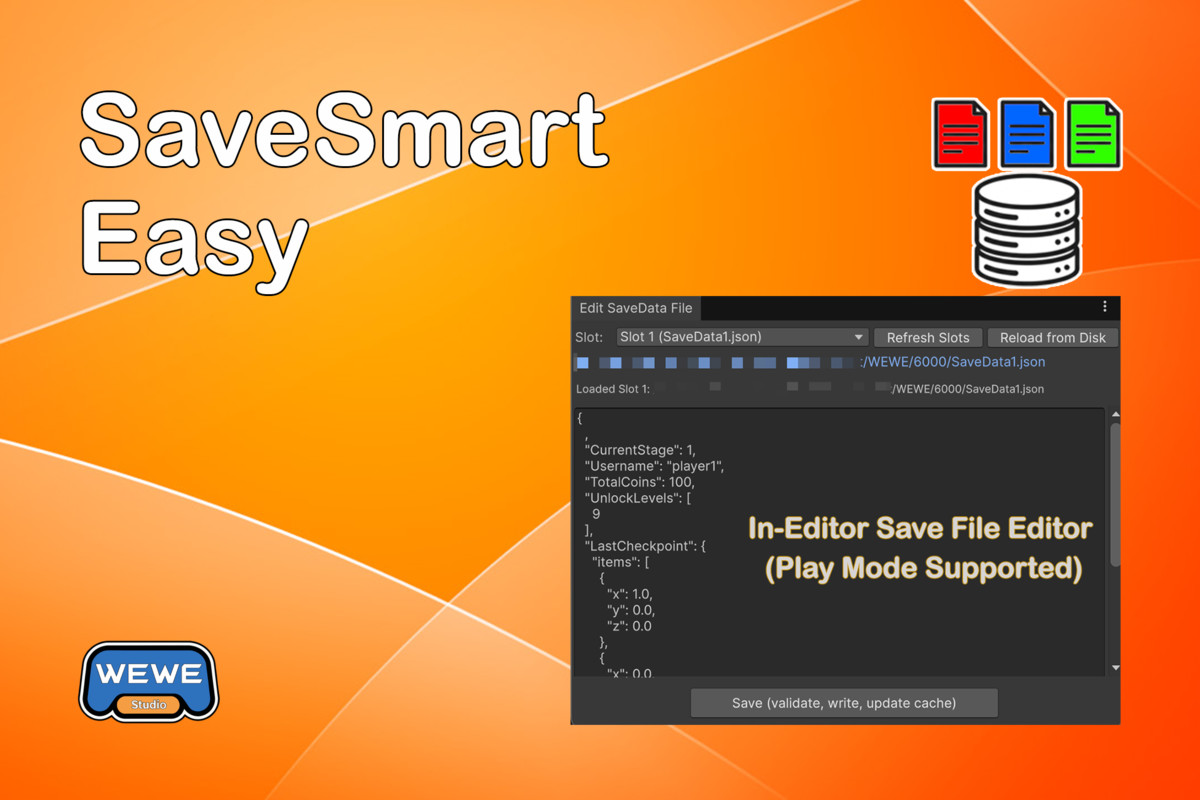
Define your save data in the editor, generate typed C# accessors, and save game data without string keys, boilerplate, or manual serialization. SaveSmart Easy includes a built-in Save File Editor (Play Mode Supported) that lets you inspect and modify save data directly as raw JSON.
Designed for indie, VR, and mobile games that need a clean, reliable local save solution.
🟩 What is SaveSmart Easy?
// Loads from memory
using SaveSmartEasy;
int coins = SaveSmart.SaveData.Coins;
Color themeColor = SaveSmart.SaveData.ThemeColor;
int[] levelScores = SaveSmart.SaveData.LevelScores;
List<int> scoreList = SaveSmart.SaveData.ScoreList;
// Saves to disk immediately
using SaveSmartEasy;
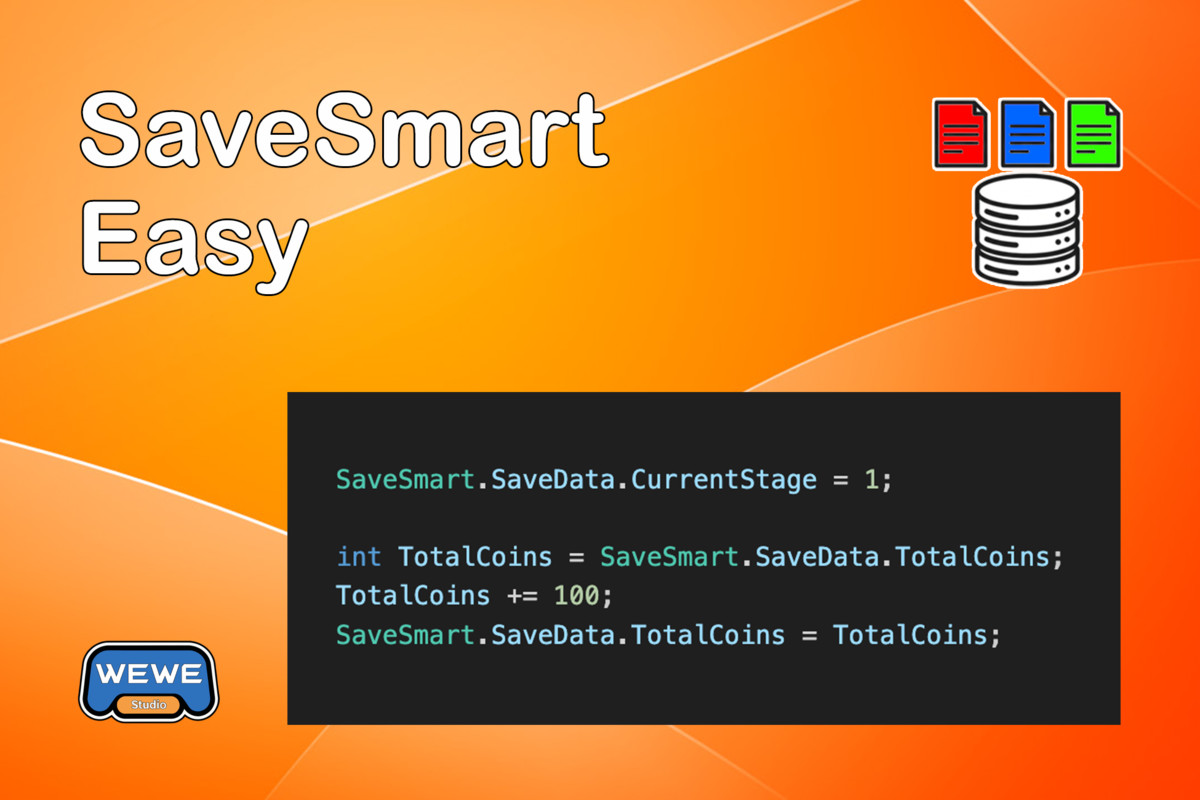
SaveSmart.SaveData.Coins += 100;
SaveSmart.SaveData.ThemeColor = Color.red;
SaveSmart.SaveData.LevelScores = new int[] { 10, 20, 30 };
SaveSmart.SaveData.ScoreList.Add(100);
That’s it. Typed, cached, and automatically stored as JSON.
// Key-based get/set also works
string username = SaveSmart.GetString("Username");
SaveSmart Easy is a lightweight, schema-first save manager for Unity.
Instead of scattering string keys across your codebase, you define your save schema once in an editor tool. SaveSmart Easy then generates typed C# accessors, so you can read and write save data using normal properties with full IntelliSense support.
No manual serialization. No typo-prone keys. No fragile glue code.
🟩 Core Design Philosophy
Schema first, code second
- Define all save fields in one place.
- Generate strongly typed accessors automatically.
- Use simple property assignments to save data.
- Keep gameplay code clean and safe from string-based errors.
This approach scales better than PlayerPrefs and stays far simpler than full custom serialization systems.
🟩 Key Features
🟥 Schema-First Workflow
- Centralized Definition: Define all save fields in a dedicated editor window to keep your data organized.
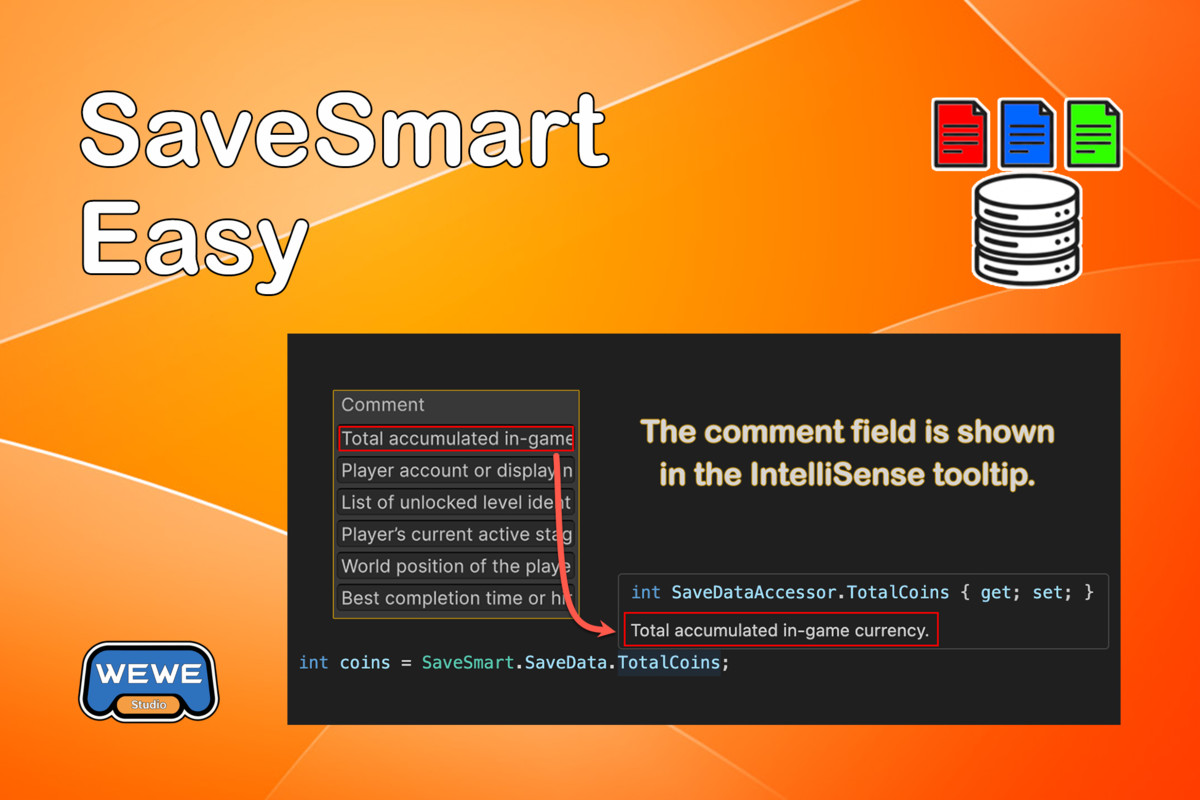
- Robust Editor Tools: The schema editor supports full Undo/Redo, reordering, and field comments for a developer-friendly experience.
- Automatic Code Generation: Generate typed C# accessors instantly, eliminating boilerplate and manual serialization.
🟥 Type Safety & IntelliSense
- No More Typos: Replace fragile string keys like PlayerPrefs.SetInt("HihgScore") with strongly-typed properties.
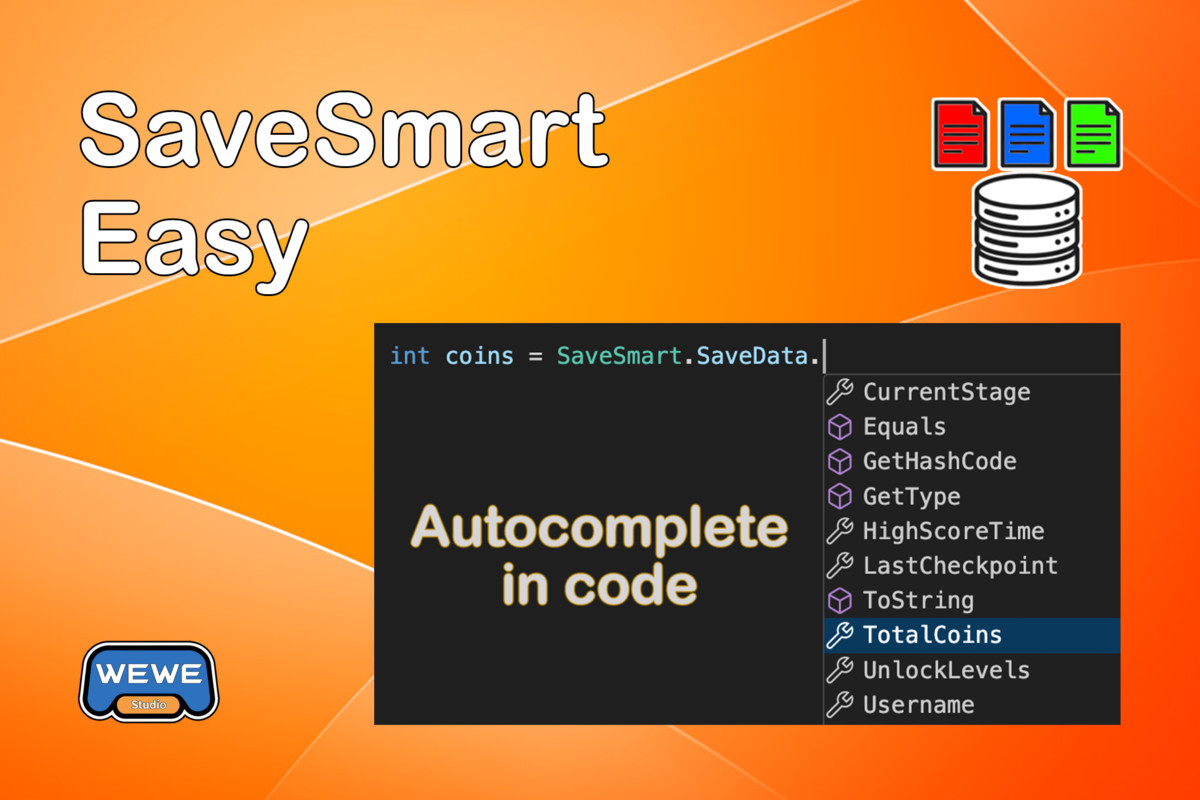
- Full Autocomplete: Access your data via SaveSmart.SaveData.YourVariableName with full IntelliSense support and compile-time safety.
- Hybrid API: While property-based access is recommended, traditional key-based APIs (e.g., GetInt, SetString) remain available for dynamic use cases.
🟥 Designed for Performance and Simplicity
- In-Memory Caching: Save data is loaded once and cached per slot, ensuring subsequent reads are instant and never block your gameplay.
- Immediate Persistence: Each write updates both the memory cache and the disk automatically, ensuring data safety without requiring manual save calls.
- Optimized for Indie & VR: Designed specifically to provide a clean, reliable, and lightweight storage solution for mobile and VR platforms.
🟥 Flexible Storage & Security
- Multiple Save Slots: Easily manage multiple saves (e.g., save1.json, save2.json) with simple APIs to switch or clear slots.
- Readable JSON: Files are stored as standard JSON under Application.persistentDataPath for easy debugging and inspection.
- Optional Encryption: Includes built-in AES-based encryption to deter casual save editing and protect player progress. This is intended as basic protection, not security-grade encryption.
- Cloud Ready: Use built-in APIs to read or write Raw JSON, making it simple to sync local data with backends or cloud providers.
🟩 In-Editor Save File Editor (Play Mode Supported)
This tool works even while the game is running (Play Mode), making it ideal for rapid testing and debugging without restarting the game.
- Quickly switch between existing save slots (SaveData1.json, SaveData2.json, etc.).Save Slot Selection
- Re-read the file from disk to reflect changes written by the game at runtime.Reload From Disk
- JSON is automatically formatted and ordered based on your schema for readability.Direct JSON EditingEdit save values directly in a text editor.
- The running game sees the updated values instantly.Safe Save & Hot ReloadJSON is validated before saving.
Changes are written to disk and the in-memory cache is updated immediately. - Open the save folder directly in the system file manager for inspection or backup.Reveal in File Explorer
Typical Use Cases
- Test different save states during gameplay (e.g. set CurrentStage = 5).
- Debug progression, unlocks, or checkpoints without replaying content.
- Inspect or repair corrupted or partial save files.
- Verify cloud sync or encryption behavior by inspecting decrypted JSON.
🟩 Supported Data Types
- Primitive Types: Int, Long, Float, Double, Bool, String.
- Unity Types: Vector2, Vector3, Color, Color32, Quaternion, Rect.
- Standard Types: DateTime.
- Array Variants: Supports all types above (e.g., IntArray, Vector3Array, Color32Array, etc.).
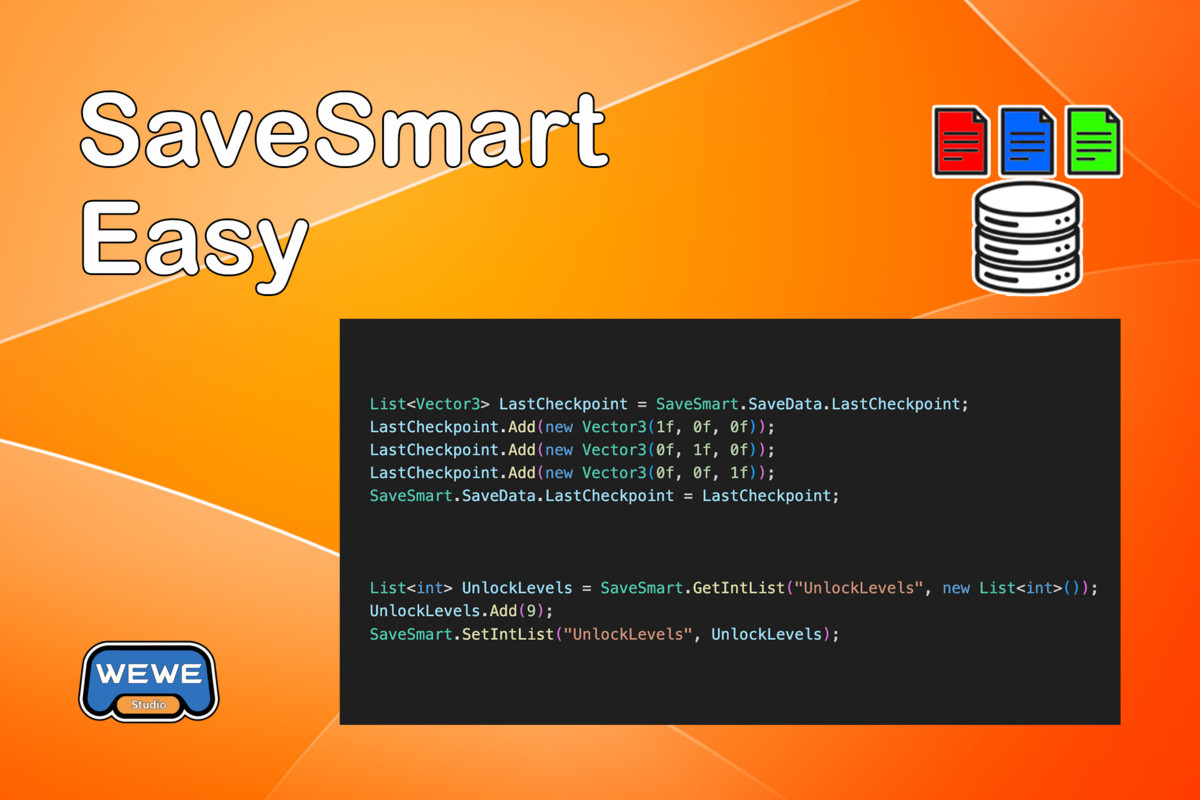
- List Variants: Produces List<T> properties for all types above (e.g., IntList, QuaternionList, DateTimeList, etc.).
- Custom Objects: For complex data structures, use a String field to store JSON strings via JsonUtility or other JSON libraries.
🟩 Typical Use Cases
Well suited for:
- Game settings
- Player progress and checkpoints
- Unlocks and achievements
- Single-player or local save systems
- Indie, VR, and mobile games
Not intended for:
- Massive live-service architectures
- Per-frame telemetry logging
- Server-authoritative MMO save pipelines
🟩 Performance Notes
- Reads are served from memory after the first load.
- Each write persists immediately to disk.
- Avoid writing every frame or inside tight loops.
This design favors data safety and simplicity over ultra-high-frequency write scenarios.
🟩 Why Resources?
The schema config asset is saved and loaded from a Resources folder by design, ensuring predictable availability across all platforms.
- Used only for loading the schema
- Loaded once and cached
- No Addressables required
- No runtime asset modification
The config is a ScriptableObject, stored as a .asset file and persisted with your project.
🟩 Unity Version
- Unity 2020.3 or later (LTS recommended)
From the publisher's Asset Store listing.
Compatibility
| Unity version | Built-in | URP | HDRP | Custom |
|---|---|---|---|---|
| 6000.3.10f1 | Compatible | Compatible | Compatible | Compatible |
| 6000.3.5f1 | Compatible | Compatible | Compatible | Not listed |
As listed on the Asset Store.