
 View on Asset Store (opens in new tab)
Package details
- Latest version
- 1.0.1
- Last updated
- First released
- Unity version
- 6000.3.3 or later
- Package size
- 1.3 MB
- Files
- 14
- Favorites
- 10
- Views in the past week
- 16
Price tracking
- Last checked
- Tracked since
- Lowest recorded
- Free on
Keywords

Audio Adjust (Trim, Fade, Volume)
Audio Adjust is a lightweight Unity editor tool that allows you to quickly trim silence, apply fades, normalize or boost gain, adjust playback speed, reverse clips.
Affiliate link · Purchases support this site
Price history
Last 6 months
USDAsset preview
1 / 2
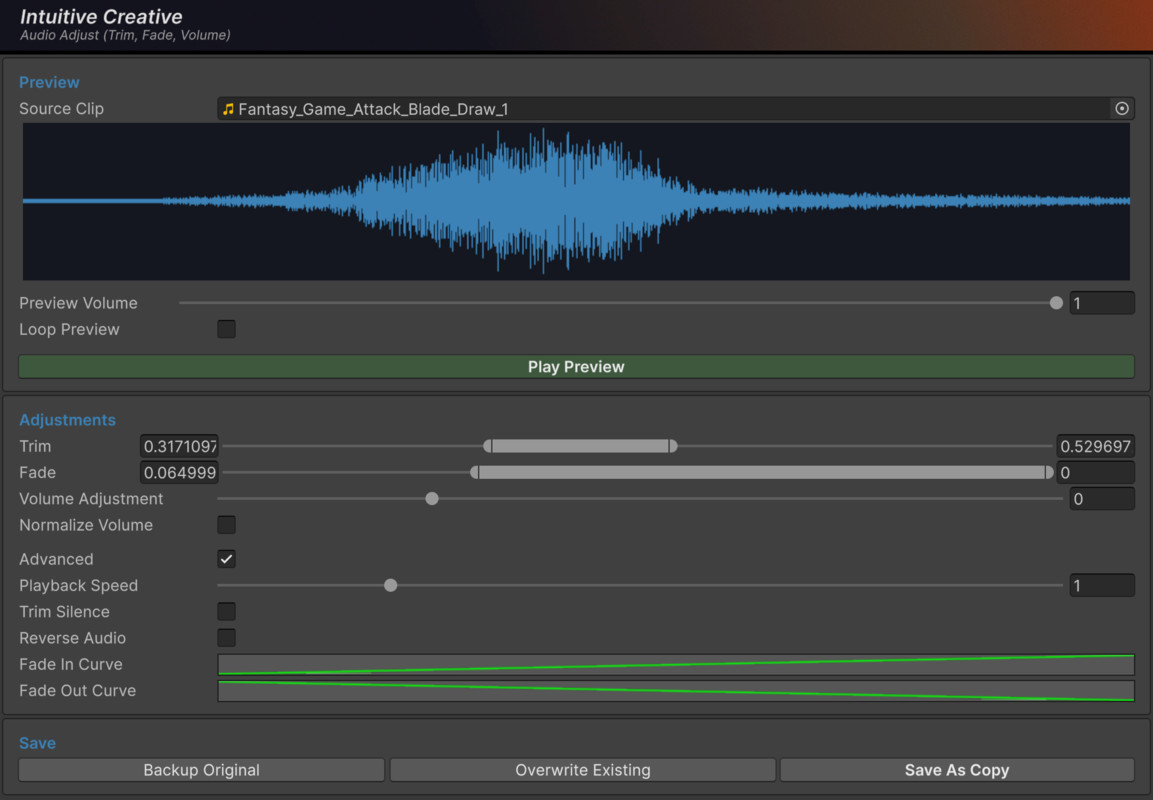
Audio Adjust (Trim, Fade, Volume) screenshot 1
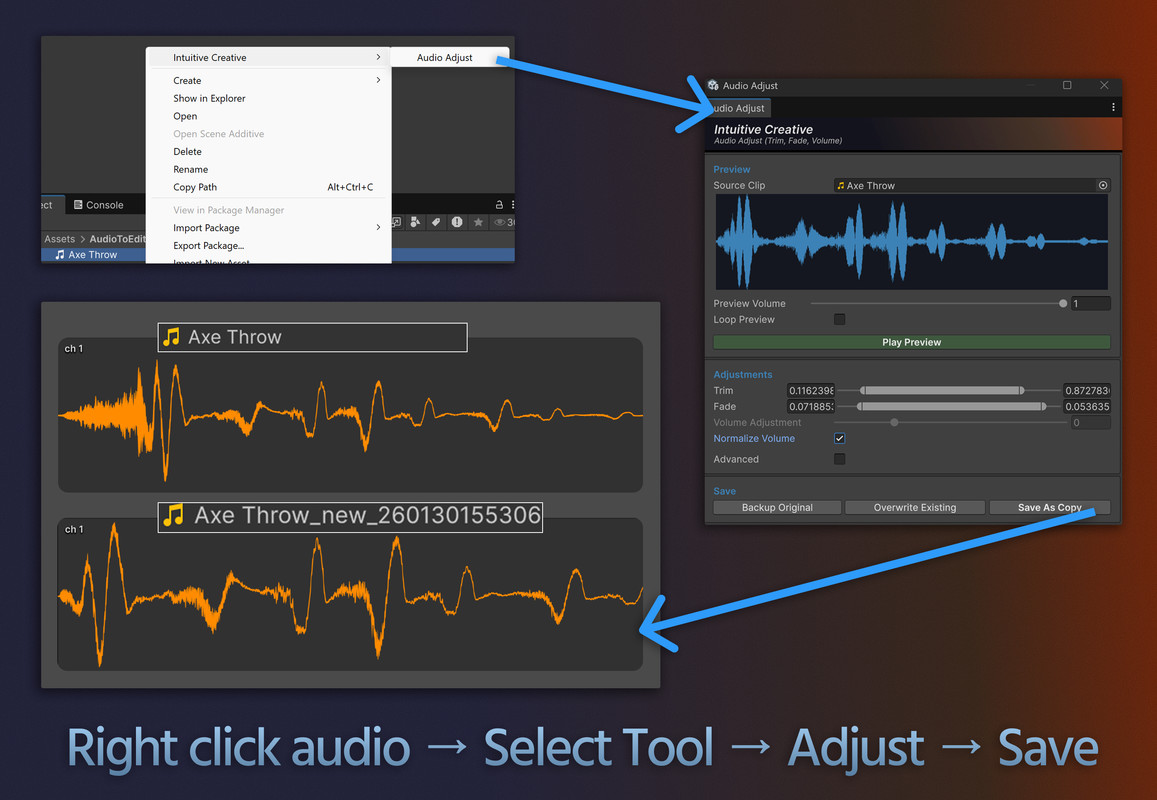
About this asset
Designed for fast iteration on purchased or imported sound effects, Audio Adjust lets you make essential adjustments, preview them, then quickly backup and save, so you can immediately replace referenced assets - all without leaving Unity.
Features
- Trim audio start and end
- Automatically trim leading and trailing silence
- Fade in and fade out
- Normalize volume
- Boost gain beyond normalized levels
- Adjust playback speed (speed up or slow down)
- Reverse audio clips
- Preview changes before saving
- Overwrite, backup, or save as copy
- Batch-friendly workflow
Support & Feedback
We'd love to hear bug reports, feature requests, and general feedback to improve our toolset, join the Intuitive Creative discord: https://discord.gg/wRyuGMdS
From the publisher's Asset Store listing.
Technical details
- Editor-only tool (no runtime impact)
- Automatically reimports modified assets
- Operates on Unity AudioClip assets
- Customised handling of one-shot clips vs long clips
- Uses simple destructive edits applied to asset data
- Supports single-asset and batch workflows
- Export format: WAV
- Compatible with standard Unity audio import pipelines
- No external dependencies
- No batch operations in free version
- Licensed under the Unity Asset Store EULA
Tested on Unity 6000.3.3f1
Compatibility
| Unity version | Built-in | URP | HDRP |
|---|---|---|---|
| 6000.3.3f1 | Compatible | Compatible | Compatible |
As listed on the Asset Store.