
 View on Asset Store (opens in new tab)
Package details
- Latest version
- 1.0
- Last updated
- First released
- Unity version
- 6000.3.2 or later
- Package size
- 50 KB
- Files
- 37
- Favorites
- 1
- Views in the past week
- 10
Price tracking
- Last checked
- Tracked since
- Lowest recorded
- $4.99 on
Keywords

AstraydeFramework
A lightweight, reactive UI Window Management framework for Unity URP. Simplifies modal dialogs, layered menus, and screen blur effects with async/await and R3 reactive programming support.
Affiliate link · Purchases support this site
Price history
Last 6 months
USDAsset preview
1 / 1
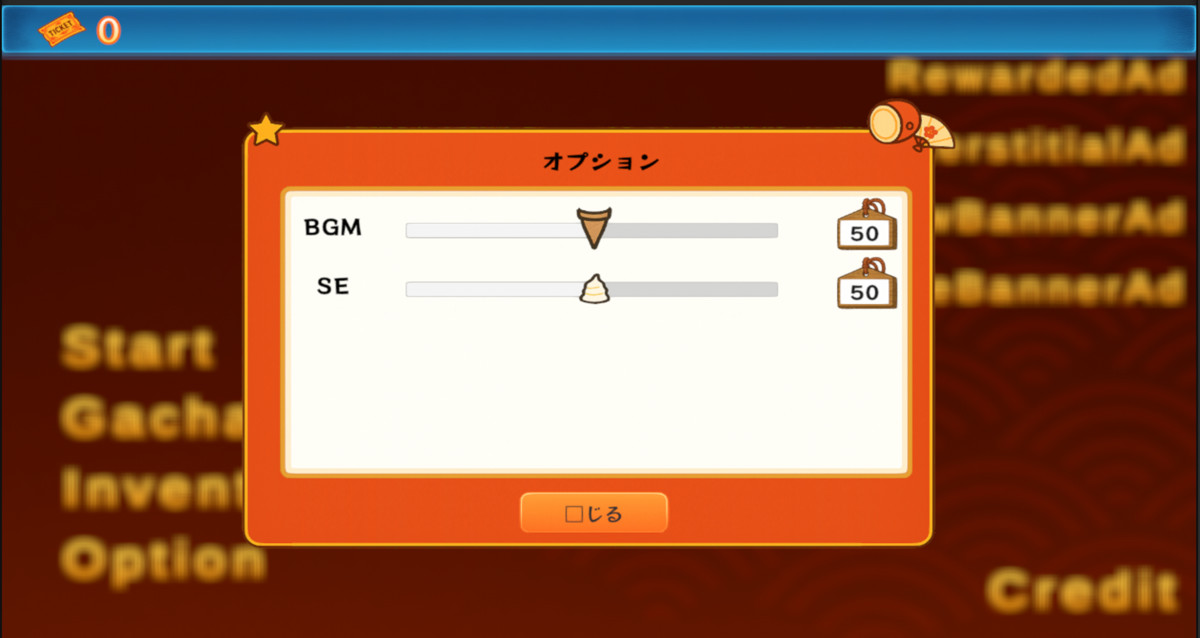
AstraydeFramework screenshot 1
About this asset
Astrayde Framework provides a clean, scalable architecture for managing UI windows in Unity URP projects. Stop writing boilerplate canvas setup and sorting
order management code — Astrayde handles it automatically.
Key Features:
- Window Manager — Open and close windows asynchronously with a single line: WindowManager.OpenWindowAsync<MyWindow>()
- Screen Blur Effect — Beautiful URP-compatible background blur for modal overlays, with smooth fade-in animation
- Auto Canvas Configuration — Automatically configures Canvas, CanvasScaler (1920×1080), and GraphicRaycaster with conflict-free sorting order management
- Declarative Prefab Binding — Use the [LocalAssetPath] attribute to bind window classes to prefab paths without manual wiring
- Reactive UI — Built on R3 (Reactive Extensions for Unity) for clean, event-driven UI interactions
- Async/Await — UniTask-powered non-blocking window transitions
- Editor Tools — One-click window prefab creation and an in-editor debug window for rapid prototyping
Problems This Solves:
- Eliminates repeated canvas/modal boilerplate across your project
- Prevents UI sorting order conflicts in complex layered interfaces
- Provides a consistent, testable lifecycle for every window (Initialize → Open → Close)
- Makes UI logic reactive and composable instead of callback-spaghetti
From the publisher's Asset Store listing.
Technical details
Unity Version: 2022.3 LTS or later
Render Pipeline: Universal Render Pipeline (URP) ONLY. Built-in Render Pipeline and HDRP are not supported.
UI System: Unity uGUI only. UI Toolkit and DOTS UI are not supported.
URP Configuration Required: "Opaque Texture" must be enabled in your URP Asset settings to use the screen blur effect.
Required Third-Party Packages (must be installed separately via OpenUPM / Unity NuGet):
- com.cysharp.unitask v2.5.10 or later (via OpenUPM)
- com.cysharp.r3 v1.1.0 or later (via OpenUPM)
- org.nuget.observablecollections.r3 v3.3.4 or later (via Unity NuGet)
Scripting Backend: Mono and IL2CPP supported
API Compatibility Level: .NET Standard 2.1
Compatibility
| Unity version | Built-in | URP | HDRP |
|---|---|---|---|
| 6000.3.2f1 | Not listed | Compatible | Not listed |
As listed on the Asset Store.