
 View on Asset Store (opens in new tab)
Package details
- Latest version
- 1.0.0
- Last updated
- First released
- Unity version
- 6000.3.2 or later
- Package size
- 5.2 MB
- Files
- 377
- Favorites
- 1
- Views in the past week
- 7
Price tracking
- Last checked
- Tracked since
- Lowest recorded
- $14.99 on
Keywords
Dialogue Stream
- Price drop
Dialogue Stream transforms Unity's native Animator into a visual conversation engine. Bring your characters to life with branching and modular conversation generation that feels truly native to Unity.
Lowest recorded price
Get 40% off on Asset Store (opens in new tab)Affiliate link · Purchases support this site
Price history
Last 6 months
USDAsset preview
1 / 4
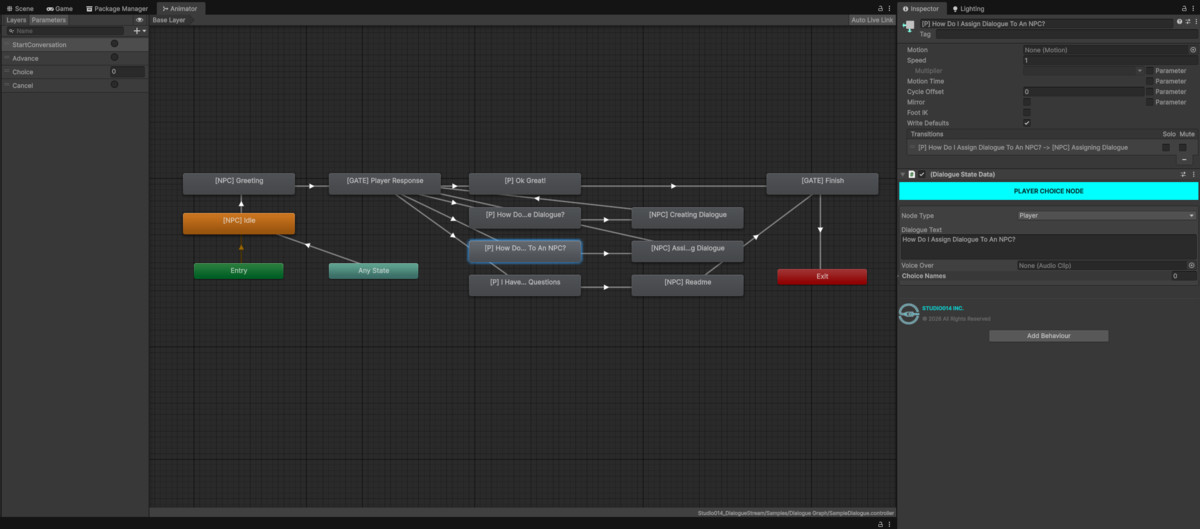
Dialogue Stream screenshot 1
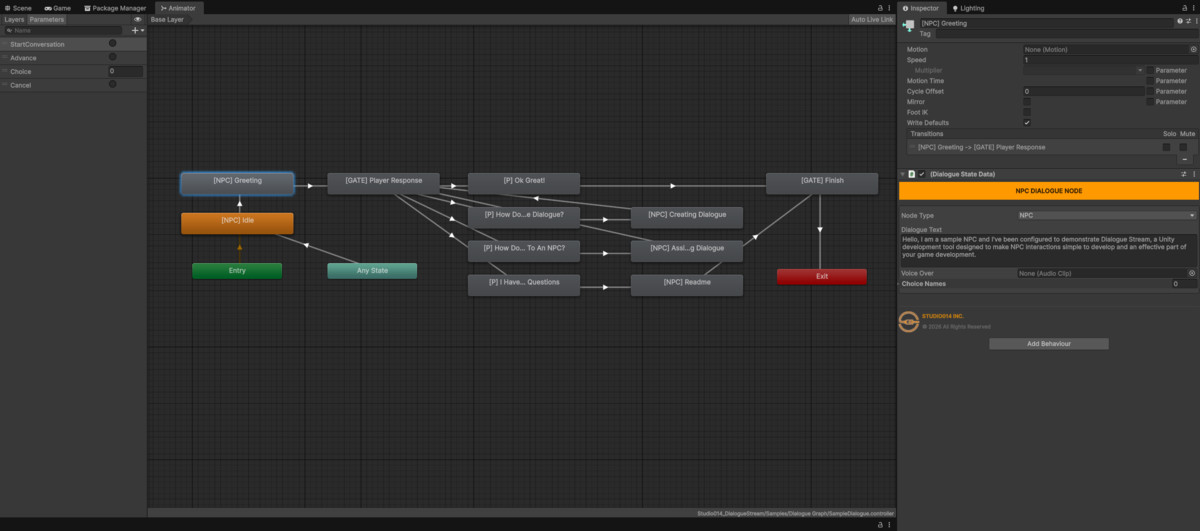

About this asset
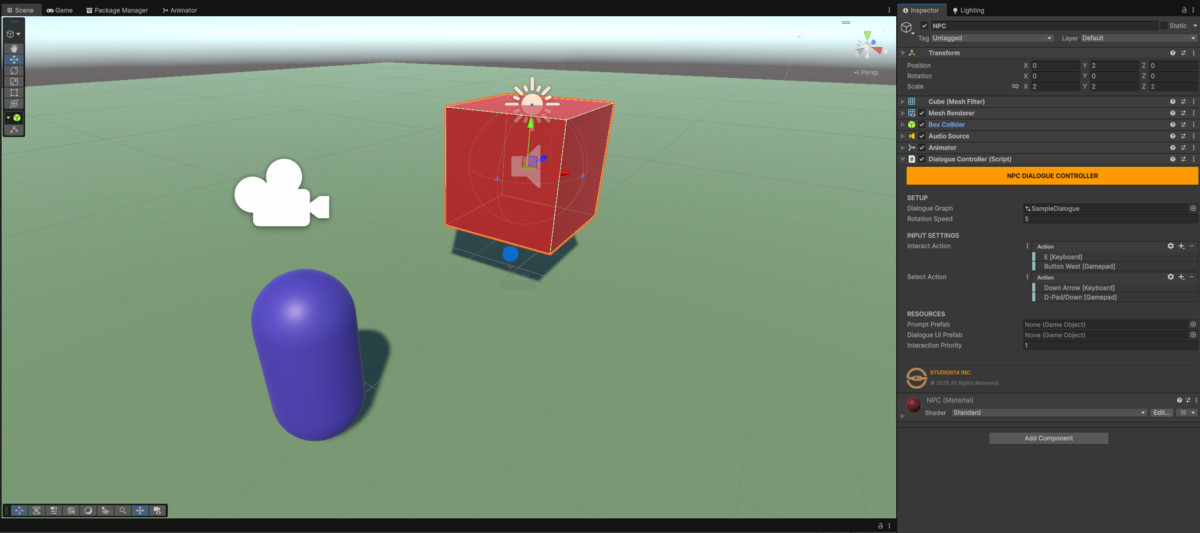
Dialogue Stream is a professional-grade, modular dialogue system that eliminates the friction between writing a story and implementing it. By leveraging Unity’s native Animator architecture, Dialogue Stream transforms the standard Animator Window into a powerful, visual dialogue editor—giving you total control over branching paths, NPC logic, and player agency without writing a single line of code.
The Animator is Your Storyboard
Most dialogue systems force you into proprietary, clunky "node editors" that feel disconnected from your game. Dialogue Stream stays native.
- Visual Logic: Map out your story exactly like you map out your animations. If you can use an Animator, you already know how to use Dialogue Stream.
- Fluid & Visual: Watch your story flow in real-time. Debugging a conversation is as simple as watching the blue progress bar move through your states.
- Design Clarity: Easily organize complex, multi-path stories with hierarchical state machines. Never lose track of a narrative thread again.
Automated Technical Sophistication
We believe in "Zero-Manual-Setup." Dialogue Stream manages the technical "plumbing" so you can focus on the performance.
- Automated Injection: The system automatically manages your triggers (Start Conversation, Advance) and integers (choice). No more typos breaking your game.
- Animation-Ready: Because it lives in the Animator, triggering a specific NPC gesture or facial expression at a specific line of dialogue is built-in. No complex event-syncing required.
- Smart Gate Nodes: Use specialized nodes to pause the logic for player input, ensuring a smooth handoff between NPC speech and player choice.
True Modularity
Built for the modern developer, Dialogue Stream is entirely decoupled.
- Hot-Swappable Stories: Change an NPC’s entire personality or questline by simply swapping their Dialogue Graph asset at runtime.
- On-Demand UI: Our "Ghost" UI architecture means the system only exists when it needs to. The UI is instantiated, used, and destroyed automatically, keeping your scene hierarchy clean.
- Input-Agnostic: Powered by Input Action Properties, the system is ready for Keyboard, Mouse, and Gamepad out of the box with automatic prompt switching.Developer Benefits
- Best-Practice Workflow: Includes "Text Scrubbing" for organizational prefixes, so y
- Studio-Grade Inspector: A centralized "Command Center" (DialogueController) to manage rotations, proximity, and interaction priority.
- Designed with the high standards of a professional asset—clean code, extensible architecture, and a user-friendly setup.
From the publisher's Asset Store listing.
Technical details
Key Features:
- Visual Graph Editing: Leverage the Unity Animator to draw story paths.
- Automated Logic: No manual parameter creation required; triggers and choice integers are handled under the hood.
- Modern Input: Built with Input Action Properties for seamless cross-platform support.
- Dynamic UI: On-demand instantiation for optimal performance.
Compatibility
| Unity version | Built-in | URP | HDRP |
|---|---|---|---|
| 6000.3.2f1 | Compatible | Compatible | Compatible |
Users must implement Text Mesh Pro inorder to use the self instantiating UI Prefabs included.
As listed on the Asset Store.