
 View on Asset Store (opens in new tab)
Package details
- Latest version
- 3.42.1
- Last updated
- First released
- Unity version
- 6000.6.5 or later
- Package size
- 83.8 MB
- Files
- 1,909
- Favorites
- 259
- Views in the past week
- 350
Price tracking
- Last checked
- Tracked since
- Lowest recorded
- $49.50 on
Keywords

UniText - Text Engine for Unity
Every language, even math. 2–20× faster than TextMeshPro, zero GC. No font atlases, no font files required. Native color emoji. Unlimited style layers. Animated, editable and 3D text.
Affiliate link · Purchases support this site
Price history
Last 6 months
USDAsset preview
1 / 28
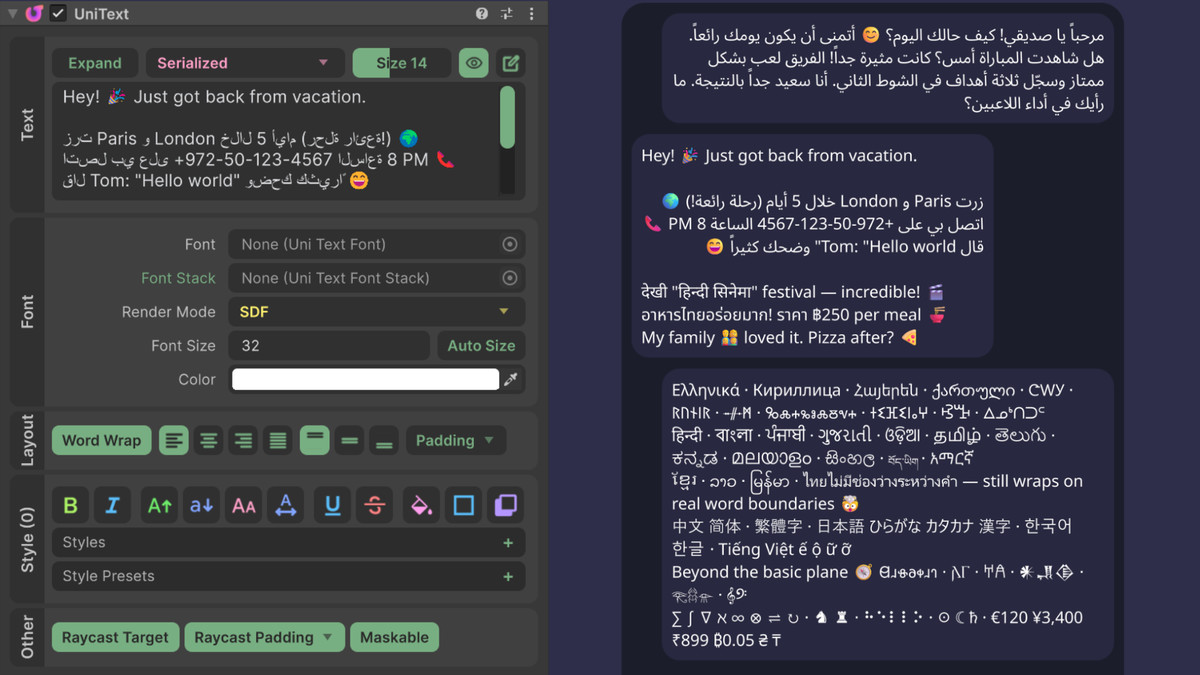
UniText - Text Engine for Unity screenshot 1


About this asset
UniText — Text Engine for Unity
Demo | 🌐 Website | 📖 Docs | 💬 Discord | Report an issue
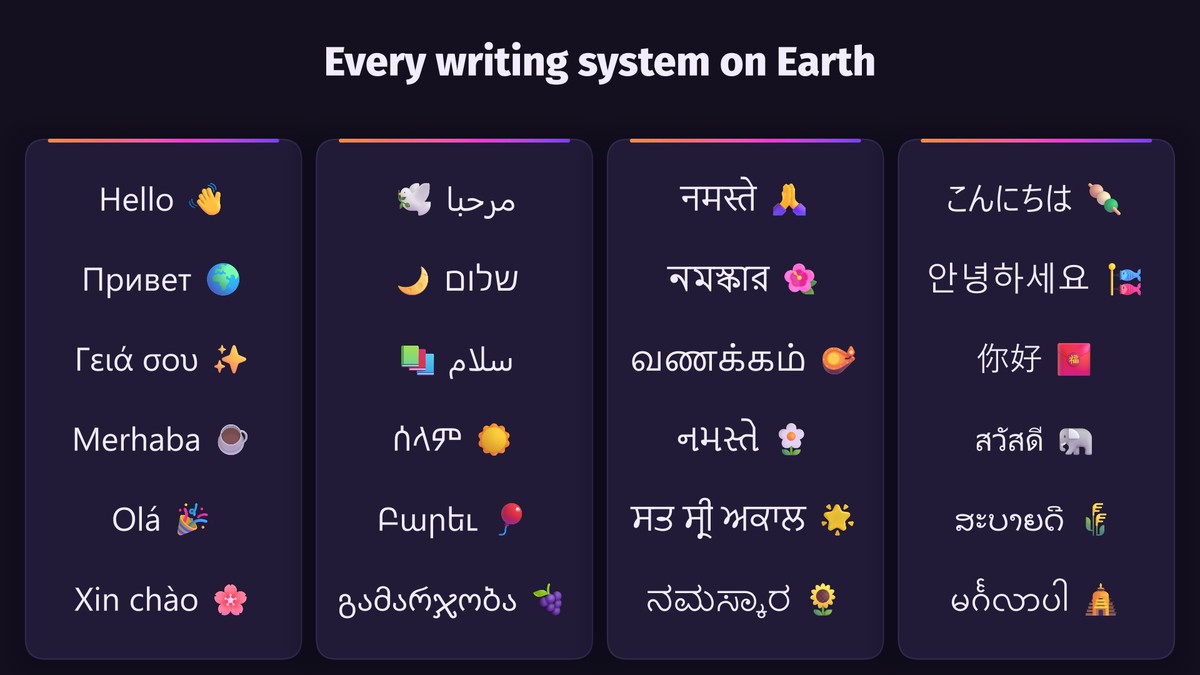
Every language, any style, no font files required.
🌐 Every language
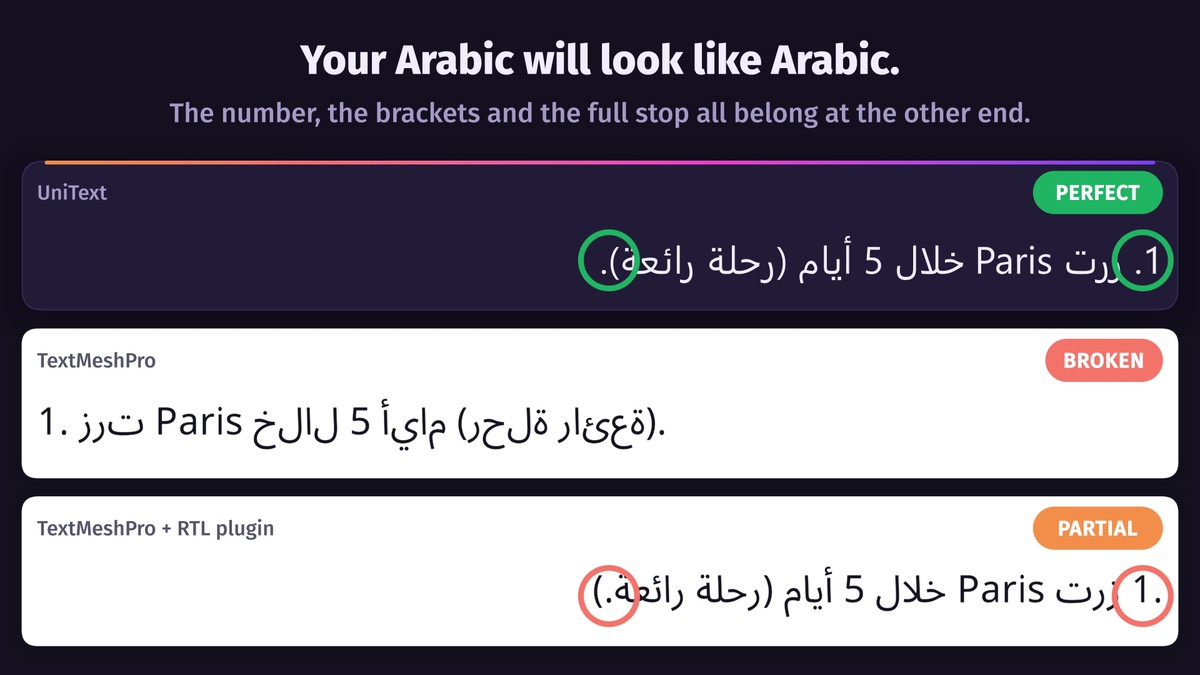
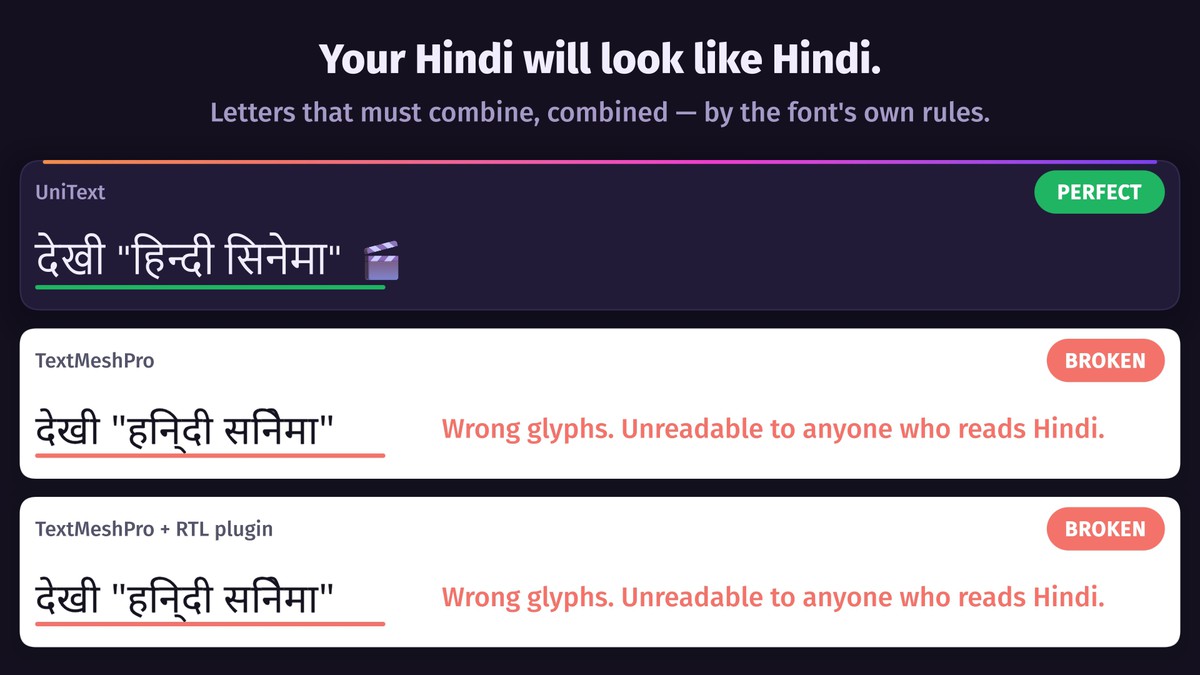
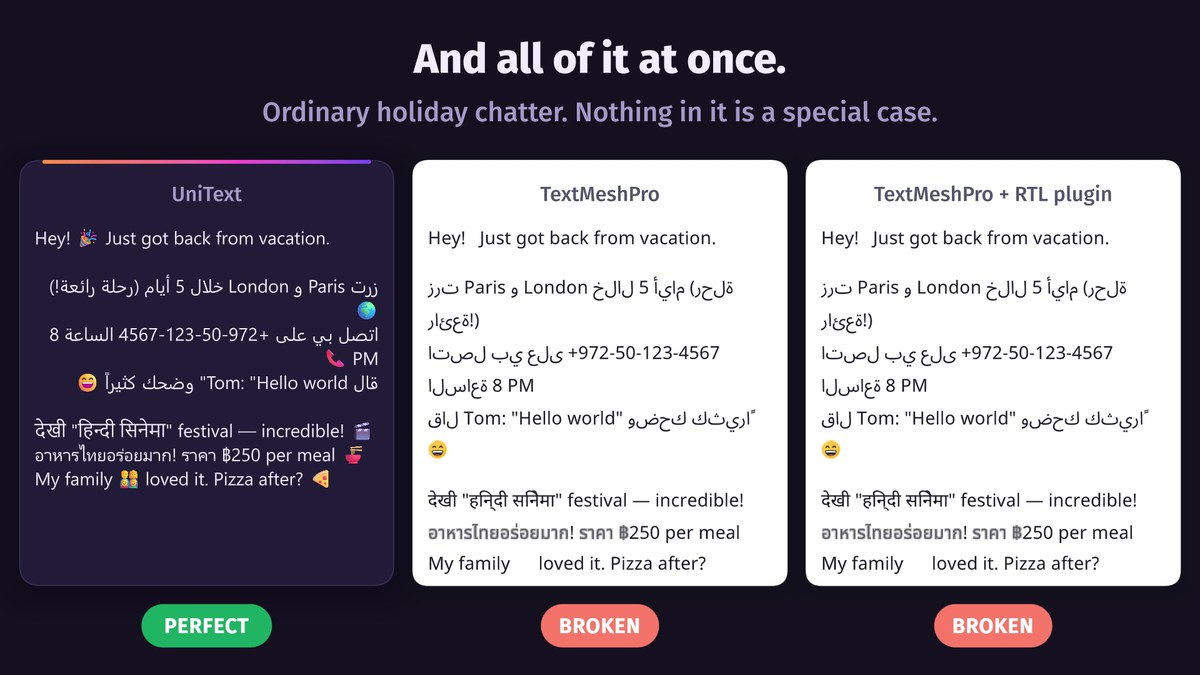
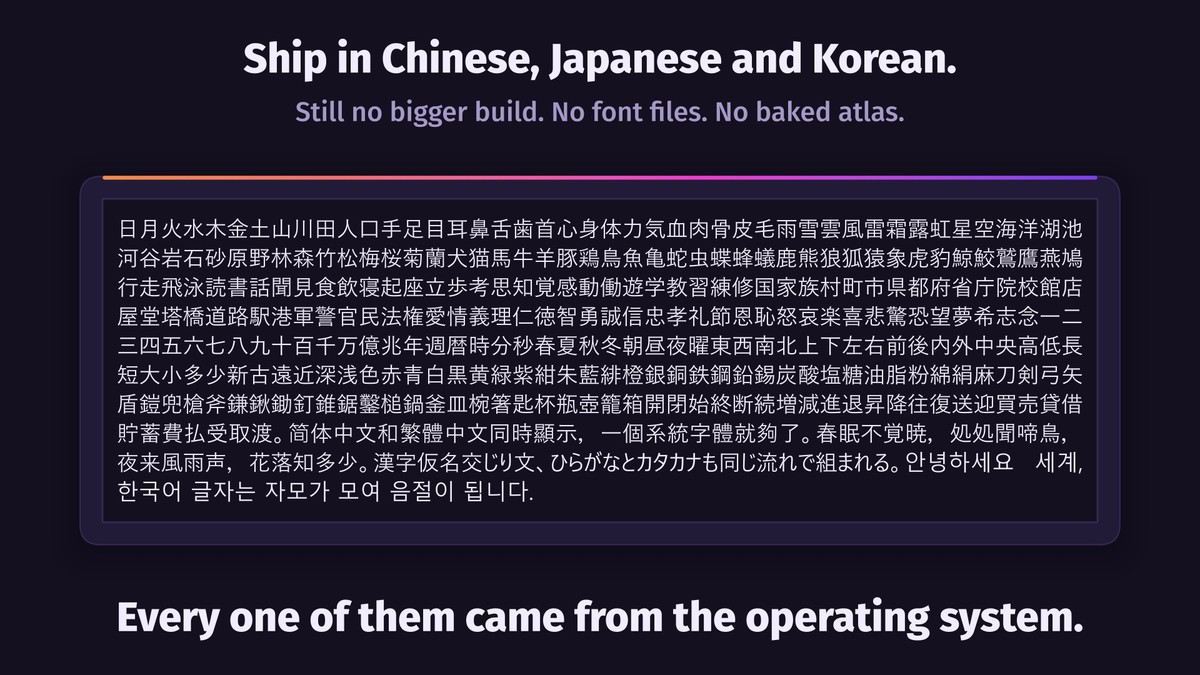
Arabic, Hebrew, Hindi, Thai, Chinese, Japanese, Korean and every other Unicode script — shaped correctly, mixed with Latin and numbers, selectable and editable right to left.
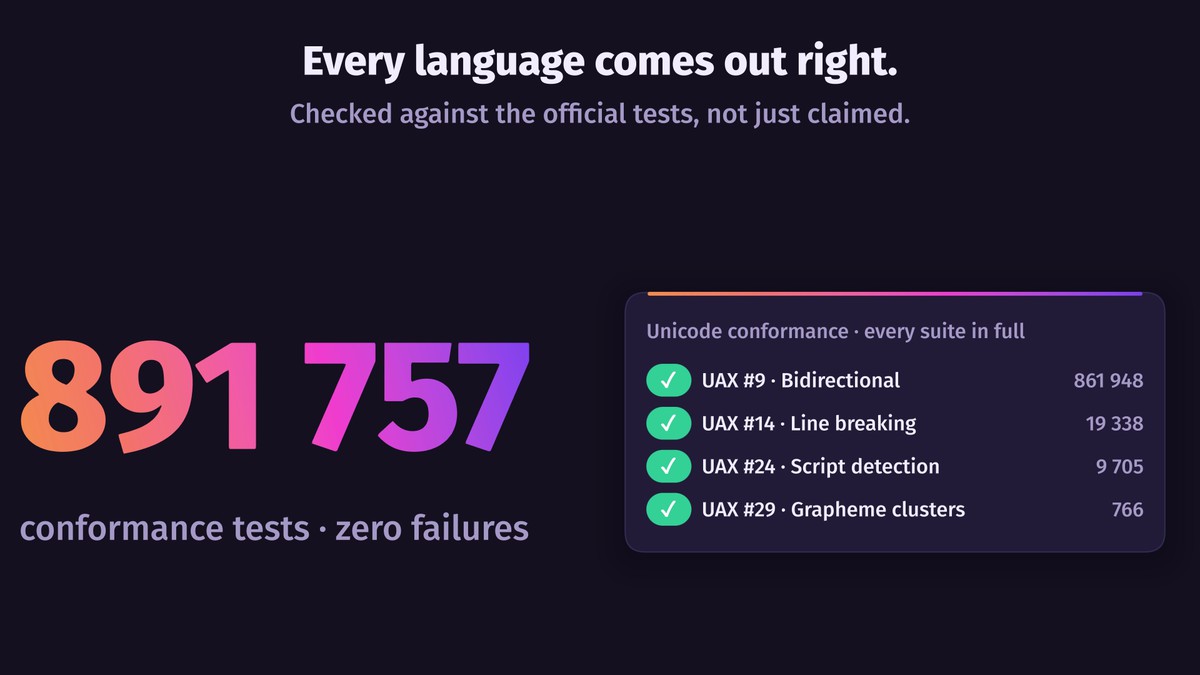
Unicode 18.0, passing every official conformance test: 884,091 cases, zero failures.
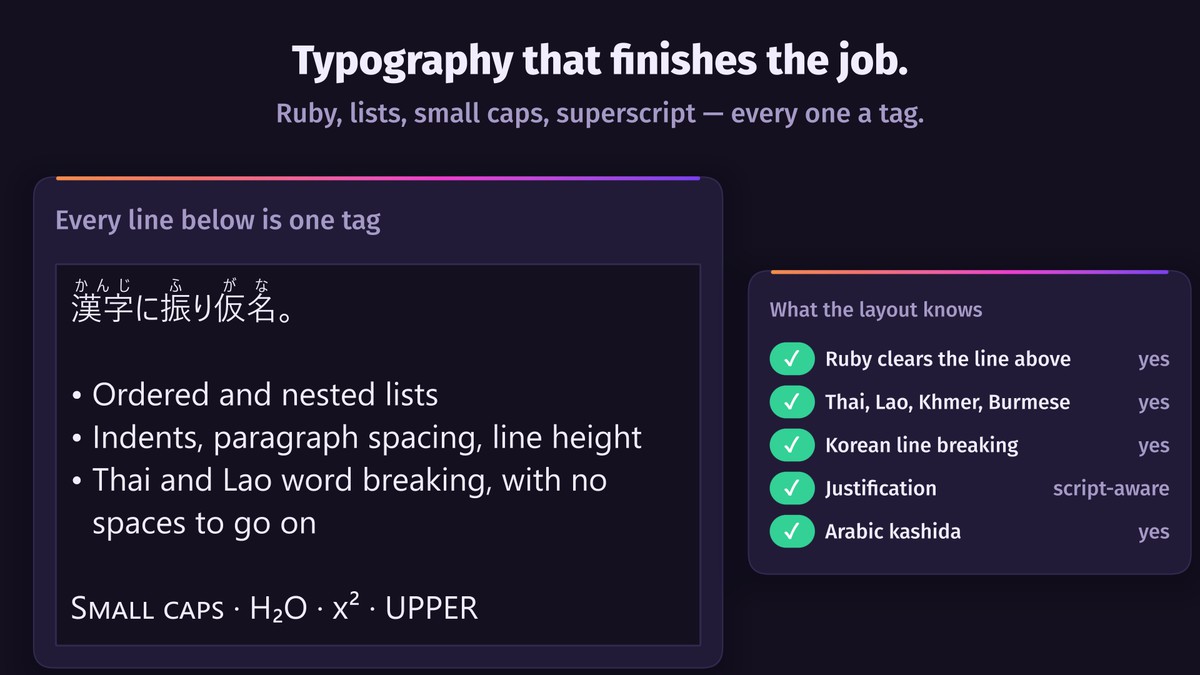
Thai, Lao, Khmer and Myanmar put no spaces between words, yet lines still break at word boundaries.
🔤 No font atlases, no missing characters
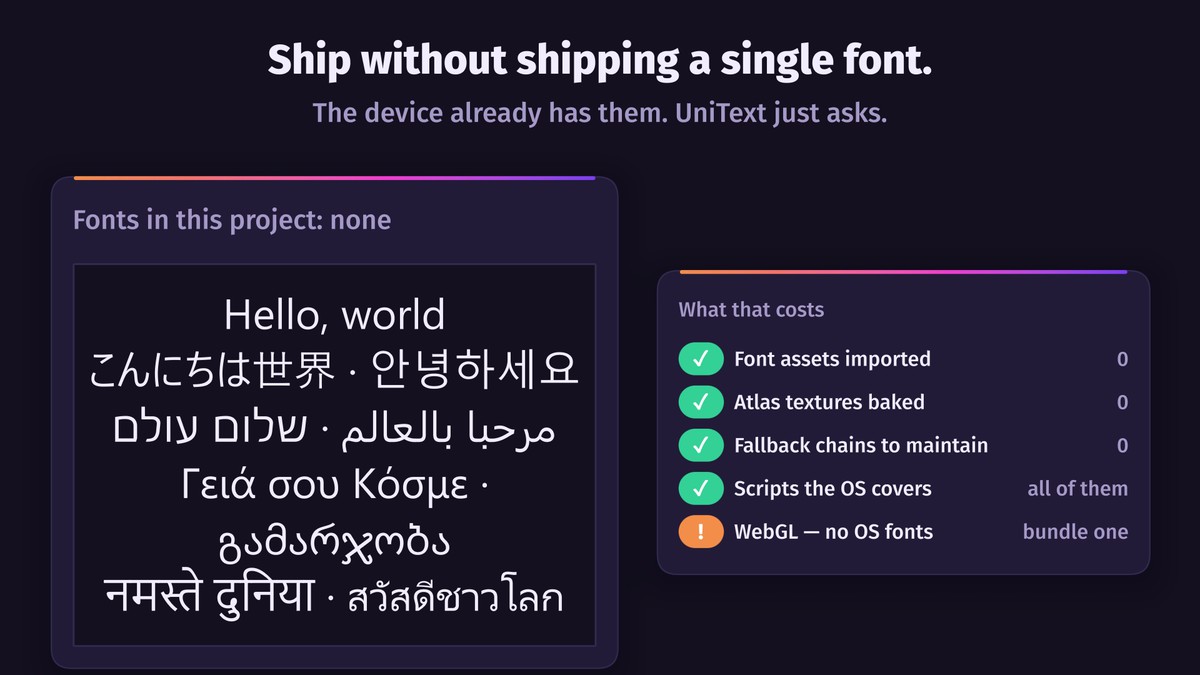
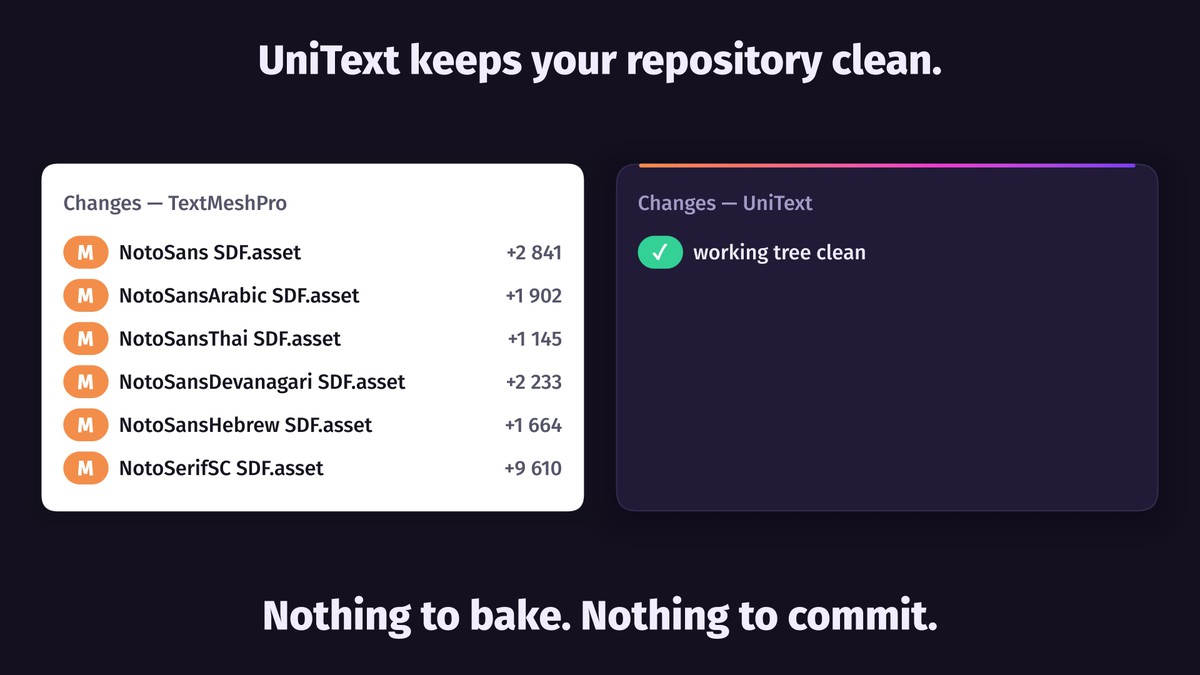
Glyphs are generated at runtime: nothing to bake, no atlas in the build or the repository.
Characters your fonts lack come from the device's fonts, so a project can ship with no font files at all (except WebGL: browsers don't expose system fonts).
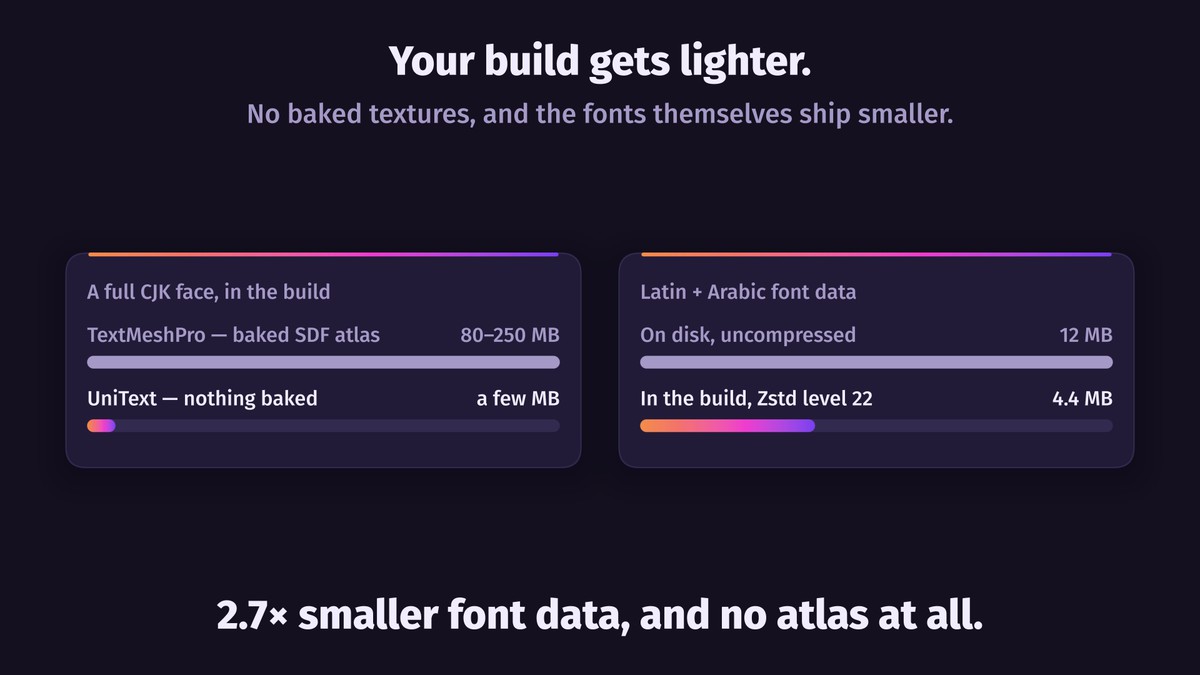
Bundled fonts are ~2.7× smaller (12 MB → 4.4 MB), and large ones are read from disk on demand instead of being held in memory.
😀 Native color emoji
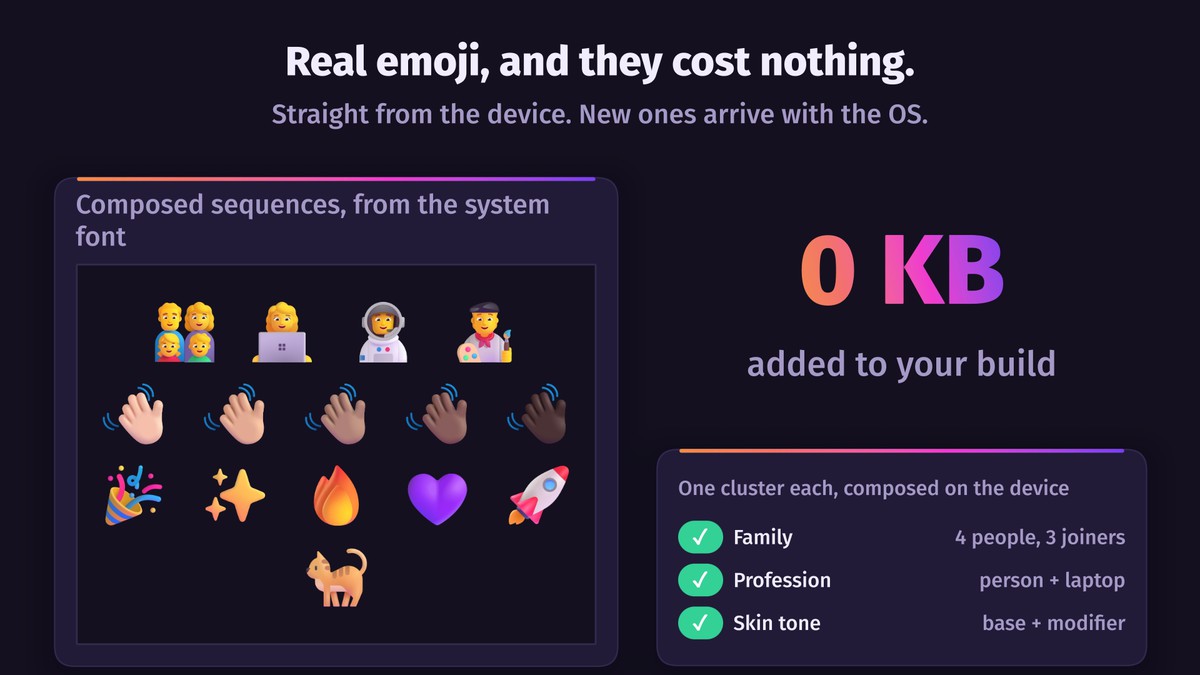
Families 👨👩👧👦, flags 🇺🇸, skin tones 👋🏻👋🏿 — drawn with the device's emoji font. No sprite atlas, zero build size, and new emoji arrive with OS updates.
🎨 Any style
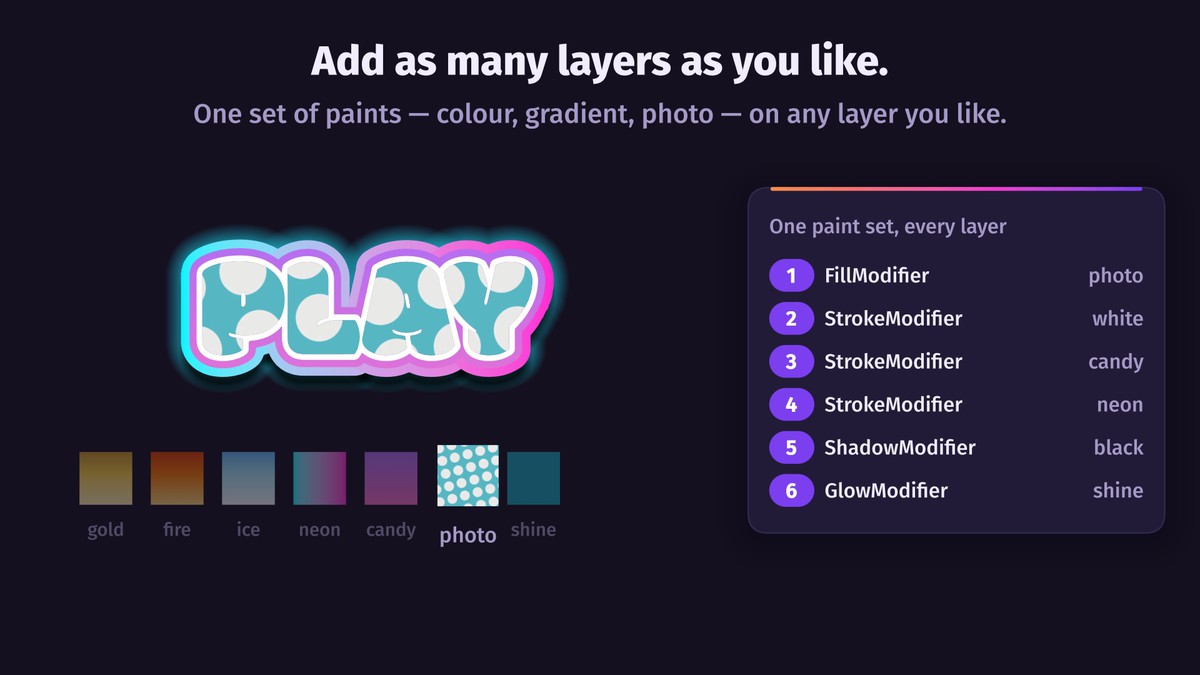
Fill, stroke, shadow, inner shadow and glow, each with a color, a gradient or a texture. Unlimited layers, each with its own blend mode, in Canvas and in world space.
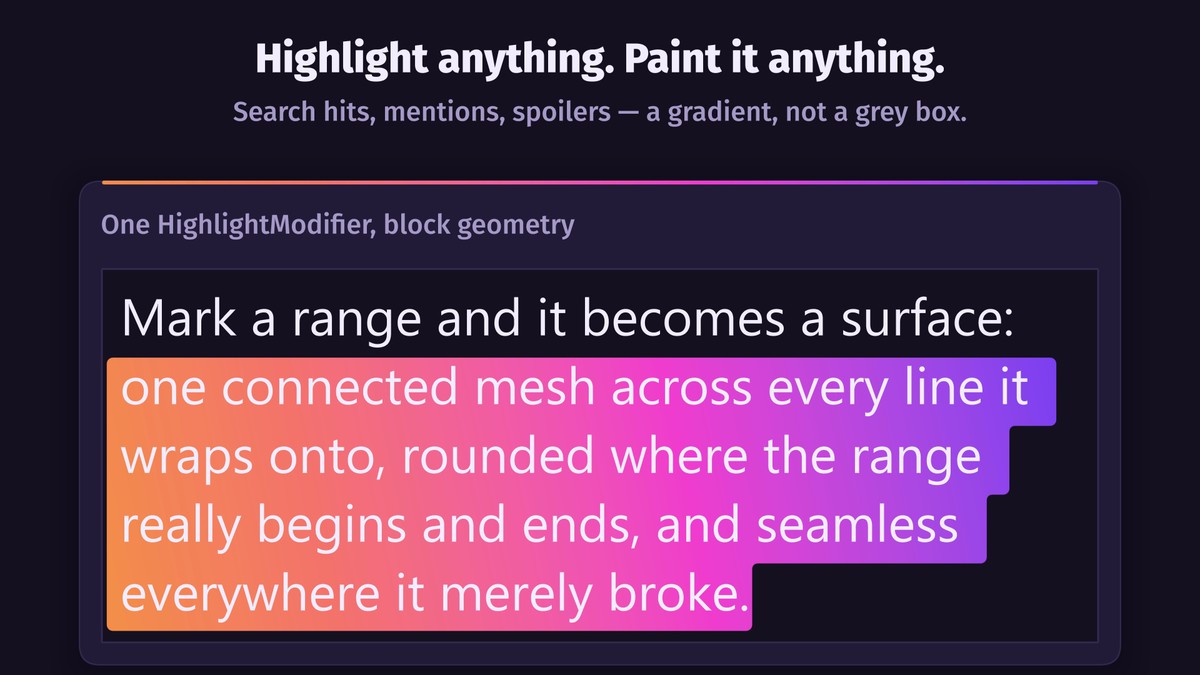
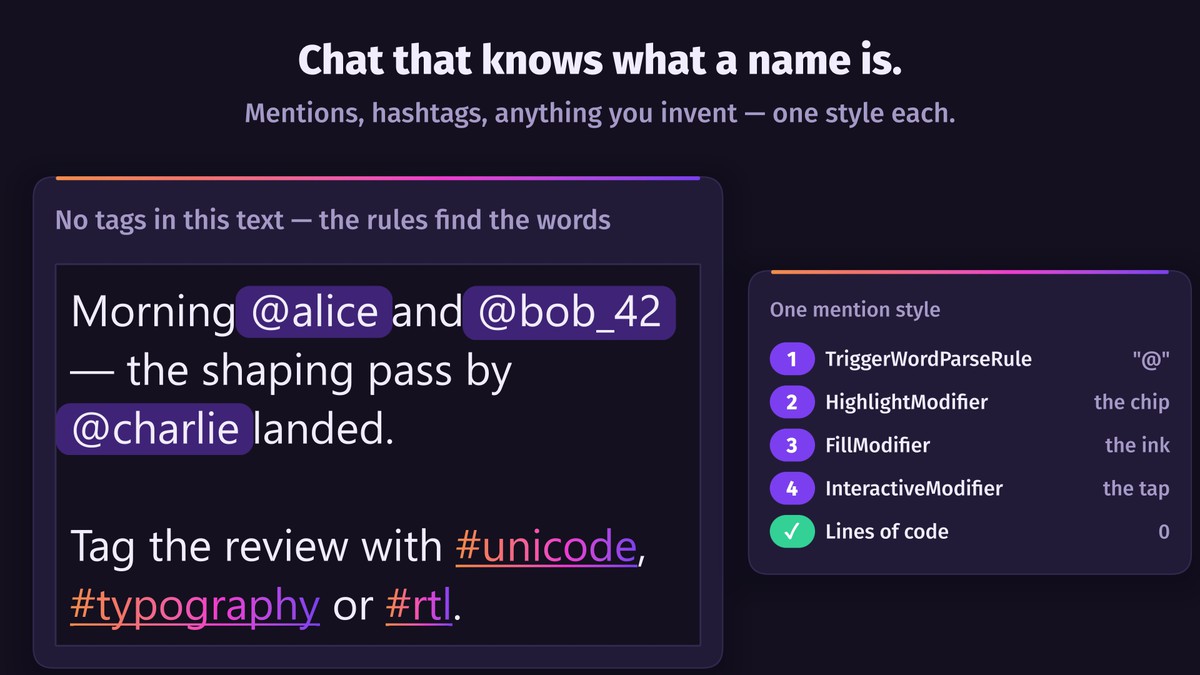
Rounded highlights for search hits, mentions and spoilers follow line wraps and right-to-left runs.
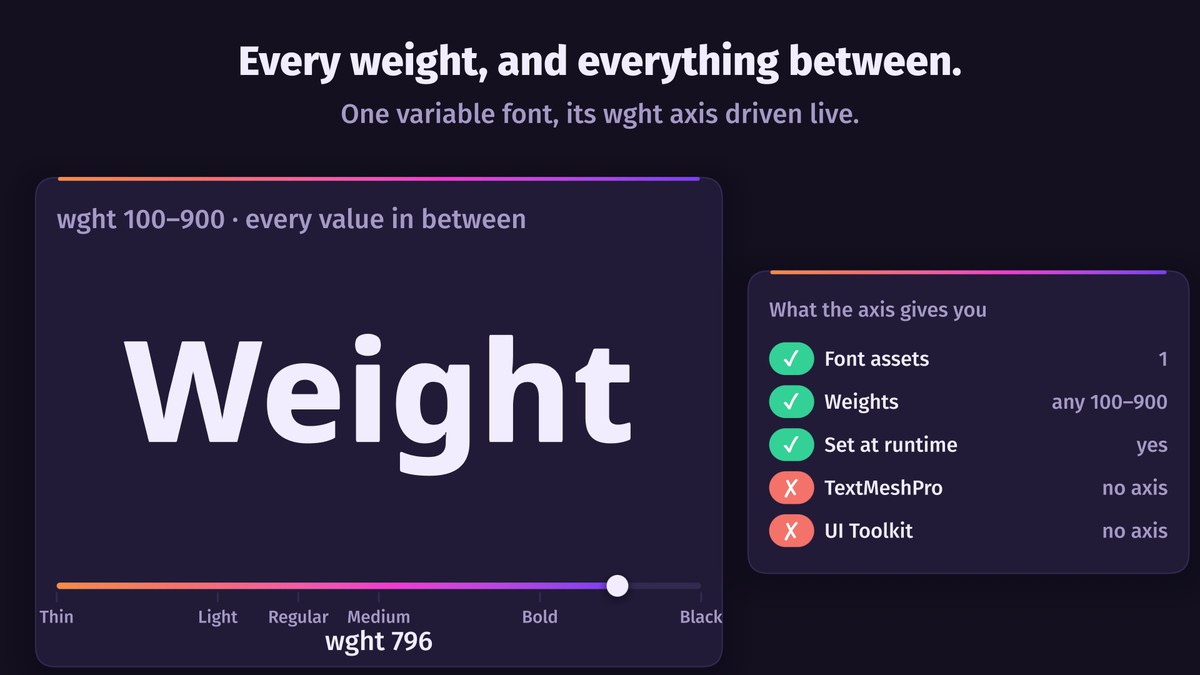
Variable fonts with animatable weight, width and slant; font families where <b> and <i> pick the right file; pixel fonts drawn on their own grid.
✨ Animation
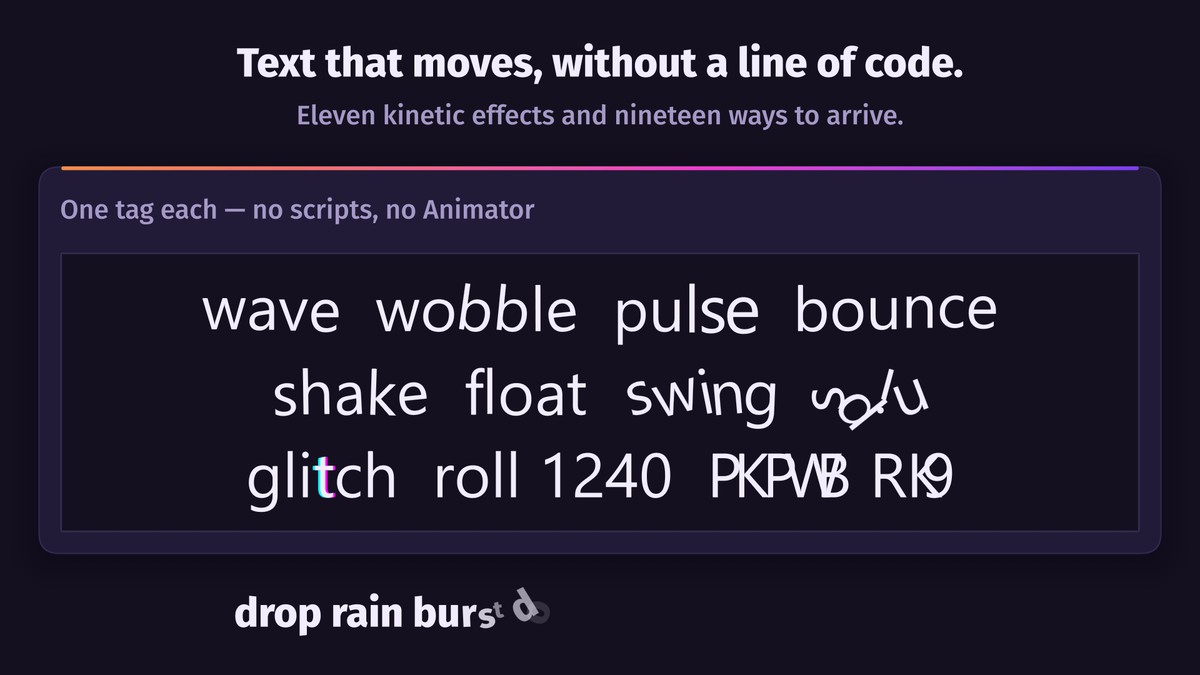
13 kinetic effects — wave, shake, bounce, glitch, marquee and more — and a typewriter reveal with 19 arrival effects, applied to any range without code. Drive them from a component, a tween, Timeline or an Animator; scrubbing backwards gives identical frames.
✍️ Selection and editing
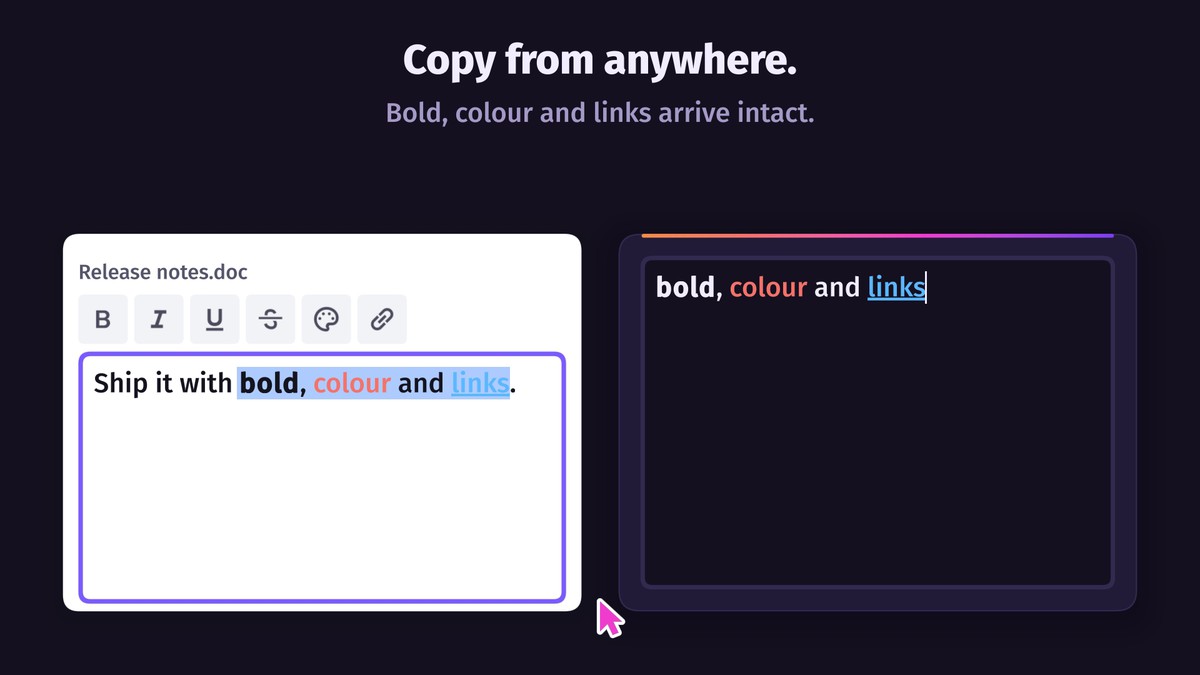
Selectable and editable text with IME, undo, touch handles, a magnifier and a rich clipboard. The context menu is built from your own scene UI. Works with the Input Manager, the Input System or both.
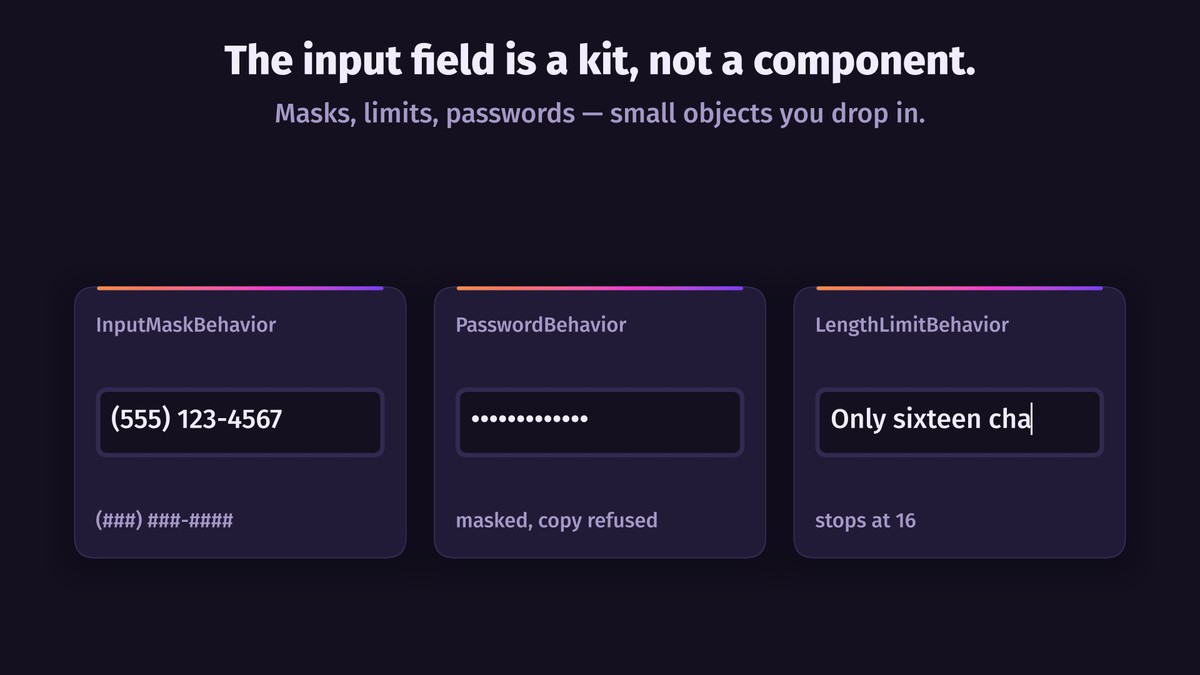
Passwords, length limits, masks, filters, validation, placeholders, floating labels and counters are components you combine; a custom one is a small class.
🏷️ Rich text you can extend
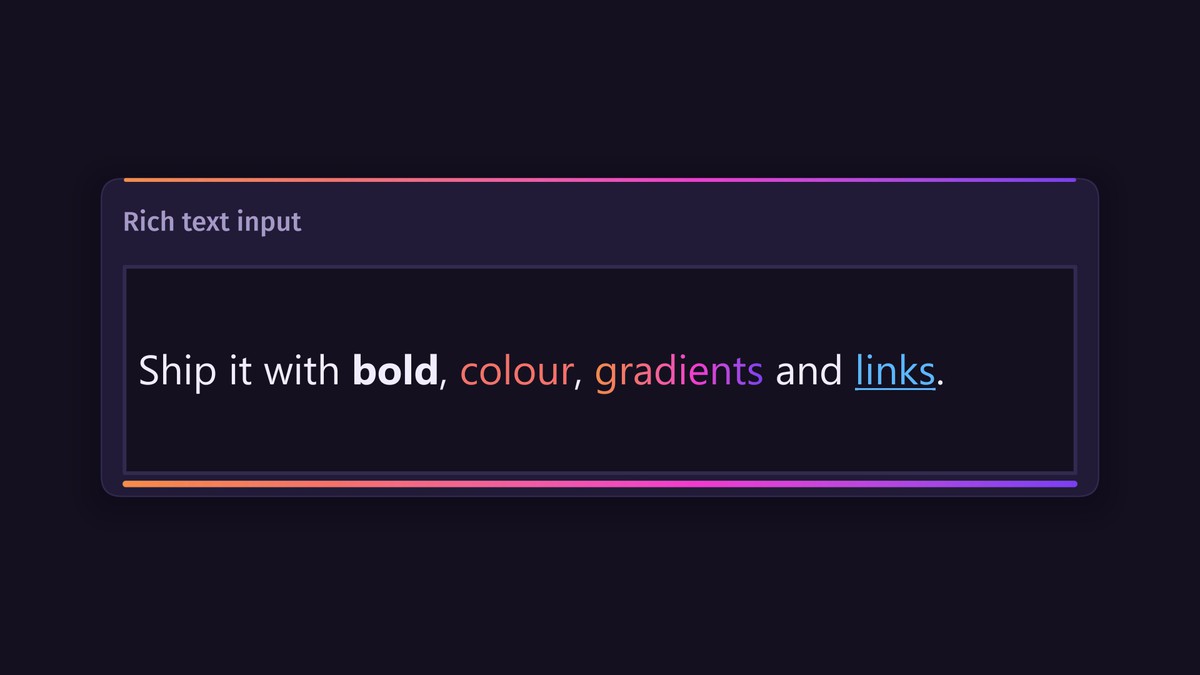
Markdown built in. A custom tag such as <shout> takes one line of setup; a new effect is one small C# class that appears in the inspector beside the built-ins.
📚 Documents and math
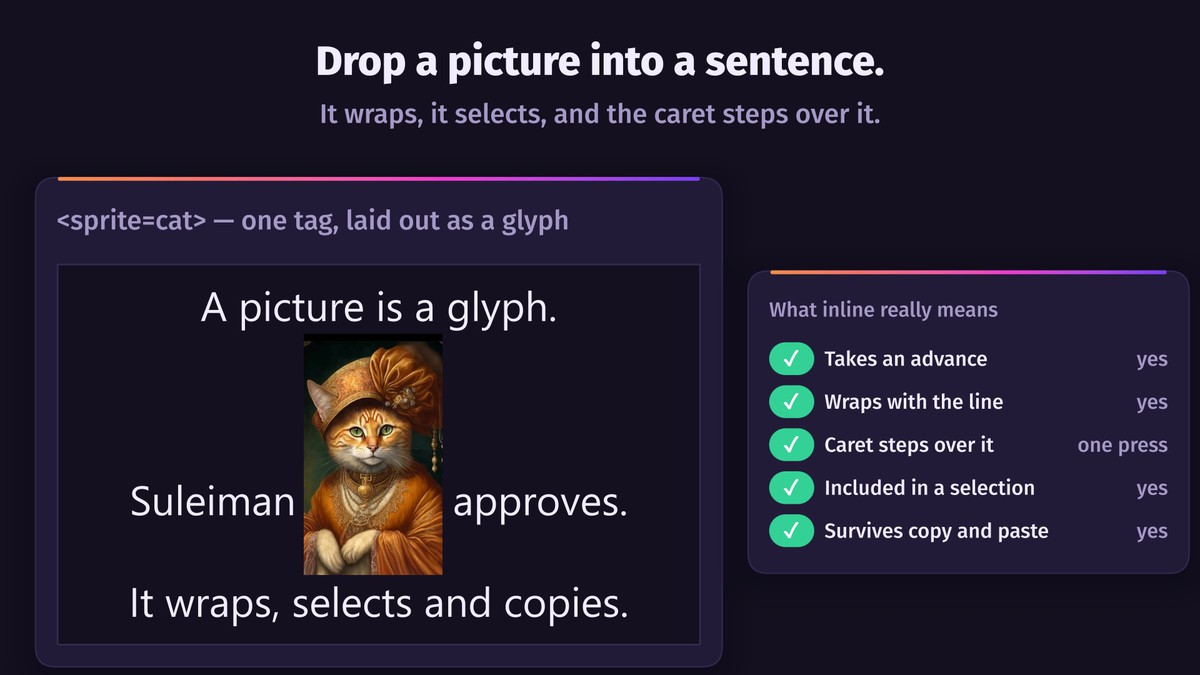
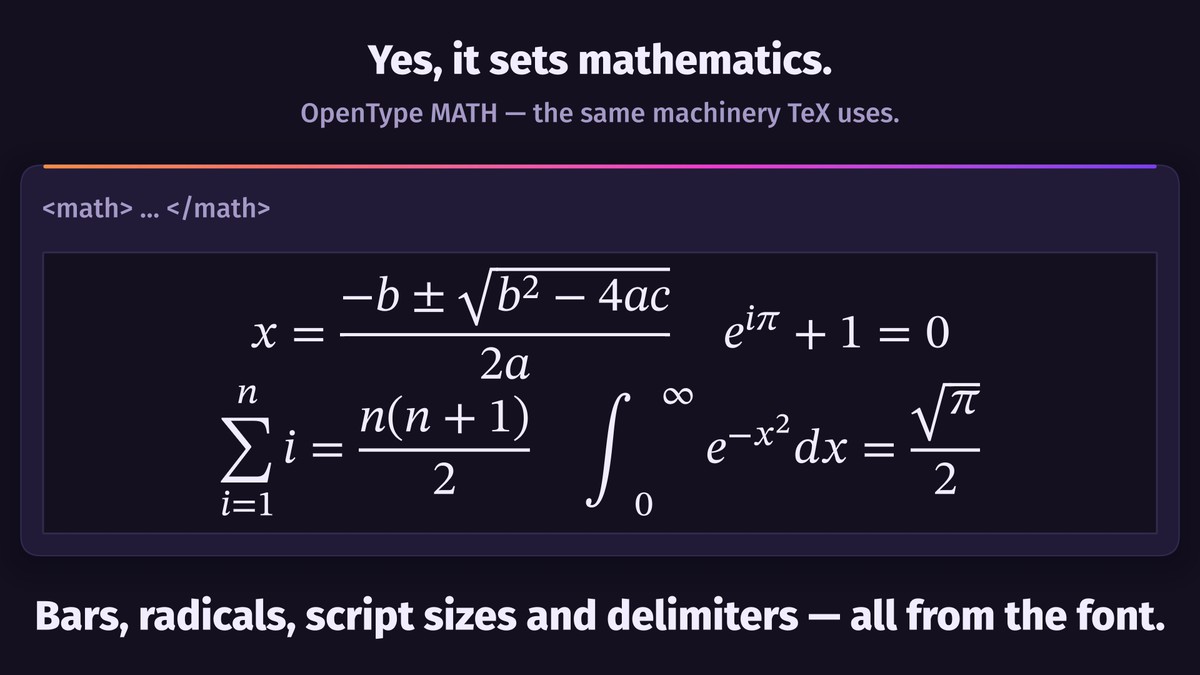
Lists, tables, ruby, inline images and prefabs, LaTeX formulas and mhchem chemistry inside the text. Multi-megabyte documents scroll smoothly: only the visible part is laid out.
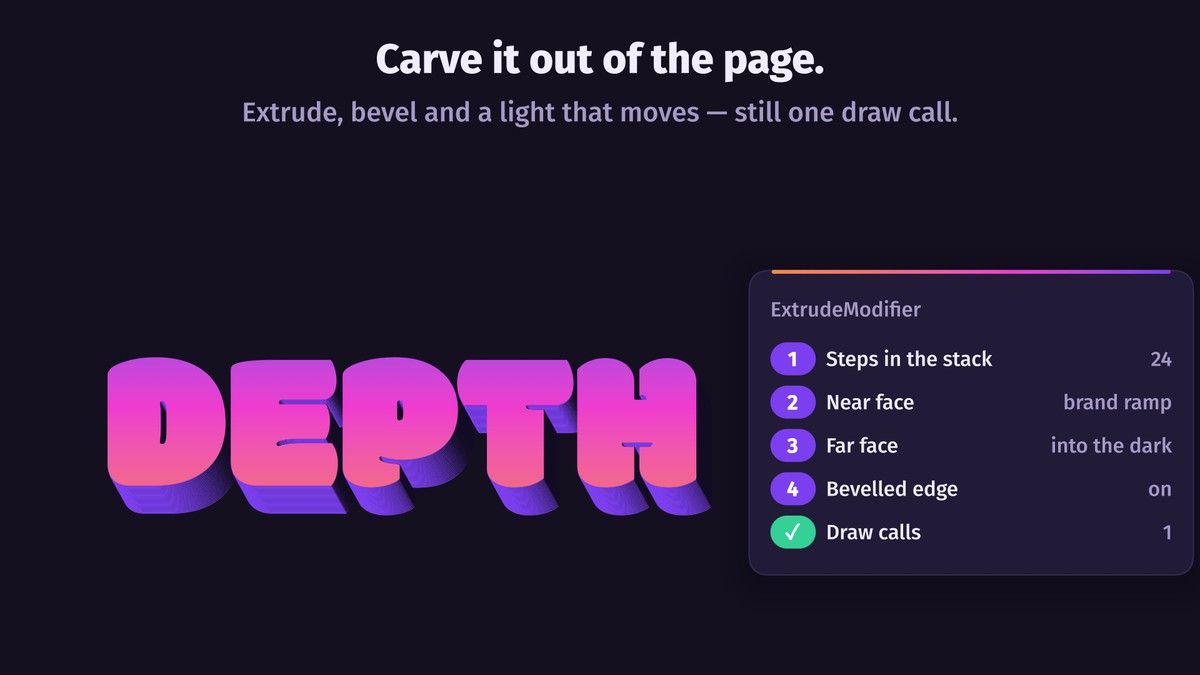
🧊 Extruded 3D text
Solid letters with depth, bevels and a material per surface, lit and casting shadows in URP, HDRP and Built-in. Add outlines, plates and neon tubes, bend text or run it along a spline, attach prefabs to letters, give them colliders or shatter them. Bake to a mesh or FBX.
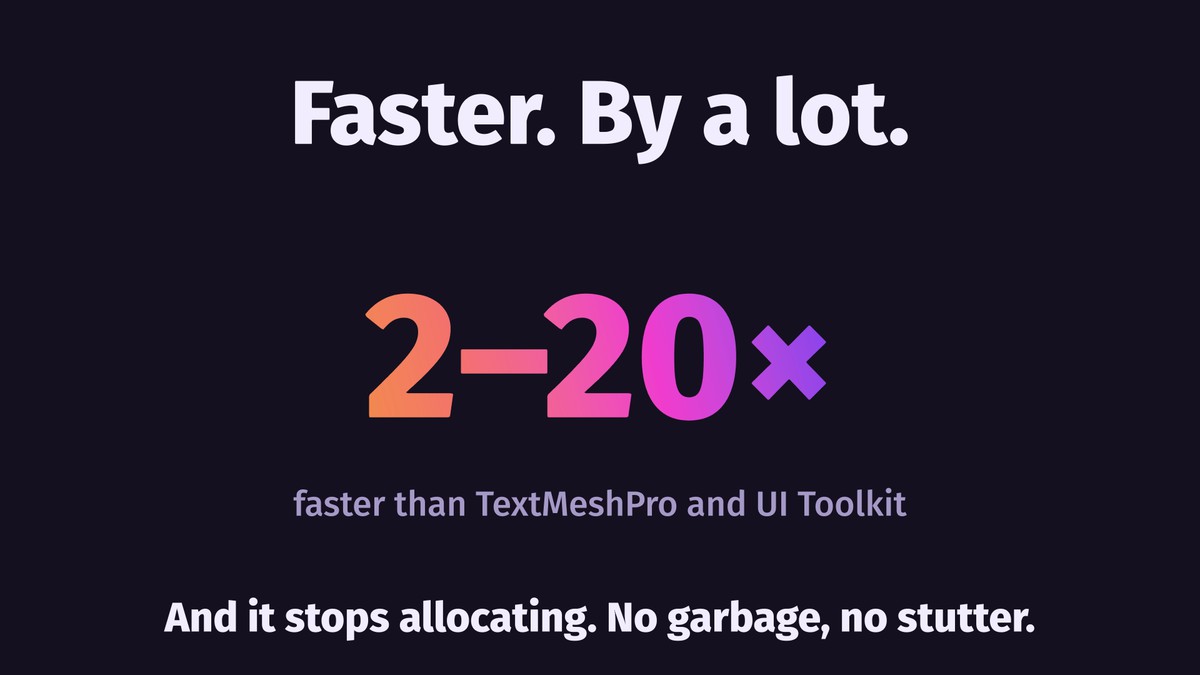
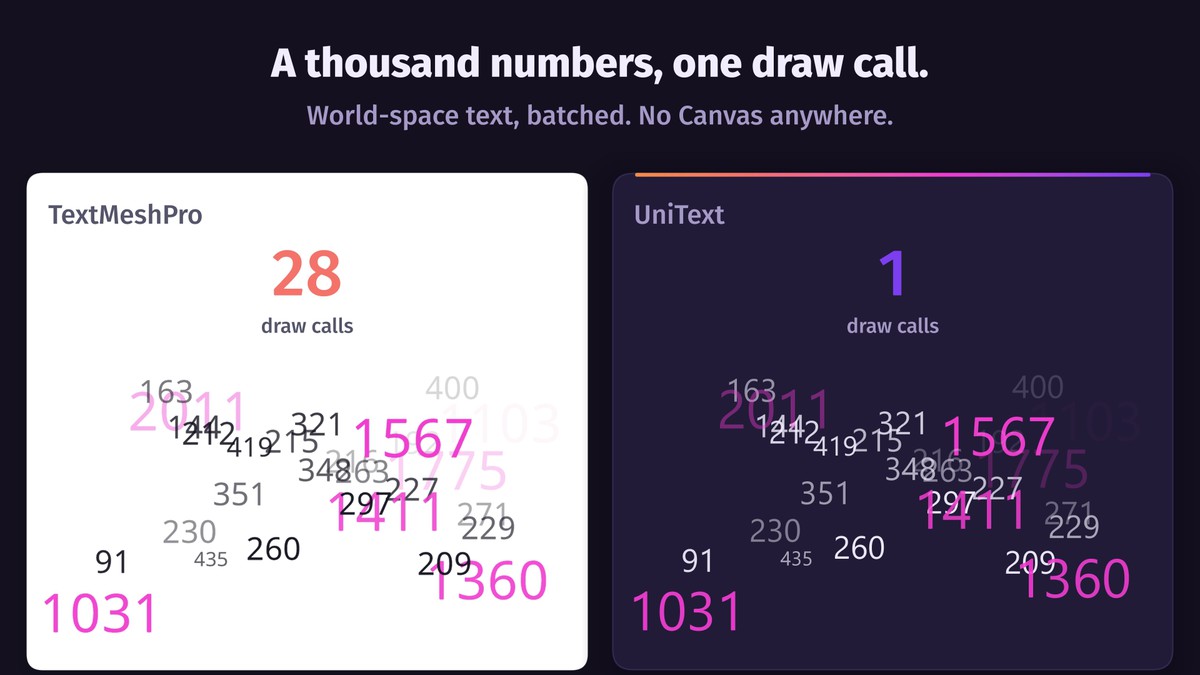
⚡ 2–20× faster than TextMeshPro and UI Toolkit
Long chats, live counters and scrolling lists stay smooth: only the changed paragraph is rebuilt, and nothing allocates at runtime, so there are no GC stutters.
🔁 Moving from TextMeshPro
A built-in tool finds every TextMeshPro usage and converts scenes, prefabs and scripts batch by batch.
📦 Included
Five sample scenes, including a 3D showcase. Full documentation and C# API.
💬 Support
Ask the developer directly on Discord, before or after purchase. Replies usually come within an hour, and bugs are fixed in hours. Report bugs through the link at the top.
Platforms: Windows, UWP, macOS, Linux, Android, iOS, tvOS, visionOS, WebGL.
Unity: 2022.3 LTS or newer.
Dependencies: Burst, Mathematics and LightSide Core (free, MIT), installed automatically.
Asset uses HarfBuzz (Old MIT), FreeType (FreeType License), Blend2D (Zlib), Zstandard (BSD-3-Clause), zlib (Zlib), libpng (PNG Reference Library License v2), ICU dictionaries and Unicode data (Unicode License V3) and fonts under the SIL Open Font License 1.1; see Third-Party Notices.txt file in package for details.
From the publisher's Asset Store listing.
Technical details
Text Engine
• Unicode 18.0, passing every official conformance test for bidirectional text, line breaking, grapheme clusters and word boundaries — 884,091 cases.
• HarfBuzz shaping, as in Chrome, Firefox and Android; full bidirectional algorithm (UAX #9); every Unicode script.
• Dictionary-based word breaking for Thai, Lao, Khmer and Myanmar.
• SDF and MSDF glyphs generated from font outlines in Burst jobs into a shared Texture2DArray with adaptive tiles, reference counting and LRU eviction. No atlas assets.
• System Font: any character the OS supports, with no font file in the project; also the automatic fallback under your fonts. Not available on WebGL.
• Font families with CSS weight matching; variable fonts (wght, wdth, ital, slnt, opsz) controllable per range.
• Native color emoji: ZWJ sequences, skin tones, flags; emoji or text presentation follows Unicode.
• Zstd font compression (~2.7×); font memory mapping reads large fonts from disk on demand.
• Pixel fonts on the font's own grid, bitmap-only fonts included.
• LaTeX math: formulas, numbered equations, matrices, mhchem chemistry.
• Virtualized documents: only blocks near the viewport are laid out.
Styles & Animation
• One paint model — solid, gradient or texture — for fill, stroke, shadow, inner shadow and glow; optional dithering against gradient banding.
• Unlimited layers per range, each with its own blend mode; linear, radial and angular gradients projected per glyph, range, line or block.
• Underline and strikethrough as real geometry with CSS line styles.
• Rounded range highlights.
• Text along arcs and curves; auto-size can tighten letter spacing, glyph width or line height before shrinking the font.
• 13 kinetic modifiers, deterministic in both directions of time.
• Typewriter reveal with 19 composable arrival effects, shared through catalog assets.
• Reactive effects: hover, press, focus or a custom signal drive any modifier property, with easing.
• Interactive ranges: links, spoilers, trigger words, gestures, serialized actions, typed events.
• Inline objects and sprites take part in layout, line breaking and selection.
• Custom shader effects compile for Canvas, world space, Built-in and URP from one source.
Editing & Input
• Selection and an editable document model for Canvas and world-space text, with undo and redo.
• OS key, text, IME and keyboard-visibility events independent of Unity's input system.
• IME composition styled per clause; filters never see uncommitted text.
• Correct caret placement at soft wraps and bidirectional boundaries.
• Touch selection handles and magnifier; context menu built from your scene UI.
• Behaviors: password, length limit, input mask, case transform, single-line submit, select all on focus, keyboard avoidance, restore on cancel, link on paste, strip formatting on paste, native field overlay.
• Filters: integer, decimal, email, alphanumeric, name; custom validators plug in separately.
• Decorators: placeholder, floating label, supporting text, character counter.
• Soft-keyboard traits mapped across iOS, Android and Web.
• Clipboard: native lossless format, HTML, Markdown, plain text.
• Dropdown with UniText captions and an option list built from prefab templates.
Performance
• Rebuilding 100 multilingual text objects (Galaxy S21 FE, IL2CPP release): UniText 69 ms, UI Toolkit 167 ms, TextMeshPro 455 ms.
• Incremental edit in the same scene: 43 ms; unchanged paragraphs are not re-analyzed or re-shaped.
• Decorative-font atlas fill (609 glyphs): UniText 96 ms, UI Toolkit 826 ms, TextMeshPro 2,025 ms.
• Cold multilingual atlas fill (3,029 glyphs), main-thread cost: UniText ≈33 ms (dispatch only), UI Toolkit 6,446 ms and TextMeshPro 8,635 ms (both synchronous).
• TextMeshPro does not shape Arabic or apply the bidirectional algorithm, so its output is not equivalent: it does less work and still takes longer.
• Parallel Burst Unicode analysis: 92 ms vs 351 ms single-threaded on a 12-core desktop.
• Optional merged glyph layers: text with a stroke and a shadow takes about 40% less GPU time on a mid-range Android phone.
• Zero GC allocations at runtime.
Tools
• Editor: style presets, font family inspector, glyph picker with live preview, atlas preview, font subsetter, word-dictionary builder.
• TextMeshPro migration workspace: scans the project and converts scenes, prefabs and scripts batch by batch.
• Full C# API; modifiers, parse rules, input behaviors and decorators are extensible.
• Unity Localization integration.
3D Text (UniText 3D module)
• Extruded glyph solids with front and back bevels (eight profiles or a custom curve) and a material per surface.
• Physically based shader for URP and Built-in, Shader Graph for HDRP; reusable look assets.
• Solid layers: outlines, rims, plates, stencils, engraving, neon tubes; depth, bevel and material per range.
• Deformers: bend, twist, taper, wave, sphere, spline path.
• Motion in depth and 3D reveal effects; emoji as flat images or extruded stickers.
• Prefabs on glyphs, scene fields, synced colliders, shattering, surface points that follow their glyph.
• Solids built once and shared, on worker threads or baked ahead; export to a mesh, an LOD group, OBJ or FBX.
Supported Platforms
• Windows — x64, ARM64
• UWP — x64, ARM64
• macOS — x64, Apple Silicon
• Linux — x64, ARM64
• Android — ARMv7, ARM64, x86, x64
• iOS, tvOS, visionOS — ARM64
• WebGL 2.0
Requirements
• Unity 2022.3 LTS or newer
• Burst 1.8.29+ and Unity.Mathematics 1.2.6+
• LightSide Core (free, MIT)
Dependencies are installed automatically.
Notes
• UniText is a standalone engine with its own components, shaders and font assets; it does not need TextMeshPro or UI Toolkit.
• WebGL has no System Font: ship at least one font file for that platform.
• Spline paths in UniText 3D need the Splines package 2.0+; FBX export needs the FBX Exporter package.
Compatibility
| Unity version | Built-in | URP | HDRP | Custom |
|---|---|---|---|---|
| 6000.6.5f1 | Compatible | Compatible | Compatible | Compatible |
As listed on the Asset Store.