
 View on Asset Store (opens in new tab)
Package details
- Latest version
- 1.0
- Last updated
- First released
- Unity version
- 6000.0.62 or later
- Package size
- 357 KB
- Files
- 23
- Favorites
- 11
- Views in the past week
- 34
Price tracking
- Last checked
- Tracked since
- Lowest recorded
- Free on
Keywords
Snog's Simple Wave Spawner
A simple data-driven wave spawner, spawn patterns, pooling, events and more. Easy to tune via ScriptableObjects.
Affiliate link · Purchases support this site
Price history
Last 6 months
USDAsset preview
1 / 3
Snog's Simple Wave Spawner screenshot 1
About this asset
Wave Spawner System is a lightweight, data-driven framework for spawning enemy waves in Unity. It’s designed to be easy for designers to tune and easy for programmers to integrate — without hardcoding wave formulas.
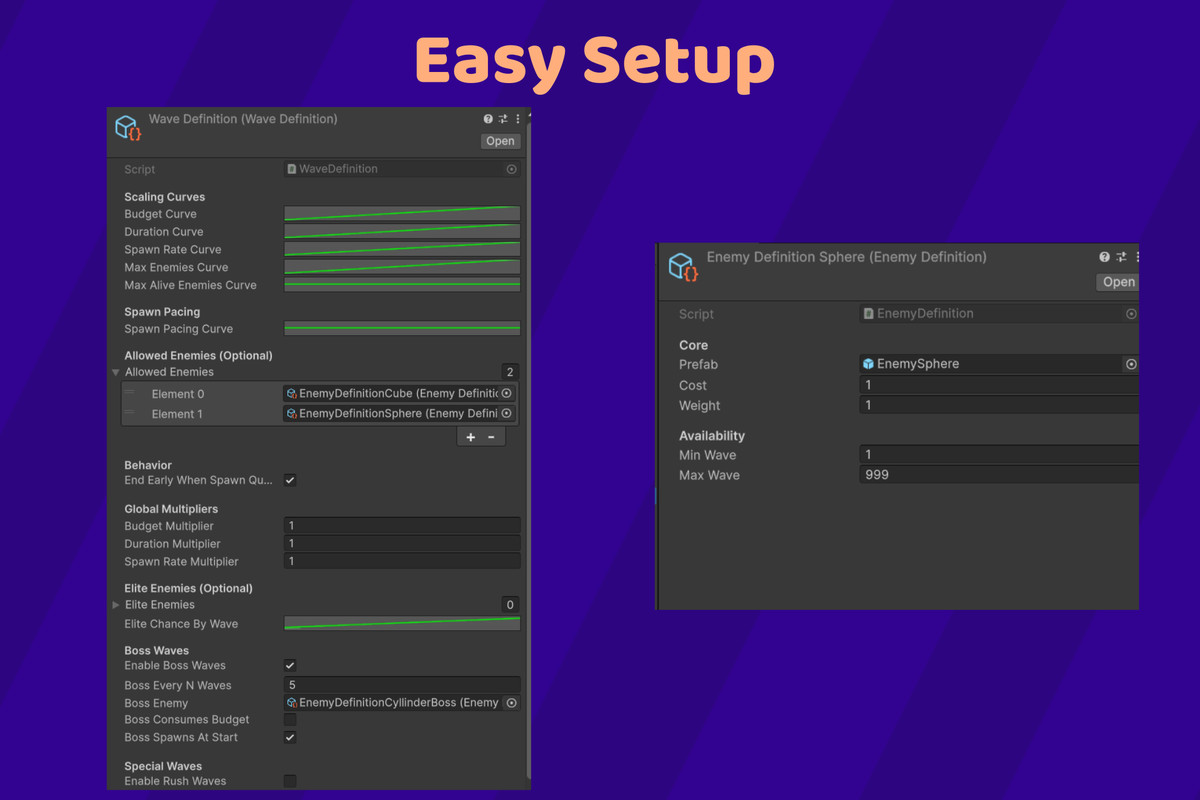
Waves are configured using ScriptableObjects (EnemyDefinition + WaveDefinition), allowing you to control difficulty scaling through AnimationCurves for budget, duration, spawn rate, and optional caps. The spawner supports multiple spawn patterns and spawn shapes, making it suitable for arena games, survival modes, tower defense variants, and roguelike-style encounters.
To integrate cleanly into any project, the system exposes both C# events and UnityEvents (for non-coders), including wave start/end and enemy spawn notifications. It also includes optional boss waves, elite spawns, and special wave modifiers such as Rush, Tank, and Swarm, which apply configurable multipliers to your curves.
For performance, the system includes an optional lightweight pooling component (warmup + auto-expand). And for editor usability, it ships with a custom inspector featuring validation warnings and a one-click “Generate Next Wave Preview” that displays computed values and a seeded simulation of enemy counts.
Core Features
- ScriptableObject-based configuration
- EnemyDefinition: prefab, cost, weight, minWave/maxWave
- WaveDefinition: curve-driven scaling, allowed enemy lists, modifiers
- Curve-based difficulty scaling
- Budget curve (points per wave)
- Duration curve (seconds per wave)
- Spawn rate curve (spawns/second)
- Optional caps via curves (max enemies per wave, max alive at once)
- Optional spawn pacing curve (multiplier over wave progress)
Spawning System
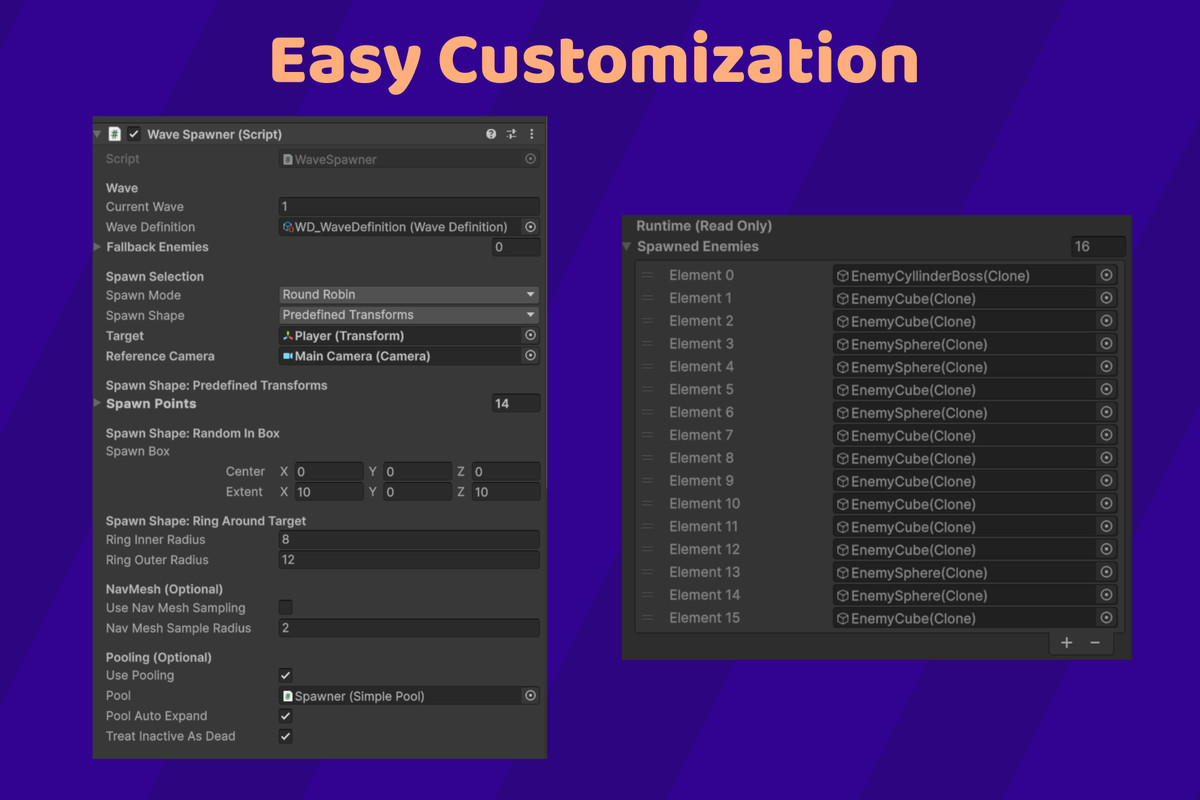
- Spawn modes
- Round-robin
- Random
- Weighted random (optional SpawnPoint weight component)
- Closest to target / Farthest from target
- Outside camera / offscreen spawn (camera-aware)
- NavMesh-valid spawn (optional sampling)
- Spawn shapes
- Predefined spawn transforms
- Random point in box (Bounds)
- Ring around target (inner/outer radius)
Wave Variety
- Boss waves
- Boss every N waves
- Boss can spawn at start or end
- Optional “boss consumes budget”
- Boss spawns in addition to normal wave enemies
- Elite spawns
- Separate elite enemy pool
- Elite chance scales via curve and can occur on any wave type
- Special wave modifiers
- Rush (faster, shorter, lower budget)
- Tank (slower, fewer spawns, cost-biased toward expensive enemies)
- Swarm (faster, more spawns, cost-biased toward cheap enemies)
Integration Hooks
- C# events + UnityEvents
- OnWaveStarted(int wave)
- OnWaveEnded(int wave)
- OnEnemySpawned(GameObject enemy)
- OnAllEnemiesDefeated()
Performance (Optional)
- Lightweight pooling
- Pool warmup entries
- Auto-expand toggle
- Works with inactive-as-dead tracking for pooled enemies
Editor Tools
- Custom inspector
- One-click Generate Next Wave Preview
- Displays computed values (duration, budget, spawn rate, caps, elite chance, special type)
- Seeded simulation for repeatable preview counts
- Validation warnings (missing wave definition, enemies, spawn points, target/camera, pooling setup)
From the publisher's Asset Store listing.
Technical details
Requirements / Notes
- Uses built-in Unity systems only (no third-party dependencies).
- NavMesh option uses UnityEngine.AI (only needed if you enable NavMesh sampling).
- Editor tooling is included in an Editor/ folder (excluded from builds automatically).
- Compatible with any Render Pipeline (Built-in, URP, HDRP)
Compatibility
| Unity version | Built-in | URP | HDRP |
|---|---|---|---|
| 6000.0.62f1 | Compatible | Compatible | Compatible |
As listed on the Asset Store.