
 View on Asset Store (opens in new tab)
Package details
- Latest version
- 1.1a
- Last updated
- First released
- Unity version
- 6000.4.3 or later
- Package size
- 16.0 MB
- Files
- 497
- Favorites
- 17
- Views in the past week
- 27
Price tracking
- Last checked
- Tracked since
- Lowest recorded
- $19.00 on
Keywords

BASTION Turn-Based Combat Framework
- Price drop
STOP REINVENTING THE WHEEL! Building a turn-based combat engine from scratch takes months. BASTION saves you 100+ hours of coding by providing a production-ready, highly modular backend architecture.
Lowest recorded price
Get 57% off on Asset Store (opens in new tab)Affiliate link · Purchases support this site
Price history
Last 6 months
USDAsset preview
1 / 7

BASTION Turn-Based Combat Framework screenshot 1


About this asset
Whether you're making a tactical grid RPG or a squad-based strategy game – BASTION handles the logic, so you can focus on game design.
COMBAT SYSTEM
• Comprehensive Status System: Stackable DOTs (Bleed, Poison), CC (Stun, Silence), and Riposte/Counter-attack mechanics
• Ability Framework: Modular skills for single-target, AOE, and resource management (Action Points, Mana, Stamina)
• Guard & Protection: Guardian system with damage reduction and redirect mechanics
• Melee Engagement System: Tactical ranged weapon restrictions when enemies are adjacent (Warhammer 40K style)
FORMATION & POSITIONING
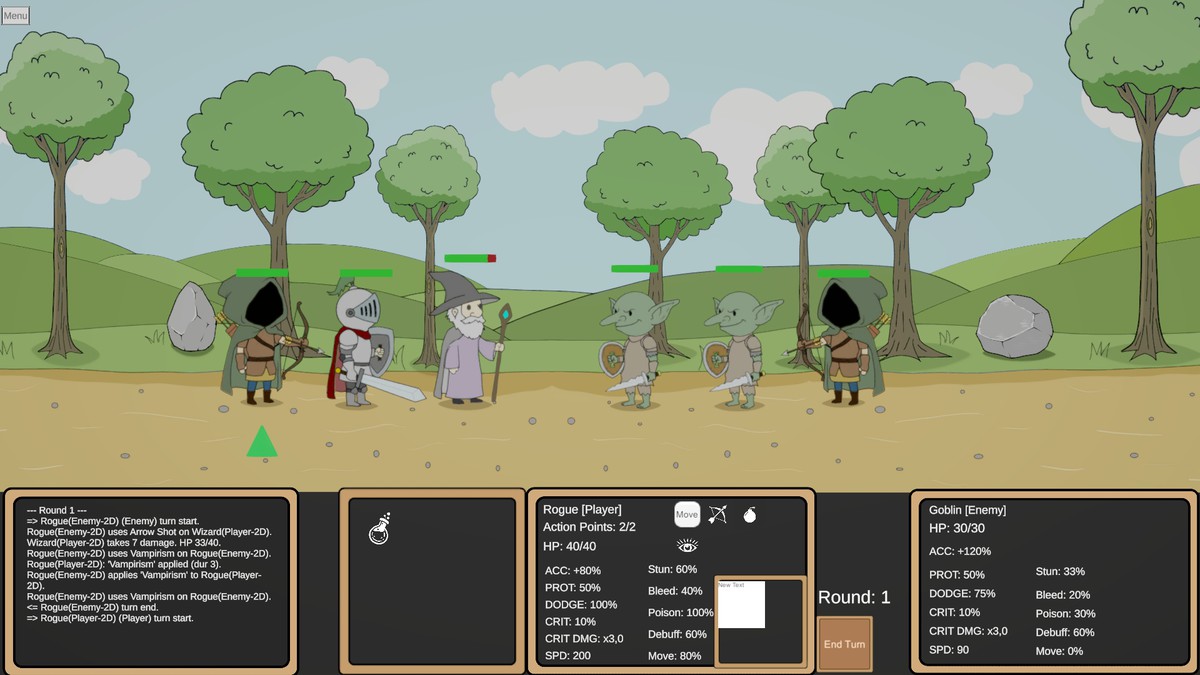
• Rank-Based Formations: 4-slot system with position-locked abilities and auto-advance (Darkest Dungeon style)
• Formation Swaps: Dynamic rank position swapping with optional resource costs
• Visual Rank Placement: Transform-based positioning for custom formation layouts
TACTICAL FEATURES
• Automatic unit responses to combat events (Ripostes, healing triggers, buff refresh)
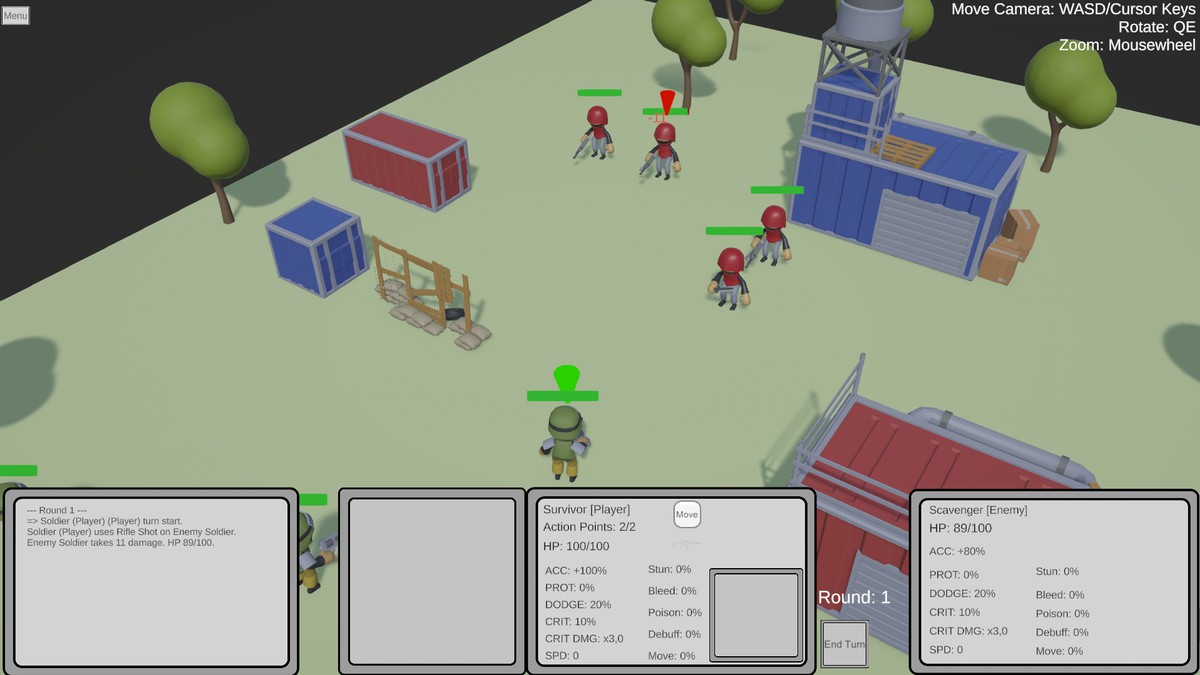
• Targeting Preview: Live visual feedback for AOE/Cone/Line/Single-target abilities with hit markers
• Zone of Control (ZoC): Opportunity attacks when enemies move
AI & BEHAVIOR
• 7 AI Modules: Ready-to-use behaviors (BestAbility, AttackNearest, AttackWeakest, HealAllies, BuffAllies, DebuffEnemies, RetreatOnLowHP)
• AI Presets: Configurable via ScriptableObject—Aggressive, Healer, Support, Tactical Controller
• Difficulty Scaling: Easy (0.85x) → Normal (1.0x) → Hard (1.15x) priority weighting
MOVEMENT SYSTEMS
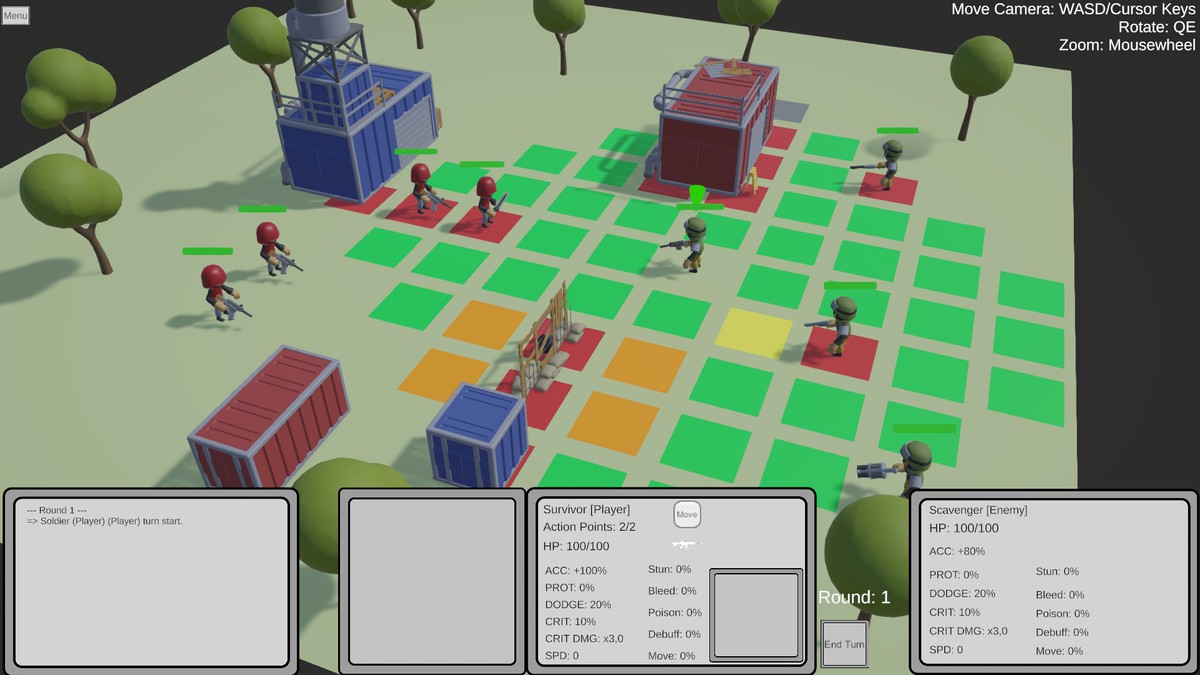
• Grid Movement: Classic tile-based with obstacle detection
🛠️ TECHNICAL WORKFLOW
DESIGNER-FRIENDLY
• ScriptableObject Driven: Handle balancing and design entirely within the Inspector—no coding required
• Visual Targeting System: Live preview of ability impact zones before casting
• Formation Templates: Pre-configured 4-rank formations for quick setup
DEVELOPER-FRIENDLY
• Event-Bus Architecture: Seamlessly trigger VFX, SFX, and UI updates using pre-defined event hooks
• Clean Code: Modular C# architecture, interface-based, optimized for performance (Low GC allocation)
• Extension Points: ITargetingStrategy, IAbilityValidator, IAIModule for custom behaviors
• AI-Coding Friendly: Works seamlessly with GitHub Copilot for rapid prototyping
📦 WHAT'S INCLUDED
SCENES & EXAMPLES
• Starter Scene: Minimal setup for quick prototyping
• Grid Demo Scene: Grid-based combat showcase tactical positioning
• Full Demo "Brightest Dungeon": Hand-drawn character showcase with all features
CONTENT
• 7 AI Presets (Aggressive, Healer, Support, Tactical, and variants)
• Status Effect Library: Bleed, Poison, Stun, Silence, and custom templates
• Ability Templates: Attack, Heal, Buff, Debuff, Utility
• Formation Presets: Ready-to-use 4-rank setups
DOCUMENTATION
• Complete User Manual (v1.1)
- Formation System & Swaps
- Squad Grid Scene setup
- Zone of Reaction mechanics
- Targeting Preview configuration
- Melee Engagement System
- AI Preset creation & tuning
- Troubleshooting & optimization guides
TOOLS
• Inspector-based AI Editor: Visual module management
• Status Effect Tracker: Real-time status monitoring
• Combat Log: Built-in event logging for debugging
🎯 PERFECT FOR
✓ Tactical RPGs (Darkest Dungeon, Divinity: Original Sin style)
✓ Squad-based Combat (XCOM, Warhammer 40K Mechanicus style)
✓ Turn-based Strategies (Fire Emblem, King's Bounty)
✓ Educational Projects learning combat system design
💡 HIGHLIGHTS
Zero Setup Required - Drag-and-drop into a Unity project and start prototyping
Designer Paradise - Adjust difficulty, AI behavior, and combat balance without touching code
Performance Optimized - Low garbage allocation, efficient pathfinding, optimized event system
Extensible - Add custom abilities, status effects, and AI modules with clean interfaces
Well-Documented - API reference, setup guides, and troubleshooting for every system
🎮 PLAYABLE WEB DEMO ON ITCH.IO
Experience the framework in action before purchasing. Try the Brightest Dungeon demo and see how the systems work together.
🚀 GETTING STARTED
- Import into Unity (Best Practice is to start with 2D URP Scene)
(⚠️ You may see console warnings about PSD Layer IDs or "inconsistent import result" during import. These are cosmetic warnings from Unity's 2D PSD Importer and can be safely ignored.) - Open Brightest Dungeon Scene to see everything in action
(⚠️ If the demo scene appears pink/empty: assign a URP Renderer Asset under Edit → Project Settings → Graphics (or Quality, depending on Unity version). This is standard URP project setup and not an asset issue.) - Read the included DOCUMENTATION.md
- Duplicate a preset & modify settings in the Inspector
- Extend via interfaces (IAIModule, IAbilityValidator, ITargetingStrategy)
From the publisher's Asset Store listing.
Compatibility
| Unity version | Built-in | URP | HDRP |
|---|---|---|---|
| 6000.5.5f1 | Not listed | Compatible | Not listed |
| 6000.4.3f1 | Not listed | Compatible | Not listed |
As listed on the Asset Store.