
 View on Asset Store (opens in new tab)
Package details
- Latest version
- 1.0
- Last updated
- First released
- Unity version
- 6000.0.59 or later
- Package size
- 22 KB
- Files
- 16
- Favorites
- 3
- Views in the past week
- 8
Price tracking
- Last checked
- Tracked since
- Lowest recorded
- Free on
Keywords

Boost Hierarchy
Boost Hierarchy transforms your editor with auto-coloring, tree lines, and debug tools like "Missing Script" detection. High-performance & Zero runtime overhead.
Affiliate link · Purchases support this site
Price history
Last 6 months
USDAsset preview
1 / 2
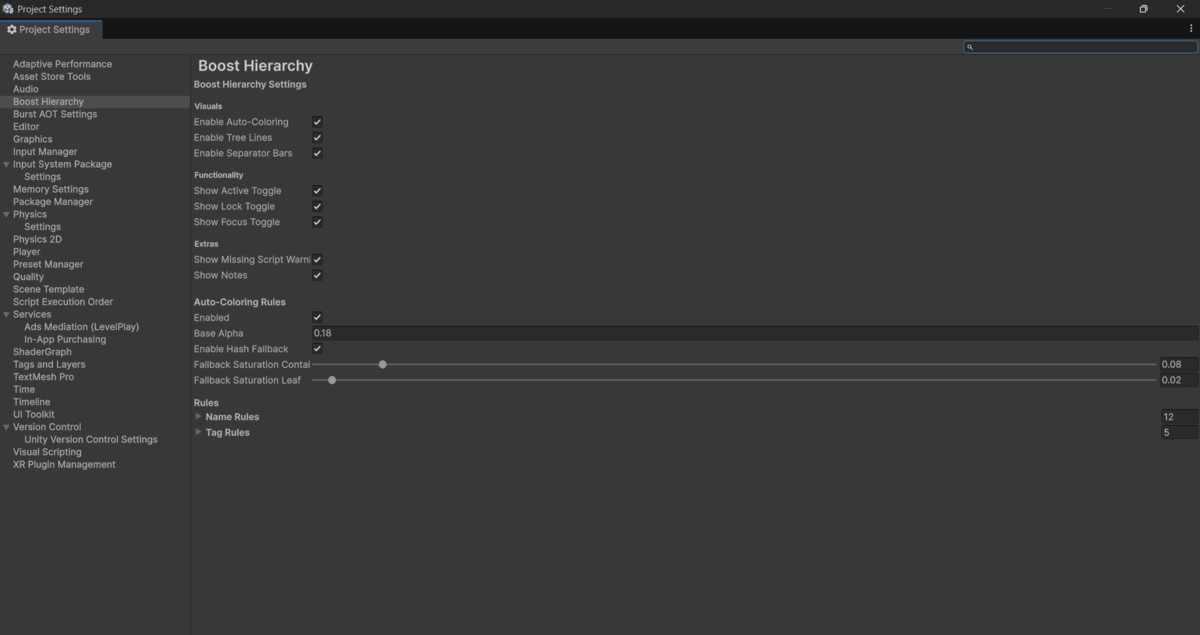
Boost Hierarchy screenshot 1
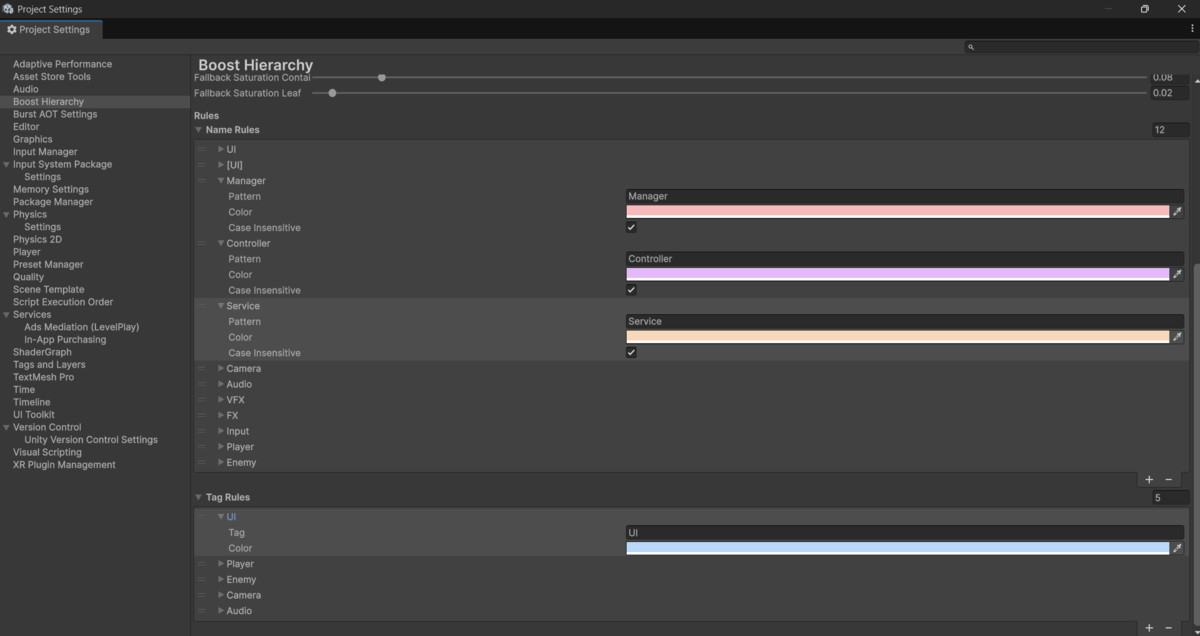
About this asset
Organize your chaos. Boost your workflow.
Boost Hierarchy is a "Plug & Play" editor extension designed to transform the standard Unity Hierarchy into a powerful, visually organized workspace without cluttering your UI.
PHILOSOPHY: INSTALL & FORGET
No setup required. Import the package, and your hierarchy immediately becomes cleaner and more functional.
VISUAL ENHANCEMENTS
- Tree Lines: Visualize parent-child relationships with elegant connecting lines.
- Auto-Coloring: Automatically tints backgrounds based on object names (e.g., "UI", "Manager") or tags.
- Separator Bars: Turn objects named `---` or `===` into stylish headers to group your sections.
FUNCTIONAL TOOLS
- Deep Focus Mode: Isolate a specific branch of your hierarchy with one click to focus only on what matters.
- Quick Toggles: Enable/Disable or Lock objects directly from the right side of the hierarchy window.
- Hierarchy Notes: Add persistent notes to GameObjects (perfect for team communication).
DEBUGGING (PREMIUM FEATURE)
- Missing Script Warning: Instantly detects broken script references. A red warning icon appears on any object with a missing script, saving you hours of debugging.
PERFORMANCE PROMISE
We know editor performance is critical.
- Zero Runtime Overhead: Does not affect your game builds.
- Optimized Code: NO `GetComponent` calls in the OnGUI loop. Uses caching and dictionaries to ensure 60FPS editor smoothness.
CONTACT & SUPPORT
Support Email: [email protected]
Documentation: PDF Included in package.
From the publisher's Asset Store listing.
Technical details
Features:
- Editor-only tool (Zero runtime impact).
- Compatible with Built-in, URP, and HDRP (Pipeline independent).
- Optimized drawing loop (No memory allocation per frame).
Requirements:
- Unity 2021.3 LTS or higher.
- No external dependencies.
Package Contents:
- Source Code (C#).
- Documentation PDF.
- Demo Scene.
Compatibility
| Unity version | Built-in | URP | HDRP | Custom |
|---|---|---|---|---|
| 6000.0.59f2 | Compatible | Compatible | Compatible | Compatible |
As listed on the Asset Store.