
 View on Asset Store (opens in new tab)
Package details
- Latest version
- 1.3.4
- Last updated
- First released
- Unity version
- 6000.0.49 or later
- Package size
- 260 KB
- Files
- 60
- Favorites
- 4
- Views in the past week
- 37
Price tracking
- Last checked
- Tracked since
- Lowest recorded
- $14.39 on
Keywords

ScreenshotKit
- Price drop
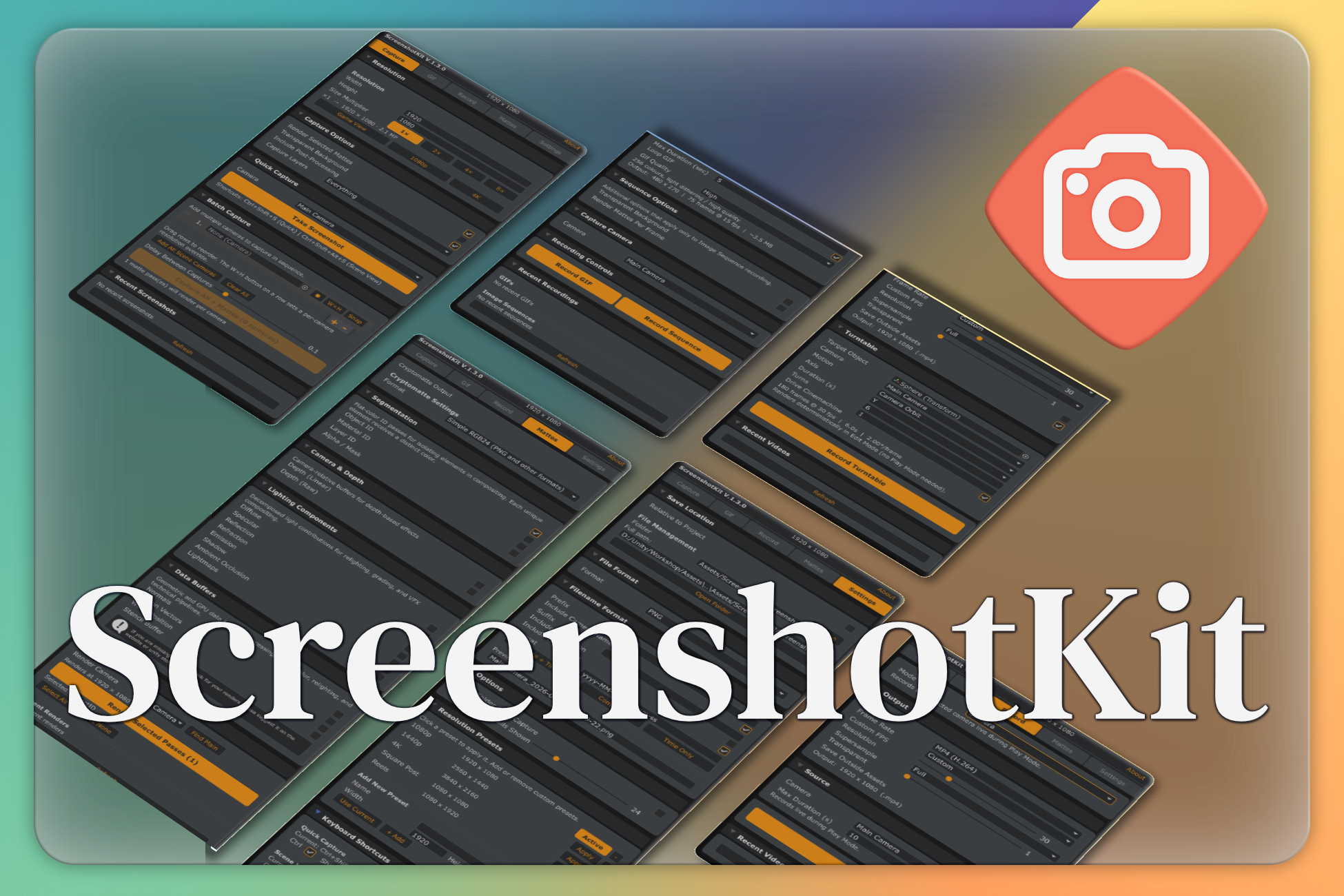
Your project needs screenshots, GIFs & video for social. ScreenshotKit closes the gap: one-click capture to clipboard, straight from the Editor to wherever you need. Marketing visuals in seconds.
Lowest in 6 months
Get 3% off on Asset Store (opens in new tab)Affiliate link · Purchases support this site
Price history
Last 6 months
USDAsset preview
1 / 5

ScreenshotKit screenshot 1


About this asset
Every kind of capture Unity should have shipped with, in one window.
- Screenshots,
- transparent PNGs,
- animated GIFs & image sequences,
- MP4/WebM video,
- Compositing-ready Cryptomatte & AOV passes.
- 360 cubemap capture
- screenshots straight to the clipboard for easy sharing
- store-ready screenshot packs (App Store · Google Play · Steam),
- logo watermarking on every output,
- audio baked into your video, or not, your choice.
- Supersampling everywhere 2× / 4× quality on stills, panoramas, sequences & every video mode
Hit a hotkey, done. Built-in, URP, and HDRP. Zero scene setup, no runtime overhead.
New! Video Recording
Record straight to MP4 (H.264) or WebM (VP8 + alpha). Spin a perfectly looping turntable, orbit the camera, or capture live gameplay in Play Mode, with up to 4× supersampling and a memory-flat streaming encoder that handles long takes without blowing up RAM.
- 4K turnaround of every camera in your scene? One click.
- Clean alpha for a storefront hero shot? Three alpha modes.
- Comp in Nuke / Fusion / After Effects? Spec-compliant Cryptomatte EXRs with IDs, depth, normals, and lighting passes.
Just open it and shoot. or don't we do have shortcuts and a scene overlay!
From the publisher's Asset Store listing.
Technical details
Everything from one dockable window (Tools ▸ ScreenshotKit) or the Scene View overlay.
Video Recording!
- Encode to MP4 (H.264) or WebM (VP8) via Unity's native MediaEncoder. frames are streamed one at a time, so long captures stay memory-flat
- Three record modes: Camera (live Play Mode), Viewport (Game / Scene View), Turntable
- Turntable: object-spin or camera-orbit around any target; X / Y / Z axis; seamless loop
- Cinemachine-aware auto-detects Cinemachine 2.x & 3.x and drives the active virtual camera
- Audio record the scene's audio straight into the video track (live Camera & Viewport capture)
- Up to 4× supersampling (turntable) with GPU bilinear downscale for clean edges
- Transparent WebM, 24 / 30 / 60 / custom fps (≤120), Full / Half / Quarter scale
- Crash-safe: survives script recompiles & Play Mode exit, always restores moved cameras/objects
Screenshots
- One-click capture from the active camera, Game View, or Scene View camera
- Rebindable hotkeys (Ctrl+Shift+S / Ctrl+Shift+Alt+S)
- Size multiplier up to 8× for crisp 8K+ stills
- True supersampling (2× / 4×) renders large and downscales for razor-clean edges without changing output size
- Resolution presets (1080p, 1440p, 4K, Square, Reels) + your own custom presets
- Store submission presets one-click size packs for the App Store, Google Play & Steam; Capture All exports every required size into per-store folders
- Batch multi-camera capture add all scene cameras at once, per-camera resolution overrides
- Copy to clipboard every still lands on the system clipboard for instant sharing
- 360 Cubemap capture (Mono or stereo (top-bottom) equirectangular panoramas from any camera)
Transparent capture
- Three alpha modes: Cryptomatte (sharp geometry edges), Post-Process (keeps bloom/flares), Hybrid (both)
- PNG / TGA output
GIF & image sequences
- Threaded GIF encoder, stays smooth in Play Mode; loop, 4 quality levels, custom palette, up to 244 fps
- Auto-Record on Play, live size estimate & encoding progress
- Image sequences: PNG / JPEG / TGA / EXR, per-frame alpha, per-frame mattes
Cryptomatte / AOV passes (Nuke, Fusion, After Effects, Resolve)
- Spec-compliant Cryptomatte 1.2.0 multi-layer EXR (MurmurHash3 IDs + manifest)
- Segmentation by GameObject / Material / Layer Object ID, Material ID, Layer ID, Alpha
- Render All Layers Separately one transparent cutout per named Unity layer, ready to composite
- Lighting decomposition: Diffuse, Specular, Reflection, Refraction, Emission, Shadow, AO
- Data buffers: Normals, Motion Vectors, World Position, Stencil
- Depth (Linear & Raw) + Lightmap
- Render passes standalone, or alongside any screenshot/sequence
Workflow
- Filename templating: prefix/suffix, camera name, timestamp, resolution, auto-sanitised for illegal characters
- Watermark brand every capture (screenshots, panoramas, sequences & video) with a logo; anchor, opacity, scale & margin
- Configurable save location + open-folder-after-capture
- Full runtime C# API (DaCruz.ScreenshotKit) including a drop-in capture component with an in-game hotkey, for photo modes & automated passes
Compatibility
- Unity 2021.3+
- Built-in, URP, HDRP (AOV passes need URP for full fidelity; Built-in falls back to a Diffuse render)
- Editor tool with included runtime API · no third-party dependencies (Cinemachine optional)
Compatibility
| Unity version | Built-in | URP | HDRP | Custom |
|---|---|---|---|---|
| 6000.6.0f1 | Not listed | Compatible | Not listed | Compatible |
| 6000.0.49f1 | Compatible | Compatible | Compatible | Compatible |
As listed on the Asset Store.