
 View on Asset Store (opens in new tab)
Package details
- Latest version
- 1.0
- Last updated
- First released
- Unity version
- 6000.3.0 or later
- Package size
- 147 KB
- Files
- 10
- Favorites
- 2
- Views in the past week
- 11
Price tracking
- Last checked
- Tracked since
- Lowest recorded
- $4.99 on
Keywords

Luma Photo Engine
LUMA is a capture system featuring up to 8K rendering, social media aspect ratios (IG/TikTok), professional post-processing controls. Drag, drop, and let your players share stunning shots.
Affiliate link · Purchases support this site
Price history
Last 6 months
USDAsset preview
1 / 2
Luma Photo Engine screenshot 1
About this asset
Give Your Players the Power of Virtual Photography
LUMA Photo Engine is a complete, "drag-and-drop" solution designed to bring photo mechanics to your Unity project without writing a single line of code.
Whether you are building an open-world RPG, a stylized adventure, or a hyper-realistic simulation, LUMA provides the tools to make it look cinematic.
KEY FEATURES
- Ultra-High Resolution Rendering: Bypass screen limitations! Capture crisp details with 4K and 8K upscaling, even on 1080p monitors.
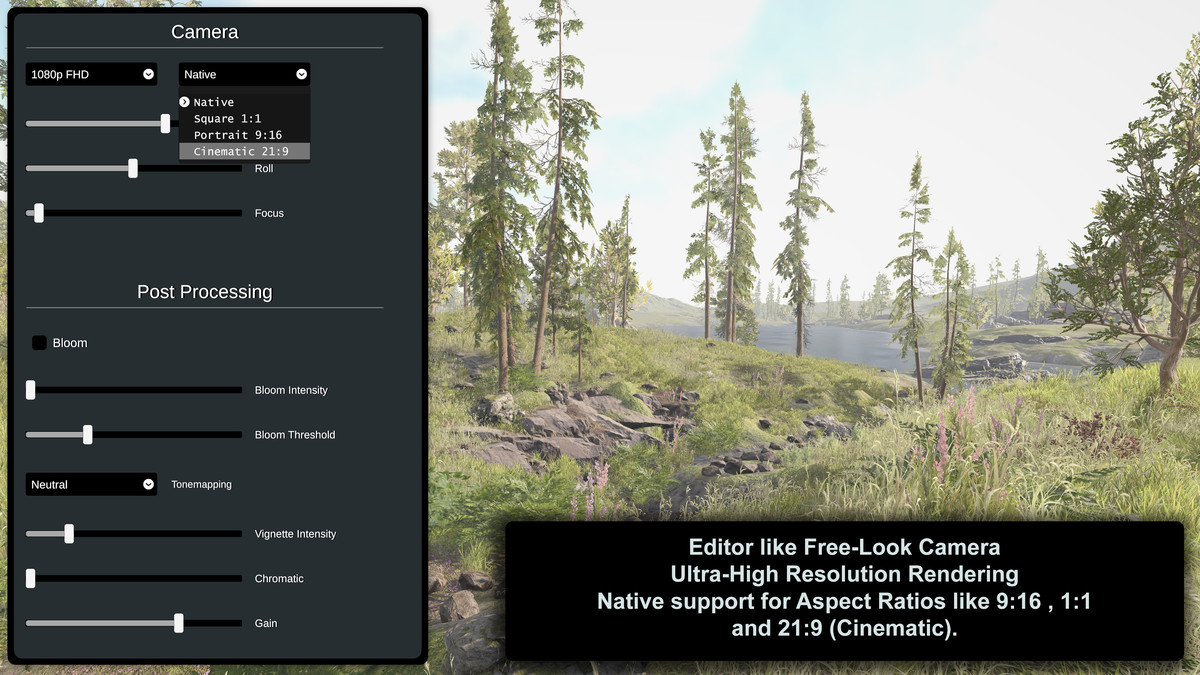
- Social Media Ready: Native support for Aspect Ratios like 9:16 (Stories/TikTok), 1:1 (Instagram Feed), and 21:9 (Cinematic). Includes visual letterboxing guides so players know exactly what they are capturing.
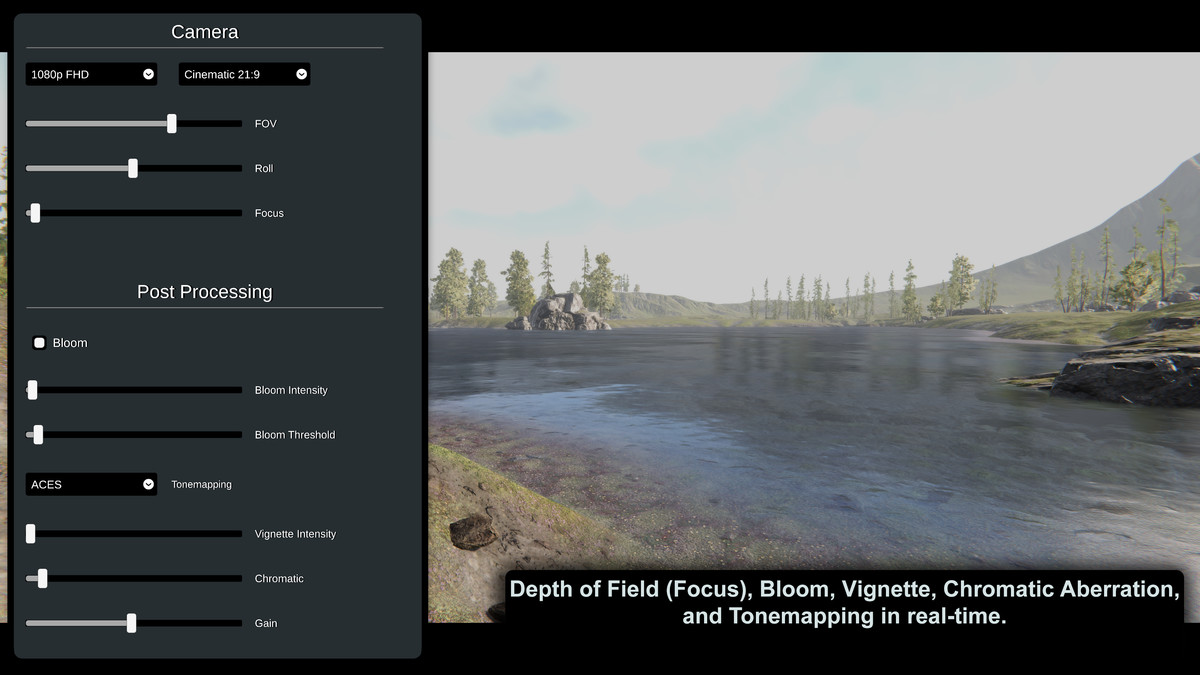
- Professional Post-Processing: Give players control over Depth of Field (Focus), Bloom, Vignette, Chromatic Aberration, and Tonemapping in real-time.
- Free-Look Camera: Smooth, flight-style camera movement (WASD + Mouse) with adjustable roll (tilt) and FOV (Zoom).
EASY INTEGRATION LUMA is designed for non-programmers.
- Drag the prefab into your scene.
- Assign your Main Camera.
- Hit Play!
From the publisher's Asset Store listing.
Technical details
- Render Pipeline: Compatible with URP (Universal Render Pipeline).
- Code: Full C# Source Code included (Clean and modular).
- Dependencies: Requires TextMeshPro (Free package via Package Manager).
- Platform: Optimized for PC/Mac (Standalone).
- File Format: Exports in .PNG or .JPG formats.
- Setup: Single Prefab architecture for easy scene management.
Note for URP Users: Ensure "Post Processing" is enabled on your Main Camera for visual effects to appear correctly in the final render.
Compatibility
| Unity version | Built-in | URP | HDRP |
|---|---|---|---|
| 6000.3.0f1 | Not listed | Compatible | Not listed |
As listed on the Asset Store.