
 View on Asset Store (opens in new tab)
Package details
- Latest version
- 1.0
- Last updated
- First released
- Unity version
- 6000.0.68 or later
- Package size
- 374 KB
- Files
- 95
- Favorites
- 17
- Views in the past week
- 8
Price tracking
- Last checked
- Tracked since
- Lowest recorded
- Free on
Keywords
Scriptable Object Variables
A simple and to the point library for managing project-wide variables using Unity's ScriptableObjects. The core strength of this system is its ability to decouple data from specific scenes or scripts
Affiliate link · Purchases support this site
Price history
Last 6 months
USDAsset preview
1 / 5
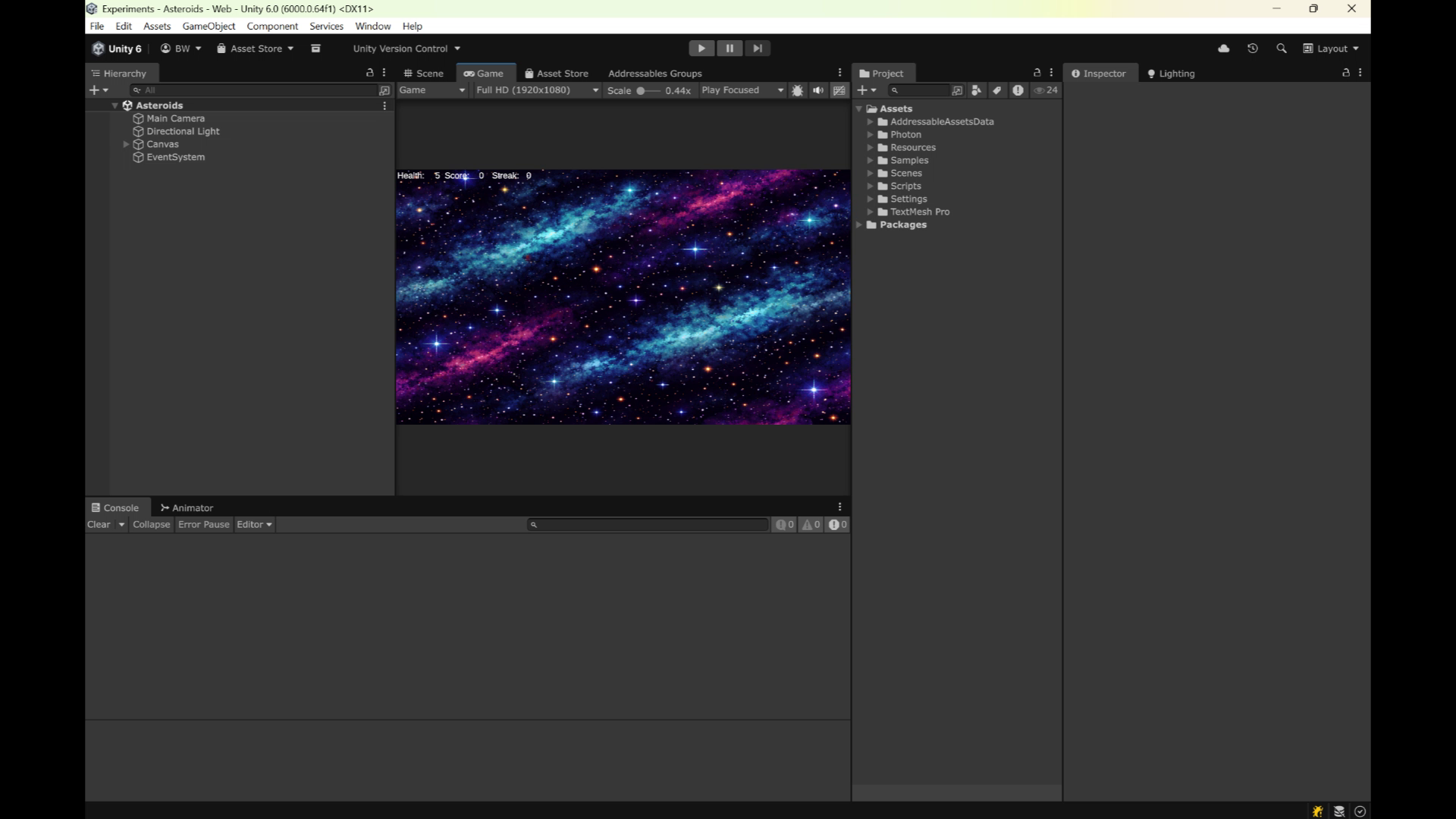
Scriptable Object Variables screenshot 1
About this asset
💡 The USP (Unique Selling Point)
By storing variables as Assets in your project folder, they can be shared across systems effortlessly without the need for complex Singletons, DontDestroyOnLoad, or rigid hard-references.
This library is simple and to the point. No complex and unnecessary options. Just the necessary and a lot of room for extendability.
Some widely used cases:
- Storing and displaying user data (e.g. name, email, id etc)
- Storing, editing and displaying app settings (e.g. graphical settings, audio settings etc.)
- Storing, editing and displaying generic enemy or player data (e.g. health, damage etc.)
- Storing, editing and displaying generic gameplay data (e.g. difficulty, speed etc.)
🛠️ Base Types
- ScriptableBool
- ScriptableFloat
- ScriptableInt
- ScriptableString
📚 Reference Types
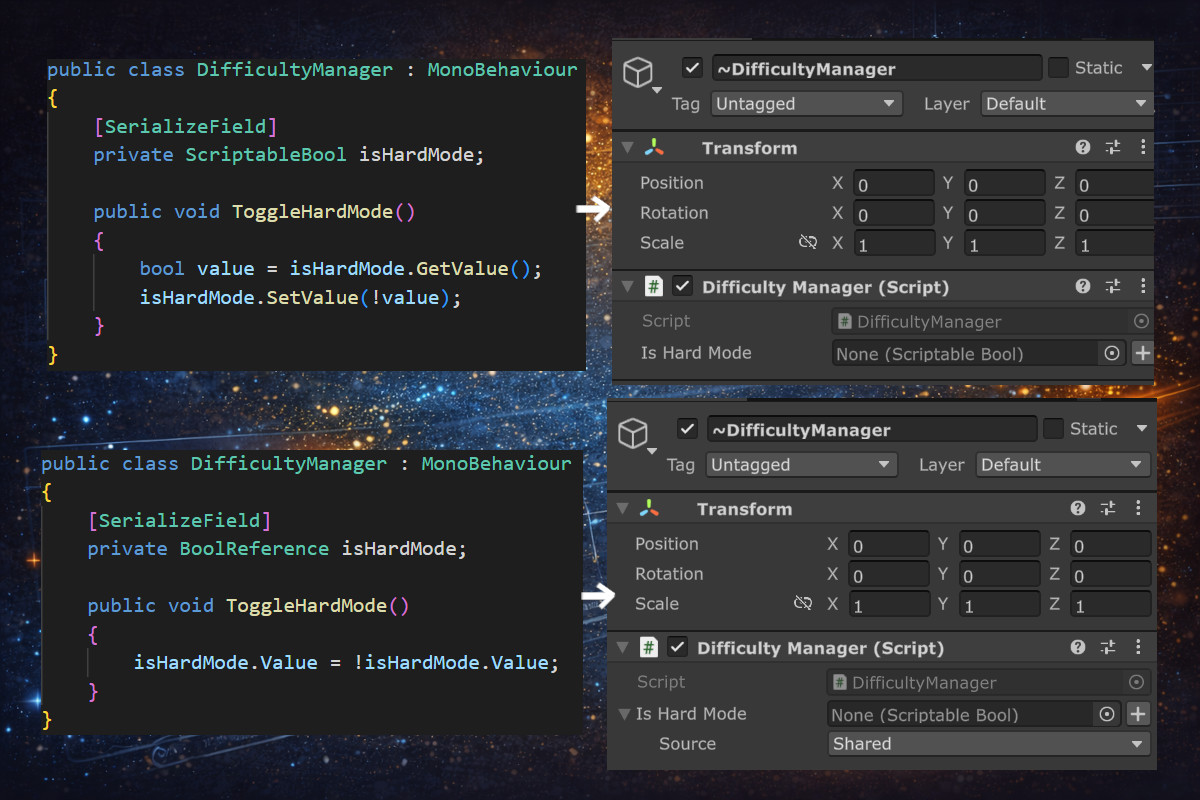
The goal of a scriptable variable reference is to provide a user friendly interface to a value that can either be locally changed or shared between multiple scripts. Defining variables as a reference provides you with the flexability to update a values scope from local to shared without actually having to change any code.
✨ Special Types
- ScriptableList
- ScriptableDictionary
- ScriptableEnum
🌍 Share and Group GameObjects
Created to work as a proxy for single or multiple (grouped) GameObject references, they make it possible to share references across scenes and prefabs.
They should help solve the following problems:
- A component in a prefab requires a reference to a game object or component in a scene. You can't set this reference in the prefab itself, because the scene is not part of the prefab.
- A game object in your scene requires a reference to another game object or component in another scene. You can't set this reference in the inspector, because the other scene is not loaded yet.
- A component requires references to multiple game objects that globally provide the same functionality (e.g. authentication provider & license provider = service providers). As you require more dependencies, you now have to manually find and assign more of these references for each component instance.
- A script requires references to multiple game objects that globally provide the same functionality (e.g. authentication provider & license provider = service providers). As you require more dependencies, arguments have to be added to function calls.
🔗 Data Binding System
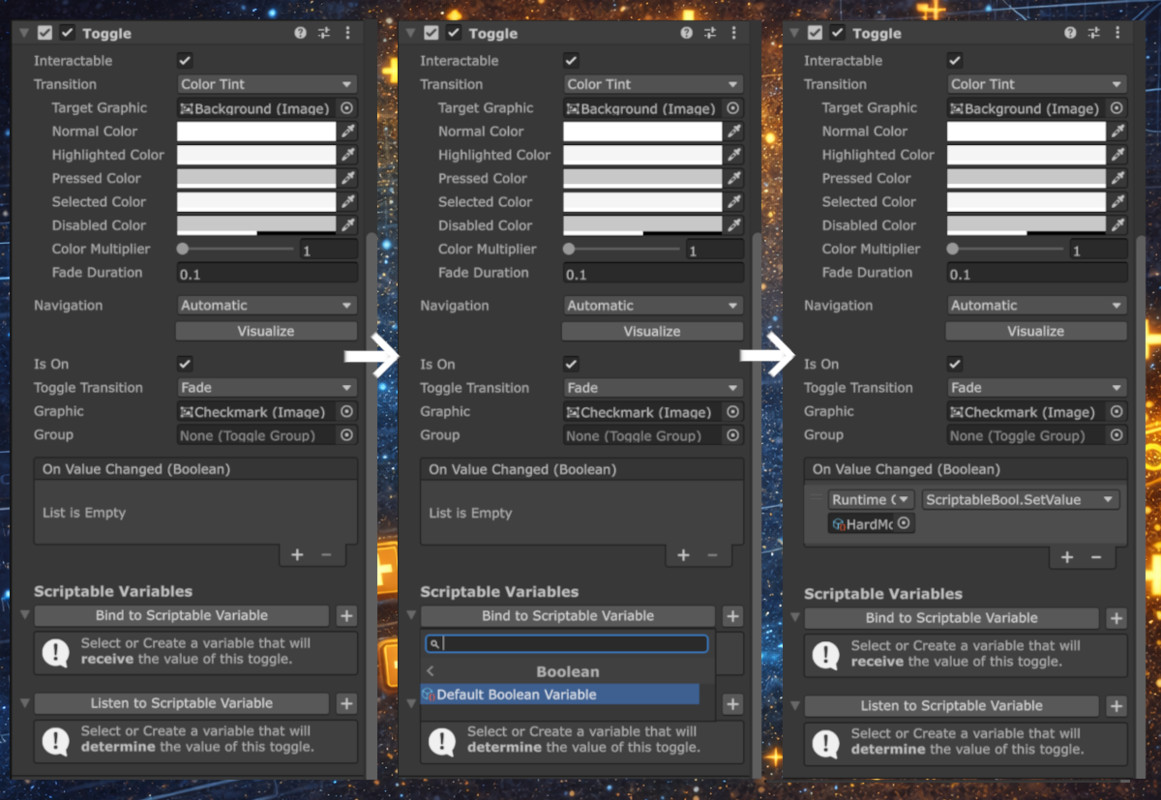
Keep your UI and logic in perfect sync without a single line of "glue code" in your features. This package facilitates a robust Data Binding system using ScriptableObjects as the bridge between your logic and your UI.
From the publisher's Asset Store listing.
Technical details
Quality
- This bundle is part of a open source project on github: https://github.com/Bvanderwolf/com.openutility.unity
- Full source code is available for inspection.
- Contains 3 example scenes to show you how to best use this architecture.
Compatibility
- Tested and verified from Unity 6000.0.64f onwards on:
- iOS/Android/WebGL/Windows/MacOS/Consoles
Compatibility
| Unity version | Built-in | URP | HDRP | Custom |
|---|---|---|---|---|
| 6000.0.68f1 | Compatible | Compatible | Compatible | Compatible |
As listed on the Asset Store.