
 View on Asset Store (opens in new tab)
Package details
- Latest version
- 1.1.0
- Last updated
- First released
- Unity version
- 6000.3.6 or later
- Package size
- 33 KB
- Files
- 14
- Favorites
- 13
- Views in the past week
- 13
Price tracking
- Last checked
- Tracked since
- Lowest recorded
- Free on
Keywords

Exicon - Svg Icon Library Fetcher
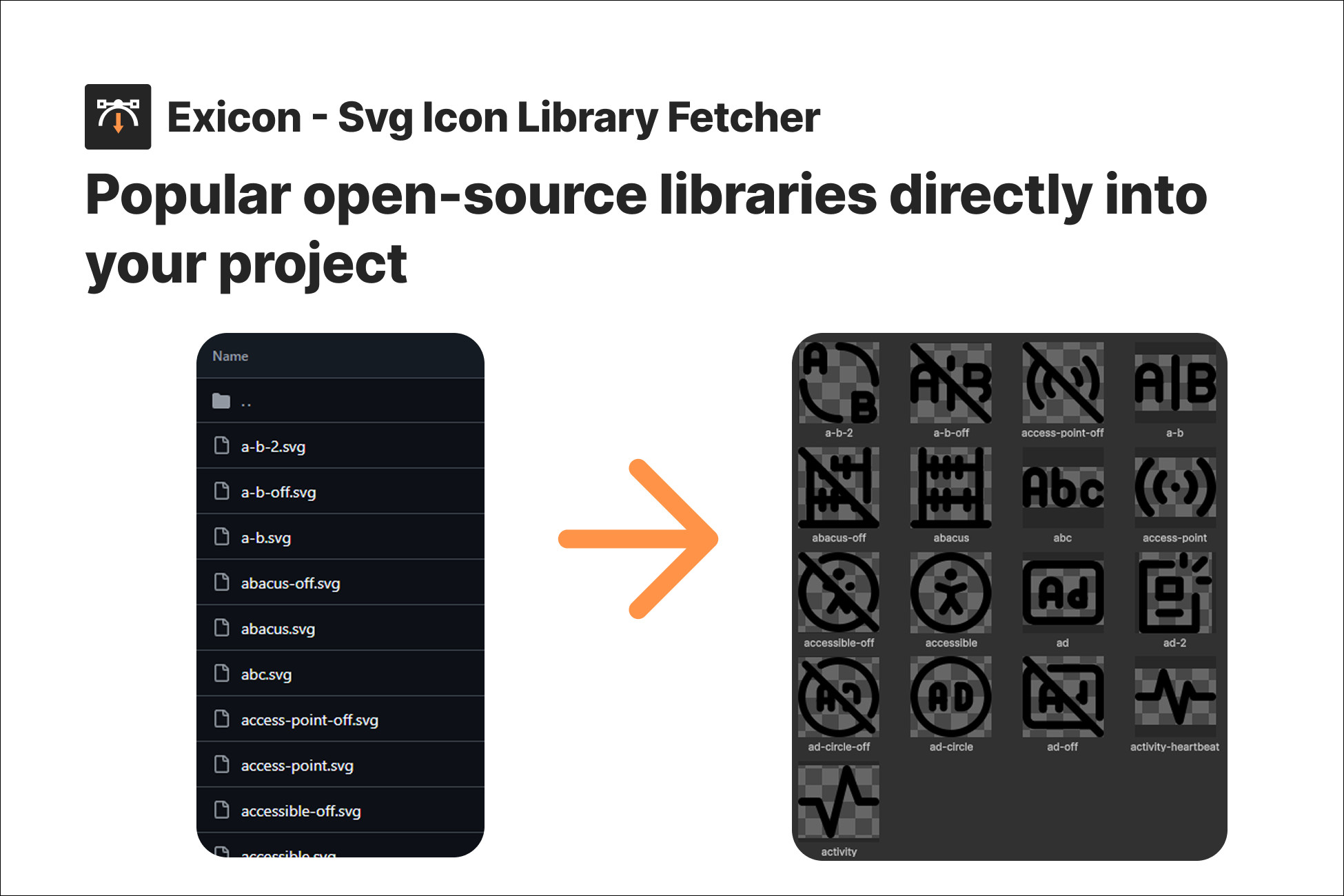
Download SVG icons from popular open-source libraries directly into Unity. Supports Lucide, Tabler, Heroicons, Bootstrap Icons, and more.
Affiliate link · Purchases support this site
Price history
Last 6 months
USDAsset preview
1 / 3
Exicon - Svg Icon Library Fetcher screenshot 1

About this asset
✨ What is Exicon?
Exicon is a lightweight Unity Editor tool that lets you browse, search, and download SVG icons from the most popular open-source icon libraries, all without leaving the Unity Editor. Optionally convert them to PNG sprites and recolor them to match your project's theme.
🔥 Key Features
- Browse 10+ Icon Libraries: access thousands of icons from curated open-source collections
- Batch Download: select multiple icons and download them all at once
- Custom URL Support: paste any GitHub SVG link to download individual icons
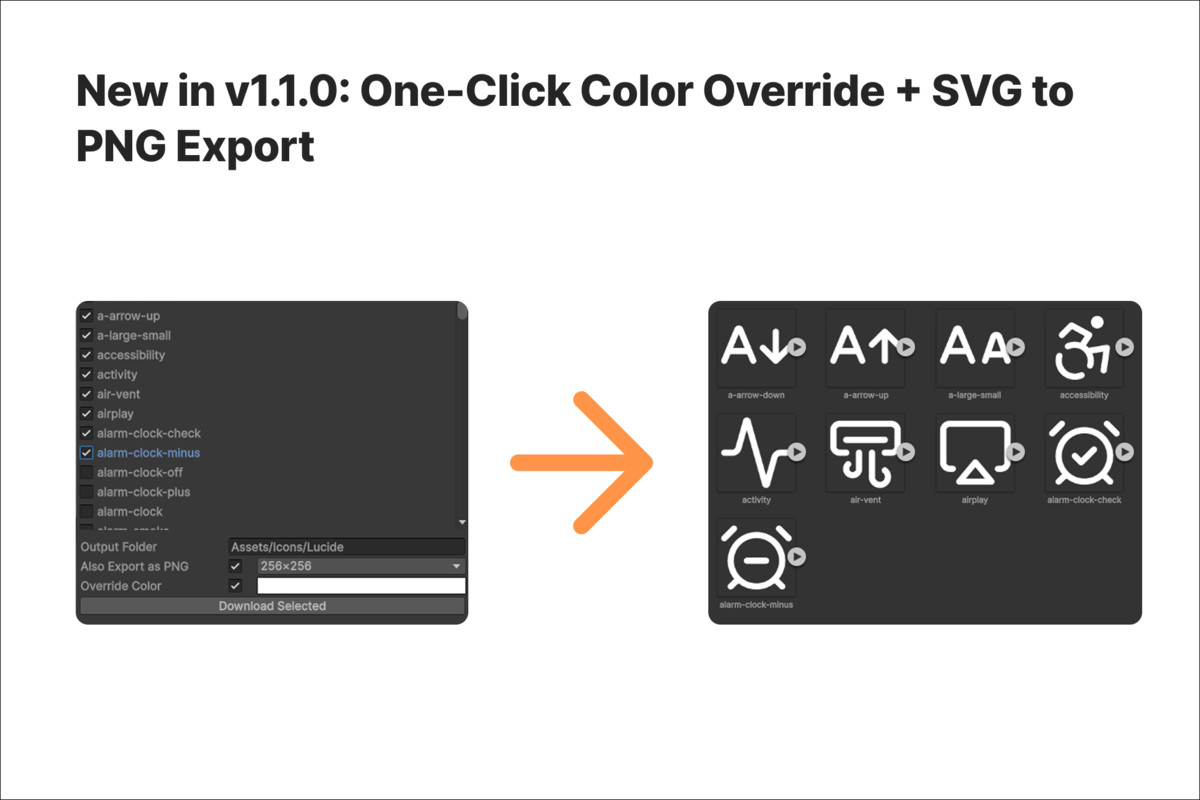
- PNG Export: optionally convert SVGs to PNG sprites at configurable sizes (32×32 to 1024×1024)
- Color Override: recolor all icons to a custom color on download, perfect for matching your UI theme
- Automatic Sanitization: SVGs are cleaned and optimized for Unity compatibility
- PNG export requires Vector Graphics (built-in on Unity 6.3+ or install com.unity.vectorgraphics on earlier versions).Zero Dependencies: works out of the box with no external packages required.
🎨 Included Icon Libraries
- Lucide - ISC
- Tabler Icons (Outline & Filled) - MIT
- Heroicons (Outline & Solid) - MIT
- Bootstrap Icons - MIT
- Feather Icons - MIT
- Ionicons - MIT
- Phosphor Icons - MIT
- Octicons- MIT
- Iconoir - MIT
🔗 Resources
📖 Documentation: https://github.com/experir/exicon-svg-icon-library-fetcher/blob/main/README.md
💻 GitHub Repository: https://github.com/experir/exicon-svg-icon-library-fetcher
🚀 Getting Started
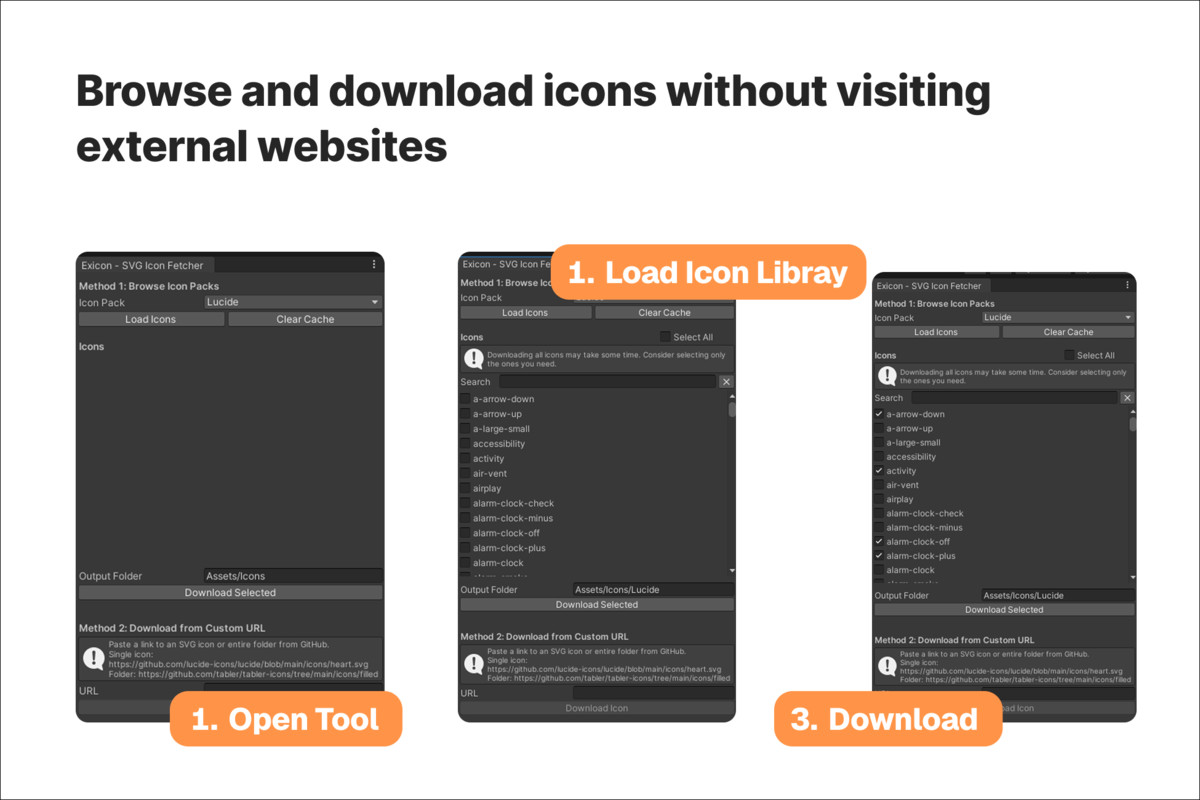
- Open Tools → Exicon from the Unity menu
- Select an icon library from the dropdown
- Click Load Icons to browse available icons
- Check the icons you want to download
- (Optional) Enable Export as PNG, choose a size, or set a Color Override
- Set the output folder (optional) and click Download Selected
Alternatively, paste a direct GitHub URL to an SVG file or to a folder and download it instantly.
⚠️ Important Notes
- This asset does not include any icons. Icons are downloaded directly from their original open-source repositories at runtime.
- Users are responsible for respecting each icon library's license.
- Requires internet connection to fetch icons.
From the publisher's Asset Store listing.
Technical details
Compatibility:
The tool supports all Unity versions starting from 2022 and newer.
SVG Support:
SVG support depends on the Unity version and required packages.
For versions prior to Unity 6.3, the com.unity.vectorgraphics package is recommended.
Unity 6.3 and newer support vector graphics natively via UI Toolkit.
Compatibility
| Unity version | Built-in | URP | HDRP | Custom |
|---|---|---|---|---|
| 6000.3.6f1 | Compatible | Compatible | Compatible | Compatible |
As listed on the Asset Store.