
 View on Asset Store (opens in new tab)
Package details
- Latest version
- 1.0.2
- Last updated
- First released
- Unity version
- 2022.3.62 or later
- Package size
- 1.7 MB
- Files
- 41
- Views in the past week
- 3
Price tracking
- Last checked
- Tracked since
- Lowest recorded
- $9.99 on
Keywords

Gizmo Toolbox Lite
30 modular editor‑only gizmos for 2D and 3D. Draw shapes and volumes to organise scenes, visualise information, and streamline workflows.
Affiliate link · Purchases support this site
Price history
Last 6 months
USDAsset preview
1 / 4
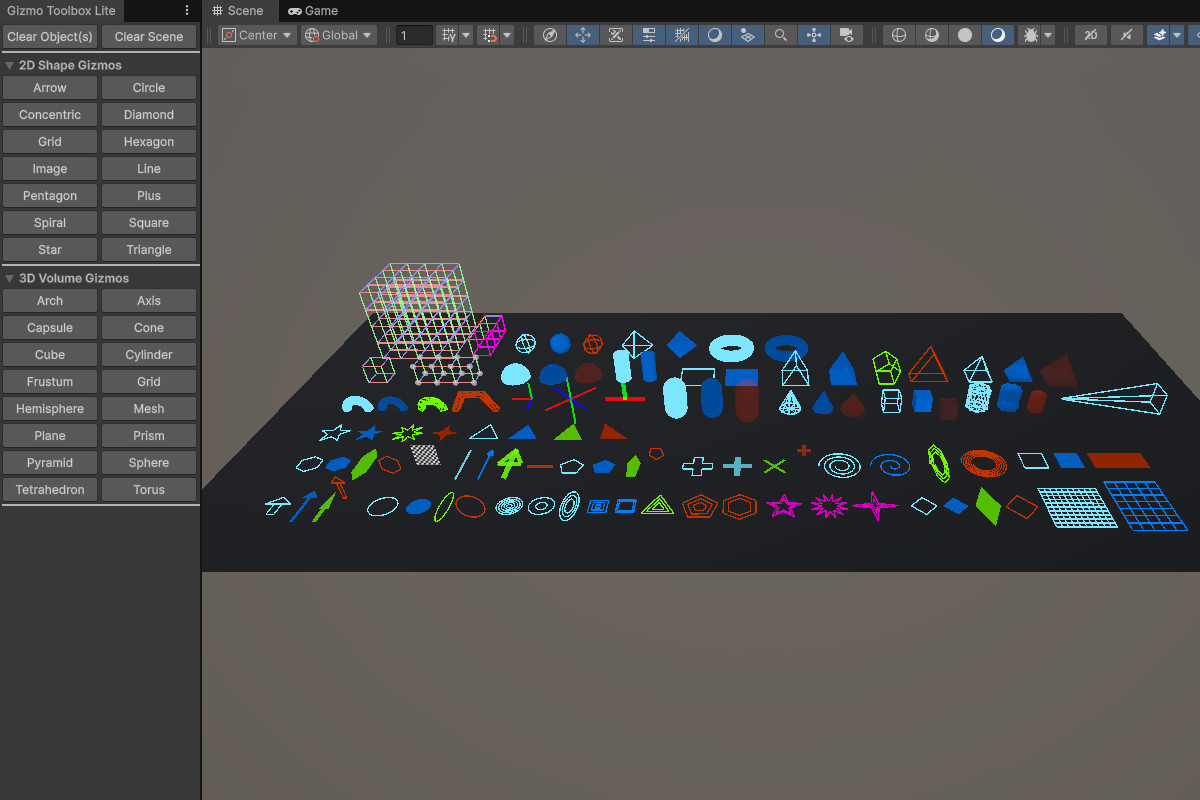
Gizmo Toolbox Lite screenshot 1
About this asset
Gizmo Toolbox Lite is a modular suite of 30 editor‑only tools for drawing clean, customisable gizmos directly in the Unity editor. It’s built to bring clarity to complex projects, giving you the right visual aids to map systems, debug gameplay, and keep scenes organised.
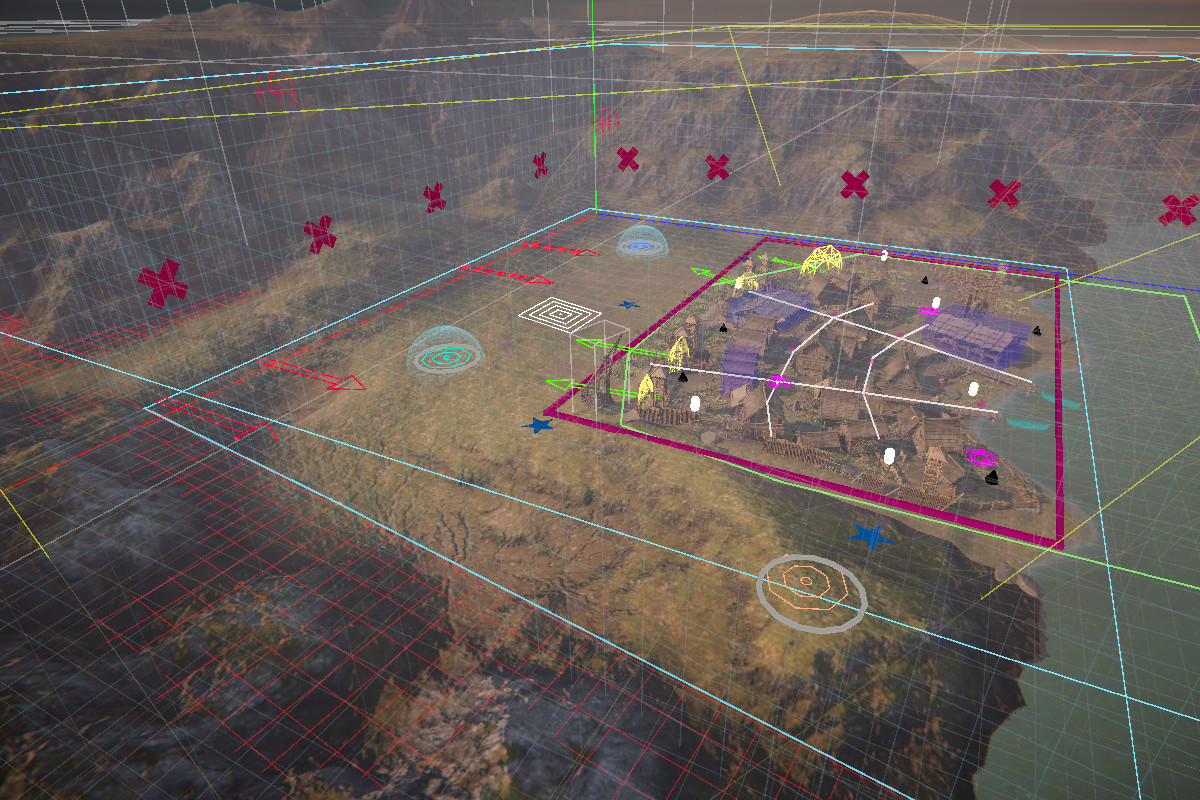
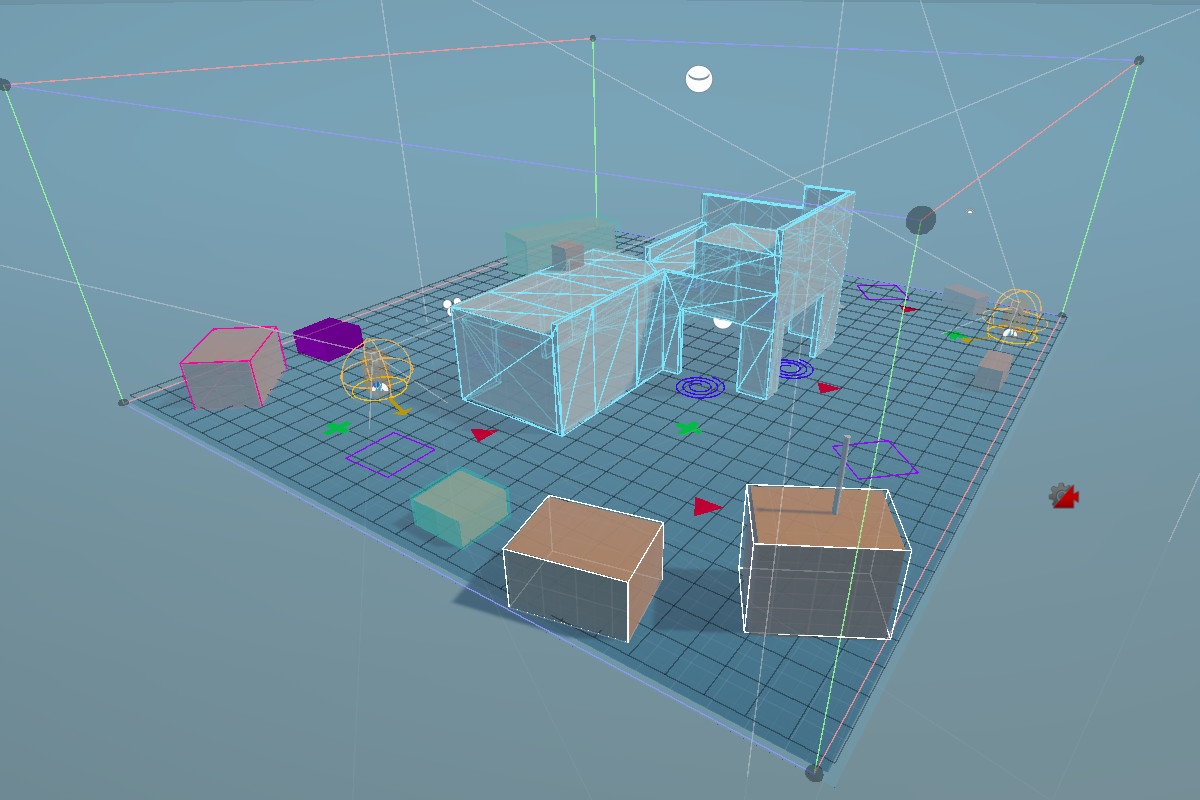
With support for 2D and 3D shapes, you can visualise everything from game zones and spawn points to boundaries and areas that require more development work.
Each gizmo is lightweight, configurable, and designed to drop in only where you need it, keeping your workflow lean and efficient.
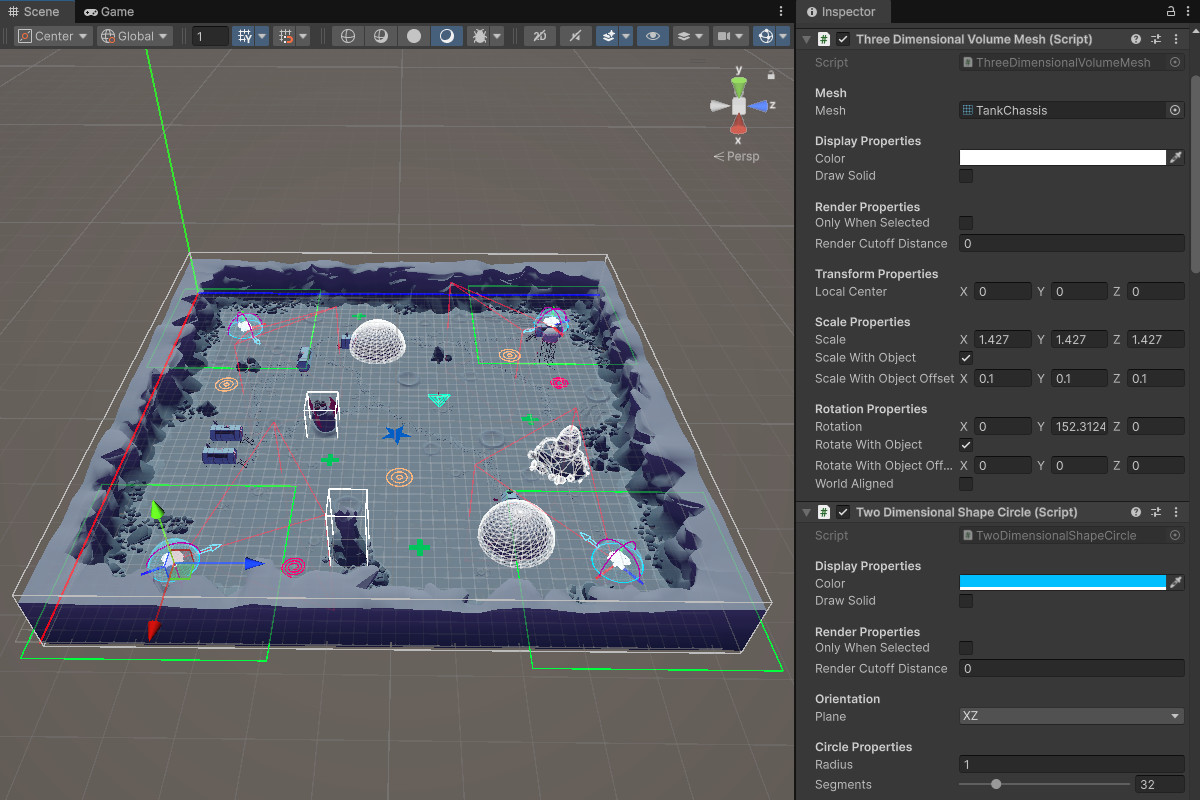
Whether you’re prototyping mechanics, documenting logic, or managing large environments, Gizmo Toolbox helps you highlight exactly what matters in‑scene. Combine shapes and volumes for complex visualisations, or keep it simple with a single marker.
From the publisher's Asset Store listing.
Technical details
For a detailed overview of each gizmo, including the available parameters, visit our website: axari.digital
For performance reasons, each gizmo has two options. "Only When Selected" and "Render Cutoff Distance".
Only When Selected
Gizmo will only be visible when its associated GameObject is actively selected in the editor if this setting is enabled.
Render Cutoff Distance
Maximum distance from scene camera to render the gizmo. Set to 0 to disable cutoff.
=============
2D Gizmos
=============
Arrow
Draws a directional arrow. Ideal for flow indicators, movement paths, or logic cues.
Circle
Renders a 2D circle. Useful for range markers, zones, or visual anchors.
Concentric
Renders multiple concentric shapes. Useful for layered ranges, progressive boundaries, or abstract zone markers.
Diamond
Displays a rotated square (diamond shape). Great for stylised markers or node highlights.
Grid
Draws a flat 2D grid. Helpful for alignment, snapping, or layout visualisation.
Image
Displays a textured quad. Useful for icons, overlays, or reference markers.
Hexagon
Renders a six-sided polygon. Ideal for stylised zones or abstract overlays.
Line
Renders a 2D line with an optional arrowhead to indicate direction.
Pentagon
Displays a five-sided polygon. Useful for symbolic markers or design accents.
Plus
Draws a cross or plus sign. Great for center points, anchors, or toggle indicators.
Spiral
Renders a configurable spiral. Ideal for visualising loops, rotations, or abstract flow.
Square
Displays a standard 2D square. Perfect for bounding boxes, layout guides, or area markers.
Star
Draws a multi-point star. Useful for highlights, decorative markers, or symbolic overlays.
Triangle
Displays a 3-sided polygon. Great for directional indicators or stylised nodes.
=============
3D Gizmos
=============
Arch
Renders a curved arc segment in 3D space, useful for visualising angles, rotations, or field-of-view cones.
Axis
Displays a tri-directional axis (X, Y, Z) with color-coded lines. Ideal for orientation markers or transform debugging.
Capsule
Draws a capsule shape with rounded ends, useful to represent character colliders or bounding volumes.
Cone
Visualises a tapered cone from base to tip. Great for spotlight angles, detection zones, or directional cues.
Cube
Renders a standard 3D cube with configurable size and color. Useful for bounding boxes, volumes, or spatial anchors.
Cylinder
Displays an approximated cylinder, useful for representing columns, range indicators, or cylindrical zones.
Frustum
Projects a camera-style frustum with near/far planes and field-of-view. Ideal for visualising camera or light volumes.
Grid
Draws a 3D grid with controls for grid size, depth, and height. Helpful for snapping, alignment, or spatial reference in world or local space.
Hemisphere
Renders a half-sphere dome. Commonly used for upward-facing detection zones or ambient coverage areas.
Mesh
Displays a custom mesh asset of your choosing as a gizmo, allowing arbitrary 3D shapes to be visualised in the editor.
Plane
Draws a rectangular plane. Useful for surface markers, portals, or area triggers.
Prism
Renders a polygonal prism with a configurable number of sides. Ideal for abstract volumes or stylised markers.
Pyramid
Displays a 3D pyramid with a square base. Great for directional indicators or stylised markers.
Sphere
Draws a full 3D sphere. Commonly used for range indicators, detection zones, or spatial anchors.
Tetrahedron
Renders a 4-faced polyhedron (triangular pyramid). Useful for minimal directional markers or stylised nodes.
Torus
Displays a ring or donut shape. Ideal for circular zones, orbit paths, or rotational cues.
Compatibility
| Unity version | Built-in | URP | HDRP |
|---|---|---|---|
| 6000.3.11f1 | Compatible | Compatible | Compatible |
| 6000.2.13f1 | Compatible | Compatible | Compatible |
| 2022.3.62f3 | Compatible | Compatible | Compatible |
As listed on the Asset Store.