
 View on Asset Store (opens in new tab)
Package details
- Latest version
- 1.0
- Last updated
- First released
- Unity version
- 2022.3.62 or later
- Package size
- 24 KB
- Files
- 7
- Favorites
- 4
- Views in the past week
- 28
Price tracking
- Last checked
- Tracked since
- Lowest recorded
- $12.99 on
Keywords

Console Pro
Enhanced console with colored logs, tag filtering, search, timestamps, and export. Better debugging for Unity developers.
Affiliate link · Purchases support this site
Price history
Last 6 months
USDAsset preview
1 / 2
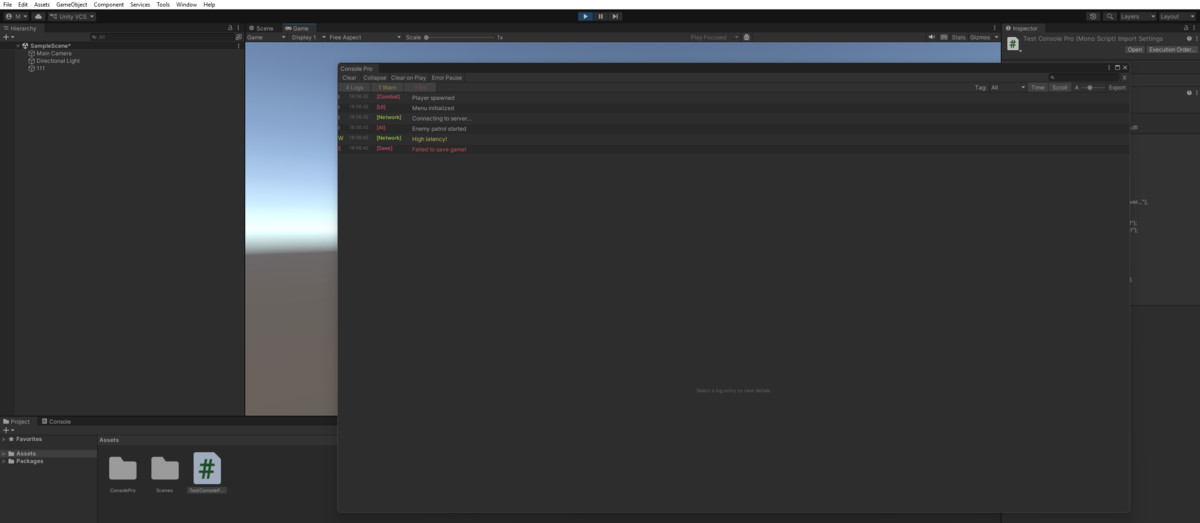
Console Pro screenshot 1
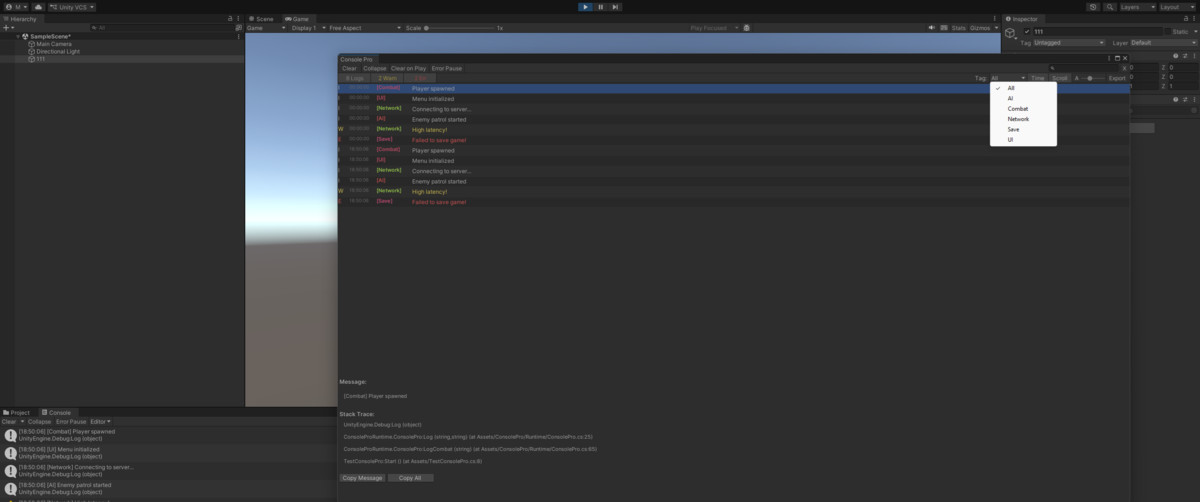
About this asset
Console Pro is a powerful replacement for Unity's built-in Console window.
Why Console Pro?
Unity's default console is basic. Finding specific logs in a wall of text wastes time. Console Pro brings colors, organization, and powerful filtering to your debugging workflow.
Core Features:
- Colored Logs - Gray for info, yellow for warnings, red for errors
- Tag System - Use [Tag] prefix to categorize logs
- Tag Filtering - Dropdown to show only specific tags
- Search - Find text with yellow highlighting
- Timestamps - See exactly when each log occurred
- Collapse - Group identical messages with count
- Auto-Scroll - Always see newest logs
Productivity Features:
- Export Logs - Save to text file for bug reports
- Click to Open - Double-click to jump to source code
- Adjustable Font - Resize for readability
- Resizable Panels - Drag splitter to customize layout
- Clear on Play - Auto-clear when entering Play mode
- Pause on Error - Stop game when error occurs
ConsolePro Helper Class:
- Easy logging: ConsolePro.Log("message")
- Tagged logging: ConsolePro.LogCombat("hit!")
- 18 preset tags: Combat, UI, Network, AI, Player, Save, and more
- Conditional logging: ConsolePro.LogIf(condition, "msg")
- Performance timing: ConsolePro.LogTimed("label", action)
Perfect For:
- Large projects with many systems
- Team debugging
- Bug tracking and reports
- Performance profiling
Requirements:
- Unity 2021.3 or newer
- Editor window (no runtime overhead)
From the publisher's Asset Store listing.
Technical details
- Editor window - zero runtime impact
- Full source code included
- No dependencies
- Works with all render pipelines
- Helper class works in builds
- Settings persist between sessions
Compatibility
| Unity version | Built-in | URP | HDRP | Custom |
|---|---|---|---|---|
| 2022.3.62f3 | Compatible | Compatible | Compatible | Compatible |
As listed on the Asset Store.