
 View on Asset Store (opens in new tab)
Package details
- Latest version
- 1.0
- Last updated
- First released
- Unity version
- 6000.3.1 or later
- Package size
- 99 KB
- Files
- 3
- Favorites
- 1
- Views in the past week
- 2
Price tracking
- Last checked
- Tracked since
- Lowest recorded
- $4.99 on
Keywords
- Search for Particle
- Search for scale
- Search for Real-Time Particle Scaling
- Search for Batch Particle Scaling
- Search for Particle Module Scaling
- Search for Particle Effect Adjustment
- Search for Particle System Editor Tool
- Search for Particle System Scaling
- Search for Particle Workflow
- Search for Recursive Particle Scaling
- Search for Size Shape Collision Modules
- Search for VFX
ParticleScale Easy
A focused, non-destructive, hierarchy-aware particle scaling tool for production use. Two quick scale adjustment actions are available and can be assigned to custom hotkeys for rapid workflow control.
Affiliate link · Purchases support this site
Price history
Last 6 months
USDAsset preview
1 / 1

ParticleScale Easy video 1
About this asset
ParticleScale Easy is a professional Unity Editor tool designed to efficiently scale Particle System modules across selected GameObjects and their entire hierarchy, without touching Transform components. It is built for precision workflows, large scene management, and non-destructive iteration.
This tool enables artists and developers to globally adjust particle effects while preserving scene structure and ensuring full Undo safety.
Includes two quick-adjust scale actions that can be mapped to keyboard shortcuts for efficient fine-tuning.
Features
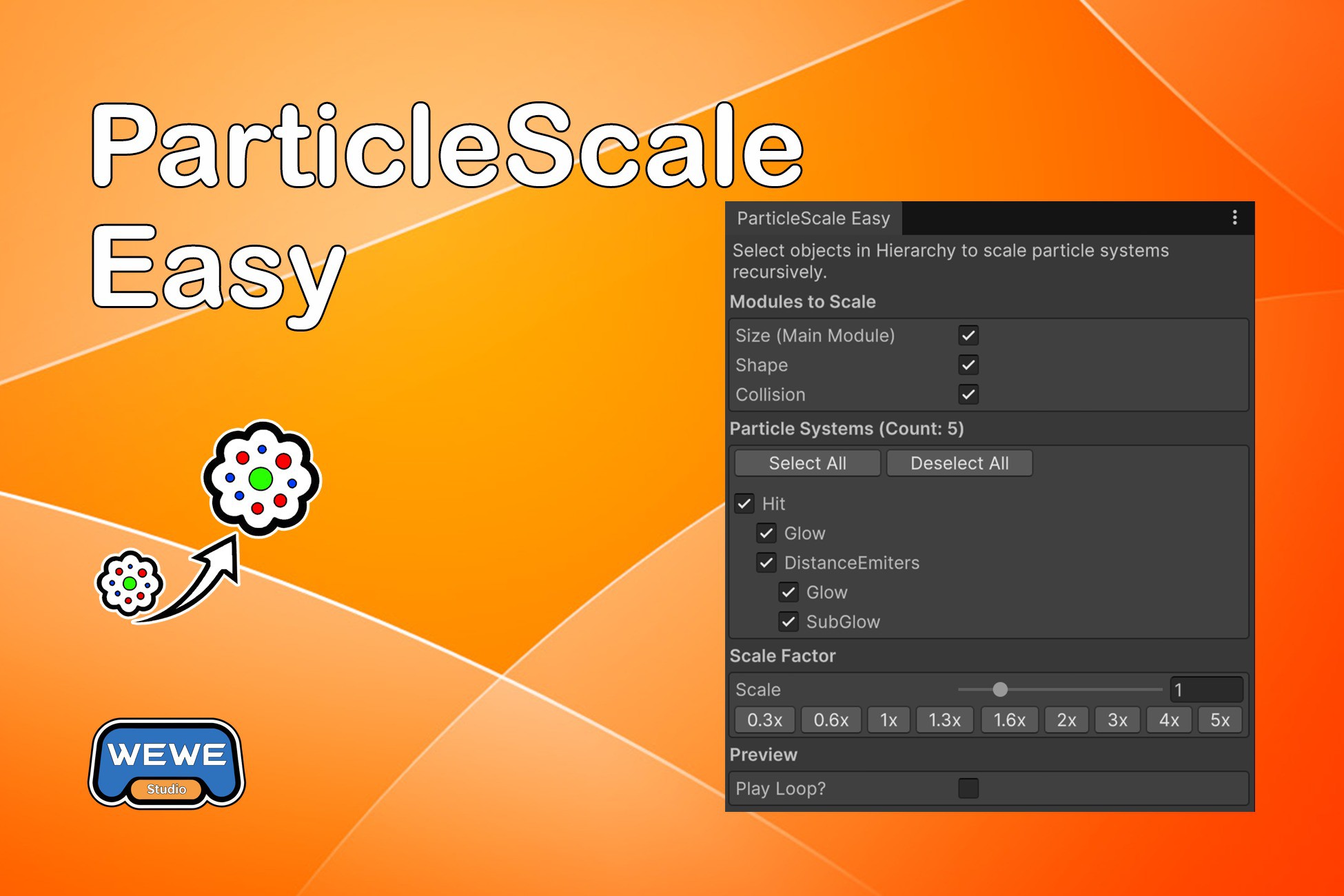
- Recursive Scanning: Automatically scans selected objects and all their children for ParticleSystem components
- Multiple Selection Support: Select multiple objects in Hierarchy to scale particle systems across all selected objects simultaneously
- Hierarchy Order: Particle systems are displayed in the same order as Unity Hierarchy for easy identification
- Hierarchical Tree View: Displays particle systems in a tree structure matching Unity Hierarchy, showing parent-child relationships
- Selective Scaling: Choose which particle systems to scale using checkboxes (supports "Select All"/"Deselect All" buttons)
- Module Selection: Choose which modules to scale (Size, Shape, Collision)
- Real-time Scaling: Changes are applied automatically as you adjust the scale factor slider
- Play Loop Preview: Preview particle effects with automatic looping (automatically skips if particle systems have looping enabled)
- Auto Restore: Automatically restores original values when scale factor is set to 1.0x
- Restore Functionality: Restore original values at any time
- Undo/Redo Support: Full Unity Undo/Redo (Ctrl+Z/Ctrl+Y) support for all operations with automatic scale factor synchronization
- Smart Selection: Inactive child GameObjects are displayed in gray and default to unselected state
- Multiple Systems: Supports multiple ParticleSystem components on the same GameObject
- Quick Scale Increase/Decrease: Quickly increase or decrease scale factor by 0.1x increments via menu items (customizable hotkeys available)
Modules
Size (Main Module)
- Scales startSize values (both Constant and TwoConstants modes)
- Supports startSize3D with separate scaling for X, Y, Z axes (both Constant and TwoConstants modes)
Shape
- Scales radius for circular shapes
- Scales scale Vector3 for all shape types
- Properly handles Box, Sphere, Cone, and other shape types
- Preserves radiusThickness value (stored for restore functionality)
Collision
- Scales radiusScale for collision detection
Notes
- The tool does NOT modify Transform components, only ParticleSystem module values
- All changes can be undone using Unity's standard Undo system (Ctrl+Z)
- Changes are applied in real-time as you adjust the scale factor slider
- Original values are stored when scanning (updated each time an object is selected), so Restore always returns to the initial state
- The tool supports multiple ParticleSystem components on the same GameObject
- Play Loop preview automatically skips particle systems that have looping enabled
- Multiple object selection is fully supported - select multiple objects in Hierarchy to scale particle systems across all of them at once
Design Philosophy
ParticleScale Easy is built for teams and solo developers who need:
- Fast iteration across large effect hierarchies
- Precise control without Transform side effects
- Reliable Undo safety
- Predictable hierarchy-based workflows
It is especially suitable for production environments where consistency, reversibility, and efficiency matter.
Compatibility:
- Unity 2020.3 LTS and above.
From the publisher's Asset Store listing.
Compatibility
| Unity version | Built-in | URP | HDRP |
|---|---|---|---|
| 6000.3.1f1 | Compatible | Compatible | Compatible |
As listed on the Asset Store.