
 View on Asset Store (opens in new tab)
Package details
- Latest version
- 1.1.1
- Last updated
- First released
- Unity version
- 6000.0.77 or later
- Package size
- 898 KB
- Files
- 53
- Favorites
- 1
- Views in the past week
- 11
Price tracking
- Last checked
- Tracked since
- Lowest recorded
- $6.66 on
Keywords

Gameptics
Gameptics (Game+Haptics) is a lightweight cross-platform haptics toolkit for Unity. Author haptic signals and sequences with duration, intensity and sharpness, then play them on iOS and Android.
Affiliate link · Purchases support this site
Price history
Last 6 months
USDAsset preview
1 / 3
Gameptics screenshot 1
About this asset
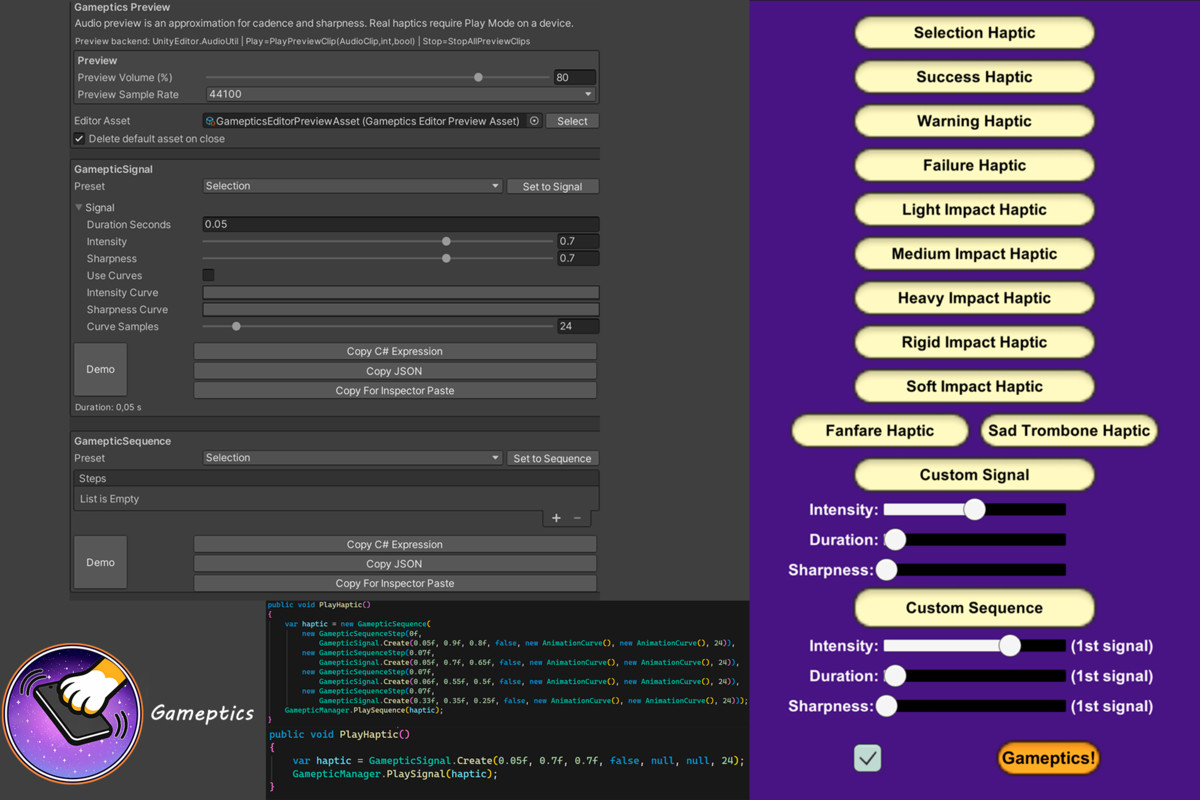
Gameptics (Game + Haptics) is a lightweight cross-platform haptics toolkit for Unity. It lets you design tactile feedback as reusable Signals and Sequences (duration, intensity, sharpness, plus optional curves) and play them on iOS and Android with automatic device-aware fallbacks.
Highlights
- Cross-platform by default
- iOS (10+ and iPhone 7 or newer) and Android (6.0+)
- Automatically adapts to what the device can actually do
- Safe fallbacks on unsupported devices (no crashes, no surprises)
- When advanced haptics are not available, it still uses regular vibrate-style feedback where possible
- Authoring that stays consistent across platforms
- Signals: duration + intensity + sharpness
- Optional intensity and sharpness curves over time for richer patterns
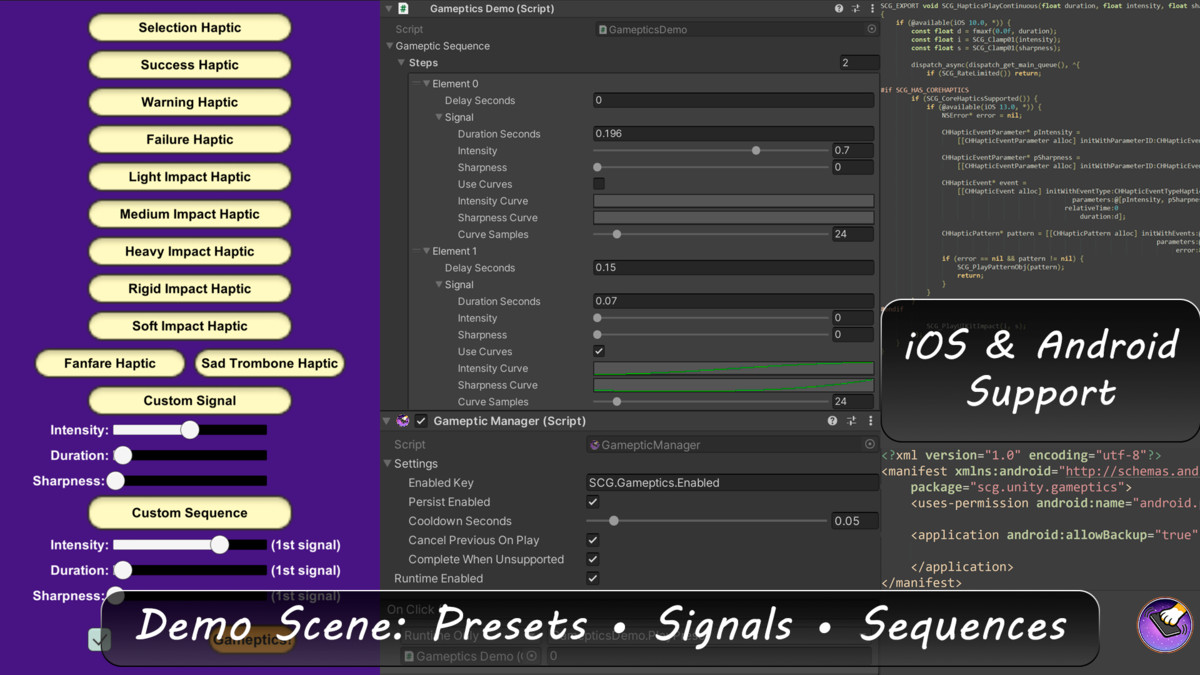
- Sequences: chain multiple signals with per-step delays for crisp rhythms, UI feedback, combos, warnings, celebrations, and more
- Great for everything from subtle taps to stronger vibrate patterns for impacts and alerts
- Simple, practical control
- One manager entry point for playback
- Global enable/disable toggle (with optional PlayerPrefs persistence)
- Built-in cooldown to prevent haptic spam
- Optional cancel-previous behavior so new feedback can interrupt the old one
- Stop playback instantly when you need to
- Editor-friendly workflow (fast iteration)
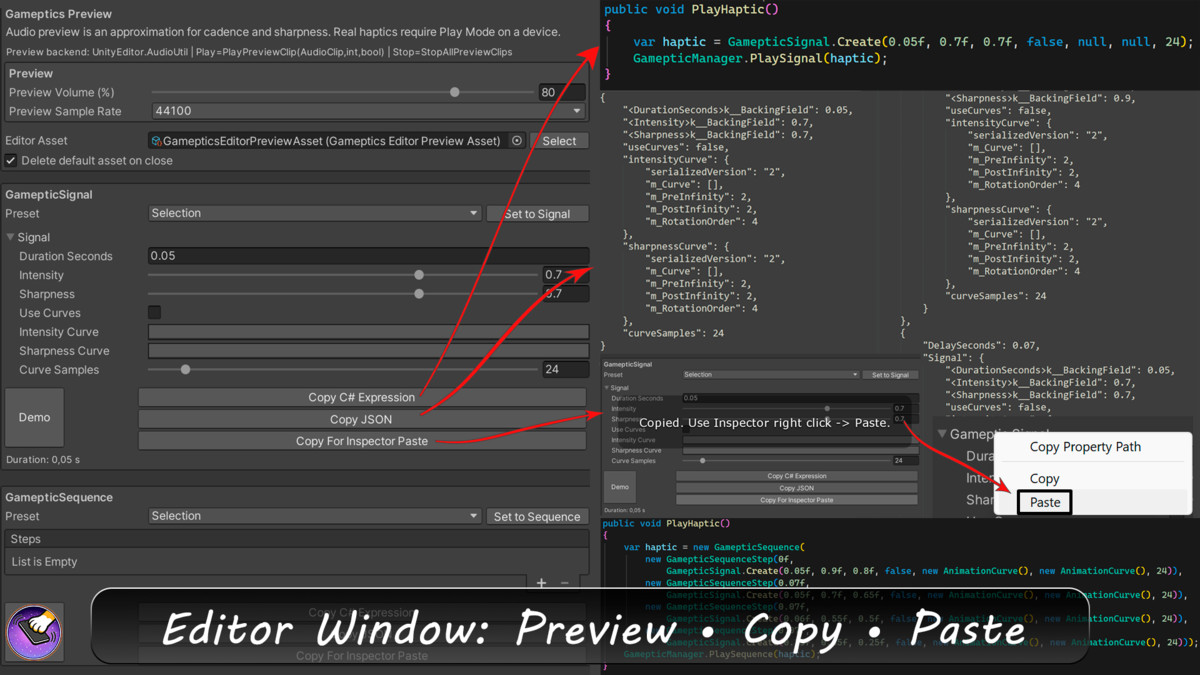
- Gameptics Preview window to prototype a signal or a sequence quickly
- Reorder sequence steps and tweak timings without friction
- Editor preview with a buzz-like audio demo so you can iterate even without a device
- Copy tools to move patterns into your project instantly:
- C# expression (paste into code)
- JSON (store/share patterns)
- Inspector-ready clipboard data (paste directly into compatible fields)
Included presets
- Selection - A subtle, short tap for UI interactions. Designed to feel responsive without becoming annoying when used often.
- Success - A clean double pulse for confirmations: button accepted, purchase complete, level cleared, perfect timing.
- Warning - A longer, attention-grabbing buzz that feels more like caution than an error. Great for low health, risky action, or timer pressure.
- Failure - Two sharp pulses that feel clearly negative and immediate. Good for wrong action, blocked interaction, or missed input.
- Light / Medium / Heavy Impacts - One-shot impacts with increasing weight. Perfect for hits, collisions, landings, punchy UI, or physics moments.
- Rigid Impact - A crisp, snappy click-like impact. Useful when you want a very mechanical, precise feel (toggle, snap, lock-in).
- Soft Impact - A gentler, rounded tap. Great for subtle UI, cozy interactions, or calmer games where heavy haptics feel out of place.
- Fanfare - A short celebratory pattern with a rising feel. Works well for achievements, streaks, loot moments, and progression beats.
- Sad Trombone - A longer, descending, comedic failure cue. Ideal for playful losses, silly mistakes, or oops moments.
Setup
- Designed to be drop-in simple: no manual Xcode or AndroidManifest edits required.
- Self-contained and editor-safe: on unsupported platforms it becomes a no-op instead of throwing errors.
Looking for alternatives?
- If you want a free version, grab Mobile Haptic Feedback by Solo Player.
- If you want a more enthusiast-level, advanced take, check Hapthicks.
If you want a practical, reliable way to add good-feeling haptics and vibrate feedback without turning your project into a platform-specific mess, -
Gameptics is a comfortable choice.
It is fast to integrate, easy to iterate on, and delivers consistent tactile results you can ship with confidence.
From the publisher's Asset Store listing.
Technical details
No extra setup required. Gameptics works out of the box and does not require manual Xcode/Gradle/AndroidManifest edits. Calls are editor-safe, and unsupported devices fall back gracefully.
iOS:
- On iOS 13+ with CoreHaptics available, patterns are generated natively with intensity and sharpness control, including curve-driven playback.
- When CoreHaptics is not available, Gameptics falls back to UIKit feedback generators (impact feedback) for consistent results.
Android:
- On API 26+ (Android 8.0+), Gameptics uses VibrationEffect for amplitude-controlled waveforms and custom patterns.
- On older Android versions, it falls back to standard vibration to preserve compatibility and avoid runtime issues.
Compatibility
| Unity version | Built-in | URP | HDRP | Custom |
|---|---|---|---|---|
| 6000.0.77f1 | Compatible | Compatible | Compatible | Compatible |
Android: Advanced vibration requires Android 8.0+ (API 26). Intensity control depends on hardware; older versions use basic vibration.
iOS: Advanced haptics require iOS 13+ and Core Haptics-compatible hardware. Simplified UIKit feedback is used where available.
Results vary by device. Minimum OS requirements also depend on your Unity version.
As listed on the Asset Store.