
 View on Asset Store (opens in new tab)
Package details
- Latest version
- 1.1.0
- Last updated
- First released
- Unity version
- 6000.2.13 or later
- Package size
- 45 KB
- Files
- 25
- Favorites
- 2
- Views in the past week
- 3
Price tracking
- Last checked
- Tracked since
- Lowest recorded
- $4.99 on
Keywords

Cracked Game Feels
Cracked Game Feels - Add juice to your Unity games with screen shake, hit stop, visual flash, audio effects, and more. Easy setup, minimal to no code required.
Affiliate link · Purchases support this site
Price history
Last 6 months
USDAsset preview
1 / 3
Cracked Game Feels screenshot 1
About this asset
Cracked Game Feels is a lightweight, modular feedback system that adds polish and impact to your Unity games. Whether you're making a 2D platformer, 3D shooter, or mobile puzzle game, Cracked Game Feels provides the essential "juice" effects that make games feel responsive and satisfying.
What's Included:
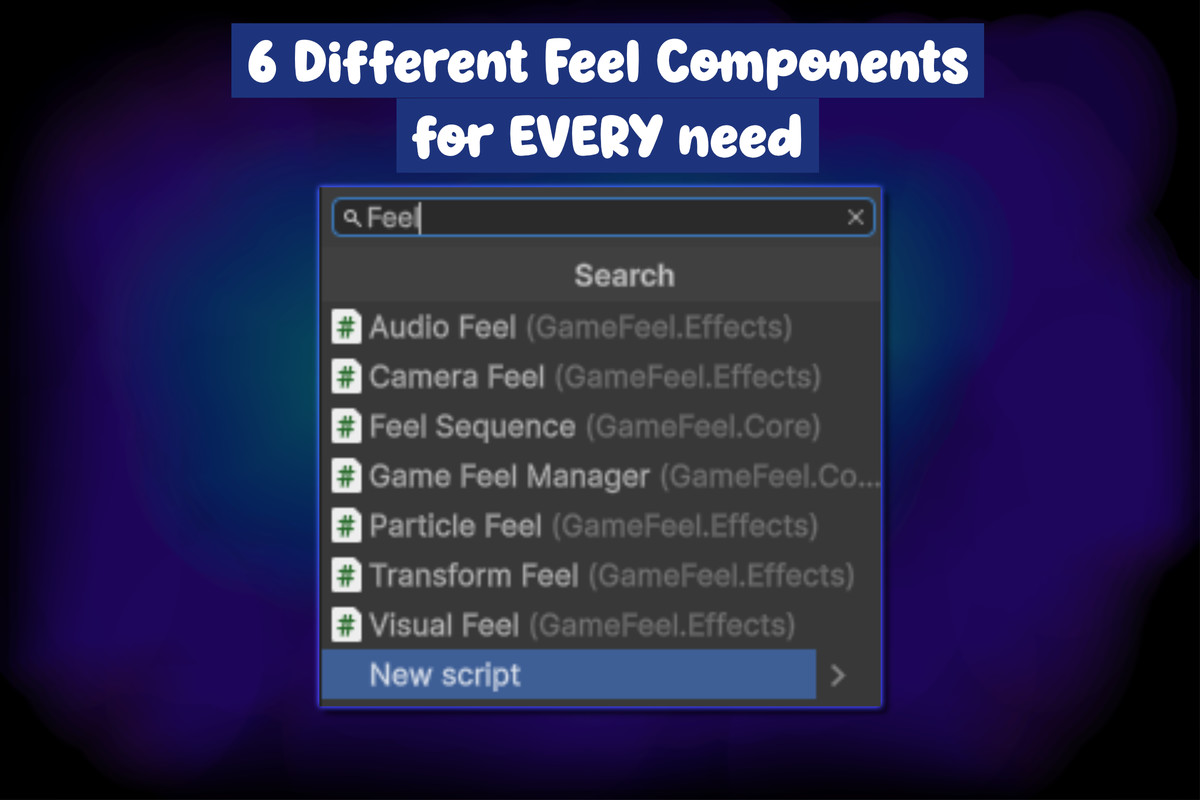
- Transform Effects - Punch scale, punch position, shake, wobble, and rotation effects for any GameObject
- Visual Effects - Color flash, alpha fade, and pulse effects for sprites, UI, and 3D meshes
- Camera Effects - Screen shake with Perlin noise, FOV punch, camera position/rotation punch
- Audio Effects - One-shot sound playback with pitch/volume randomization and modulation
- Particle Effects - Trigger particle bursts and control emission
- Time Effects - Hit stop (freeze frames), slow motion, and smooth time scale transitions
- Effect Sequencing - Chain multiple effects together sequentially or in parallel
Key Features:
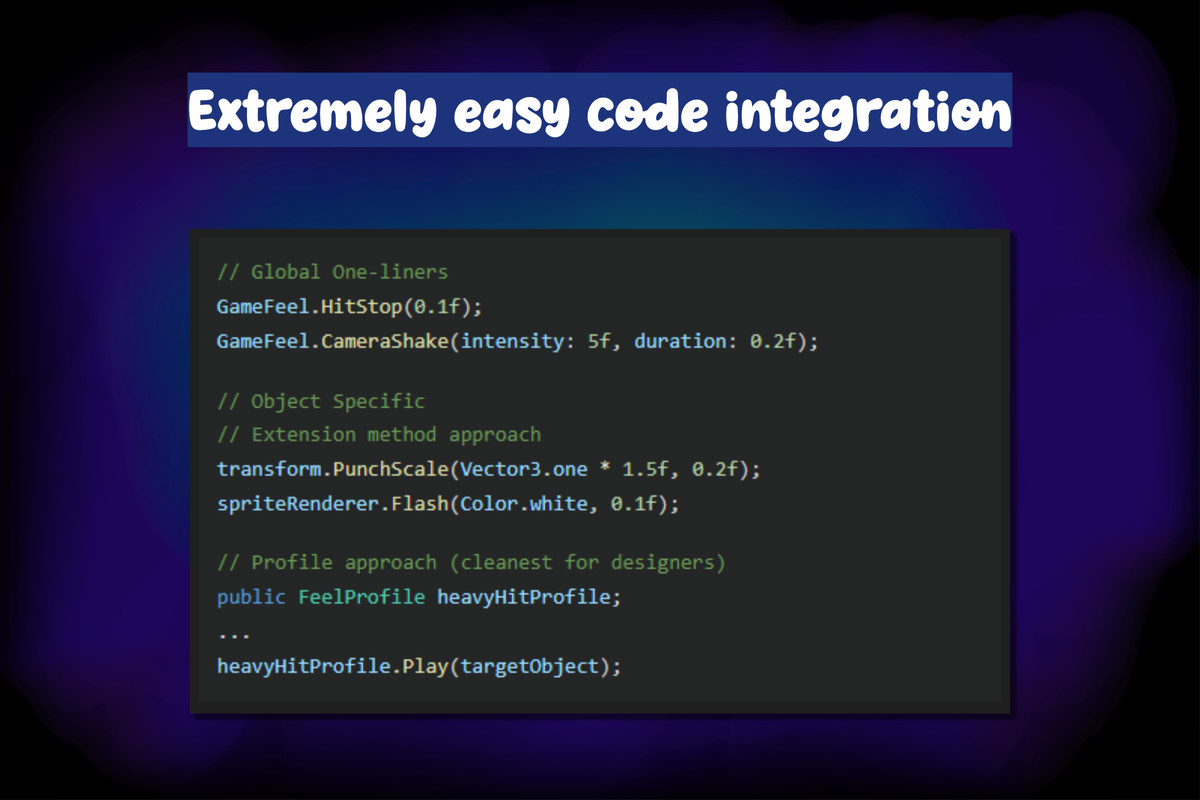
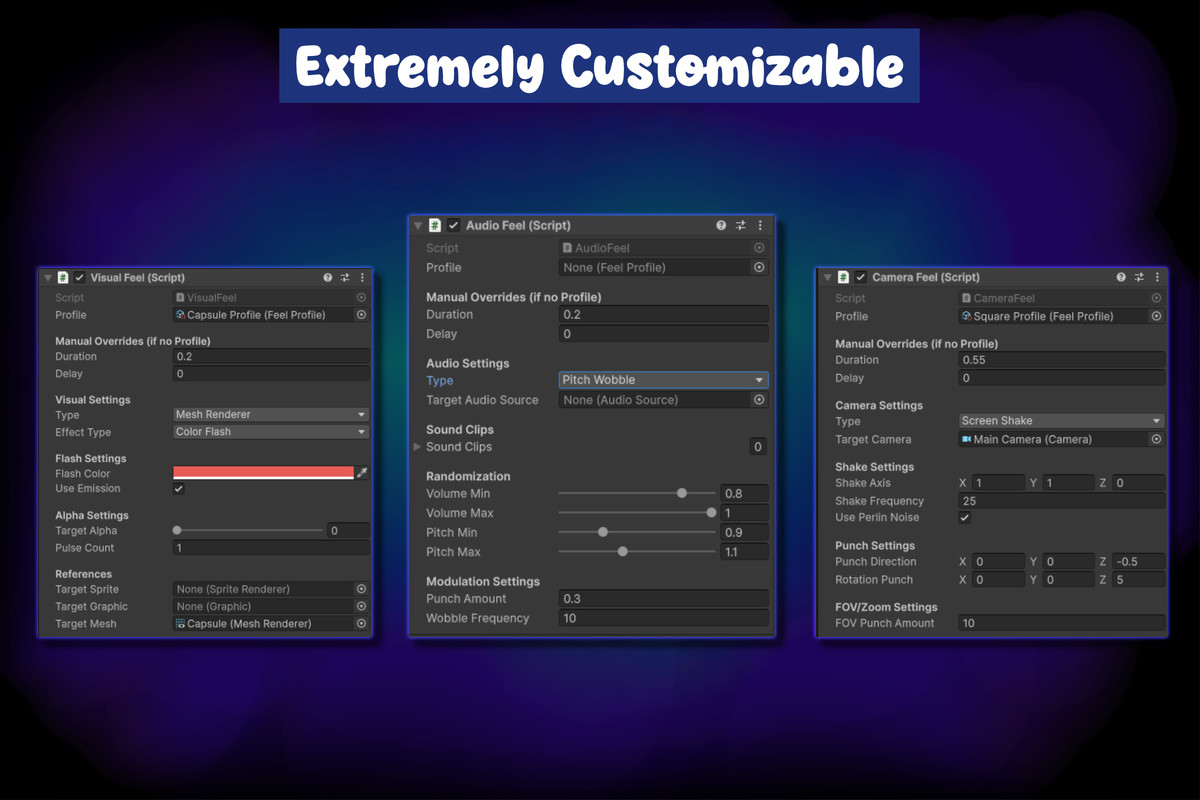
- Profile-based configuration using ScriptableObjects for designer-friendly iteration
- 26 built-in easing functions (Quad, Cubic, Elastic, Bounce, Back, and more)
- Completion callbacks for chaining custom logic
- Works with 2D sprites, UI elements, and 3D meshes
- Mobile haptic feedback support (iOS/Android)
- Zero garbage allocation during runtime
- Fully documented with XML comments
Quick Start:
- Add a feedback component (TransformFeel, VisualFeel, CameraFeel, etc.) to any GameObject
- Configure the effect type and settings in the Inspector
- Call Play() from your code or link to a UI button
No complex setup required. Just add, configure, and play.
From the publisher's Asset Store listing.
Technical details
Compatibility:
- Unity 6.2 (6000.2.13f1) and newer
- Supports all render pipelines (Built-in, URP, HDRP)
- Works on all platforms (PC, Mobile, Console, WebGL)
Architecture:
- Namespace: GameFeel.Core, GameFeel.Effects, GameFeel.Utils
- Abstract base class FeelFeedback for custom extensions
- Singleton GameFeelManager for global access
- No external dependencies
Included Components:
- TransformFeel - PunchScale, PunchPosition, PunchRotation, ShakePosition, ShakeRotation, WobbleScale
- CameraFeel - ScreenShake, PunchPosition, PunchRotation, FOVPunch, ZoomPunch
- VisualFeel - ColorFlash, AlphaFade, AlphaPulse, ColorPulse
- AudioFeel - PlayOneShot, PitchPunch, VolumePunch, PitchWobble
- ParticleFeel - Play, Burst, Stop, Clear
- FeelSequence - Sequential and Parallel modes with looping
Easing Functions (26 total): Linear, Quad, Cubic, Quart, Sine, Expo, Circ, Elastic, Bounce, Back, Spring, Punch (In/Out/InOut variants)
Performance:
- Coroutine-based animation (no Update overhead when idle)
- MaterialPropertyBlock support for batching-friendly color changes
- Cached shader property IDs
- Optional debug logging (disabled by default)
Compatibility
| Unity version | Built-in | URP | HDRP | Custom |
|---|---|---|---|---|
| 6000.2.13f1 | Compatible | Compatible | Compatible | Compatible |
As listed on the Asset Store.